Daily Shift Report Template

Free Word download β€’ Edit online β€’ Save & share with Drive β€’ Export to PDF

3 pagesβ€’20–25 min to fillβ€’Difficulty: Standard
Learn more ↓
FreeDaily Shift Report Template

At a glance

What it is
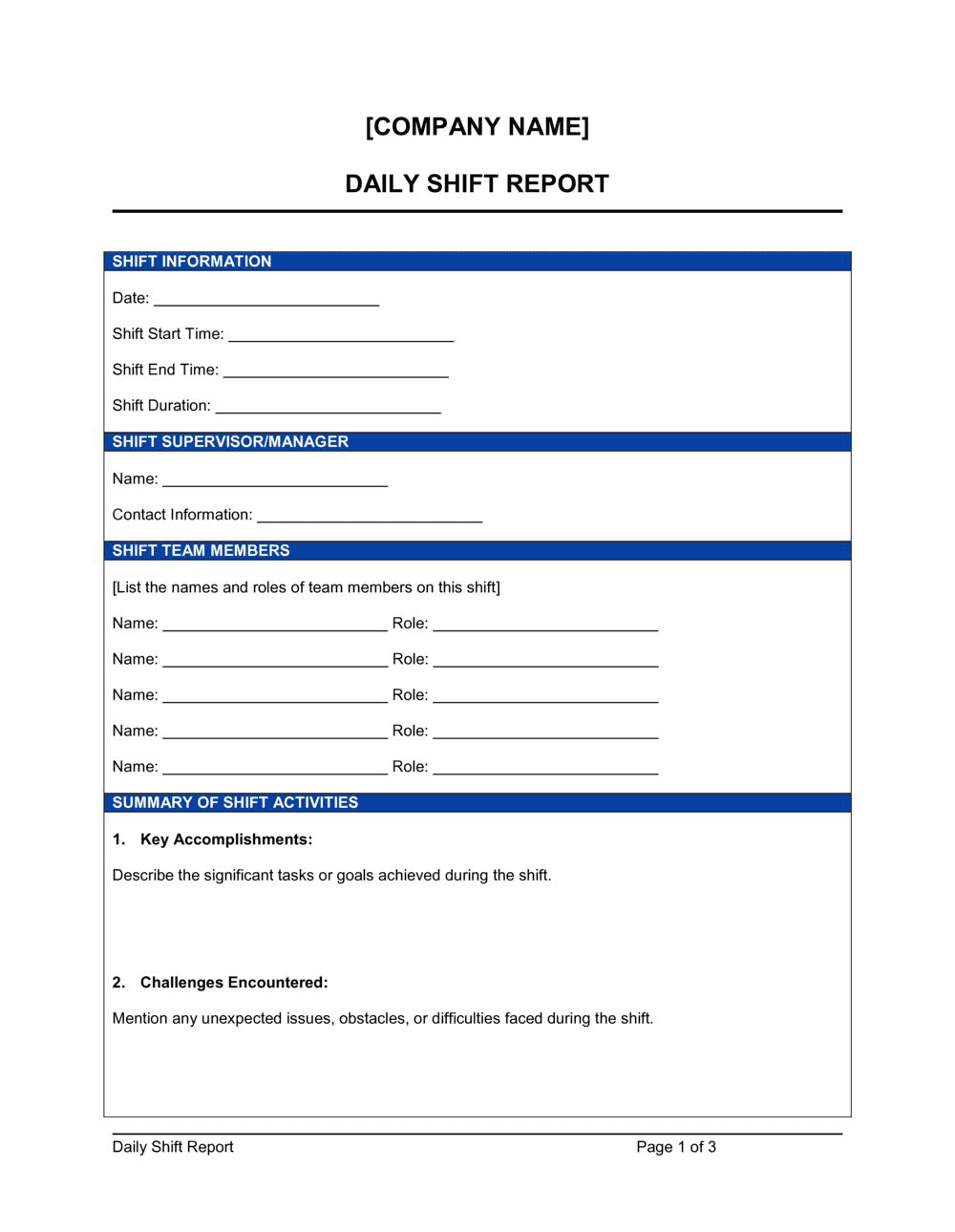
A Daily Shift Report is a structured end-of-shift document that supervisors complete to record headcount, output metrics, incidents, equipment status, and open follow-ups before handing off to the next shift team. This free Word download gives you a consistent, printable form you can edit online and export as PDF for filing or digital handoff.
When you need it
Complete it at the close of every shift β€” day, swing, or night β€” any time operational continuity, regulatory recordkeeping, or management oversight requires a written account of what happened on the floor during that period.
What's inside
Shift identification header, staffing and attendance log, production or service metrics, incident and safety notes, equipment status, key decisions made, handoff notes for the incoming supervisor, and open action items with assigned owners and due dates.

What is a Daily Shift Report?

A Daily Shift Report is a structured end-of-shift document that a supervisor completes to record everything of operational significance that occurred during their watch β€” headcount, output metrics, incidents, equipment status, key decisions, and handoff notes for the team taking over. It functions as both an internal communication tool and a timestamped operational record, ensuring that each incoming shift starts with accurate, written context rather than verbal summaries that vary by who is available to give them. In round-the-clock operations, the shift report is the connective tissue that keeps a 24-hour facility running coherently across three separate teams.

Why You Need This Document

Without a consistent shift report, operational continuity breaks at every handoff. Incoming supervisors inherit unknown equipment faults, undocumented incidents, and action items that no one was formally assigned to resolve β€” and the first 30 minutes of each shift are spent reconstructing what happened rather than managing the floor. Over time, the absence of shift records makes it impossible to identify recurring downtime causes, staffing patterns, or safety trends that would be obvious from even a month of consistent data. In regulated industries, missing or incomplete shift records expose the operation to compliance findings, insurance disputes, and liability risk when incidents escalate. This template gives supervisors a repeatable structure they can complete in under 15 minutes, producing a record that protects the operation, supports management decisions, and gives every incoming team a clean, documented starting point.

Which variant fits your situation?

If your situation is…Use this template
High-volume manufacturing with hourly output trackingProduction Shift Report
Security or facilities patrol with incident loggingSecurity Shift Report
Retail or food-service with sales and staffing metricsStore Manager Daily Report
Weekly roll-up of shift performance for management reviewWeekly Operations Report
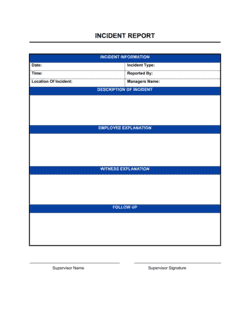
Documenting a specific safety or quality incident in detailIncident Report
Tracking daily activity and output across multiple departmentsDaily Operations Report
Summarizing project-phase progress at end of dayDaily Progress Report

Common mistakes to avoid

❌ Completing the report from memory at shift end

Why it matters: Times, sequences, and details blur over an 8- or 12-hour shift. A report written entirely from recall after the fact introduces errors that become the official record.

Fix: Use the template as a working document throughout the shift, adding entries in real time and finalizing the summary section in the last 15 minutes.

❌ Skipping the target in the metrics section

Why it matters: Actual output without a baseline number cannot be evaluated β€” a manager reviewing 10 reports cannot distinguish a strong shift from a poor one without the target.

Fix: Pre-populate the shift target in the template before distributing it to supervisors, so the baseline is never blank regardless of who fills in the actuals.

❌ Leaving action items without named owners

Why it matters: Ownerless tasks fall through shift changes. The incoming supervisor assumes the outgoing team is handling it; the outgoing team assumes the action item was handed off.

Fix: Before signing off, review every action item and confirm each has a specific person's name β€” not a role or department β€” assigned as owner.

❌ Using vague incident language to minimize events

Why it matters: Descriptions like 'minor issue resolved' are legally and operationally useless. If the incident escalates, a vague entry provides no defense and may look like a cover-up.

Fix: Describe every incident factually: what happened, where, at what time, who was involved, and what action was taken. Use neutral language and avoid assigning blame in the report.

The 8 key sections, explained

Shift identification header

Staffing and attendance

Production or service metrics

Incidents and safety notes

Equipment and facility status

Key decisions and escalations

Handoff notes for incoming supervisor

Open action items

How to fill it out

  1. 1

    Complete the header at the start of your shift

    Fill in the date, exact shift times, department, and your name before any activity begins. This prevents end-of-shift scrambles and timestamps the report accurately.

    πŸ’‘ Pre-populate recurring fields β€” facility name, department, shift time β€” in your master template so supervisors only fill in the variable data.

  2. 2

    Record attendance within the first 30 minutes

    Compare actual arrivals against the schedule. Name each absent or late employee, note the reason if known, and document any coverage arrangements you made.

    πŸ’‘ Take attendance at a fixed time β€” 15 minutes after shift start β€” so the headcount is comparable across all reports.

  3. 3

    Log incidents immediately when they occur

    Do not wait until end of shift to record incidents. Note the time, location, persons involved, and immediate action taken as soon as the situation is stabilized.

    πŸ’‘ Include near misses. Regulatory bodies and insurance carriers treat undocumented near misses as evidence of a poor safety culture during audits.

  4. 4

    Update equipment status whenever a fault is reported

    Record the asset ID or name, the nature of the fault, the time it was reported, and its status each time something changes during the shift.

    πŸ’‘ Reference the maintenance work-order number in the report so the incoming supervisor can track repair status without hunting through a separate system.

  5. 5

    Pull production metrics from your system before shift end

    Export or manually record actual output against target, note any variance over 5%, and write one sentence explaining the cause.

    πŸ’‘ A consistent variance threshold β€” e.g., flag anything more than 5% off target β€” makes the report scannable and prevents supervisors from burying bad numbers in narrative.

  6. 6

    Write handoff notes as if the incoming supervisor has no context

    Assume the incoming supervisor was not on site during your shift. Each handoff note should include what happened, current status, and what action β€” if any β€” they need to take.

    πŸ’‘ Limit handoff notes to the three to five most operationally significant items. A list of 15 notes signals everything is equally urgent, which means nothing gets addressed.

  7. 7

    Assign an owner and due date to every open action item

    Review all unresolved tasks before you sign off. For each one, write the specific action required, name the person responsible, and set a target completion shift or date.

    πŸ’‘ If an action item carries over from the previous shift's report, note that explicitly β€” recurring items with no progress are a management escalation signal.

Frequently asked questions

What is a daily shift report?

A daily shift report is a structured document completed by a supervisor at the end of each work shift to record staffing, output metrics, incidents, equipment status, and handoff notes for the next shift team. It creates a written operational record that supports continuity, accountability, and management oversight across a 24-hour operation.

Who should complete a daily shift report?

The shift supervisor or lead is responsible for completing the report before signing off. In operations where no formal supervisor exists, the senior worker on shift should complete it. The person filling it in should have direct visibility to all the events and metrics being recorded β€” secondhand summaries from floor workers alone are not sufficient.

How is a shift report different from an incident report?

A shift report covers the full scope of shift activity β€” staffing, output, equipment, decisions, and handoff notes β€” of which incidents are one component. An incident report is a standalone document focused entirely on a single safety or operational event, with root-cause detail, witness accounts, and corrective actions. Significant incidents should generate both: a brief entry in the shift report and a full separate incident report filed independently.

How long should a daily shift report take to complete?

For a standard 8-hour shift, a supervisor filling in a well-structured template should spend no more than 10–15 minutes on the final summary. That assumes entries were made throughout the shift as events occurred. A report completed entirely at shift end from memory typically takes 20–30 minutes and is less accurate.

Should daily shift reports be signed?

Adding the completing supervisor's name and the date is standard practice and sufficient for most operations. Some industries β€” security, healthcare, and food manufacturing β€” require a physical or electronic signature for regulatory compliance. Even where not required, a named supervisor entry creates clear accountability for the report's accuracy.

How long should daily shift reports be retained?

Retention depends on industry and jurisdiction. OSHA requires certain workplace injury records to be kept for 5 years. Food safety regulations under FSMA typically require production records for 2 years. For general operations, a 12-month rolling retention is common. Consult your industry's regulatory requirements and your organization's document retention policy before setting a standard.

Can this template be used for a 12-hour shift schedule?

Yes. The template works for any shift length β€” 8-hour, 10-hour, or 12-hour schedules. Adjust the shift identification header to reflect the actual start and end times, and add or remove metric rows to match the output targets relevant to that shift window. The handoff notes section is especially important in 12-hour operations where shift overlaps are shorter and verbal briefings are less thorough.

What metrics should a manufacturing shift report include?

At minimum: units produced versus target, scrap or defect count, downtime duration and cause, and OEE if tracked. Higher-maturity operations also log first-pass yield, changeover time, and raw material consumption versus standard. The key rule is consistency β€” track the same metrics every shift so trend analysis is meaningful across weeks and months.

How this compares to alternatives

vs Daily Progress Report

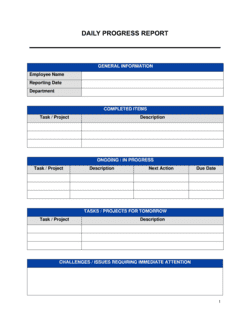
A daily progress report tracks task and project completion over a full day, typically used in construction or project management contexts. A shift report is time-bounded to a single shift, covers operational metrics and handoff continuity, and is completed multiple times per day in round-the-clock operations. Use a shift report when the day is divided into distinct staffed periods with separate supervisory accountability.

vs Incident Report

An incident report is a standalone deep-dive into a single safety, security, or quality event β€” covering timeline, root cause, witnesses, and corrective actions. A shift report summarizes an entire shift, with incidents as one section among many. Significant events require both: a brief entry in the shift report and a separate, detailed incident report filed concurrently.

vs Weekly Operations Report

A weekly operations report aggregates performance data across an entire week for management review, typically comparing actuals to weekly targets and surfacing trends. A daily shift report captures real-time operational detail that feeds those weekly aggregates. The two documents serve different audiences β€” floor supervisors versus operations managers β€” and work together rather than in place of each other.

vs Employee Daily Activity Report

An employee daily activity report is completed by an individual worker to log their personal tasks and time for the day. A shift report is completed by the supervisor to record team-level operations, metrics, and handoff information. The shift report covers the whole team; the activity report covers one person's contribution within that shift.

Industry-specific considerations

Manufacturing

Output counts, OEE, downtime codes, quality defects, and shift-to-shift production targets drive the metrics section in most plant environments.

Retail

Sales-per-hour, transaction count, till variances, and staff coverage gaps are the primary metrics, alongside customer complaint logs and store walkthrough notes.

Hospitality

Room occupancy, guest complaints, maintenance requests, and restaurant covers-per-shift are standard entries, with the handoff note critical for front-desk continuity.

Security and Facilities

Patrol logs, access control events, alarm responses, and visitor records form the core of a security shift report, often required for client or regulatory audit trails.

Template vs pro β€” what fits your needs?

PathBest forCostTime
Use the templateAny supervisor or operations team needing a consistent daily shift record without custom softwareFree10–15 minutes per shift to complete
Template + professional reviewOperations managers who want to align the template with specific KPIs, ERP fields, or regulatory reporting requirements$100–$500 for an operations consultant or process analyst session1–3 days to customize and pilot
Custom draftedEnterprise facilities with CMMS, ERP, or compliance systems that require structured data entry and digital audit trails$2,000–$10,000+ for system integration and form design2–8 weeks

Glossary

Shift Handoff
The formal transfer of operational responsibility from one shift supervisor to the next, supported by written documentation of status and open issues.
Headcount
The number of workers actually present and working during the shift, compared against the scheduled count.
Downtime
Any period during the shift when production, service, or operations stopped or slowed due to equipment failure, staffing gaps, or external factors.
Near Miss
An unplanned event that did not result in injury or damage but had the potential to β€” typically required to be logged for safety compliance.
OEE (Overall Equipment Effectiveness)
A composite metric combining availability, performance, and quality rates to measure how efficiently production equipment is being used.
Action Item
A specific task identified during the shift that requires follow-up, with a named owner and a target completion date.
Variance
The difference between a target metric (planned output, scheduled headcount, budgeted hours) and the actual result for the shift.
Corrective Action
A documented step taken β€” or assigned β€” to address the root cause of an incident, defect, or performance gap identified during the shift.

Part of your Business Operating System

This document is one of 3,000+ business & legal templates included in Business in a Box.

  • Fill-in-the-blanks β€” ready in minutes
  • 100% customizable Word document
  • Compatible with all office suites
  • Export to PDF and share electronically

Create your document in 3 simple steps.

From template to signed document β€” all inside one Business Operating System.
1
Download or open template

Access over 3,000+ business and legal templates for any business task, project or initiative.

2
Edit and fill in the blanks with AI

Customize your ready-made business document template and save it in the cloud.

3
Save, Share, Send, Sign

Share your files and folders with your team. Create a space of seamless collaboration.

Save time, save money, and create top-quality documents.

β˜…β˜…β˜…β˜…β˜…

"Fantastic value! I'm not sure how I'd do without it. It's worth its weight in gold and paid back for itself many times."

Managing Director Β· Mall Farm
Robert Whalley
Managing Director, Mall Farm Proprietary Limited
β˜…β˜…β˜…β˜…β˜…

"I have been using Business in a Box for years. It has been the most useful source of templates I have encountered. I recommend it to anyone."

Business Owner Β· 4+ years
Dr Michael John Freestone
Business Owner
β˜…β˜…β˜…β˜…β˜…

"It has been a life saver so many times I have lost count. Business in a Box has saved me so much time and as you know, time is money."

Owner Β· Upstate Web
David G. Moore Jr.
Owner, Upstate Web

Run your business with a system β€” not scattered tools

Stop downloading documents. Start operating with clarity. Business in a Box gives you the Business Operating System used by over 250,000 companies worldwide to structure, run, and grow their business.

Start freeΒ Β·Β No credit card required