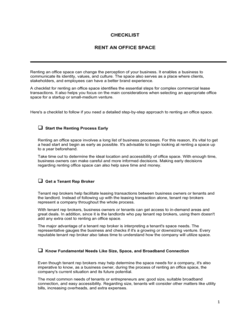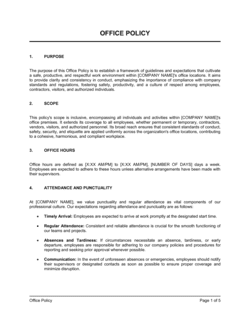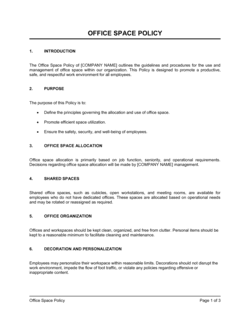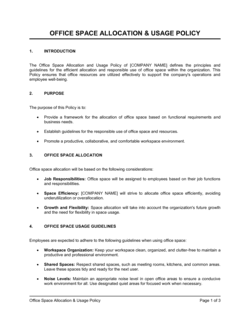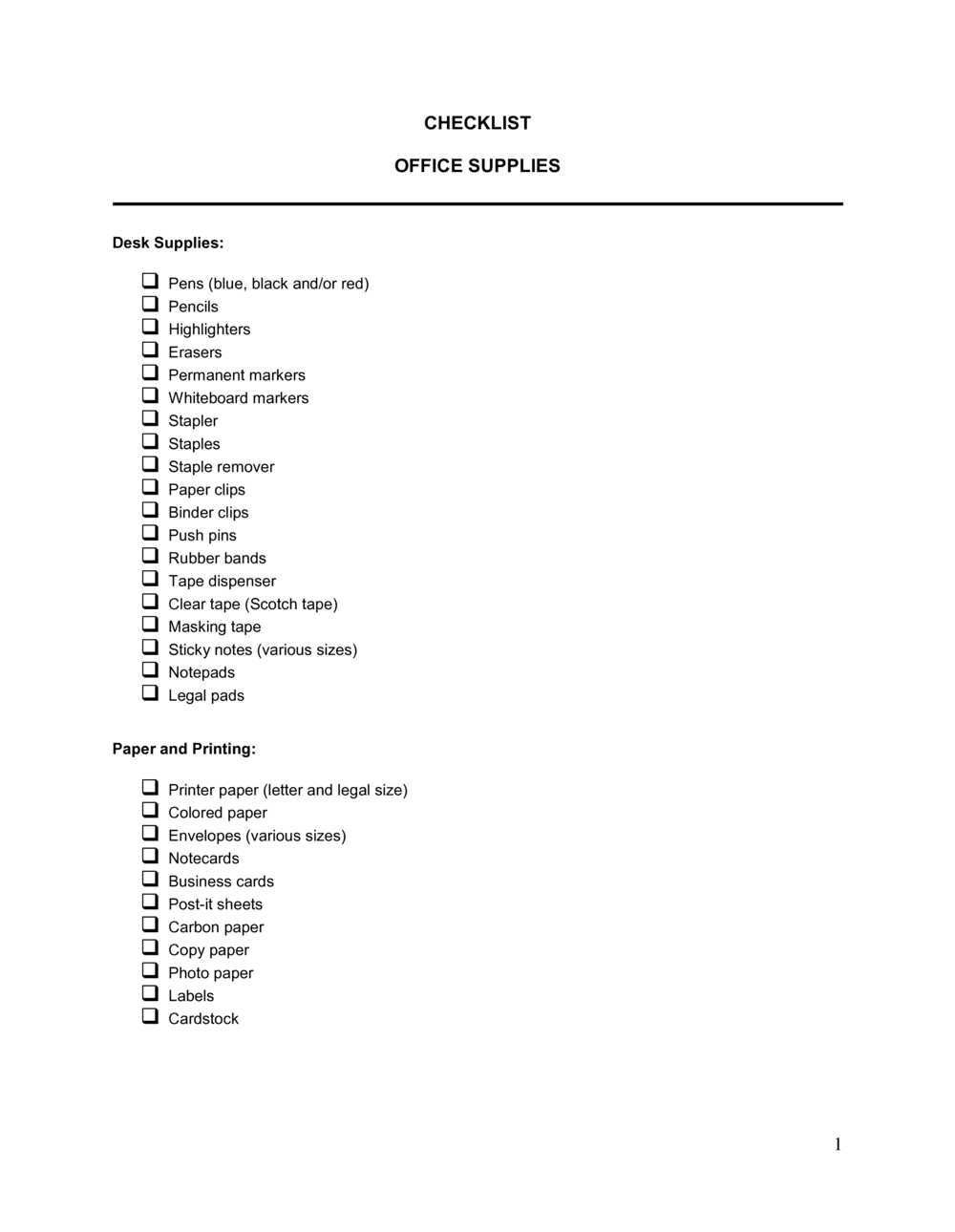
Checklist Office Supplies

Free download β€’ Use as a template β€’ Print or share

4 pagesβ€’20–25 min to useβ€’Difficulty: Standard
Learn more ↓
FreeChecklist Office Supplies Template

At a glance

What it is
An Office Supply Checklist is a structured form used to record, monitor, and request replenishment of workplace consumables β€” from pens and paper to printer cartridges and cleaning supplies. This free Word download gives you a ready-to-use template you can customize with your item list, par levels, and supplier details, then export as PDF for submission or filing.
When you need it
Use it during routine inventory counts, before placing a supply order, or when setting up a new office location. It is also useful when delegating supply management to an admin or office coordinator for the first time.
What's inside
Item name and category, quantity on hand, reorder threshold, quantity to order, unit cost, preferred supplier, and an approval or sign-off field. Together these fields give you a full snapshot of current stock and a clear action list for restocking.

What is an Office Supply Checklist?

An Office Supply Checklist is a structured form used to audit current stock levels of workplace consumables, identify items that need to be reordered, and document the quantities and costs for the next supply order. It covers everything from pens, paper, and printer cartridges to breakroom and cleaning supplies, giving the person responsible for office management a repeatable, consistent process for keeping the workplace stocked without over-spending or running short.

Why You Need This Document

Without a formal checklist, supply management defaults to whoever notices the empty paper tray first β€” an ad hoc system that produces duplicate orders, missed items, and no audit trail for spending. A documented process with par levels and sign-off fields prevents three common and costly outcomes: stockouts that interrupt daily operations, over-ordering that ties up budget in excess inventory, and unauthorized purchases that inflate the supply line on the profit and loss statement. This template gives you a starting point you can customize with your item list and par levels in under 30 minutes, then reuse every review cycle with no rework.

Which variant fits your situation?

If your situation is…Use this template
Tracking general desk and stationery suppliesChecklist Office Supplies
Managing IT hardware and peripheral equipment inventoryIT Equipment Inventory List
Ordering supplies for a warehouse or stockroomInventory Count Sheet
Requesting supplies through a formal internal approval processPurchase Requisition Form
Tracking spending across supply categories for budget reportingOffice Expense Report
Issuing a formal order to a supplier with pricing and termsPurchase Order
Auditing all fixed and consumable assets across a facilityAsset Inventory List

Common mistakes to avoid

❌ Estimating on-hand quantities instead of counting

Why it matters: Inaccurate stock counts produce orders that are either too large or too small. Over-ordering ties up budget; under-ordering causes stockouts that interrupt daily work.

Fix: Assign one person to physically count every item at the start of each review cycle and record the exact count before filling in any other field.
❌ Using a single flat par level for all items

Why it matters: A ream of paper consumed daily and a box of staples used monthly have very different reorder needs. One-size-fits-all thresholds cause chronic shortages on high-usage items and excess stock on low-usage ones.

Fix: Set par levels individually based on average weekly usage and each supplier's lead time. Review and adjust them every quarter as usage patterns change.

❌ No approval or sign-off field

Why it matters: Without a designated approver, supply orders are placed ad hoc by multiple people, resulting in duplicate orders, unauthorized vendor choices, and budget overruns that are hard to trace.

Fix: Add a sign-off field to every checklist and establish a clear policy that no order is placed until the authorized person approves the completed form.

❌ Omitting supplier item numbers from the checklist

Why it matters: When catalog numbers are missing, the person placing the order has to look up each item individually, which slows the process and increases the risk of ordering the wrong variant.

Fix: Add the supplier's catalog or SKU number for each item when you first build the master list, and update it whenever a product changes or a supplier is switched.

The 10 key fields, explained

Item Name and Description

Category

Unit of Measure

Quantity on Hand

Par Level / Reorder Threshold

Quantity to Order

Unit Cost and Total Cost

Preferred Supplier and Item Number

Reorder Required (Yes / No)

Approved By and Date

How to fill it out

  1. 1

    List all supply items by category

    Enter every item your office regularly uses, grouped by category such as stationery, paper, printer supplies, and breakroom consumables. Include brand and size details in the description.

    πŸ’‘ Build the master item list once and reuse it each cycle β€” only the quantities on hand and order amounts should change from one review to the next.

  2. 2

    Set par levels for each item

    For each item, determine the minimum quantity that must be on hand before a reorder is triggered. Base this on average weekly usage and the supplier's typical lead time.

    πŸ’‘ For items with a 5-business-day lead time, set the par level to at least 1.5 times weekly usage so you never stock out while waiting for delivery.

  3. 3

    Conduct a physical count

    Walk the supply storage area and count each item physically. Record the actual quantity on hand in the checklist β€” do not estimate or copy the previous cycle's figures.

    πŸ’‘ Count at the same time each cycle, such as every first Monday of the month, to build consistent data for usage trend analysis.

  4. 4

    Identify items that need reordering

    Compare the on-hand quantity to the par level for each item. Mark the reorder-required field as Yes for any item where on-hand quantity is at or below the par level.

    πŸ’‘ Sort the list by the reorder-required column before reviewing so all action items appear at the top and nothing is overlooked.

  5. 5

    Calculate quantities to order

    For each item flagged for reorder, calculate the quantity needed to bring stock back to the target level, accounting for lead time and any anticipated usage spikes.

    πŸ’‘ Round order quantities to full case or box quantities when possible to take advantage of bulk pricing and avoid partial-unit pricing anomalies.

  6. 6

    Enter costs and obtain approval

    Fill in the unit cost and calculate the total cost per line item. Submit the completed checklist to the designated sign-off authority before placing any order.

    πŸ’‘ Include the previous cycle's unit cost next to the current one so the approver can immediately spot any price increases from the supplier.

  7. 7

    File the completed checklist and place the order

    Once approved, retain a copy of the signed checklist for budget records, then submit the order to the preferred supplier using the catalog numbers listed.

    πŸ’‘ Save completed checklists in a shared folder by month β€” three cycles of data are enough to identify usage trends and refine par levels.

Frequently asked questions

What is an office supply checklist?

An office supply checklist is a structured form that lists every supply item an office uses, records the current quantity on hand, identifies items that need to be reordered, and documents the quantities and costs for the next order. It provides a repeatable, auditable process for managing workplace consumables and controlling supply spending.

How often should an office supply checklist be completed?

Most small to mid-sized offices complete an inventory review monthly. Offices with high supply consumption β€” print shops, medical offices, or large open-plan workplaces β€” often run the checklist bi-weekly. Tying the review cycle to the supply ordering schedule works best: complete the checklist a few days before the regular order date so there is time for approval before the order must be placed.

What items should be on an office supply checklist?

A complete checklist covers stationery (pens, pencils, notepads, sticky notes), paper (copy paper, cardstock, envelopes), printer supplies (cartridges, toner, drums), filing supplies (folders, labels, binders), desk accessories (tape, scissors, staplers, staples), and breakroom consumables (coffee, cups, cleaning supplies). Add categories specific to your industry β€” medical forms, shipping supplies, or safety items β€” as needed.

Who should be responsible for completing the office supply checklist?

One designated person β€” typically the office manager or an administrative assistant β€” should own the process each cycle. Having multiple people complete separate checklists without coordination leads to duplicate orders. The owner counts stock, completes the form, and submits it to the sign-off authority for approval before placing the order.

What is a par level and how do I set one?

A par level is the minimum quantity of an item that must be on hand before a reorder is placed. To set it, calculate average weekly usage for the item and multiply by the supplier's lead time in weeks, then add a buffer of 25–50% for unexpected demand spikes. For example, if your office uses 2 reams of paper per week and lead time is 1 week, a par level of 3 reams gives you a reasonable buffer.

What is the difference between an office supply checklist and a purchase order?

An office supply checklist is an internal inventory-management tool used to identify what needs to be ordered. A purchase order is a formal commercial document sent to a supplier to authorize and document the purchase. The checklist drives the decision; the purchase order executes it. For small offices buying from retail suppliers, the checklist alone may suffice, but businesses with procurement policies typically require a purchase order to follow.

Can I use the same checklist for multiple office locations?

You can use the same template structure, but each location should maintain a separate checklist with its own on-hand counts, par levels, and preferred suppliers. Usage patterns, storage capacity, and supplier contracts often differ by location. A shared master template with location-specific tabs is a practical approach for multi-site offices.

How does an office supply checklist help control costs?

By recording on-hand quantities and unit costs each cycle, the checklist makes it easy to spot over-ordering, price increases from suppliers, and categories where spending has drifted. Over time, the completed checklists create a usage history you can use to negotiate better pricing, switch suppliers, or adjust par levels to reduce carrying costs.

How this compares to alternatives

vs Purchase Order

A purchase order is a formal commercial document sent to a supplier to authorize a specific transaction, including pricing and delivery terms. An office supply checklist is an internal tracking tool that identifies what needs to be ordered. The checklist informs the purchase order but does not replace it. Businesses with formal procurement policies complete the checklist first, then issue a purchase order based on its output.

vs Expense Report

An expense report records costs that have already been incurred and requests reimbursement. An office supply checklist is a planning and ordering tool used before a purchase is made. Use the checklist to manage supply inventory proactively, and the expense report to document and reimburse supply purchases made out of pocket.

vs Inventory Count Sheet

An inventory count sheet is designed for product inventory in retail or warehouse environments, tracking items held for sale with values, locations, and SKUs. An office supply checklist tracks internal consumables not held for resale. The count sheet suits stockroom audits; the supply checklist suits day-to-day office operations management.

vs Purchase Requisition Form

A purchase requisition is a formal internal approval request submitted to a procurement or finance team before a purchase is authorized. An office supply checklist is a simpler operational tool used by the person managing supplies directly. Larger organizations use both: the checklist identifies needs, and the requisition routes approval through the correct authority.

Industry-specific considerations

Professional Services

Law firms, accounting practices, and consultancies track branded stationery, client folders, and high-volume printer supplies on a strict monthly reorder cycle.

Healthcare

Medical and dental offices manage both general office supplies and regulated administrative forms, requiring careful separation of clinical and non-clinical inventory on the checklist.

Education

Schools and training centers track classroom consumables β€” markers, paper, folders, and printer cartridges β€” against academic-term calendars rather than monthly cycles.

Retail

Retail back-offices track receipt paper, price-tag supplies, packaging materials, and cleaning products alongside standard stationery, often coordinating orders with store-opening schedules.

Template vs pro β€” what fits your needs?

PathBest forCostTime
Use the templateAny office managing routine supply ordering with one or two people responsibleFree15–30 minutes per review cycle
Template + professional reviewMulti-location offices or teams setting up a supply management process for the first time$0–$100 (operations consultant or senior admin setup session)1–2 hours to configure par levels and supplier data
Custom draftedEnterprises integrating supply tracking into a procurement or ERP system with automated reorder triggers$500–$3,000+ (system configuration or custom form development)1–4 weeks

Glossary

Par Level
The minimum quantity of a supply item that must be on hand before a reorder is triggered.
Reorder Point
The inventory quantity at which a new order should be placed to avoid running out before the next shipment arrives.
Unit of Measure (UOM)
The standard unit in which an item is counted or ordered β€” such as each, box, ream, or case.
SKU (Stock Keeping Unit)
A unique identifier assigned to a specific supply item to track it consistently across orders and inventory records.
Lead Time
The number of business days between placing a supply order and receiving the goods.
Purchase Requisition
An internal request form submitted to authorize a purchase before a purchase order is issued to the supplier.
Preferred Supplier
A vendor pre-approved by the organization based on pricing, reliability, or contract terms, from whom purchases are directed by default.
On-Hand Quantity
The actual count of a supply item currently available in the office at the time of the inventory check.
Carrying Cost
The expense associated with holding excess inventory β€” including storage space, spoilage risk, and tied-up budget.
Sign-Off Authority
The designated person β€” typically an office manager or department head β€” who approves a supply request before it is submitted to procurement or a supplier.

Part of your Business Operating System

This document is one of 3,000+ business & legal templates included in Business in a Box.

  • Fill-in-the-blanks β€” ready in minutes
  • 100% customizable Word document
  • Compatible with all office suites
  • Export to PDF and share electronically

Create your document in 3 simple steps.

From template to signed document β€” all inside one Business Operating System.
1
Download or open template

Access over 3,000+ business and legal templates for any business task, project or initiative.

2
Edit and fill in the blanks with AI

Customize your ready-made business document template and save it in the cloud.

3
Save, Share, Send, Sign

Share your files and folders with your team. Create a space of seamless collaboration.

Save time, save money, and create top-quality documents.

β˜…β˜…β˜…β˜…β˜…

"Fantastic value! I'm not sure how I'd do without it. It's worth its weight in gold and paid back for itself many times."

Managing Director Β· Mall Farm
Robert Whalley
Managing Director, Mall Farm Proprietary Limited
β˜…β˜…β˜…β˜…β˜…

"I have been using Business in a Box for years. It has been the most useful source of templates I have encountered. I recommend it to anyone."

Business Owner Β· 4+ years
Dr Michael John Freestone
Business Owner
β˜…β˜…β˜…β˜…β˜…

"It has been a life saver so many times I have lost count. Business in a Box has saved me so much time and as you know, time is money."

Owner Β· Upstate Web
David G. Moore Jr.
Owner, Upstate Web

Run your business with a system β€” not scattered tools

Stop downloading documents. Start operating with clarity. Business in a Box gives you the Business Operating System used by over 250,000 companies worldwide to structure, run, and grow their business.

Free Forever PlanΒ Β·Β No credit card required