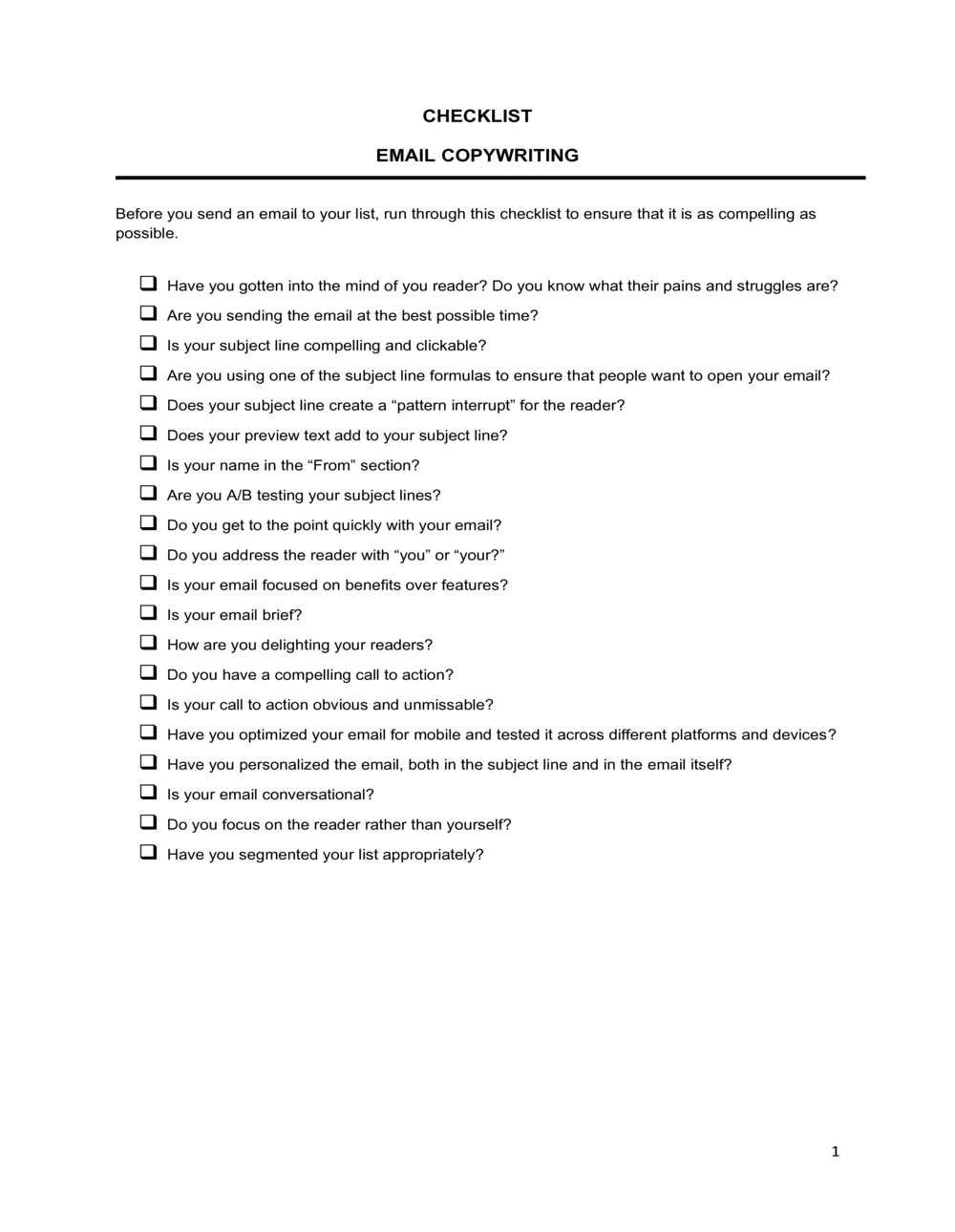
Checklist Email Copywriting

Free download β€’ Use as a template β€’ Print or share

1 pageβ€’20–25 min to useβ€’Difficulty: Standard
Learn more ↓
FreeChecklist Email Copywriting Template

At a glance

What it is
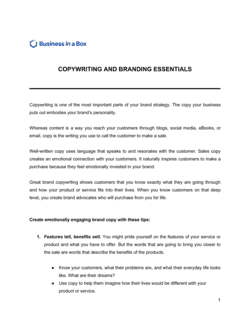
An Email Copywriting Checklist is a structured review form that walks you through every critical element of an outgoing email β€” subject line, preview text, body copy, calls to action, personalization, and compliance β€” before you send or schedule. This free Word download gives you a reusable, editable checklist you can adapt to any email type, from promotional campaigns to cold outreach, and export as PDF for team sign-off.
When you need it
Use it every time you draft a marketing email, sales sequence, or newsletter that will be sent to a list of ten or more recipients. It is especially critical before any scheduled broadcast or automated sequence goes live for the first time.
What's inside
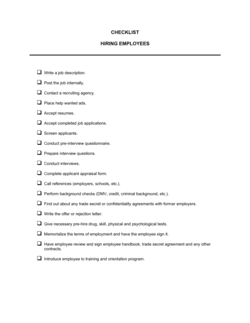
Subject line and preview text review fields, body copy quality checks, CTA clarity and placement verification, personalization token validation, mobile rendering and plain-text fallback checks, unsubscribe and compliance verification, and a final approval sign-off row.

What is an Email Copywriting Checklist?

An Email Copywriting Checklist is a structured pre-send review form that walks you through every critical element of an outgoing email β€” from the subject line and preview text through body copy, personalization tokens, calls to action, mobile rendering, and regulatory compliance β€” before you hit send or schedule a broadcast. It converts what is often an informal, memory-dependent review into a repeatable, auditable process. Each row of the checklist corresponds to a specific element with a pass/fail or fill-in field, so nothing gets skipped under deadline pressure.

Why You Need This Document

Sending an email with a broken link, a misfired personalization token that greets 5,000 contacts as "Hi ,", or a missing unsubscribe link is not recoverable β€” the email is already in inboxes. Beyond the immediate embarrassment, a CAN-SPAM violation for omitting a physical mailing address can carry fines of up to $51,744 per email. Without a checklist, these errors rely entirely on whoever drafted the email catching their own mistakes under time pressure β€” a process that fails with predictable regularity. This template gives individuals and teams a ten-minute review process that catches the most common and costly send errors before they reach recipients, and creates a sign-off record that protects you if questions arise later.

Which variant fits your situation?

If your situation is…Use this template
Reviewing a promotional or sales campaign emailChecklist Email Copywriting
Planning an entire multi-email campaign from scratchEmail Marketing Plan
Writing a cold outreach email sequence for salesSales Email Template
Drafting a weekly or monthly newsletterNewsletter Template
Onboarding new subscribers with an automated welcome sequenceWelcome Email Series Template
Tracking campaign performance metrics after sendingEmail Marketing Report
Creating a reusable HTML email layout for consistent brandingEmail Newsletter Template (HTML)

Common mistakes to avoid

❌ Skipping the test send before broadcast

Why it matters: Rendering issues, broken links, and unfired personalization tokens only surface reliably in a live send environment. A test send to a real inbox catches errors that platform previews miss.

Fix: Always send a test to at least two real email addresses β€” one Gmail and one Outlook β€” and review both before confirming the broadcast send.
❌ Leaving preview text unpopulated

Why it matters: Email clients auto-populate preview text from the first readable content in the HTML, which is often 'View in browser' or a compliance disclaimer β€” wasting valuable inbox real estate.

Fix: Manually enter 50–80 characters of preview text in your platform's dedicated field before every send, treating it as a second subject line.

❌ Including multiple competing CTAs

Why it matters: When readers face three or more action options, decision paralysis reduces clicks on all of them. CTR typically drops 20–40% when a second primary CTA is added.

Fix: Limit every email to one primary CTA. If a secondary link is essential, de-emphasize it as a plain hyperlink rather than a button so the hierarchy is clear.

❌ Omitting a fallback value for personalization tokens

Why it matters: Any contact with a missing first-name field will receive 'Hi ,' as their greeting, which signals a broken process and erodes sender credibility instantly.

Fix: Set a fallback value of 'there' or 'friend' in every personalization token field so that 'Hi there,' renders for contacts with incomplete data.

The 10 key fields, explained

Subject line review

Preview text / preheader

Sender name and reply-to address

Opening line and hook

Body copy clarity and length

Personalization token validation

Call-to-action check

Mobile rendering and image check

Compliance and unsubscribe verification

Final approval and send confirmation

How to fill it out

  1. 1

    Identify the email type and audience segment

    At the top of the checklist, note whether the email is a promotional broadcast, cold outreach, transactional, or newsletter. Record the target segment name and estimated list size.

    πŸ’‘ Labeling the email type upfront lets you apply type-specific standards β€” cold outreach emails should be under 150 words; promotional broadcasts can run longer.

  2. 2

    Review the subject line against the character and spam criteria

    Count the characters in your subject line, run it through a spam-word check, and confirm it sets an accurate expectation for the email content. Record an A/B variant if you are split-testing.

    πŸ’‘ Subject lines phrased as questions or that include a number (e.g., '3 ways to...') consistently outperform generic benefit statements across most industries.

  3. 3

    Verify preview text is set manually

    Open your email platform, locate the preview text or preheader field, and confirm it is populated with 40–90 characters of copy that extends the subject line's hook.

    πŸ’‘ Treat subject line and preview text as a two-part sentence β€” the subject line raises a question; the preview text teases the answer.

  4. 4

    Check all personalization tokens and fallbacks

    List every merge field used in the email, confirm the syntax matches your platform's format (e.g., {{first_name}} vs. [FIRST_NAME]), and verify a fallback value is set for each.

    πŸ’‘ Send a test to a contact record with a deliberately blank first-name field to confirm the fallback renders correctly before broadcasting.

  5. 5

    Validate the CTA and destination URL

    Click every link in the test send to confirm it resolves to the correct page, the page is live, and UTM parameters are correctly appended for tracking.

    πŸ’‘ UTM source, medium, and campaign parameters on every link take under two minutes to add and make your post-send analytics dramatically more actionable.

  6. 6

    Complete the mobile and plain-text rendering checks

    Preview the email on at least one iOS and one Android client, confirm all images have alt text, and open the plain-text version to verify it is readable and has a working unsubscribe link.

    πŸ’‘ Most email platforms have a built-in inbox preview tool β€” use it for three to five client environments before relying solely on a live test send.

  7. 7

    Confirm compliance fields and record final approval

    Check that the unsubscribe link is present and functional, a physical mailing address appears in the footer, and the applicable regulation (CAN-SPAM, CASL, or GDPR) requirements are met. Sign off the final row with your name and the confirmed send date and time.

    πŸ’‘ Set a calendar reminder 30 minutes before the scheduled send to re-check the destination URL β€” last-minute landing page changes are a common source of broken links.

Frequently asked questions

What is an email copywriting checklist?

An email copywriting checklist is a structured review form you complete before sending or scheduling any marketing, sales, or newsletter email. It walks through every critical element β€” subject line, preview text, personalization, CTA, mobile rendering, and compliance β€” to catch errors and omissions before they reach recipients. Using one consistently reduces send errors and improves campaign performance over time.

Why should I use a checklist before sending marketing emails?

Even experienced email marketers send emails with broken links, misfired personalization, or missing unsubscribe links without a checklist. A single broken CTA in a broadcast to 10,000 contacts means every click leads nowhere β€” a mistake that cannot be undone once the email is sent. A checklist converts a subjective review into a repeatable, auditable process that catches the most common and costly errors in under ten minutes.

What should an email copywriting checklist include?

At minimum: subject line character count and spam-word review, preview text verification, sender name and reply-to address check, personalization token validation with fallbacks, body copy length and clarity review, CTA count and URL testing, mobile rendering preview, plain-text version check, compliance and unsubscribe link verification, and a final approval sign-off with scheduled send time and target segment.

How long should a marketing email be?

Email length depends on type. Cold outreach performs best under 150 words. Promotional emails typically run 100–200 words with a single CTA. Newsletters can run 300–600 words when the audience expects editorial content. Transactional emails should be as short as possible β€” state the action required and provide the relevant link within the first two sentences. Longer is not more persuasive; specificity is.

How many CTAs should a marketing email have?

One primary CTA per email is the standard best practice. Multiple equally weighted CTAs create decision paralysis and reduce total click-through rate on all of them. If a secondary link is necessary β€” such as a 'forward to a colleague' option β€” render it as a plain hyperlink, not a button, so the visual hierarchy makes the primary action obvious.

What email compliance requirements apply to marketing emails?

In the United States, CAN-SPAM requires a physical mailing address, a functioning opt-out mechanism, and non-deceptive subject lines. In Canada, CASL additionally requires express or implied consent before sending commercial messages. In the European Union, GDPR requires explicit opt-in consent and the ability to withdraw it at any time. All three frameworks require a working unsubscribe link in every commercial email. Consult a legal or compliance advisor for your specific jurisdiction and list composition.

What is preview text and why does it matter?

Preview text is the short snippet displayed next to or below the subject line in inbox views, typically 40–90 characters. It functions as a second subject line β€” readers see it before opening the email. When left blank, email clients pull the first readable text from the HTML body, which is often a compliance disclaimer or 'View in browser' link. Manually setting compelling preview text is one of the lowest-effort, highest-impact improvements available to any email program.

How do I check that my email renders correctly on mobile?

Use your email platform's built-in inbox preview tool to review rendering across Gmail on iOS, Apple Mail, and Samsung Mail at a minimum. Then send a live test to at least one real iPhone and one real Android device and check how it appears in the native mail app. Confirm text is legible without zooming, buttons are at least 44px tall, and the email reads logically with images disabled.

Can I reuse this checklist for every email I send?

Yes β€” the checklist is designed as a reusable form. Download the Word template, save a master copy, and duplicate it for each campaign or send. Many teams build it into their campaign workflow as a required sign-off step before any scheduled send is confirmed, which creates an audit trail of who reviewed each email and when.

How this compares to alternatives

vs Email Marketing Plan

An email marketing plan defines the strategy, audience segmentation, cadence, and campaign calendar for an entire email program. An email copywriting checklist operates at the individual email level β€” it is a pre-send QA tool, not a planning document. Use the plan to build the program; use the checklist before every send within it.

vs Content Calendar

A content calendar schedules email topics and send dates across weeks or months. A copywriting checklist reviews the copy and technical elements of a single email immediately before it goes out. The calendar tells you what to send and when; the checklist ensures what you send is correct.

vs Email Newsletter Template

A newsletter template provides the structural layout and formatting for a recurring email publication. A copywriting checklist is the review process applied to any email β€” including newsletters β€” before each send. One is the vessel; the other is the quality gate.

vs Marketing Campaign Brief

A campaign brief defines the goal, audience, messaging framework, and success metrics for an entire marketing campaign. A copywriting checklist is a tactical execution tool used at the individual asset level. Briefs happen before copy is written; checklists happen before copy is sent.

Industry-specific considerations

E-commerce and retail

Promotional and abandoned-cart emails where a broken discount code or incorrect product URL directly translates to lost revenue on a per-send basis.

SaaS and technology

Onboarding sequences and feature-announcement emails where misfired personalization tokens or broken in-app links undermine user trust during the critical first 30 days.

Professional services

Cold outreach and nurture sequences where subject line quality and sender credibility directly determine whether prospects engage or unsubscribe.

Marketing and advertising agencies

Client campaign sends where the checklist doubles as a client-approval sign-off form, creating a documented record that the client reviewed and authorized the send.

Template vs pro β€” what fits your needs?

PathBest forCostTime
Use the templateSolo marketers, small business owners, and freelance copywriters sending up to a few hundred emails per campaignFree5–10 minutes per email
Template + professional reviewTeams standardizing a review process across multiple senders or running campaigns to lists over 10,000 contacts$0–$200 (internal process documentation or brief team training session)1–2 hours to adapt and document the workflow
Custom draftedEnterprise email programs with dedicated QA workflows, multi-brand sends, or regulated industries requiring compliance audit trails$500–$2,000 (marketing operations consultant or email specialist)1–2 weeks

Glossary

Subject Line
The bolded first line of an email visible in the inbox β€” the single biggest determinant of whether the email gets opened.
Preview Text
The short snippet of text displayed next to or below the subject line in most email clients, typically 40–90 characters.
Call to Action (CTA)
A specific, clickable prompt β€” button or hyperlink β€” that tells the reader exactly what to do next, such as 'Book a demo' or 'Claim your discount.'
Personalization Token
A merge-field placeholder, such as {{first_name}}, that an email platform replaces with subscriber-specific data at send time.
Plain-Text Version
A stripped-down, non-HTML version of the email sent alongside the HTML version to ensure deliverability in clients that block images or formatting.
Open Rate
The percentage of delivered emails that were opened at least once β€” primarily influenced by the subject line and sender name.
Click-Through Rate (CTR)
The percentage of email recipients who clicked at least one link β€” primarily influenced by body copy relevance and CTA clarity.
Unsubscribe Link
A mandatory opt-out mechanism required by CAN-SPAM, CASL, and GDPR that allows recipients to remove themselves from future emails.
Spam Trigger Words
Words and phrases β€” such as 'Free!!!', 'Act now', or 'Guaranteed' β€” that spam filters flag and that reduce inbox placement rates.
Preheader
Another term for preview text; some email platforms treat it as a hidden HTML element at the top of the email body rather than a separate field.

Part of your Business Operating System

This document is one of 3,000+ business & legal templates included in Business in a Box.

  • Fill-in-the-blanks β€” ready in minutes
  • 100% customizable Word document
  • Compatible with all office suites
  • Export to PDF and share electronically

Create your document in 3 simple steps.

From template to signed document β€” all inside one Business Operating System.
1
Download or open template

Access over 3,000+ business and legal templates for any business task, project or initiative.

2
Edit and fill in the blanks with AI

Customize your ready-made business document template and save it in the cloud.

3
Save, Share, Send, Sign

Share your files and folders with your team. Create a space of seamless collaboration.

Save time, save money, and create top-quality documents.

β˜…β˜…β˜…β˜…β˜…

"Fantastic value! I'm not sure how I'd do without it. It's worth its weight in gold and paid back for itself many times."

Managing Director Β· Mall Farm
Robert Whalley
Managing Director, Mall Farm Proprietary Limited
β˜…β˜…β˜…β˜…β˜…

"I have been using Business in a Box for years. It has been the most useful source of templates I have encountered. I recommend it to anyone."

Business Owner Β· 4+ years
Dr Michael John Freestone
Business Owner
β˜…β˜…β˜…β˜…β˜…

"It has been a life saver so many times I have lost count. Business in a Box has saved me so much time and as you know, time is money."

Owner Β· Upstate Web
David G. Moore Jr.
Owner, Upstate Web

Run your business with a system β€” not scattered tools

Stop downloading documents. Start operating with clarity. Business in a Box gives you the Business Operating System used by over 250,000 companies worldwide to structure, run, and grow their business.

Free Forever PlanΒ Β·Β No credit card required