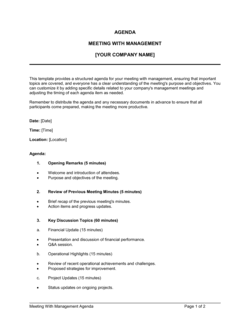
Checklist Customer Onboarding

Free download β€’ Use as a template β€’ Print or share

3 pagesβ€’20–25 min to useβ€’Difficulty: Standard
Learn more ↓
FreeChecklist Customer Onboarding Template

At a glance

What it is
A Customer Onboarding Checklist is a structured form that guides your team through every step required to bring a new client from signed contract to fully operational. This free Word download lists each task, assigns ownership, and tracks completion status so nothing falls through the cracks during the critical first days of a new customer relationship.
When you need it
Use it immediately after a contract is signed or a purchase is confirmed, whenever a new customer requires setup, configuration, training, or introductions before they can use your product or service independently.
What's inside
Customer and account details, a sequenced list of onboarding tasks grouped by phase, owner assignment fields, due dates, completion checkboxes, and a notes column for exceptions or follow-up items.

What is a Customer Onboarding Checklist?

A Customer Onboarding Checklist is a structured task form that guides your team through every step required to bring a new client from signed contract to active, confident use of your product or service. It sequences onboarding activities into phases, assigns a named owner to each task, sets due dates, and tracks completion β€” for both internal team tasks and the inputs your customer must provide. Unlike a general project tracker, this checklist is built to be repeatable: you copy it for each new account and work through it in the same order every time, so no setup step is ever skipped by accident.

Why You Need This Document

Without a standardized onboarding checklist, every new customer gets a slightly different experience depending on who handles their account β€” some receive full training and a formal handoff, others miss critical setup steps that surface weeks later as support tickets or churn signals. A missing credential, a skipped training session, or an undocumented blocker can add days to your customer's time-to-value and erode trust before the relationship has a chance to establish itself. A complete checklist creates accountability, surfaces delays early, and gives you a permanent record confirming that every deliverable was completed and acknowledged. This template gives you a ready-to-use starting point you can customize to your product's specific onboarding steps in under 15 minutes.

Which variant fits your situation?

If your situation is…Use this template
Onboarding a new SaaS or software product userSaaS Customer Onboarding Checklist
Running a structured kickoff for a professional services engagementClient Kickoff Meeting Agenda
Welcoming a new employee rather than a customerEmployee Onboarding Checklist
Tracking a complex implementation project with milestones and dependenciesProject Plan Template
Collecting required information and documents from a new clientNew Client Intake Form
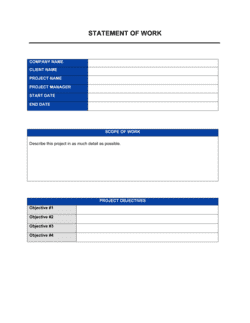
Confirming agreement on scope and deliverables before work beginsStatement of Work

Common mistakes to avoid

❌ No owner assigned to each task

Why it matters: Tasks without a named owner default to 'everyone's responsibility,' which in practice means no one acts. Onboarding steps stall and the customer notices delays before your team does.

Fix: Assign a specific person's name to every task before the kickoff call. Review assignments in a team standup on Day 1 so each owner verbally confirms their workload.

❌ Skipping customer action items

Why it matters: If the customer's required inputs β€” credentials, legal documents, billing details β€” are not tracked, the entire setup phase stalls waiting for information that was never formally requested.

Fix: Add a dedicated customer tasks section to the checklist and send the customer their list with due dates on the same day the contract is signed.

❌ Using a flat, unphased task list

Why it matters: Without phase groupings and sequenced due dates, teams complete tasks out of order β€” for example, scheduling training before account provisioning is finished β€” causing rework and customer frustration.

Fix: Group tasks into named phases with date ranges and mark any task that is a prerequisite for the next phase explicitly in the description.

❌ Closing the checklist without customer confirmation

Why it matters: Marking onboarding complete internally while the customer still has unresolved issues creates a gap that erodes trust and often resurfaces as a churn risk at the first renewal.

Fix: Require a documented customer confirmation β€” a reply email or in-platform acknowledgment β€” before the CSM marks the handoff row complete and archives the checklist.

The 9 key fields, explained

Customer and account information

Onboarding phase labels

Task description

Owner

Due date

Completion checkbox and date

Customer action items

Notes and blockers

Sign-off and handoff confirmation

How to fill it out

  1. 1

    Fill in the customer and account details

    Enter the customer's legal company name, primary contact name and title, account ID, contract start date, and the name of the assigned CSM before any tasks begin.

    πŸ’‘ Complete this header block at the moment the contract is executed β€” not the day before kickoff β€” so the checklist is ready to assign tasks immediately.

  2. 2

    Confirm the onboarding phases and target dates

    Set a go-live target date and work backward to populate the due date for each phase label. Adjust phase durations based on the complexity of the customer's setup requirements.

    πŸ’‘ For straightforward self-serve accounts, compress phases 1–3 into 5 days. For enterprise implementations, spread them over 30–90 days and add a pilot phase between Training and Handoff.

  3. 3

    Assign an owner to every task

    Write a specific person's name β€” not a team or department β€” next to each task. If a task genuinely requires two people, designate one as the owner and one as a reviewer.

    πŸ’‘ Walk through the checklist in your first team standup after contract signature and let each owner verbally confirm their tasks β€” this surfaces resource conflicts before they cause delays.

  4. 4

    List all required customer action items

    Identify every piece of information, credential, or decision the customer must provide. Add each as a discrete customer task row with its own due date and owner on the customer side.

    πŸ’‘ Email the customer their action item list on Day 1 with due dates clearly stated β€” waiting until the kickoff call to request inputs adds a full week of unnecessary lag.

  5. 5

    Track status and completion dates in real time

    Update task status and record the actual completion date as each item is finished. Review the checklist at every internal sync and every customer touchpoint.

    πŸ’‘ Color-code rows by status (grey = not started, yellow = in progress, green = complete, red = overdue) if your team uses a printed or shared version β€” visual scanning is faster than reading every status field.

  6. 6

    Document blockers in the notes field immediately

    Any time a task cannot be completed on schedule, record the specific blocker, who owns its resolution, and the expected resolution date in the notes field before moving on.

    πŸ’‘ A documented blocker that sits unresolved for more than 48 hours should trigger an escalation β€” use the notes field to flag this explicitly.

  7. 7

    Obtain customer sign-off at handoff

    Before closing the checklist, confirm with the customer in writing β€” email or in-platform message β€” that all onboarding deliverables are complete and they are ready for ongoing account management.

    πŸ’‘ Ask the customer to reply 'confirmed' to a summary email rather than requesting a formal signature β€” this is faster, equally documented, and less friction for the customer.

Frequently asked questions

What is a customer onboarding checklist?

A customer onboarding checklist is a structured task list that guides your team through every step required to bring a new client from signed contract to active, confident use of your product or service. It assigns ownership, sets due dates, and tracks completion status for both internal tasks and customer action items, ensuring a consistent and repeatable onboarding experience for every new account.

What should a customer onboarding checklist include?

At minimum: customer and account details, onboarding tasks grouped by phase, a named owner for each task, a due date, a completion status field, customer action items with their own due dates, a notes column for blockers, and a final handoff confirmation section. Missing any of these elements creates accountability gaps that slow down onboarding and increase time-to-value for the customer.

How long should customer onboarding take?

For self-serve SaaS products, onboarding typically runs 1–7 days. For mid-market software with configuration and training, 2–4 weeks is standard. For enterprise implementations or professional services engagements, 30–90 days is common. The checklist should be scoped to match the actual complexity of the customer's setup requirements rather than defaulting to a fixed duration.

Who is responsible for managing the customer onboarding checklist?

The customer success manager or account manager assigned to the new account typically owns the checklist as a whole. Individual tasks within it are assigned to specific team members β€” implementation engineers, billing teams, trainers β€” based on the nature of each step. The CSM is responsible for tracking overall progress and escalating blockers.

What is the difference between a customer onboarding checklist and a project plan?

A customer onboarding checklist is a lightweight, repeatable form focused on standardizing the steps every new customer goes through. A project plan is a more detailed planning document covering dependencies, resource allocation, risk tracking, and milestone sign-offs for complex, one-off implementations. Use the checklist for standard onboarding; escalate to a project plan when the engagement involves custom work, multiple workstreams, or a contract value that justifies deeper tracking.

How does a customer onboarding checklist reduce churn?

Customers who reach their first meaningful result quickly β€” low time-to-value β€” are significantly more likely to renew. A checklist enforces a consistent, complete onboarding process that prevents setup steps from being skipped, ensures the customer receives all promised training, and documents that every deliverable was completed. Gaps in onboarding are one of the most common root causes of early churn.

Should the customer see the onboarding checklist?

Sharing a simplified version with the customer β€” showing their required action items and the overall timeline β€” is strongly recommended. It sets clear expectations, surfaces the customer's tasks early, and signals that your team follows a structured process. Keep the internal-only fields (owner names, internal notes, cost data) on a separate version if needed.

Can I use this checklist template for multiple customers?

Yes β€” save a blank master copy of the template and create a new filled copy for each customer at the point of contract execution. Store each customer's completed checklist in their account folder so you have a permanent record of what was onboarded, when, and by whom. This also lets you review past checklists to identify where onboarding consistently runs long and where tasks can be streamlined.

How this compares to alternatives

vs Employee Onboarding Checklist

An employee onboarding checklist manages the steps for bringing a new hire into the organization β€” IT setup, payroll enrollment, policy acknowledgments, and introductions. A customer onboarding checklist manages the steps for activating a new paying client. Both are task-tracking forms, but the stakeholders, tasks, and success criteria are entirely different.

vs New Client Intake Form

A new client intake form collects the information and documents you need from a customer before onboarding begins β€” contact details, billing information, requirements, and preferences. A customer onboarding checklist uses that information to track the execution of every setup step. The intake form feeds the onboarding checklist; they are used in sequence.

vs Project Plan

A project plan covers a complex, one-off implementation with dependencies, resource allocation, risk tracking, and milestone gates. A customer onboarding checklist is a lightweight, repeatable form for standard activations. For high-value enterprise onboarding with custom deliverables, both are used together β€” the checklist for recurring standard steps and the project plan for bespoke work.

vs Statement of Work

A statement of work is a contractual document that defines the scope, deliverables, timeline, and fees for a specific engagement before work begins. A customer onboarding checklist is an operational tool used after the SOW is signed to execute and track the delivery of those agreed deliverables. The SOW defines what will be done; the checklist ensures it gets done.

Industry-specific considerations

SaaS / Technology

Account provisioning, SSO configuration, API key setup, integration testing, and admin user training tracked across a 14–30 day activation window.

Professional Services

Stakeholder introductions, scope confirmation, document collection, kickoff facilitation, and formal project launch sign-off managed across a multi-week engagement.

Financial Services

KYC/AML document collection, compliance acknowledgment, account credentialing, and regulatory disclosure delivery tracked with completion dates for audit purposes.

Healthcare / MedTech

BAA execution, EHR integration setup, staff training on HIPAA-compliant workflows, and go-live readiness sign-off from the customer's clinical lead.

Template vs pro β€” what fits your needs?

PathBest forCostTime
Use the templateAny team onboarding new customers to a defined product or service with a repeatable processFree15 minutes to customize per customer type
Template + professional reviewTeams adding CRM integration, automated task triggers, or custom SLA tracking fields$0–$200 (operations consultant or CRM admin)2–4 hours
Custom draftedEnterprise CS teams building a multi-segment onboarding system with automated workflows and reporting dashboards$500–$3,000 (CS operations specialist or platform configuration)1–3 weeks

Glossary

Onboarding
The structured process of transitioning a new customer from purchase to active, confident use of your product or service.
Kickoff Call
The first scheduled meeting between your team and the new customer to align on goals, timelines, key contacts, and next steps.
Account Setup
The technical or administrative tasks required to activate a customer's account, credentials, or workspace before they can use the product.
Time-to-Value (TTV)
The elapsed time from contract signing to the moment the customer first achieves a meaningful result from your product or service.
Customer Success Manager (CSM)
The team member responsible for guiding a new customer through onboarding and ensuring they achieve their desired outcomes.
Handoff
The formal transfer of a customer from the onboarding or implementation team to the ongoing customer success or account management team.
Stakeholder Map
A record of the key contacts on both the customer and vendor side, including their roles, responsibilities, and preferred communication channels.
Acceptance Criteria
Agreed conditions that must be met before an onboarding phase or the overall engagement is considered complete by the customer.
Go-Live Date
The agreed date on which the customer begins using the product or service in a live, production environment rather than a test or pilot setup.
NPS (Net Promoter Score)
A post-onboarding survey metric that measures how likely a new customer is to recommend your product or service, used to benchmark onboarding quality.

Part of your Business Operating System

This document is one of 3,000+ business & legal templates included in Business in a Box.

  • Fill-in-the-blanks β€” ready in minutes
  • 100% customizable Word document
  • Compatible with all office suites
  • Export to PDF and share electronically

Create your document in 3 simple steps.

From template to signed document β€” all inside one Business Operating System.
1
Download or open template

Access over 3,000+ business and legal templates for any business task, project or initiative.

2
Edit and fill in the blanks with AI

Customize your ready-made business document template and save it in the cloud.

3
Save, Share, Send, Sign

Share your files and folders with your team. Create a space of seamless collaboration.

Save time, save money, and create top-quality documents.

β˜…β˜…β˜…β˜…β˜…

"Fantastic value! I'm not sure how I'd do without it. It's worth its weight in gold and paid back for itself many times."

Managing Director Β· Mall Farm
Robert Whalley
Managing Director, Mall Farm Proprietary Limited
β˜…β˜…β˜…β˜…β˜…

"I have been using Business in a Box for years. It has been the most useful source of templates I have encountered. I recommend it to anyone."

Business Owner Β· 4+ years
Dr Michael John Freestone
Business Owner
β˜…β˜…β˜…β˜…β˜…

"It has been a life saver so many times I have lost count. Business in a Box has saved me so much time and as you know, time is money."

Owner Β· Upstate Web
David G. Moore Jr.
Owner, Upstate Web

Run your business with a system β€” not scattered tools

Stop downloading documents. Start operating with clarity. Business in a Box gives you the Business Operating System used by over 250,000 companies worldwide to structure, run, and grow their business.

Start freeΒ Β·Β No credit card required