Checklist Vendor Onboarding

Free download β€’ Use as a template β€’ Print or share

3 pagesβ€’20–25 min to useβ€’Difficulty: Standard
Learn more ↓
FreeChecklist Vendor Onboarding Template

At a glance

What it is
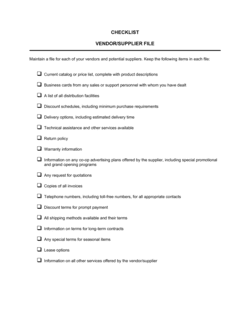
A Vendor Onboarding Checklist is a structured form that guides procurement and operations teams through every step required to register, verify, and activate a new supplier or service provider. This free Word download gives you a ready-to-use checklist you can edit online and export as PDF, covering everything from initial contact and documentation collection through compliance checks and system setup.
When you need it
Use it whenever you bring a new vendor, supplier, or service provider into your business β€” before issuing a purchase order, signing a contract, or processing a first payment.
What's inside
Vendor contact and banking details, tax identification, insurance and compliance verification, contract and NDA status, payment terms, system setup confirmation, and internal approval sign-off fields β€” all organized as a step-by-step checklist with status and responsible-owner columns.

What is a Vendor Onboarding Checklist?

A Vendor Onboarding Checklist is a structured form that guides procurement, finance, and operations teams through every step required to register, verify, and activate a new supplier or service provider before any purchase order or payment is issued. It captures legal and tax identification, banking details, insurance certificates, contract and NDA execution status, compliance screening results, system setup confirmation, and internal approval sign-off in a single, auditable document. Rather than leaving each department to follow its own informal process, the checklist creates a consistent, repeatable procedure that applies equally to a one-time contractor and a strategic long-term supplier.

Why You Need This Document

Every week a vendor is set up informally β€” without a completed checklist β€” is a week your business is exposed to payment fraud, tax filing errors, insurance gaps, and unenforceable contracts. Missing a W-9 before the first invoice generates a 1099 problem at year-end. Skipping the certificate of insurance leaves you holding liability if the vendor causes damage or injury on your site. Processing a payment before a contract is signed means your agreed terms exist only in email threads. A completed vendor onboarding checklist closes all of these gaps before the relationship begins, creates an audit trail that satisfies both internal and external reviewers, and gives your accounts payable team a single verified record to work from every time they pay that vendor. This template gives you a professional, complete starting point you can customize and put into use in under an hour.

Which variant fits your situation?

If your situation is…Use this template
Onboarding a supplier providing physical goods or raw materialsSupplier Evaluation Form
Engaging a professional services or consulting vendorIndependent Contractor Agreement
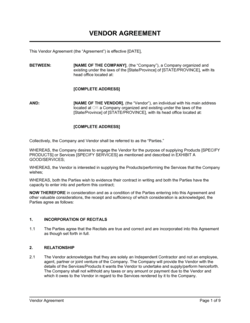
Registering a vendor in a procurement or ERP systemVendor Registration Form
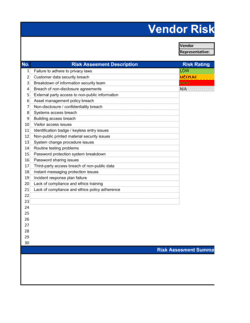
Assessing a vendor's financial and operational riskVendor Risk Assessment
Documenting agreed pricing, terms, and SKUs with a supplierPurchase Agreement
Issuing a first order to a newly approved vendorPurchase Order
Tracking ongoing vendor performance after onboardingVendor Performance Evaluation

Common mistakes to avoid

❌ Collecting banking details over unencrypted email

Why it matters: Business email compromise fraud targets exactly this step β€” attackers intercept or spoof emails to redirect payments to fraudulent accounts, with average losses exceeding $50,000 per incident.

Fix: Use a secure vendor portal or encrypted form for banking submissions, and always confirm details by phone before adding them to your payment system.

❌ Issuing a purchase order before the contract is signed

Why it matters: Without a signed agreement, payment terms, liability caps, IP ownership, and dispute resolution are undefined β€” leaving you exposed if deliverables fall short or a dispute arises.

Fix: Make contract execution a hard gate in the checklist before any PO is authorized; the checklist's sign-off field should confirm contract status explicitly.

❌ Accepting an expired or inadequate certificate of insurance

Why it matters: If a vendor's employee is injured on your premises or causes damage while working for you and their coverage has lapsed, your company may bear the liability.

Fix: Check expiry dates on every COI at submission, require your company to be listed as an additional insured, and diarize renewal reminders 30 days in advance.

❌ Skipping internal sign-off and relying on informal approvals

Why it matters: Without a documented approval trail, you cannot demonstrate due diligence to auditors, and no one individual is accountable if the vendor relationship causes financial or reputational harm.

Fix: Require a named approver with title and date on every completed checklist, and file it alongside the vendor contract as a permanent record.

The 10 key fields, explained

Vendor identification and contact details

Tax identification and business registration

Banking and payment details

Insurance verification

NDA and confidentiality status

Contract and terms agreement

Compliance and sanctions screening

Payment terms and currency

System setup and portal access

Internal approval and sign-off

How to fill it out

  1. 1

    Collect vendor identification and contact details

    Ask the vendor to provide their legal business name, registered address, and primary contacts for both accounts receivable and operations. Verify the legal name against a business registry if available.

    πŸ’‘ Request contacts for at least two roles β€” account management and accounts receivable β€” so a single departure doesn't break your payment process.

  2. 2

    Obtain and verify tax identification

    Request a completed W-9 (domestic) or W-8BEN (foreign) from the vendor. Confirm the EIN or equivalent tax ID matches the legal entity name before proceeding.

    πŸ’‘ Keep the signed tax form on file for at least seven years β€” the IRS can request it during an audit of your 1099 filings.

  3. 3

    Collect banking details through a secure channel

    Send the vendor a secure form or portal link to submit ACH or wire details. Never collect banking information over unencrypted email.

    πŸ’‘ Call the vendor's main switchboard to verbally confirm account details before adding them to your payment system β€” a 2-minute call prevents BEC fraud losses.

  4. 4

    Request and review the certificate of insurance

    Ask for a current COI listing your company as an additional insured. Check that coverage types, limits, and expiry dates meet your vendor policy requirements.

    πŸ’‘ Set a calendar reminder 30 days before the COI expiry date so you can request a renewal before coverage lapses.

  5. 5

    Confirm NDA and contract execution

    Verify that an NDA has been signed before any confidential information is shared, and that a master agreement or supplier contract is fully executed and filed.

    πŸ’‘ Store executed contracts in a centralized folder with a naming convention that includes the vendor name and execution date for fast retrieval.

  6. 6

    Run compliance and sanctions screening

    Screen the vendor against OFAC's SDN list and any applicable debarment or exclusion databases. Record the screening date and result in the checklist.

    πŸ’‘ Re-screen existing vendors annually β€” watchlists are updated frequently and a previously clear vendor can be added at any time.

  7. 7

    Set up the vendor in your systems and assign a vendor ID

    Add the vendor to your ERP or accounting system, assign a unique vendor ID, and send portal access credentials if applicable. Confirm all fields are populated before marking setup complete.

    πŸ’‘ A consistent vendor ID format (e.g., VEN-2026-0042) makes records sortable and prevents duplicates when multiple team members add vendors.

  8. 8

    Obtain internal sign-off and file the completed checklist

    Route the completed checklist to the approving manager or department head for sign-off. File the approved checklist alongside the vendor contract in your records system.

    πŸ’‘ Treat the signed checklist as the vendor's permanent record β€” attach all supporting documents (COI, NDA, W-9) to the same file for a single audit-ready package.

Frequently asked questions

What is a vendor onboarding checklist?

A vendor onboarding checklist is a structured form that guides a procurement or operations team through every step needed to register, verify, and activate a new supplier. It captures legal and tax details, banking information, insurance certificates, contract status, compliance screening results, and system setup confirmation β€” ensuring nothing is missed before a vendor is authorized to receive purchase orders or payments.

Why is a vendor onboarding checklist important?

Without a checklist, vendor setup happens inconsistently across departments β€” resulting in missing tax forms, unverified insurance, unsigned contracts, and duplicate supplier records. Each gap creates a specific downstream problem: missing W-9s generate 1099 filing errors, lapsed COIs create liability exposure, and unsigned contracts leave payment terms undefined. A checklist makes the process repeatable and auditable.

What information should a vendor onboarding checklist collect?

At minimum: legal business name and contact details, tax ID (W-9 or equivalent), banking and payment information, certificate of insurance, NDA and contract execution status, compliance and sanctions screening result, agreed payment terms, system setup confirmation, and internal approval sign-off. Regulated industries or high-spend vendors may require additional financial stability or security assessments.

How long does vendor onboarding typically take?

A straightforward vendor onboarding takes 3–10 business days, depending on how quickly the vendor returns documentation and how many internal approval steps are required. High-risk or high-spend vendors requiring a full financial and security assessment can take 3–6 weeks. Using a checklist with a defined owner and due dates for each step cuts average onboarding time by cutting back-and-forth and eliminating re-work.

Do I need a separate vendor onboarding checklist for every supplier?

Yes β€” each vendor should have their own completed checklist on file as a permanent record. A single template is used repeatedly, with one instance per vendor. This gives you an individual audit trail for each relationship and makes it easy to confirm which documents are on file if a question arises later.

What is the difference between a vendor onboarding checklist and a vendor registration form?

A vendor registration form collects the vendor's basic details for entry into a procurement or ERP system β€” name, address, tax ID, and banking information. A vendor onboarding checklist is broader: it tracks the completion of every step in the onboarding process, including contract execution, insurance verification, compliance screening, and internal approval, not just data collection. The registration form is one input into the checklist.

Should vendors sign the onboarding checklist?

The onboarding checklist is primarily an internal tracking document β€” it does not typically require the vendor's signature. However, certain elements it references do require vendor signatures: the NDA, the master service agreement or purchase terms, and the W-9. The internal sign-off field captures approval by the responsible team member, not the vendor.

How should completed vendor onboarding checklists be stored?

File each completed checklist alongside all supporting documents β€” W-9, COI, NDA, and signed contract β€” in a centralized records system, organized by vendor name or vendor ID. Keep records for at least seven years to satisfy tax audit requirements. A cloud-based document management system with access controls is strongly preferred over local file storage for multi-person procurement teams.

How often should vendor records be reviewed after onboarding?

Review active vendor records at least annually. Check that insurance certificates are current, confirm no changes to banking details without a verified request, re-run sanctions screening, and confirm that contract terms still reflect the actual scope of the relationship. Flag any vendor not used in the past 12 months for deactivation to keep your approved vendor list current.

How this compares to alternatives

vs Purchase Order

A purchase order authorizes a specific transaction with a vendor that has already been onboarded. A vendor onboarding checklist is the prerequisite step β€” it ensures the vendor is verified, contracted, and set up in the payment system before any PO is issued. Skipping onboarding and going straight to a PO leaves tax, insurance, and contract gaps that create problems at payment time.

vs Vendor Registration Form

A vendor registration form captures data β€” name, address, tax ID, banking details β€” for entry into a procurement system. A vendor onboarding checklist is a process tracker that includes the registration form as one step, plus contract execution, insurance verification, compliance screening, and internal approval. The form collects information; the checklist confirms the entire process is complete.

vs Supplier Evaluation Form

A supplier evaluation form assesses a vendor's capabilities, quality, pricing, and reliability before selecting them. It is used during the sourcing and selection phase. The vendor onboarding checklist is used after the decision to work with a vendor has been made, to collect documentation and complete setup. Evaluation comes first; onboarding follows.

vs Purchase Agreement

A purchase agreement is the binding contract governing the commercial terms of a vendor relationship β€” pricing, delivery, warranties, and IP. The vendor onboarding checklist tracks whether that agreement has been executed, along with every other setup step. The agreement is a document the checklist references; the checklist is the process that ensures the agreement exists before transactions begin.

Industry-specific considerations

Manufacturing and supply chain

Multi-tier supplier onboarding requires quality certification checks, lead-time commitments, and materials compliance documentation alongside standard financial and insurance verification.

Healthcare and life sciences

Vendor onboarding must include HIPAA business associate agreement execution, DEA or FDA registration verification where applicable, and exclusion database screening against OIG and SAM.

Construction and real estate

Subcontractor onboarding requires contractor license verification, workers' compensation and general liability COIs with project-specific limits, and lien waiver acknowledgment.

Retail and e-commerce

Supplier onboarding tracks product compliance certifications, lead times, minimum order quantities, and EDI or API integration setup alongside standard tax and payment fields.

Template vs pro β€” what fits your needs?

PathBest forCostTime
Use the templateSmall and mid-size businesses standardizing vendor setup without a dedicated procurement systemFree10 minutes to customize; 30–60 minutes per vendor to complete
Template + professional reviewCompanies in regulated industries or those handling high-spend, high-risk vendor relationships$200–$500 for a procurement consultant or legal review of checklist requirements1–3 days
Custom draftedEnterprises integrating onboarding into an ERP or procure-to-pay platform with automated workflows$2,000–$10,000+ for system configuration and process design2–8 weeks

Glossary

Vendor Onboarding
The process of collecting, verifying, and recording all information needed to activate a new supplier and begin transacting with them.
W-9 / W-8BEN
US IRS tax forms used to confirm a vendor's taxpayer identification β€” W-9 for domestic vendors, W-8BEN for foreign individuals or entities.
Certificate of Insurance (COI)
A document issued by a vendor's insurer confirming that active coverage β€” typically general liability and workers' compensation β€” is in place.
Approved Vendor List (AVL)
A curated list of suppliers that have passed a company's onboarding and compliance requirements and are authorized to receive purchase orders.
ACH / EFT Details
Bank account and routing information used to send electronic payments to a vendor β€” required before any automated payment can be processed.
Non-Disclosure Agreement (NDA)
A confidentiality agreement signed before sharing proprietary business information with a vendor or supplier.
Due Diligence
The process of verifying a vendor's legal standing, financial stability, insurance, and compliance status before formalizing the relationship.
Purchase Order (PO)
A buyer-issued document authorizing a vendor to supply specific goods or services at an agreed price β€” cannot be issued until onboarding is complete.
Conflict of Interest Disclosure
A declaration confirming that no employee involved in the vendor approval has a personal or financial relationship with the vendor.
Net Payment Terms
The number of days after invoice receipt by which payment is due β€” e.g., Net 30 means full payment within 30 days of the invoice date.

Part of your Business Operating System

This document is one of 3,000+ business & legal templates included in Business in a Box.

  • Fill-in-the-blanks β€” ready in minutes
  • 100% customizable Word document
  • Compatible with all office suites
  • Export to PDF and share electronically

Create your document in 3 simple steps.

From template to signed document β€” all inside one Business Operating System.
1
Download or open template

Access over 3,000+ business and legal templates for any business task, project or initiative.

2
Edit and fill in the blanks with AI

Customize your ready-made business document template and save it in the cloud.

3
Save, Share, Send, Sign

Share your files and folders with your team. Create a space of seamless collaboration.

Save time, save money, and create top-quality documents.

β˜…β˜…β˜…β˜…β˜…

"Fantastic value! I'm not sure how I'd do without it. It's worth its weight in gold and paid back for itself many times."

Managing Director Β· Mall Farm
Robert Whalley
Managing Director, Mall Farm Proprietary Limited
β˜…β˜…β˜…β˜…β˜…

"I have been using Business in a Box for years. It has been the most useful source of templates I have encountered. I recommend it to anyone."

Business Owner Β· 4+ years
Dr Michael John Freestone
Business Owner
β˜…β˜…β˜…β˜…β˜…

"It has been a life saver so many times I have lost count. Business in a Box has saved me so much time and as you know, time is money."

Owner Β· Upstate Web
David G. Moore Jr.
Owner, Upstate Web

Run your business with a system β€” not scattered tools

Stop downloading documents. Start operating with clarity. Business in a Box gives you the Business Operating System used by over 250,000 companies worldwide to structure, run, and grow their business.

Start freeΒ Β·Β No credit card required