Charge Account Limit Raise Notice Template

Free Word download • Edit online • Save & share with Drive • Export to PDF

1 page15–25 min to fillDifficulty: Standard
Learn more ↓
FreeCharge Account Limit Raise Notice Template

At a glance

What it is
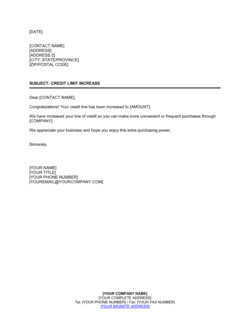
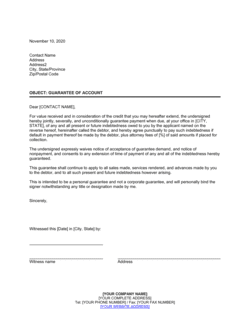
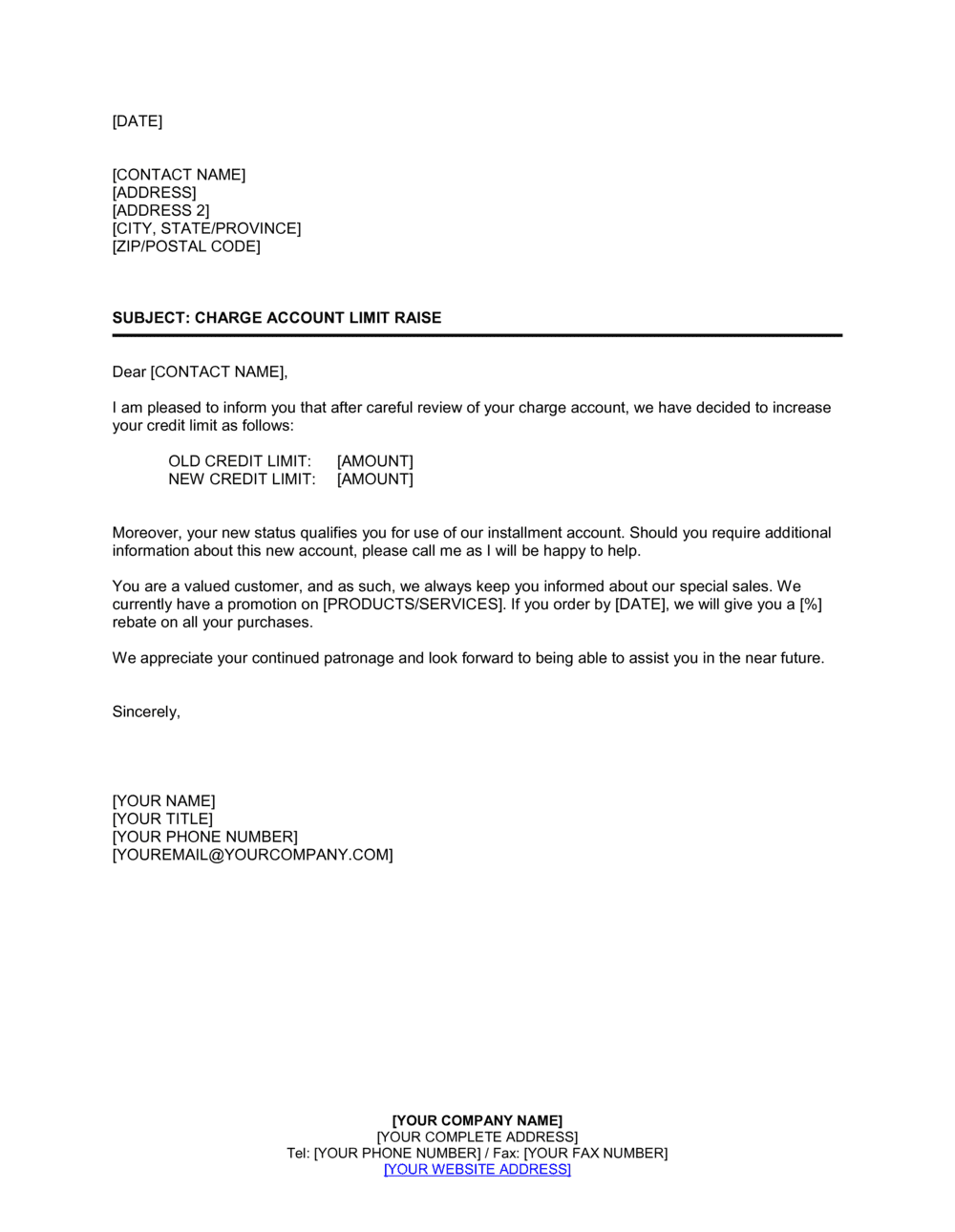
A Charge Account Limit Raise Notice is a formal business letter a creditor or supplier sends to a customer informing them that their charge account credit limit has been increased. This template is a free Word download you can edit online and export as PDF — covering the old limit, new limit, effective date, and any updated terms — ready to send in minutes.
When you need it
Use it when a customer's payment history, creditworthiness, or business volume justifies raising their charge account ceiling. It is also issued proactively after a periodic account review or at a customer's request following approval.
What's inside
Date and account reference, greeting, statement of the limit increase with old and new amounts, effective date, any revised terms or conditions, an invitation to contact with questions, and a professional closing.

What is a Charge Account Limit Raise Notice?

A Charge Account Limit Raise Notice is a formal business letter a creditor or supplier sends to a customer informing them that the maximum balance permitted on their charge account has been increased. It documents the previous credit limit, the newly approved limit, the effective date, and a confirmation of whether existing payment terms remain unchanged. The notice functions as a written record of the change for both parties — protecting the creditor from disputes about when the new limit took effect and giving the customer clear, actionable information about their updated purchasing capacity.

Why You Need This Document

Communicating a credit limit increase verbally or simply updating your system without notifying the customer creates immediate operational problems. Customers who do not know their limit has changed cannot plan purchases against it, and discrepancies between what your system shows and what the customer believes their limit to be lead to declined transactions and avoidable friction. Beyond that, an undocumented limit change leaves your business without a paper trail if the customer later disputes terms, overspends against an assumed figure, or changes ownership. A professional, account-specific notice also signals to the customer that their payment history has been recognized — reinforcing loyalty and encouraging continued business. This template gives you a clean, complete letter you can complete and send in under five minutes, with every field needed to make the communication unambiguous and the record defensible.

Which variant fits your situation?

If your situation is…Use this template
Notifying a customer of an approved limit increase after their requestCharge Account Limit Raise Notice
Informing a customer that a limit increase request has been deniedCredit Limit Increase Denial Letter
Reducing a customer's charge account limit due to payment issuesCharge Account Limit Reduction Notice
Opening a new charge account for a customer with initial termsCharge Account Opening Letter
Closing a customer charge account due to non-payment or inactivityCharge Account Cancellation Letter
Requesting updated financial information before approving a limit raiseCredit Application Form

Common mistakes to avoid

❌ Omitting the previous credit limit

Why it matters: Without the old figure, the customer cannot verify the change against their own records, and any discrepancy between your system and theirs goes undetected until a declined transaction surfaces it.

Fix: Always state both the previous limit and the new limit with a clear 'increased from X to Y' construction so the change is unambiguous.
❌ Not specifying an effective date

Why it matters: Customers may attempt to use the new limit immediately while your system has not yet been updated, resulting in declined orders and damaged goodwill.

Fix: Include a specific calendar date and ensure your billing system reflects that date before the letter is sent.

❌ Sending to the wrong contact within the customer's organization

Why it matters: A credit limit notice that reaches the project manager instead of the accounts payable team may never be filed or actioned, leading to confusion about available credit at the point of purchase.

Fix: Confirm the correct AP or finance contact for each account before sending, and address the letter to that person by name.

❌ Using a generic salutation on an account-specific notice

Why it matters: A letter addressed 'To Whom It May Concern' looks like a bulk mailing, reduces the likelihood it will be routed to the right person, and undermines the relationship-building purpose of the notice.

Fix: Address every charge account notice to a named individual. If you do not have a contact name on file, call the customer to confirm before sending.

The 9 key clauses, explained

Date, Account Reference, and Recipient Details

In plain language: Opens the letter with today's date, the customer's account number, their name, and their mailing address.

Sample language
[DATE] | Account No.: [ACCOUNT NUMBER] | [CUSTOMER NAME] | [CUSTOMER ADDRESS]

Common mistake: Omitting the account number. Without it, the recipient cannot easily match the notice to their records, and the creditor has no documented reference if the change is later disputed.

Salutation

In plain language: A formal greeting addressed to the specific account holder or accounts payable contact.

Sample language
Dear [CUSTOMER NAME / ACCOUNTS PAYABLE CONTACT],

Common mistake: Using a generic 'To Whom It May Concern' salutation. Addressed letters have a measurably higher open and response rate and signal that the notice is account-specific, not bulk communication.

Opening Statement — Purpose of the Letter

In plain language: States directly that the purpose of the letter is to notify the customer of a credit limit increase on their account.

Sample language
We are pleased to inform you that, following a review of your account, we have approved an increase to the credit limit on your charge account with [COMPANY NAME].

Common mistake: Burying the key information after two or three lines of preamble. The recipient should know within the first sentence that their limit has been raised.

Previous and New Credit Limit

In plain language: States the old credit limit and the new credit limit clearly, in dollar figures, so the change is unambiguous.
Sample language
Your credit limit has been increased from [$PREVIOUS LIMIT] to [$NEW LIMIT], effective [EFFECTIVE DATE].

Common mistake: Stating only the new limit without referencing the previous limit. If the customer's records differ from yours, the discrepancy cannot be identified without both figures in writing.

Effective Date

In plain language: Confirms the specific date from which the new limit applies so there is no ambiguity about when the customer may begin purchasing against it.

Sample language
This increase is effective as of [DATE] and is reflected in your account as of that date.

Common mistake: Omitting the effective date entirely. Customers may assume the increase is immediate; suppliers may not have updated their systems — the resulting mismatch causes declined transactions and customer frustration.

Revised Terms or Conditions (if applicable)

In plain language: Notes any changes to payment terms, interest rates, or account conditions that accompany the limit increase, or confirms existing terms remain unchanged.

Sample language
All other terms and conditions of your charge account agreement, including [NET 30 PAYMENT TERMS / INTEREST RATE OF X%], remain in effect without change.

Common mistake: Skipping this clause when terms have not changed. Confirming that existing terms remain the same prevents the customer from assuming a limit raise implies more favorable payment conditions.

Reason for the Increase (optional but recommended)

In plain language: Briefly acknowledges the basis for the approval — good payment history, account longevity, or increased purchase volume — to reinforce the relationship.

Sample language
This increase reflects your strong payment history and the continued growth of your account with us over the past [PERIOD].

Common mistake: Omitting any acknowledgment of why the increase was granted. A brief positive reference reinforces the customer relationship and makes the notice feel like a reward rather than a routine form letter.

Invitation to Contact with Questions

In plain language: Provides a named contact, phone number, and email for the customer to reach out if they have questions about the change.

Sample language
If you have any questions regarding your account or this change, please contact [CONTACT NAME] at [PHONE NUMBER] or [EMAIL ADDRESS].

Common mistake: Listing only a general customer service number with no named contact. Customers with account-specific questions get routed through call queues — a named contact signals accountability and resolves issues faster.

Professional Closing and Signature

In plain language: Closes the letter with a courteous sign-off, the sender's name, title, and company name.

Sample language
Sincerely, [SENDER NAME] | [TITLE] | [COMPANY NAME]

Common mistake: Sending the letter without a named signatory. An unsigned or generically signed notice carries less weight and gives the customer no one to address follow-up correspondence to.

How to fill it out

  1. 1

    Enter the date and account reference

    Add today's date at the top of the letter and include the customer's account number directly below it. Confirm the account number matches your accounts receivable records before sending.

    💡 If you maintain a sequential account numbering system, double-check the account number against your AR ledger — a transposed digit sends the notice to the wrong account on file.

  2. 2

    Fill in the customer's name and mailing address

    Enter the customer's full legal business name and the billing address on file. For business accounts, address the letter to the accounts payable contact if you have one.

    💡 Use the exact entity name as it appears on the original charge account application to avoid confusion with related businesses or subsidiaries.

  3. 3

    State the previous and new credit limits

    Enter the old credit limit and the new approved credit limit in the body of the letter. Use the same currency denomination for both figures.

    💡 Round the new limit to a clean figure — $10,000 rather than $9,850 — unless your credit policy specifies otherwise. Clean numbers are easier for the customer to plan purchasing against.

  4. 4

    Set the effective date

    Enter the specific calendar date on which the new limit takes effect. Confirm this date matches what has been updated in your billing or ERP system before the letter goes out.

    💡 Send the notice at least two business days before the effective date so the customer can plan purchases without a gap between receipt of the letter and activation of the new limit.

  5. 5

    Confirm or update payment terms

    Verify whether existing payment terms (Net 30, Net 60, or other) remain unchanged. If any terms are being modified alongside the limit raise, document the new terms explicitly in this section.

    💡 Never leave the terms clause blank. Even 'all existing terms remain unchanged' is better than silence — it closes the door on future misunderstandings.

  6. 6

    Add the contact information

    Enter the name, direct phone number, and email address of the AR representative or manager the customer should contact with questions.

    💡 Use a direct contact rather than a general accounts receivable inbox so the customer knows exactly who owns their account.

  7. 7

    Sign and send

    Have the appropriate signatory — AR manager, credit manager, or business owner — review and approve the letter before it is sent. Export to PDF for a clean, professional format.

    💡 Keep a copy of the signed letter in the customer's account file. If a billing dispute arises later, the notice is your documented evidence of when and how the limit was communicated.

Frequently asked questions

What is a charge account limit raise notice?

A charge account limit raise notice is a formal letter a business sends to a customer informing them that the maximum balance they are permitted to carry on their charge account has been increased. It documents the old limit, the new limit, the effective date, and any revised terms, creating a written record of the change for both parties.

When should I send a charge account limit raise notice?

Send it whenever you approve an increase to a customer's charge account limit — whether that approval follows a customer request, a periodic credit review, or a proactive decision based on the customer's payment history and purchase volume. The notice should be sent before or on the effective date so the customer can plan purchasing accordingly.

Do I need to give a reason for the credit limit increase?

No legal requirement obliges you to explain the reason in most jurisdictions, but briefly acknowledging the basis — such as a strong payment record or account longevity — reinforces the customer relationship and makes the letter feel like a reward rather than a routine administrative notice.

What is the difference between a charge account and a revolving credit account?

A charge account typically requires the full balance to be paid by a specified due date each billing cycle, with no option to carry a balance forward without penalties. A revolving credit account allows the customer to carry a balance month to month, paying at least a minimum amount and accruing interest on the remainder. Limit raise notices apply to both account types, but the terms language will differ.

Should the letter be signed by a specific person?

Yes. The letter should be signed by the accounts receivable manager, credit manager, or business owner responsible for the account. A named signatory gives the customer a specific person to contact, adds credibility to the notice, and creates a clear chain of accountability if the change is later questioned.

Do existing payment terms automatically change when the limit is raised?

No. A credit limit increase does not automatically alter payment terms such as Net 30 or interest rates unless you explicitly state otherwise in the letter. Always include a clause confirming whether existing terms remain unchanged or stating the new terms, so there is no room for the customer to assume the increase came with more favorable conditions.

How should I store copies of these notices?

File a copy of each signed notice in the customer's account record — whether that is a physical file, a document management system, or the customer profile in your accounting software. If a billing dispute arises, the notice is your documented evidence of when the limit changed and what terms applied.

Can I send this notice by email instead of post?

Yes. Email delivery is widely accepted for account notifications, provided you send to the confirmed accounts payable or finance contact and retain a copy with a delivery timestamp. Export the letter to PDF before attaching it to the email to preserve formatting and prevent unintended edits by the recipient.

How this compares to alternatives

vs Charge Account Limit Reduction Notice

A limit reduction notice informs a customer that their charge account ceiling is being lowered, typically due to missed payments, deteriorating credit, or a policy change. A limit raise notice is a positive communication issued after approval; a reduction notice is a risk-management action that often requires more careful wording to preserve the customer relationship.

vs Credit Application Form

A credit application form is the document a customer completes to request a charge account or an increase to an existing limit. The limit raise notice is the outbound response sent after that application is approved. The two documents work together — the application triggers the review; the notice documents the outcome.

vs Account Statement

An account statement is a periodic record of all transactions, payments, and the current outstanding balance on a charge account. A limit raise notice is a one-time communication documenting a specific change to the account's terms. Statements are operational; limit notices are administrative and form part of the account's permanent terms record.

vs Collection Letter

A collection letter is sent when a customer's account is overdue and payment must be demanded. A charge account limit raise notice is sent when the account is in good standing and the customer is being rewarded with increased purchasing power. The two letters sit at opposite ends of the accounts receivable relationship.

Industry-specific considerations

Wholesale and Distribution

Buyers frequently carry large rolling balances; limit raise notices formalize approved increases tied to seasonal order volumes or newly awarded contracts.

Building Materials and Construction Supply

Contractors draw on charge accounts throughout a project cycle; limit increases are commonly tied to contract award milestones and material procurement schedules.

Professional Services

Firms billing clients on retainer or extended payment terms use limit raise notices to document approved increases as client engagement scope expands.

Retail and Trade

Commercial accounts for business customers (e.g., a hardware store's contractor accounts) benefit from formalized limit increase notices to distinguish them from standard consumer credit communications.

Template vs pro — what fits your needs?

PathBest forCostTime
Use the templateAny business issuing routine charge account limit increases to customers with standard termsFree5 minutes per notice
Template + professional reviewBusinesses adding non-standard terms, interest rate changes, or conditions to the limit increase$50–$150 (brief review by an accountant or credit manager)30–60 minutes
Custom draftedHigh-value commercial accounts where the limit raise is accompanied by a formal credit agreement amendment$200–$600 (legal or financial advisor)1–3 days

Glossary

Charge Account
A credit arrangement between a business and a customer that allows the customer to purchase goods or services on account and pay the balance at a later date.
Credit Limit
The maximum outstanding balance a customer is permitted to carry on a charge account at any given time.
Limit Raise
An approved increase to a customer's existing credit limit, typically based on payment history, account standing, or a formal credit review.
Effective Date
The specific calendar date on which the new credit limit becomes active and the customer may begin purchasing against it.
Account Standing
The current status of a customer's account, reflecting whether payments are current, overdue, or in default.
Credit Review
A periodic or event-triggered assessment of a customer's creditworthiness, payment behavior, and financial capacity.
Net Payment Terms
The number of days after an invoice date by which full payment is due — for example, Net 30 means payment is due within 30 days.
Outstanding Balance
The total amount currently owed on a charge account, including any unpaid invoices and accrued charges.
Creditor
The business or individual that extends credit and to whom the customer owes payment under the charge account arrangement.

Part of your Business Operating System

This document is one of 3,000+ business & legal templates included in Business in a Box.

  • Fill-in-the-blanks — ready in minutes
  • 100% customizable Word document
  • Compatible with all office suites
  • Export to PDF and share electronically

Create your document in 3 simple steps.

From template to signed document — all inside one Business Operating System.
1
Download or open template

Access over 3,000+ business and legal templates for any business task, project or initiative.

2
Edit and fill in the blanks with AI

Customize your ready-made business document template and save it in the cloud.

3
Save, Share, Send, Sign

Share your files and folders with your team. Create a space of seamless collaboration.

Save time, save money, and create top-quality documents.

★★★★★

"Fantastic value! I'm not sure how I'd do without it. It's worth its weight in gold and paid back for itself many times."

Managing Director · Mall Farm
Robert Whalley
Managing Director, Mall Farm Proprietary Limited
★★★★★

"I have been using Business in a Box for years. It has been the most useful source of templates I have encountered. I recommend it to anyone."

Business Owner · 4+ years
Dr Michael John Freestone
Business Owner
★★★★★

"It has been a life saver so many times I have lost count. Business in a Box has saved me so much time and as you know, time is money."

Owner · Upstate Web
David G. Moore Jr.
Owner, Upstate Web

Run your business with a system — not scattered tools

Stop downloading documents. Start operating with clarity. Business in a Box gives you the Business Operating System used by over 250,000 companies worldwide to structure, run, and grow their business.

Start free · No credit card required