Business Systems Guide

Free to read β€’ Save or share with one click

FreeBusiness Systems Guide Template

At a glance

What it is
A Business Systems Guide is a comprehensive operational document that maps every core system, process, and workflow a business relies on to function β€” from sales and marketing to finance, HR, and technology. This free Word download gives you a structured starting point you can edit online and export as PDF to share with your leadership team, department heads, or potential buyers of the business.
When you need it
Use it when scaling a team beyond a handful of people, preparing a business for sale or franchise, onboarding new managers, or systematizing operations that currently depend on one person's institutional knowledge.
What's inside
Business overview and objectives, department-by-department system descriptions, process flowcharts and step-by-step workflows, tool and technology stack documentation, roles and responsibilities, performance metrics, and continuous improvement procedures.

What is a Business Systems Guide?

A Business Systems Guide is a structured operational document that maps every core system, process, workflow, and tool a business depends on to function β€” organized by department and linked to the roles responsible for each area. It goes beyond a single-task SOP or a high-level strategy document by capturing the full operational architecture of a business: how sales are generated, how services are delivered, how finances are managed, how people are hired and onboarded, and how performance is tracked and improved. The result is a single reference that allows any qualified manager, incoming partner, or potential buyer to understand how the business runs without relying on one person's memory.

Why You Need This Document

Most small and mid-size businesses run on tribal knowledge β€” processes that exist only in the heads of specific employees. When that employee leaves, goes on leave, or simply cannot be reached, the process stalls or gets reinvented inconsistently every time. A Business Systems Guide eliminates that single point of failure by converting institutional knowledge into transferable documentation. Without it, onboarding new managers takes two to three times longer than necessary, delegation becomes difficult because there is nothing to delegate to, and a business sale can fall apart in due diligence when a buyer discovers the company cannot operate without its founder. This template gives you a proven structure to document your entire operating model in one place β€” so the business can run, scale, and transfer without depending on any one person.

Which variant fits your situation?

If your situation is…Use this template
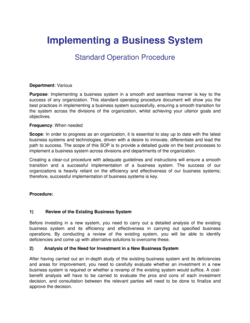
Documenting step-by-step procedures for a single department or taskStandard Operating Procedure (SOP)
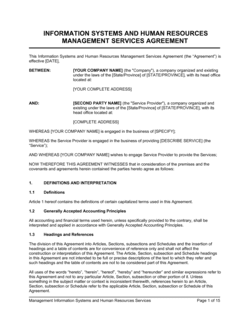
Creating a high-level operating manual for the entire companyOperations Manual
Mapping workflows visually for process improvementProcess Flow Chart
Onboarding new employees to tools and systemsEmployee Onboarding Checklist
Preparing the business for a potential acquisitionBusiness Sale Information Package
Documenting IT systems, access controls, and data policiesIT Policy Manual
Defining roles, reporting lines, and decision rights across the organizationOrganizational Chart

Common mistakes to avoid

❌ Documenting the ideal process instead of the actual one

Why it matters: Staff ignore documentation that doesn't reflect how work really gets done. When the written process diverges from practice, the guide becomes decoration rather than a functional tool.

Fix: Interview the people performing each process before writing. Validate each section by having those staff confirm it matches their daily reality before publishing.
❌ No named process owners for any section

Why it matters: Documentation without ownership goes stale immediately. When no one is responsible for a section, updates don't happen and errors accumulate silently.

Fix: Assign a named individual β€” not a team or department β€” as process owner for each section. Include their name and review obligations in the document header for that section.

❌ Including too many KPIs with no prioritization

Why it matters: A metrics section with 15 KPIs per department creates reporting overload. Staff spend time generating reports no one reads instead of acting on the two or three numbers that actually matter.

Fix: Limit each system to a maximum of five KPIs. Rank them by the degree to which they predict outcomes rather than just measure activity, and cut the rest.

❌ Omitting the technology inventory entirely

Why it matters: Without a documented tool stack, the business cannot recover quickly from a software outage, a staff departure, or a security incident β€” because no one knows what systems exist or who owns them.

Fix: Dedicate a full section to listing every tool with its function, account owner, cost, and credential storage location. Review it every time a new tool is adopted or cancelled.

❌ Writing procedures at too high a level to be actionable

Why it matters: Steps like 'process the order' or 'follow up with the client' tell a new hire nothing. Vague documentation forces staff to improvise, producing inconsistent outcomes.

Fix: Write each step as a specific, observable action: who does what, using which tool, within what timeframe, and what the output is. If a step takes more than one sentence to describe, consider whether it needs its own sub-procedure.

❌ Creating the guide once and never reviewing it

Why it matters: A systems guide that is 18 months out of date is actively harmful β€” staff follow an outdated process, confident it is correct, while the real workflow has changed around them.

Fix: Set a mandatory review date for each section and assign calendar reminders to the process owner. Any time a tool, team structure, or core process changes, update the relevant section within 30 days.

The 9 key sections, explained

Business Overview and Operating Context

Organizational Structure and Roles

Sales and Marketing Systems

Operations and Service Delivery Systems

Finance and Accounting Systems

Human Resources and People Systems

Technology and Tools Inventory

Performance Metrics and Reporting

Continuous Improvement and Review Procedures

How to fill it out

  1. 1

    Define the scope and purpose before writing

    Decide whether this guide covers the entire business or a specific division, and identify the primary audience β€” new managers, a potential buyer, or frontline staff. This determines how much detail each section needs.

    πŸ’‘ Write a one-paragraph purpose statement at the top of the document before drafting any section. It prevents scope creep and keeps every contributor aligned.

  2. 2

    Map your departments and assign process owners

    List every major function in the business and name the person accountable for each one's documentation. Ownership prevents sections from being written inconsistently or left blank.

    πŸ’‘ Use a RACI matrix at this stage β€” it is faster to assign R, A, C, I for each system than to negotiate ownership during the writing phase.

  3. 3

    Document each system by interviewing the people who actually do the work

    Sit with or survey the staff performing each process before writing. Record what they actually do, not what the process is supposed to look like on paper. Note every tool, decision point, and handoff.

    πŸ’‘ Shadow one person executing a process end-to-end before writing that section β€” you will discover three to five undocumented steps that only exist in that person's head.

  4. 4

    Build the technology and tools inventory

    List every software tool the business uses, its function, its account owner, and where credentials are stored. Cross-reference this against each system section so every tool reference is traceable.

    πŸ’‘ Export your company credit card statement to find tools you are paying for but no one has listed β€” shadow IT is common and creates security and cost risks.

  5. 5

    Define KPIs and reporting for each system

    For each core system, select three to five measurable KPIs, set a target or benchmark, assign a reporting owner, and specify the frequency and format of reporting.

    πŸ’‘ If you cannot name a current baseline for a KPI, start tracking it before setting a target β€” targets without baselines produce guesswork, not improvement.

  6. 6

    Add a version control block and review schedule

    Insert a document header showing the version number, effective date, author, and next review date. Set a calendar reminder for the review so the guide does not go stale.

    πŸ’‘ A quarterly review is appropriate for fast-growing businesses; annually is sufficient for stable operations. Never exceed 12 months between reviews.

  7. 7

    Test the guide with a new or junior staff member

    Have someone unfamiliar with a process use the documented system to complete a task without assistance. Every point where they get stuck or ask a question reveals a gap in the documentation.

    πŸ’‘ Aim for a guide clear enough that a competent hire with no prior context at your company can complete the core tasks in each section within their first two weeks.

Frequently asked questions

What is a Business Systems Guide?

A Business Systems Guide is a comprehensive operational document that describes every core system, process, and workflow a business uses to function β€” from sales and marketing to finance, HR, and technology. It maps who does what, using which tools, in what sequence, and how performance is measured. Unlike a narrow SOP for a single task, a Business Systems Guide covers the entire operating model in one document.

What is the difference between a Business Systems Guide and an Operations Manual?

An Operations Manual typically documents physical or procedural instructions for running day-to-day tasks β€” particularly in service businesses, manufacturing, and retail. A Business Systems Guide takes a broader view, covering not just procedures but the tools, metrics, roles, and improvement processes for each system. Think of the Operations Manual as a subset of a full Business Systems Guide.

Who should write the Business Systems Guide?

The guide is typically initiated by the business owner or operations manager and written collaboratively with department heads. Each process owner drafts the sections covering their area, based on interviews with the staff who actually perform the work. A single editor should then review the full document for consistency in language and format before it is finalized and distributed.

How long should a Business Systems Guide be?

Length depends on business complexity. A small business with fewer than 10 employees might produce a 20–40 page guide. A mid-size company with multiple departments typically produces 60–150 pages plus appendices containing SOPs, templates, and flowcharts. Prioritize completeness over brevity β€” a usable guide that covers all critical systems is more valuable than a short guide with gaps.

How often should a Business Systems Guide be updated?

Fast-growing businesses should review each section quarterly. Stable operations can review annually. Any time a core tool changes, a department is restructured, or a major process is redesigned, the relevant section should be updated within 30 days of the change. Include a version number, effective date, and next review date in the document header so readers know how current it is.

Can a Business Systems Guide help with selling my business?

Yes β€” a documented systems guide is one of the most valuable assets a business can present during an acquisition process. Buyers and their advisors look for evidence that the business operates independently of its founder. A complete systems guide demonstrates that operations are transferable, reduces perceived key-person risk, and can meaningfully increase the business's valuation multiple during due diligence.

What tools are typically referenced in a Business Systems Guide?

Common categories include CRM and sales tools (e.g., Salesforce, HubSpot), project management platforms (e.g., Asana, Monday.com), accounting software (e.g., QuickBooks, Xero), HR and payroll systems (e.g., Gusto, BambooHR), communication tools (e.g., Slack, Microsoft Teams), and document storage (e.g., Google Drive, SharePoint). The guide should list every tool the business pays for or depends on, regardless of category.

Is a Business Systems Guide the same as a standard operating procedure?

No. An SOP is a detailed, step-by-step instruction for one specific recurring task. A Business Systems Guide is the parent document that describes all core systems at a functional level and references individual SOPs where deeper detail is needed. The guide tells you what systems exist and how they connect; the SOP tells you exactly how to execute one task within a system.

What happens if we don't have a Business Systems Guide?

Without documented systems, operations depend entirely on the memory and availability of specific individuals. When a key employee leaves, goes on leave, or is simply unavailable, the process either stalls or is reinvented inconsistently. Onboarding new staff takes significantly longer, errors increase under pressure, and the business owner cannot delegate with confidence β€” remaining trapped in day-to-day operations even as the business grows.

How this compares to alternatives

vs Standard Operating Procedure (SOP)

An SOP provides detailed step-by-step instructions for one specific task or process. A Business Systems Guide is the parent document covering all operational systems at a functional level and referencing SOPs for task-level detail. The guide tells you how the business works; the SOP tells you how to do one thing within it. Most businesses need both.

vs Operations Manual

An Operations Manual typically focuses on the physical and procedural instructions for delivering a product or service β€” particularly in retail, hospitality, or manufacturing. A Business Systems Guide takes a broader scope, also covering HR, finance, technology, and performance measurement. For complex businesses, the Operations Manual may become one section of a full Business Systems Guide.

vs Employee Handbook

An Employee Handbook documents company policies, culture, conduct expectations, and employment terms for staff. A Business Systems Guide documents operational processes and workflows for anyone running or managing the business. The handbook covers the employment relationship; the systems guide covers how work gets done. Both should exist, and neither replaces the other.

vs Strategic Plan

A Strategic Plan defines where the business is going over a 3–5 year horizon β€” goals, initiatives, and resource allocation. A Business Systems Guide documents how the business operates today. The strategic plan sets the destination; the systems guide describes the current engine. Businesses preparing for rapid growth benefit from having both updated at the same time.

Industry-specific considerations

Professional Services

Client intake, project delivery, billing, and knowledge management systems are critical to document for consistent service quality and partner-level delegation.

Retail and E-commerce

Inventory management, order fulfillment, returns processing, and supplier reorder systems require precise documentation to maintain throughput across multiple staff or locations.

Food and Beverage

Opening and closing checklists, food safety compliance procedures, supplier ordering cycles, and POS reconciliation are franchise-critical systems requiring standardized documentation.

SaaS and Technology

Customer onboarding, support escalation workflows, release management, and data security procedures are the systems most likely to break under rapid headcount growth without documentation.

Template vs pro β€” what fits your needs?

PathBest forCostTime
Use the templateSmall business owners, operations managers, and founders documenting systems for internal use or basic succession planningFree2–6 weeks (depending on business complexity)
Template + professional reviewBusinesses preparing for a sale, franchise rollout, or significant leadership transition requiring a polished, buyer-ready document$500–$2,500 for a business consultant or operations advisor review3–6 weeks
Custom draftedComplex multi-location businesses, regulated industries, or organizations requiring a full systems audit before an acquisition or ISO certification$5,000–$20,000 for a management consulting engagement6–16 weeks

Glossary

Business System
A repeatable set of processes, tools, and people that work together to produce a consistent output or outcome within the business.
Standard Operating Procedure (SOP)
A written, step-by-step instruction for completing a specific recurring task to a consistent standard.
Workflow
The sequence of steps, decisions, and handoffs required to complete a process from start to finish.
Process Owner
The specific person or role accountable for a system or process functioning correctly and being kept up to date.
Key Performance Indicator (KPI)
A measurable value that indicates how effectively a process or system is achieving its intended outcome.
Technology Stack
The set of software tools, platforms, and integrations a business uses to run a particular function β€” e.g., CRM, ERP, project management, and communication tools.
Tribal Knowledge
Operational information that exists only in the heads of specific employees rather than in written documentation, creating a single point of failure.
Scalability
The capacity of a business system to handle increased volume or complexity without a proportional increase in errors, cost, or manual effort.
Continuous Improvement
An ongoing practice of reviewing systems for inefficiencies and updating documented processes to reflect better methods.
RACI Matrix
A responsibility assignment chart that maps each task or process to who is Responsible, Accountable, Consulted, and Informed.
Single Point of Failure
A system or process that breaks down entirely if one person is unavailable or one tool fails, with no documented backup procedure.

Part of your Business Operating System

This document is one of 3,000+ business & legal templates included in Business in a Box.

  • Fill-in-the-blanks β€” ready in minutes
  • Compatible with all office suites
  • Export to PDF and share electronically

Create your document in 3 simple steps.

From template to signed document β€” all inside one Business Operating System.
1
Download or open template

Access over 3,000+ business and legal templates for any business task, project or initiative.

2
Edit and fill in the blanks with AI

Customize your ready-made business document template and save it in the cloud.

3
Save, Share, Send, Sign

Share your files and folders with your team. Create a space of seamless collaboration.

Save time, save money, and create top-quality documents.

β˜…β˜…β˜…β˜…β˜…

"Fantastic value! I'm not sure how I'd do without it. It's worth its weight in gold and paid back for itself many times."

Managing Director Β· Mall Farm
Robert Whalley
Managing Director, Mall Farm Proprietary Limited
β˜…β˜…β˜…β˜…β˜…

"I have been using Business in a Box for years. It has been the most useful source of templates I have encountered. I recommend it to anyone."

Business Owner Β· 4+ years
Dr Michael John Freestone
Business Owner
β˜…β˜…β˜…β˜…β˜…

"It has been a life saver so many times I have lost count. Business in a Box has saved me so much time and as you know, time is money."

Owner Β· Upstate Web
David G. Moore Jr.
Owner, Upstate Web

Run your business with a system β€” not scattered tools

Stop downloading documents. Start operating with clarity. Business in a Box gives you the Business Operating System used by over 250,000 companies worldwide to structure, run, and grow their business.

Free Forever PlanΒ Β·Β No credit card required