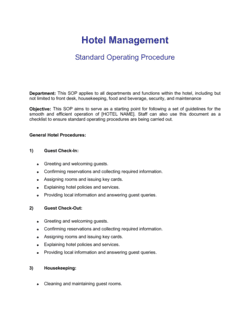
- Standard Operating Procedure (SOP)
- A step-by-step written instruction for completing a specific, repeatable task — referenced by the operations manual but documented separately.
- Organizational Chart
- A visual diagram showing the hierarchy of roles, reporting lines, and departments within a business.
- RACI Matrix
- A responsibility assignment table that maps each task or decision to who is Responsible, Accountable, Consulted, and Informed.
- Key Performance Indicator (KPI)
- A measurable metric used to evaluate whether a process or department is performing against its defined targets.
- Quality Standard
- A defined, measurable benchmark a product, service, or process must meet before it is considered acceptable.
- Escalation Path
- The defined sequence of roles or steps an employee follows when an issue exceeds their authority or expertise to resolve.
- Systems Inventory
- A list of the software platforms, tools, and technology systems a business uses, including their purpose and the roles responsible for managing them.
- Version Control
- The practice of tracking changes to a document over time, including who made each change and when, so that the current version is always identifiable.
- Onboarding
- The structured process of integrating a new employee into a business, including training on systems, processes, and role expectations.
- Institutional Knowledge
- Operational information and process expertise held informally by specific employees rather than documented in a formal reference source.
- Scope of Authority
- The defined level of decision-making power granted to a role — specifying which decisions the role can make independently and which require approval.