Announcement of Free Delivery Limitations Change Template

Free Word download β€’ Edit online β€’ Save & share with Drive β€’ Export to PDF

1 pageβ€’20–25 min to fillβ€’Difficulty: Standard
Learn more ↓
FreeAnnouncement of Free Delivery Limitations Change Template

At a glance

What it is
An Announcement of Free Delivery Limitations Change is a formal business letter sent to customers or account holders to notify them of upcoming changes to a company's free delivery policy β€” such as a new minimum order threshold, restricted delivery zones, reduced product eligibility, or revised scheduling windows. This free Word download is fully editable online and can be exported as PDF or sent directly by email.
When you need it
Use it whenever your business is raising the minimum order value for free delivery, narrowing the geographic zone covered, limiting eligible product categories, or discontinuing free delivery entirely for certain customer segments. Sending a formal notice before the change takes effect gives customers time to adjust purchasing behavior and reduces service complaints.
What's inside
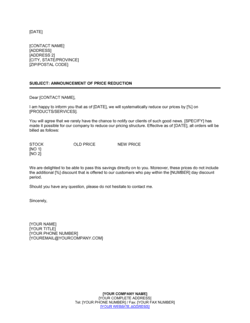
A dated letterhead header, a clear subject line identifying the policy change, the effective date, a plain-language explanation of what is changing and why, a summary of the new conditions, and a call to action directing customers to customer service or a policy FAQ page.

What is an Announcement of Free Delivery Limitations Change?

An Announcement of Free Delivery Limitations Change is a formal business letter sent by a seller or distributor to its customers to notify them of upcoming modifications to the conditions under which free delivery is available. The change may involve raising the minimum order threshold, narrowing the eligible delivery zone, restricting the product categories that qualify, or adjusting the delivery schedule windows β€” and the letter provides the effective date, a plain-language explanation of the new terms, and guidance on what customers should do next. It functions as a documented, professional notice that protects the business from dispute while giving customers a fair opportunity to adjust their purchasing behavior before the change takes effect.

Why You Need This Document

Changing a free delivery policy without formal advance notice is one of the fastest ways to generate negative reviews, chargeback disputes, and avoidable customer service volume. Customers who discover a new delivery fee on the checkout screen β€” with no prior warning β€” feel deceived, even when the change is commercially justified. A clear, dated letter sent 14 to 30 days ahead of the effective date closes that gap: it creates a paper trail proving notice was given, reduces inbound complaints by giving customers an actionable FAQ to consult, and signals professionalism to trade account holders who may have contractual expectations around delivery terms. This template lets you communicate the change in under 15 minutes, in a format that is appropriate for both email and postal delivery, without starting from a blank page.

Which variant fits your situation?

If your situation is…Use this template
Raising the minimum order value to qualify for free deliveryAnnouncement Of Free Delivery Limitations Change
Discontinuing free delivery entirely for all customersAnnouncement Of Delivery Policy Cancellation
Introducing a new paid delivery tier or subscription delivery planNew Service Announcement Letter
Notifying customers of a general price or surcharge increasePrice Increase Letter
Updating customers on restricted delivery regions onlyService Area Change Announcement
Informing B2B account holders of revised contract delivery termsContract Amendment Letter

Common mistakes to avoid

❌ Not giving enough notice before the effective date

Why it matters: Customers who learn of a policy change on the same day it activates feel blindsided. Negative reviews and chargebacks spike when notice periods are under seven days.

Fix: Send the announcement at least 14–30 days before the effective date. For B2B accounts on monthly billing cycles, align the change with the next billing period.

❌ Burying the effective date in the body text

Why it matters: If customers miss the date, they discover the change only when they are charged a delivery fee β€” generating complaints that could have been avoided with a clearer layout.

Fix: State the effective date in both the subject line and the opening sentence of the body, and bold or underline it so it cannot be missed.

❌ Omitting the current policy terms for comparison

Why it matters: Without a baseline, customers cannot gauge how significant the change is and may assume the worst β€” leading to unnecessary cancellations or escalations.

Fix: Include one sentence describing the current threshold, zone, or eligibility rule before stating the new terms.

❌ Providing no customer action or alternative

Why it matters: A letter that only delivers bad news with no constructive path forward maximizes customer frustration and churn risk.

Fix: Always include at least one actionable alternative β€” consolidating orders, a delivery subscription, or a grace period for orders already in progress.

The 10 key clauses, explained

Letterhead and date

In plain language: Identifies the sending company and dates the communication, establishing the official record of when notice was given.

Sample language
[COMPANY NAME] | [ADDRESS] | [CITY, STATE ZIP] | [DATE]

Common mistake: Omitting the date entirely or using a generic 'today's date' placeholder. Without a specific date, you cannot prove when notice was given if a customer disputes the change.

Recipient address block

In plain language: Names the specific customer, account holder, or contact receiving the notice, including their mailing or email address.

Sample language
[CUSTOMER FULL NAME] | [COMPANY NAME, IF APPLICABLE] | [ADDRESS] | [CITY, STATE ZIP]

Common mistake: Sending a mass-merge letter with visible merge-field errors (e.g., 'Dear [FIRST NAME]') because the template was not tested before bulk send β€” this immediately undermines trust.

Subject line

In plain language: A one-line header that tells the reader immediately what the letter is about, so it is not discarded or routed to the wrong department.

Sample language
Re: Important Update to Our Free Delivery Policy β€” Effective [DATE]

Common mistake: Using a vague subject like 'Policy Update' with no reference to delivery or the effective date, causing customers to miss the notice until the change has already taken effect.

Opening and purpose statement

In plain language: Explains in plain language why the letter is being sent and what the reader should take away from it.

Sample language
We are writing to inform you that effective [DATE], [COMPANY NAME] will be making changes to the conditions under which free delivery is offered on orders placed through [CHANNEL / WEBSITE / ACCOUNT].

Common mistake: Opening with an apology before stating the change β€” this signals weakness and buries the key information below a paragraph of preamble.

Description of current policy

In plain language: Briefly restates the existing free delivery terms so the reader has a clear baseline for comparing the incoming change.

Sample language
Currently, orders of [CURRENT THRESHOLD] or more placed before [CURRENT CUT-OFF TIME] qualify for free standard delivery to addresses within [CURRENT ZONE].

Common mistake: Skipping this clause and jumping straight to the new terms β€” customers who are uncertain about the current rules cannot gauge the impact of the change and are more likely to call customer service.

Description of new policy and effective date

In plain language: States precisely what is changing β€” threshold, zone, product eligibility, or timing β€” and the exact date the new terms apply.

Sample language
Effective [DATE], free standard delivery will apply to orders of [NEW THRESHOLD] or more. Orders below this amount will be subject to a standard delivery fee of [FEE AMOUNT].

Common mistake: Stating the effective date in only one place. If the date is buried mid-paragraph, customers frequently miss it and are caught off guard when the change activates.

Reason for the change

In plain language: Provides a brief, honest explanation of why the policy is changing β€” rising carrier costs, logistics restructuring, or a market adjustment β€” to reduce negative customer reaction.

Sample language
This adjustment reflects the continued increase in carrier and logistics costs that [COMPANY NAME] has absorbed over the past [TIME PERIOD]. Maintaining the current threshold is no longer sustainable without affecting the quality of service we provide.

Common mistake: Over-explaining or including internal cost data that is not relevant to the customer. One to two sentences is sufficient β€” excessive justification can sound defensive and invite negotiation.

Customer action or alternatives

In plain language: Tells the customer what they can do next β€” consolidate orders, sign up for a delivery subscription, or contact support β€” giving them a constructive path forward.

Sample language
To continue enjoying free delivery, we encourage you to consolidate your orders to meet the new [NEW THRESHOLD] threshold. Alternatively, [COMPANY NAME]'s [DELIVERY SUBSCRIPTION PLAN] offers unlimited free delivery for $[AMOUNT] per month.

Common mistake: Omitting any call to action, leaving the customer with only negative information and no way to maintain their benefit β€” this maximizes churn risk.

Contact and support information

In plain language: Directs the customer to a specific contact point β€” customer service email, phone number, or FAQ page β€” for questions about the change.

Sample language
If you have questions about how this change affects your account, please contact our customer service team at [EMAIL] or [PHONE NUMBER], or visit [URL] for a full FAQ on our updated delivery policy.

Common mistake: Providing only a general company phone number with no reference to a specific team or FAQ resource, leading to long hold times and repeated escalations.

Closing and signature

In plain language: Closes the letter professionally, thanks the customer for their relationship, and is signed by a named company representative.

Sample language
Thank you for your continued business with [COMPANY NAME]. We appreciate your understanding and look forward to continuing to serve you. Sincerely, [NAME] | [TITLE] | [COMPANY NAME]

Common mistake: Closing with 'The [COMPANY NAME] Team' instead of a named individual. Anonymous closings feel automated and reduce the customer's sense that anyone accountable is behind the communication.

How to fill it out

  1. 1

    Enter your company letterhead and the letter date

    Add your company name, address, and the date at the top of the template. Use the date you plan to send the letter, not the effective date of the policy change.

    πŸ’‘ If sending by email, include your company logo above the letterhead block β€” it increases open rates and prevents the message from being treated as spam.

  2. 2

    Add the recipient's name and address

    Enter the customer's full name, company name if applicable, and billing or contact address. For bulk sends, confirm your merge fields match your CRM export columns before sending.

    πŸ’‘ Segment your list by account type before merging β€” trade customers and retail customers may need slightly different language in the body.

  3. 3

    Write a specific subject line with the effective date

    Replace the subject placeholder with a line that names the policy and the exact effective date. This is the most-read line in any formal letter.

    πŸ’‘ For email delivery, this subject line doubles as your email subject β€” make sure it passes a spam filter check before bulk sending.

  4. 4

    State the current and new delivery conditions clearly

    Fill in the current threshold, zone, or eligibility rule alongside the new terms. Use parallel structure β€” 'currently X; from [DATE], Y' β€” so the comparison is instant.

    πŸ’‘ If multiple conditions are changing at once (threshold and zone, for example), use a two-column table or a brief bulleted list rather than one dense paragraph.

  5. 5

    Write one to two sentences explaining the reason

    Insert a brief, factual reason for the change β€” rising carrier costs, logistics restructuring, or a strategic decision. Keep it concise and avoid internal jargon.

    πŸ’‘ Acknowledge the inconvenience in one sentence, then move immediately to what the customer can do β€” this ratio (brief empathy, quick pivot to action) reduces complaint volume.

  6. 6

    Add the customer action or alternative offer

    Tell customers how to maintain the free delivery benefit β€” consolidating orders, signing up for a subscription, or placing orders before the effective date.

    πŸ’‘ If you have a delivery subscription product, this is a natural upsell moment. Include the price and a direct sign-up link.

  7. 7

    Insert contact details and the FAQ URL

    Replace the contact placeholders with your customer service email, direct phone number, and a link to your delivery policy FAQ page. Publish the FAQ before sending the letter.

    πŸ’‘ Anticipate the top three questions customers will ask and answer them on the FAQ page before the letter goes out β€” this cuts inbound support volume by 30–50%.

Frequently asked questions

What is an announcement of free delivery limitations change?

It is a formal business letter sent to customers to notify them that the conditions under which they receive free delivery are changing β€” for example, a higher minimum order threshold, a narrower delivery zone, or reduced product eligibility. The letter documents the change, states the effective date, explains the reason, and tells customers what to do next.

How much notice should I give customers before changing a free delivery policy?

A minimum of 14 days is generally considered reasonable for retail customers. For B2B account holders on monthly billing cycles, 30 days is the standard. Aligning the change with a new billing period reduces disputes and gives customers time to adjust their ordering behavior. Shorter notice periods significantly increase complaint and chargeback rates.

Should the letter be sent by email or postal mail?

Email is the most practical and cost-effective channel for most businesses. For high-value B2B accounts or customers with formal contract terms, a postal letter or a PDF attachment to a personalized email is more appropriate. Whichever channel you use, retain a record of delivery β€” a sent-email timestamp or a postal tracking receipt β€” in case of a dispute.

Do I need to explain why the free delivery policy is changing?

You are not legally required to explain the reason in most cases, but one to two sentences of context β€” citing rising carrier costs or logistics restructuring β€” significantly reduces negative customer reactions. Customers who understand the reason are measurably less likely to cancel or escalate than those who receive only a bare announcement of the change.

Can I use this letter for both retail and wholesale customers?

Yes, but you should customize the language for each segment. Retail customers respond better to plain-language explanations and direct calls to action. Wholesale or trade account holders may need reference to their specific account terms, contract number, or account manager contact. Segmenting your send list and using light customization by customer type reduces confusion and inbound queries.

What should I include on the FAQ page I reference in the letter?

At minimum, your FAQ should answer: what the new threshold or conditions are, when they take effect, whether existing orders placed before the effective date are honored under the old terms, how customers can reach the threshold, and who to contact with further questions. Publishing the FAQ before sending the letter is essential β€” customers who click through to a missing or blank page respond far more negatively than those who find clear answers immediately.

Is this letter the same as a shipping policy update?

Not exactly. A shipping policy update typically covers a broader range of changes β€” carrier partners, delivery timeframes, international shipping rules, or returns. An announcement of free delivery limitations change is a narrower, customer-facing notice focused specifically on the conditions for receiving free delivery. You may need both documents if multiple aspects of your shipping policy are changing at the same time.

Should the letter be signed by a specific person or the company?

Sign with a named individual β€” ideally a customer service manager, operations director, or company owner β€” rather than a generic 'The Team' or 'Customer Service' sign-off. Named signatures increase the letter's credibility, give the customer a real point of contact, and signal that a person with authority is accountable for the change.

How this compares to alternatives

vs Price increase letter

A price increase letter notifies customers that the cost of a product or service is rising. An announcement of free delivery limitations change is narrower β€” it only addresses the conditions under which delivery is provided at no charge, not the price of the goods themselves. Use both when a price increase and a delivery policy change are happening simultaneously.

vs Service discontinuation letter

A service discontinuation letter announces the complete removal of a service or feature. An announcement of free delivery limitations change modifies but does not eliminate the benefit β€” free delivery remains available under new conditions. Use a discontinuation letter only if free delivery is being removed entirely with no qualifying alternative.

vs Contract amendment letter

A contract amendment letter formally modifies the terms of a signed bilateral agreement and typically requires the other party's written acceptance. An announcement of free delivery limitations change is a unilateral policy notice β€” it informs rather than negotiates. If your free delivery terms are embedded in a signed supply agreement, a contract amendment letter is the correct vehicle instead.

vs General policy update notice

A general policy update notice covers broad changes across multiple areas β€” returns, warranties, payment terms, and delivery. An announcement of free delivery limitations change is a focused, single-topic communication. Combining multiple policy changes into one letter dilutes the key message and reduces the likelihood that customers notice the delivery change specifically.

Industry-specific considerations

E-commerce and Online Retail

Free shipping threshold changes are among the most common customer-facing policy updates in e-commerce, typically triggered by carrier rate increases or margin pressure from high-volume low-value orders.

Wholesale and Distribution

Trade customers on account terms require formal written notice of delivery condition changes, often tied to contract review cycles and minimum order volume agreements.

Food and Grocery Delivery

Free delivery zones and basket minimums change frequently in response to fuel costs, driver availability, and route optimization β€” making clear, timely customer communication essential.

Manufacturing and Industrial Supply

B2B buyers placing large infrequent orders need advance notice of free delivery threshold changes to adjust purchase order timing and avoid unexpected freight charges.

Template vs pro β€” what fits your needs?

PathBest forCostTime
Use the templateAny business sending a standard free delivery threshold or zone change notice to retail or trade customersFree10–15 minutes
Template + professional reviewBusinesses with formal B2B supply contracts where delivery terms are specified in writing$100–$300 for a brief legal or contract review1–2 days
Custom draftedEnterprise retailers or distributors with complex contractual delivery obligations across multiple jurisdictions$300–$8002–5 days

Glossary

Free Delivery Threshold
The minimum order value a customer must reach to qualify for delivery at no charge.
Effective Date
The specific calendar date on which the new delivery policy conditions come into force.
Delivery Zone
The geographic area within which a seller offers standard, express, or free delivery services.
Eligible Products
The subset of a seller's catalog that qualifies for a promotional or standard free delivery offer.
Surcharge
An additional fee applied to orders that fall below the free delivery threshold or fall outside the eligible delivery zone.
Notice Period
The number of days between the date a policy change is communicated and the date it takes effect, giving customers time to adjust.
Account Holder
A registered customer or trade buyer who has an ongoing relationship with the seller, typically with credit terms or a loyalty tier.
Policy FAQ
A published question-and-answer page that explains the details and rationale of a policy to reduce customer service volume.

Part of your Business Operating System

This document is one of 3,000+ business & legal templates included in Business in a Box.

  • Fill-in-the-blanks β€” ready in minutes
  • 100% customizable Word document
  • Compatible with all office suites
  • Export to PDF and share electronically

Create your document in 3 simple steps.

From template to signed document β€” all inside one Business Operating System.
1
Download or open template

Access over 3,000+ business and legal templates for any business task, project or initiative.

2
Edit and fill in the blanks with AI

Customize your ready-made business document template and save it in the cloud.

3
Save, Share, Send, Sign

Share your files and folders with your team. Create a space of seamless collaboration.

Save time, save money, and create top-quality documents.

β˜…β˜…β˜…β˜…β˜…

"Fantastic value! I'm not sure how I'd do without it. It's worth its weight in gold and paid back for itself many times."

Managing Director Β· Mall Farm
Robert Whalley
Managing Director, Mall Farm Proprietary Limited
β˜…β˜…β˜…β˜…β˜…

"I have been using Business in a Box for years. It has been the most useful source of templates I have encountered. I recommend it to anyone."

Business Owner Β· 4+ years
Dr Michael John Freestone
Business Owner
β˜…β˜…β˜…β˜…β˜…

"It has been a life saver so many times I have lost count. Business in a Box has saved me so much time and as you know, time is money."

Owner Β· Upstate Web
David G. Moore Jr.
Owner, Upstate Web

Run your business with a system β€” not scattered tools

Stop downloading documents. Start operating with clarity. Business in a Box gives you the Business Operating System used by over 250,000 companies worldwide to structure, run, and grow their business.

Free Forever PlanΒ Β·Β No credit card required