Business Checklist Templates

4.7from 280+ reviews Trusted by 20M+ businesses

Cut through guesswork on hiring, compliance, finance, and operations with ready-to-use checklists.

WordEditable onlinePDF19+ checklist templates

Other Administration categories

250K+Clients
20M+Free users
20+Years
190+Countries
10,000+Law firms
50M+Downloads

Trusted across review platforms

  • Capterra★★★★☆4.649 reviews
  • G2★★★★☆4.713 reviews
  • GetApp★★★★☆4.649 reviews
  • Google Play★★★★☆4.6179 ratings
  • Google Reviews★★★★☆4.567 reviews

Related categories

Frequently asked questions

What should a business checklist template include?
A business checklist template should include a title and purpose statement, numbered action items, a responsible party field for each item, a completion checkbox or date field, a notes or comments column, and a version date. For compliance or HR processes, add a supervisor sign-off line. The key is specificity — generic items like "review documents" are less useful than "confirm I-9 is completed and filed."
How is a checklist different from a to-do list?
A to-do list is personal, informal, and typically disposable — it captures what one person needs to accomplish today. A business checklist is a reusable, process-level document designed for a team, tied to a specific repeatable workflow, and often retained as an audit record. Checklists enforce consistency across people and time; to-do lists manage individual priorities.
Are checklist templates useful for small businesses?
Yes — small businesses benefit most from checklists because they usually lack dedicated compliance, HR, or operations staff. A well-designed checklist lets a founder or office manager run a hiring process, a website launch, or a tax-preparation cycle to the same standard a larger company achieves with a full department.
How often should business checklists be reviewed and updated?
Review checklists whenever the underlying process, regulation, or technology changes. As a baseline, review compliance and HR checklists at least once a year. Operational checklists should be reviewed after any incident where a step was missed or a new issue emerged. Add a review-date field to every checklist to make this easy to track.
Can I use a checklist as evidence of compliance?
A completed and signed checklist can serve as supporting evidence that a process was followed — for example, demonstrating that pre-employment screening steps were taken or that an internal audit was conducted. While a checklist alone is rarely sufficient as legal proof, it strengthens documentation and shows good-faith compliance effort. For regulated industries, confirm with legal counsel what records must be retained and for how long.
What's the right level of detail for each checklist item?
Each item should be specific enough that the person completing it knows exactly what to do without asking for clarification, but short enough to scan quickly. Avoid items that combine multiple actions. If an item requires more than one checkbox to verify, split it. Link to a supporting document or SOP in the notes column if more detail is needed.
Should every department use its own checklists?
Yes. HR, finance, operations, IT, and marketing each have distinct recurring processes that benefit from dedicated checklists. A single master checklist trying to cover everything becomes unwieldy and stops being used. Start with the highest-risk or most error-prone process in each department, build a checklist for that, and expand from there.
How do checklist templates save time compared to building from scratch?
A template gives you a structurally sound starting point with the key items for a given process already mapped out. For standard processes like hiring, compliance review, or website setup, a template typically covers 80–90% of what you need. Customization — adding company-specific steps, removing irrelevant items, adding responsible parties — takes minutes rather than hours.

Business Checklist vs. related documents

Business Checklist vs. Standard operating procedure (SOP)

A checklist confirms that steps were completed; an SOP explains how each step should be performed. SOPs are longer, more detailed documents that describe the reasoning and method behind a process. In practice, teams often use both together: the SOP as the reference document and the checklist as the daily execution tool.

Business Checklist vs. Process flowchart

A flowchart maps decision branches and conditional paths visually; a checklist is a linear list of tasks to complete in sequence. Flowcharts are better for complex processes with multiple outcomes, while checklists are faster to use and better suited to routine, repeatable tasks where the path doesn't change.

Business Checklist vs. Project plan or task tracker

A project plan includes timelines, owners, dependencies, and milestones across a unique, time-bound initiative. A checklist is a simpler, reusable tool for recurring processes. Use a project plan for one-time initiatives like a product launch; use a checklist for every hiring cycle, every compliance review, or every website deployment.

Business Checklist vs. Audit report

An audit report documents findings and conclusions after a review is complete. A checklist is the tool used during the review to ensure nothing is missed. The checklist comes first; the report follows. Many internal audit checklists double as evidence that a review was conducted.

Key clauses every Business Checklist contains

Well-designed business checklists share common structural elements that make them reliable, auditable, and easy to hand off.

  • Scope and purpose statement. A one- or two-sentence header that tells the user what process this checklist covers and when to use it.
  • Task or item numbering. Sequential numbering ensures nothing is skipped and makes it easy to reference a specific step during review.
  • Responsible party field. Each item should indicate who owns completion — a role, department, or named individual.
  • Completion checkbox or date field. A checkbox or date stamp creates an audit trail confirming the step was done and when.
  • Notes or comments column. Space for observations, exceptions, or follow-up actions keeps context attached to the checklist itself.
  • Review frequency or trigger. States how often the checklist should be used — daily, per hire, per audit cycle — or what event triggers its use.
  • Version or review date. A dated version note ensures teams are always using the most current checklist rather than an outdated copy.
  • Approver signature or sign-off. For compliance and HR checklists, a supervisor sign-off line confirms the process was completed to standard.

How to write a business checklist

A useful checklist is specific, sequenced, and takes under a minute per item to evaluate. Here's how to build one that gets used.

  1. 1

    Define the process and its trigger

    Name the exact process the checklist covers and state the event that kicks it off — a new hire, an audit cycle, a product launch.

  2. 2

    List every required action or verification point

    Brain-dump every task, document, approval, or check involved; include the steps people skip because they 'know' them.

  3. 3

    Sequence the items in the order they must occur

    Reorder tasks so dependencies are respected — you can't verify employment eligibility before receiving the application.

  4. 4

    Assign a responsible role to each item

    Specify who completes each step by role or department, not by name, so the checklist survives staff changes.

  5. 5

    Add a completion field and a notes column

    A checkbox or date field creates accountability; a notes column captures exceptions without requiring a separate document.

  6. 6

    Include a version date and review schedule

    Note when the checklist was last reviewed and set a reminder to update it when the process, regulation, or team changes.

  7. 7

    Test it on a real cycle before finalizing

    Run the checklist through one actual process cycle with the team that will use it, then remove redundant steps and fill gaps.

  8. 8

    Store it where teams can find and retrieve it instantly

    A checklist no one can locate offers no protection; keep it in the system your team already uses for daily work.

At a glance

What it is
A business checklist template is a structured list of tasks, items, or criteria that ensures a repeatable process is completed correctly every time. Checklists reduce errors, enforce accountability, and let teams delegate confidently by making the expected steps explicit.
When you need one
Any time a process involves multiple steps that must be completed in order or without omission — onboarding a hire, preparing for an audit, launching a website, or reviewing risk — a checklist prevents costly oversights.

Which Business Checklist do I need?

The right checklist depends on the business function you're managing and the stage of the task. Match your situation below to find the best fit.

Your situation
Recommended template

Onboarding a new employee and need to cover every legal and admin step

Covers every required hiring step from offer letter to first-day paperwork.

Reviewing whether your business meets current regulatory requirements

Structured review of regulatory obligations to identify gaps before an audit.

Starting a new business and need a master task list

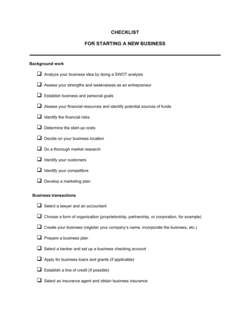
Comprehensive startup task list covering legal setup, finance, HR, and marketing.

Assessing financial controls and cash flow health of your business

Covers key financial indicators and controls a business should review regularly.

Preparing for an internal audit across departments

Guides auditors through documentation, process, and control checks systematically.

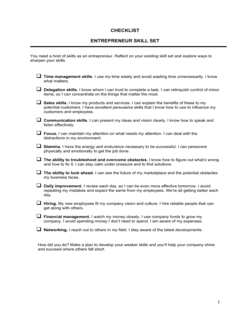
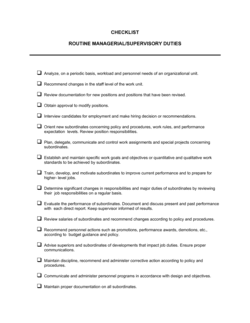
Managing daily operations and prioritizing manager responsibilities

Keeps managers accountable to recurring operational tasks across the work week.

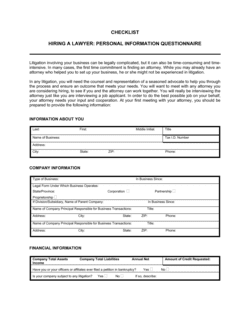
Evaluating a candidate before extending an employment offer

Covers verification, screening, and documentation steps before a hire is confirmed.

Launching a business website and need to track every setup task

Step-by-step task list from domain selection through go-live requirements.

Glossary

Process checklist
A checklist tied to a specific, repeatable business process — such as hiring or onboarding — used the same way every time it is triggered.
Compliance checklist
A checklist that maps required regulatory, legal, or policy obligations to verifiable action items.
Pre-employment checklist
A structured list of screening, verification, and documentation steps completed before a job offer is finalized.
Internal audit checklist
A list of control points, documents, and process verifications reviewed during an internal examination of business operations.
Pretermination checklist
A list of HR and legal steps to complete before formally ending an employee's contract, reducing the risk of wrongful termination claims.
Due diligence checklist
A structured list of financial, legal, and operational items to verify when evaluating an investment, acquisition, or partnership.
Onboarding checklist
A task list covering every step required to bring a new customer, employee, or vendor into active working status.
Sign-off field
A designated space on a checklist where a supervisor or authorized person confirms the process was completed to standard.
Audit trail
The documented record — including completed checklists — showing that a process was followed correctly and on time.
Version date
A date stamp on a checklist indicating when it was last reviewed or updated, ensuring teams always use the current version.
Responsible party
The role or individual assigned to complete a specific checklist item, making accountability explicit.
Trigger event
The specific action or condition — such as receiving a job application or reaching a fiscal quarter end — that initiates use of a checklist.

What is a business checklist?

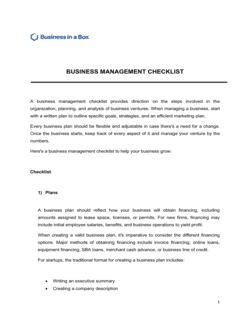
A business checklist is a structured document that lists every task, verification point, or item required to complete a business process correctly and consistently. Unlike informal to-do lists, business checklists are designed to be reused across people and time — enforcing the same standard whether a process is being run by an experienced manager or a first-week employee. They serve as both an operational tool and a documentary record that the process was followed.

Checklists appear across every business function. In HR, they guide hiring managers through pre-employment screening, employment agreement review, and termination procedures. In finance, they track record-keeping obligations, deduction reviews, and financial health indicators. In compliance, they map regulatory requirements to verifiable steps so nothing is overlooked before an audit. In operations, they keep managers accountable to recurring duties and help leadership teams assess whether a new partnership or business license application is complete.

The value of a checklist isn't just task management — it's risk reduction. A missed step in a hiring checklist can expose a business to discrimination claims. A gap in a compliance checklist can result in regulatory penalties. A skipped item in a website-launch checklist can create a data privacy liability. Well-designed checklists close those gaps before they become problems.

When you need a business checklist

Any time a business process involves multiple steps that must all be completed — in order, without omission, and often by more than one person — a checklist is the right tool. The higher the cost of missing a step, the more critical it becomes to have one in writing.

Common triggers:

  • Hiring a new employee and needing to confirm every screening, legal, and onboarding requirement is met
  • Conducting an internal audit and needing a verifiable record of every control point reviewed
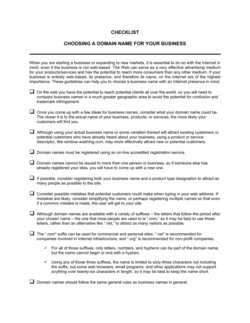
  • Launching a website and tracking domain, privacy policy, legal, and technical requirements simultaneously
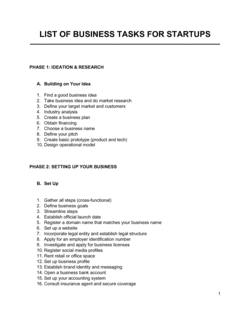
  • Starting a new business and working through licensing, insurance, banking, and registration requirements
  • Reviewing business finances at quarter-end to confirm records, deductions, and cash flow indicators are in order
  • Terminating an employee and ensuring every HR, legal, and systems step is documented before the last day
  • Evaluating a potential business partnership and confirming due diligence items are collected and reviewed
  • Managing routine managerial duties across a team where accountability and consistency need to be maintained

Without a written checklist, recurring processes depend on individual memory and institutional knowledge that leaves with the person who has it. With one, even a first-time manager or a small team operating without dedicated HR or compliance support can execute complex processes to a reliable standard. The templates in this folder cover the most common business processes where a missed step carries real operational, legal, or financial consequences.

Award-winning platform

  • Great Place to Work 2025
  • BIG Award — Product of the Year 2025
  • Smartest Companies 2025
  • Global 100 Excellence 2026
  • Best of the Best 2025

Create your document in 3 simple steps.

From template to signed document — all inside one Business Operating System.
1
Download or open template

Access over 3,000+ business and legal templates for any business task, project or initiative.

2
Edit and fill in the blanks with AI

Customize your ready-made business document template and save it in the cloud.

3
Save, Share, Send, Sign

Share your files and folders with your team. Create a space of seamless collaboration.

Save time, save money, and create top-quality documents.

★★★★★

"Fantastic value! I'm not sure how I'd do without it. It's worth its weight in gold and paid back for itself many times."

Managing Director · Mall Farm
Robert Whalley
Managing Director, Mall Farm Proprietary Limited
★★★★★

"I have been using Business in a Box for years. It has been the most useful source of templates I have encountered. I recommend it to anyone."

Business Owner · 4+ years
Dr Michael John Freestone
Business Owner
★★★★★

"It has been a life saver so many times I have lost count. Business in a Box has saved me so much time and as you know, time is money."

Owner · Upstate Web
David G. Moore Jr.
Owner, Upstate Web

Run your business with a system — not scattered tools

Stop downloading documents. Start operating with clarity. Business in a Box gives you the Business Operating System used by over 250,000 companies worldwide to structure, run, and grow their business.

Start free · No credit card required