Tips On How To Advertise Your Business

Free to read β€’ Save or share with one click

FreeTips On How To Advertise Your Business Template

At a glance

What it is
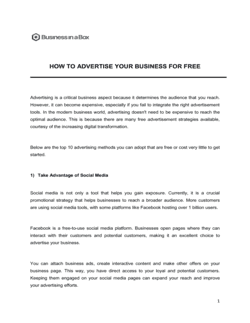
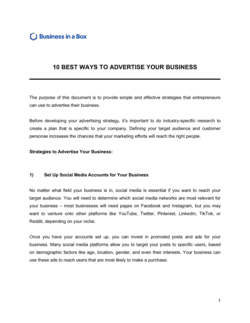
Tips on How to Advertise Your Business is a structured Word guide that walks small business owners through the core advertising channels, budget allocation principles, and measurement frameworks that produce measurable results. This free download gives you a ready-to-edit starting point covering paid search, social ads, local print and broadcast, content marketing, and partnership tactics β€” all in one document you can customize for your market and export as PDF.
When you need it
Use it when launching a new business or product, when existing ads are not generating a clear return, or when you need to build a repeatable advertising process that your team can follow and improve quarter over quarter.
What's inside
Channel-by-channel advertising guidance, budget allocation frameworks, audience targeting principles, creative brief basics, and a measurement section covering the metrics that tell you which channels are working and which to cut.

What is a Tips on How to Advertise Your Business guide?

A Tips on How to Advertise Your Business guide is a structured operational document that walks small business owners through the core advertising channels, budget allocation principles, and measurement frameworks needed to generate measurable returns from marketing spend. It covers paid search, paid social, local print and broadcast, content marketing, referral programs, and the reporting cadence that tells you which channels are working and which to cut β€” all organized into a single Word document you can customize for your market, team, and monthly budget.

Why You Need This Document

Most small businesses waste 30–50% of their advertising budget on channels that produce no traceable return β€” not because the channels are wrong, but because there is no measurement framework in place to identify the problem. Without a structured advertising guide, budget decisions get made on instinct rather than CPA data, underperforming campaigns run for months unchallenged, and high-performing channels stay underfunded because there is no process for reallocating spend. The practical consequences are direct: customer acquisition costs stay elevated, growth stalls despite active spending, and the business cannot identify which channel to scale when cash is available. This template gives you the channel playbook, budget allocation framework, and monthly review process that turn advertising from an unpredictable expense into a repeatable customer acquisition system.

Which variant fits your situation?

If your situation is…Use this template
Creating a full annual marketing budget and channel planMarketing Plan
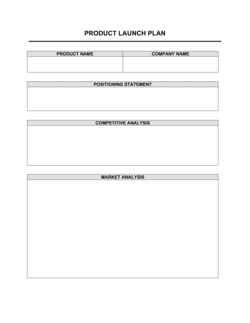
Planning a specific product or service launch campaignProduct Launch Plan
Tracking advertising spend and ROI across channels in a spreadsheetMarketing Budget Template
Writing copy briefs for ads, landing pages, or social postsCreative Brief
Building a social media content calendar alongside paid adsSocial Media Plan
Drafting a structured plan for a specific advertising campaignAdvertising Campaign Plan
Evaluating overall business growth strategy beyond advertising aloneBusiness Plan

Common mistakes to avoid

❌ Advertising without conversion tracking in place

Why it matters: Without conversion tracking, you can see impressions and clicks but not which ads generated customers. You are spending budget with no ability to distinguish what worked from what wasted money.

Fix: Set up Google Ads conversion tracking and Meta Pixel before any campaign goes live. Verify tracking fires correctly on a test purchase or form submission before launch.

❌ Targeting too broad an audience to maximize reach

Why it matters: Broad targeting produces high impressions and low conversion rates. CPA rises because you are paying for clicks from users who have no real intent to buy.

Fix: Start with a narrow, high-intent audience β€” exact-match keywords, a tight geographic radius, or a lookalike audience based on your existing customers β€” and expand only after hitting CPA targets.

❌ Sending all paid traffic to the homepage

Why it matters: A homepage serves multiple audiences and has no single call to action. Visitors from a specific ad land on a page that does not match their intent, and most leave within 10 seconds without converting.

Fix: Build a dedicated landing page for each campaign that matches the ad's specific offer, headline, and call to action. Even a simple one-page layout outperforms the homepage for paid traffic.

❌ Making budget changes before reaching statistical significance

Why it matters: Pausing an ad after 20 clicks or scaling a campaign after two conversions introduces noise into the platform's optimization algorithm and produces decisions based on chance, not performance.

Fix: Set a minimum threshold β€” 50 conversions or 14 days, whichever comes first β€” before making any budget or targeting changes. Document your decision rules in the measurement section before launch.

❌ Running identical creative across all platforms

Why it matters: Each platform has distinct content norms, aspect ratios, and audience behaviors. A static image ad designed for Google Display will underperform on TikTok, where short-form vertical video drives nearly all engagement.

Fix: Produce platform-native creative for each channel. At minimum, adapt aspect ratio, tone, and hook for each platform even if the underlying offer is identical.

❌ Advertising without a defined monthly budget ceiling

Why it matters: Without a hard monthly cap, automated bidding strategies on Google and Meta can overspend by 20–100% in high-demand periods, exhausting quarterly budgets in weeks.

Fix: Set a monthly budget ceiling at the account level in each ad platform, not just at the campaign level. Review account-level spend weekly during the first 60 days of any new campaign.

The 9 key sections, explained

Setting your advertising objectives

Defining your target audience

Paid search advertising (Google Ads)

Paid social advertising (Meta, LinkedIn, TikTok)

Local advertising (print, radio, outdoor)

Content marketing and SEO

Referral programs and partnerships

Advertising budget allocation

Measurement and optimization framework

How to fill it out

  1. 1

    Set a specific, measurable advertising objective

    Write one primary objective for the period β€” lead volume, CPA target, or revenue β€” with a number and deadline attached. Resist listing multiple objectives; channel selection and budget follow from one clear goal.

    πŸ’‘ If you cannot describe success in a single sentence with a number in it, your objective is not specific enough to make useful channel decisions.

  2. 2

    Define your target audience profile

    Complete the audience section with demographics, location radius, behavioral signals, and the problem your business solves for them. This profile drives every targeting decision across paid and organic channels.

    πŸ’‘ Pull data from your three best existing customers β€” location, age, job, and how they found you β€” before filling in the audience section. Real customers outperform assumed personas.

  3. 3

    Select two to three channels to test first

    Choose channels based on where your target audience spends time and your current budget. For most local service businesses, Google Search and one social platform cover 80% of reachable demand.

    πŸ’‘ Resist adding a fourth channel until you have 90 days of CPA data on your first two β€” spreading budget too thin prevents any single channel from reaching optimization volume.

  4. 4

    Fill in the paid search section with specific keywords and a landing page URL

    List your top five to ten target keywords, assign match types, set a daily budget, and confirm the landing page URL matches the ad's specific offer β€” not the homepage.

    πŸ’‘ Use Google Keyword Planner to confirm monthly search volume before committing budget. Keywords with fewer than 100 monthly searches rarely generate enough traffic to optimize.

  5. 5

    Complete the paid social section with audience and creative details

    Select the platform your audience uses most, choose a campaign objective (conversions over traffic for most businesses), define your audience targeting type, and specify the ad format and first line of copy.

    πŸ’‘ Test two ad creatives simultaneously with identical targeting. After 200 impressions each, pause the lower-CTR version and run the winner for the rest of the budget period.

  6. 6

    Allocate your monthly budget across channels

    Fill in the budget allocation table with dollar amounts per channel, reserving at least 10% for testing new formats or audiences. Tie each allocation back to the CPA target from Step 1.

    πŸ’‘ Start paid search and paid social at equal budgets for the first 60 days. The channel that hits your CPA target first gets the larger allocation in Month 3.

  7. 7

    Set up measurement before launching any ads

    Configure conversion tracking in Google Ads and Meta Business Manager, connect Google Analytics to your website, and set the specific metrics and decision thresholds in the measurement section of the guide.

    πŸ’‘ If conversion tracking is not in place before launch, your first 30 days of data are permanently lost. Set up tracking first, even if it delays the launch by one day.

  8. 8

    Schedule a monthly review and apply the optimization rules

    Block 90 minutes on the last Friday of each month to review ROAS by channel against your CPA threshold. Apply the decision rules from the measurement section β€” pause underperformers, scale winners β€” before the next month's budget is committed.

    πŸ’‘ Document every budget change and the reason for it. After six months, the change log reveals patterns β€” seasonal dips, creative fatigue cycles β€” that inform next year's plan.
Frequently asked questions

How much should a small business spend on advertising?

A common starting benchmark is 5–10% of gross revenue for established businesses and 10–15% for businesses in a growth or launch phase. A business generating $200,000 in annual revenue might allocate $10,000– $20,000 to advertising. The more useful number is your target CPA β€” once you know what a new customer is worth over their lifetime, you can work backward to a defensible per-channel budget rather than relying on a percentage rule.

What is the most effective advertising channel for small businesses?

Google Search ads consistently produce the lowest CPA for local service businesses because they capture users with explicit buying intent. For product-based businesses with strong visual appeal, Meta (Facebook and Instagram) ads often outperform search on a ROAS basis. The honest answer is that the best channel depends on your audience, product, and geography β€” which is why testing two channels simultaneously for 60 days before committing budget is more reliable than following a generic recommendation.

What is ROAS and why does it matter?

ROAS β€” Return on Ad Spend β€” is revenue generated divided by advertising dollars spent. A ROAS of 4x means every $1 spent returned $4 in revenue. It matters because it is the clearest single measure of whether your advertising is profitable. However, ROAS should always be read alongside gross margin β€” a 4x ROAS on a product with 20% gross margin is break-even, not profitable. Most e-commerce businesses need a minimum ROAS of 3–4x to cover product costs, fulfillment, and overhead.

How long does it take for advertising to produce results?

Paid search and social ads can generate clicks and conversions within 24–48 hours of launch. However, meaningful optimization data β€” enough conversions to identify your best-performing ad, audience, and keyword β€” typically takes 30–60 days at a reasonable daily budget. Content marketing and SEO operate on a longer timeline, usually 3–6 months before organic rankings produce consistent traffic. Plan your channel mix with both timelines in mind.

Should I advertise on Google or social media?

Google Search is better for capturing demand that already exists β€” people actively searching for what you sell. Social media advertising is better for creating demand among audiences who match your customer profile but are not yet searching. Most small businesses benefit from both: search to capture ready buyers, social to build awareness and retarget website visitors. Start with the channel that matches your sales cycle β€” short cycles favor search, longer or visual-product cycles favor social.

What is retargeting and should small businesses use it?

Retargeting shows ads to users who have already visited your website or engaged with your content. Because these users already know your business, conversion rates are typically 2–5x higher than cold audiences and CPA is significantly lower. Any business with more than 100 website visitors per month should run a retargeting campaign. The minimum setup requires a Meta Pixel or Google tag on the website and a budget as low as $5–$10 per day.

How do I know if my advertising is working?

Track three numbers per channel: CPA (cost to acquire one customer), ROAS (revenue returned per dollar spent), and conversion rate (percentage of clicks that become customers). Compare each channel's CPA against your customer lifetime value. If CPA is less than 20–30% of LTV, the channel is profitable at scale. If a channel consistently misses your CPA target after 50 conversions, reallocate that budget to the best-performing channel rather than trying to fix underperformers indefinitely.

What is a good click-through rate (CTR) for ads?

Average CTRs vary significantly by channel and format. Google Search ads average 3–6% CTR for well-targeted campaigns; display ads average 0.1–0.5%. Meta feed ads average 0.9–1.5% for cold audiences and 2–3% for retargeting. CTR is a useful signal for creative quality β€” a below-average CTR usually points to a weak headline or offer β€” but conversion rate and CPA are more important for budget decisions than CTR alone.

Is content marketing worth it for small businesses?

Content marketing produces lower short-term returns than paid ads but compounds over time. A blog post ranking on page one of Google for a high-intent keyword can generate consistent leads for two to five years at zero ongoing cost. It is worth pursuing alongside paid ads if you can publish at least two to four well-researched posts per month and commit to a 6-month timeline before expecting measurable organic traffic. For businesses needing immediate customers, paid search should take priority, with content marketing added as budget allows.

How this compares to alternatives

vs Marketing Plan

A marketing plan covers the full strategic picture β€” positioning, target segments, pricing, distribution, and all promotional channels over a 12-month horizon. This advertising guide focuses specifically on channel tactics, ad formats, budget allocation, and measurement for active campaigns. Use the marketing plan to set strategy, then use this guide to execute the paid and organic advertising components within it.

vs Social Media Plan

A social media plan governs organic content β€” posting cadence, platform selection, content themes, and community management. This advertising guide covers paid social ads as one channel among several. The two documents complement each other: organic social builds audience and trust, while paid social amplifies specific offers to targeted audiences outside your existing followers.

vs Product Launch Plan

A product launch plan coordinates the full cross-functional launch β€” pricing, packaging, PR, sales enablement, and timing β€” around a specific new product or feature. This advertising guide provides the channel playbook that executes the paid and organic awareness components within a launch. A launch plan governs the event; this guide governs the ads that drive traffic to it.

vs Business Plan

A business plan presents a comprehensive company strategy to investors or lenders, with advertising mentioned briefly within the marketing and sales section. This document goes deep on the specific tactics, budgets, and measurement frameworks that turn an advertising line item in a business plan into actual customer acquisition. The business plan sets the target; this guide explains how to hit it.

Industry-specific considerations

Retail and e-commerce

Product feed ads on Google Shopping and Meta Dynamic Ads drive the highest ROAS; retargeting abandoned carts is often the single highest-return campaign a retailer can run.

Local services (trades, home services, healthcare)

Google Local Services Ads and Google Business Profile optimization dominate lead generation; phone call tracking is essential for attributing customers to specific campaigns.

Food and beverage

Instagram and TikTok visual ads outperform text-based formats; geo-targeted promotions tied to local events and lunch/dinner dayparting improve conversion rates significantly.

SaaS and technology

LinkedIn ads reach B2B decision-makers for enterprise deals; Google Search captures high-intent 'software for [use case]' queries; free-trial conversion rates are the critical metric rather than first-touch CPA.

Professional services (accounting, legal, consulting)

Referral programs and Google Search dominate new client acquisition; content marketing targeting specific compliance or regulatory search terms builds long-term authority and inbound leads.

Fitness and wellness

Meta and Instagram ads drive trial memberships and class bookings effectively; seasonal campaign timing around January, spring, and back-to-school periods significantly outperforms evergreen campaigns.

Template vs pro β€” what fits your needs?

PathBest forCostTime
Use the templateSmall business owners and founders managing advertising directly with a budget under $5,000 per monthFree2–4 hours to complete; ongoing monthly review of 60–90 minutes
Template + professional reviewBusinesses spending $5,000–$20,000 per month wanting a freelance media buyer or marketing consultant to validate channel selection and targeting$500–$2,000 for a one-time audit or monthly retainer1–2 weeks to implement recommendations
Custom draftedBusinesses with ad spend above $20,000 per month or those in competitive verticals (legal, insurance, real estate) where CPC exceeds $20$2,000–$8,000 per month for a full-service agency or in-house hire4–8 weeks to onboard and launch managed campaigns

Glossary

Cost Per Click (CPC)
The amount you pay each time a user clicks on a paid ad, calculated as total ad spend divided by total clicks.
Cost Per Acquisition (CPA)
Total advertising spend divided by the number of customers or conversions generated β€” the true cost of winning one new customer.
Return on Ad Spend (ROAS)
Revenue generated divided by advertising dollars spent, expressed as a ratio β€” a ROAS of 4x means $4 returned for every $1 spent.
Conversion Rate
The percentage of ad viewers or landing page visitors who complete a desired action, such as a purchase, form submission, or phone call.
Impression
A single instance of an ad being displayed to a user, regardless of whether they click or engage with it.
Click-Through Rate (CTR)
Impressions divided by clicks, expressed as a percentage β€” a measure of how compelling your ad creative and headline are to your target audience.
Lookalike Audience
A targeting feature on platforms like Meta and Google that identifies new users who share characteristics with your existing customers.
Retargeting
Showing ads specifically to users who have already visited your website or engaged with your content, targeting people already familiar with your business.
Ad Frequency
The average number of times a single user sees the same ad within a given time window β€” high frequency can cause ad fatigue and lower CTR.
Organic Reach
Audience exposure generated by unpaid content β€” search rankings, social posts, or word of mouth β€” as distinct from paid ad placements.

Part of your Business Operating System

This document is one of 3,000+ business & legal templates included in Business in a Box.

  • Fill-in-the-blanks β€” ready in minutes
  • Compatible with all office suites
  • Export to PDF and share electronically

Create your document in 3 simple steps.

From template to signed document β€” all inside one Business Operating System.
1
Download or open template

Access over 3,000+ business and legal templates for any business task, project or initiative.

2
Edit and fill in the blanks with AI

Customize your ready-made business document template and save it in the cloud.

3
Save, Share, Send, Sign

Share your files and folders with your team. Create a space of seamless collaboration.

Save time, save money, and create top-quality documents.

β˜…β˜…β˜…β˜…β˜…

"Fantastic value! I'm not sure how I'd do without it. It's worth its weight in gold and paid back for itself many times."

Managing Director Β· Mall Farm
Robert Whalley
Managing Director, Mall Farm Proprietary Limited
β˜…β˜…β˜…β˜…β˜…

"I have been using Business in a Box for years. It has been the most useful source of templates I have encountered. I recommend it to anyone."

Business Owner Β· 4+ years
Dr Michael John Freestone
Business Owner
β˜…β˜…β˜…β˜…β˜…

"It has been a life saver so many times I have lost count. Business in a Box has saved me so much time and as you know, time is money."

Owner Β· Upstate Web
David G. Moore Jr.
Owner, Upstate Web

Run your business with a system β€” not scattered tools

Stop downloading documents. Start operating with clarity. Business in a Box gives you the Business Operating System used by over 250,000 companies worldwide to structure, run, and grow their business.

Start freeΒ Β·Β No credit card required