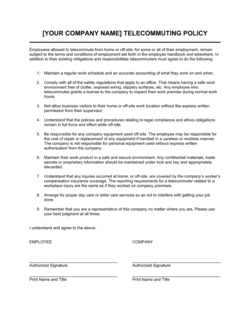
Telecommuting Agreement Template

Free Word download • Edit online • Save & share with Drive • Export to PDF

4 pages25–35 min to fillDifficulty: ComplexSignature requiredLegal review recommended
Learn more ↓
FreeTelecommuting Agreement Template

At a glance

What it is
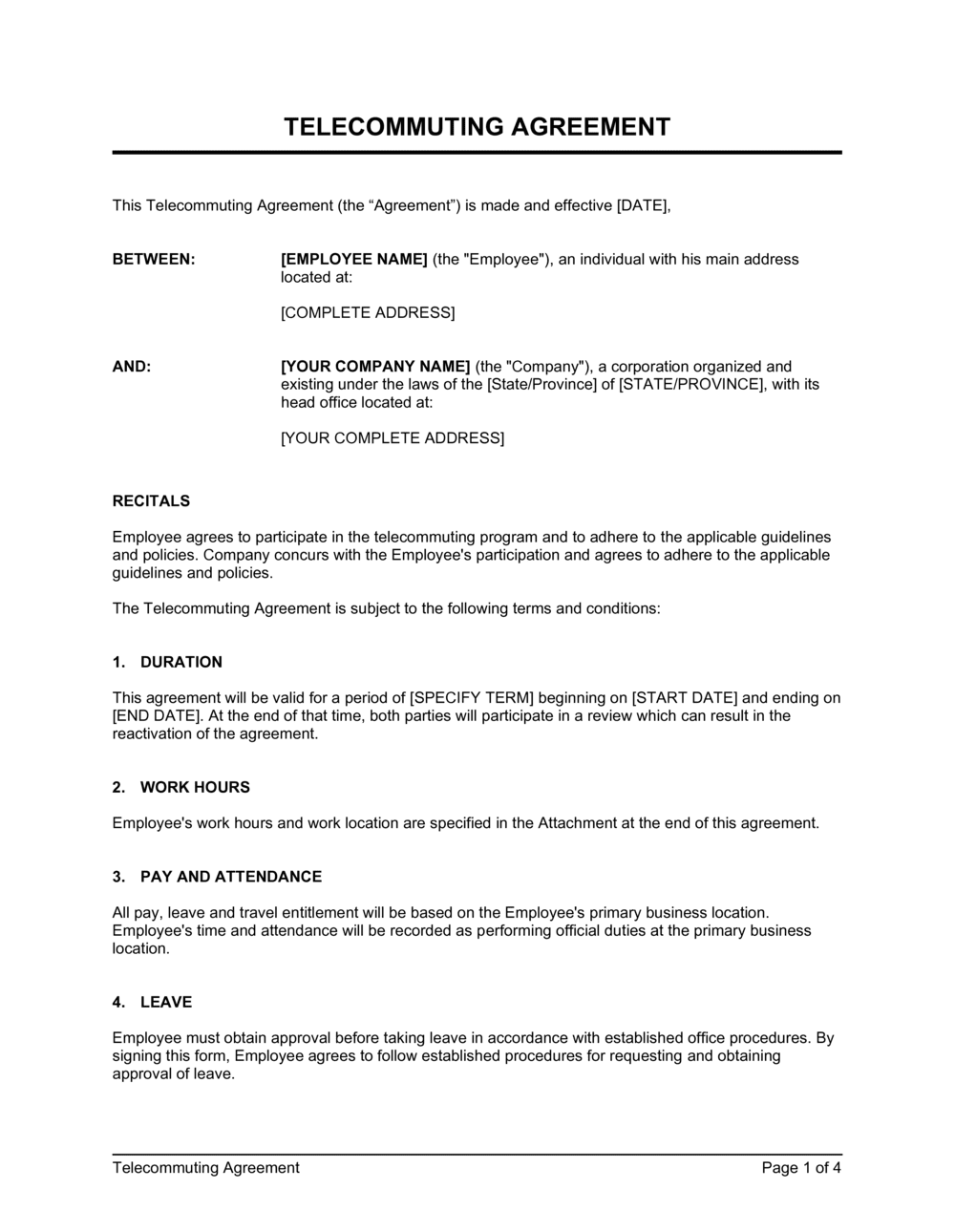
A Telecommuting Agreement is a legally binding document between an employer and an employee that defines the terms under which the employee performs work from a location outside the primary office — typically a home office or co-working space. This free Word download covers work schedule, approved location, equipment responsibilities, data security, performance expectations, and the right to revoke the arrangement, and can be exported as PDF and signed before the remote arrangement begins.
When you need it
Use it whenever a full-time, part-time, or hybrid employee begins working remotely on an ongoing basis — whether as a new hire condition, a formal policy change, or in response to a specific accommodation request. It is also appropriate when converting a previously office-based role to a permanent remote arrangement.
What's inside
Approved remote work location, scheduled hours and availability requirements, equipment and technology responsibilities, data security and confidentiality obligations, performance standards and check-in requirements, expense reimbursement terms, health and safety acknowledgment, and conditions for modifying or terminating the remote arrangement.

What is a Telecommuting Agreement?

A Telecommuting Agreement is a legally binding document between an employer and an employee that defines the specific terms under which the employee performs their job duties from a location outside the employer's primary workplace — most commonly a home office or employer-approved co-working facility. Unlike a general remote work policy, which applies company-wide, a telecommuting agreement is individually signed by both parties and creates enforceable obligations covering the approved work location, scheduled hours and availability, equipment ownership, data security requirements, expense reimbursement, and the employer's right to modify or end the arrangement. It supplements the underlying employment contract without altering base compensation, benefits, or termination terms.

Why You Need This Document

Without a signed telecommuting agreement, the terms of a remote work arrangement exist only as informal understandings — and those understandings diverge the moment a dispute arises. Employers who allow remote work without a written agreement risk constructive-dismissal claims when they later require employees to return to the office, open-ended expense reimbursement liability when employees submit claims for home internet or furniture, and unintended tax-nexus obligations when employees work from unapproved states or countries without the employer's knowledge. Data breaches traced to a home network create additional exposure when there is no documented security protocol the employee acknowledged and agreed to follow. A properly executed telecommuting agreement closes each of these gaps — establishing the approved location, capping reimbursable costs, reserving the revocation right, and documenting the security obligations — before the arrangement begins rather than after a problem surfaces.

Which variant fits your situation?

If your situation is…Use this template
Employee working fully remote from a fixed home addressTelecommuting Agreement (Full Remote)
Employee splitting time between office and home on a set scheduleHybrid Work Agreement
Employee requesting a temporary remote arrangement for a defined periodTemporary Remote Work Authorization
Engaging an independent contractor to work remotely on a projectIndependent Contractor Agreement
Employee relocating to another state or country while continuing employmentRemote Work Relocation Agreement
Documenting company-wide telecommuting policy for an employee handbookRemote Work Policy
Onboarding a new hire whose role is designated remote from day oneEmployment Contract (Remote)

Common mistakes to avoid

❌ No approved-location clause

Why it matters: Without a specified address, employees may work from jurisdictions — including other countries — that create unexpected tax-nexus, employment law, and workers' compensation obligations for the employer.

Fix: Name the full street address in the agreement and require written approval before the employee works from any other location, even temporarily.

❌ Open-ended expense reimbursement language

Why it matters: Phrases like 'reasonable home-office expenses' have been interpreted to include a proportionate share of rent or mortgage interest, resulting in reimbursement claims the employer never intended to cover.

Fix: List each reimbursable category explicitly with a monthly dollar cap and require receipts submitted within 30 days of the expense.

❌ No right-to-revoke clause

Why it matters: An arrangement without a clear revocation right can become an implied contractual term. Requiring the employee to return to the office can then be treated as a fundamental change to employment, triggering constructive-dismissal claims in common-law jurisdictions.

Fix: Include a clause explicitly reserving the employer's right to revoke or modify the arrangement with a defined notice period — typically 5–10 business days.

❌ Referencing data security by policy only, without specific obligations

Why it matters: If the IT policy is updated after signing, the employee's contractual obligations may no longer match current requirements. A breach then falls in a grey area between policy violation and contract breach.

Fix: State the minimum non-negotiable technical requirements (VPN, encryption, screen lock) in the agreement itself and attach the current policy as a living exhibit.

❌ Omitting the time zone from work-schedule provisions

Why it matters: An employee in a different time zone from headquarters who interprets 'core hours 9–5' in their local time may be unreachable during the employer's business day — a source of chronic friction that the agreement should eliminate.

Fix: State the exact time zone for all scheduled hours and availability windows — e.g., '9:00 AM to 5:00 PM Eastern Time (ET).'

❌ Treating the telecommuting agreement as a standalone employment contract

Why it matters: If the telecommuting agreement is not explicitly subordinated to the underlying employment contract, conflicts between the two documents — on salary, termination notice, or IP — become ambiguous and may favor the employee.

Fix: Include an integration clause confirming the agreement supplements the existing employment contract, which remains governing on all terms not addressed here.

The 10 key clauses, explained

Parties, role, and effective date

In plain language: Identifies the employer and employee by legal name, states the employee's job title, and records the date the telecommuting arrangement begins.

Sample language
This Telecommuting Agreement is entered into as of [DATE] between [EMPLOYER LEGAL NAME] ('Employer') and [EMPLOYEE FULL NAME] ('Employee'), currently employed as [JOB TITLE] in the [DEPARTMENT] department.

Common mistake: Using a department or manager name instead of the employer's registered legal entity. Inconsistency with payroll records complicates enforcement if the arrangement is later disputed.

Approved remote work location

In plain language: Specifies the exact address where the employee is authorized to work and prohibits working from unapproved locations without prior written consent.

Sample language
Employee is authorized to perform telecommuting duties from [FULL HOME ADDRESS] ('Remote Work Location'). Employee shall not work from any other location without prior written approval from Employer.

Common mistake: Listing only a city or region rather than a full address. This creates ambiguity for tax-nexus determinations and prevents meaningful home-office safety audits.

Work schedule and availability

In plain language: Defines the employee's core working hours, required availability windows, and any in-office attendance obligations for meetings or specific tasks.

Sample language
Employee shall work [X] hours per week and maintain core availability from [START TIME] to [END TIME] on [DAYS]. Employee shall attend the primary office on [SPECIFIED DAYS / AS REQUESTED] with [X] business days' advance notice.

Common mistake: Leaving hours undefined with language like 'standard business hours.' Time zone differences and flexible schedules make this unenforceable — specify start time, end time, and time zone explicitly.

Equipment and technology

In plain language: States which party provides and owns the hardware and software used for remote work, who bears repair and replacement costs, and what happens to employer equipment upon termination.

Sample language
Employer shall provide Employee with [LIST OF EQUIPMENT], which remains the property of Employer at all times. Employee shall return all Employer equipment within [X] business days of separation. Employee-owned devices used for work are subject to Employer's BYOD policy.

Common mistake: Failing to specify who pays for repairs when employer-owned equipment is damaged at the employee's home. Without this, disputes over repair costs and insurance claims are common.

Data security and confidentiality

In plain language: Requires the employee to follow specific technical and behavioral security protocols — VPN, screen locks, encrypted storage, and prohibition on public Wi-Fi for sensitive work — to protect company data outside the office.

Sample language
Employee shall: (a) connect to company systems exclusively via Employer's approved VPN; (b) use password-protected, encrypted devices; (c) not process Confidential Information over unsecured public Wi-Fi; and (d) immediately report any suspected security breach to [IT CONTACT / TITLE].

Common mistake: Incorporating data security by reference to a general IT policy without stating specific obligations in the agreement. If the IT policy changes, the employee's signed obligations may no longer reflect current requirements.

Performance standards and check-ins

In plain language: Confirms that the same performance expectations apply in a remote context and establishes a minimum frequency for check-ins with the employee's manager.

Sample language
Employee shall meet all performance standards applicable to the role as set out in Schedule A and participate in check-in meetings with [MANAGER TITLE] no less than [WEEKLY / BI-WEEKLY]. Failure to meet performance standards may result in revocation of the telecommuting arrangement.

Common mistake: Omitting any performance-measurement language. Without it, the employer has no documented basis to revoke the arrangement for performance reasons without risking a constructive-dismissal claim.

Expense reimbursement

In plain language: Defines which remote-work expenses the employer will reimburse, the documentation required, and the submission deadline.

Sample language
Employer shall reimburse Employee for the following pre-approved expenses: [INTERNET STIPEND / EQUIPMENT / SUPPLIES], up to $[AMOUNT] per month, upon submission of receipts within [30] days. No other expenses shall be reimbursed without prior written approval.

Common mistake: Agreeing to reimburse 'reasonable home-office expenses' without a dollar cap or itemized list. Open-ended reimbursement language can result in claims for mortgage interest, utilities, or rent proration that were never intended.

Health, safety, and ergonomics

In plain language: Requires the employee to maintain a safe, ergonomically adequate workspace and to self-certify compliance with a basic checklist, limiting the employer's occupational health liability.

Sample language
Employee certifies that the Remote Work Location meets the minimum safety standards set out in Exhibit A (Home Office Safety Checklist) and shall promptly notify Employer of any condition that may affect safety or productivity. Employer's occupational health obligations apply to work-related injuries occurring at the approved Remote Work Location.

Common mistake: No ergonomic or safety acknowledgment at all. In several jurisdictions, work-related injuries at a home office can trigger workers' compensation claims — a signed safety checklist creates a documented baseline.

Right to modify or revoke

In plain language: Reserves the employer's right to suspend or permanently end the telecommuting arrangement and require the employee to return to the office, with advance notice stated.

Sample language
Employer may modify or revoke this Agreement at any time upon [X] business days' written notice to Employee. Revocation of this Agreement does not constitute a change in employment status, compensation, or other terms of employment.

Common mistake: Not including a revocation right at all, or stating it is subject to employee consent. Courts have found that a telecommuting arrangement with no revocation clause can become an implied contractual term that the employer cannot unilaterally change.

Governing law and integration

In plain language: Specifies which jurisdiction's law governs the agreement, confirms it supplements rather than replaces the underlying employment contract, and includes an entire-agreement clause for the telecommuting arrangement.

Sample language
This Agreement is governed by the laws of [STATE / PROVINCE / COUNTRY] and supplements the Employment Agreement dated [DATE], which remains in full force. This Agreement constitutes the entire agreement of the parties with respect to the telecommuting arrangement and supersedes all prior understandings on the subject.

Common mistake: Omitting the integration clause and failing to reference the underlying employment contract. Without this, ambiguity arises about whether the telecommuting agreement modifies salary, termination notice, or other base employment terms.

How to fill it out

  1. 1

    Enter the parties' legal names and effective date

    Use the employer's full registered corporate name and the employee's legal name as it appears on government ID. Set the effective date to the day the remote arrangement begins — not the signature date if they differ.

    💡 Cross-reference the employer name against the existing employment contract so both documents are consistent.

  2. 2

    Record the approved remote work location in full

    Enter the complete street address, city, state or province, postal code, and country. If the employee splits time between two approved locations, list both and specify the schedule for each.

    💡 A full address is required for payroll tax withholding in the correct jurisdiction — an incomplete address can trigger audit issues with state or provincial tax authorities.

  3. 3

    Define the work schedule with specific hours and time zones

    State start time, end time, time zone, and days of the week. If the role requires in-office attendance on specific days, name those days and the minimum advance notice required.

    💡 For employees in a different time zone than headquarters, specify whether core hours are in the employee's local time or the employer's time zone.

  4. 4

    Complete the equipment and technology section

    List each device and software license the employer is providing, confirm ownership, and state the return obligation. If the employee will use personal devices, reference the BYOD policy and attach it as an exhibit.

    💡 Photograph or log serial numbers of employer-owned equipment at the time of issue — this makes recovery and insurance claims straightforward if equipment is lost or damaged.

  5. 5

    Specify data security requirements by name

    Name the specific tools the employee must use — VPN client name, password manager, encryption standard — rather than referencing a general 'IT security policy.' Attach the current policy as an exhibit if needed.

    💡 Have your IT team review this section before the agreement is sent to the employee so the technical requirements are accurate and current.

  6. 6

    Set reimbursement amounts with a dollar cap

    List each reimbursable expense category, the maximum monthly amount, the required documentation, and the submission deadline. Do not leave any category open-ended.

    💡 Check whether your jurisdiction requires employers to reimburse internet or phone costs by law — California Labor Code §2802, for example, mandates reimbursement of necessary remote-work expenses.

  7. 7

    Attach the home office safety checklist as Exhibit A

    Have the employee complete and sign the ergonomic and safety checklist before the arrangement begins. Keep the signed checklist on file as evidence of the baseline condition at the start of the arrangement.

    💡 Update the checklist annually or whenever the employee moves to a new approved remote location.

  8. 8

    Sign before the remote arrangement begins

    Both parties must sign before the first day of remote work. Obtain wet or electronic signatures with a timestamp. File the executed agreement alongside the employee's employment contract in your HR system.

    💡 Use Business in a Box eSign to capture dated electronic signatures and store the executed copy automatically.

Frequently asked questions

What is a telecommuting agreement?

A telecommuting agreement is a legally binding document between an employer and an employee that sets out the specific terms under which the employee works from a location other than the employer's primary office. It covers the approved work location, scheduled hours, equipment responsibilities, data security obligations, performance expectations, expense reimbursement, and the employer's right to end the arrangement. It supplements — but does not replace — the underlying employment contract.

Is a telecommuting agreement legally required?

No federal or national law in the US, Canada, or UK requires a standalone telecommuting agreement. However, several jurisdictions — including California and Germany — impose specific obligations on employers when employees work from home, such as expense reimbursement and home-office safety requirements. A written agreement protects both parties by documenting exactly what was agreed, reducing the risk of disputes over equipment, costs, and performance expectations.

Can an employer require an employee to return to the office after signing a telecommuting agreement?

Yes, if the agreement includes a right-to-revoke clause — which this template does. Without that clause, requiring a return to the office may constitute a unilateral change to a term of employment, which can give rise to a constructive-dismissal claim in Canada, the UK, and other common-law jurisdictions. In the US, the enforceability of a revocation right depends on whether it is clearly stated in the agreement and whether the underlying employment is at-will.

Does a telecommuting agreement change the employee's compensation or benefits?

Not on its own. A telecommuting agreement governs the logistics of where and how the employee works — it does not alter salary, bonus eligibility, benefits, or termination terms. The integration clause in this template explicitly confirms that the underlying employment contract remains governing on all other terms. Any change to compensation must be documented separately in an employment contract amendment.

What expenses is an employer required to reimburse for remote workers?

Reimbursement obligations vary by jurisdiction. California Labor Code §2802 requires employers to reimburse all necessary remote-work expenses, which courts have extended to a portion of internet and phone costs. Illinois, Massachusetts, and Washington have similar statutes. In Canada, the Income Tax Act allows a deduction for home-office expenses but does not mandate employer reimbursement. Most employers cover internet stipends, specific equipment, and ergonomic supplies. The agreement should itemize covered categories with monthly dollar caps.

Can an employee work remotely from another state or country under this agreement?

Only if the employer approves the new location in writing and assesses the resulting obligations. A remote employee working in a state or country where the employer has no physical presence can create tax nexus, triggering corporate income tax filings, payroll registration, and employment law compliance in that jurisdiction. Cross-border arrangements add immigration, social-security, and local labor law layers. The approved- location clause in this template restricts work to the named address precisely to prevent unintended nexus creation.

What data security requirements should a telecommuting agreement include?

At minimum: mandatory VPN use when accessing company systems, encrypted device storage, a screen-lock requirement when stepping away, prohibition on processing confidential data over public Wi-Fi, and an immediate breach-reporting obligation. For regulated industries — healthcare, financial services, legal — additional controls such as dedicated work devices and virtual desktop infrastructure are standard. Name the specific tools rather than referencing a general IT policy, so the obligations remain clear even if the policy changes.

Does the employer remain responsible for workplace safety at a home office?

In most jurisdictions, yes — workers' compensation coverage typically extends to injuries sustained during work activities at an approved home office. Employers reduce exposure by requiring employees to complete and sign an ergonomic self-certification checklist before the arrangement begins, documenting that the workspace met minimum safety standards at that point. The agreement should also require the employee to report any unsafe conditions promptly.

What is the difference between a telecommuting agreement and a remote work policy?

A remote work policy is a company-wide document setting general rules and eligibility criteria for remote work — it applies to all employees and is typically part of an employee handbook. A telecommuting agreement is a bilateral contract between the employer and a specific employee, signed by both parties, documenting the individual's approved location, schedule, equipment, and other terms. The policy is the framework; the agreement is the enforceable commitment for each individual arrangement.

How this compares to alternatives

vs Employment Contract

An employment contract governs the entire working relationship — compensation, duties, IP, confidentiality, termination, and non-compete. A telecommuting agreement is a narrower supplement that addresses only the logistics of working remotely. The two documents work together: the employment contract is the governing instrument; the telecommuting agreement layerson location-specific obligations without altering base employment terms.

vs Remote Work Policy

A remote work policy is a unilateral company-wide document that sets eligibility criteria and general expectations for all remote workers. A telecommuting agreement is a bilateral, signed contract between the employer and a specific employee. The policy creates the framework; the agreement creates individual, enforceable obligations. Both are typically used together — the policy as background, the agreement as the binding commitment.

vs Independent Contractor Agreement

An independent contractor agreement engages a self-employed individual with no employment entitlements. A telecommuting agreement applies to employees — it preserves employment status, benefits, and tax withholding while changing only the work location. Using a contractor agreement for what is functionally an employee relationship creates misclassification risk, triggering back taxes and benefit liability.

vs Employee Handbook

An employee handbook documents all company policies — including remote work eligibility — but is generally not a signed, binding contract for specific individuals. A telecommuting agreement is individually signed and enforceable against both parties. For remote work arrangements, a signed agreement provides substantially stronger legal footing than a policy document alone.

Industry-specific considerations

Technology / SaaS

Distributed engineering teams require specific clauses on IP creation at home, code repository access controls, and BYOD security standards covering personal development machines.

Financial Services

Regulatory requirements under FINRA, FCA, and similar bodies may mandate employer oversight of home-office communications, dedicated devices, and documented data-handling procedures.

Healthcare

HIPAA in the US and similar privacy frameworks require specific safeguards for patient data processed outside a clinical facility, including encrypted devices and prohibition on household members viewing screens.

Professional Services

Client confidentiality obligations under legal, accounting, and consulting professional standards must be explicitly carried through into home-office data-handling requirements.

Retail / E-commerce

Customer data and payment processing handled remotely require PCI-DSS compliance clauses and restrictions on processing transactions over unsecured home networks.

Education

Remote instructors and administrators handling student records must comply with FERPA in the US, PIPEDA in Canada, and GDPR in the EU — all of which impose specific data-handling obligations at home-office locations.

Jurisdictional notes

United States

There is no federal telecommuting statute, but state laws create significant variation. California Labor Code §2802 requires reimbursement of all necessary remote-work expenses, including a portion of internet and phone costs. California, Illinois, and Washington impose broader employee-expense obligations than the majority of states. Remote workers create state tax nexus for the employer, triggering corporate income tax and payroll registration obligations in states where the employer has no physical presence. Non-compete enforceability for remote employees follows the law of the employee's work state, not the employer's state.

Canada

Employment Standards Acts in each province apply to the work location — an Ontario employee working remotely is subject to Ontario ESA minimums regardless of where the employer is headquartered. Constructive dismissal risk is higher in Canada than in the US: unilaterally requiring a remote employee to return to the office without a clear revocation clause can attract common-law notice claims. Quebec requires that any employment document provided to a provincially regulated employee be available in French. Employers should assess whether remote workers in a province create permanent establishment for corporate income tax purposes.

United Kingdom

The UK's flexible working regulations entitle most employees with 26 weeks' service to request a permanent change to their work location, and employers must respond with reasons if refusing. A telecommuting agreement that reserves the employer's right to revoke the arrangement should be carefully drafted to avoid conflicting with an accepted flexible-working request, which is treated as a variation to the employment contract. Health and Safety at Work Act 1974 obligations extend to home offices; employers should conduct or request a display screen equipment (DSE) assessment before the arrangement begins. GDPR obligations apply fully to personal data processed at a home location.

European Union

The EU's 2002 Framework Agreement on Telework and the 2020 updated guidelines establish baseline principles — voluntary participation, reversibility, and employer responsibility for equipment and associated costs — that many member states have incorporated into national law. Germany's Arbeitsschutzgesetz requires ergonomic workplace assessments for home offices. France's right-to-disconnect legislation (loi El Khomri) affects availability expectations in telecommuting agreements. GDPR requires a data processing addendum or specific home-office data-handling obligations when employees process personal data remotely. Employer-paid equipment for remote work is mandatory in several member states, including Belgium and the Netherlands.

Template vs lawyer — what fits your deal?

PathBest forCostTime
Use the templateStandard domestic remote or hybrid arrangements for non-executive employees in a single state or provinceFree15–30 minutes per agreement
Template + legal reviewEmployees working across state or provincial lines, regulated industries (healthcare, financial services), or arrangements involving employer-owned equipment and data security$200–$500 for an employment lawyer review1–3 days
Custom draftedCross-border remote arrangements, executive-level employees, or organizations in jurisdictions with complex remote-work mandates (e.g., EU member states, California)$800–$3,000+1–2 weeks

Glossary

Telecommuting
A work arrangement in which an employee performs their job duties from a location other than the employer's primary office, typically a home office or co-working facility.
Approved Remote Work Location
The specific address or type of location (e.g., home office, employer-approved co-working space) where the employee is authorized to work remotely.
Availability Windows
Defined hours during which a remote employee must be reachable, responsive to communications, and available for meetings — separate from total hours worked.
Equipment Ownership
A contractual designation of whether the device or hardware used for remote work is owned by the employer or the employee, determining liability for loss or damage.
Bring Your Own Device (BYOD)
A policy permitting employees to use personally owned devices for work, subject to security controls and employer access rights defined in the agreement.
Data Security Protocol
A set of technical and behavioral requirements — such as VPN use, encrypted storage, and screen-lock policies — the employee must follow when working outside the office.
Expense Reimbursement
The employer's obligation to repay an employee for documented, pre-approved costs incurred specifically to enable remote work, such as internet service or ergonomic equipment.
Right to Revoke
The employer's contractual ability to terminate or suspend the telecommuting arrangement and require the employee to return to the office, typically with advance notice.
Ergonomic Self-Certification
A written acknowledgment by the employee that their home workspace meets minimum safety and ergonomic standards, transferring some occupational health responsibility.
Nexus (Tax)
A connection between an employer and a state or country that triggers tax-filing and withholding obligations — remote workers can create nexus in jurisdictions where the employer has no physical office.
At-Will Modification
A clause confirming that the remote work arrangement does not alter the underlying employment relationship and can be changed or ended by either party per the base employment contract.

Part of your Business Operating System

This document is one of 3,000+ business & legal templates included in Business in a Box.

  • Fill-in-the-blanks — ready in minutes
  • 100% customizable Word document
  • Compatible with all office suites
  • Export to PDF and share electronically

Create your document in 3 simple steps.

From template to signed document — all inside one Business Operating System.
1
Download or open template

Access over 3,000+ business and legal templates for any business task, project or initiative.

2
Edit and fill in the blanks with AI

Customize your ready-made business document template and save it in the cloud.

3
Save, Share, Send, Sign

Share your files and folders with your team. Create a space of seamless collaboration.

Save time, save money, and create top-quality documents.

★★★★★

"Fantastic value! I'm not sure how I'd do without it. It's worth its weight in gold and paid back for itself many times."

Managing Director · Mall Farm
Robert Whalley
Managing Director, Mall Farm Proprietary Limited
★★★★★

"I have been using Business in a Box for years. It has been the most useful source of templates I have encountered. I recommend it to anyone."

Business Owner · 4+ years
Dr Michael John Freestone
Business Owner
★★★★★

"It has been a life saver so many times I have lost count. Business in a Box has saved me so much time and as you know, time is money."

Owner · Upstate Web
David G. Moore Jr.
Owner, Upstate Web

Run your business with a system — not scattered tools

Stop downloading documents. Start operating with clarity. Business in a Box gives you the Business Operating System used by over 250,000 companies worldwide to structure, run, and grow their business.

Start free · No credit card required