Product Management Checklist

Free download β€’ Use as a template β€’ Print or share

5 pagesβ€’20–30 min to useβ€’Difficulty: Standard
Learn more ↓
FreeProduct Management Checklist Template

At a glance

What it is
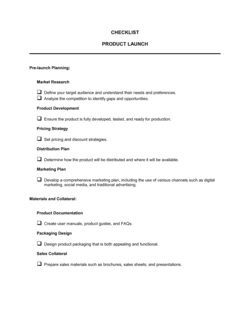
A Product Management Checklist is a structured form that organizes every task, approval, and milestone a product team needs to complete across the product lifecycle β€” from discovery and design through development, launch, and post-launch review. This free Word download gives you a ready-to-use checklist you can edit online and share with your team or export as PDF for stakeholder sign-off.
When you need it
Use it at the start of each product phase β€” discovery, sprint planning, pre-launch, or post-mortem β€” to confirm all required steps have been completed before the team advances. It is especially useful when coordinating across engineering, design, marketing, and sales teams.
What's inside
Product and owner details, phase-by-phase task lists covering discovery through launch, completion status columns, owner assignments, due dates, and a notes field for blockers or dependencies. Each section maps to a distinct stage of the product development cycle.

What is a Product Management Checklist?

A Product Management Checklist is a structured form that organizes every task, approval, and milestone a product team must complete at each stage of the product lifecycle β€” from initial discovery and UX design through development, quality assurance, go-to-market readiness, launch sign-off, and post-launch review. Unlike a roadmap, which shows what to build and when, a product management checklist confirms that the work has actually been done before the team advances to the next phase. It assigns ownership and due dates to individual tasks and provides a real-time status record that keeps engineering, design, marketing, and support teams accountable to the same release standard.

Why You Need This Document

Without a structured checklist, cross-functional launches rely on tribal knowledge and verbal confirmation β€” and critical steps get skipped under deadline pressure. Support teams go unprepared. QA passes are abbreviated. Launch sign-offs happen verbally and are forgotten within days. The cost is immediate: a surge of support tickets in the first 48 hours after launch, bug escalations that could have been caught in staging, and stakeholders who learn about the release from customers rather than internal communications. A completed product management checklist creates a single source of truth that every team member can reference, a paper trail that surfaces accountability gaps before they become release failures, and a reusable process asset that improves with each retrospective. This template gives you the phase structure and task format to run consistent, repeatable releases starting with your very next launch.

Which variant fits your situation?

If your situation is…Use this template
Tracking tasks for a single sprint or two-week development cycleSprint Planning Checklist
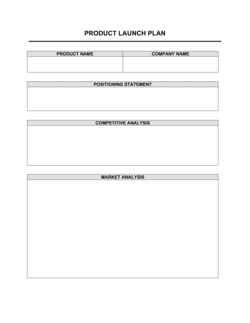
Coordinating all marketing, sales, and support activities for a product launchProduct Launch Plan
Documenting product requirements before development beginsProduct Requirements Document (PRD)
Mapping features, timelines, and priorities across multiple quartersProduct Roadmap
Running a structured retrospective after a product releasePost-Mortem Report
Defining and tracking acceptance criteria for individual featuresUser Story Template
Reviewing product performance metrics after launchProduct Performance Report

Common mistakes to avoid

❌ Using one checklist for all phases simultaneously

Why it matters: A single checklist that spans discovery through post-launch becomes unwieldy and makes it impossible to tell which phase is complete and which is stalled. Teams lose track of current status during reviews.

Fix: Create one checklist per phase or milestone. Link them in a master tracker so the overall release status stays visible without merging all detail into one document.

❌ Assigning tasks to teams instead of individuals

Why it matters: When a row says 'Engineering' instead of a person's name, every engineer assumes someone else is handling it. Items stay open until a deadline passes.

Fix: Name a single individual as the task owner on every row β€” even for collaborative tasks. That person is responsible for coordinating the work, not necessarily doing all of it alone.

❌ Never updating the checklist after it is created

Why it matters: A checklist completed at kickoff and never touched again reflects the plan, not reality. By mid-sprint, it is misleading rather than informative.

Fix: Designate a standing 5-minute agenda item in your weekly sync to update checklist statuses. A stale checklist is worse than no checklist β€” it creates false confidence.

❌ Treating the launch sign-off gate as optional

Why it matters: Deployments that skip the formal sign-off gate frequently go live before support documentation, sales training, or GTM assets are ready β€” generating a surge of support tickets in the first 48 hours.

Fix: Hard-block deployment pipeline triggers on the completion of the sign-off section. If that is not possible, make the gate a standing policy enforced by the engineering lead.

The 9 key fields, explained

Product and Version Details

Checklist Owner and Date

Discovery and Research Tasks

Requirements and Scope Confirmation

Design and UX Review Tasks

Development and QA Readiness

Go-to-Market Readiness Tasks

Launch Approval and Sign-Off

Post-Launch Review Tasks

How to fill it out

  1. 1

    Enter the product, version, and phase details

    Fill in the product name, release version or label, and the specific lifecycle phase this checklist covers. Create a separate checklist for each distinct phase or release.

    πŸ’‘ Use a consistent version-naming convention (e.g., v2.3.0 or 2026-Q2-Launch) so checklists stay sortable and traceable across your project archive.

  2. 2

    Assign a checklist owner and creation date

    Name the product manager or team lead responsible for maintaining this checklist and enter the date it was created. Update the 'last updated' date every time a section changes.

    πŸ’‘ One named owner per checklist prevents the diffusion of responsibility that causes items to stay incomplete until they become blockers.

  3. 3

    Populate each phase section with your team's specific tasks

    Replace placeholder task rows with the actual tasks your team runs for each phase. Delete any rows that don't apply to your product type or release scale.

    πŸ’‘ Keep task descriptions atomic β€” one action per row. 'Complete QA' is not a task; 'run regression suite on staging' is.

  4. 4

    Assign an owner and due date to every task row

    For each task, write the name of the individual responsible and the date by which it must be complete. Avoid assigning tasks to teams rather than individuals.

    πŸ’‘ If a task has no clear owner at the time of planning, flag it immediately β€” unowned tasks are the most common source of launch delays.

  5. 5

    Use the status column to track progress in real time

    Update each row's status β€” Not Started, In Progress, Complete, or Blocked β€” as work advances. Review the checklist in every team standup or weekly sync.

    πŸ’‘ Color-code blocked rows red and add a note explaining the dependency. Visible blockers get resolved faster than ones buried in comments.

  6. 6

    Collect launch approvals before releasing

    Circulate the launch sign-off section to each required approver and collect their confirmation before any deployment to production. Record the name, role, and date for each sign-off.

    πŸ’‘ Send the checklist to approvers 48 hours before the planned launch window β€” same-day sign-off requests create pressure that leads to rubber-stamping.

  7. 7

    Complete the post-launch review section within one week

    After launch, return to the checklist to log metrics reviewed, bugs triaged, and the retrospective date. Archive the completed checklist alongside the release documentation.

    πŸ’‘ Store completed checklists in a shared folder organized by product and release date. Three months of completed checklists reveal patterns in where your process consistently breaks down.

Frequently asked questions

What is a product management checklist?

A product management checklist is a structured form that lists every task, approval, and milestone a product team must complete at each stage of the product lifecycle β€” from discovery and design through development, launch, and post-launch review. It serves as a real-time status tracker and accountability tool that keeps cross-functional teams aligned and prevents steps from being skipped under deadline pressure.

When should I use a product management checklist?

Use it at the start of each product phase β€” discovery, sprint kickoff, pre-launch, or post-mortem. It is especially valuable when multiple teams (engineering, design, marketing, and support) are involved and need a single source of truth for what is done, what is in progress, and what is blocked. Teams typically create one checklist per release or phase rather than one document covering the entire product lifecycle.

What is the difference between a product management checklist and a product roadmap?

A product roadmap shows what features and initiatives are planned over a multi-quarter or annual horizon β€” it is a strategic planning document. A product management checklist is an operational tool tracking the specific tasks required to execute one phase or release. The roadmap tells you what to build and when; the checklist tells you whether everything needed to ship it has actually been done.

How many tasks should a product management checklist include?

For a standard feature release, 20–40 tasks across all phases is typical. A major product launch checklist can run to 60–80 items when it includes GTM, legal, and compliance sign-offs. The right length is the one that captures every task that has caused a problem in a previous release β€” no more, no less. Start lean and add rows after each retrospective.

Who should own the product management checklist?

The product manager typically owns and maintains the master checklist. Individual task rows are assigned to the person responsible β€” engineering lead, designer, marketing manager, and so on. For teams without a dedicated PM, the scrum master or a designated team lead takes ownership. The key is that one person is accountable for the checklist's completeness and accuracy, even when tasks are distributed across many people.

Can I use this checklist template for agile or scrum teams?

Yes. Adapt the phase sections to match your sprint ceremonies and definition-of-done criteria. Replace 'Pre-Launch' with 'Sprint Review Readiness' and 'Post-Launch' with 'Retrospective.' The core structure β€” task, owner, due date, status β€” works identically in agile contexts. Many teams use it as a sprint exit checklist to confirm all acceptance criteria are met before a sprint is closed.

How is a product management checklist different from a project management checklist?

A project management checklist tracks tasks across any type of project β€” construction, events, or IT implementation β€” with a focus on timeline and resource milestones. A product management checklist is specific to the software or physical product development cycle, with phase gates (discovery, QA, GTM readiness) and product-specific sign-offs that do not appear in general project management templates.

Should the checklist be shared with stakeholders outside the product team?

The launch sign-off and GTM readiness sections should be shared with relevant stakeholders β€” marketing, sales, and executive sponsors β€” as a communication and accountability tool. The full development and QA sections are typically internal to the product and engineering team. Sharing a filtered or summarized view with executives is more effective than sharing the raw checklist, which can generate confusion over technical tasks.

How this compares to alternatives

vs Product Launch Plan

A product launch plan is a detailed strategic document covering market positioning, messaging, channel strategy, and launch-day execution for an external audience. A product management checklist is an internal operational tool tracking task completion across all phases of the product lifecycle. Use the plan to align stakeholders on the 'what and why'; use the checklist to ensure the 'how' gets done.

vs Project Plan

A project plan covers scope, timeline, resource allocation, and dependencies for any type of project. A product management checklist is scoped specifically to product development phases β€” discovery, QA, GTM readiness, and post-launch review β€” with product-specific gate criteria. For software or physical product teams, the checklist provides more relevant phase structure than a generic project plan.

vs Sprint Planning Template

A sprint planning template organizes a single two-to-four-week development cycle with story points, backlog items, and capacity allocation. A product management checklist spans the full release lifecycle across multiple sprints, from discovery through post-launch review. Teams typically use both: sprint templates for cycle-level execution and a product checklist for release-level gate management.

vs Product Requirements Document (PRD)

A PRD defines what a product should do β€” features, user stories, and acceptance criteria β€” before engineering begins. A product management checklist confirms that the work described in the PRD has been completed at each phase. The PRD is the specification; the checklist is the execution tracker that ensures the specification was actually followed.

Industry-specific considerations

SaaS / Technology

Sprint-level release checklists tied to CI/CD pipelines, with specific QA gate thresholds and uptime verification steps before each deployment.

E-commerce / Retail

Seasonal product launch checklists coordinating inventory readiness, storefront updates, promotional assets, and customer support briefings on a fixed calendar.

Healthcare / MedTech

Regulatory and compliance sign-off tasks integrated directly into the checklist alongside standard QA and GTM readiness items before any patient-facing release.

Manufacturing

New product introduction (NPI) checklists covering supplier qualification, tooling sign-off, quality control inspection, and distribution readiness before volume production.

Template vs pro β€” what fits your needs?

PathBest forCostTime
Use the templateProduct managers, founders, and team leads running standard product releases with a cross-functional teamFree15–30 minutes to customize per release
Template + professional reviewTeams adding compliance, security, or regulatory sign-off gates specific to their industry$0–$200 (internal process review or PM coaching session)1–2 hours
Custom draftedEnterprise product organizations standardizing checklists across multiple product lines or integrating with project management platforms$500–$2,000 (process consultant or PM operations specialist)1–2 weeks

Glossary

Product Lifecycle
The sequential stages a product moves through from initial concept and discovery to development, launch, growth, maturity, and eventual sunset.
Definition of Done
A shared team agreement listing all conditions that must be true before a feature or release is considered complete.
Go-to-Market (GTM) Readiness
The state at which marketing, sales, support, and operations have completed all tasks needed to support a product launch.
Sprint
A fixed time-box β€” typically one to four weeks β€” during which a development team completes a defined set of work items.
Stakeholder Sign-Off
Formal approval from a designated decision-maker confirming that a deliverable or milestone meets requirements before work advances.
Acceptance Criteria
Specific, testable conditions that a feature must satisfy for the product owner to accept it as complete.
Backlog
A prioritized list of features, fixes, and tasks awaiting development, maintained by the product manager.
Release Gate
A checkpoint in the product development process where a team confirms all required tasks are complete before advancing to the next phase.
MVP (Minimum Viable Product)
The smallest version of a product that delivers enough value to early users to validate key assumptions before a full build.
Post-Launch Review
A structured assessment conducted after a product release to evaluate what went well, what failed, and what should change in the next cycle.

Part of your Business Operating System

This document is one of 3,000+ business & legal templates included in Business in a Box.

  • Fill-in-the-blanks β€” ready in minutes
  • 100% customizable Word document
  • Compatible with all office suites
  • Export to PDF and share electronically

Create your document in 3 simple steps.

From template to signed document β€” all inside one Business Operating System.
1
Download or open template

Access over 3,000+ business and legal templates for any business task, project or initiative.

2
Edit and fill in the blanks with AI

Customize your ready-made business document template and save it in the cloud.

3
Save, Share, Send, Sign

Share your files and folders with your team. Create a space of seamless collaboration.

Save time, save money, and create top-quality documents.

β˜…β˜…β˜…β˜…β˜…

"Fantastic value! I'm not sure how I'd do without it. It's worth its weight in gold and paid back for itself many times."

Managing Director Β· Mall Farm
Robert Whalley
Managing Director, Mall Farm Proprietary Limited
β˜…β˜…β˜…β˜…β˜…

"I have been using Business in a Box for years. It has been the most useful source of templates I have encountered. I recommend it to anyone."

Business Owner Β· 4+ years
Dr Michael John Freestone
Business Owner
β˜…β˜…β˜…β˜…β˜…

"It has been a life saver so many times I have lost count. Business in a Box has saved me so much time and as you know, time is money."

Owner Β· Upstate Web
David G. Moore Jr.
Owner, Upstate Web

Run your business with a system β€” not scattered tools

Stop downloading documents. Start operating with clarity. Business in a Box gives you the Business Operating System used by over 250,000 companies worldwide to structure, run, and grow their business.

Start freeΒ Β·Β No credit card required