Position Request Form Template

Free Word download β€’ Edit online β€’ Save & share with Drive β€’ Export to PDF

1 pageβ€’20–25 min to fillβ€’Difficulty: Standard
Learn more ↓
FreePosition Request Form Template

At a glance

What it is
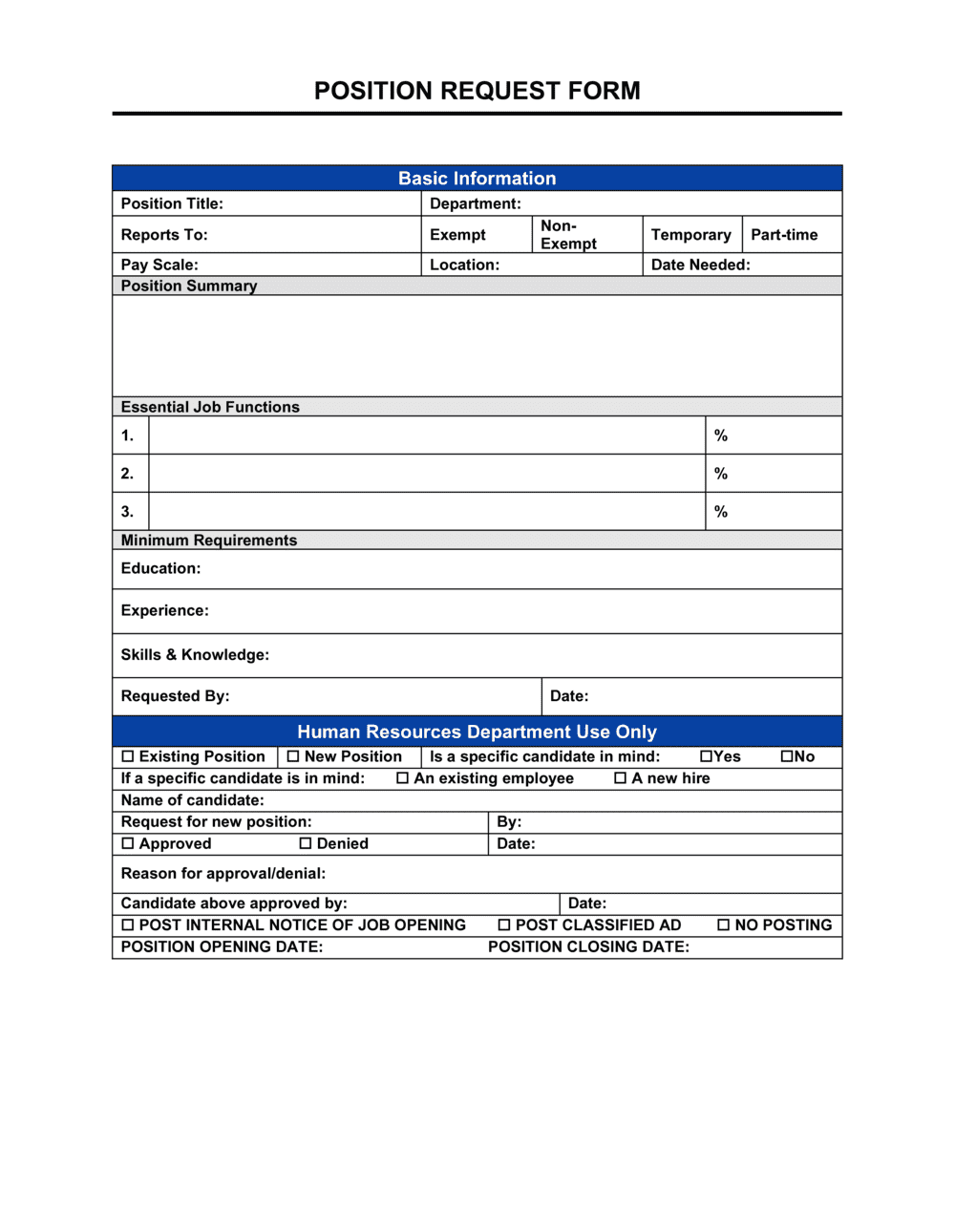
A Position Request Form is an internal HR document that a hiring manager submits to obtain organizational approval before recruiting for a new or backfill role. This free Word download lets you capture role justification, salary band, budget impact, and approval routing in a single standardized form β€” edit online and export as PDF for signature and filing.
When you need it
Use it any time a manager wants to add headcount, backfill a departure, or convert a contractor to a permanent employee and needs documented approval from HR, Finance, and leadership before a job posting goes live.
What's inside
Requesting department and manager details, role profile and employment type, business justification, proposed salary range and budget impact, target start date and urgency, and a structured approval routing block with signature lines for each required approver.

What is a Position Request Form?

A Position Request Form is an internal HR document that a hiring manager submits to secure organizational approval before recruiting for a new, backfill, or converted role. It captures the business justification for the hire, the role profile and employment type, the proposed salary range and total budget impact, the target start date, and a structured approval routing block for each required sign-off. Rather than informal emails or verbal requests, the form creates a documented, auditable record of why each position was opened and who authorized it.

Why You Need This Document

Without a standardized position request form, headcount decisions happen through email threads and hallway conversations β€” leaving no clear audit trail, no consistent cost review, and no enforceable approval sequence. Finance discovers new salaries after the offer is made, unplanned headcount bypasses the budget process, and HR opens requisitions without confirmed approval from leadership. The downstream effects are concrete: mismatched budget forecasts, inconsistent salary offers across departments, and compliance gaps when headcount decisions are later scrutinized during audits or due diligence. A standardized form routes every hiring request through the same cost-center coding, benefits-load calculation, and approval chain β€” so no position is posted, no offer is extended, and no salary is committed until the right people have reviewed and signed off.

Which variant fits your situation?

If your situation is…Use this template
Requesting approval to fill an existing role vacated by a resignationPosition Request Form (Backfill)
Requesting a net-new role that was not in the approved headcount planPosition Request Form (New Headcount)
Converting a contractor or temp to a permanent employeePosition Request Form (Conversion)
Posting an approved role to internal and external job boardsJob Posting Template
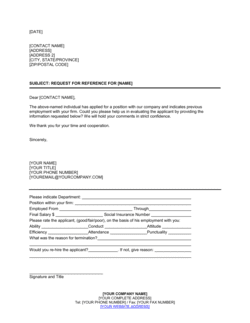
Documenting agreed compensation and offer terms for the selected candidateJob Offer Letter
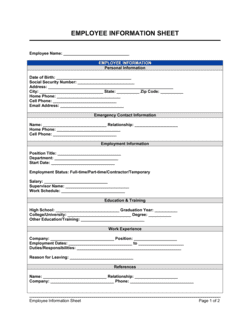
Capturing the full employee record once the hire is madeEmployee Information Form

Common mistakes to avoid

❌ Vague business justification

Why it matters: Approvers who cannot connect the request to a specific business need will defer or deny it. 'The team is overwhelmed' does not give Finance or leadership enough information to prioritize.

Fix: Anchor the justification to a specific metric or project: 'Support ticket volume increased 42% in Q1 and average response time has risen from 4 hours to 11 hours against a 6-hour SLA.'

❌ Omitting the benefits load from the cost estimate

Why it matters: A $75,000 salary looks very different from the $97,500 total cost when a 30% benefits load is applied. Understating cost causes budget shortfalls post-approval.

Fix: Always calculate and display total annual compensation β€” base salary plus benefits load β€” in the budget impact field.

❌ Marking every request as critical urgency

Why it matters: When all requisitions are flagged critical, recruiters cannot triage their workload and actual critical roles get delayed alongside routine ones.

Fix: Reserve critical urgency for roles that have a demonstrable revenue or operational impact if not filled within 30 days. Use standard or planned for everything else.

❌ Routing approvals simultaneously instead of sequentially

Why it matters: Parallel routing produces conflicting approvals, no clear decision owner, and an audit trail that HR and Finance cannot reconstruct if the hire is later questioned.

Fix: Define the approval sequence on the form itself β€” supervisor, then HR, then Finance β€” and instruct each approver to sign and date before passing it along.

The 10 key fields, explained

Requesting department and manager

Position type (new vs. backfill vs. conversion)

Role title, level, and employment type

Business justification

Proposed salary range and total compensation

Budget status and funding source

Target start date and urgency

Reporting structure

Key responsibilities summary

Approval routing and signatures

How to fill it out

  1. 1

    Identify the request type and confirm budget status

    Before filling in any fields, confirm whether the role is in the approved annual headcount plan. If it is unplanned, check with Finance on the approval process for exceptions before submitting.

    πŸ’‘ Submitting an unplanned request without a pre-conversation with Finance almost always triggers a revision cycle β€” a five-minute call saves days.

  2. 2

    Complete the department and manager details

    Enter your full department name, cost center code, your name, and your title. These fields determine how the form is routed and how the budget impact is coded.

    πŸ’‘ Use the exact cost center code from your general ledger β€” abbreviations or department nicknames cause processing delays in Finance.

  3. 3

    Select position type and enter the role profile

    Choose new headcount, backfill, or conversion. Enter the proposed job title, job grade, FTE value, and employment type. For backfills, name the departing employee.

    πŸ’‘ If no job grade exists for the proposed title yet, flag it in the justification field β€” HR will need to create a grade before approval can be finalized.

  4. 4

    Write a specific business justification

    Explain why this position is needed in two to four sentences, anchored to a specific metric, project, or capacity gap. Include the consequence of not filling the role.

    πŸ’‘ Justifications that cite a specific number β€” ticket volume, revenue target, project deadline β€” are approved faster than those that describe general workload increases.

  5. 5

    Enter the salary range and calculate total cost

    Look up the approved salary band for the job grade and enter the min-max range. Calculate the total annual cost by adding the benefits load percentage to the midpoint of the range.

    πŸ’‘ Use your HR or Finance team's standard benefits load factor β€” typically 25–30% of base salary β€” rather than estimating it yourself.

  6. 6

    Set the target start date and urgency level

    Enter a realistic target start date based on your recruiting lead time β€” typically 6–10 weeks from posting to offer acceptance, plus 2–4 weeks' notice. Select the urgency level honestly.

    πŸ’‘ Count backward from your target start date to confirm you have enough time for posting, screening, interviewing, and offer β€” if not, revise the date before submitting.

  7. 7

    Route to approvers in the correct sequence

    Submit to your direct supervisor first, then HR, then Finance. Do not send to all three simultaneously. Each approver should sign and date before the form moves to the next.

    πŸ’‘ Attach any supporting data β€” workload reports, capacity models, or org charts β€” to the form before routing so approvers have full context without needing to follow up.

Frequently asked questions

What is a position request form?

A position request form is an internal HR document a manager submits to obtain formal organizational approval before recruiting for a new or backfill role. It captures the business justification, role profile, proposed salary range, budget impact, and a structured approval routing block so that HR, Finance, and leadership can review and sign off before any job posting goes live.

When should a position request form be submitted?

Submit one any time you intend to hire β€” whether the role is a new headcount addition, a backfill for a departing employee, or a contractor conversion. Most organizations require the form to be fully approved before a requisition is opened in the ATS or a job posting is published. Submitting it 4–6 weeks before your target start date gives approvers and recruiters adequate lead time.

What is the difference between a position request form and a job requisition?

A position request form is the internal approval document β€” it justifies the need and secures budget sign-off. A job requisition is the downstream record created in your applicant tracking system once the request is approved, used to manage the actual recruiting workflow. The position request form typically triggers the creation of the requisition.

Who needs to approve a position request form?

Approval routing typically includes the requesting manager's direct supervisor, an HR business partner, and a Finance representative. Some organizations also require a C-level or VP sign-off for net-new headcount that was not included in the annual plan. The form should route sequentially so each approver's decision is documented before the next reviewer sees it.

What is included in the budget impact calculation?

Budget impact includes the proposed base salary plus a benefits load β€” typically 25–30% of base salary β€” covering health insurance, retirement contributions, payroll taxes, and other employer-paid costs. Some organizations also include one-time onboarding costs such as equipment, software licenses, and recruiting fees in the total estimate.

Can this form be used for contract or part-time positions?

Yes. The employment type field accommodates full-time, part-time, fixed-term, and contractor-conversion requests. For part-time roles, enter the FTE value (e.g., 0.5 for a 20-hour-per-week position) so Finance calculates the correct prorated budget impact rather than applying a full-time cost assumption.

How far in advance should I submit a position request form?

Submit at least 4–6 weeks before your target start date to allow time for the approval chain, job posting, candidate screening, and offer acceptance. For senior or specialized roles, 8–12 weeks is more realistic. Building in buffer also means a one-week delay in approvals does not immediately push your start date back.

What happens after the position request form is approved?

Once all required approvers have signed, HR opens a formal job requisition in the applicant tracking system, drafts or posts the job description, and begins sourcing candidates. The approved form is filed as part of the hiring audit trail and referenced during onboarding, payroll setup, and headcount reporting.

How this compares to alternatives

vs Job Offer Letter

A position request form is submitted before recruiting begins to secure internal approval and budget. A job offer letter is issued at the end of the process to the selected candidate. The position request form is an internal document; the offer letter is external. One triggers the requisition; the other closes it.

vs Employee Information Form

An employee information form is completed by the new hire after they accept an offer, capturing personal details for payroll and HR records. A position request form is completed by the manager before recruiting, to approve the role itself. They serve opposite ends of the hiring workflow.

vs Job Description Template

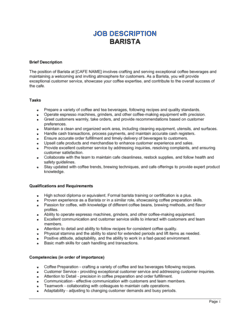
A job description is a detailed public-facing document outlining responsibilities, qualifications, and role context for candidates. A position request form is a brief internal approval document. The approved request form is typically used to draft the full job description, not the other way around.

vs Staffing Plan

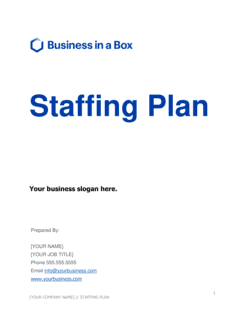
A staffing plan is a forward-looking document mapping total headcount needs across departments for a planning period, usually 12 months. A position request form is a transaction-level document for a single role. Individual position requests are the building blocks that execute against the approved staffing plan.

Industry-specific considerations

Technology / SaaS

Engineering and product roles often require VP-level approval above a certain job grade; the form captures whether the role falls within or above the approved engineering headcount plan.

Healthcare

Credentialing and licensing requirements are noted in the role profile field; clinical positions typically require a department director and chief medical officer approval before recruitment begins.

Professional Services

Requests are often tied to a specific client engagement or billable utilization target, making the business justification field directly linked to a revenue projection.

Manufacturing

Shift coverage and safety certification requirements are captured in the responsibilities summary; union-eligible roles may require an additional labor relations review step in the approval routing.

Template vs pro β€” what fits your needs?

PathBest forCostTime
Use the templateAny organization that needs a consistent, repeatable process for approving new and backfill hiresFree10–15 minutes per request
Template + professional reviewCompanies customizing the form to match an existing HRIS or approval-workflow system$50–$200 (HR consultant or HRIS admin)Half a day
Custom draftedEnterprises integrating the form into an ATS or ERP with automated routing, budget validation, and audit logging$500–$2,000+ (HRIS implementation or workflow tool setup)1–2 weeks

Glossary

Headcount
The total number of filled and approved employee positions within an organization or department at a given point in time.
Requisition
A formal internal request to authorize a hiring action, serving as the documented trigger for the recruitment process.
Backfill
A hiring action to replace an employee who has resigned, been terminated, or moved to a different role.
FTE (Full-Time Equivalent)
A unit measuring workload β€” one FTE equals one full-time employee; a 0.5 FTE is a part-time role working half standard hours.
Salary Band
The defined minimum and maximum base pay range for a given job level or grade within the organization's compensation structure.
Budget Impact
The net annualized cost of adding a position, including base salary, benefits load (typically 20–30% of salary), and any equipment or tooling costs.
Approval Routing
The defined sequence of approvers β€” typically the hiring manager's direct supervisor, HR, and Finance β€” whose sign-off is required before a requisition is opened.
Job Grade
A classification level within the organization's compensation framework that groups roles of similar scope, complexity, and pay range.
Urgency Flag
A field indicating how quickly the position needs to be filled β€” critical, standard, or planned β€” which determines priority in the recruitment queue.

Part of your Business Operating System

This document is one of 3,000+ business & legal templates included in Business in a Box.

  • Fill-in-the-blanks β€” ready in minutes
  • 100% customizable Word document
  • Compatible with all office suites
  • Export to PDF and share electronically

Create your document in 3 simple steps.

From template to signed document β€” all inside one Business Operating System.
1
Download or open template

Access over 3,000+ business and legal templates for any business task, project or initiative.

2
Edit and fill in the blanks with AI

Customize your ready-made business document template and save it in the cloud.

3
Save, Share, Send, Sign

Share your files and folders with your team. Create a space of seamless collaboration.

Save time, save money, and create top-quality documents.

β˜…β˜…β˜…β˜…β˜…

"Fantastic value! I'm not sure how I'd do without it. It's worth its weight in gold and paid back for itself many times."

Managing Director Β· Mall Farm
Robert Whalley
Managing Director, Mall Farm Proprietary Limited
β˜…β˜…β˜…β˜…β˜…

"I have been using Business in a Box for years. It has been the most useful source of templates I have encountered. I recommend it to anyone."

Business Owner Β· 4+ years
Dr Michael John Freestone
Business Owner
β˜…β˜…β˜…β˜…β˜…

"It has been a life saver so many times I have lost count. Business in a Box has saved me so much time and as you know, time is money."

Owner Β· Upstate Web
David G. Moore Jr.
Owner, Upstate Web

Run your business with a system β€” not scattered tools

Stop downloading documents. Start operating with clarity. Business in a Box gives you the Business Operating System used by over 250,000 companies worldwide to structure, run, and grow their business.

Start freeΒ Β·Β No credit card required