Acknowledgment of Application_Job Position Filled Template

Free Word download β€’ Edit online β€’ Save & share with Drive β€’ Export to PDF

1 pageβ€’15–20 min to fillβ€’Difficulty: Standard
Learn more ↓
FreeAcknowledgment of Application_Job Position Filled Template

At a glance

What it is
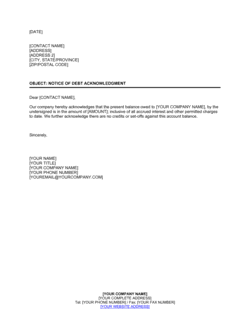
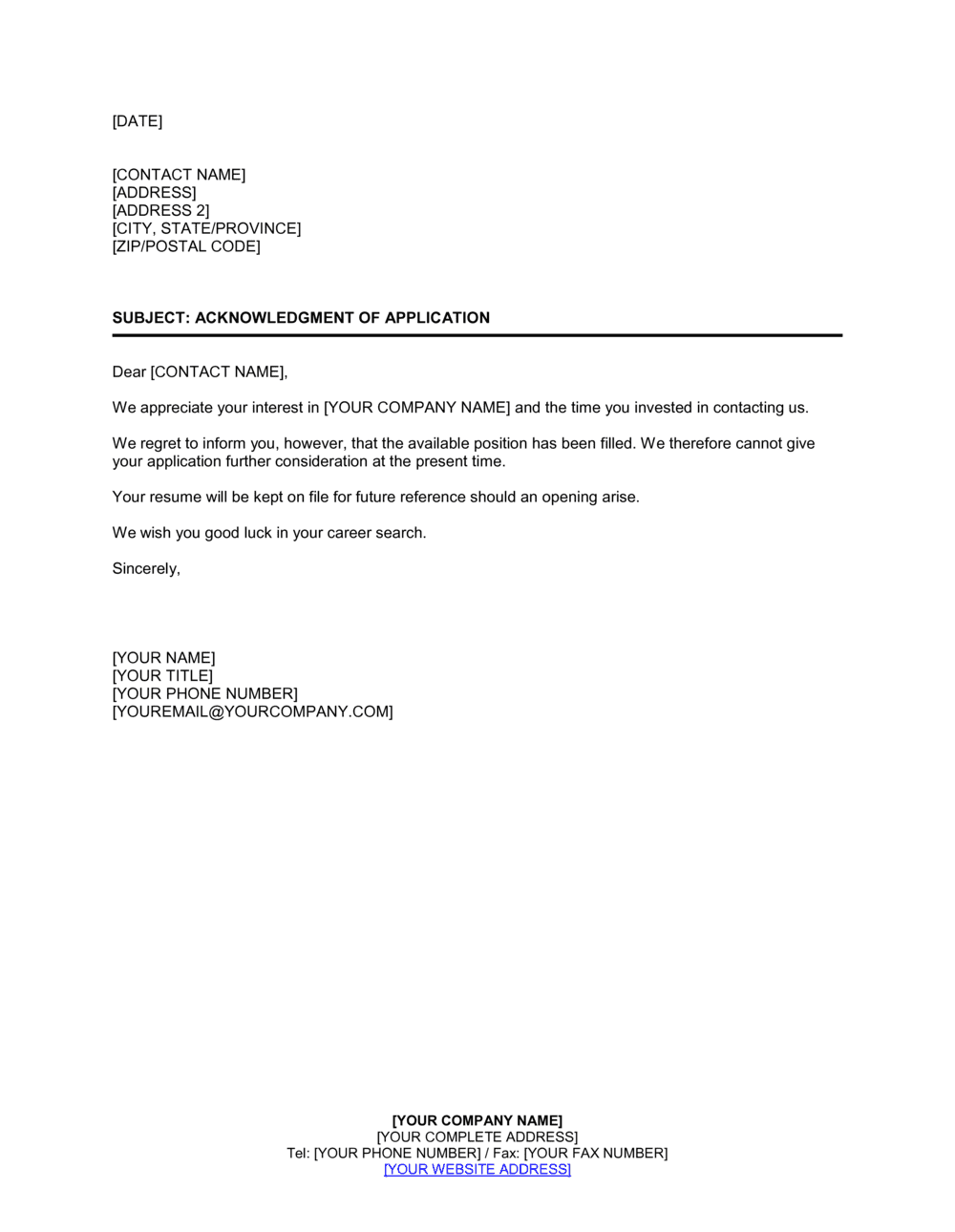
An Acknowledgment of Application β€” Job Position Filled is a formal business letter sent to a job applicant to confirm that their application was received and that the position they applied for has already been filled. This free Word download gives you a professionally worded template you can edit online and send by email or post in under five minutes.
When you need it
Use it whenever a role is filled before all applicants have received a response β€” particularly when candidates applied during an active posting that closed earlier than expected, or when a hire was made internally before external applications were fully reviewed.
What's inside
A formal opening that identifies the applicant and the role, a clear statement that the position has been filled, an expression of appreciation for the applicant's time and interest, and a professional closing that preserves goodwill for future opportunities.

What is an Acknowledgment of Application β€” Job Position Filled?

An Acknowledgment of Application β€” Job Position Filled is a short formal business letter sent by an employer to a job applicant to confirm that the role they applied for has been filled and is no longer available. It differs from a standard rejection letter in one important respect: it makes no assessment of the applicant's qualifications. It simply reports a change in the status of the position β€” the opening no longer exists. The letter covers the applicant's name, the job title they applied for, a clear statement that the position has been filled, a brief expression of appreciation, and a professional closing. This free Word download lets you edit the template online and send it by email or post in minutes.

Why You Need This Document

Leaving applicants without any response after a position is filled creates avoidable problems. Candidates follow up by phone and email, consuming time from HR and hiring managers who have already moved on. Some post candid reviews on employer rating platforms, citing a lack of communication as a reason to avoid the company. Others hold off accepting offers from other employers while waiting to hear back, only to feel misled when they eventually learn the role was filled weeks earlier. A position-filled acknowledgment letter resolves all of these issues with a single, five-minute task. It closes the applicant pipeline cleanly, protects your employer brand, and leaves every candidate β€” including the ones you may want to hire in the future β€” with a professional final impression of your organization. This template gives you the correct structure and wording to do it right, every time.

Which variant fits your situation?

If your situation is…Use this template
Position filled externally; applicant was not interviewedAcknowledgment of Application β€” Job Position Filled
Applicant interviewed but was not selectedRejection Letter After Interview
Application received and still under reviewAcknowledgment of Job Application Letter
Position withdrawn entirely with no hire madeJob Application Status Update Letter
Applicant is strong and should be kept on file for future rolesRejection Letter with Future Consideration
Internal candidate notified that a posted role has been filledInternal Applicant Position Filled Notice

Common mistakes to avoid

❌ Omitting the job title from the letter body

Why it matters: Applicants who submitted applications to multiple companies or multiple roles at the same company cannot identify which position is being addressed, causing confusion and unnecessary follow-up calls.

Fix: Always name the exact job title in the opening paragraph, matching the title as it appeared on the original job posting.
❌ Using a generic 'Dear Applicant' salutation

Why it matters: A non-personalized salutation signals to the candidate that their application was never individually reviewed, which damages the company's employer brand and online reputation.

Fix: Pull the applicant's name from the application record and insert it into the salutation β€” even when sending bulk notices via mail merge.

❌ Delaying the position-filled notice weeks after the hire

Why it matters: Applicants left without a response for weeks will call, email, and in some cases post negative reviews on employer review platforms β€” all of which cost more time than the letter itself.

Fix: Send the acknowledgment within five business days of making the hire, and automate this step in your ATS if you have one.

❌ Including the future-opportunity invitation for every applicant regardless of fit

Why it matters: Applicants who receive a blanket invitation to reapply will do so, creating administrative work for your team and disappointment for candidates who are not actually competitive for your roles.

Fix: Use the future-opportunity clause selectively for candidates whose profiles were genuinely strong. Omit it for applicants who do not meet minimum qualifications.

The 8 key clauses, explained

Header and date

In plain language: The sender's name, title, company name, and address followed by the date the letter is issued.

Sample language
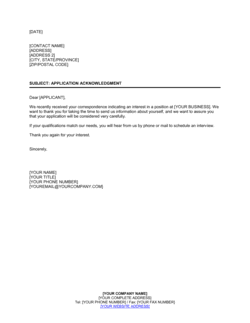
[COMPANY NAME] | [COMPANY ADDRESS] | [CITY, STATE, ZIP] | [DATE]

Common mistake: Using the date the position was filled rather than the date the letter is sent β€” which can make the notice appear delayed or inconsiderate.

Recipient address block

In plain language: The applicant's full name and mailing or email address, used to formally direct the letter.

Sample language
[APPLICANT FULL NAME] | [APPLICANT ADDRESS] | [CITY, STATE, ZIP]

Common mistake: Addressing the letter to 'Dear Applicant' without personalizing the name. A named salutation takes seconds and significantly improves how the letter is received.

Salutation

In plain language: A formal greeting that addresses the applicant by name.

Sample language
Dear [APPLICANT FIRST NAME] [APPLICANT LAST NAME],

Common mistake: Using 'To Whom It May Concern' in a letter sent to a named applicant. This signals the organization does not track individual applications, which damages employer brand.

Application reference

In plain language: A sentence identifying the specific role and, if applicable, the date the application was received β€” so the applicant immediately understands which posting is being addressed.

Sample language
Thank you for submitting your application for the position of [JOB TITLE] at [COMPANY NAME], received on [DATE].

Common mistake: Omitting the job title entirely. Applicants who applied to multiple positions will not know which role is referenced and may follow up unnecessarily.

Position filled notification

In plain language: The core statement of the letter β€” a clear, direct sentence informing the applicant that the position has been filled and is no longer available.

Sample language
We are writing to inform you that the [JOB TITLE] position has been filled and is no longer available.

Common mistake: Burying the position-filled statement in the middle of a long paragraph. Candidates reading quickly may miss it and continue to expect a decision, leading to avoidable follow-up calls.

Appreciation statement

In plain language: A genuine acknowledgment of the time and effort the applicant invested in applying, which preserves goodwill regardless of the outcome.

Sample language
We appreciate the time you took to apply and the interest you have shown in joining [COMPANY NAME].

Common mistake: Skipping the appreciation statement entirely to keep the letter brief. Omitting it makes the notice feel dismissive and can harm the company's reputation as an employer.

Future opportunity invitation (optional)

In plain language: An optional line inviting the applicant to apply again when a suitable role opens, used when the applicant's profile is strong or the employer wants to maintain a warm talent pool.

Sample language
We encourage you to monitor our careers page at [WEBSITE URL] and apply for future openings that match your qualifications.

Common mistake: Including this line for every applicant regardless of fit. Doing so creates an expectation of future consideration that the hiring team may not intend to honor.

Professional closing

In plain language: A formal sign-off that ends the letter respectfully, followed by the sender's name, title, and company.

Sample language
Sincerely, [SENDER FULL NAME] | [SENDER TITLE] | [COMPANY NAME] | [PHONE / EMAIL]

Common mistake: Signing off with only a first name or omitting a title. Without a title and company name, the applicant has no way to follow up with the right person if needed.

How to fill it out

  1. 1

    Enter the sender's details in the header

    Fill in the company name, mailing address, and the current date at the top of the letter. The date should reflect the day you are sending the letter, not the date the position was filled.

    πŸ’‘ If sending by email, you can omit the full mailing address block and lead with the subject line 'Re: Your Application for [JOB TITLE]' instead.

  2. 2

    Add the applicant's name and address

    Enter the applicant's full legal name and their mailing or email address. Pull this directly from the application to avoid spelling errors.

    πŸ’‘ Double-check the applicant's name spelling against their original application before sending β€” a misspelled name in a rejection notice leaves a lasting negative impression.

  3. 3

    Personalize the salutation

    Replace the placeholder with the applicant's name. Use their preferred name if it is noted on the application, otherwise use their full name as submitted.

    πŸ’‘ If you are sending this letter in bulk via mail merge, verify the name field mapping before running the merge β€” a wrong name in the salutation is immediately noticeable.

  4. 4

    Reference the specific job title and application date

    Insert the exact job title as it appeared in the posting and the date the application was received. This eliminates any ambiguity for applicants who applied to multiple roles.

    πŸ’‘ Use the same job title wording that appeared on the original posting β€” do not abbreviate or paraphrase.

  5. 5

    State clearly that the position has been filled

    Keep this sentence direct and unambiguous. Do not hedge with phrases like 'we may have filled the role' or 'the position is likely no longer available.'

    πŸ’‘ Place this statement in its own sentence at the start of the body paragraph so it is the first substantive thing the reader sees.

  6. 6

    Add the appreciation statement and optional future-opportunity line

    Thank the applicant for their time and, if appropriate for the candidate's profile, invite them to apply for future openings and include your careers page URL.

    πŸ’‘ Reserve the future-opportunity invitation for candidates whose profiles were genuinely strong β€” including it selectively makes it more meaningful and protects your talent pipeline.

  7. 7

    Complete the closing and sender details

    Choose a formal sign-off ('Sincerely' or 'Regards'), then add the sender's full name, title, company name, and a contact email or phone number.

    πŸ’‘ Having HR or a named hiring manager sign the letter rather than using a generic 'The Hiring Team' sign-off adds a personal touch that applicants notice and appreciate.

Frequently asked questions

What is an acknowledgment of application letter for a filled position?

It is a short formal letter sent by an employer to a job applicant confirming that the position they applied for has been filled and is no longer available. It closes the communication loop for candidates who applied before or during the hiring process and never received a status update, allowing them to move on with their job search.

Is a company legally required to notify applicants when a job is filled?

In most jurisdictions, there is no legal requirement to notify applicants that a position has been filled. However, failure to communicate leaves candidates in limbo and can contribute to negative employer-brand perceptions. Some government and public-sector hiring processes do require formal applicant notification under civil service rules β€” check applicable regulations for your sector.

How quickly should I send this letter after filling a position?

Best practice is within five business days of the new hire accepting the offer. Waiting longer than two weeks means applicants may still be holding off on other opportunities in anticipation of your decision. If you use an ATS, configure an automated trigger to send the notice when the requisition status changes to 'filled.'

Should I include a reason why the applicant was not selected?

No. This letter is specifically for the scenario where the position was filled before a hiring decision was made about the individual applicant β€” it is not a rejection letter based on the applicant's qualifications. Providing reasons invites debate and creates legal exposure. Keep the message focused on the status of the role, not an assessment of the candidate.

Can I use this letter when a position was filled internally?

Yes. This is one of the most common use cases. When an internal promotion or transfer fills a role before external candidates are fully reviewed, this letter provides a professional and honest explanation β€” the position has been filled β€” without disclosing internal personnel decisions.

What is the difference between this letter and a standard rejection letter?

A standard rejection letter declines a candidate based on a comparison with other applicants and the requirements of the role. This letter makes no assessment of the candidate at all β€” it simply reports a factual change in the status of the position. The distinction matters because it avoids any implication that the applicant was found unqualified.

Should this letter be sent by email or post?

Email is the standard for most hiring communications and is faster, cheaper, and equally professional when formatted correctly. Use a clear subject line such as 'Your Application for [JOB TITLE] at [COMPANY NAME]' and send from a named HR or recruiting address rather than a no-reply address. Postal letters are appropriate for senior roles or when the candidate submitted a formal postal application.

Can I invite the applicant to apply again in the future?

Yes, but use the option selectively. Including a genuine invitation to apply for future roles is appropriate for candidates who met or exceeded your qualifications and whose profile you want to retain in your talent pipeline. For applicants who did not meet minimum requirements, the invitation creates false expectations and generates administrative burden when they reapply.

How this compares to alternatives

vs Acknowledgment of Job Application Letter

An acknowledgment of job application letter confirms receipt of an application and indicates it is under review β€” the position is still open. This position-filled letter closes the loop entirely, informing the applicant that no decision will be made about their candidacy because the role no longer exists. Use the receipt acknowledgment at the start of the process and this letter at the end.

vs Rejection Letter After Interview

A post-interview rejection letter assesses the candidate relative to others and the role requirements. This letter makes no assessment of the applicant at all β€” it reports only that the position has been filled, which may have happened before the applicant was ever screened. Use this letter when the applicant was never interviewed; use a rejection letter when they were.

vs Job Offer Letter

A job offer letter is sent to the selected candidate to extend a formal offer of employment. This acknowledgment letter is sent to all remaining applicants after the offer is accepted to notify them the role is no longer available. Both letters are triggered by the same hiring event β€” the offer acceptance β€” but serve opposite audiences.

vs Employment Contract

An employment contract formalizes the terms of the working relationship with the hired candidate. This acknowledgment letter is sent to applicants who were not hired. The two documents are produced in parallel after a hire is made β€” one to close the relationship with the new employee, the other to close the loop with the remaining applicant pool.

Industry-specific considerations

Professional Services

Firms that hire in cohorts β€” consulting, accounting, and law β€” often fill multiple roles quickly and need batch acknowledgment letters to close out large applicant pools efficiently.

Retail and Hospitality

High application volumes and fast hiring cycles in retail and hospitality mean positions are frequently filled within days of posting, requiring prompt position-filled notices to dozens of applicants at once.

Healthcare

Credentialing requirements and internal transfer policies often result in clinical roles being filled by internal candidates before external applicants are fully reviewed, making a clear position-filled notice especially important.

Technology / SaaS

Tech companies with active referral programs frequently fill roles before the public posting closes, requiring timely acknowledgment to applicants who submitted after an internal referral was already in process.

Template vs pro β€” what fits your needs?

PathBest forCostTime
Use the templateAny employer β€” HR team, small business owner, or recruiter β€” sending position-filled notices to applicantsFreeUnder 5 minutes per letter
Template + professional reviewEmployers in regulated industries or government hiring contexts where applicant communication is subject to procedural requirements$0–$100 (HR advisor or employment counsel spot-check)30–60 minutes
Custom draftedLarge organizations standardizing applicant communication policies across multiple departments or countries$200–$500 (HR policy consultant or employment lawyer)1–3 days

Glossary

Applicant Pipeline
The full pool of candidates who have submitted applications for a given job posting, at various stages of review.
Requisition
A formal internal request to fill an open position, used by HR teams to track hiring activity by role and department.
Acknowledgment Letter
A brief formal letter confirming that a communication β€” such as a job application β€” has been received and acted upon.
Position Filled
The status of a job opening once a candidate has accepted an offer and the role is no longer available.
Candidate Experience
The overall impression a job applicant forms of an organization based on every touchpoint during the hiring process.
ATS (Applicant Tracking System)
Software used by employers to collect, sort, and manage job applications throughout the recruitment process.
Internal Promotion
When an existing employee is selected to fill an open role, often closing the position before external candidates are fully reviewed.
Goodwill Closing
The final lines of a professional letter that leave the recipient with a positive impression β€” typically thanking them and inviting future contact.

Part of your Business Operating System

This document is one of 3,000+ business & legal templates included in Business in a Box.

  • Fill-in-the-blanks β€” ready in minutes
  • 100% customizable Word document
  • Compatible with all office suites
  • Export to PDF and share electronically

Create your document in 3 simple steps.

From template to signed document β€” all inside one Business Operating System.
1
Download or open template

Access over 3,000+ business and legal templates for any business task, project or initiative.

2
Edit and fill in the blanks with AI

Customize your ready-made business document template and save it in the cloud.

3
Save, Share, Send, Sign

Share your files and folders with your team. Create a space of seamless collaboration.

Save time, save money, and create top-quality documents.

β˜…β˜…β˜…β˜…β˜…

"Fantastic value! I'm not sure how I'd do without it. It's worth its weight in gold and paid back for itself many times."

Managing Director Β· Mall Farm
Robert Whalley
Managing Director, Mall Farm Proprietary Limited
β˜…β˜…β˜…β˜…β˜…

"I have been using Business in a Box for years. It has been the most useful source of templates I have encountered. I recommend it to anyone."

Business Owner Β· 4+ years
Dr Michael John Freestone
Business Owner
β˜…β˜…β˜…β˜…β˜…

"It has been a life saver so many times I have lost count. Business in a Box has saved me so much time and as you know, time is money."

Owner Β· Upstate Web
David G. Moore Jr.
Owner, Upstate Web

Run your business with a system β€” not scattered tools

Stop downloading documents. Start operating with clarity. Business in a Box gives you the Business Operating System used by over 250,000 companies worldwide to structure, run, and grow their business.

Start freeΒ Β·Β No credit card required