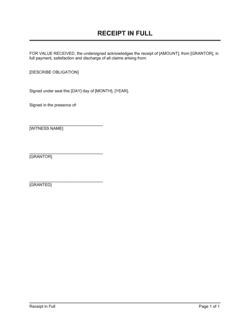
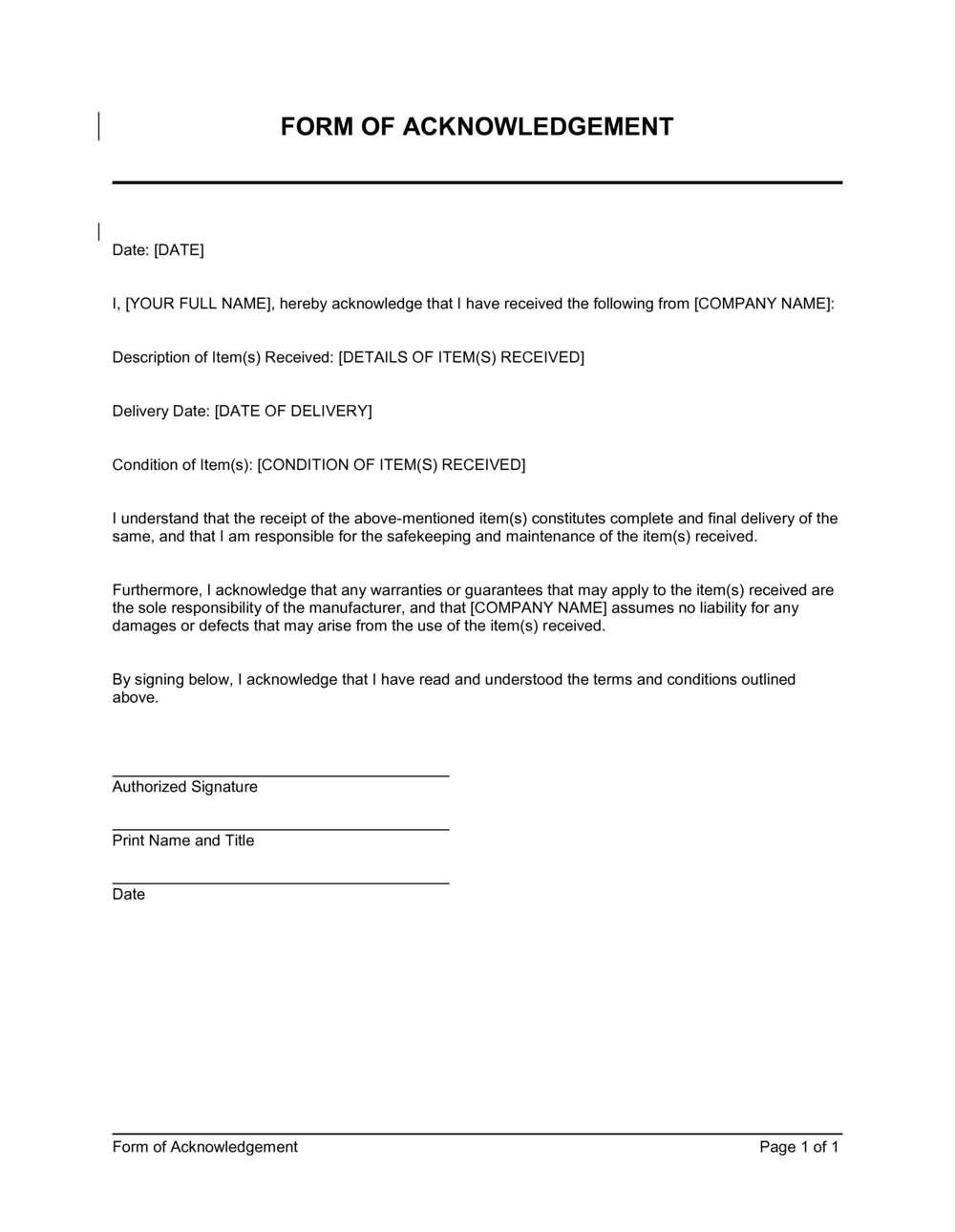
Form Of Acknowledgement Template

Free Word download β€’ Edit online β€’ Save & share with Drive β€’ Export to PDF

1 pageβ€’15–20 min to fillβ€’Difficulty: Standard
Learn more ↓
FreeForm Of Acknowledgement Template

At a glance

What it is
A Form of Acknowledgement is a standardized one-page document used to formally confirm that a specific party has received a document, policy, payment, asset, or notice. This free Word download lets you fill in the item being acknowledged, the date, and the acknowledging party's details, then export as PDF for signature and filing.
When you need it
Use it any time you need a verifiable, signed record that a person or organization has received something β€” a policy update, an employee handbook, a payment, a set of keys, or a formal notice. It closes the evidentiary gap between sending and confirmed receipt.
What's inside
Identifying information for both parties, a description of the item being acknowledged, the date of receipt, any relevant reference numbers, a declaration statement confirming receipt, and a signature block for the acknowledging party.

What is a Form of Acknowledgement?

A Form of Acknowledgement is a standardized document used to formally confirm that a specific party has received a document, policy, payment, asset, or notice. It captures the description of the item received, the date of receipt, and the signed declaration of the acknowledging party β€” creating a verifiable, dated record that can be referenced in audits, HR proceedings, compliance reviews, or disputes. Unlike a contract, it does not create new obligations; its function is purely evidentiary.

Why You Need This Document

Without a signed acknowledgement form, proving that someone received a document, policy, or asset depends entirely on memory, email chains, or verbal assurances β€” none of which hold up under audit or legal scrutiny. In employment contexts, the absence of a signed policy acknowledgement can undermine disciplinary action or dismissal proceedings entirely. In asset handovers, it leaves both parties disputing what was transferred and when. This template gives you a clean, one-page form you can complete in five minutes, sign on the spot, and file with confidence β€” closing the evidentiary gap between sending something and proving it arrived.

Which variant fits your situation?

If your situation is…Use this template
Confirming an employee has read and understood the employee handbookEmployee Handbook Acknowledgement Form
Recording delivery of physical goods or equipment to a recipientDelivery Receipt Form
Confirming receipt of a formal legal or contractual noticeNotice of Receipt
Documenting that a payment has been received from a clientPayment Receipt
Acknowledging receipt of sensitive personal data or confidential materialsConfidentiality Acknowledgement Form
Confirming a tenant has received keys and move-in documentationTenant Move-In Checklist
Recording handover of company assets to a departing employeeAsset Return Form

Common mistakes to avoid

❌ Vague item description

Why it matters: A description like 'company policy' or 'documents' cannot be matched to a specific record, making the acknowledgement useless in a dispute or audit.

Fix: Include the full document title, version number, and issue date so the form unambiguously identifies what was received.

❌ Using the preparation date instead of the receipt date

Why it matters: A date discrepancy between the form and the actual delivery creates a credibility problem if the acknowledgement is ever reviewed by an auditor, court, or regulator.

Fix: Record the date the item was physically or electronically received, and if completing the form after the fact, note both dates with a brief explanation.

❌ Collecting signatures without printed names

Why it matters: Illegible signatures provide no clear identification of the acknowledging party, undermining the document's evidentiary value entirely.

Fix: Always include a printed-name field alongside every signature line, and verify the printed name matches the party's official records before filing.

❌ Filing only a physical copy without a digital backup

Why it matters: Paper-only acknowledgements are lost when staff move, offices relocate, or filing systems are reorganized β€” eliminating the audit trail at precisely the moment it is needed.

Fix: Scan or photograph every signed acknowledgement form on the day it is signed and store the digital copy in a named folder in your document management system.

The 8 key fields, explained

Issuing party details

Acknowledging party details

Description of item acknowledged

Reference number

Date of receipt

Declaration statement

Signature and printed name

Witness or countersignature block (optional)

How to fill it out

  1. 1

    Enter the issuing party's details

    Add the full name, department, and contact information of the person or team providing the item. Use a named individual, not just a department or company name.

    πŸ’‘ Pre-fill issuing party details in a master copy of the template so staff only need to update the acknowledging party section for each new use.

  2. 2

    Add the acknowledging party's full legal name and title

    Enter the recipient's complete legal name and job title. For external parties, include their organization name and email address.

    πŸ’‘ For employee acknowledgements, cross-reference the name against the HR system to ensure it matches payroll records exactly.

  3. 3

    Write a specific description of the item being acknowledged

    Describe the document, asset, or notice in enough detail that it could be identified without reference to any other file β€” include version numbers, serial numbers, or issue dates as applicable.

    πŸ’‘ Copy the exact title and version number from the source document rather than paraphrasing β€” one character difference can cause a mismatch in records.

  4. 4

    Enter the reference number

    Record the unique identifier β€” invoice number, policy version, asset tag, or document ID β€” that links this form to the corresponding record in your system.

    πŸ’‘ If no reference number exists, create one using a consistent naming convention (e.g., ACK-2026-001) and apply it to the source document as well.

  5. 5

    Record the exact date of receipt

    Enter the calendar date the item was actually handed over or transmitted β€” not today's date if you are completing the form retrospectively.

    πŸ’‘ For digital delivery, use the timestamp from the email or file-transfer confirmation as the authoritative receipt date.

  6. 6

    Review the declaration statement with the acknowledging party

    Read the declaration aloud or give the acknowledging party time to read it themselves before signing. For policy acknowledgements, confirm they understand what 'acknowledge its contents' means.

    πŸ’‘ For employees acknowledging disciplinary or termination-related documents, note in writing that they were given an opportunity to read the form before signing.

  7. 7

    Collect signatures and file both copies

    Have the acknowledging party sign and print their name, then sign the issuing party block yourself. Provide the acknowledging party with one copy and retain the other for your records.

    πŸ’‘ Scan the signed form immediately and upload it to your document management system β€” physical-only copies get lost when staff change roles or locations.

Frequently asked questions

What is a form of acknowledgement?

A form of acknowledgement is a standardized document that captures a signed confirmation from a specific party that they have received a document, asset, payment, or notice on a stated date. It creates a verifiable record of receipt that can be referenced in audits, disputes, or compliance reviews.

When should I use an acknowledgement form?

Use one any time delivery or receipt needs to be formally documented β€” common situations include distributing employee handbooks or policy updates, handing over physical assets or equipment, confirming a payment has been received, or issuing a formal legal or HR notice. The form closes the gap between sending something and proving it was received.

Is an acknowledgement form legally binding?

An acknowledgement form is generally not a contract β€” it does not create new obligations between the parties. What it does is create a signed, dated record of receipt that is typically treated as evidence in employment disputes, compliance audits, and civil proceedings. Its evidentiary weight depends on how completely and accurately it is filled out.

Does an acknowledgement form need to be witnessed?

For most routine uses β€” such as policy distribution or invoice receipt β€” a witness is not required. For higher-stakes acknowledgements, such as handing over valuable assets or issuing a disciplinary notice, a witness or countersignature adds a second layer of corroboration that is worth including. Check whether your specific industry or jurisdiction has requirements.

Can I use this form for employee policy acknowledgements?

Yes. An acknowledgement form is one of the most common tools HR teams use to document that employees have received β€” and where required, read β€” updated policies, codes of conduct, or handbooks. Add the policy name, version number, and issue date to the item description field, and include 'and acknowledge its contents' in the declaration statement.

What is the difference between an acknowledgement form and a receipt?

A receipt typically confirms a financial transaction β€” that money or goods have been exchanged. An acknowledgement form is broader: it confirms receipt of any item, including documents, notices, policies, or assets, and often includes a declaration that the acknowledging party has read or understood the material. Both create an evidentiary record, but for different contexts.

How should I store completed acknowledgement forms?

Keep one signed copy with the acknowledging party and retain a second copy in your records. Scan every signed form on the day of signing and store the digital file in a named folder β€” organized by date, party name, or document type depending on your volume. For employee acknowledgements, attach the digital copy to the relevant HR file.

Can an acknowledgement form be signed electronically?

Yes. Electronic signatures are recognized for acknowledgement forms in most jurisdictions under laws such as the US ESIGN Act, Canada's PIPEDA, and the EU's eIDAS regulation. The key requirement is that the signature can be reliably attributed to the signing party β€” using a platform that logs the signer's email, timestamp, and IP address satisfies this in most contexts.

How this compares to alternatives

vs Payment Receipt

A payment receipt confirms that money has been received for a specific transaction and typically includes amount, currency, and payment method. A form of acknowledgement is broader β€” it confirms receipt of any item, not just a financial payment, and often includes a declaration of understanding. Use a receipt for financial transactions; use an acknowledgement form for documents, policies, assets, and notices.

vs Delivery Note

A delivery note accompanies a physical shipment of goods and lists the items delivered for the recipient to check off. A form of acknowledgement is signed after receipt to formally confirm what was received. The delivery note is a packing list; the acknowledgement form is the signed confirmation that what was listed was actually received.

vs Non-Disclosure Agreement

An NDA creates binding obligations on the receiving party not to disclose confidential information β€” it is a contract. An acknowledgement form simply records that a document was received; it creates no ongoing obligations. For sensitive materials, both may be needed: the NDA for the obligation and the acknowledgement form for the delivery record.

vs Signature Page

A signature page is the execution block appended to a contract or agreement, binding the parties to its terms. An acknowledgement form is a standalone document that records receipt without creating contractual obligations. A signature page is part of a larger binding document; an acknowledgement form is a self-contained receipt record.

Industry-specific considerations

Human Resources

Used to document that employees have received handbooks, policy updates, codes of conduct, and disciplinary notices β€” creating the paper trail required for fair dismissal proceedings.

Property Management

Records tenant receipt of lease agreements, move-in condition reports, keys, and building rules β€” essential for deposit dispute resolution.

Healthcare

Captures patient or staff acknowledgement of privacy notices, consent forms, and protocol updates to satisfy HIPAA and accreditation requirements.

Construction and Trades

Documents handover of equipment, site access credentials, and safety briefings β€” providing evidence of compliance with workplace health and safety obligations.

Template vs pro β€” what fits your needs?

PathBest forCostTime
Use the templateAny business or individual needing a simple, signed record of receipt for documents, policies, assets, or noticesFree5 minutes per form
Template + professional reviewOrganizations using acknowledgement forms in regulated industries or high-volume HR processes who want a compliance check$50–$150 (HR advisor or paralegal review)1–2 hours
Custom draftedEnterprises needing acknowledgement forms integrated into a broader compliance framework with jurisdiction-specific language$300–$8001–3 days

Glossary

Acknowledgement
A formal, signed confirmation by a party that they have received a specific item, document, or notice on a stated date.
Acknowledging party
The individual or organization whose signature confirms receipt β€” as distinct from the party who issued or delivered the item.
Issuing party
The person, team, or organization that provided the document, asset, or notice being acknowledged.
Reference number
A unique identifier linking the acknowledgement to a specific document, invoice, contract, or asset in the issuer's records.
Declaration statement
The plain-language sentence in the form that the acknowledging party signs to confirm they have received the item and understand its significance.
Audit trail
A chronological record of signed acknowledgements and receipts that demonstrates compliance or delivery for legal, HR, or operational purposes.
Wet signature
A handwritten signature applied in ink, as distinguished from an electronic or digital signature.
Effective date
The date on which the acknowledgement is considered valid β€” typically the date the item was physically or electronically received.
Counterpart
One of two or more identical copies of a signed form, each held by a different party as evidence of the same acknowledgement.

Part of your Business Operating System

This document is one of 3,000+ business & legal templates included in Business in a Box.

  • Fill-in-the-blanks β€” ready in minutes
  • 100% customizable Word document
  • Compatible with all office suites
  • Export to PDF and share electronically

Create your document in 3 simple steps.

From template to signed document β€” all inside one Business Operating System.
1
Download or open template

Access over 3,000+ business and legal templates for any business task, project or initiative.

2
Edit and fill in the blanks with AI

Customize your ready-made business document template and save it in the cloud.

3
Save, Share, Send, Sign

Share your files and folders with your team. Create a space of seamless collaboration.

Save time, save money, and create top-quality documents.

β˜…β˜…β˜…β˜…β˜…

"Fantastic value! I'm not sure how I'd do without it. It's worth its weight in gold and paid back for itself many times."

Managing Director Β· Mall Farm
Robert Whalley
Managing Director, Mall Farm Proprietary Limited
β˜…β˜…β˜…β˜…β˜…

"I have been using Business in a Box for years. It has been the most useful source of templates I have encountered. I recommend it to anyone."

Business Owner Β· 4+ years
Dr Michael John Freestone
Business Owner
β˜…β˜…β˜…β˜…β˜…

"It has been a life saver so many times I have lost count. Business in a Box has saved me so much time and as you know, time is money."

Owner Β· Upstate Web
David G. Moore Jr.
Owner, Upstate Web

Run your business with a system β€” not scattered tools

Stop downloading documents. Start operating with clarity. Business in a Box gives you the Business Operating System used by over 250,000 companies worldwide to structure, run, and grow their business.

Start freeΒ Β·Β No credit card required