1
Complete the employee information block
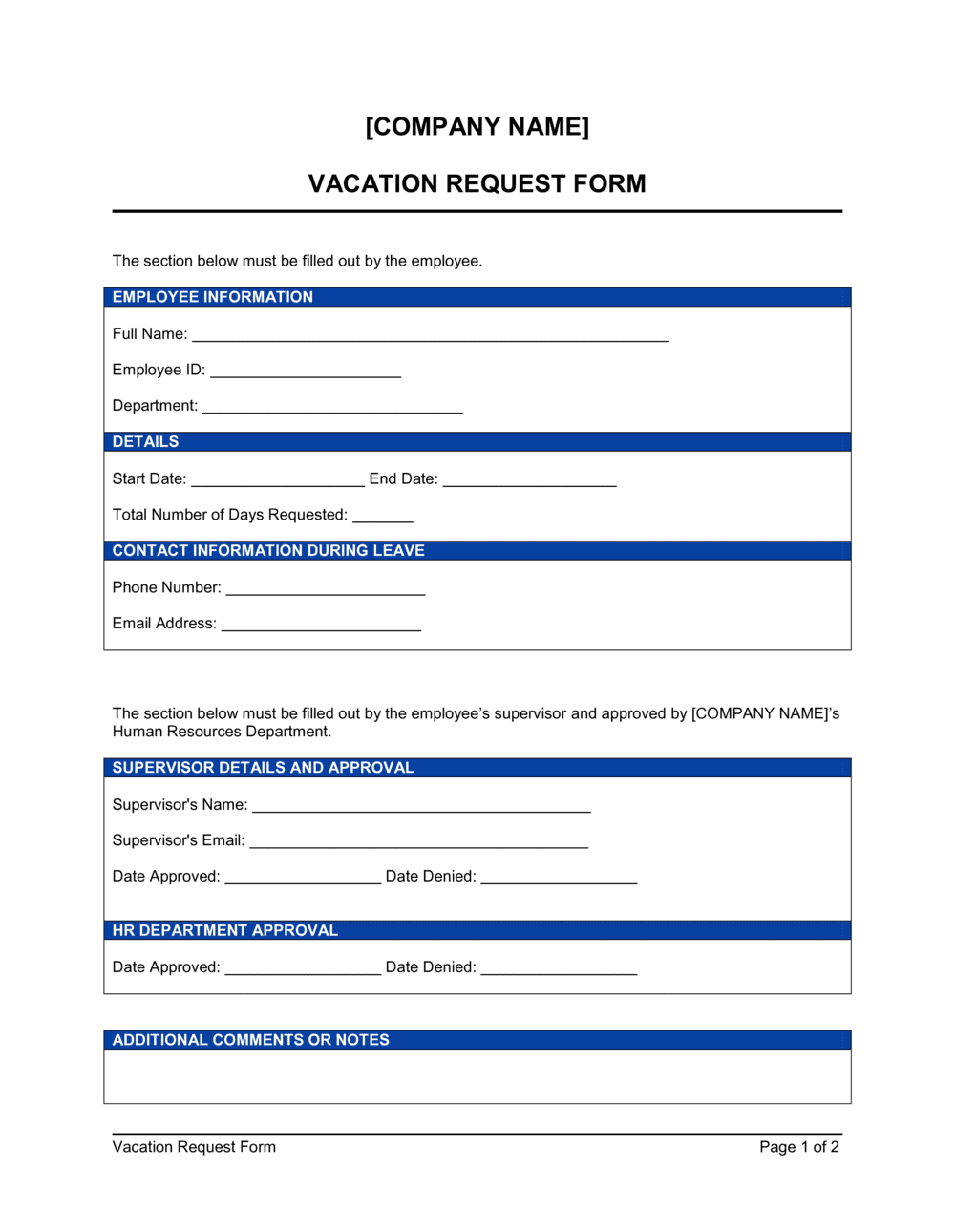
Enter your full legal name, job title, department, and employee ID. Make sure the department matches how your HR system categorizes your role.
💡 If your company uses a specific cost-center code for payroll, add it here — it speeds up processing without a follow-up from HR.
2
Record the submission date
Enter today's date as the request submission date. This timestamp is used to verify you met the advance-notice requirement — typically 5–10 business days for planned vacations.
💡 Submit the form as early as possible during peak periods like summer or year-end holidays — approval is first-come, first-served on most teams.
3
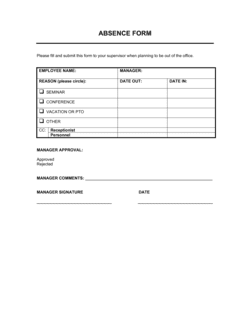
Enter the exact start and end dates
List the first and last days of your planned absence as specific calendar dates. Do not use vague entries like 'week of [DATE]' — an exact end date prevents scheduling confusion.
💡 If your vacation spans a company holiday, note it separately so the holiday is not deducted from your PTO balance.
4
Calculate and enter total working days
Count only weekdays within your date range, excluding any company holidays that fall in the period. Enter this number in the total days field.
💡 Use a business-day calculator for date ranges that include public holidays — counting manually across month-end boundaries is a common source of errors.
5
Confirm your current PTO balance
Check your HR system, pay stub, or most recent PTO statement for your current available balance and enter it on the form. Do not estimate.
💡 If your balance looks lower than expected, ask HR to confirm before submitting — discrepancies are easier to resolve before the request is processed than after.
6
Select the leave type and note coverage
Check the appropriate leave-type box and name the colleague covering your responsibilities. Add a brief note on any critical handoffs, deadlines, or pending items they need to be aware of.
💡 Reach out to your coverage contact before submitting the form — managers approve requests faster when a coverage plan is already in place.
7
Sign and submit to your manager
Sign and date the employee acknowledgment section, then submit the completed form to your direct manager or HR department according to your company's process.
💡 Keep a copy for your records before submitting — a scanned or photographed copy protects you if the original is misplaced.
8
Follow up on the manager decision
If you have not received a signed response within three business days, follow up directly. Once approved, confirm the decision is recorded in your HR or payroll system.
💡 Do not book non-refundable travel until you have the manager's written approval in hand — verbal approvals do not guarantee the form was processed.