Payslip Template

Free Word download β€’ Edit online β€’ Save & share with Drive β€’ Export to PDF

1 pageβ€’15–25 min to fillβ€’Difficulty: Standard
Learn more ↓
FreePayslip Template

At a glance

What it is
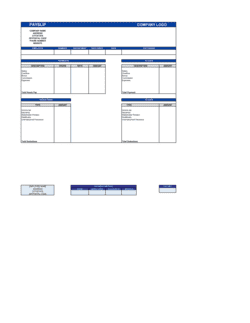
A Payslip is an itemized record issued to an employee at each pay period showing gross earnings, every tax and statutory deduction, employer contributions, and the resulting net pay. This free Excel download lets you edit the template online, enter employee and pay-period data, and export a clean PDF to distribute to staff or store in payroll records.
When you need it
Issue one every time you run payroll β€” weekly, bi-weekly, semi-monthly, or monthly β€” for salaried, hourly, and part-time employees alike. Most jurisdictions legally require employers to provide a written pay statement with each payment.
What's inside
Employer and employee identification, pay period and payment date, gross pay broken down by earnings type, all statutory and voluntary deductions itemized by line, employer contribution amounts, year-to-date totals, and net pay.

What is a Payslip?

A Payslip (also called a pay stub) is an itemized record an employer provides to an employee with every payment, showing gross earnings broken down by type, every statutory and voluntary deduction applied, employer contributions, running year-to-date totals, and the resulting net pay. It functions simultaneously as the employee's proof of income, a tax withholding record, and the employer's documentation that wages were calculated and paid correctly. This free Excel template lets you enter employee and pay-period data, calculates deduction totals automatically, and exports a clean PDF ready to distribute or file.

Why You Need This Document

Failing to issue itemized payslips exposes an employer to compliance penalties in most jurisdictions β€” and to wage disputes that are nearly impossible to defend without a paper trail. When an employee questions a deduction, challenges overtime calculations, or needs proof of income for a mortgage application, a complete payslip resolves the question in minutes. Without one, every payroll query becomes a manual reconstruction exercise. Accurate, consistent payslips also make year-end tax filings straightforward: employees can reconcile their annual W-2 or equivalent against running YTD totals rather than discovering errors after the filing deadline. This template gives small businesses a structured, legally defensible pay record without the monthly cost of dedicated payroll software.

Which variant fits your situation?

If your situation is…Use this template
Paying a salaried employee with a fixed monthly or annual rateSalary Payslip
Paying an hourly worker with variable weekly hoursHourly Payslip
Issuing pay that includes commission or performance bonusesCommission Payslip
Running payroll for multiple employees in a single periodPayroll Register
Providing a full-year earnings and deductions summary at year-endEmployee Annual Earnings Statement
Documenting pay for a casual or zero-hours employeeCasual Employee Payslip

Common mistakes to avoid

❌ Combining all taxes into one deduction line

Why it matters: Employees cannot verify that each tax was withheld at the correct rate, and regulators in most jurisdictions require itemized disclosure of each statutory deduction.

Fix: List federal income tax, state income tax, Social Security, and Medicare on separate lines with the rate or amount for each.

❌ Leaving YTD totals blank or only updating at year-end

Why it matters: Employees use running YTD totals to catch withholding errors early and to cross-check their W-2 or annual earnings statement in January.

Fix: Update YTD gross, YTD deductions, and YTD net pay on every payslip β€” the Excel template can carry these forward automatically with a simple formula.

❌ Using the wrong pay period dates

Why it matters: Mismatched period dates create discrepancies between payslips and payroll registers, complicating tax filings and any wage dispute resolution.

Fix: Lock in a payroll calendar at the start of the year listing every period start, period end, and payment date, and reference it for every payslip.

❌ Applying a voluntary deduction without written employee authorization

Why it matters: Deducting amounts the employee never formally authorized exposes the business to wage-deduction claims and potential back-pay liability.

Fix: Obtain a signed payroll deduction authorization form before adding any voluntary deduction to an employee's payslip.

The 9 key fields, explained

Employer information

Employee information

Pay period and payment date

Gross earnings breakdown

Statutory deductions

Voluntary deductions

Employer contributions

Year-to-date totals

Net pay

How to fill it out

  1. 1

    Enter employer details in the header

    Add your company's legal name, registered address, and employer tax ID (EIN in the US, or equivalent) to the payslip header. These fields stay the same for every employee.

    πŸ’‘ Save a master template with the employer header pre-filled so each pay run only requires updating employee and period data.

  2. 2

    Enter the employee's details

    Fill in the employee's full legal name, unique employee ID, department, and job title. Match the name exactly to your employment records and tax filings.

    πŸ’‘ Assign employee IDs from the start, even if you have just two employees β€” retrofitting IDs later is tedious and error-prone.

  3. 3

    Set the pay period and payment date

    Enter the first and last day of the period worked and the date the payment will be processed or deposited. Confirm the payment date falls after the period end.

    πŸ’‘ Keep a payroll calendar with all pay period end dates and payment dates for the full year so nothing gets missed during holidays.

  4. 4

    Break down gross earnings by type

    Enter regular hours and rate, then add separate lines for overtime, bonuses, commissions, and any allowances. Let the template calculate each line total and the gross sum.

    πŸ’‘ For hourly employees, record both the hours and the rate on the payslip β€” not just the dollar total β€” so you can reconstruct the calculation if queried later.

  5. 5

    Apply statutory and voluntary deductions

    Enter each deduction on its own line with the correct rate or fixed amount. Cross-check withholding amounts against the current IRS tax tables or the equivalent in your jurisdiction.

    πŸ’‘ Review withholding tables at the start of each calendar year β€” federal and state rates, Social Security wage bases, and Medicare thresholds change annually.

  6. 6

    Record employer contributions

    Add the employer's share of Social Security, any pension or retirement match, and the employer's health insurance contribution as disclosure lines that do not reduce net pay.

    πŸ’‘ Showing employer contributions gives employees a full picture of their total compensation cost β€” a simple way to reinforce the value of your benefits package.

  7. 7

    Confirm YTD totals and net pay, then export

    Verify that YTD figures have updated correctly from the previous payslip. Confirm net pay equals gross minus all deductions, then export as PDF and distribute to the employee.

    πŸ’‘ Keep the editable Excel file in a secure, access-controlled folder β€” payslips contain sensitive personal and financial data subject to privacy laws in most jurisdictions.

Frequently asked questions

What is a payslip?

A payslip is an itemized document an employer provides to an employee with each payment showing gross earnings, every tax and statutory deduction, voluntary deductions, employer contributions, year-to-date totals, and net pay. It serves as the employee's official record of compensation and deductions for a specific pay period and is required by law in most jurisdictions.

Is an employer legally required to provide a payslip?

In most jurisdictions, yes. The US Fair Labor Standards Act does not federally mandate a payslip, but most states require written pay statements. In the UK, the Employment Rights Act 1996 requires employers to provide an itemized pay statement before or on payment day. Canada, Australia, and EU member states have similar statutory requirements. Check the specific rules in your state or country for minimum content requirements.

What is the difference between a payslip and a payroll register?

A payslip is an individual record issued to a single employee for one pay period. A payroll register is an employer-side summary of all employees' earnings and deductions for a pay run, used for internal reconciliation and tax remittance. Employees receive payslips; the payroll register is an internal accounting document.

What deductions should appear on a payslip?

Statutory deductions β€” federal and state income tax, Social Security, and Medicare in the US, or PAYE and National Insurance in the UK β€” must appear on every payslip. Voluntary deductions authorized by the employee, such as health insurance premiums, 401(k) contributions, and union dues, should each be shown on a separate line. Combining them into a single figure prevents employees from verifying accuracy.

What is the difference between gross pay and net pay?

Gross pay is total earnings before any deductions β€” including base salary, overtime, and bonuses. Net pay is what the employee actually receives after all statutory and voluntary deductions have been subtracted. The gap between gross and net is the sum of all tax withholdings and deductions, which is why an itemized payslip matters.

How do I calculate year-to-date totals on a payslip?

YTD gross equals the sum of gross pay across all payslips from the first pay period of the calendar year through the current one. YTD deductions and YTD net pay are calculated the same way. In Excel, carry the prior payslip's YTD total forward and add the current period's figures. Accuracy is critical because employees use YTD figures to reconcile their annual W-2 or equivalent tax form.

Can I use an Excel payslip template instead of payroll software?

For businesses with a small number of employees and straightforward pay structures, an Excel payslip template is a practical and cost-effective solution. It works well when pay rates are consistent, deductions are predictable, and you run payroll manually. As headcount grows or pay complexity increases β€” variable hours, multiple tax jurisdictions, or equity compensation β€” dedicated payroll software becomes more efficient and reduces calculation errors.

How long should I keep payslip records?

The US Department of Labor requires payroll records to be kept for at least three years, and tax records for four years. The UK requires payroll records for three years from the end of the tax year. Canada generally requires six years of payroll records. Store payslips in a secure, access-controlled location β€” digital or physical β€” and restrict access to HR and finance personnel only.

What is a pay stub versus a payslip?

Pay stub and payslip refer to the same document. Pay stub is the common US and Canadian term; payslip is standard in the UK, Australia, and many other English-speaking countries. Both describe the itemized statement of earnings, deductions, and net pay issued to an employee for each pay period.

How this compares to alternatives

vs Payroll Register

A payroll register is an employer-side summary showing all employees' gross pay, deductions, and net pay for an entire pay run in one document. A payslip is the individual employee-facing record for a single worker and a single pay period. Employers need both: the register for internal reconciliation and tax remittance, the payslip for legal compliance and employee communication.

vs Invoice

An invoice is issued by a seller to a buyer requesting payment for goods or services. A payslip is issued by an employer to an employee documenting wages already earned and deductions applied. Contractors and freelancers use invoices to bill clients; employees receive payslips. Misclassifying a worker affects which document applies and carries significant tax and legal consequences.

vs Employment Contract

An employment contract establishes the terms of the working relationship β€” salary, benefits, and obligations β€” before or at hire. A payslip documents the execution of those terms each pay period, showing exactly what was paid and deducted. The contract sets the rate; the payslip proves it was applied correctly.

vs Expense Report

An expense report records out-of-pocket costs an employee incurred on behalf of the business and seeks reimbursement. A payslip records wages and statutory deductions for labor. Expense reimbursements processed through payroll appear as a non-taxable line on the payslip rather than as gross earnings.

Industry-specific considerations

Professional Services

Salaried staff with annual bonus lines and professional membership fee deductions tracked on a per-period basis.

Retail and Hospitality

Variable hourly pay with overtime, tip declarations or pooling adjustments, and holiday loading components shown as separate earnings lines.

Construction and Trades

Prevailing wage rates, trade-specific allowances such as tool and travel, and union dues as a voluntary deduction line.

Healthcare

Shift differentials for nights and weekends, on-call pay, and licensure reimbursement allowances itemized alongside standard earnings.

Template vs pro β€” what fits your needs?

PathBest forCostTime
Use the templateSmall businesses and startups with straightforward payroll and fewer than 15 employeesFree5–10 minutes per employee per pay period
Template + professional reviewBusinesses adding variable pay, multiple deduction types, or operating in states with detailed pay-statement requirements$50–$200 (accountant or bookkeeper check)1–2 hours setup
Custom draftedBusinesses with 15+ employees, multi-state payroll, equity compensation, or integration with an ERP or HRIS system$30–$200/month for dedicated payroll software1–3 days initial setup

Glossary

Gross Pay
Total earnings before any deductions are applied, including base salary or wages, overtime, bonuses, and allowances.
Net Pay
The amount an employee actually receives after all deductions β€” tax, social security, and voluntary items β€” have been subtracted from gross pay.
PAYE (Pay As You Earn)
An income tax withholding system in which the employer deducts tax from each paycheck and remits it directly to the tax authority on the employee's behalf.
FICA
US Federal Insurance Contributions Act taxes covering Social Security (6.2%) and Medicare (1.45%), withheld from employee pay and matched by the employer.
Statutory Deduction
A deduction required by law β€” such as income tax, Social Security, or national insurance β€” that the employer must withhold regardless of employee consent.
Voluntary Deduction
A deduction authorized by the employee for items such as health insurance premiums, retirement contributions, or union dues.
Year-to-Date (YTD)
The cumulative total of earnings or deductions from the first day of the calendar or fiscal year through the current pay period.
Employer Contribution
Amounts the employer pays on top of gross wages β€” such as the employer's share of Social Security, pension contributions, or health insurance premiums.
Pay Period
The recurring interval covered by a payslip β€” weekly (52/year), bi-weekly (26/year), semi-monthly (24/year), or monthly (12/year).
Tax Code / Withholding Allowance
An employee-specific code or number that determines how much income tax the employer withholds from each paycheck based on filing status and claimed allowances.

Part of your Business Operating System

This document is one of 3,000+ business & legal templates included in Business in a Box.

  • Fill-in-the-blanks β€” ready in minutes
  • 100% customizable Word document
  • Compatible with all office suites
  • Export to PDF and share electronically

Create your document in 3 simple steps.

From template to signed document β€” all inside one Business Operating System.
1
Download or open template

Access over 3,000+ business and legal templates for any business task, project or initiative.

2
Edit and fill in the blanks with AI

Customize your ready-made business document template and save it in the cloud.

3
Save, Share, Send, Sign

Share your files and folders with your team. Create a space of seamless collaboration.

Save time, save money, and create top-quality documents.

β˜…β˜…β˜…β˜…β˜…

"Fantastic value! I'm not sure how I'd do without it. It's worth its weight in gold and paid back for itself many times."

Managing Director Β· Mall Farm
Robert Whalley
Managing Director, Mall Farm Proprietary Limited
β˜…β˜…β˜…β˜…β˜…

"I have been using Business in a Box for years. It has been the most useful source of templates I have encountered. I recommend it to anyone."

Business Owner Β· 4+ years
Dr Michael John Freestone
Business Owner
β˜…β˜…β˜…β˜…β˜…

"It has been a life saver so many times I have lost count. Business in a Box has saved me so much time and as you know, time is money."

Owner Β· Upstate Web
David G. Moore Jr.
Owner, Upstate Web

Run your business with a system β€” not scattered tools

Stop downloading documents. Start operating with clarity. Business in a Box gives you the Business Operating System used by over 250,000 companies worldwide to structure, run, and grow their business.

Start freeΒ Β·Β No credit card required