Overtime Authorization Form Template

Free Word download β€’ Edit online β€’ Save & share with Drive β€’ Export to PDF

1 pageβ€’15–25 min to fillβ€’Difficulty: Standard
Learn more ↓
FreeOvertime Authorization Form Template

At a glance

What it is
An Overtime Authorization Form is an HR document that managers and supervisors use to formally pre-approve overtime hours before an hourly employee works them. This free Word download captures employee details, expected overtime hours, applicable dates, a business justification, and budget-owner sign-off β€” all in a single printable or fillable form.
When you need it
Use it any time a non-exempt hourly employee is expected to work beyond their standard scheduled hours and your organization requires documented approval before those hours are worked. It is especially critical during peak production periods, project deadlines, or staffing shortfalls.
What's inside
Employee and department identification fields, the date range and estimated overtime hours, the business reason for the extra work, cost center or budget code, and signature lines for the requesting manager and budget approver.

What is an Overtime Authorization Form?

An Overtime Authorization Form is an HR document that captures management pre-approval for an hourly employee to work hours beyond their standard scheduled shift. It records the employee's identifying details, the specific dates and estimated hours of overtime, the operational reason for the extra work, the relevant cost center, and signatures from the requesting manager and a budget approver β€” creating a documented approval trail before any additional labor cost is incurred. By requiring sign-off in advance, the form gives organizations a concrete mechanism to control overtime spending and demonstrate compliance with wage-and-hour recordkeeping requirements.

Why You Need This Document

Without a pre-authorization process, overtime hours accumulate invisibly until the payroll run β€” at which point the cost is already locked in and the only question is how to explain the variance. An employee who works unauthorized overtime must still be paid under the FLSA, which means an informal approval system offers no protection against cost overruns. Documented pre-authorization also matters during wage-and-hour audits: labor regulators and plaintiffs' attorneys look for evidence that overtime was controlled, tracked, and paid correctly. Missing records shift the burden of proof onto the employer. This template gives managers a consistent, five-minute process for every overtime request, HR a filing-ready record, and finance a cost center allocation β€” all in a single form that closes the loop between approval and payroll reconciliation.

Which variant fits your situation?

If your situation is…Use this template
Recurring weekly overtime for a single employeeOvertime Authorization Form
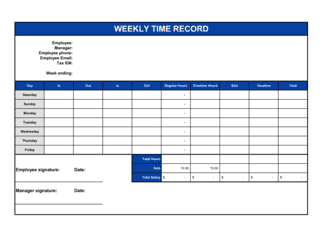
Tracking actual hours worked against an approved requestEmployee Timesheet
Requesting a flexible or compressed work scheduleFlexible Work Arrangement Request
Documenting an employee's full pay and deductions for a periodEmployee Pay Stub Template
Formally recording an employee's base wage and any changesSalary Change Form
Logging all hours for salaried or exempt staff on a projectProject Time Tracking Sheet

Common mistakes to avoid

❌ Retroactive approvals after hours are already worked

Why it matters: Pre-authorization is the entire point of the form. Signing after the fact does not satisfy labor compliance requirements and signals to auditors that your approval process is not enforced.

Fix: Establish a policy requiring the form to be submitted and countersigned at least 24 hours before the overtime period begins, and train managers on the deadline.

❌ Vague business justification entries

Why it matters: Entries like 'busy' or 'extra work needed' provide no basis for an auditor, HR team, or finance department to verify whether the overtime was legitimate.

Fix: Require a minimum of one complete sentence naming the specific project, client, task, or event, plus the date by which the work must be completed.

❌ Skipping the budget approver signature for large overtime requests

Why it matters: Without a second sign-off, a single manager can authorize unlimited overtime hours against a budget they do not control, causing cost overruns that are only caught at month-end.

Fix: Define a dollar threshold (e.g., more than 8 hours or $500 in estimated cost) above which the budget approver signature is mandatory, and enforce it consistently.

❌ Never completing the actual-hours reconciliation field

Why it matters: Without closing the loop, payroll and finance have no way to compare authorized hours to paid hours β€” a gap that can mask timesheet errors or wage fraud over time.

Fix: Assign the direct supervisor responsibility for completing the reconciliation field within two business days of the authorization period ending, and make it a required field before the form is filed.

The 9 key fields, explained

Employee Information

Overtime Date Range

Estimated Overtime Hours

Reason / Business Justification

Cost Center / Budget Code

Requesting Manager Approval

Budget Approver Sign-Off

HR Acknowledgment

Actual Hours Worked (Post-Period Reconciliation)

How to fill it out

  1. 1

    Enter the employee's identifying details

    Fill in the employee's full legal name, employee ID, job title, department, and direct supervisor's name. Match every field to the payroll system exactly.

    πŸ’‘ Cross-check the employee ID against your HRIS before submitting β€” a one-digit error routes the overtime cost to the wrong employee record.

  2. 2

    Set the exact overtime date range

    Enter specific calendar start and end dates for the period during which overtime is authorized. Do not leave this open-ended or write 'ongoing.'

    πŸ’‘ Keep the authorization window as short as the work requires β€” weekly windows are easier to reconcile against time sheets than month-long approvals.

  3. 3

    Specify estimated hours and any daily cap

    Enter the total estimated overtime hours for the period and set a per-day maximum so that actual hours can be monitored against the authorization in real time.

    πŸ’‘ Round up slightly when estimating β€” it is easier to close out unused hours than to process a second authorization mid-project.

  4. 4

    Write a specific business justification

    Describe the operational reason in one to three sentences β€” name the project, deadline, or event driving the need. Generic entries like 'peak season' should be avoided.

    πŸ’‘ Attach supporting documentation (a client email, a project milestone schedule) when the overtime cost is material, to pre-empt finance questions.

  5. 5

    Enter the cost center and GL account

    Record the correct cost center code and general ledger account number so the overtime expense posts to the right budget line without manual correction.

    πŸ’‘ Confirm the cost center with your finance team before submitting if the work spans more than one department β€” split allocations need to be specified upfront.

  6. 6

    Obtain manager and budget approver signatures

    Route the form to the requesting manager for signature first, then to the budget approver. Both signatures must be dated before the employee works any of the authorized hours.

    πŸ’‘ Use the Business in a Box eSign feature to collect digital signatures with timestamps, creating an audit-ready record without paper routing delays.

  7. 7

    File with HR and complete the post-period reconciliation

    Submit the signed form to HR before the overtime period begins. After the period closes, fill in the actual hours worked field and note any variance for payroll reconciliation.

    πŸ’‘ Set a calendar reminder for the day after the authorization period ends so the reconciliation field never gets missed.

Frequently asked questions

What is an overtime authorization form?

An overtime authorization form is an HR document that records management approval for an hourly employee to work hours beyond their standard scheduled shift. It captures the employee's details, the date range, estimated extra hours, the business reason, and signatures from the requesting manager and budget approver β€” creating a documented trail before the hours are worked.

Is a pre-approval form legally required for overtime?

No federal law in the US mandates a specific written pre-authorization form, but the FLSA does require employers to pay overtime for all hours worked over 40 in a workweek by non-exempt employees β€” even unauthorized hours. A pre-authorization form is a best-practice cost-control and compliance tool that helps employers manage overtime proactively and demonstrate good-faith recordkeeping during wage-and-hour audits.

What is the standard overtime pay rate in the US?

Under the FLSA, non-exempt employees must receive at least 1.5 times their regular hourly rate for all hours worked over 40 in a single workweek. Some states, including California, require double time (2Γ—) for daily hours exceeding 12 or for the seventh consecutive day of work in a workweek. Always verify the rate that applies in the employee's work location.

Does this form apply to salaried employees?

Typically no. Overtime authorization forms are designed for non-exempt hourly employees who are entitled to overtime pay under applicable labor law. Salaried exempt employees are not entitled to overtime pay under the FLSA, so a pre-approval form serves no payroll compliance purpose for that group β€” though some organizations use a similar form to track extra hours for internal workload management.

How far in advance should an overtime request be submitted?

Best practice is to submit the completed, signed form at least 24 hours before the overtime period begins. For planned project overtime spanning multiple days, submit it at least 48–72 hours in advance to allow time for budget-approver review and HR filing. Emergency same-day overtime should be the exception, not the standard process.

What happens if an employee works unauthorized overtime?

Under the FLSA, employers must pay for all hours actually worked by a non-exempt employee β€” even hours worked without authorization. The employer can discipline the employee for violating the pre-approval policy, but cannot refuse to pay for the time. This is why a consistent pre-authorization process matters: it is the only effective point of cost control before the hours are incurred.

Can this form be used for salaried non-exempt employees?

Yes. Salaried non-exempt employees β€” those paid a fixed weekly salary but still entitled to overtime under the FLSA because they fall below the salary-level threshold β€” should also have overtime pre-authorized using this form. The same 1.5Γ— overtime rate applies to their hourly equivalent rate for hours over 40.

How should completed forms be stored?

Completed and signed forms should be filed in the employee's HR record and retained for at least three years, which is the FLSA recordkeeping minimum for payroll and hours-worked data. Many employment attorneys recommend keeping them for five years to cover state-law variations and potential civil claims. Digital storage with a consistent file naming convention (e.g., OT-[EMPLOYEE ID]-[YYYY-MM-DD]) makes retrieval fast during audits.

How this compares to alternatives

vs Employee Timesheet

A timesheet records all hours actually worked after the fact, including any overtime. An overtime authorization form is completed before the extra hours are worked, establishing pre-approval and budget sign-off. The two documents work together β€” the authorization sets the limit; the timesheet records actual hours against it.

vs Flexible Work Arrangement Request

A flexible work arrangement request asks for a permanent or semi-permanent change to an employee's schedule β€” for example, shifting from 9-to-5 to 7-to-3. An overtime authorization form approves temporary extra hours beyond the standard schedule without changing the underlying arrangement. Use the flexible work form for schedule restructuring; use the overtime form for one-time or short-term extra hours.

vs Leave Request Form

A leave request form documents time an employee will not be working and triggers absence tracking. An overtime authorization form documents extra hours an employee will work beyond their normal schedule. They address opposite situations and should both feed into the same time-and-attendance system for accurate payroll processing.

vs Employment Contract

An employment contract establishes the baseline terms of the employment relationship, including standard hours and compensation. An overtime authorization form operates within those terms to approve temporary exceptions. The contract may reference the employer's overtime policy; the form is the operational tool that implements that policy on a case-by-case basis.

Industry-specific considerations

Manufacturing

Shift-based scheduling means overtime often spans across midnight boundaries β€” the form must capture both the calendar dates and the actual shift hours to align with weekly FLSA calculations.

Healthcare

Nursing and clinical staff overtime is often driven by call-ins and shift gaps, requiring a fast-track approval path and a daily cap field to manage fatigue-related safety risks.

Retail

Holiday and seasonal peaks generate high overtime volumes across many employees simultaneously β€” batch authorization for a team or department speeds approval without bypassing documentation.

Construction

Weather delays and milestone deadlines create unpredictable overtime needs; the business justification field should reference the specific project phase and contract deadline driving the request.

Template vs pro β€” what fits your needs?

PathBest forCostTime
Use the templateAny business that needs a consistent, documented overtime approval process for hourly employeesFree5 minutes per request
Template + professional reviewOrganizations adding department-specific approval tiers, dollar thresholds, or integration with an HRIS workflow$50–$200 (HR consultant or payroll specialist review)1–2 hours
Custom draftedEnterprises with union agreements, multi-state payroll compliance requirements, or ERP-integrated approval systems$500–$2,000 (HR systems consultant or employment attorney)1–2 weeks

Glossary

Non-Exempt Employee
An employee classified under the FLSA (or equivalent law) as entitled to overtime pay β€” typically at 1.5Γ— their regular rate β€” for hours worked beyond 40 in a workweek.
Overtime Premium
The additional 0.5Γ— pay rate applied to each overtime hour, on top of the regular rate, required for non-exempt employees under most labor laws.
Pre-Authorization
Management approval obtained before overtime hours are worked, as opposed to retroactive approval after the fact.
Cost Center
An internal accounting code that identifies the department or budget line against which the overtime labor cost will be charged.
FLSA (Fair Labor Standards Act)
The US federal law that establishes minimum wage, overtime pay eligibility, recordkeeping requirements, and child labor standards for covered employers.
Business Justification
A written explanation of why the overtime hours are operationally necessary β€” for example, a customer deadline, equipment failure, or staff absence.
Straight Time
Regular hours worked within the standard scheduled period, compensated at the base hourly rate with no overtime premium.
Budget Approval
Sign-off from the person who controls the relevant cost center, confirming the overtime expense is within or acceptable to the department's budget.
Time and a Half
The standard overtime compensation rate of 1.5Γ— the employee's regular hourly wage, required under the FLSA for non-exempt employees working more than 40 hours in a workweek.
Double Time
An overtime rate of 2Γ— the regular hourly wage, mandated in certain states (notably California) for daily hours exceeding 12 or for the seventh consecutive day of work in a workweek.

Part of your Business Operating System

This document is one of 3,000+ business & legal templates included in Business in a Box.

  • Fill-in-the-blanks β€” ready in minutes
  • 100% customizable Word document
  • Compatible with all office suites
  • Export to PDF and share electronically

Create your document in 3 simple steps.

From template to signed document β€” all inside one Business Operating System.
1
Download or open template

Access over 3,000+ business and legal templates for any business task, project or initiative.

2
Edit and fill in the blanks with AI

Customize your ready-made business document template and save it in the cloud.

3
Save, Share, Send, Sign

Share your files and folders with your team. Create a space of seamless collaboration.

Save time, save money, and create top-quality documents.

β˜…β˜…β˜…β˜…β˜…

"Fantastic value! I'm not sure how I'd do without it. It's worth its weight in gold and paid back for itself many times."

Managing Director Β· Mall Farm
Robert Whalley
Managing Director, Mall Farm Proprietary Limited
β˜…β˜…β˜…β˜…β˜…

"I have been using Business in a Box for years. It has been the most useful source of templates I have encountered. I recommend it to anyone."

Business Owner Β· 4+ years
Dr Michael John Freestone
Business Owner
β˜…β˜…β˜…β˜…β˜…

"It has been a life saver so many times I have lost count. Business in a Box has saved me so much time and as you know, time is money."

Owner Β· Upstate Web
David G. Moore Jr.
Owner, Upstate Web

Run your business with a system β€” not scattered tools

Stop downloading documents. Start operating with clarity. Business in a Box gives you the Business Operating System used by over 250,000 companies worldwide to structure, run, and grow their business.

Start freeΒ Β·Β No credit card required