Office Space Allocation and Usage Policy Template

Free Word download β€’ Edit online β€’ Save & share with Drive β€’ Export to PDF

3 pagesβ€’20–25 min to fillβ€’Difficulty: Standard
Learn more ↓
FreeOffice Space Allocation and Usage Policy Template

At a glance

What it is
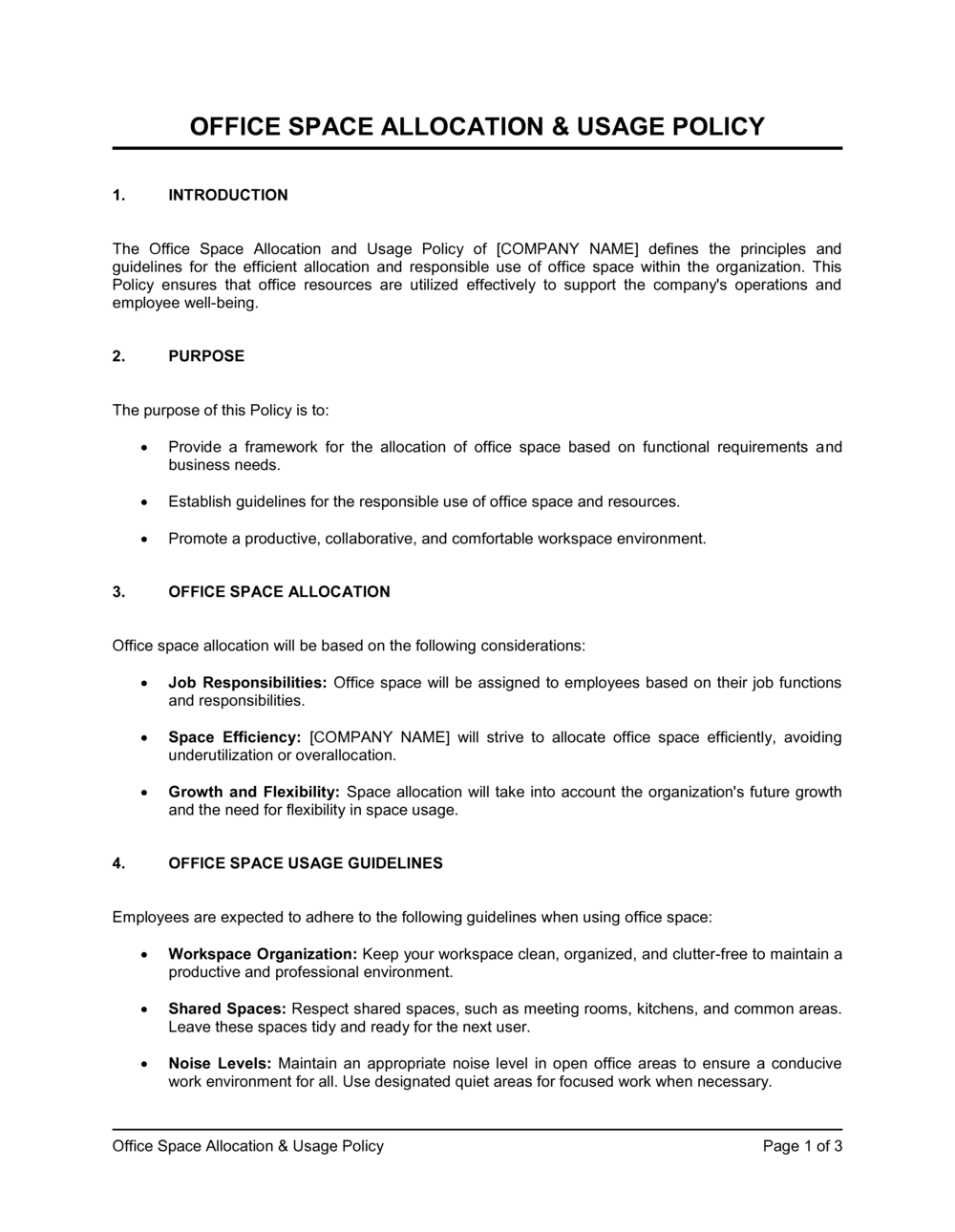
An Office Space Allocation and Usage Policy is an internal governance document that defines how physical workspace β€” assigned desks, shared areas, meeting rooms, and storage β€” is distributed, reserved, and maintained across an organization. This free Word download gives you a structured, editable template you can tailor to your headcount, office layout, and hybrid-work model, then share as PDF with managers and staff.
When you need it
Use it when onboarding a wave of new hires, reconfiguring your office layout, transitioning to a hybrid or hot-desking model, or when informal space-use habits are creating friction, conflict, or compliance risk.
What's inside
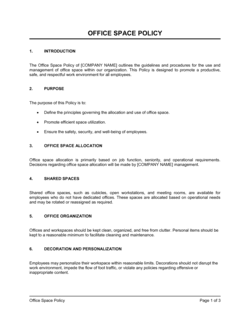
Purpose and scope, space allocation criteria, desk and workstation assignment rules, shared space and meeting room booking procedures, storage and personal property guidelines, cleanliness and maintenance responsibilities, hybrid and remote work provisions, and policy compliance and enforcement.

What is an Office Space Allocation and Usage Policy?

An Office Space Allocation and Usage Policy is an internal governance document that defines how physical workspace is distributed, reserved, and maintained across an organization. It establishes the rules for assigned desks and hot desks, meeting room bookings, shared area use, personal storage, and end-of-day cleanliness standards β€” and names who is responsible for enforcing them. Rather than leaving space decisions to informal negotiation or first-come-first-served habit, the policy creates a consistent, documented framework that managers and employees can reference when questions or conflicts arise.

Why You Need This Document

Without a written policy, workspace decisions default to whoever is most vocal, most senior, or most persistent β€” creating perceived favoritism, recurring desk disputes, and meeting rooms that are perpetually blocked by a handful of recurring bookings. As hybrid work becomes the norm, the gap between the number of employees and the number of available desks widens, and the cost of not having clear allocation rules compounds quickly. A poorly managed office also creates real compliance exposure: organizations without a documented accessibility accommodation process face legal risk under disability and equality legislation in virtually every major jurisdiction. This template gives you a structured, immediately editable starting point that covers every dimension of workspace governance β€” from the desk booking release window to the escalation path for repeated violations β€” so your office runs predictably from the first day the policy takes effect.

Which variant fits your situation?

If your situation is…Use this template
Managing a fully hot-desking or activity-based workspaceHot Desking Policy
Governing employee remote and hybrid work arrangementsRemote Work Policy
Defining rules for a single shared office or co-working spaceShared Office Space Agreement
Allocating space for a new office build-out or renovationOffice Relocation Plan
Setting standards for clean-desk and end-of-day proceduresClean Desk Policy
Documenting how conference rooms are scheduled and governedMeeting Room Booking Policy
Establishing visitor and contractor access rules for the workplaceVisitor and Contractor Policy

Common mistakes to avoid

❌ Publishing with no named enforcement owner

Why it matters: A policy without an accountable owner is treated as advisory, not mandatory. Within weeks, booking rules are ignored and desk conflicts revert to informal negotiation.

Fix: Assign a specific role title β€” not a person's name β€” as the compliance monitor and state the escalation path clearly in the enforcement section.

❌ Setting in-office day mandates without checking capacity

Why it matters: A three-day hybrid mandate in an office sized for 50% attendance creates a capacity crisis on peak days, undermining both the policy and employee experience.

Fix: Map expected peak-day attendance against total workstations before setting any mandatory in-office schedule. Adjust the desk-to-employee ratio or stagger required days by team.

❌ Omitting the accommodation and accessibility section

Why it matters: Without a documented process, ergonomic and accessibility requests are handled ad hoc, creating legal exposure under disability and equality legislation in most jurisdictions.

Fix: Add a section naming the HR contact, request channel, and response timeline. Review it with HR before publishing to confirm it matches your actual process.

❌ Using vague clean-desk language with no defined standard

Why it matters: Instructions like 'keep your desk tidy' produce ten different interpretations, making enforcement subjective and generating employee disputes.

Fix: Define exactly what must be removed at end of day β€” documents, personal items, food β€” and consider including a reference photograph as an appendix.

❌ Failing to align the policy with your desk booking software settings

Why it matters: If the policy states desks are released after 30 minutes but the software is set to 60 minutes, employees follow the software and the policy is immediately out of date.

Fix: Configure your booking system before finalizing the policy, then copy the exact time windows from the system settings into the policy document.

❌ Scoping the policy to head office only without addressing remote and satellite offices

Why it matters: Employees at other locations operate in a policy vacuum, creating inconsistency, perceived unfairness, and potential compliance gaps.

Fix: Either extend the scope explicitly to all company locations or create named location addenda that reference the master policy and override only what differs by site.

The 9 key sections, explained

Purpose and scope

Space allocation criteria

Desk and workstation assignment rules

Meeting room and shared space booking

Storage and personal property

Cleanliness and workspace maintenance

Hybrid and remote work provisions

Accessibility and accommodation

Compliance and enforcement

How to fill it out

  1. 1

    Define your office model and population

    Decide whether the policy covers assigned seating, hot desking, a hybrid model, or a combination. Count your total headcount against available workstations to establish your space allocation ratio before filling in any numbers.

    πŸ’‘ A ratio below 0.8:1 requires a functioning desk booking system β€” publishing a hot-desking policy without one creates daily conflict over available seats.

  2. 2

    Set the scope β€” locations and employee groups

    List every office address and employee category the policy covers. State whether contractors, agency workers, and visitors are included or governed by a separate document.

    πŸ’‘ If satellite offices have meaningfully different layouts or headcounts, create a location-specific addendum rather than forcing one set of rules onto all sites.

  3. 3

    Document the allocation criteria and approval authority

    Write down the specific criteria used to assign permanent desks versus hot desks, and name the role (not the individual) responsible for approving changes. Criteria might include in-office frequency, role type, or equipment requirements.

    πŸ’‘ Using a role-based criterion (e.g., 'employees in client-facing roles attending the office 5 days a week receive assigned desks') is more defensible than seniority-based allocation if challenged.

  4. 4

    Specify booking rules with exact time windows

    Enter the advance booking window, the no-show release timer, and the cancellation notice period for both desks and meeting rooms. Use specific numbers β€” '30 minutes,' '14 days' β€” not vague language like 'reasonable notice.'

    πŸ’‘ Align your booking windows with the release settings in your desk booking software before publishing the policy, so the document and the system match from day one.

  5. 5

    Write the clean-desk and storage rules

    Define what must be cleared at end of day, what personal storage each employee is entitled to, and the timeline for removing abandoned items. Reference the physical locker or storage location by name.

    πŸ’‘ Photograph the 'acceptable end-of-day state' for a workstation and include it as Appendix A β€” a visual standard eliminates ambiguity far more effectively than written description alone.

  6. 6

    Add the accommodation and accessibility process

    Name the contact, the request form or channel, and the response and implementation timelines. This section must reflect your actual HR process β€” do not copy placeholder timelines without confirming them with HR.

    πŸ’‘ Review this section with your HR or people team before publishing; accessibility accommodation obligations vary by country and employee size thresholds.

  7. 7

    Name enforcement owners and the escalation path

    Assign a named role (not a person's name) to monitor compliance. Describe the first-instance response (written reminder) and what escalation looks like if violations continue.

    πŸ’‘ Link the escalation path to your existing disciplinary policy rather than creating a standalone process β€” it keeps HR governance consistent and avoids contradictions.

  8. 8

    Communicate and collect acknowledgement

    Share the final policy with all affected employees and ask for signed or digital acknowledgement. Store confirmations in your HR system. Schedule a policy review date β€” typically 12 months from publication.

    πŸ’‘ Send the policy 5–10 business days before it takes effect, not on the same day β€” employees need time to adjust habits, clear personal items, and set up booking accounts.

Frequently asked questions

What is an office space allocation and usage policy?

An office space allocation and usage policy is an internal document that defines how physical workspace is distributed and governed across an organization. It covers who gets an assigned desk, how shared spaces and meeting rooms are booked, what the clean-desk standard is, and how violations are addressed. It gives managers and employees a single, authoritative reference for every workspace decision.

Who needs an office space allocation policy?

Any organization with more than 10–15 employees sharing a physical office benefits from a written policy. It is especially important for companies transitioning to hybrid or hot-desking models, expanding into new locations, or experiencing recurring conflicts over meeting rooms and desk ownership. HR and facilities teams use it to set consistent expectations and resolve disputes without escalating every case to senior management.

What is the difference between assigned seating and hot desking?

Assigned seating gives each employee a permanent, named workstation for their exclusive use. Hot desking means employees have no permanent desk and claim or book any available workstation each day. Most hybrid organizations use a combination β€” permanent desks for roles that require daily attendance, hot desks for those who are in the office two or three days a week.

What desk-to-employee ratio should I use for a hybrid office?

A ratio between 0.6:1 and 0.8:1 β€” meaning 60–80 desks per 100 employees β€” is typical for organizations with a three-day hybrid schedule. The right ratio depends on your peak-day attendance pattern. Track actual badge swipe or booking data for four weeks before setting a ratio; modelling from headcount alone routinely underestimates peak-day demand.

Do I need to include an accessibility section in the policy?

Yes. Most jurisdictions β€” including the US (ADA), UK (Equality Act 2010), Canada (AODA and provincial equivalents), and EU member states β€” require employers to make reasonable workplace accommodations. A documented request and response process in your space policy demonstrates compliance and ensures accommodation requests are handled consistently rather than case by case.

How often should an office space policy be reviewed?

Review the policy annually at minimum, and immediately after any significant event β€” an office move, a major headcount change, a shift in hybrid-work expectations, or the adoption of new desk booking software. Policies that lag operational reality by more than six months are routinely ignored by employees and create enforcement problems for managers.

Can I use one policy for multiple office locations?

A single master policy covering shared principles works well across locations, provided you attach location-specific addenda for details that differ by site β€” desk counts, booking systems, locker assignments, or local regulations. Trying to write one document that covers every local variation in the body text makes the policy unwieldy and hard to update.

What should happen when an employee leaves β€” how is their desk reallocated?

The policy should specify that desk assignments revert to the facilities or HR team upon an employee's departure, and that personal items must be removed on or before the last working day. Including a checklist for offboarding in the policy β€” or referencing your existing offboarding procedure β€” prevents desks from sitting locked and personalised for weeks while new hires wait for workspace.

What is a clean desk policy and should it be separate from the space allocation policy?

A clean desk policy requires employees to clear confidential documents and personal items from their workstations at the end of each day, primarily for information security and shared-space hygiene reasons. It can be included as a section within the space allocation policy or published as a standalone document. A standalone document is more practical when the clean desk standard is enforced independently of space assignments β€” for example, in a security-audited environment.

How this compares to alternatives

vs Remote Work Policy

A remote work policy governs when and how employees work outside the office β€” eligibility, equipment, communication expectations, and data security at home. An office space allocation policy governs the physical workspace when employees are in the office. Hybrid organizations typically need both documents, as each addresses a different dimension of the same flexible working arrangement.

vs Employee Handbook

An employee handbook is a broad governance document covering the full employment relationship β€” conduct, compensation, leave, and workplace policies. An office space allocation policy is a focused operational document covering a single topic. The allocation policy is typically referenced in the handbook but maintained separately so it can be updated without reissuing the full handbook.

vs Clean Desk Policy

A clean desk policy is a narrow standard focused entirely on workstation hygiene and document security at end of day. An office space allocation policy is broader β€” it covers assignment rules, booking procedures, storage, maintenance, and compliance alongside clean-desk expectations. Organizations with strong information security requirements sometimes publish the clean desk standard as a standalone document for easier circulation.

vs Facilities Management Plan

A facilities management plan covers the full lifecycle of building operations β€” maintenance schedules, vendor contracts, health and safety, utilities, and capital expenditure. An office space allocation policy focuses narrowly on how employees interact with the workspace day to day. The allocation policy is one component of a broader facilities strategy, not a replacement for it.

Industry-specific considerations

Professional Services

Client confidentiality requirements drive strict clean-desk and document storage rules; visiting client teams and partners need clearly designated guest workspace.

Technology / SaaS

High rates of remote and hybrid work mean policies must integrate directly with desk booking platforms and specify laptop-docking station availability by zone.

Financial Services

Regulatory compliance and data security obligations require clean-desk enforcement, locked storage for sensitive documents, and visitor access controls embedded in the policy.

Healthcare

Patient data confidentiality and infection-control standards add layers to workspace hygiene rules; clinical and administrative areas typically require separate allocation frameworks.

Retail / Hospitality

Back-office and head-office space is often limited relative to front-of-house headcount; scheduling desk use around shift patterns is a common allocation challenge.

Manufacturing

Office space is often shared between production-floor managers and corporate staff; zoning rules must account for safety, shift timing, and the different working rhythms of each group.

Template vs pro β€” what fits your needs?

PathBest forCostTime
Use the templateOffice managers and HR teams at small to mid-size organizations setting workspace rules for the first time or transitioning to a hybrid modelFree2–4 hours
Template + professional reviewOrganizations with 100+ employees, multiple locations, or complex hybrid arrangements where capacity planning and accommodation obligations require careful drafting$200–$800 for an HR consultant or facilities advisor review1–3 days
Custom draftedEnterprises managing dense multi-floor offices, organizations in regulated industries with specific data security or accessibility audit requirements, or companies undergoing major relocation$1,500–$5,000 for a workplace strategy consultant2–4 weeks

Glossary

Hot Desking
A workspace arrangement where employees do not have a permanently assigned desk and instead claim any available workstation on a first-come, first-served or booking basis.
Activity-Based Working (ABW)
An office model that provides a variety of workspace types β€” focus rooms, collaboration zones, lounge areas β€” and lets employees choose the setting that suits their current task.
Space Utilization Rate
The percentage of available workstations or rooms that are occupied at any given time, used to measure whether office capacity is sized correctly for actual demand.
Desk Booking System
Software that allows employees to reserve a specific desk or workstation in advance, typically integrated with the company's calendar or HR platform.
Assigned Seating
A workspace model in which each employee is given a permanent, named desk or workstation for their exclusive daily use.
Neighbourhood Zoning
The practice of grouping teams or departments into dedicated floor sections so they sit near colleagues they collaborate with most, even in a flexible workspace.
Clean Desk Policy
A workplace standard requiring employees to clear personal items and confidential documents from their desks at the end of each working day.
Space Allocation Ratio
The number of workstations provided per full-time employee β€” for example, a 0.7:1 ratio means 70 desks for 100 employees, typical in hybrid-work environments.
Chargeback Model
A facilities management approach in which the cost of office space is allocated back to individual business units based on the square footage or desks they occupy.
Hoteling
A desk reservation model where employees book a specific workstation or office in advance β€” similar to hotel reservations β€” rather than sitting wherever is available.

Part of your Business Operating System

This document is one of 3,000+ business & legal templates included in Business in a Box.

  • Fill-in-the-blanks β€” ready in minutes
  • 100% customizable Word document
  • Compatible with all office suites
  • Export to PDF and share electronically

Create your document in 3 simple steps.

From template to signed document β€” all inside one Business Operating System.
1
Download or open template

Access over 3,000+ business and legal templates for any business task, project or initiative.

2
Edit and fill in the blanks with AI

Customize your ready-made business document template and save it in the cloud.

3
Save, Share, Send, Sign

Share your files and folders with your team. Create a space of seamless collaboration.

Save time, save money, and create top-quality documents.

β˜…β˜…β˜…β˜…β˜…

"Fantastic value! I'm not sure how I'd do without it. It's worth its weight in gold and paid back for itself many times."

Managing Director Β· Mall Farm
Robert Whalley
Managing Director, Mall Farm Proprietary Limited
β˜…β˜…β˜…β˜…β˜…

"I have been using Business in a Box for years. It has been the most useful source of templates I have encountered. I recommend it to anyone."

Business Owner Β· 4+ years
Dr Michael John Freestone
Business Owner
β˜…β˜…β˜…β˜…β˜…

"It has been a life saver so many times I have lost count. Business in a Box has saved me so much time and as you know, time is money."

Owner Β· Upstate Web
David G. Moore Jr.
Owner, Upstate Web

Run your business with a system β€” not scattered tools

Stop downloading documents. Start operating with clarity. Business in a Box gives you the Business Operating System used by over 250,000 companies worldwide to structure, run, and grow their business.

Start freeΒ Β·Β No credit card required