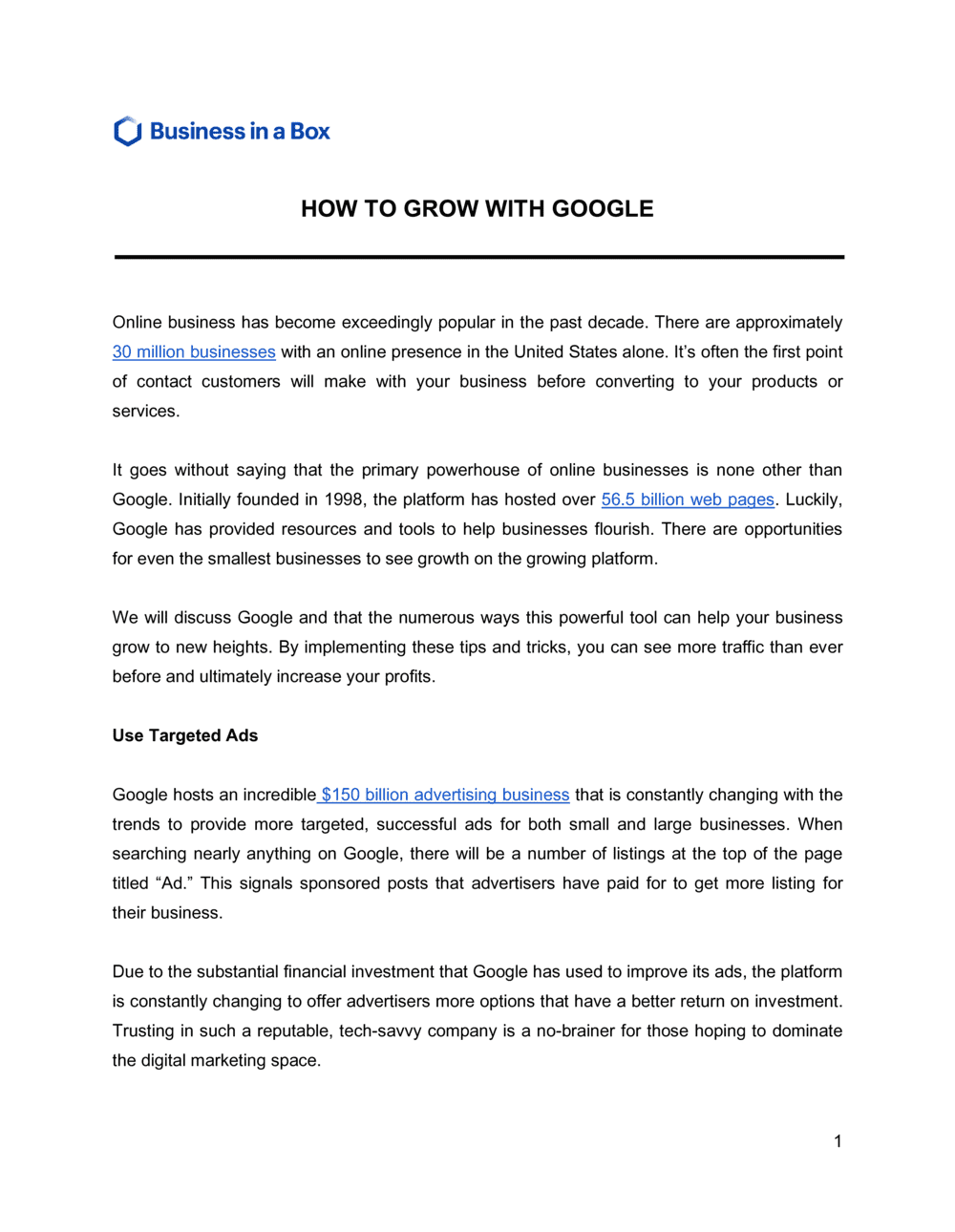
How To Grow With Google

Free to read β€’ Save or share with one click

FreeHow To Grow With Google Template

At a glance

What it is
A How To Grow With Google document is a structured operational guide that maps a business's strategy for gaining visibility, traffic, and customers through Google's suite of tools β€” Search, Google Business Profile, Google Ads, YouTube, and Analytics. This free Word download gives you a ready-to-edit framework you can customize for your business and export as PDF to share with your team or marketing partners.
When you need it
Use it when launching a new business that needs online visibility from day one, when an existing business is losing search traffic to competitors, or when formalizing a digital marketing strategy for a board, investor, or agency partner.
What's inside
Business and audience overview, Google Business Profile setup checklist, organic search and SEO priorities, Google Ads strategy, YouTube and content plan, Analytics and measurement framework, and a 90-day action roadmap with assigned owners and milestones.

What is a How To Grow With Google Document?

A How To Grow With Google document is a structured operational guide that maps a business's strategy for gaining visibility, traffic, and customers through Google's interconnected suite of tools β€” Google Search, Google Business Profile, Google Ads, YouTube, and Google Analytics. It moves beyond generic digital marketing advice by grounding each tactic in a specific Google product, a measurable outcome, and a time-boxed action assigned to a named owner. The document covers everything from claiming and optimizing a Google Business Profile for local discovery to building a keyword strategy for organic search and structuring paid campaigns that spend efficiently against a defined cost-per-acquisition target.

Why You Need This Document

Without a written Google growth strategy, marketing activity across Search, Ads, and your Business Profile remains uncoordinated β€” individual tactics launched in isolation, owned by no one, and measured against no baseline. The consequences are concrete: ad budgets drain on broad-match keywords before anyone reviews the Search Terms report, Google Business Profiles go unclaimed or stagnate and lose Local Pack ranking to competitors who post weekly, and Analytics is installed but never configured to track actual conversions. A formalized How To Grow With Google document eliminates each of these failure modes by establishing a clear baseline, sequencing tactics in the order they deliver impact, and assigning accountability for every action. This template gives you the structure to stop treating Google as a collection of disconnected tools and start running it as a coordinated growth channel with measurable returns.

Which variant fits your situation?

If your situation is…Use this template
Focusing exclusively on local foot-traffic and map discoveryLocal SEO Strategy Plan
Planning a paid search campaign with defined budget and targetsGoogle Ads Campaign Plan
Developing a broader digital marketing strategy beyond GoogleDigital Marketing Plan
Building a content calendar to support organic search rankingsContent Marketing Plan
Reporting on Google channel performance to leadership or clientsMarketing Performance Report
Launching a new product and mapping Google visibility from day oneProduct Launch Plan
Scoping Google growth work as part of a client proposalMarketing Proposal

Common mistakes to avoid

❌ Skipping the baseline audit

Why it matters: Launching new tactics without knowing what is already working or broken wastes budget and duplicates effort. A broken Analytics tag means you will never know which channels actually convert.

Fix: Spend the first two to four hours of any Google growth engagement running the audit section of this template before touching strategy or budget.

❌ Targeting broad-match keywords with no negative keyword list

Why it matters: Google's broad match interprets keywords loosely, triggering ads for irrelevant searches. A $1,500/month budget can be 40–60% wasted on non-converting queries within the first billing cycle.

Fix: Build a negative keyword list of at least 20 terms before launch and review the Search Terms report weekly for the first 60 days, adding negatives each time an irrelevant query triggers spend.

❌ Treating the Google Business Profile as a one-time setup task

Why it matters: Google's local ranking algorithm weights recency of activity. A profile untouched for 90 days loses Local Pack visibility to competitors who post and respond to reviews weekly.

Fix: Assign a specific person to post one update and respond to all new reviews weekly. Schedule this as a recurring calendar task, not a project task.

❌ Measuring success by impressions instead of conversions

Why it matters: An impression or click that never turns into a lead, sale, or booking has no business value. Reporting on impressions as a success metric misaligns the team and delays course correction.

Fix: Set up GA4 conversion events for every meaningful action β€” form submission, phone call click, purchase, or appointment booking β€” before any channel goes live.

The 9 key sections, explained

Business and audience overview

Current Google presence audit

Google Business Profile optimization plan

Organic search and SEO priorities

Google Ads strategy

YouTube and content plan

Analytics and measurement framework

90-day action roadmap

Budget and resource summary

How to fill it out

  1. 1

    Define your audience and primary outcome

    Write one paragraph describing your ideal customer β€” demographics, location, and what they search for when they need what you offer. Then state one specific, measurable outcome for the next 6 months.

    πŸ’‘ Tie the outcome to a business metric (leads, sales, bookings) rather than a traffic metric. Traffic is a means, not the goal.

  2. 2

    Run a baseline audit before writing any strategy

    Check whether your Google Business Profile is claimed and complete, install GA4 if it is not running, and pull 90 days of data from Search Console to see current query performance.

    πŸ’‘ If Search Console shows zero data, your site may not be indexed. Submit a sitemap at search.google.com/search-console before proceeding.

  3. 3

    Optimize your Google Business Profile completely

    Select the most specific primary category available, write a 750-character description that includes your top two keywords, upload at least 10 photos, and set up a process to request reviews within 48 hours of a completed transaction.

    πŸ’‘ Businesses with 10 or more recent photos receive 35% more click-throughs on average than listings with fewer β€” prioritize photo uploads in your first 30 days.

  4. 4

    Identify three to five keyword clusters for organic search

    Use Google Search Console (free) or a tool like Semrush to find queries your site already ranks for on page 2 or 3. These are your fastest organic wins β€” a single optimization pass can move them to page 1.

    πŸ’‘ Filter Search Console by queries with more than 100 impressions and a CTR below 3% β€” those pages already have Google's attention but need title-tag or content improvements to earn clicks.

  5. 5

    Build your Google Ads campaign structure

    Create one campaign per product or service line, not one campaign for everything. Write at least three ad variations per ad group and add 20 or more negative keywords before launch to filter irrelevant searches.

    πŸ’‘ Set a target CPA goal from day one, even if it is an estimate. Google's Smart Bidding needs a conversion signal to optimize β€” without one, it defaults to maximizing clicks, which often has poor ROI.

  6. 6

    Assign owners and deadlines to every roadmap task

    Go through the 90-day roadmap and add a name, not just a role, to every task. Set a specific date, not a sprint label. Calendar-blocking tasks increases completion rates significantly compared to open-ended sprint lists.

    πŸ’‘ Use the roadmap as the agenda for a monthly 30-minute review meeting. Tasks that are not reviewed are rarely completed.

  7. 7

    Set up weekly reporting before any campaign goes live

    Build a simple dashboard in GA4 or Google Looker Studio with your four or five core KPIs visible at a glance. Configure email summaries to send automatically every Monday morning.

    πŸ’‘ Link GA4 to Google Ads and Search Console so all data flows into one place β€” switching between three dashboards is the single biggest reason reporting gets skipped.

Frequently asked questions

What is a How To Grow With Google document?

A How To Grow With Google document is a structured operational guide that outlines a business's strategy for increasing visibility and customer acquisition through Google's tools β€” including Search, Google Business Profile, Google Ads, YouTube, and Analytics. It covers the current baseline, specific tactics for each channel, a measurement framework, and a time-boxed action roadmap with assigned owners. It functions as both an internal strategy document and a client-facing deliverable for marketing consultants.

What Google tools should a small business prioritize first?

For most small businesses, the highest-ROI starting point is a fully optimized Google Business Profile β€” it is free, affects local search and Maps visibility immediately, and requires no ad spend. The second priority is Google Search Console, which shows exactly what queries drive traffic to your site. Google Ads is the right third step once you have a clear conversion goal and a defined budget, typically a minimum of $500–$1,000 per month to generate statistically meaningful data.

How long does it take to see results from a Google growth strategy?

Google Business Profile improvements and technical SEO fixes can show measurable changes in 30–60 days. Organic search rankings for new or optimized pages typically improve over 3–6 months as Google re-crawls and re-evaluates content. Google Ads campaigns can generate clicks on day one but typically need 60–90 days of conversion data before Smart Bidding optimizes effectively. Plan for a 6-month horizon before evaluating the strategy's full impact.

How much should a small business budget for Google Ads?

A realistic starting budget for Google Search Ads is $500–$1,500 per month for a local service business, and $2,000–$5,000 per month for e-commerce or competitive national industries. Below $500 per month, there is rarely enough daily budget to generate the click and conversion volume Google's algorithm needs to optimize bidding. Budget should be set as a function of your target cost-per-acquisition β€” if a customer is worth $200 and you expect a 5% conversion rate, you need to budget for roughly $10 per click to break even.

What is the difference between organic search and Google Ads?

Organic search results are unpaid listings that appear because Google's algorithm determines a page is the most relevant match for a query. Google Ads are paid placements that appear at the top or bottom of search results, marked with a small 'Sponsored' label. Organic search builds compounding traffic over time but requires months of SEO investment. Google Ads generate immediate traffic but stop the moment you pause spend. Most businesses use both: ads for immediate lead generation and SEO for long-term traffic that does not depend on a daily budget.

Do I need a Google Business Profile if I already have a website?

Yes. A Google Business Profile controls how your business appears in Google Maps and the Local Pack β€” the map-and-three-listing block at the top of search results for location-based queries. A website alone does not populate that section. For any business serving a local geography, the Local Pack typically drives more clicks than the organic blue-link results below it. An unclaimed or incomplete profile also allows Google or third parties to suggest incorrect information about your business.

How do I measure whether a Google growth strategy is working?

Track four core metrics: organic sessions and their trend over 90 days (via GA4 or Search Console), Google Business Profile actions β€” calls, direction requests, and website clicks (via the Profile's Insights tab), Google Ads cost per conversion compared to your target CPA, and total conversions from Google channels as a share of overall conversions. Review these weekly for the first 90 days and monthly thereafter. Any channel where cost per conversion exceeds your target for 60 or more days needs a strategy change, not more budget.

Can this template be used by a marketing agency as a client deliverable?

Yes. The template is structured to function as a client-facing strategy document. Replace the placeholder company details with the client's information, populate the audit section with real data from their Google accounts, and use the 90-day roadmap as the basis for a kickoff or monthly review agenda. Agencies commonly deliver this type of document as a paid strategy engagement, typically priced at $500–$2,500 depending on depth and client size.

What is the Google Ad Grants program for nonprofits?

Google Ad Grants provides eligible nonprofits with up to $10,000 per month in free Google Search Ads spend. To qualify, the organization must hold a valid charity status, have a live website that meets Google's quality standards, and comply with program policies β€” including maintaining a minimum 5% CTR and only running keyword-targeted Search campaigns. The grant cannot be used for Display, Shopping, or YouTube ads. Nonprofits should include Ad Grants strategy as a dedicated section when completing this template.

How this compares to alternatives

vs Digital Marketing Plan

A Digital Marketing Plan spans all online channels β€” email, social media, SEO, paid search, and display. A How To Grow With Google document focuses exclusively on Google's ecosystem. Use the Google-specific template when Google channels represent the primary acquisition focus, and the broader Digital Marketing Plan when you need a unified strategy across multiple platforms.

vs Content Marketing Plan

A Content Marketing Plan governs what content to produce, for which audiences, and across which formats and channels. A How To Grow With Google document uses content strategy as one input to an SEO and YouTube channel plan. The two documents complement each other β€” a Content Marketing Plan drives the editorial calendar that feeds the SEO sections of the Google growth strategy.

vs Marketing Proposal

A Marketing Proposal is a sales document an agency or consultant sends to a prospective client to scope and price a marketing engagement. A How To Grow With Google document is the strategy deliverable produced after the proposal is accepted. The proposal wins the work; this template documents what will actually be done and how success will be measured.

vs Strategic Plan

A Strategic Plan covers company-wide goals, resource allocation, and multi-year initiatives across all functions. A How To Grow With Google document is a channel-specific execution plan that sits one level below corporate strategy. It feeds into the marketing section of a broader strategic plan but is narrower in scope and more tactically detailed.

Industry-specific considerations

Retail and e-commerce

Google Shopping campaigns, product-level keyword targeting, and Google Merchant Center feed optimization are the primary growth levers alongside local store visibility.

Professional services

Local Service Ads with Google Guarantee badge, review generation for Google Business Profile, and high-intent search campaigns targeting service-plus-city keyword combinations.

Food and beverage

Google Business Profile completeness and review volume are dominant local ranking factors; menu and reservation integrations drive direct discovery-to-booking conversions.

SaaS and technology

Bottom-of-funnel search campaigns targeting competitor and comparison keywords, combined with YouTube pre-roll for awareness, and Search Console-driven blog content for organic pipeline.

Healthcare and wellness

Google's sensitive category policies restrict ad targeting for some health conditions; HIPAA-compliant Analytics configuration and Google Business Profile appointment booking integration are critical setup steps.

Nonprofit organizations

Google Ad Grants provides up to $10,000 per month in free Search Ads spend; compliance with grant policies and conversion tracking setup are prerequisites to sustaining the benefit.

Template vs pro β€” what fits your needs?

PathBest forCostTime
Use the templateSmall business owners and in-house marketers building their first structured Google strategyFree4–8 hours to complete
Template + professional reviewBusinesses spending $1,000 or more per month on Google Ads or targeting competitive local markets$300–$1,000 for a one-time review with a digital marketing consultant1–2 days
Custom draftedAgencies delivering a branded strategy to clients, or businesses with complex multi-location or multi-market Google presences$1,500–$5,000 for a fully custom Google growth strategy engagement2–4 weeks

Glossary

Google Business Profile
A free Google tool that controls how a business appears in Google Search and Maps, including hours, reviews, photos, and contact information.
Organic Search
Unpaid traffic that arrives from Google's search results based on how well a page matches a user's query and meets Google's quality signals.
Search Engine Optimization (SEO)
The practice of improving a website's content, structure, and authority so it ranks higher in organic search results for relevant queries.
Google Ads
Google's pay-per-click advertising platform that places ads in search results, on YouTube, and across the Google Display Network.
Keyword
A word or phrase that users type into Google; targeting the right keywords drives relevant traffic to a website or ad.
Click-Through Rate (CTR)
The percentage of people who click a search result or ad after seeing it β€” calculated as clicks divided by impressions.
Google Search Console
A free Google tool that shows which queries drive traffic to a site, how pages rank, and any indexing or technical errors Google has detected.
Google Analytics 4 (GA4)
Google's current analytics platform that tracks user behavior across a website and app, reporting sessions, conversions, and audience segments.
Ad Quality Score
Google's rating (1–10) of how relevant an ad, its keywords, and its landing page are to the user's query β€” higher scores lower cost-per-click.
Local Pack
The map and three-business listing block that appears at the top of Google Search results for location-based queries.
Conversion
A specific action a visitor takes that the business has defined as valuable β€” a purchase, form submission, phone call, or appointment booking.

Part of your Business Operating System

This document is one of 3,000+ business & legal templates included in Business in a Box.

  • Fill-in-the-blanks β€” ready in minutes
  • Compatible with all office suites
  • Export to PDF and share electronically

Create your document in 3 simple steps.

From template to signed document β€” all inside one Business Operating System.
1
Download or open template

Access over 3,000+ business and legal templates for any business task, project or initiative.

2
Edit and fill in the blanks with AI

Customize your ready-made business document template and save it in the cloud.

3
Save, Share, Send, Sign

Share your files and folders with your team. Create a space of seamless collaboration.

Save time, save money, and create top-quality documents.

β˜…β˜…β˜…β˜…β˜…

"Fantastic value! I'm not sure how I'd do without it. It's worth its weight in gold and paid back for itself many times."

Managing Director Β· Mall Farm
Robert Whalley
Managing Director, Mall Farm Proprietary Limited
β˜…β˜…β˜…β˜…β˜…

"I have been using Business in a Box for years. It has been the most useful source of templates I have encountered. I recommend it to anyone."

Business Owner Β· 4+ years
Dr Michael John Freestone
Business Owner
β˜…β˜…β˜…β˜…β˜…

"It has been a life saver so many times I have lost count. Business in a Box has saved me so much time and as you know, time is money."

Owner Β· Upstate Web
David G. Moore Jr.
Owner, Upstate Web

Run your business with a system β€” not scattered tools

Stop downloading documents. Start operating with clarity. Business in a Box gives you the Business Operating System used by over 250,000 companies worldwide to structure, run, and grow their business.

Start freeΒ Β·Β No credit card required