Customer Service Action Form Template

Free Word download β€’ Edit online β€’ Save & share with Drive β€’ Export to PDF

2 pagesβ€’20–25 min to fillβ€’Difficulty: Standard
Learn more ↓
FreeCustomer Service Action Form Template

At a glance

What it is
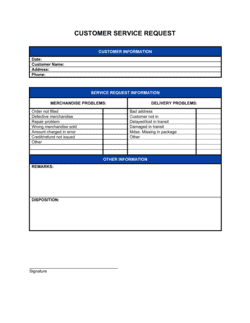
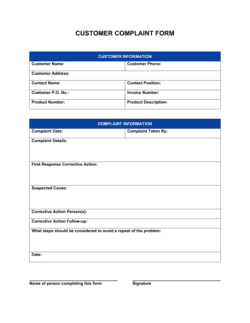
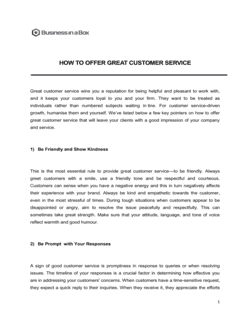
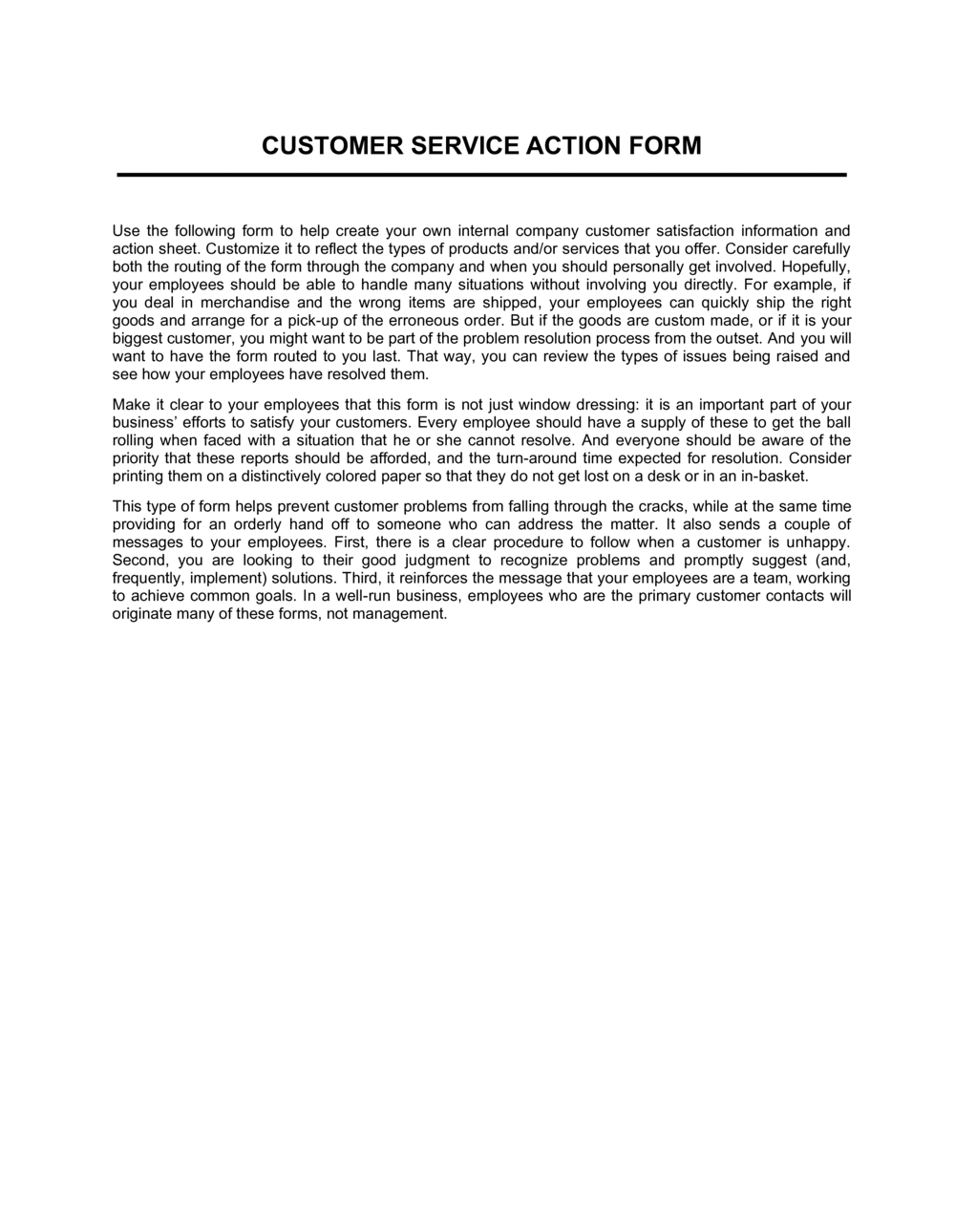
A Customer Service Action Form is a structured document used to record a customer complaint or service issue, capture the customer's details and account information, describe the problem, and track the corrective actions taken through to resolution. This free Word download can be edited online and exported as PDF for use in-store, over the phone, or via email.
When you need it
Use it whenever a customer reports a defective product, billing error, service failure, or unresolved complaint that requires a documented follow-up action. It is especially useful when multiple team members or departments are involved in resolving the issue.
What's inside
Customer and account details, issue date and case number, complaint description and severity level, assigned representative, action steps taken with dates, resolution status, and a customer acknowledgment field.

What is a Customer Service Action Form?

A Customer Service Action Form is a structured business document used to record a customer complaint or service issue from the moment it is reported through to final resolution. It captures the customer's contact and account details, a specific description of the problem, the severity level, the corrective actions taken at each stage, and a confirmation that the customer accepted the outcome. Unlike a simple complaint log that records only that an issue occurred, an action form creates a complete, auditable case record that any team member can pick up, understand, and act on at any point in the process.

Why You Need This Document

Without a standardized form, customer complaints get handled inconsistently β€” some are resolved quickly by attentive representatives while others stall because ownership was never assigned. That inconsistency costs real money: unresolved complaints drive chargebacks, negative reviews, and customer churn. A completed action form gives every case a named owner, a documented action trail, and a mandatory follow-up date, making it impossible for an issue to fall through the cracks between shifts or departments. For managers, a stack of completed forms is also a diagnostic tool β€” recurring complaint types, slow resolution times, and high-severity clusters are visible at a glance. This template gives your team a ready-to-use format they can fill in within minutes, on paper or on-screen, without any additional software.

Which variant fits your situation?

If your situation is…Use this template
Logging a one-off product defect or return requestCustomer Complaint Form
Tracking ongoing service requests across multiple touchpointsCustomer Service Log
Documenting a formal written complaint requiring a signed responseCustomer Complaint Letter
Capturing post-resolution feedback from the customerCustomer Satisfaction Survey
Escalating a complaint to a manager with full case historyCustomer Escalation Report
Handling product returns with refund approval workflowReturn Merchandise Authorization (RMA) Form

Common mistakes to avoid

❌ Vague complaint descriptions

Why it matters: A description like 'customer not satisfied' gives the resolution team nothing to act on β€” they must call the customer again, doubling handle time and frustrating an already unhappy person.

Fix: Train representatives to capture the specific product, date of purchase, what happened, and what the customer wants β€” four pieces of information that make every resolution faster.

❌ No named owner on escalated cases

Why it matters: When a case is escalated without a named assignee, it sits in a shared queue with no one accountable β€” complaints age past promised response windows and trigger chargebacks or public reviews.

Fix: Require a named representative and an escalation-accepted date before the form moves to the next team. Never leave the assigned field blank.

❌ Closing cases without customer confirmation

Why it matters: A case marked closed by the representative but not confirmed by the customer will reopen β€” often with higher urgency and a more frustrated customer β€” adding handling cost and churn risk.

Fix: Set a mandatory follow-up date at resolution and do not mark a case closed until the customer acknowledgment field is completed.

❌ Inconsistent severity ratings across representatives

Why it matters: If one representative marks every complaint 'critical' and another uses 'low' by default, prioritization reports become meaningless and managers cannot allocate resources accurately.

Fix: Create a one-page severity guide with concrete examples for each level β€” e.g., 'Critical: customer cannot use product and has a business impact today' β€” and attach it to the form.

The 9 key fields, explained

Case number and date

Customer information

Complaint description

Severity and priority level

Assigned representative and department

Action steps taken

Resolution and outcome

Follow-up date and status

Customer acknowledgment

How to fill it out

  1. 1

    Assign a case number and record the intake date

    Generate the next sequential case number using your numbering format (e.g., CS-2026-0001) and record the exact date and channel the complaint was received.

    πŸ’‘ If you handle complaints across multiple channels, prefix by channel β€” PHONE-0001, EMAIL-0001 β€” so reports can be filtered by source.

  2. 2

    Collect and verify customer details

    Enter the customer's name, phone, email, and account or order number. Pull their purchase or account history before continuing so the representative has full context.

    πŸ’‘ Ask for the order number before taking the complaint description β€” it anchors every detail that follows to a verifiable transaction.

  3. 3

    Record the complaint in the customer's own words

    Write a factual description of the issue as the customer described it, including product name, serial number, date of purchase, and what they expected versus what happened.

    πŸ’‘ Avoid paraphrasing into internal jargon β€” 'the unit malfunctioned' loses specifics that the technical team needs to reproduce and resolve the issue.

  4. 4

    Assign a severity level and route to the right team

    Select the severity and priority level based on your company's escalation matrix, then assign the case to the representative or department best equipped to resolve it.

    πŸ’‘ Post your escalation matrix on the wall near every service station β€” representatives should not have to guess whether an issue is 'medium' or 'high'.

  5. 5

    Document every action step with dates

    As each corrective action is taken, log it with the date, the representative's name, what was done, and the outcome. Add new rows for each subsequent action.

    πŸ’‘ Enter action steps in real time, not at the end of the shift β€” delays cause omissions that make audit trails incomplete.

  6. 6

    Record the resolution and set a follow-up date

    Once the issue is resolved, write a clear one-line resolution summary, set a follow-up date 3–5 business days out, and update the status to 'Pending Follow-Up'.

    πŸ’‘ Set a calendar reminder for the follow-up date the moment you enter it β€” do not rely on memory or the queue.

  7. 7

    Confirm customer acknowledgment and close the case

    Contact the customer on the follow-up date, confirm they are satisfied, record the confirmation method and date, and update the status to 'Closed'.

    πŸ’‘ A two-sentence follow-up email asking 'Is everything resolved to your satisfaction?' serves as written acknowledgment and protects against future chargebacks.

Frequently asked questions

What is a customer service action form?

A customer service action form is a structured document used to record a customer complaint or service issue from intake through resolution. It captures the customer's details, a description of the problem, the corrective actions taken, and the final resolution outcome. It serves as both a workflow tool for the service team and an auditable record of how each complaint was handled.

When should a business use a customer service action form?

Use it whenever a customer reports a problem that requires a documented follow-up action β€” defective products, billing errors, service failures, delivery issues, or complaints involving multiple departments. Any issue that cannot be resolved in a single interaction benefits from a formal record that tracks progress and ownership.

What is the difference between a customer service action form and a complaint log?

A complaint log is a simple list recording that a complaint was received β€” typically date, customer name, and issue type. A customer service action form is a full case record that also documents the corrective steps taken, who was responsible, the resolution outcome, and customer confirmation. Use a log for volume tracking and a form for individual case management.

Does a customer service action form need to be signed?

A signature is not legally required for an internal service record, but capturing a customer acknowledgment β€” via email reply, verbal confirmation noted on the form, or an in-person signature β€” protects the business if the customer later disputes the resolution. For high-value resolutions such as refunds over a set threshold, a written acknowledgment is strongly recommended.

How should completed forms be stored?

Store completed forms in a shared digital folder or your CRM system, organized by case number and date. Retention for 12–24 months is standard for most service records; industries with regulatory obligations β€” financial services, healthcare β€” may require longer retention. Never store personally identifiable customer data in unsecured local files.

Can this form be used in a call center environment?

Yes. Call center teams typically pre-populate the form with the customer's account details pulled from the CRM before taking the complaint, then complete the description and severity fields during the call. A printed or on-screen version works equally well; the key is that every representative uses the same fields in the same order to keep case records consistent.

How do I use this form to identify recurring issues?

Review completed forms weekly or monthly, grouping cases by complaint type, product, or department. Recurring patterns β€” three or more cases with the same root cause β€” signal a process or product defect worth addressing at the source. The root-cause and action-steps fields are specifically designed to surface these patterns when analyzed in aggregate.

What should I do if the customer refuses to acknowledge the resolution?

Note the refusal in the customer acknowledgment field with the date and method of contact, and escalate the case to a supervisor for review before closing it. Document any offer made and the customer's stated reason for declining. This creates a complete record if the customer escalates to a chargeback, consumer protection agency, or review platform.

How this compares to alternatives

vs Customer Complaint Form

A customer complaint form captures the initial report of an issue β€” customer details, date, and description β€” but stops there. A customer service action form extends that record to include assigned ownership, corrective action steps, resolution outcome, and follow-up confirmation. Use the complaint form for simple one-touch resolutions; use the action form when multiple steps or team members are involved.

vs Customer Satisfaction Survey

A satisfaction survey measures how customers feel about their overall experience, typically after a transaction or support interaction. A customer service action form documents what actually happened during a complaint case. The two are complementary β€” the action form drives resolution, while the survey measures whether the resolution landed well.

vs Customer Service Log

A customer service log is a running list of interactions β€” date, customer, issue type, and outcome in a single line per entry. It is designed for volume tracking and management reporting. A customer service action form is a deep single-case record with full detail on actions taken. Use the log to spot trends; use the action form to manage individual cases.

vs Return Merchandise Authorization (RMA) Form

An RMA form is specific to product returns β€” it authorizes the customer to ship goods back and specifies the replacement or refund terms. A customer service action form covers the full range of complaint types, including billing, service, and non-product issues, and tracks resolution workflow rather than just authorizing a return.

Industry-specific considerations

Retail and e-commerce

Tracks product returns, delivery failures, and refund requests, with order number and SKU fields linking each case to a transaction record.

Financial services

Documents billing disputes, unauthorized transaction claims, and account access issues under regulatory complaint-handling timeframes.

Healthcare

Records patient service complaints β€” scheduling errors, billing discrepancies, and facility issues β€” with HIPAA-compliant handling of personally identifiable information.

Field service and facilities

Logs on-site service failures and technician dispatch actions, linking each case to a work order number and equipment serial number.

Template vs pro β€” what fits your needs?

PathBest forCostTime
Use the templateSmall businesses, retail teams, and call centers that need a consistent complaint record without a CRMFree5 minutes per case
Template + professional reviewTeams adding industry-specific fields, regulatory retention language, or multi-department escalation workflows$0–$100 (operations manager or process consultant review)1–2 hours
Custom draftedEnterprises integrating complaint tracking into a CRM, helpdesk platform, or regulatory reporting system$500–$3,000+ (system configuration or developer build)1–4 weeks

Glossary

Case Number
A unique identifier assigned to each complaint record so it can be tracked, retrieved, and referenced across teams.
Severity Level
A classification β€” such as low, medium, high, or critical β€” indicating how urgently the issue needs to be resolved.
Assigned Representative
The specific employee responsible for following up on the complaint and driving it to resolution.
Corrective Action
The specific step taken to fix the problem, such as issuing a refund, replacing a product, or escalating to a specialist.
Resolution Status
The current state of the complaint β€” open, in progress, pending customer response, or closed.
Escalation
The process of forwarding an unresolved complaint to a higher authority or specialist team when the first contact cannot resolve it.
Root Cause
The underlying reason the issue occurred, documented to prevent the same problem from recurring with other customers.
Customer Acknowledgment
A field or signature line confirming that the customer has been informed of the resolution and agrees the matter is closed.
Follow-Up Date
A scheduled date on which the assigned representative must contact the customer to confirm the issue remains resolved.

Part of your Business Operating System

This document is one of 3,000+ business & legal templates included in Business in a Box.

  • Fill-in-the-blanks β€” ready in minutes
  • 100% customizable Word document
  • Compatible with all office suites
  • Export to PDF and share electronically

Create your document in 3 simple steps.

From template to signed document β€” all inside one Business Operating System.
1
Download or open template

Access over 3,000+ business and legal templates for any business task, project or initiative.

2
Edit and fill in the blanks with AI

Customize your ready-made business document template and save it in the cloud.

3
Save, Share, Send, Sign

Share your files and folders with your team. Create a space of seamless collaboration.

Save time, save money, and create top-quality documents.

β˜…β˜…β˜…β˜…β˜…

"Fantastic value! I'm not sure how I'd do without it. It's worth its weight in gold and paid back for itself many times."

Managing Director Β· Mall Farm
Robert Whalley
Managing Director, Mall Farm Proprietary Limited
β˜…β˜…β˜…β˜…β˜…

"I have been using Business in a Box for years. It has been the most useful source of templates I have encountered. I recommend it to anyone."

Business Owner Β· 4+ years
Dr Michael John Freestone
Business Owner
β˜…β˜…β˜…β˜…β˜…

"It has been a life saver so many times I have lost count. Business in a Box has saved me so much time and as you know, time is money."

Owner Β· Upstate Web
David G. Moore Jr.
Owner, Upstate Web

Run your business with a system β€” not scattered tools

Stop downloading documents. Start operating with clarity. Business in a Box gives you the Business Operating System used by over 250,000 companies worldwide to structure, run, and grow their business.

Free Forever PlanΒ Β·Β No credit card required