1
Complete the header with company and review details
Enter your organization name, the compliance area being reviewed, the specific review period, and today's assessment date. These fields anchor every subsequent entry to a specific audit cycle.
💡 Save a copy of the blank template with your company name and standard review periods pre-filled to speed up recurring assessments.
2
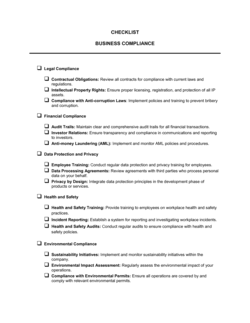
Organize requirements into categories
Group related obligations under labeled category headings — for example, 'Labor Law', 'Data Protection', and 'Financial Reporting'. This lets you assign each category to the department responsible for it.
💡 Limit each category to 8–12 items. If a category grows beyond that, split it into subcategories to keep the checklist scannable.
3
Write specific, source-referenced requirement descriptions
For each item, write a plain-language description of the obligation and note the regulation, policy, or standard it comes from. Avoid vague headings — a reviewer who did not write the checklist must be able to act on each item independently.
💡 Link directly to the relevant regulatory section or internal policy document in the reference column wherever possible.
4
Assign an owner and due date to every item
Name a specific individual or role as owner for each requirement and set a calendar due date. Recurring obligations should use a frequency label (e.g., 'Annual — Q4') rather than a one-time date.
💡 Cross-reference due dates with your compliance calendar to catch overlaps where the same person owns multiple deadlines in the same week.
5
Set risk ratings before beginning the review
Before any reviewer marks status fields, classify every item as High, Medium, or Low risk based on the consequence of non-compliance. This ensures the team prioritizes gaps in the right order.
💡 Any item that could result in regulatory enforcement, financial penalty, or personal liability should be rated High regardless of how easy it is to fix.
6
Record status and evidence references as you review
For each item, mark the status (Complete, In Progress, Not Started, or N/A) and log the specific document or record that supports a Complete status. Do not mark an item Complete without an evidence reference.
💡 Review in category order and have the relevant department owner present when assessing items within their area — they will know where supporting records are stored.
7
Log corrective actions for every gap
For any item not marked Complete or N/A, enter a corrective action description, assign it to a named individual, and set a target resolution date. Confirm each corrective action is transferred to your action-tracking system.
💡 Schedule a follow-up review date on the checklist itself so gaps do not sit open until the next annual cycle.
8
Obtain reviewer sign-off and file the completed checklist
Have the person who conducted the assessment sign and date the sign-off block. Save the completed checklist with the review period in the file name and store it in your compliance records folder.
💡 Retain completed checklists for at least three years — or longer if your industry has specific record-retention requirements — so they are available for external audits.