Application Acknowledgment Template

Free Word download β€’ Edit online β€’ Save & share with Drive β€’ Export to PDF

1 pageβ€’15–25 min to fillβ€’Difficulty: Standard
Learn more ↓
FreeApplication Acknowledgment Template

At a glance

What it is
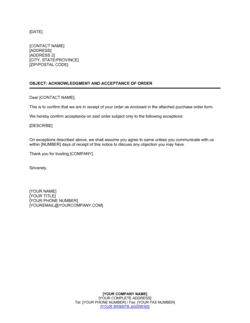
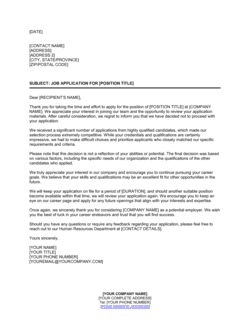
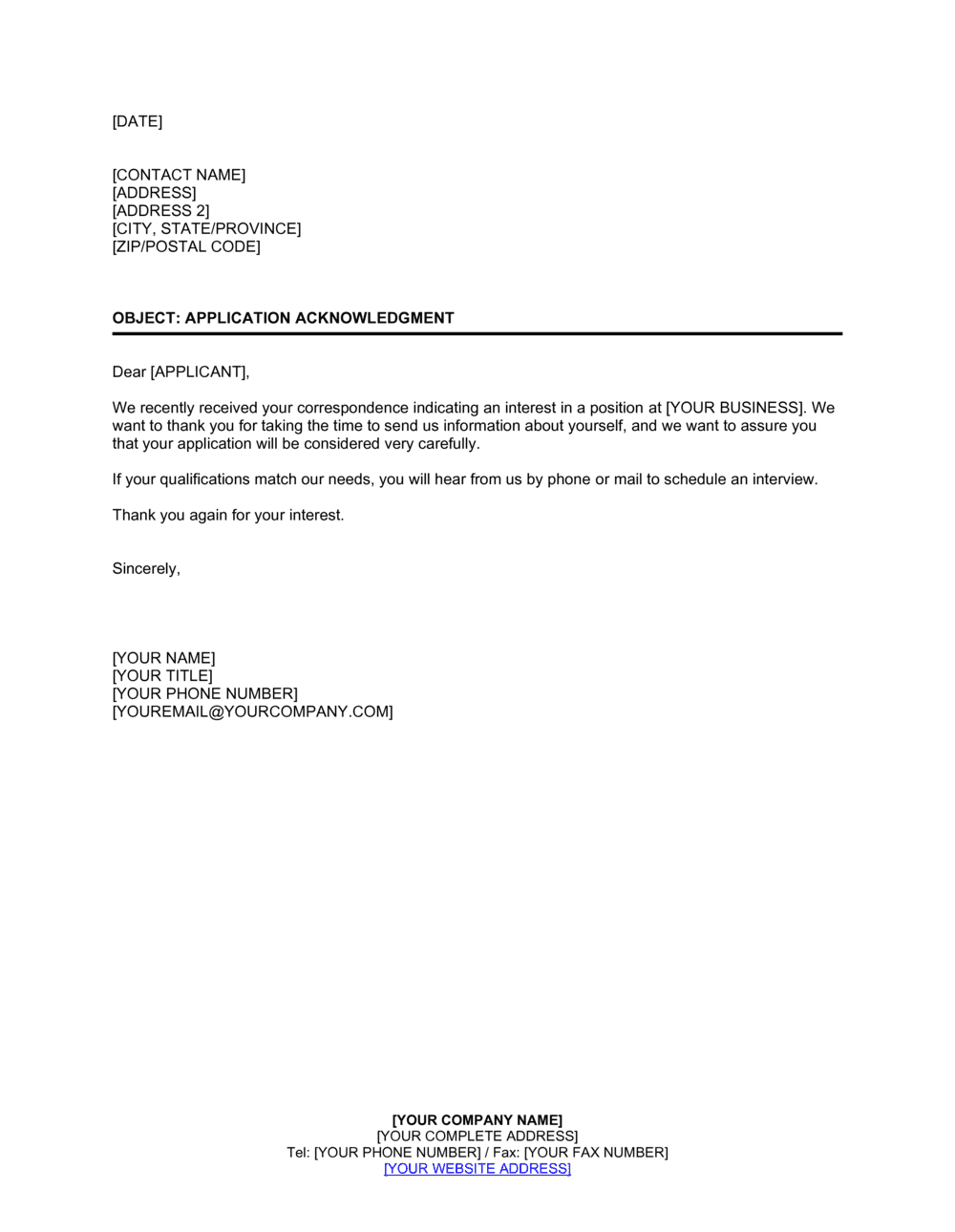
An Application Acknowledgment is a short formal document β€” typically one page β€” sent to confirm that an organization has received a submitted application and that it is under review. This free Word download gives you a ready-to-edit template you can customize with your organization's branding, the applicant's details, and the next steps in your process, then send by email or post in minutes.
When you need it
Use it immediately after receiving any formal application β€” for a job opening, grant program, loan, rental unit, or membership β€” to confirm receipt and set timeline expectations before a decision is made.
What's inside
Organization header and contact details, applicant name and reference number, confirmation of receipt with the application date, next steps and estimated review timeline, and a contact point for follow-up inquiries.

What is an Application Acknowledgment?

An Application Acknowledgment is a short formal document an organization sends to confirm that a submitted application β€” for a job, loan, grant, rental unit, membership, or program β€” has been received and logged for review. It typically runs one page and includes a unique reference number, the date the application was received, a brief description of the review process and expected timeline, and a named contact for follow-up inquiries. It does not constitute a decision, a commitment to advance the applicant, or an evaluation of any kind.

Why You Need This Document

Without a formal acknowledgment, applicants have no confirmation their submission arrived β€” and will follow up by phone and email, creating volume your team has to absorb before any review has even started. A missing or delayed acknowledgment also signals organizational disorganization to candidates or program applicants who are simultaneously evaluating your professionalism. Lenders and grant administrators in regulated contexts may be required to issue receipt confirmation within a defined window; failing to do so creates a compliance gap. A standardized acknowledgment template eliminates all of these problems in under five minutes per applicant β€” setting clear expectations, reducing inbound status inquiries, and giving every applicant a reference number they can use to track their submission through your process.

Which variant fits your situation?

If your situation is…Use this template
Acknowledging a job or employment applicationJob Application Acknowledgment Letter
Confirming receipt of a loan or credit applicationLoan Application Acknowledgment
Responding to a grant or scholarship submissionGrant Application Acknowledgment
Confirming a rental or tenancy application has been receivedRental Application Acknowledgment
Following up after an interview to keep candidates informedInterview Follow-Up Letter
Notifying an applicant of a final hiring decisionJob Offer Letter
Informing an unsuccessful applicant after review is completeRejection Letter

Common mistakes to avoid

❌ Omitting the application reference number

Why it matters: Without a reference number, follow-up inquiries from applicants cannot be matched to their file quickly, increasing the time your team spends on each inbound call or email.

Fix: Assign a sequential reference number to every application at intake and include it on the acknowledgment before sending.

❌ Promising a specific decision date you cannot meet

Why it matters: When the stated date passes with no communication, applicants assume rejection or lose confidence in the organization β€” increasing drop-off from strong candidates.

Fix: Use a range (e.g., '10–15 business days') and build in buffer. Send a brief update if the timeline slips.

❌ Sending a generic acknowledgment without the applicant's name

Why it matters: Impersonal form letters signal low investment in the applicant experience and can damage employer brand or program reputation, especially for competitive roles.

Fix: Use a mail-merge or template variable to insert the applicant's name into every acknowledgment before it goes out.

❌ Not flagging missing documents in the acknowledgment

Why it matters: If required materials are missing and the applicant is not told immediately, the review stalls β€” costing time for both sides and extending the hiring or approval cycle.

Fix: Include a completeness check as a standard field in every acknowledgment, and list any outstanding items with a submission deadline.

The 9 key fields, explained

Organization header

Date of acknowledgment

Applicant name and address

Application reference number

Application type and position or program

Confirmation of receipt statement

Review timeline and next steps

Completeness note or outstanding requirements

Contact information for inquiries

How to fill it out

  1. 1

    Add your organization's header and branding

    Insert your organization's name, logo, full address, phone number, and official email address at the top of the template. This establishes credibility and gives the applicant a verifiable sender.

    πŸ’‘ Save a pre-branded version of the template so you only need to update the applicant-specific fields for each new acknowledgment.

  2. 2

    Enter the acknowledgment date

    Insert today's date β€” the date you are actually sending the document, not the date you created the file. Use a written date format (e.g., May 2, 2026) to avoid regional MM/DD vs. DD/MM ambiguity.

    πŸ’‘ If you batch-send acknowledgments weekly, note the actual submission date separately in the body to clarify when the application arrived versus when you responded.

  3. 3

    Fill in the applicant's name and contact details

    Enter the applicant's full name as they submitted it, and their mailing address or email address. Address the letter directly to them by name.

    πŸ’‘ Copy the name exactly as the applicant wrote it β€” do not alter spelling or format, as errors in the applicant's name erode trust immediately.

  4. 4

    Assign and enter a reference number

    Generate a unique reference number for this application β€” a format like REF-2026-0042 is sortable and prevents duplicates. Enter it clearly so the applicant can quote it in any follow-up.

    πŸ’‘ Log the reference number in your applicant tracking spreadsheet or ATS at the same time you issue the acknowledgment to keep records synchronized.

  5. 5

    Specify the application type and role or program

    State exactly what the applicant applied for β€” the job title, grant name, loan product, or program category. Include the department or division if relevant.

    πŸ’‘ If your organization runs multiple concurrent application processes, this field is what prevents the wrong acknowledgment being sent to the wrong applicant.

  6. 6

    Set a realistic review timeline and describe next steps

    Enter a timeframe you can reliably meet β€” use a range rather than a fixed date. Briefly describe what happens next: screening call, document review, committee decision, or interview invitation.

    πŸ’‘ If your timeline changes after sending the acknowledgment, send a brief update. Applicants who receive no communication after the stated window assume they have been rejected.

  7. 7

    Note any outstanding documents and provide the contact point

    If the application is incomplete, list the missing items and the deadline to submit them. Close by naming a specific contact person and their email or phone number for follow-up questions.

    πŸ’‘ Include the reference number in the contact instruction β€” 'please quote REF-2026-0042 in all correspondence' β€” so your team can pull the file instantly when an applicant calls.

Frequently asked questions

What is an application acknowledgment?

An application acknowledgment is a brief formal document sent to confirm that an organization has received a submitted application β€” for a job, loan, grant, rental unit, or program β€” and that it is under review. It typically includes a reference number, the date the application was received, the estimated review timeline, and a contact point for follow-up questions. It does not constitute a decision or a commitment to proceed.

When should I send an application acknowledgment?

Send it as soon as possible after receiving the application β€” ideally within one to two business days. Prompt acknowledgment reduces follow-up inquiries from applicants, sets clear expectations, and signals that your organization runs a professional, organized process. For high-volume processes, an automated acknowledgment sent the same day is best practice.

Is an application acknowledgment legally required?

In most jurisdictions, there is no general legal requirement to send an application acknowledgment for employment or program applications. However, some regulated industries β€” financial services, government contracting, and federally funded grant programs β€” may have notification requirements tied to application receipt. Even where not required, sending one is strongly recommended as a professional standard.

What is the difference between an application acknowledgment and a job offer letter?

An application acknowledgment confirms receipt and indicates the application is under review β€” it carries no commitment. A job offer letter is issued after the review process and extends a formal offer of employment with specific terms. Sending an acknowledgment does not obligate the organization to make an offer or advance the applicant to any subsequent stage.

Should an application acknowledgment include feedback on the application?

No. An acknowledgment issued at receipt stage should not include evaluative feedback. It confirms receipt only and sets timeline expectations. Providing premature feedback β€” positive or negative β€” creates legal and process risk, especially in regulated hiring contexts. Save substantive feedback for post-decision communications.

Can I use the same acknowledgment template for different application types?

Yes β€” with minor customization. The core fields (organization header, applicant name, reference number, confirmation statement, timeline) apply to any application type. You will need to adjust the subject line, the description of next steps, and any completeness requirements to reflect whether the application is for a job, a loan, a grant, or another program.

How long should an application acknowledgment be?

One page is the standard length. An acknowledgment should be concise β€” three to five short paragraphs covering receipt confirmation, reference number, next steps, and contact information. Longer documents create confusion about whether a decision has already been made and bury the key information the applicant needs.

What should I include in the next steps section?

Describe what happens immediately after receipt β€” for example, an initial screening by the HR team, a document verification stage, or a committee review β€” and give a realistic timeframe. If the next contact will be an interview invitation or a status update email, say so. Clarity about the process reduces applicant anxiety and the volume of status-check inquiries your team receives.

How this compares to alternatives

vs Job offer letter

A job offer letter is issued after a hiring decision has been made and extends a formal, binding offer of employment with stated terms. An application acknowledgment is issued at intake β€” it confirms receipt only and creates no employment obligation. The two documents appear at opposite ends of the hiring process.

vs Rejection letter

A rejection letter communicates a final negative decision after review is complete. An application acknowledgment is sent before any evaluation begins and carries no decision. Both are applicant-facing communications, but they serve entirely different purposes and are sent at different stages.

vs Interview follow-up letter

An interview follow-up letter is sent after a candidate has completed an interview, typically to confirm next steps or keep them engaged while a decision is pending. An application acknowledgment is sent earlier β€” at the point of receipt, before any screening or interview has occurred.

vs Letter of intent

A letter of intent is issued by an applicant to express serious interest before or alongside a formal application. An application acknowledgment is the organization's response confirming it has received that application. The two documents are companion pieces in the same process but originate from opposite parties.

Industry-specific considerations

Human resources and staffing

High-volume hiring processes require acknowledgments that include a unique reference number and an ATS-aligned tracking code so recruiters can match inbound queries to candidate files instantly.

Financial services and lending

Loan and credit applications often require a dated acknowledgment that records the submission date for regulatory compliance and sets the clock on statutory review periods.

Nonprofit and grant administration

Grant programs receiving hundreds of applications depend on acknowledgments to communicate eligibility confirmation, outstanding document requirements, and committee review schedules to applicants.

Government and public sector

Permit, benefit, and program applications at the municipal or federal level frequently require a formal receipt notice as part of the official administrative record and statutory notification process.

Template vs pro β€” what fits your needs?

PathBest forCostTime
Use the templateHR teams, small businesses, nonprofits, and administrators sending standard application acknowledgmentsFree5 minutes per acknowledgment
Template + professional reviewOrganizations in regulated industries where receipt notifications have compliance implications$50–$150 for a compliance or HR advisor check1–2 hours
Custom draftedGovernment agencies or large institutions requiring acknowledgments integrated into formal case management or statutory notification workflows$200–$800 for a process design or legal review1–3 days

Glossary

Application Reference Number
A unique identifier assigned to each submitted application so both the organization and the applicant can track it through the review process.
Acknowledgment Date
The date the organization issues the confirmation, which may differ from the date the application was originally received.
Review Timeline
The estimated period β€” stated in business days or weeks β€” within which the organization expects to complete its assessment and communicate a decision.
Point of Contact
The named individual or department the applicant should reach out to with questions, along with their email address or phone number.
Submission Completeness
A note indicating whether the application package is complete as submitted or whether additional documents are still required.
Next Steps
A brief description of what happens after acknowledgment β€” for example, an initial screening, an interview invitation, or a document verification stage.
Applicant Portal
An online system where applicants can log in to check the status of their application, upload supporting documents, or receive automated updates.
Blind Acknowledgment
A generic acknowledgment that confirms receipt without revealing any details about the evaluation criteria or competitive standing of the application.
Conditional Acknowledgment
A confirmation of receipt that also notifies the applicant of outstanding items required before the application can advance to full review.

Part of your Business Operating System

This document is one of 3,000+ business & legal templates included in Business in a Box.

  • Fill-in-the-blanks β€” ready in minutes
  • 100% customizable Word document
  • Compatible with all office suites
  • Export to PDF and share electronically

Create your document in 3 simple steps.

From template to signed document β€” all inside one Business Operating System.
1
Download or open template

Access over 3,000+ business and legal templates for any business task, project or initiative.

2
Edit and fill in the blanks with AI

Customize your ready-made business document template and save it in the cloud.

3
Save, Share, Send, Sign

Share your files and folders with your team. Create a space of seamless collaboration.

Save time, save money, and create top-quality documents.

β˜…β˜…β˜…β˜…β˜…

"Fantastic value! I'm not sure how I'd do without it. It's worth its weight in gold and paid back for itself many times."

Managing Director Β· Mall Farm
Robert Whalley
Managing Director, Mall Farm Proprietary Limited
β˜…β˜…β˜…β˜…β˜…

"I have been using Business in a Box for years. It has been the most useful source of templates I have encountered. I recommend it to anyone."

Business Owner Β· 4+ years
Dr Michael John Freestone
Business Owner
β˜…β˜…β˜…β˜…β˜…

"It has been a life saver so many times I have lost count. Business in a Box has saved me so much time and as you know, time is money."

Owner Β· Upstate Web
David G. Moore Jr.
Owner, Upstate Web

Run your business with a system β€” not scattered tools

Stop downloading documents. Start operating with clarity. Business in a Box gives you the Business Operating System used by over 250,000 companies worldwide to structure, run, and grow their business.

Start freeΒ Β·Β No credit card required