Applicant Appraisal Form Questions Template

Free Word download β€’ Edit online β€’ Save & share with Drive β€’ Export to PDF

2 pagesβ€’15–25 min to fillβ€’Difficulty: Standard
Learn more ↓
FreeApplicant Appraisal Form Questions Template

At a glance

What it is
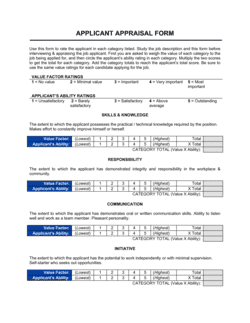
An Applicant Appraisal Form Questions template is a structured Word document that guides interviewers through a consistent set of evaluation questions and scoring criteria for each candidate. This free Word download lets you customize question categories, rating scales, and comments fields, then export as PDF for use in any hiring round.
When you need it
Use it whenever two or more candidates are being assessed for the same role and you need a repeatable, defensible record of each evaluation. It is especially important when multiple interviewers are involved and scores need to be compared objectively.
What's inside
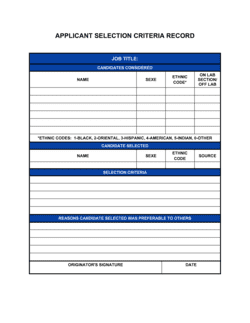
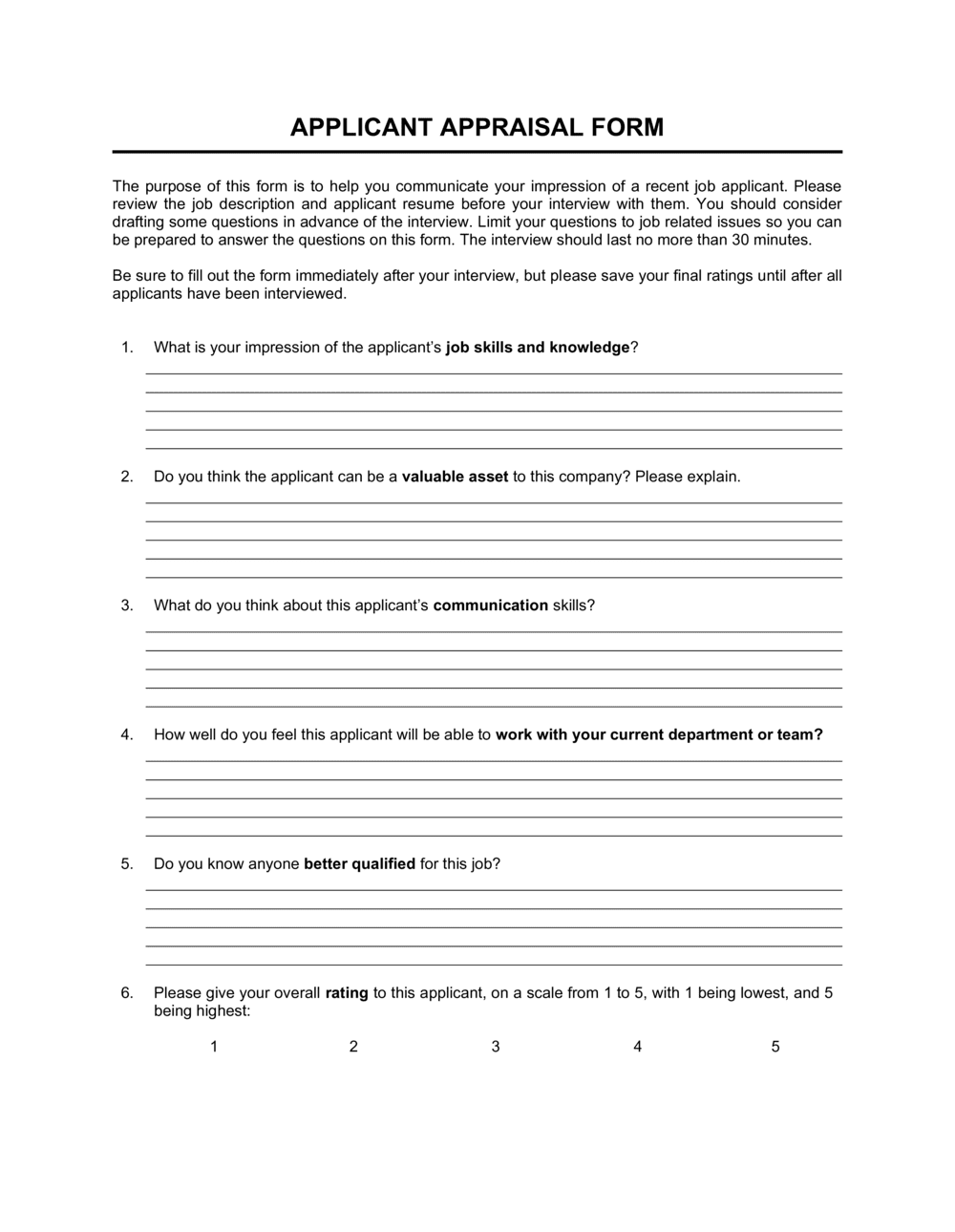
Candidate and role identification fields, structured appraisal questions grouped by competency, a numerical rating scale for each question, a weighted scoring summary, and an interviewer recommendation with signature block. Every section is editable so you can tailor questions to the specific role.

What is an Applicant Appraisal Form Questions template?

An Applicant Appraisal Form Questions template is a structured evaluation document that interviewers use to assess job candidates against a consistent set of competency-based questions and a defined scoring scale. Rather than relying on freeform notes or subjective impressions, the form guides each evaluator through the same question sequence β€” covering skills, experience, behavior, and cultural fit β€” and records a numerical rating and supporting observations for every response. The result is a documented, comparable record of every candidate's interview performance that can be reviewed by hiring managers, shared across panel interviewers, and retained for compliance purposes.

Why You Need This Document

Without a structured appraisal form, hiring decisions default to gut feel β€” and gut feel is legally and operationally expensive. When candidates are evaluated inconsistently, the best hire is often the most confident presenter, not the most qualified applicant. If a rejected candidate files a discrimination complaint, interview notes scrawled on a notepad offer no defensible record of how the decision was made. A completed, signed appraisal form with specific behavioral evidence for each score changes that entirely: it demonstrates that every candidate was evaluated on identical criteria, that scores were recorded in real time, and that the recommendation was grounded in documented observations. For any business conducting more than a handful of hires per year, this template removes subjectivity from the process and replaces it with a repeatable system that produces better hires and protects the organization when decisions are questioned.

Which variant fits your situation?

If your situation is…Use this template
Screening applicants at the first phone or video stagePhone Screen Evaluation Form
Assessing a technical candidate with a skills test componentTechnical Interview Evaluation Form
Evaluating a candidate after a working interview or trial dayWorking Interview Assessment Form
Comparing multiple finalists side by side for a final decisionCandidate Comparison Matrix
Conducting a 360-style reference check after the interviewEmployment Reference Check Form
Appraising an existing employee's performance rather than a candidateEmployee Performance Appraisal Form

Common mistakes to avoid

❌ Using unanchored rating scales

Why it matters: Without behavioral descriptors for each number, interviewers interpret the scale differently β€” one interviewer's 4 is another's 2, making scores from different evaluators impossible to compare.

Fix: Add a one-sentence anchor for each rating level (e.g., '3 = provided a relevant example but outcome was unclear') before circulating the form to the interview panel.

❌ Leaving notes fields blank

Why it matters: A form with only numerical ratings and no supporting observations cannot be defended if a rejected candidate challenges the hiring decision or files a discrimination complaint.

Fix: Require at least one specific, behavioral observation per question β€” record what the candidate said, not how you felt about it.

❌ Applying equal weights to all competency categories

Why it matters: Treating communication and technical proficiency as equally important for a software engineering role inflates scores for candidates who present well but lack the core skill.

Fix: Set category weights before the hiring round begins, based on the role's actual requirements, and lock them so no interviewer can adjust them after seeing candidates.

❌ Sharing appraisal scores between panel members before independent scoring

Why it matters: When interviewers discuss a candidate's performance before completing their own forms, scores converge around the first opinion expressed β€” erasing the benefit of a multi-interviewer panel.

Fix: Collect all completed, signed appraisal forms before any panel debrief discussion. Use the debrief to resolve genuine disagreements, not to align scores.

The 9 key fields, explained

Candidate and Role Identification

Competency Categories

Behavioral Interview Questions

Rating Scale per Question

Interviewer Notes Field

Weighted Scoring Summary

Strengths and Concerns Summary

Overall Recommendation

Interviewer Signature and Date

How to fill it out

  1. 1

    Complete the candidate and role header before the interview

    Fill in the candidate's name, the exact job title, interview date, and your name and department at the top of the form before the candidate arrives or the call begins.

    πŸ’‘ Pre-populate a batch of forms with the role title when scheduling a hiring round β€” this prevents mislabeled records when forms are reviewed later.

  2. 2

    Review the competency categories and questions

    Read through all questions before the interview starts. Customize any question that does not map to a specific requirement of the role, and remove categories that are not relevant.

    πŸ’‘ Keep the total question count between eight and twelve β€” fewer questions leave gaps; more creates fatigue and inconsistent scoring toward the end.

  3. 3

    Ask each question and take notes in real time

    Work through questions in order. Record specific quotes, examples, and quantified outcomes the candidate mentions β€” not your impressions. Use the STAR framework (Situation, Task, Action, Result) as a mental guide.

    πŸ’‘ Write in the notes field while the candidate is speaking, not after β€” memory degrades fast when you interview multiple candidates in one day.

  4. 4

    Assign a rating immediately after each answer

    Score each question on the 1–5 scale as soon as the candidate finishes their response, using the anchored descriptors on the form. Do not wait until the interview is over.

    πŸ’‘ If you are unsure between two ratings, default to the lower one β€” it is easier to justify upgrading a score after reviewing notes than to explain why an initially high score was later reduced.

  5. 5

    Complete the weighted scoring summary

    After all questions are scored, enter each category's average rating into the summary table and apply the pre-set weights to calculate the composite score.

    πŸ’‘ If this is a panel interview, collect all individual forms before anyone discusses scores β€” group discussion before independent scoring introduces anchoring bias.

  6. 6

    Write the strengths and concerns summary

    Record two or three specific strengths with supporting evidence from the interview, and at least one concern or area for clarification β€” even for strong candidates.

    πŸ’‘ Phrase concerns as questions rather than judgments: 'Did not provide an example of leading a team' is more defensible than 'lacks leadership skills.'

  7. 7

    Record your recommendation and sign the form

    Select one of the four recommendation options, write a one-sentence rationale, print your name, and sign and date the completed form.

    πŸ’‘ Submit the completed form to HR or the hiring manager within 24 hours of the interview β€” recall accuracy drops significantly after 48 hours.

Frequently asked questions

What is an applicant appraisal form?

An applicant appraisal form is a structured evaluation document that interviewers complete during or after a job interview to score a candidate's responses against predefined competencies. It typically includes behavioral questions, a numerical rating scale, a notes field, and a final recommendation. The form creates a consistent, documented record of each candidate's evaluation for comparison and compliance purposes.

Why use a structured appraisal form instead of freeform interview notes?

Structured appraisal forms reduce interviewer bias, enable objective comparison across candidates, and create a defensible paper trail if a hiring decision is later challenged. Research consistently shows that structured interviews β€” where every candidate answers the same questions and is scored on the same criteria β€” are significantly more predictive of job performance than unstructured conversations.

How many questions should an applicant appraisal form include?

Eight to twelve questions is the practical range for a standard interview. Fewer than eight questions leaves meaningful competency gaps uncovered. More than twelve creates scoring fatigue, and ratings for questions toward the end of the form tend to be less accurate. For a panel interview with multiple evaluators, each interviewer can cover a subset of four to six questions.

What rating scale works best for candidate appraisal?

A 1–5 scale with anchored behavioral descriptors at each level is the most widely used and defensible approach. A 1–10 scale introduces too much ambiguity between adjacent scores. A 1–3 scale compresses differentiation. Whatever scale you choose, define what each number means in behavioral terms before any interviewer uses the form.

Can the same appraisal form be used for all roles?

A single form can share a common structure β€” header, rating scale, notes, and recommendation fields β€” but the competency categories and specific questions should be tailored to each role's requirements. Using identical questions for a customer service role and an engineering role produces scores that do not reflect what actually matters for either position.

How should appraisal forms be stored after a hiring decision?

Retain completed appraisal forms for all candidates β€” hired and rejected β€” for at least one year after the hiring decision, and longer if your jurisdiction has extended record-keeping requirements for employment decisions. Store forms in a secure HR file, separate from the employee personnel file, accessible only to HR and the hiring manager.

Does an applicant appraisal form need to be signed?

A signature is not legally required in most jurisdictions, but it is strongly recommended. A signed form confirms that the interviewer conducted the evaluation independently and completed it at the time of the interview. Unsigned forms are more easily disputed if a candidate or regulator questions the integrity of the hiring process.

How does an appraisal form help reduce hiring bias?

By requiring every interviewer to ask the same questions, apply the same rating scale, and record specific behavioral evidence before comparing candidates, the form reduces the influence of first impressions, affinity bias, and the halo effect. It does not eliminate bias entirely, but it creates a structured checkpoint that slows down intuitive judgments and requires factual support for each score.

How this compares to alternatives

vs Employee Performance Appraisal Form

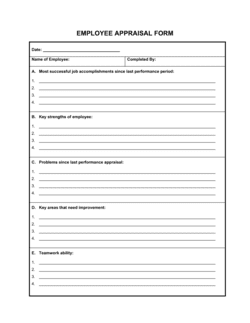
A performance appraisal form evaluates an existing employee against goals set during their current role β€” it looks backward at work already delivered. An applicant appraisal form evaluates a candidate before any hire is made, scoring predicted fit against role requirements. The two forms serve opposite stages of the employment lifecycle and should never be used interchangeably.

vs Job Application Form

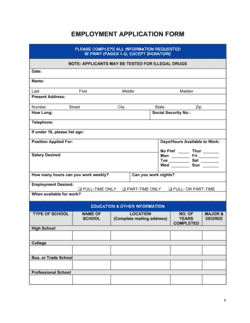
A job application form collects the candidate's self-reported background β€” work history, education, references, and availability. An applicant appraisal form is completed by the interviewer, not the candidate, and documents the evaluation of that background against role criteria. Both are needed; they serve different actors in the hiring process.

vs Reference Check Form

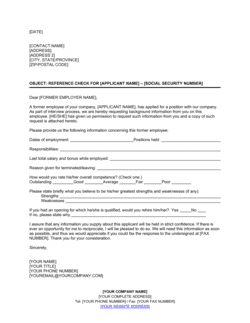
A reference check form gathers third-party verification of a candidate's past performance from former managers or colleagues. An appraisal form captures the interviewer's direct assessment during the interview itself. Reference checks and appraisal forms complement each other β€” neither substitutes for the other in a thorough hiring process.

vs Interview Questions Template

An interview questions template is a list of questions to ask β€” it guides the conversation but provides no scoring mechanism or structured record. An applicant appraisal form includes questions plus a rating scale, notes fields, a weighted summary, and a formal recommendation. Use the questions template for informal screens; use the appraisal form when a documented, defensible evaluation is required.

Industry-specific considerations

Technology / SaaS

Technical competency categories cover coding proficiency, system design, and debugging β€” weighted more heavily than soft skills for engineering roles.

Healthcare

Appraisal questions address clinical judgment, patient communication, regulatory compliance awareness, and credential verification requirements.

Retail / Hospitality

High-volume hiring makes standardized forms essential for consistency; questions focus on customer handling, availability, and reliability under pressure.

Professional Services

Competencies emphasize client communication, problem-solving under ambiguity, and billable productivity expectations unique to consulting and advisory roles.

Template vs pro β€” what fits your needs?

PathBest forCostTime
Use the templateSMBs, HR managers, and hiring managers running structured interviews without a dedicated recruiting platformFree15 minutes to customize per role, 20–30 minutes to complete per candidate
Template + professional reviewOrganizations adding weighted scoring models or role-specific competency libraries$100–$500 for an HR consultant review1–3 days
Custom draftedEnterprises integrating appraisal forms into an ATS or building competency frameworks across multiple job families$1,000–$5,000+ for ATS configuration or I/O psychology consulting2–6 weeks

Glossary

Competency-Based Question
An interview question that asks a candidate to describe a past situation demonstrating a specific skill or behavior relevant to the role.
Rating Scale
A numerical or descriptive scoring system β€” typically 1 to 5 β€” used to evaluate a candidate's response to each appraisal question.
Weighted Score
A final candidate score that multiplies each question's raw rating by a predetermined importance factor, giving higher-priority competencies more influence on the outcome.
STAR Method
A structured response format β€” Situation, Task, Action, Result β€” used by candidates to answer behavioral interview questions.
Structured Interview
An interview format in which every candidate is asked the same questions in the same order, enabling objective comparison.
Panel Interview
An interview conducted by two or more interviewers simultaneously, each completing their own appraisal form for independent scoring.
Halo Effect
A cognitive bias where a positive impression of one candidate trait causes an interviewer to rate all other traits more favorably than warranted.
Adverse Impact
A pattern in hiring decisions where a selection process disproportionately screens out candidates in a protected class, triggering legal scrutiny.
Interviewer Recommendation
The interviewer's final disposition β€” typically Hire, Hold, or Do Not Hire β€” recorded at the bottom of the appraisal form after all questions are scored.
Benchmark Response
A pre-written example of what a strong, average, or weak answer looks like for a given question, used to anchor scores and reduce inter-rater variability.

Part of your Business Operating System

This document is one of 3,000+ business & legal templates included in Business in a Box.

  • Fill-in-the-blanks β€” ready in minutes
  • 100% customizable Word document
  • Compatible with all office suites
  • Export to PDF and share electronically

Create your document in 3 simple steps.

From template to signed document β€” all inside one Business Operating System.
1
Download or open template

Access over 3,000+ business and legal templates for any business task, project or initiative.

2
Edit and fill in the blanks with AI

Customize your ready-made business document template and save it in the cloud.

3
Save, Share, Send, Sign

Share your files and folders with your team. Create a space of seamless collaboration.

Save time, save money, and create top-quality documents.

β˜…β˜…β˜…β˜…β˜…

"Fantastic value! I'm not sure how I'd do without it. It's worth its weight in gold and paid back for itself many times."

Managing Director Β· Mall Farm
Robert Whalley
Managing Director, Mall Farm Proprietary Limited
β˜…β˜…β˜…β˜…β˜…

"I have been using Business in a Box for years. It has been the most useful source of templates I have encountered. I recommend it to anyone."

Business Owner Β· 4+ years
Dr Michael John Freestone
Business Owner
β˜…β˜…β˜…β˜…β˜…

"It has been a life saver so many times I have lost count. Business in a Box has saved me so much time and as you know, time is money."

Owner Β· Upstate Web
David G. Moore Jr.
Owner, Upstate Web

Run your business with a system β€” not scattered tools

Stop downloading documents. Start operating with clarity. Business in a Box gives you the Business Operating System used by over 250,000 companies worldwide to structure, run, and grow their business.

Start freeΒ Β·Β No credit card required