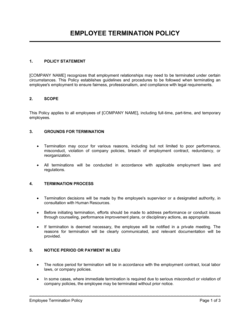
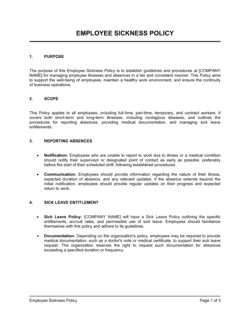
Employee Handbook For Employees Working From Home Template

Free Word download β€’ Edit online β€’ Save & share with Drive β€’ Export to PDF

69 pagesβ€’50 min – 1h 5m to fillβ€’Difficulty: Expert
Learn more ↓
FreeEmployee Handbook For Employees Working From Home Template

At a glance

What it is
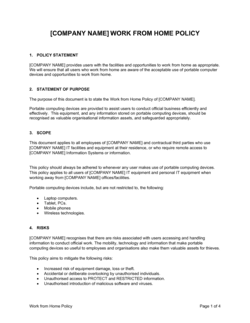
An Employee Handbook for Employees Working From Home is a formal policy document that defines the rules, expectations, and procedures governing remote work arrangements within an organization. This free Word download gives you a structured, editable starting point covering everything from home office setup and availability requirements to data security, expense reimbursement, and conduct standards β€” ready to export as PDF and distribute to your remote team.
When you need it
Use it when onboarding remote employees for the first time, formalizing an existing informal arrangement, or updating outdated telecommuting policies after a significant change in your workforce's location or size.
What's inside
Purpose and scope, eligibility criteria, home office requirements, availability and communication standards, data security and privacy obligations, expense reimbursement rules, performance and productivity expectations, health and safety guidelines, and disciplinary procedures specific to remote violations.

What is an Employee Handbook for Employees Working From Home?

An Employee Handbook for Employees Working From Home is a formal company-wide policy document that defines the rules, expectations, and operational standards governing remote work arrangements. It covers every material dimension of working outside the office β€” who is eligible, what a compliant home workspace looks like, when employees must be available, how company data must be protected, which expenses are reimbursable, and what happens when the policy is violated. Unlike a general employee handbook, which governs all employees in all settings, a remote work handbook addresses the specific challenges that arise when the office is a kitchen table: blurred working hours, unsecured home networks, equipment ownership, and the absence of direct supervision.

Why You Need This Document

Without a written remote work handbook, your organization is operating on unspoken assumptions β€” and those assumptions will diverge the moment a dispute arises over a missed deadline, a data security incident, or a request to return to the office. Employees who have worked remotely for months without documented rules often treat their arrangement as a permanent entitlement, making it legally and practically difficult to modify. Data breaches originating from home networks are significantly harder to address through disciplinary procedures when no written security standard existed. Expense reimbursement disputes escalate when there is no documented cap or process. This template gives you a structured, editable starting point that closes all of these gaps β€” turning informal norms into enforceable policy β€” without the cost or lead time of a custom-drafted document.

Which variant fits your situation?

If your situation is…Use this template
Introducing a formal remote work policy for the first timeEmployee Handbook for Employees Working From Home
Documenting a hybrid in-office and remote arrangementHybrid Work Policy
Setting rules for occasional or ad-hoc remote daysFlexible Work Arrangement Policy
Governing a fully distributed team across multiple time zonesRemote Work Agreement
Outlining conduct and disciplinary procedures for all employeesEmployee Handbook
Establishing a formal code of conduct for remote staffCode of Conduct Policy
Reimbursing employees for home office equipment and expensesExpense Reimbursement Policy

Common mistakes to avoid

❌ No formal eligibility or approval step

Why it matters: Without documented approval, remote arrangements begin informally and become de facto permanent β€” making it legally and practically difficult to require a return to office or revoke remote privileges.

Fix: Include a written approval step requiring a manager sign-off and a defined review period β€” for example, a 90-day trial before the arrangement becomes ongoing.

❌ Vague availability language

Why it matters: Phrases like 'reasonably available during business hours' are interpreted differently by every employee and manager, generating constant disputes and uneven enforcement.

Fix: State specific core hours, an explicit response-time requirement in hours, and the communication tool employees must monitor β€” leaving no room for interpretation.

❌ Omitting data security specifics

Why it matters: A policy that says 'use secure connections' without naming the required VPN, approved storage platforms, or prohibited actions provides no actionable standard and no basis for discipline if a breach occurs.

Fix: Name every required security tool, list prohibited actions explicitly (e.g., 'do not store Confidential data on personal Google Drive'), and reference the IT security policy for full detail.

❌ No version control or acknowledgment process

Why it matters: Without a signed acknowledgment and a version number, you cannot prove an employee was subject to a specific version of the policy at the time of a violation β€” undermining any disciplinary action.

Fix: Assign a version number and effective date to every release, collect a signed acknowledgment from each employee, and re-collect acknowledgments after any material update.

❌ Applying identical disciplinary consequences to all violations

Why it matters: Treating a missed Slack message the same as a data breach makes the policy feel disproportionate and creates grounds for grievance when you discipline a serious infraction.

Fix: Categorize violations by severity β€” minor, moderate, serious β€” and specify the starting consequence for each category, consistent with your main disciplinary procedure.

❌ Ignoring workers' compensation applicability at home

Why it matters: Many employers state in their handbook that workers' compensation does not apply to home offices β€” this is incorrect in most jurisdictions and exposes the company to additional liability if the incorrect statement is relied upon.

Fix: Replace blanket exclusion language with an accurate statement that workers' compensation applies to injuries occurring during scheduled work hours in the designated workspace, subject to policy terms and applicable law.

The 9 key sections, explained

Purpose and scope

Eligibility and approval process

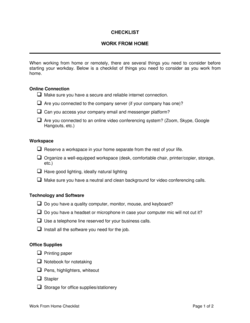
Home office requirements

Availability and communication standards

Data security and privacy obligations

Equipment and expense reimbursement

Performance and productivity expectations

Health, safety, and workers' compensation

Policy violations and disciplinary procedures

How to fill it out

  1. 1

    Define which roles are remote-eligible

    Before filling in any policy text, list every role in your organization and determine which can be fully remote, partially remote, or not at all. This list drives the eligibility section and prevents policy scope creep.

    πŸ’‘ Document your eligibility criteria in a separate appendix so you can update it as new roles are added without amending the main handbook.

  2. 2

    Set specific core hours and time-zone rules

    Enter the core hours window that applies to each team or location. If employees span multiple time zones, define core hours in UTC or by region, and state which time zone governs for employees in ambiguous locations.

    πŸ’‘ Avoid setting core hours that effectively make one time zone work a 10-hour day β€” this creates compliance risk in jurisdictions with daily hour limits.

  3. 3

    Specify equipment and internet standards

    Enter the exact list of company-provided equipment, the minimum internet speed requirement, and the approved device list for BYOD scenarios. Include the VPN tool name and link to the IT setup guide.

    πŸ’‘ State explicitly who owns company-provided equipment and what happens to it if the remote arrangement ends or the employee is terminated.

  4. 4

    Fill in the expense reimbursement caps and process

    Enter the monthly internet reimbursement cap, the quarterly office-supply limit, the expense submission system name, and the submission deadline in days. Include the tax treatment if your jurisdiction requires it.

    πŸ’‘ Check your local tax authority's guidance on home-office expense reimbursements before setting caps β€” some jurisdictions require employers to report reimbursements as taxable income above certain thresholds.

  5. 5

    Customize the data security requirements

    Replace placeholder tool names with your actual VPN, cloud storage, and endpoint security products. Add any industry-specific data handling requirements β€” HIPAA, PCI-DSS, or SOC 2 obligations β€” in a data security addendum.

    πŸ’‘ Have your IT or security lead review this section before publishing β€” generic VPN language often misses tool-specific requirements your team actually enforces.

  6. 6

    Link performance expectations to existing KPIs

    Reference your existing performance management framework and specify the check-in cadence. Do not restate individual KPIs in the handbook β€” instead, cross-reference the employee's Performance Plan document.

    πŸ’‘ State clearly that remote work continuation is contingent on meeting performance standards. Vague language here makes it difficult to revoke remote privileges without triggering a grievance.

  7. 7

    Review disciplinary consequences for proportionality

    Map each category of violation β€” availability, data security, workspace, conduct β€” to a proportionate consequence. Ensure the language aligns with your existing Disciplinary Procedure Policy and local employment law.

    πŸ’‘ Have HR review the disciplinary section independently of the rest of the handbook. Inconsistency between this document and your main disciplinary policy is the most common cause of grievance disputes.

  8. 8

    Distribute, collect acknowledgment, and version-control

    Send the finalized handbook to all remote employees and collect a signed acknowledgment form confirming they have read and understood it. Store signed copies in your HRIS and set a calendar reminder to review the handbook annually.

    πŸ’‘ Include a version number and effective date in the document footer. When you update the handbook, re-collect acknowledgments β€” verbal confirmation that employees 'saw the update' is not sufficient.

Frequently asked questions

What is an employee handbook for remote workers?

An employee handbook for remote workers is a formal policy document that defines the rules, expectations, and procedures governing work-from-home arrangements. It covers eligibility, home office setup standards, availability requirements, data security obligations, expense reimbursement, performance expectations, and disciplinary consequences specific to remote violations. It supplements β€” but does not replace β€” the company's general employee handbook.

Is a remote work handbook legally required?

No jurisdiction currently mandates a standalone remote work handbook. However, several jurisdictions β€” including California, Germany, and the UK β€” require employers to document certain aspects of remote arrangements, such as expense reimbursement obligations, health and safety responsibilities, and working-hours limits. A written handbook is the most practical way to satisfy these requirements and protect the employer in a dispute.

What should a work-from-home policy include?

At minimum: eligibility criteria and the approval process, home office setup and internet requirements, core hours and response-time standards, data security obligations including VPN and device rules, expense reimbursement caps and process, performance expectations tied to measurable KPIs, health and safety responsibilities, and disciplinary consequences for policy violations. Missing any of these leaves gaps that employees will interpret in their own favor.

How often should a remote work handbook be updated?

Review it at least annually, and update it immediately after any significant change β€” new security tools, changes to expense reimbursement rates, shift to or from hybrid arrangements, or changes in applicable law. Each update should carry a new version number and effective date, and employees should re-sign an acknowledgment confirming they have read the new version.

Can I use the same handbook for hybrid and fully remote employees?

You can use a single document if the policies are identical for both groups, but most organizations find that hybrid and fully remote arrangements carry different rules β€” particularly around core hours, equipment provision, and expense reimbursement. A cleaner approach is to maintain one handbook with clearly labeled sections that specify which rules apply to fully remote versus hybrid employees.

Do remote employees need to sign the handbook?

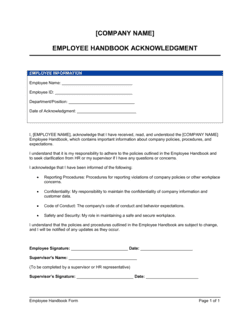
Yes. A signed acknowledgment form β€” separate from the handbook itself β€” confirms that the employee has received, read, and understood the policy. Without it, you cannot prove the employee was subject to a specific version of the handbook at the time of a violation, which weakens any subsequent disciplinary action or legal claim.

Who is responsible for home office safety under a remote work policy?

Responsibility is shared. The employer must define minimum workspace standards, provide ergonomic guidance, and instruct employees to report unsafe conditions. The employee is responsible for maintaining those standards and reporting any hazard. Workers' compensation coverage typically extends to injuries that occur during scheduled work hours in the designated workspace β€” the handbook should reflect this accurately rather than disclaiming all liability.

Can an employer monitor a remote employee's productivity?

Employers may monitor productivity through output metrics, project management tools, meeting attendance, and regular check-ins. Some jurisdictions restrict or require disclosure of software-based monitoring β€” such as keystroke logging or screen capture tools. The handbook should state clearly what monitoring methods are used, and legal requirements for disclosure should be confirmed with an employment lawyer before any monitoring tool is deployed.

What expenses must employers reimburse for remote workers?

Reimbursement requirements vary by jurisdiction. California Labor Code Β§2802 requires employers to reimburse all necessary remote work expenses. Several other states and the UK have similar obligations for internet, phone, and equipment costs. Even where not legally required, reimbursement policies that define clear caps and processes reduce disputes and help attract remote talent. The handbook should specify exactly which expenses are reimbursable and the submission process.

How this compares to alternatives

vs Remote Work Agreement

A remote work agreement is a bilateral document signed by both the employer and a specific employee, governing that individual's remote arrangement β€” location, hours, equipment, and review dates. An employee handbook for remote workers is a company-wide policy document that sets the rules for all remote employees simultaneously. Most organizations use both: the handbook sets the framework; the individual agreement captures each employee's specific terms.

vs General Employee Handbook

A general employee handbook covers all employment policies β€” compensation, benefits, leave, conduct, and anti-discrimination β€” for every employee regardless of location. A remote work handbook is a focused supplement that addresses the specific challenges of working outside the office: home setup, data security, availability, and expense reimbursement. Remote employees should receive both documents.

vs Flexible Work Arrangement Policy

A flexible work arrangement policy governs a broader range of scheduling options β€” compressed work weeks, variable start times, and occasional remote days. A remote work handbook is specifically designed for employees whose primary work location is their home, with more detailed rules on equipment, security, and home office standards. Use the flexible work policy for incidental remote days; use the remote handbook for dedicated home-based employees.

vs Code of Conduct Policy

A code of conduct policy defines behavioral standards and ethical obligations for all employees in all settings. A remote work handbook applies those behavioral standards specifically to the home-office context β€” adding rules about workspace conduct, online meeting professionalism, and data handling that are unique to remote environments. The code of conduct governs what is acceptable; the remote handbook governs how remote work is performed.

Industry-specific considerations

Technology / SaaS

Detailed data classification rules, mandatory VPN and endpoint security requirements, and BYOD policies for engineering and product teams working across distributed time zones.

Professional Services

Client confidentiality obligations extended to the home office, core hours aligned to client time zones, and clear rules on taking client calls in non-private settings.

Financial Services

Regulatory data-handling requirements β€” such as MiFID II call recording or SEC record-retention rules β€” applied explicitly to home-office equipment and networks.

Healthcare

HIPAA-compliant home office requirements including screen privacy filters, prohibition on printing PHI, and encrypted-only transmission of patient data from home networks.

Template vs pro β€” what fits your needs?

PathBest forCostTime
Use the templateSmall and mid-sized businesses formalizing remote work policies for the first time without complex multi-jurisdiction obligationsFree2–4 hours to customize and distribute
Template + professional reviewCompanies with employees in multiple states or countries, or in regulated industries such as healthcare or financial services$300–$800 for an HR consultant or employment lawyer review3–5 business days
Custom draftedEnterprise employers with complex multi-jurisdiction remote workforces, union agreements, or sector-specific regulatory monitoring requirements$1,500–$5,000+2–4 weeks

Glossary

Remote Work Arrangement
A formal or informal agreement allowing an employee to perform their job duties from a location other than the employer's physical office.
Core Hours
A defined window of the working day β€” for example, 10 a.m. to 3 p.m. β€” during which all remote employees are expected to be available and responsive.
Home Office Stipend
A fixed monetary allowance provided by the employer to cover the cost of setting up or maintaining a home workspace, such as internet, furniture, or equipment.
BYOD (Bring Your Own Device)
A policy permitting employees to use personal computers, phones, or tablets for work β€” typically subject to security software and usage restrictions.
VPN (Virtual Private Network)
Encrypted network software that routes an employee's internet connection through the company's secure servers, protecting data transmitted remotely.
Asynchronous Communication
Work communication that does not require all parties to be online simultaneously β€” such as email, recorded video updates, or project management tools.
Eligibility Criteria
The role-based, performance-based, or tenure-based conditions an employee must meet before they are approved to work remotely.
Data Classification
A system for categorizing company information by sensitivity level β€” for example, public, internal, confidential, or restricted β€” to govern how it may be stored and transmitted outside the office.
Ergonomic Standard
A minimum requirement for the physical setup of a workspace β€” chair height, monitor position, lighting β€” designed to reduce the risk of repetitive strain or injury.
Disciplinary Procedure
A structured, documented process for addressing policy violations, typically progressing from a verbal warning through written warnings to termination.

Part of your Business Operating System

This document is one of 3,000+ business & legal templates included in Business in a Box.

  • Fill-in-the-blanks β€” ready in minutes
  • 100% customizable Word document
  • Compatible with all office suites
  • Export to PDF and share electronically

Create your document in 3 simple steps.

From template to signed document β€” all inside one Business Operating System.
1
Download or open template

Access over 3,000+ business and legal templates for any business task, project or initiative.

2
Edit and fill in the blanks with AI

Customize your ready-made business document template and save it in the cloud.

3
Save, Share, Send, Sign

Share your files and folders with your team. Create a space of seamless collaboration.

Save time, save money, and create top-quality documents.

β˜…β˜…β˜…β˜…β˜…

"Fantastic value! I'm not sure how I'd do without it. It's worth its weight in gold and paid back for itself many times."

Managing Director Β· Mall Farm
Robert Whalley
Managing Director, Mall Farm Proprietary Limited
β˜…β˜…β˜…β˜…β˜…

"I have been using Business in a Box for years. It has been the most useful source of templates I have encountered. I recommend it to anyone."

Business Owner Β· 4+ years
Dr Michael John Freestone
Business Owner
β˜…β˜…β˜…β˜…β˜…

"It has been a life saver so many times I have lost count. Business in a Box has saved me so much time and as you know, time is money."

Owner Β· Upstate Web
David G. Moore Jr.
Owner, Upstate Web

Run your business with a system β€” not scattered tools

Stop downloading documents. Start operating with clarity. Business in a Box gives you the Business Operating System used by over 250,000 companies worldwide to structure, run, and grow their business.

Start freeΒ Β·Β No credit card required