Employee Record Template

Free Excel download • Edit online • Save & share with Drive • Export to PDF

1 page20–30 min to fillDifficulty: StandardSignature requiredLegal review recommended
Learn more ↓
FreeXLSEmployee Record Template

At a glance

What it is
An Employee Record is a formal HR document that captures every material fact about an individual's employment relationship — from hire date and compensation to performance reviews, disciplinary actions, and termination details. This template is a free Word download you can edit online and export as PDF, giving HR teams and small business owners a single, organized document that satisfies recordkeeping obligations across most major jurisdictions.
When you need it
Create one at the moment of hire and update it continuously throughout the employment relationship. It becomes especially critical during audits, discrimination claims, wrongful termination suits, or any regulatory inspection that requires proof of compliant HR practices.
What's inside
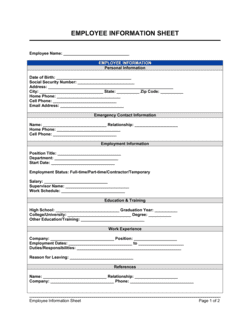
Personal and contact information, employment classification and start date, compensation and benefits history, emergency contacts, training and certification records, performance review summaries, disciplinary incidents, and termination details — organized into clearly labeled sections with signature lines for acknowledgment where required.

What is an Employee Record?

An Employee Record is the authoritative HR document that consolidates every material fact about an individual's employment relationship into a single, continuously updated file. It covers personal identification, employment classification, compensation history, benefits enrollment, training and certification logs, performance review summaries, disciplinary incidents, and — when the time comes — the terms and details of separation. Unlike a one-time intake form, the employee record is a living document that grows with the employment relationship and provides the evidentiary foundation an employer needs to defend HR decisions before regulators, tribunals, and courts. Most jurisdictions across North America and Europe impose mandatory retention periods ranging from one to seven years, and failure to maintain compliant records typically results in both regulatory fines and an adverse inference in any subsequent employment claim.

Why You Need This Document

Operating without a complete, current employee record exposes an employer on four distinct fronts simultaneously. In a wage and hour audit, missing payroll authorization signatures and incomplete hours logs result in penalties and back-pay liability that a proper record would have prevented. In a wrongful termination claim, a personnel file with no documented performance history, no signed policy acknowledgments, and a vague separation entry is nearly impossible to defend — the absence of records is itself evidence of arbitrariness. In a data protection inspection, commingled medical and personal data in an unsecured file can trigger fines under GDPR, CCPA, or provincial privacy statutes that far exceed the cost of proper recordkeeping. And in a discrimination claim, a file that documents disciplinary actions without any positive performance history appears one-sided and undermines the employer's credibility. This template gives HR teams and small business owners a structured, jurisdiction-aware starting point that captures every required data category from day one — and keeps the employment relationship fully documented through its final day.

Which variant fits your situation?

If your situation is…Use this template
Onboarding a new full-time employee from day oneNew Employee Record
Tracking a part-time or seasonal workerPart-Time Employee Record
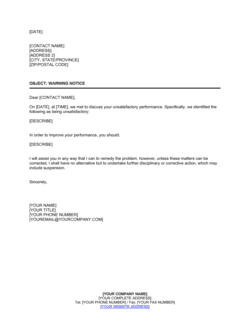
Documenting a formal disciplinary event or warningEmployee Warning Notice
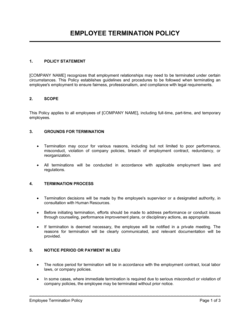
Recording the outcome and terms of an employee terminationEmployee Termination Checklist
Capturing performance review scores and comments over timeEmployee Performance Review
Collecting emergency contact and personal data at hireEmployee Information Form
Documenting a leave of absence request and approvalLeave of Absence Request Form

Common mistakes to avoid

❌ Commingling medical records with the personnel file

Why it matters: The ADA and equivalent laws in Canada, the UK, and EU require medical information to be kept in a separate, confidential file. A combined file exposes the employer to discrimination claims and regulatory penalties.

Fix: Maintain a separate, locked medical file for each employee containing accommodation requests, leave of absence documentation, and any health-related records. Reference the existence of the file in the main personnel record without including the contents.

❌ Never updating the record after initial hire

Why it matters: A personnel file frozen at hire date creates an evidentiary gap — if a termination is challenged, the employer has no documented history to show the decision was based on performance or conduct rather than a protected characteristic.

Fix: Establish a calendar-driven update protocol: compensation changes, performance reviews, disciplinary actions, title changes, and policy acknowledgments must each trigger a same-day record update.

❌ Omitting the reason for termination at the time of separation

Why it matters: Vague separation records — 'employee is no longer with the company' — leave the employer unable to defend an unemployment insurance claim or a wrongful dismissal suit filed months later.

Fix: Complete the separation section on the final day with the specific reason code and a brief factual narrative, referencing any supporting documentation such as a performance improvement plan or restructuring announcement.

❌ Storing all employee information in a single unsecured file

Why it matters: Personnel files contain sensitive personal data — Social Security numbers, bank details, medical notes — that create identity theft risk and data protection liability if accessed by unauthorized parties.

Fix: Implement role-based access controls so that only HR staff and the direct supervisor (limited to performance and job-related sections) can access the file. Log every access event in a digital system.

❌ Failing to obtain fresh policy acknowledgment signatures after updates

Why it matters: If a policy is revised and no updated acknowledgment is collected, the employer cannot prove the employee was ever informed of the new terms — undermining enforcement and creating liability in harassment or misconduct cases.

Fix: Circulate an updated acknowledgment form whenever any material policy changes and file the signed copy in the relevant employee record within five business days.

❌ Recording disciplinary actions in vague or subjective language

Why it matters: Descriptions like 'bad attitude' or 'not a team player' are subjective, legally indefensible, and can appear to mask discriminatory motivation if challenged in an employment tribunal or court.

Fix: Use factual, observable language tied to a specific policy, date, and behavior. 'Employee raised their voice and used profane language toward a colleague in the break room on [DATE], in violation of Section 3.2 of the Conduct Policy' is defensible; 'employee has a bad attitude' is not.

The 10 key clauses, explained

Employee identification and personal information

In plain language: Captures the employee's legal name, date of birth, government-issued ID number (where lawfully collected), home address, phone, and personal email.

Sample language
Employee Legal Name: [FULL LEGAL NAME] | Date of Birth: [MM/DD/YYYY] | Home Address: [STREET, CITY, STATE, ZIP] | Personal Phone: [PHONE NUMBER] | Personal Email: [EMAIL ADDRESS]

Common mistake: Collecting date of birth or national ID number without a documented lawful basis — in the EU and UK this triggers GDPR and data protection obligations that require explicit justification.

Emergency contact information

In plain language: Records at least one person to contact if the employee is incapacitated or involved in a workplace incident, along with their relationship and phone number.

Sample language
Emergency Contact Name: [CONTACT FULL NAME] | Relationship: [RELATIONSHIP] | Phone (Primary): [PHONE] | Phone (Secondary): [PHONE]

Common mistake: Collecting a single emergency contact and never updating it. People change relationships, move, and change numbers — review and confirm this section at every annual performance cycle.

Employment start date and classification

In plain language: States the official first day of employment, the employment type (full-time, part-time, temporary, or contract), and FLSA or equivalent classification.

Sample language
Start Date: [MM/DD/YYYY] | Employment Type: [FULL-TIME / PART-TIME / TEMPORARY] | FLSA Classification: [EXEMPT / NON-EXEMPT] | Probationary Period End Date: [MM/DD/YYYY]

Common mistake: Misclassifying an employee as exempt from overtime when their duties and salary level do not meet the applicable legal threshold — a common and costly payroll compliance error.

Job title, department, and reporting structure

In plain language: Documents the employee's current title, the department they belong to, and the name and title of their direct manager.

Sample language
Job Title: [JOB TITLE] | Department: [DEPARTMENT NAME] | Direct Manager: [MANAGER NAME], [MANAGER TITLE] | Work Location: [OFFICE / REMOTE / HYBRID]

Common mistake: Leaving the job title static throughout employment. Every formal promotion, demotion, or lateral transfer should trigger an updated entry with an effective date — vague or outdated titles create disputes during termination or unemployment claims.

Compensation and pay history

In plain language: Records the starting salary or hourly rate, pay frequency, and a running log of all compensation changes with effective dates and the reason for each change.

Sample language
Starting Compensation: $[AMOUNT] [PER YEAR / PER HOUR] | Pay Frequency: [BI-WEEKLY / SEMI-MONTHLY] | Compensation Change Log: [DATE] — $[NEW AMOUNT] — Reason: [ANNUAL REVIEW / PROMOTION / MARKET ADJUSTMENT]

Common mistake: Recording only the current rate without a dated change log. In pay equity audits and discrimination claims, the absence of a documented history makes it impossible to defend compensation decisions.

Benefits enrollment and deduction authorizations

In plain language: Summarizes which benefit plans the employee enrolled in and includes signed authorizations for payroll deductions, confirming the employee agreed to the amounts withheld.

Sample language
Health Plan: [PLAN NAME] — Employee Only / Employee + Spouse / Family | Dental: [YES / NO] | 401(k) Contribution: [X]% | Employee Authorized Deductions Signature: [SIGNATURE] | Date: [DATE]

Common mistake: Processing payroll deductions for benefits without a signed authorization form. Unauthorized deductions can violate wage payment laws in most US states and equivalent statutes elsewhere.

Training, certifications, and compliance acknowledgments

In plain language: Logs all training completed — including mandatory compliance training — with completion dates, and records the employee's signed acknowledgment of key policies such as the employee handbook, anti-harassment policy, and data security protocols.

Sample language
Training: [TRAINING NAME] | Completed: [DATE] | Certification Expiry: [DATE] | Handbook Acknowledgment Signature: [SIGNATURE] | Date: [DATE]

Common mistake: Filing policy acknowledgment signatures once at hire and never updating them when the policy changes. Courts treat an unsigned updated policy as a policy the employee was never informed of.

Performance review summary log

In plain language: A running log of each formal performance review cycle — the date, overall rating, reviewer name, and a brief summary of outcomes, including any performance improvement plan or commendation.

Sample language
Review Date: [DATE] | Period Covered: [DATE RANGE] | Overall Rating: [EXCEEDS / MEETS / BELOW EXPECTATIONS] | Reviewer: [NAME] | Summary: [BRIEF NARRATIVE] | Employee Signature: [SIGNATURE]

Common mistake: Recording only negative performance events and omitting positive reviews. A personnel file with only disciplinary records and no documented positive performance history is disproportionate and undermines credibility in employment disputes.

Disciplinary action record

In plain language: Documents each disciplinary incident chronologically — the date, the nature of the violation, the action taken, and the employee's acknowledgment signature, even if the employee disputes the account.

Sample language
Incident Date: [DATE] | Policy Violated: [POLICY NAME / SECTION] | Action Taken: [VERBAL WARNING / WRITTEN WARNING / SUSPENSION / FINAL WARNING] | Employee Acknowledgment: [SIGNATURE] | Date: [DATE] | Supervisor Signature: [SIGNATURE]

Common mistake: Omitting the employee's acknowledgment signature because the employee refuses to sign. Instead, note 'Employee declined to sign — witnessed by [WITNESS NAME] on [DATE].' An unsigned but witnessed record is still admissible; a missing record is not.

Separation and termination details

In plain language: Records the last day of employment, the reason for separation (voluntary, involuntary, layoff, or retirement), severance terms if any, return of company property, and the final paycheck date.

Sample language
Last Day of Employment: [DATE] | Separation Type: [VOLUNTARY RESIGNATION / INVOLUNTARY TERMINATION / LAYOFF / RETIREMENT] | Severance Agreed: [YES / NO — see attached Separation Agreement] | Company Property Returned: [LIST] | Final Paycheck Date: [DATE]

Common mistake: Failing to document the specific reason for termination at the time of separation. Vague records like 'employment ended' leave the employer unable to defend an unemployment claim or wrongful termination suit months later.

How to fill it out

  1. 1

    Create the file on or before the employee's first day

    Open the template and enter the employee's legal name, personal information, start date, job title, department, and employment classification. Confirm the FLSA or equivalent classification matches the salary level and duties test before saving.

    💡 Use the employee's government ID to verify the legal name spelling at hire — correcting a name error in payroll and tax documents later is time-consuming and creates audit trail gaps.

  2. 2

    Record compensation and obtain signed deduction authorizations

    Enter the starting salary or hourly rate, pay frequency, and the benefits elections the employee made during onboarding. Collect a signed deduction authorization for every payroll deduction that will be processed.

    💡 File the signed benefits enrollment form alongside the deduction authorization in the same section — keeping them together makes payroll audits straightforward.

  3. 3

    Log emergency contact details and verify annually

    Enter at least one emergency contact with name, relationship, and two phone numbers. Note the date the information was collected.

    💡 Add an annual review prompt to your HR calendar — ask employees to confirm or update emergency contacts at the same time as their performance review.

  4. 4

    Collect policy acknowledgment signatures at onboarding

    Obtain a dated signature confirming the employee received and reviewed the employee handbook, anti-harassment policy, data security policy, and any other mandatory acknowledgment documents. Log each in the training and acknowledgments section.

    💡 When a policy is updated mid-year, circulate a new acknowledgment form and file the updated signatures in the record immediately — do not wait until the next onboarding cycle.

  5. 5

    Update the compensation log after every pay change

    Each time a salary review, promotion, or market adjustment changes the employee's rate, add a dated entry to the compensation change log with the new rate and the documented reason.

    💡 Tie each compensation change entry to a supporting document — a performance review summary, a promotion approval email, or a market salary analysis — and cross-reference its location in the file.

  6. 6

    Document disciplinary incidents promptly and accurately

    Within 24 hours of any formal disciplinary action, complete the disciplinary record section with the incident date, policy violated, action taken, and the signatures of both the supervisor and the employee. If the employee refuses to sign, document this with a witness.

    💡 Describe the behavior or policy violation in factual, observable terms — 'arrived 35 minutes late without notification on three occasions' rather than 'consistently unreliable.'

  7. 7

    Complete the separation section on the final day

    Record the last day, reason for separation, any severance terms referencing an attached separation agreement, confirmation that company property was returned, and the final paycheck date.

    💡 Retain terminated employee records for the minimum statutory period applicable in your jurisdiction before destruction — in the US this is typically 1–3 years for most records and up to 7 years for payroll and tax documents.

  8. 8

    Store the completed record securely with restricted access

    Save the completed record in a secure location — physical locked filing cabinet or an access-controlled digital HR system — ensuring only authorized HR personnel and the employee's direct manager (where legally permitted) can view it.

    💡 Keep medical information, I-9 forms, and accommodation requests in separate, separately secured files — commingling them with the main personnel file can create legal exposure under the ADA and equivalent statutes.

Frequently asked questions

What is an employee record?

An employee record is a formal HR document that consolidates all material information about an individual's employment relationship — personal details, job classification, compensation history, benefits enrollment, training completions, performance reviews, disciplinary actions, and separation details. It serves as the authoritative file employers rely on during audits, employment claims, and regulatory inspections. Most jurisdictions require employers to maintain accurate personnel records for a minimum number of years after the employment relationship ends.

Are employers legally required to maintain employee records?

Yes, in virtually every major jurisdiction. In the US, the FLSA requires payroll and hours records for at least 3 years; Title VII requires personnel records for at least 1 year after termination. Canadian provinces set similar minimums, typically 2–7 years. The UK requires payroll records for 3 years after the relevant tax year. EU member states impose obligations under both national labor law and GDPR for personal data. Failure to maintain required records typically results in fines and an adverse inference in any subsequent employment claim.

Who has the right to access an employee record?

The employee themselves has the right to inspect and copy their own personnel file in most US states (state law varies), all Canadian provinces, the UK, and across the EU. Internal access should be restricted to authorized HR staff and, for job-performance sections only, the employee's direct manager. Medical records must be kept separately and accessed only by HR personnel with a legitimate need. Document every access event if you use a digital HR system.

What should NOT be kept in a personnel file?

Medical records, I-9 employment eligibility verification forms, workers' compensation claims, background check results (in many jurisdictions), and accommodation requests must be stored in separate, secured files. Commingling these with the main personnel record creates legal exposure under the ADA in the US, similar disability legislation in Canada and the UK, and GDPR data minimization rules in the EU.

How long must an employee record be retained after termination?

Retention periods vary by jurisdiction and record type. In the US, EEOC regulations require most personnel records to be retained for 1 year after termination; FLSA payroll records for 3 years; and pension and benefit records for 6 years. Canadian provincial statutes generally require 2–7 years. UK HMRC payroll records must be kept for 3 years after the relevant tax year. Under GDPR, EU employers may retain records only as long as there is a documented lawful basis — typically the statute of limitations for employment claims in the relevant member state.

Can an employee dispute or add a rebuttal to their record?

Many US states — including California, Michigan, and Illinois — give employees a statutory right to insert a written rebuttal to disputed entries in their personnel file. In Canada and the UK, employees can request correction of factually inaccurate data. Under GDPR, EU employees have a right to rectification of inaccurate personal data. Even where no statutory right exists, allowing employees to attach a written response to disciplinary entries is considered best practice and reduces the risk of retaliation claims.

What is the difference between a personnel file and a payroll file?

A personnel file is the HR record covering the employment relationship — job history, performance, conduct, and policies. A payroll file is the accounting record covering hours worked, wages paid, tax withholdings, and deduction authorizations. They serve different functions, are governed by different retention rules, and should be maintained separately. Both must be available for an audit or regulatory inspection, but payroll data is subject to additional confidentiality protections and is typically accessible only to finance and payroll staff.

Does an employee record need to be signed by the employee?

Certain sections require an employee signature to be legally effective — payroll deduction authorizations, policy acknowledgments, and disciplinary action notices in particular. The record itself as a whole document does not require a single omnibus signature, but individual entries that impose obligations or acknowledge receipt of information should be signed and dated. If an employee refuses to sign a disciplinary notice, document the refusal with a witness statement rather than leaving the entry unsigned.

How should employee records be stored to comply with data protection laws?

Physical files must be stored in locked cabinets with access restricted to authorized HR personnel. Digital records require access controls, encryption at rest and in transit, and an audit log of who accessed the file and when. Under GDPR, EU employers must also appoint a data controller, document a lawful basis for each data category collected, and be able to respond to a subject access request within 30 days. In the US, several states — including California under the CCPA — impose similar access and deletion rights for personal employee data.

What is a good time to review and update an employee record?

Minimum update triggers should include: hire date, every compensation change, every formal performance review, every disciplinary action, every title or department change, every material policy update requiring a new acknowledgment signature, any leave of absence, and the date of separation. In practice, the most defensible employers update the record within 24 hours of any employment event and conduct an annual completeness audit — typically aligned with the performance review cycle — to catch anything missed during the year.

How this compares to alternatives

vs Employee Information Form

An employee information form collects personal and contact data at the point of hire — it is a single-use intake document. An employee record is the comprehensive, continuously updated file that incorporates the information form as one of many inputs. The form feeds the record; the record governs the full employment lifecycle.

vs Employment Contract

An employment contract establishes the legally binding terms of the working relationship — duties, compensation, IP, non-compete, and termination. An employee record documents the factual history of how that relationship played out over time. The contract creates obligations; the record provides the evidentiary trail. Both are essential and neither substitutes for the other.

vs Employee Performance Review

A performance review is a periodic evaluation of an employee's work against defined goals — it is one discrete document. The employee record contains a log of all performance reviews across the entire employment relationship alongside compensation history, disciplinary actions, and training records. Reviews are filed inside the record, not instead of it.

vs Employee Warning Notice

An employee warning notice is a standalone disciplinary document issued for a specific policy violation. It is filed into the disciplinary section of the employee record but is not a substitute for maintaining a complete personnel file. A warning without a supporting record history is far harder to defend if a termination based on that warning is later challenged.

Industry-specific considerations

Healthcare

Licensing and credentialing expiry dates, mandatory HIPAA training completion, and clinical incident documentation must be tracked with precision — expired credentials create direct patient safety and regulatory liability.

Financial Services

FINRA and FCA registration status, mandatory compliance training logs, and background check consent records are subject to regulatory examination and must be retrievable on short notice.

Retail / Hospitality

High turnover requires efficient onboarding record capture; tip authorization, variable schedule agreements, and food-handler certification logs must be documented and retained even for short-tenure employees.

Construction and Trades

Safety certification expiry dates, OSHA training records, and incident reports must be included in the personnel file and are subject to OSHA inspection at any time.

Technology / SaaS

IP assignment acknowledgments, acceptable-use policy signatures, and remote-work equipment agreements are critical additions to standard personnel records for distributed engineering teams.

Professional Services

Professional license verification, bar admission or CPA certification status, and client confidentiality acknowledgments must be tracked and renewed on a documented schedule.

Jurisdictional notes

United States

Federal law sets baseline retention periods — 3 years for FLSA payroll records, 1 year post-termination for most EEOC-covered records, and 6 years for ERISA benefit records. State law frequently imposes stricter requirements: California, Michigan, and Illinois grant employees the right to inspect and copy their personnel file. Medical records, I-9 forms, and background check results must be kept in separate files. Several states restrict what information may lawfully be collected at hire.

Canada

Employment Standards Acts in each province set minimum retention periods — typically 2–7 years after the employment relationship ends. PIPEDA and provincial private-sector privacy laws govern how personal employee data is collected, used, and disclosed, and require a documented lawful purpose. Quebec's Law 25 imposes additional privacy obligations including a mandatory privacy impact assessment for certain data processing activities. Employees in most provinces have a right to access their own personnel information.

United Kingdom

HMRC requires payroll records to be retained for at least 3 years after the end of the relevant tax year. The UK GDPR and Data Protection Act 2018 govern the collection and retention of all personal employee data, requiring a documented lawful basis, data minimization, and secure storage. Employees have a right of access to their personal data under a subject access request, which must be fulfilled within one calendar month. Medical and occupational health records carry additional sensitivity classifications.

European Union

GDPR classifies employee personal data as subject to strict processing rules — employers must document a lawful basis (typically contract performance or legal obligation) for each data category collected and apply data minimization principles. Retention must be limited to the period necessary for the documented purpose, generally aligned with the statute of limitations for employment claims in the relevant member state (typically 2–5 years). Employees have rights to access, rectification, and in limited cases erasure. Cross-border transfers of employee data outside the EEA require additional safeguards such as Standard Contractual Clauses.

Template vs lawyer — what fits your deal?

PathBest forCostTime
Use the templateSmall businesses and HR teams setting up a compliant personnel file system for domestic employeesFree15–30 minutes per employee
Template + legal reviewEmployers in heavily regulated industries, multi-state operations, or jurisdictions with strict data protection laws such as California or EU member states$200–$500 for an HR attorney review of the record template and retention policy3–5 business days
Custom draftedEnterprises with complex cross-border workforces, union environments, or obligations under GDPR, CCPA, and multiple provincial statutes simultaneously$1,000–$3,000+ for a custom recordkeeping policy and template suite2–4 weeks

Glossary

Personnel File
The physical or digital folder containing all employment-related records for a single employee, from offer letter through termination.
Employment Classification
The category of a worker's engagement — full-time, part-time, temporary, or independent contractor — which determines benefit eligibility and legal protections.
FLSA Exempt / Non-Exempt
A US classification under the Fair Labor Standards Act: exempt employees are salaried and not entitled to overtime; non-exempt employees must receive 1.5× their regular rate for hours exceeding 40 per week.
At-Will Employment
Employment that either party may end at any time for any lawful reason, without advance notice — the default rule in most US states.
I-9 Verification
A US federal form confirming an employee's legal authorization to work, which employers must complete within three business days of the hire date.
Right of Access
An employee's legal right in many jurisdictions to inspect and obtain a copy of their own personnel record upon request.
Retention Period
The minimum number of years an employer must keep employment records before lawfully destroying them, which varies by jurisdiction and record type.
Disciplinary Action
A documented employer response to a policy violation or performance failure, ranging from a verbal warning to suspension or termination.
GDPR
The EU General Data Protection Regulation, which governs how employers in EU member states collect, store, and process personal data about employees.
Separation Agreement
A signed document that records the terms under which an employee's relationship with the employer ends, often including a mutual release of claims.
Acknowledgment Signature
An employee's signature confirming they received, reviewed, and understood a specific policy, document, or record — not necessarily agreeing with its contents.

Part of your Business Operating System

This document is one of 3,000+ business & legal templates included in Business in a Box.

  • Fill-in-the-blanks — ready in minutes
  • 100% customizable Word document
  • Compatible with all office suites
  • Export to PDF and share electronically

Create your document in 3 simple steps.

From template to signed document — all inside one Business Operating System.
1
Download or open template

Access over 3,000+ business and legal templates for any business task, project or initiative.

2
Edit and fill in the blanks with AI

Customize your ready-made business document template and save it in the cloud.

3
Save, Share, Send, Sign

Share your files and folders with your team. Create a space of seamless collaboration.

Save time, save money, and create top-quality documents.

★★★★★

"Fantastic value! I'm not sure how I'd do without it. It's worth its weight in gold and paid back for itself many times."

Managing Director · Mall Farm
Robert Whalley
Managing Director, Mall Farm Proprietary Limited
★★★★★

"I have been using Business in a Box for years. It has been the most useful source of templates I have encountered. I recommend it to anyone."

Business Owner · 4+ years
Dr Michael John Freestone
Business Owner
★★★★★

"It has been a life saver so many times I have lost count. Business in a Box has saved me so much time and as you know, time is money."

Owner · Upstate Web
David G. Moore Jr.
Owner, Upstate Web

Run your business with a system — not scattered tools

Stop downloading documents. Start operating with clarity. Business in a Box gives you the Business Operating System used by over 250,000 companies worldwide to structure, run, and grow their business.

Start free · No credit card required