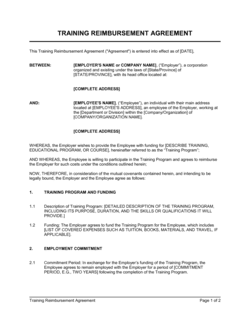
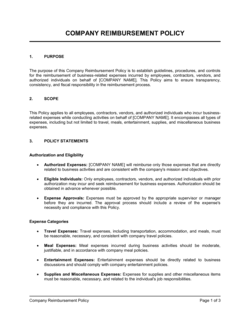
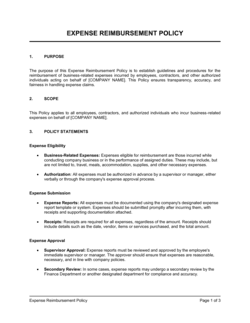
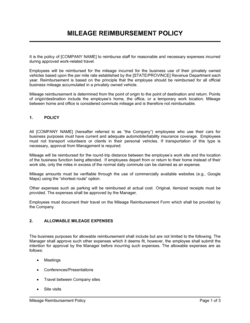
Training Investment and Reimbursement Policy Template

Free Word download β€’ Edit online β€’ Save & share with Drive β€’ Export to PDF

2 pagesβ€’20–30 min to fillβ€’Difficulty: Standard
Learn more ↓
FreeTraining Investment and Reimbursement Policy Template

At a glance

What it is
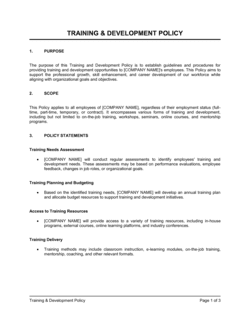
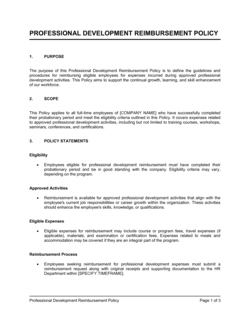
A Training Investment and Reimbursement Policy is an internal HR policy document that defines which employee training and education expenses the company will fund, the approval process required before spending, and the repayment obligations that apply if an employee leaves within a defined period after receiving employer-funded training. This free Word download gives you a structured, ready-to-edit template you can tailor to your organization's budget and retention goals, then distribute via your employee handbook or HR system.
When you need it
Use it when formalizing how training budgets are allocated and approved, when employees have started requesting tuition or course reimbursements without a consistent process, or when you need a repayment clause to protect against employees leaving shortly after completing employer-funded programs.
What's inside
Eligibility criteria, eligible and ineligible expense categories, budget limits and approval tiers, pre-approval process, repayment schedule for early departures, grade or completion requirements, tax treatment notes, and manager and HR responsibilities.

What is a Training Investment and Reimbursement Policy?

A Training Investment and Reimbursement Policy is an internal HR policy document that defines which employee training and education costs a company will fund, the approval process an employee must follow before enrolling, the completion standards required to qualify for payment, and the repayment obligations that apply if the employee leaves within a defined period after the company has covered their training costs. It transforms an ad hoc practice β€” managers approving training requests informally and inconsistently β€” into a documented, auditable system that treats every employee equitably and protects the company's training budget from open-ended commitments.

Why You Need This Document

Without a written policy, training reimbursement decisions are made case by case: some managers approve generously, others deny everything, and employees who know how to ask get more than those who do not. That inconsistency creates pay-equity exposure, budget overruns, and attrition when employees perceive the process as unfair. More concretely, companies that fund expensive certifications or degree programs with no repayment clause routinely lose the investment when the newly credentialed employee accepts a higher-paying offer within months of completing the program. A well-structured training reimbursement policy closes both gaps β€” it sets a fair, transparent process that employees can rely on, and it includes a proportionate clawback clause that recovers costs when the investment does not translate into retention. This template gives you a complete, editable framework you can deploy in under two hours.

Which variant fits your situation?

If your situation is…Use this template
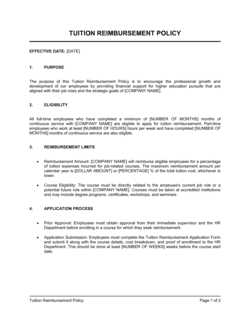
Policy covering tuition for degree programs at accredited universitiesTuition Reimbursement Policy
One-time reimbursement agreement signed by a single employeeTraining Reimbursement Agreement
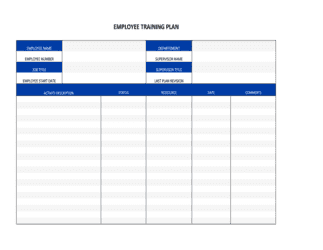
Policy governing a mandatory internal training programEmployee Training Plan
Broad people-development framework covering all HR learning initiativesEmployee Development Plan
Annual budget document allocating training spend by departmentTraining Budget Template
Policy covering conference attendance and professional membership fees onlyProfessional Development Policy
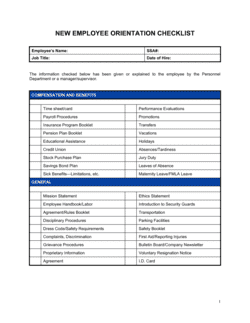
Onboarding policy covering required first-90-day training costsNew Employee Orientation Plan

Common mistakes to avoid

❌ No pre-approval requirement

Why it matters: Without mandatory pre-approval, employees enroll in expensive programs and present receipts expecting reimbursement β€” leaving the company with no budget control and limited grounds to decline.

Fix: Require written manager and HR sign-off before enrollment for any training above $[X]. Retroactive approvals are not reimbursable under the policy.

❌ Flat clawback period regardless of cost

Why it matters: A 24-month repayment obligation for a $150 online course creates resentment and erodes trust in the policy. Employees treat the whole policy as punitive.

Fix: Tier the clawback period by reimbursement amount: no clawback under $500, 12 months for $500–$2,000, and 24 months for programs above $2,000.

❌ No completion or grade requirement

Why it matters: Reimbursing employees who fail, withdraw, or receive an incomplete removes the accountability link between investment and outcome β€” and sets a precedent that all spending qualifies regardless of result.

Fix: Require proof of completion and, for graded programs, a minimum passing grade submitted within 30 days of course end before reimbursement is processed.

❌ Omitting the ineligible expenses section

Why it matters: When only eligible expenses are listed, employees and managers treat ambiguous cases as covered by default, generating reimbursement requests for hobby courses, gym memberships, and personal coaching.

Fix: Add an explicit ineligible list with at least five categories, plus a catch-all clause requiring advance HR approval for any unlisted expense.

❌ No named policy owner or review date

Why it matters: A policy with no owner goes unreviewed for years β€” dollar limits become outdated, tax thresholds change, and managers apply the policy inconsistently because there is no authoritative version.

Fix: Name a specific HR title as policy owner and set a fixed annual review month. Add the policy version number and effective date to the footer.

❌ Ignoring tax treatment entirely

Why it matters: Employees who receive more than $5,250 in educational assistance in a calendar year and are not warned will face an unexpected taxable income increase β€” creating payroll errors and employee complaints.

Fix: Add a tax treatment section noting the IRS Section 127 threshold and confirming that payroll will add amounts above the limit to the employee's taxable wages automatically.

The 10 key sections, explained

Purpose and scope

Eligible expenses

Ineligible expenses

Pre-approval process

Reimbursement process and timing

Annual budget limits

Repayment schedule

Manager and HR responsibilities

Tax treatment

Policy review and amendments

How to fill it out

  1. 1

    Define eligibility criteria

    Decide the minimum tenure for eligibility β€” typically 3, 6, or 12 months of continuous employment. Enter this threshold in the Purpose and Scope section and confirm whether part-time employees qualify on a pro-rata basis.

    πŸ’‘ Tying eligibility to the end of a probationary period aligns training investment with employees who are more likely to stay.

  2. 2

    Set eligible expense categories and per-item caps

    List every reimbursable expense type β€” tuition, exam fees, study materials, travel to training β€” and assign a specific dollar cap to each. Caps prevent single large expenses from consuming an employee's entire annual budget.

    πŸ’‘ Benchmark caps against industry peers: $3,000–$5,250/year per employee covers most professional development needs for individual contributors.

  3. 3

    Write the ineligible expenses list

    Explicitly name expense types that are not covered β€” personal interest courses, training started after resignation notice, and penalties for late cancellation. Ambiguity is resolved by employees in their favor.

    πŸ’‘ Add a catch-all line: 'Any expense not explicitly listed as eligible requires advance written approval from HR before being considered for reimbursement.'

  4. 4

    Configure the pre-approval workflow

    Set the required notice period before enrollment, the approval chain (manager, then department head for amounts above a threshold), and the form or system employees must use to submit requests.

    πŸ’‘ Build a two-tier approval: manager approves relevance within 5 days; HR approves budget availability within 3 days. Parallel reviews are faster than sequential.

  5. 5

    Set the repayment schedule and clawback period

    Enter the clawback period β€” 12 months for training under $1,000; 24 months for programs above $1,000 is a common calibration. Choose between a binary (100% if leaving within the period) or pro-rata repayment structure.

    πŸ’‘ Pro-rata schedules (100% in Year 1, 50% in Year 2) reduce employee resistance and are more consistently upheld if disputed.

  6. 6

    Add the annual budget cap and rollover rule

    Enter the per-employee annual limit and the departmental budget ceiling. Specify whether unused budget rolls over to the next fiscal year or expires.

    πŸ’‘ A 'use it or lose it' rule with a Q3 reminder email drives more consistent budget utilization and prevents year-end budget rushes.

  7. 7

    Insert tax treatment guidance

    Add the applicable tax exclusion threshold for your jurisdiction (US: $5,250 under IRS Section 127) and note that amounts above the threshold are added to the employee's taxable income.

    πŸ’‘ For companies with employees in multiple countries, add a one-line note directing non-US employees to consult the local tax guidance or their payroll team.

  8. 8

    Name the policy owner and set the review cycle

    Enter the name or title of the HR owner, the annual review month, and the notice period for amendments. Distribute the completed policy via your employee handbook or HRIS.

    πŸ’‘ Schedule the review to coincide with the annual budgeting cycle so dollar limits can be updated at the same time as departmental budgets are approved.

Frequently asked questions

What is a training reimbursement policy?

A training reimbursement policy is an internal HR document that defines which employee education and training costs a company will pay for, the process employees must follow to get approval before spending, and the repayment obligations that apply if an employee leaves within a defined period after receiving employer-funded training. It gives both employees and managers a consistent, written framework for every training investment decision.

What expenses are typically covered by a training reimbursement policy?

Most policies cover tuition for job-relevant courses at accredited institutions, professional certification and exam fees, required textbooks and study materials, and sometimes conference registration fees. Travel costs are covered by some companies for in-person programs held outside the employee's work location. Personal interest courses, degree programs unrelated to the employee's role, and late enrollment fees are almost universally excluded.

How does a training repayment clause work?

A repayment clause β€” also called a clawback β€” requires the employee to return some or all of the reimbursed training cost if they leave the company within a defined period after completing the program. Most companies use a 12- to 24-month clawback window, often on a pro-rata schedule: 100% repayment if the employee leaves in the first 12 months, 50% if they leave between months 12 and 24. The repayment amount is typically deducted from the employee's final paycheck to the extent permitted by applicable law.

Is training reimbursement taxable income for employees?

In the United States, educational assistance reimbursements up to $5,250 per calendar year are excludable from an employee's gross income under IRS Section 127, provided the program qualifies. Amounts above $5,250 are included in the employee's W-2 as taxable wages. Tax treatment varies by jurisdiction outside the US β€” employees in other countries should consult applicable local payroll rules or their HR team.

Do employees need pre-approval before enrolling in a training program?

Yes, under a well-structured policy, employees must receive written manager and HR approval before enrolling or paying for any training they intend to expense. Pre-approval allows the company to confirm budget availability, assess relevance to the employee's role, and document the commitment before costs are incurred. Requests for reimbursement without prior approval are typically denied under the policy.

What is a reasonable annual training reimbursement limit per employee?

A common benchmark for individual contributors is $3,000 to $5,250 per year β€” the upper limit aligns with the US IRS Section 127 tax exclusion. Senior roles or highly technical positions often have higher limits of $5,000 to $10,000 per year. Executive education programs may be budgeted separately at the department level. The right number depends on the company's industry, training intensity, and retention goals.

How is a training reimbursement policy different from a training plan?

A training reimbursement policy governs the financial process β€” who can request reimbursement, how much is covered, and what happens if the employee leaves. A training plan or employee development plan defines the specific skills, programs, and timelines for an individual employee's growth. The policy sets the rules; the plan sets the content. Both documents are typically used together in a mature L&D function.

Can a company deduct training repayments from an employee's final paycheck?

In many US states, yes β€” with certain conditions. Most states permit voluntary written paycheck deductions authorized in advance by the employee. Some states, including California and New York, restrict involuntary wage deductions and require a signed agreement specifically authorizing the deduction before training begins. A repayment agreement signed by the employee at the time of training approval is the standard mechanism for making the deduction enforceable.

How often should a training reimbursement policy be reviewed?

An annual review aligned to the company's budget cycle is standard practice. The review should update dollar limits for inflation, confirm that tax thresholds (such as the IRS Section 127 cap) have not changed, and assess whether the eligible expense categories still reflect the company's actual training needs. Material changes β€” such as a significant headcount increase or a shift to remote work β€” warrant an off-cycle review.

How this compares to alternatives

vs Employee Development Plan

An employee development plan maps the skills, programs, and milestones an individual employee will pursue over a defined period. A training reimbursement policy sets the financial rules β€” who qualifies, how much is covered, and what repayment applies if they leave. The development plan drives what training happens; the policy governs how it is funded. Both are typically used together.

vs Employee Training Plan

An employee training plan documents the specific courses, schedules, and learning objectives for a team or individual β€” often tied to mandatory compliance or onboarding requirements. A reimbursement policy covers voluntary or externally sourced training the employee requests, rather than company-assigned programs. Mandatory training costs are typically funded outside the reimbursement framework.

vs Training Reimbursement Agreement

A training reimbursement agreement is a bilateral document signed by one employee for a specific training program, capturing the amount, the repayment obligation, and the clawback terms. A reimbursement policy is a company-wide HR document that governs all training requests. The agreement operationalizes the policy for a single transaction; the policy is the standing framework behind every agreement.

vs New Employee Orientation Plan

A new employee orientation plan covers required first-day and first-week training that the company delivers or mandates β€” costs are typically absorbed as an operating expense, not processed through reimbursement. A training reimbursement policy applies to employee-initiated, externally sourced programs taken after the employee is already in role. The two documents cover different phases and funding mechanisms of the employee learning lifecycle.

Industry-specific considerations

Technology / SaaS

Certification reimbursement for cloud platforms (AWS, Azure, GCP) and annual limits tied to individual development plans reviewed during performance cycles.

Professional Services

CPA, CFA, PMP, and bar exam fee coverage with clawback periods calibrated to the time investment in candidate preparation and onboarding.

Healthcare

CME credit reimbursement, nursing recertification fees, and mandatory compliance training costs with specific licensure maintenance requirements built into eligibility rules.

Manufacturing

Trades certification, safety qualification, and equipment operator licensing costs β€” often funded at 100% given direct operational necessity and regulatory compliance requirements.

Template vs pro β€” what fits your needs?

PathBest forCostTime
Use the templateHR managers and small business owners creating a first formal training reimbursement policy for a team under 100 employeesFree1–2 hours
Template + professional reviewCompanies adding paycheck deduction authorization or repayment clauses that need to comply with state-specific wage deduction rules$150–$400 (employment counsel review)2–5 business days
Custom draftedEnterprises with multi-state or multi-country workforces, union agreements, or complex tiered reimbursement structures by role level$800–$2,500 (HR consultant or employment attorney)1–3 weeks

Glossary

Reimbursement
Payment made by the employer to an employee after the employee has already paid for an approved training expense out of pocket.
Pre-Approval
Formal written authorization from a manager or HR before an employee registers for or pays for a training program.
Repayment Clause
A provision requiring the employee to return some or all of the reimbursed training cost to the employer if they resign or are terminated for cause within a defined period.
Eligible Expense
A training or education cost that meets the policy's defined criteria β€” such as job-relevance, accreditation, or budget limits β€” and qualifies for employer reimbursement.
Clawback Period
The window of time after training completion during which the repayment clause is active β€” typically 12 to 24 months.
Pro-Rata Repayment
A repayment schedule where the amount owed decreases proportionally with each month the employee remains employed after training completion.
Learning and Development (L&D)
The HR function responsible for identifying skill gaps and designing or sourcing training programs to address them.
Tuition Assistance
Employer funding provided in advance of training, rather than as reimbursement after the fact β€” often disbursed directly to an institution.
IRS Section 127
A US tax provision allowing employers to exclude up to $5,250 per year in educational assistance from an employee's taxable income.
Training Needs Assessment
A structured analysis identifying the skills and knowledge gaps that training investment is intended to close.

Part of your Business Operating System

This document is one of 3,000+ business & legal templates included in Business in a Box.

  • Fill-in-the-blanks β€” ready in minutes
  • 100% customizable Word document
  • Compatible with all office suites
  • Export to PDF and share electronically

Create your document in 3 simple steps.

From template to signed document β€” all inside one Business Operating System.
1
Download or open template

Access over 3,000+ business and legal templates for any business task, project or initiative.

2
Edit and fill in the blanks with AI

Customize your ready-made business document template and save it in the cloud.

3
Save, Share, Send, Sign

Share your files and folders with your team. Create a space of seamless collaboration.

Save time, save money, and create top-quality documents.

β˜…β˜…β˜…β˜…β˜…

"Fantastic value! I'm not sure how I'd do without it. It's worth its weight in gold and paid back for itself many times."

Managing Director Β· Mall Farm
Robert Whalley
Managing Director, Mall Farm Proprietary Limited
β˜…β˜…β˜…β˜…β˜…

"I have been using Business in a Box for years. It has been the most useful source of templates I have encountered. I recommend it to anyone."

Business Owner Β· 4+ years
Dr Michael John Freestone
Business Owner
β˜…β˜…β˜…β˜…β˜…

"It has been a life saver so many times I have lost count. Business in a Box has saved me so much time and as you know, time is money."

Owner Β· Upstate Web
David G. Moore Jr.
Owner, Upstate Web

Run your business with a system β€” not scattered tools

Stop downloading documents. Start operating with clarity. Business in a Box gives you the Business Operating System used by over 250,000 companies worldwide to structure, run, and grow their business.

Free Forever PlanΒ Β·Β No credit card required