Telework Policy Template

Free Word download β€’ Edit online β€’ Save & share with Drive β€’ Export to PDF

5 pagesβ€’20–30 min to fillβ€’Difficulty: Standard
Learn more ↓
FreeTelework Policy Template

At a glance

What it is
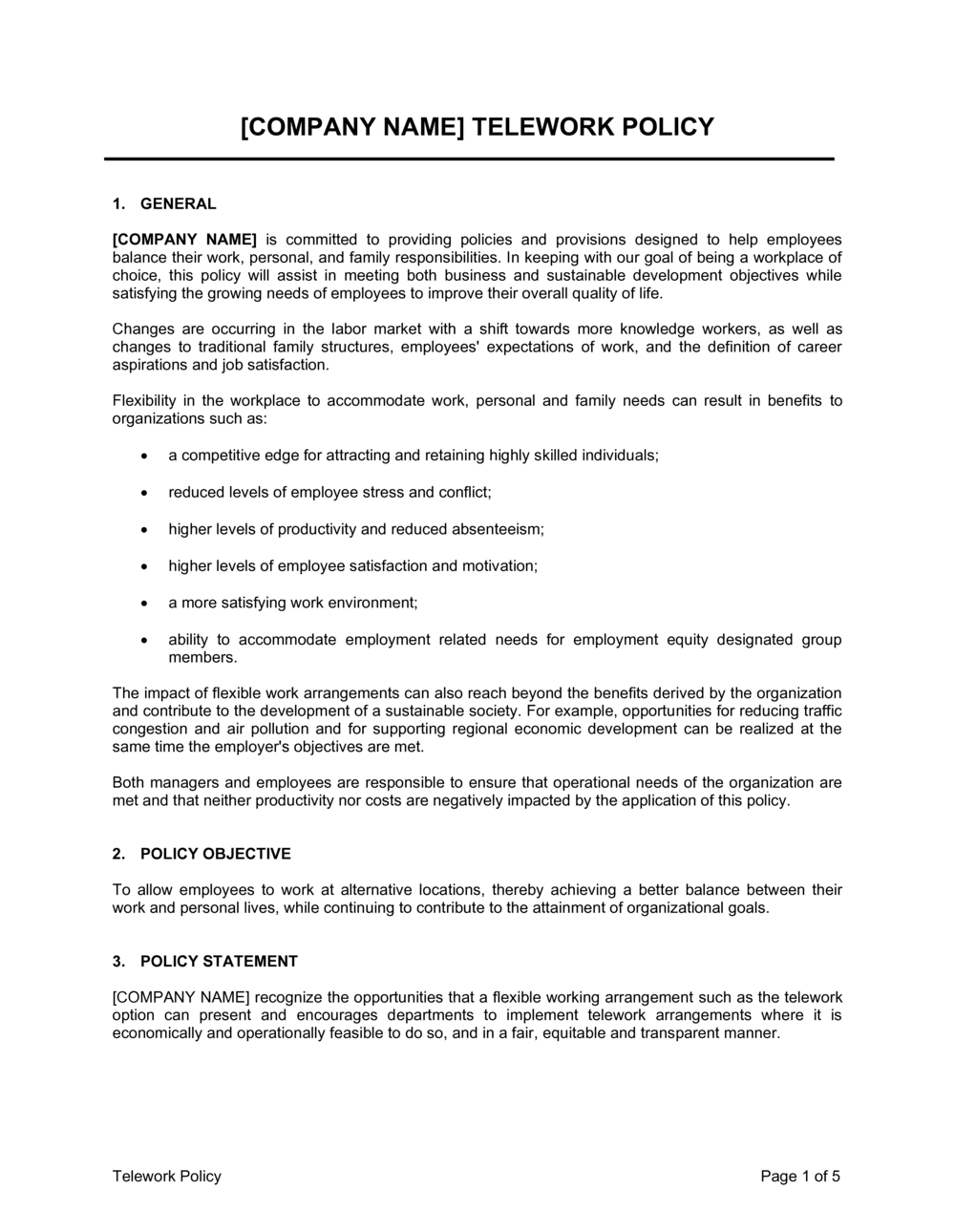
A Telework Policy is a formal internal document that defines the rules, eligibility criteria, expectations, and responsibilities governing employees who work remotely β€” whether from home, a co-working space, or another off-site location. This free Word download gives HR teams and business owners a structured, ready-to-edit starting point they can customize and distribute to their workforce in under an hour.
When you need it
Use it when onboarding remote or hybrid employees, formalizing an informal work-from-home arrangement already in practice, or responding to a regulatory or audit requirement for documented HR policies.
What's inside
Purpose and scope, eligibility criteria, approved work locations, equipment and technology requirements, data security obligations, performance and availability expectations, expense reimbursement rules, and the process for requesting and revoking telework approval.

What is a Telework Policy?

A Telework Policy is a formal internal document that establishes the rules, eligibility requirements, security obligations, and performance expectations governing employees who work from a location other than the company's primary office. It defines which roles qualify, what equipment and network standards apply, how availability and output are measured, and the process for requesting, modifying, or revoking remote work approval. Unlike a casual work-from-home arrangement communicated by email, a written telework policy creates a consistent, organization-wide framework that applies equally to every eligible employee β€” removing ambiguity for managers, employees, and HR alike.

Why You Need This Document

Without a written telework policy, inconsistent approvals across departments create discrimination exposure, employees in different states trigger unnoticed payroll tax obligations, and a departing employee can claim their informal remote arrangement was a contractual entitlement the company cannot revoke. Data security incidents traced to unsecured home networks are significantly harder to address when no written standard ever existed. Organizations that formalize telework rules also see faster onboarding for remote hires, fewer manager-employee disputes about availability, and cleaner audit trails when a regulatory body or insurer asks for documentation of remote work controls. This template gives you a complete, customizable starting point that covers every major gap β€” from approved locations and BYOD rules to expense caps and revocation procedures β€” so you can distribute a professional policy in hours rather than weeks.

Which variant fits your situation?

If your situation is…Use this template
Permanent, fully remote workforce with no office requirementRemote Work Policy
Hybrid team splitting time between home and office on a set scheduleHybrid Work Policy
Temporary or emergency telework (e.g., weather, public health event)Emergency Telework Policy
Employees requesting occasional, ad-hoc work-from-home daysFlexible Work Arrangement Policy
Documenting the specific agreement with one employeeRemote Work Agreement
Covering an employee working from a different countryInternational Remote Work Policy
Governing contractor or freelancer remote access to company systemsIndependent Contractor Agreement

Common mistakes to avoid

❌ No location-change notification requirement

Why it matters: An employee who moves to a different state creates payroll tax withholding obligations, potential workers' compensation registration requirements, and exposure to that state's labor law β€” none of which the employer may realize until an audit.

Fix: Add a clause requiring written notice to HR within five business days of any change to the approved work location, and tie violation to revocation of telework privileges.

❌ Leaving reimbursement amounts open-ended

Why it matters: Without a cap, employees make unilateral purchasing decisions β€” desks, chairs, monitors, printers β€” and submit receipts expecting full reimbursement. Unbudgeted costs can run into thousands per employee.

Fix: Set a specific monthly internet reimbursement cap and a one-time home office equipment budget that requires pre-approval above a stated dollar threshold.

❌ No revocation clause or process

Why it matters: Employees treat an informally approved or undocumented telework arrangement as a permanent benefit. When the business needs them back in the office, the absence of a written revocation process creates conflict, grievances, or constructive dismissal claims.

Fix: Include a revocation clause with a defined notice period (typically five to ten business days) and state clearly that the arrangement is a privilege, not a contractual entitlement.

❌ Omitting BYOD rules

Why it matters: A policy that only addresses company-issued devices leaves employees on personal laptops without any security obligations, exposing company data to unmanaged devices and creating ambiguity about who is responsible for a breach.

Fix: Add a BYOD section requiring MDM enrollment, VPN use, and acceptance of remote-wipe capability for any personal device used to access company systems.

❌ Measuring availability instead of output

Why it matters: Policies that require employees to be online during specific hours but never define deliverable standards lead managers to micromanage screen time rather than results β€” damaging morale and driving attrition among high performers.

Fix: Pair availability window requirements with clear output expectations tied to the employee's existing performance goals, and train managers to evaluate remote employees on deliverables, not hours logged.

❌ Failing to address workspace safety and workers' compensation

Why it matters: In most jurisdictions, an injury sustained while performing work duties at a home office is a compensable workers' compensation claim. A policy silent on this leaves both the employee and employer uncertain about reporting obligations and coverage.

Fix: Include minimum workspace standards, require employees to report home-office injuries within 24 hours, and confirm that the company's workers' compensation coverage extends to approved remote locations.

The 9 key sections, explained

Purpose and scope

Eligibility criteria

Approved work locations

Equipment and technology

Data security and confidentiality

Performance and availability expectations

Expense reimbursement

Health, safety, and workspace standards

Requesting, modifying, and revoking telework

How to fill it out

  1. 1

    Define which roles are telework-eligible

    Work with department heads to classify roles as eligible, conditionally eligible, or ineligible based on job function and business need. Document the classification criteria so decisions are defensible.

    πŸ’‘ Publish the eligibility list alongside the policy β€” employees who see the criteria applied consistently are less likely to dispute individual decisions.

  2. 2

    Set the approved work location requirements

    Decide whether employees may work from any domestic location or only from a pre-approved home address. State any international restrictions and the process for requesting exceptions.

    πŸ’‘ Add a sentence requiring employees to notify HR within five business days of a change of address β€” this one line prevents surprise payroll tax obligations in new states.

  3. 3

    Choose company-provided versus BYOD equipment rules

    Decide whether you will issue company equipment, allow personal devices, or both. For personal devices, specify MDM software requirements and the employee's acceptance of remote-wipe capability.

    πŸ’‘ If you allow BYOD, have employees sign a separate BYOD acknowledgment β€” bundling it into the telework policy makes consent harder to prove in a device dispute.

  4. 4

    Define core availability hours and response standards

    Set the specific time window employees must be online and reachable, the expected response time for messages and calls, and which meetings require camera-on attendance.

    πŸ’‘ State the time zone explicitly β€” 'core hours of 9 AM–3 PM Eastern' prevents confusion on distributed teams spanning multiple zones.

  5. 5

    Fill in expense reimbursement limits

    Enter the monthly internet reimbursement cap, the one-time home office equipment budget, and the submission deadline. Reference your existing expense system for the submission process.

    πŸ’‘ Check your jurisdiction's expense reimbursement laws before finalizing amounts β€” California Labor Code Β§2802 requires reimbursement of all necessary business expenses, with no cap.

  6. 6

    Complete the data security requirements

    Name the VPN employees must use, identify any prohibited cloud storage services, and reference your data classification framework or AUP by name.

    πŸ’‘ Avoid citing specific software versions in the policy body β€” move those details to a separate IT security standard so the policy does not need updating every time tools change.

  7. 7

    Set the revocation notice period and process

    State how much notice the company will give before requiring an employee to return on-site and the circumstances that trigger revocation β€” performance issues, role change, or business need.

    πŸ’‘ Five to ten business days is the most common revocation notice period; less than three days has been challenged in employment disputes as insufficient.

  8. 8

    Attach the Telework Request Form as Schedule A

    Create a one-page request form capturing the employee's name, role, proposed start date, work location address, and manager signature. Attach it to the policy as Schedule A.

    πŸ’‘ Keeping the request form as a separate schedule means you can update it without reissuing the full policy.

Frequently asked questions

What is a telework policy?

A telework policy is a formal employer document that defines the rules, eligibility criteria, equipment requirements, security obligations, and performance expectations that apply when employees work from a location other than the company's primary office. It replaces informal work-from-home arrangements with a consistent, documented framework that applies equally across the organization.

What should a telework policy include?

A complete telework policy covers purpose and scope, eligibility criteria, approved work locations, equipment and technology requirements, data security obligations, availability and performance expectations, expense reimbursement rules, workspace safety standards, and the process for requesting, modifying, or revoking a telework arrangement. Missing any of these sections creates gaps managers and employees will interpret inconsistently.

Is a telework policy legally required?

No federal law in the United States mandates a written telework policy, but several states β€” including California β€” require employers to reimburse all necessary remote work expenses, which a policy helps document and administer. In practice, having a written policy is the only reliable way to demonstrate consistent, non-discriminatory application of remote work rules, which matters in employment disputes and audits.

What is the difference between a telework policy and a remote work agreement?

A telework policy is a company-wide document that sets the rules for all eligible employees. A remote work agreement is a signed, employee-specific document that records the individual terms of one person's approved arrangement β€” their specific work location, approved hours, and equipment details. The policy governs; the agreement applies it to one person. Both are needed for a complete remote work framework.

Can an employer revoke telework approval?

Yes, in most cases an employer can revoke a telework arrangement, particularly when the policy clearly states that it is a privilege rather than a contractual right and includes a defined revocation notice period. Without that language, long-standing informal arrangements have been argued by employees to constitute an implied contractual term, making revocation legally complex. A written revocation clause with a five- to ten-business-day notice period is the standard approach.

Who should be eligible for telework?

Eligibility typically depends on whether the role can be performed effectively off-site, whether the employee has the performance standing to work independently, and whether the business can support the arrangement operationally. Customer-facing, hands-on, or equipment-dependent roles are typically ineligible. Clear, published eligibility criteria applied consistently across departments reduce bias claims and make decisions easier to defend.

Does a telework policy need to address tax and payroll implications?

The policy itself typically does not calculate tax obligations, but it should require employees to notify HR of any change in their work location β€” because an employee working from a different state or country can trigger new payroll tax withholding, unemployment insurance registration, and labor law compliance requirements for the employer. The notification clause is the mechanism that gives HR and payroll the information they need to act.

How do you enforce a telework policy?

Enforcement requires three elements: a signed acknowledgment from each employee confirming they have read and agreed to the policy, manager training on how to evaluate remote performance consistently, and a clear escalation path from informal coaching through formal discipline for policy violations. Policies that are issued but never enforced are routinely dismissed as unenforceable in employment disputes.

How often should a telework policy be reviewed?

Review the policy at least annually, and also whenever a significant operational change occurs β€” such as a shift from hybrid to fully remote, a major change in the company's data security posture, or a new state or country added to the employee roster. Outdated policies that reference deprecated technology or superseded expense amounts create confusion and reduce compliance.

How this compares to alternatives

vs Remote Work Agreement

A telework policy is a company-wide governance document setting rules for all eligible employees. A remote work agreement is an individual, signed record of one employee's specific approved arrangement β€” location, hours, and equipment. The policy establishes the framework; the agreement applies it to one person. Organizations need both to administer telework consistently and defensibly.

vs Employee Handbook

An employee handbook is a comprehensive reference covering all employment policies β€” from leave and conduct to benefits and discipline. A telework policy is a standalone document that covers remote work in the depth a handbook section cannot. Many organizations include a handbook summary section that points employees to the full standalone telework policy for details.

vs Flexible Work Arrangement Policy

A flexible work arrangement policy governs a broader set of schedule adjustments β€” compressed work weeks, shift changes, and part-time conversions β€” in addition to location flexibility. A telework policy focuses specifically on where work is performed. If your organization needs to address both schedule and location flexibility, a flexible work arrangement policy is the more comprehensive choice.

vs IT Acceptable Use Policy

An IT acceptable use policy governs how all employees β€” on-site and remote β€” may use company technology, systems, and data. A telework policy governs the work arrangement as a whole and references the AUP for technology-specific rules. The two documents work together: the telework policy sets the remote work context; the AUP provides the detailed technology obligations.

Industry-specific considerations

Technology / SaaS

Data security provisions are the highest-stakes section β€” VPN requirements, MDM enrollment, and data classification rules carry greater weight when employees access production systems and customer data remotely.

Financial Services

Regulators including FINRA and the SEC expect documented supervisory procedures for remote employees β€” a telework policy that addresses recordkeeping, communication monitoring, and client data handling supports examination readiness.

Healthcare

HIPAA-covered entities must address how protected health information is accessed, transmitted, and stored by remote workers β€” the policy's security section should reference the organization's HIPAA Privacy and Security policies by name.

Professional Services

Client confidentiality obligations extend to home offices β€” the policy should require that client calls and video meetings take place in a private space, and that confidential documents are not printed on personal or shared printers.

Template vs pro β€” what fits your needs?

PathBest forCostTime
Use the templateSmall to mid-size businesses formalizing domestic remote work arrangements for the first timeFree1–2 hours to customize and distribute
Template + professional reviewCompanies with employees in multiple states, regulated industries, or complex BYOD and data security requirements$300–$800 for an HR consultant or employment attorney review3–5 business days
Custom draftedMultinational employers, heavily regulated sectors (healthcare, financial services), or organizations undergoing an audit or litigation$1,500–$4,000+2–4 weeks

Glossary

Telework
A work arrangement in which an employee performs their regular job duties from a location other than the employer's primary office.
Hybrid Work
A model in which employees split their working time between a company office and a remote location on a defined or flexible schedule.
Approved Work Location
A specific address pre-authorized by the employer from which the employee may perform telework β€” typically their primary residence.
VPN (Virtual Private Network)
An encrypted network connection that allows remote employees to access company systems securely over the internet.
AUP (Acceptable Use Policy)
A policy defining how employees may use company-provided or company-accessed technology, systems, and data.
Availability Windows
Defined hours during which a remote employee is expected to be reachable and responsive to colleagues and managers.
Ergonomic Assessment
An evaluation of a remote employee's home workspace to ensure it meets minimum safety and comfort standards that reduce injury risk.
Expense Reimbursement
Employer repayment of costs an employee incurs to perform their job remotely, such as internet service, a desk, or a monitor.
Data Classification
A framework that categorizes company information by sensitivity level to determine what data may be accessed or stored on remote devices.
Telework Agreement
A signed document between employer and employee that records the specific terms of an individual's approved telework arrangement.

Part of your Business Operating System

This document is one of 3,000+ business & legal templates included in Business in a Box.

  • Fill-in-the-blanks β€” ready in minutes
  • 100% customizable Word document
  • Compatible with all office suites
  • Export to PDF and share electronically

Create your document in 3 simple steps.

From template to signed document β€” all inside one Business Operating System.
1
Download or open template

Access over 3,000+ business and legal templates for any business task, project or initiative.

2
Edit and fill in the blanks with AI

Customize your ready-made business document template and save it in the cloud.

3
Save, Share, Send, Sign

Share your files and folders with your team. Create a space of seamless collaboration.

Save time, save money, and create top-quality documents.

β˜…β˜…β˜…β˜…β˜…

"Fantastic value! I'm not sure how I'd do without it. It's worth its weight in gold and paid back for itself many times."

Managing Director Β· Mall Farm
Robert Whalley
Managing Director, Mall Farm Proprietary Limited
β˜…β˜…β˜…β˜…β˜…

"I have been using Business in a Box for years. It has been the most useful source of templates I have encountered. I recommend it to anyone."

Business Owner Β· 4+ years
Dr Michael John Freestone
Business Owner
β˜…β˜…β˜…β˜…β˜…

"It has been a life saver so many times I have lost count. Business in a Box has saved me so much time and as you know, time is money."

Owner Β· Upstate Web
David G. Moore Jr.
Owner, Upstate Web

Run your business with a system β€” not scattered tools

Stop downloading documents. Start operating with clarity. Business in a Box gives you the Business Operating System used by over 250,000 companies worldwide to structure, run, and grow their business.

Start freeΒ Β·Β No credit card required