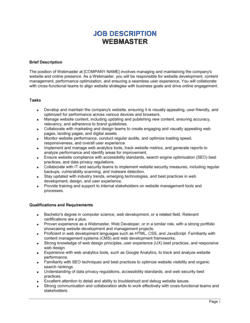
Systems Administrator Job Description Template

Free Word download β€’ Edit online β€’ Save & share with Drive β€’ Export to PDF

2 pagesβ€’20–30 min to fillβ€’Difficulty: Standardβ€’Signature requiredβ€’Legal review recommended
Learn more ↓
FreeSystems Administrator Job Description Template

At a glance

What it is
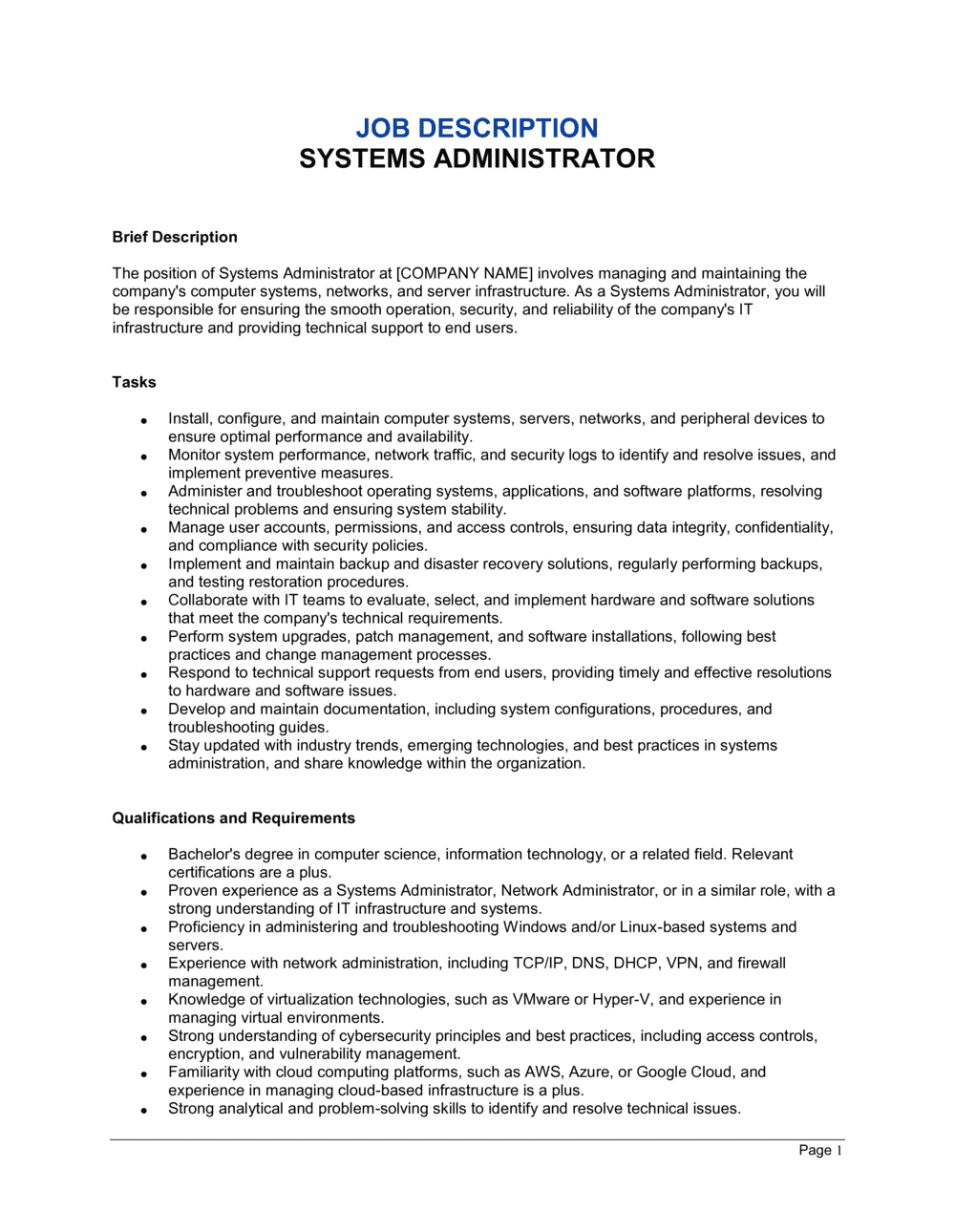
A Systems Administrator Job Description is a legally anchored document that defines the scope of a sysadmin role β€” duties, technical qualifications, reporting structure, and behavioral expectations β€” in binding terms that form part of the employment relationship. This free Word download lets you edit every clause online and export as PDF for immediate use in job postings, onboarding packages, and performance management.
When you need it
Use it when hiring a new systems administrator, reclassifying an existing IT employee, or restructuring your infrastructure team following a merger, compliance audit, or technology stack change. It is also the reference document HR uses when managing performance or initiating disciplinary action.
What's inside
Role summary and reporting structure, technical duties covering servers, networks, and security, required and preferred qualifications including certifications, compensation range and benefits, work schedule and on-call obligations, data governance and confidentiality requirements, and performance expectations with measurable KPIs.

What is a Systems Administrator Job Description?

A Systems Administrator Job Description is a formal employment document that defines the technical duties, required qualifications, performance standards, access entitlements, and behavioral obligations of a sysadmin role within an organization. When signed by both the employee and the hiring manager before or on the first day of work, it becomes an incorporated part of the employment relationship β€” establishing what the employee agreed to do, what metrics they will be held to, and what privileged access was issued and under what conditions. Unlike a generic posting pulled from a job board, a properly drafted sysadmin job description functions as a living operational document that HR uses for performance reviews, IT managers use for scope clarity, and legal teams use as evidence in disciplinary or termination proceedings.

Why You Need This Document

Without a signed, specific systems administrator job description, four problems emerge simultaneously. First, scope disputes are inevitable: a sysadmin who was never told cloud migration was part of the role will push back when it is assigned, and without documentation you have no basis to insist. Second, performance management stalls β€” you cannot put a sysadmin on a performance improvement plan for failing to meet a 99.9% uptime target that was never written down. Third, privileged access issued without a documented acceptable-use obligation is nearly impossible to enforce or claw back after separation. Fourth, data governance obligations β€” HIPAA, PCI-DSS, SOC 2 β€” require a formally designated accountable individual; a vague or unsigned job description does not satisfy that requirement. This template closes all four gaps in under an hour, giving your HR team a defensible record and your IT manager a clear operational contract with every sysadmin they hire.

Which variant fits your situation?

If your situation is…Use this template
Hiring for a senior or lead sysadmin overseeing a teamSenior Systems Administrator Job Description
Role focused primarily on Windows Server and Active Directory environmentsWindows Systems Administrator Job Description
Role focused on Linux/Unix infrastructure and open-source toolingLinux Systems Administrator Job Description
Cloud-focused role managing AWS, Azure, or GCP environmentsCloud Systems Administrator Job Description
Engaging an IT professional as an independent contractor rather than an employeeIT Consultant Independent Contractor Agreement
Documenting a broader IT manager role with budget and vendor authorityIT Manager Job Description
Defining a help desk or IT support role beneath sysadmin levelIT Support Specialist Job Description

Common mistakes to avoid

❌ Omitting on-call compensation terms

Why it matters: A sysadmin called out at 2 a.m. repeatedly with no documented compensation arrangement creates wage-and-hour liability in many jurisdictions and fuels resentment that drives attrition.

Fix: State the rotation frequency, the response-time SLA for each incident priority, and the exact pay rate or time-off-in-lieu formula in the job description before offer acceptance.

❌ Using vague duty language like 'manage IT systems'

Why it matters: Vague duties make scope disputes inevitable when the employee refuses a new task, and they make performance improvement plans legally indefensible because no specific standard was ever set.

Fix: Write each duty as an action verb followed by a specific object and platform β€” 'administer user accounts in Active Directory for 350 employees across three sites' instead of 'manage user access.'

❌ Conflating required and preferred qualifications

Why it matters: Listing all qualifications in one undifferentiated block makes it impossible to screen candidates consistently and may expose the organization to disparate-impact claims if disqualifiers are applied inconsistently.

Fix: Use two clearly labeled sections β€” 'Required Qualifications' and 'Preferred Qualifications' β€” and apply the required list uniformly across all candidates.

❌ Signing after the employee's start date

Why it matters: In common-law jurisdictions, duties, confidentiality obligations, and KPIs agreed to after employment begins may lack consideration and be unenforceable in a disciplinary or termination proceeding.

Fix: Execute the signed job description on or before day one. If a post-start amendment is unavoidable, document a specific benefit provided as fresh consideration at the time of signing.

❌ No measurable performance KPIs in the document

Why it matters: Without documented, measurable targets, terminating a sysadmin for performance reasons becomes a credibility contest β€” the employee can claim the standards were never communicated.

Fix: Include at least three specific, numeric KPIs β€” uptime percentage, MTTR, and patch compliance rate β€” tied to metrics your monitoring tools report on automatically.

❌ Issuing privileged access without documenting it

Why it matters: A domain administrator or root-level account grants access to every system in the organization. Without a written record of what was issued and under what conditions, proving unauthorized use or enforcing return obligations after termination is extremely difficult.

Fix: List every privileged account type issued to the role in the equipment and access clause, reference the Acceptable Use Policy by name, and require the employee to sign confirming receipt.

The 10 key clauses, explained

Role summary and position identification

In plain language: Names the position, department, and direct reporting line, and provides a two-to-three sentence summary of the role's primary purpose within the organization.

Sample language
The Systems Administrator reports to the [IT DIRECTOR / CTO / MANAGER OF IT] and is responsible for the design, implementation, and day-to-day maintenance of [COMPANY NAME]'s server, network, and endpoint infrastructure.

Common mistake: Using a generic title like 'IT Administrator' that blurs the boundary with help desk or network engineering roles, making it harder to defend job classification decisions or compensation benchmarks.

Core technical duties

In plain language: Lists the specific infrastructure tasks the employee owns β€” server provisioning, patch management, backup verification, Active Directory administration, and incident response.

Sample language
Duties include: provisioning and decommissioning physical and virtual servers; administering [WINDOWS / LINUX / UNIX] environments; managing Active Directory user accounts and group policies; executing monthly patch cycles; and maintaining documented DR procedures.

Common mistake: Writing duties at too high a level of abstraction β€” 'manage IT systems' β€” with no specifics. Vague duties create scope disputes and make performance reviews unmanageable.

Security and compliance responsibilities

In plain language: Assigns accountability for applying security controls, monitoring for threats, enforcing access policies, and meeting regulatory or audit requirements such as SOC 2, ISO 27001, or HIPAA.

Sample language
Employee shall implement and enforce least-privilege access policies, conduct quarterly access reviews, respond to security alerts within [X] hours, and support annual [SOC 2 / ISO 27001 / HIPAA] audit evidence collection.

Common mistake: Omitting compliance obligations entirely, then discovering during an audit that no employee was formally designated as accountable for a required control β€” creating regulatory exposure for the organization.

Required qualifications and certifications

In plain language: States the minimum education, years of experience, technical skills, and any mandatory certifications (e.g., CompTIA Network+, Microsoft MCSA, Red Hat RHCSA) the candidate must hold at hire.

Sample language
Minimum qualifications: [X] years of hands-on systems administration experience; proficiency in [WINDOWS SERVER / RHEL / UBUNTU]; [CompTIA Network+ / Microsoft Certified: Azure Administrator / RHCSA] certification required within [X] months of hire.

Common mistake: Listing certifications as 'required' when the employer will accept equivalent experience β€” this unnecessarily narrows the candidate pool and may create a disparate-impact claim if the certification correlates with demographic characteristics.

Preferred qualifications and soft skills

In plain language: Identifies additional technical skills and competencies that are desirable but not disqualifying β€” cloud platform experience, scripting ability, or familiarity with ITIL frameworks.

Sample language
Preferred: experience with [AWS / Azure / GCP] cloud environments; proficiency in PowerShell or Bash scripting; ITIL Foundation certification; demonstrated ability to document procedures for non-technical audiences.

Common mistake: Conflating required and preferred qualifications in a single list, making it impossible for candidates or hiring managers to distinguish minimum competency from nice-to-have skills.

On-call obligations and work schedule

In plain language: Defines standard working hours, any shift rotation, and the on-call schedule β€” frequency, response-time expectations, and compensation or time-off-in-lieu arrangements for out-of-hours response.

Sample language
Standard hours: [DAY]–[DAY], [START TIME]–[END TIME]. Employee participates in a [WEEKLY / BI-WEEKLY] on-call rotation and must acknowledge critical alerts within [30] minutes and begin remediation within [2] hours. On-call compensation: [RATE / TIME IN LIEU POLICY].

Common mistake: Stating on-call as a general expectation without specifying the rotation frequency, response-time SLA, or compensation β€” creating disputes when employees are paged repeatedly without additional pay.

Data governance and confidentiality

In plain language: Requires the employee to protect sensitive data accessed during system administration, comply with the company's data-handling policies, and refrain from unauthorized disclosure of system configurations, credentials, or user data.

Sample language
Employee shall handle all data encountered in the performance of duties in accordance with [COMPANY NAME]'s Data Classification and Handling Policy. Employee shall not disclose system credentials, network diagrams, or personally identifiable information outside of authorized channels.

Common mistake: Treating data governance as covered by a separate NDA and omitting it from the job description entirely β€” leaving a gap when the NDA does not address sysadmin-specific data types like backup archives or privileged account credentials.

Performance standards and KPIs

In plain language: Sets measurable performance expectations β€” uptime targets, mean time to resolution, patch compliance rate, and ticket closure rates β€” that will be used in performance reviews.

Sample language
Performance will be evaluated against: server uptime of [99.9]% or above; mean time to resolution (MTTR) for Priority 1 incidents of [4] hours or less; patch compliance rate of [95]% within [30] days of release; and a documentation currency rate of [90]% for all managed systems.

Common mistake: Omitting measurable KPIs and replacing them with subjective language like 'ensure high availability' β€” making it nearly impossible to build a defensible performance improvement plan or termination for cause.

Equipment, access, and acceptable use

In plain language: Specifies what company-owned equipment and privileged access the employee is issued, the conditions of use, and the return obligations upon separation.

Sample language
Company will provide [LAPTOP MODEL / SPEC], a VPN token, and privileged access to [SYSTEMS LIST]. Equipment remains company property and must be returned within [24 / 48] hours of separation. Use of privileged accounts is restricted to job-related tasks and governed by the Acceptable Use Policy.

Common mistake: Issuing broad privileged access β€” domain admin, root credentials, cloud IAM β€” without documenting it in the role agreement, making it impossible to prove unauthorized use or enforce return obligations.

Acknowledgment and signature block

In plain language: Records the employee's acknowledgment that they have read, understood, and agreed to the duties and obligations described, with signature, printed name, date, and a counterpart space for the hiring manager.

Sample language
I, [EMPLOYEE FULL NAME], acknowledge that I have read, understood, and agree to the responsibilities and expectations described in this Job Description, effective [DATE]. Employee Signature: _______________ Date: _____ | Manager Signature: _______________ Date: _____

Common mistake: Obtaining verbal acknowledgment without a written signature. Without a signed copy, the employer cannot establish that the employee was aware of specific duties in a disciplinary or termination proceeding.

How to fill it out

  1. 1

    Confirm the reporting structure and classification

    Enter the exact job title, the name or title of the direct manager, and the FLSA classification (exempt or non-exempt). Confirm whether the role is full-time, part-time, or contract before filling in any other field.

    πŸ’‘ Sysadmins who regularly exercise independent judgment and earn above the FLSA salary threshold ($684/week as of 2025) typically qualify as exempt β€” but verify with your HR team or counsel before classifying.

  2. 2

    Write a focused role summary

    Draft two to three sentences that describe the role's primary purpose, the infrastructure environment it supports, and the scale of the organization. Avoid copying generic text from job boards β€” specificity improves candidate quality.

    πŸ’‘ State the stack in the summary β€” 'managing a 200-seat Microsoft 365 and on-premises Windows Server environment' attracts candidates with matched experience faster than 'managing IT systems.'

  3. 3

    List core technical duties with measurable scope

    Break duties into at least six to eight specific, action-verb-led statements. Include the technology platforms, systems, or tools involved for each duty rather than writing at a generic level.

    πŸ’‘ Group duties by domain β€” server management, network administration, security, end-user support β€” so candidates and hiring managers can quickly assess coverage and gaps.

  4. 4

    Define required and preferred qualifications separately

    Create two distinct lists: one for minimum qualifications a candidate must have at offer, and one for preferred skills that would be a plus. Include years of experience, specific platforms, and certifications in the required list only if they are genuinely non-negotiable.

    πŸ’‘ Requiring certifications that have no direct equivalent in skills-based experience may unnecessarily narrow your candidate pool β€” consider 'or equivalent demonstrated experience' for most cert requirements.

  5. 5

    Specify on-call terms precisely

    Enter the rotation schedule, the maximum response time for each alert priority level, and the compensation or time-off-in-lieu arrangement. Reference the company's incident severity matrix if one exists.

    πŸ’‘ In jurisdictions with regulated overtime or on-call pay (California, Ontario, UK), have your HR team confirm the on-call compensation structure complies with applicable wage-and-hour law before publishing.

  6. 6

    Insert performance KPIs aligned to your monitoring tools

    Enter specific, measurable targets for uptime, MTTR, patch compliance, and documentation currency. Use the same metric definitions your monitoring platform (Nagios, Datadog, SCOM) reports on so targets are objectively verifiable.

    πŸ’‘ Set initial KPI targets based on current baseline performance, not aspirational benchmarks β€” an unachievable target creates a paper trail for constructive dismissal claims.

  7. 7

    Add data governance and acceptable-use references

    Name the company policies the sysadmin must comply with β€” Data Classification Policy, Acceptable Use Policy, Incident Response Plan β€” by their exact document title so there is no ambiguity about what is incorporated.

    πŸ’‘ If your policies are stored in a shared drive or intranet, add the file path or URL so the employee can access the current version at any time.

  8. 8

    Obtain dated signatures before the start date

    Both the employee and the hiring manager must sign and date before the employee's first day. File the executed copy in the employee's HR record and provide a countersigned copy to the employee.

    πŸ’‘ Use Business in a Box eSign to timestamp signatures and store the executed document automatically β€” this prevents the 'I never saw that clause' defense in a later dispute.

Frequently asked questions

What is a systems administrator job description?

A systems administrator job description is a formal document that defines the duties, qualifications, performance standards, and behavioral expectations of a sysadmin role within an organization. When incorporated into the employment relationship with a signed acknowledgment, it creates a documented record of what the employee agreed to do, what standards apply, and what access was granted β€” forming the foundation for performance management and, if necessary, disciplinary action.

What should a systems administrator job description include?

A complete job description covers the role summary and reporting structure, specific technical duties organized by domain (servers, networks, security, end-user support), required and preferred qualifications including certifications, on-call obligations with response-time SLAs and compensation terms, data governance and acceptable-use requirements, measurable performance KPIs, and an acknowledgment and signature block. Missing any of these creates gaps that surface during performance reviews, audits, or terminations.

Is a systems administrator job description legally binding?

A signed job description incorporated into an employment contract or issued alongside one is generally treated as part of the employment terms in most jurisdictions. It establishes the duties the employee agreed to perform, the standards they are held to, and the access they were issued. However, it is not a substitute for a full employment contract β€” it should always be accompanied by an employment agreement that addresses compensation, termination, IP assignment, and confidentiality in detail.

What certifications should I require for a systems administrator role?

The certifications most relevant to a sysadmin role depend on the environment. For Windows-centric shops, Microsoft Certified: Windows Server Hybrid Administrator or MCSA is standard. For Linux environments, Red Hat RHCSA or CompTIA Linux+ is common. For network management, CompTIA Network+ or Cisco CCNA applies. For cloud-integrated roles, AWS SysOps Administrator or Microsoft Azure Administrator Associate is increasingly expected. Consider allowing 'or equivalent demonstrated experience' for most certifications to avoid unnecessarily narrowing your candidate pool.

How do I set performance KPIs for a systems administrator?

Base KPIs on metrics your monitoring platform reports objectively. Standard targets include server uptime of 99.9% or above, mean time to resolution (MTTR) for Priority 1 incidents of 4 hours or less, patch compliance rate of 95% within 30 days of release, and a documentation currency rate of 90% for all managed systems. Set initial targets at or slightly above your current baseline β€” not aspirational industry benchmarks β€” so they are achievable and defensible.

How does a systems administrator job description differ from an IT manager job description?

A systems administrator job description focuses on hands-on technical execution β€” configuring, maintaining, and securing infrastructure. An IT manager job description adds people management duties (hiring, performance reviews, team scheduling), budget authority, and vendor contract oversight. If the sysadmin role you are hiring for involves supervising other IT staff or managing vendor relationships, use the IT Manager template instead or supplement this one with those responsibilities.

Should the systems administrator job description include on-call pay terms?

Yes. On-call obligations should always include the rotation schedule, the response-time SLA for each incident priority level, and the compensation arrangement β€” whether that is an on-call stipend, overtime pay for hours worked, or time off in lieu. Vague on-call language is one of the most common sources of wage-and-hour disputes in IT roles. In California, Ontario, and the UK, specific regulations govern on-call pay and standby time β€” verify compliance with local employment law before publishing the job description.

Do I need a lawyer to draft a systems administrator job description?

For a standard domestic hire, a well-structured template is typically sufficient. Engage employment counsel when the role involves access to regulated data (HIPAA, PCI-DSS, SOC 2), when the employee will be hired across a jurisdiction with complex wage-and-hour rules (California, Ontario, UK), or when the role carries unusually broad privileged access that requires custom acceptable-use and return obligations. A one-hour legal review typically costs $200–$400 and is worthwhile for senior sysadmin hires or roles with significant compliance exposure.

What is the difference between a systems administrator and a network administrator?

A systems administrator manages servers, operating systems, virtualization, user accounts, and application environments. A network administrator focuses primarily on routers, switches, firewalls, VPNs, and network performance. In smaller organizations, one person often covers both. When hiring, clarify whether the role is primarily infrastructure-focused, network-focused, or both β€” and use the job description to reflect that scope accurately so candidates self-select correctly.

How this compares to alternatives

vs Employment Contract

An employment contract governs the full legal relationship β€” compensation, termination, IP assignment, and non-compete. A job description defines the operational scope of the role. Both documents are necessary: the job description without an employment contract leaves compensation and restrictive covenants unaddressed; the contract without a job description leaves duties undefined and unenforceable as performance standards.

vs Independent Contractor Agreement

An independent contractor agreement engages a self-employed IT professional for project-based or ongoing work without employment entitlements β€” no benefits, no tax withholding, no on-call obligations. A systems administrator job description is an employment document. Misclassifying a sysadmin who works regular hours under employer direction as a contractor triggers back taxes, benefit liability, and penalties in most jurisdictions.

vs IT Manager Job Description

A systems administrator job description covers hands-on technical execution β€” configuring, securing, and maintaining infrastructure. An IT manager job description adds supervisory duties, budget authority, and vendor management. If your sysadmin hire will manage other IT staff or own vendor contracts, use the IT Manager template or supplement this document with those responsibilities before publishing.

vs Non-Disclosure Agreement

An NDA creates a standalone confidentiality obligation covering all information exchanged between the parties. The data governance clause in a job description is narrower β€” it governs how the sysadmin handles data encountered in their role. Both documents are recommended for sysadmin hires: the NDA covers pre-employment discussions and broad confidentiality; the job description addresses role-specific data-handling duties.

Industry-specific considerations

Financial Services

SOC 2 and PCI-DSS compliance obligations, privileged access management for trading systems, and strict change-management documentation requirements make sysadmin duties and accountability unusually specific in this sector.

Healthcare

HIPAA requires a formally designated workforce member responsible for technical safeguards β€” the sysadmin job description must reference HIPAA Security Rule obligations, EHR access controls, and audit log management.

Manufacturing

OT/IT convergence means sysadmins increasingly manage both corporate networks and operational technology β€” SCADA, PLCs, and MES systems β€” requiring duty clauses that explicitly address industrial control system environments.

Professional Services

Law firms, accounting firms, and consultancies handle privileged client data, making data governance clauses, conflict-of-interest provisions, and access-revocation procedures on client matter closeout critical inclusions.

Jurisdictional notes

United States

Most sysadmin roles qualify as FLSA-exempt administrative or computer employee exemptions if the employee earns above $684/week and exercises independent judgment β€” but misclassification in California, which applies a stricter test, is common. California also imposes specific on-call and standby pay obligations; confirm compliance before publishing. Non-compete clauses attached to job descriptions are void in California and Minnesota regardless of what the document says.

Canada

Each province sets its own employment standards, including overtime thresholds and on-call pay rules. Ontario's Employment Standards Act requires that employees receive at least three hours' pay if called in for a shift shorter than three hours. Quebec employers must provide French-language job descriptions for provincially regulated workplaces. Non-solicitation clauses attached to job descriptions must be reasonable in scope and duration to be enforceable.

United Kingdom

UK employers must provide a written statement of employment particulars on or before day one β€” a signed job description incorporated by reference satisfies part of this obligation but does not replace the full written statement. On-call time that requires the employee to remain at the workplace counts as working time under the Working Time Regulations 1998 and must be compensated accordingly. GDPR and the UK Data Protection Act 2018 impose specific obligations on sysadmins who handle personal data; reference these in the data governance clause.

European Union

The EU Transparent and Predictable Working Conditions Directive requires that employees receive written information about their duties and working conditions within 7 days of hire. GDPR Article 32 places technical and organizational security obligations on organizations β€” designating these to the sysadmin role in writing supports the accountability principle. On-call and standby compensation rules vary significantly by member state; France, Germany, and Spain all have court-developed or statutory standards that must be reflected in the employment terms.

Template vs lawyer β€” what fits your deal?

PathBest forCostTime
Use the templateStandard domestic sysadmin hires in environments without significant regulatory compliance obligationsFree30–45 minutes
Template + legal reviewRoles involving access to regulated data (HIPAA, PCI-DSS), cross-border hires, or jurisdictions with complex wage-and-hour rules$200–$400 (1-hour employment counsel review)1–3 days
Custom draftedSenior sysadmins with broad privileged access, executive IT roles with equity, or highly regulated industries requiring custom compliance language$800–$2,500+1–2 weeks

Glossary

Systems Administrator
An IT professional responsible for installing, configuring, maintaining, and securing an organization's computer systems, servers, and networks.
Active Directory (AD)
Microsoft's directory service for managing user accounts, permissions, and authentication across a Windows network environment.
SLA (Service Level Agreement)
A documented commitment to restore or maintain a system within a specified timeframe β€” for example, 99.9% uptime or a 4-hour incident response window.
On-Call Obligation
A contractual requirement for the sysadmin to be reachable and able to respond to system incidents outside standard business hours.
Patch Management
The process of identifying, acquiring, testing, and deploying software updates to keep systems secure and current.
Disaster Recovery (DR)
Documented procedures and infrastructure for restoring systems and data following an outage, ransomware attack, or hardware failure.
BYOD Policy
Bring Your Own Device β€” a workplace rule governing if and how employees may use personal devices to access corporate systems.
ITIL
Information Technology Infrastructure Library β€” a framework of best practices for IT service management, commonly referenced in sysadmin role requirements.
Least-Privilege Access
A security principle requiring that users and systems are granted only the minimum permissions necessary to perform their function.
KPI (Key Performance Indicator)
A measurable metric used to evaluate performance against a defined target β€” for example, mean time to resolution (MTTR) for system incidents.
Change Management
A structured process for requesting, reviewing, approving, and documenting changes to IT systems to minimize disruption and risk.

Part of your Business Operating System

This document is one of 3,000+ business & legal templates included in Business in a Box.

  • Fill-in-the-blanks β€” ready in minutes
  • 100% customizable Word document
  • Compatible with all office suites
  • Export to PDF and share electronically

Create your document in 3 simple steps.

From template to signed document β€” all inside one Business Operating System.
1
Download or open template

Access over 3,000+ business and legal templates for any business task, project or initiative.

2
Edit and fill in the blanks with AI

Customize your ready-made business document template and save it in the cloud.

3
Save, Share, Send, Sign

Share your files and folders with your team. Create a space of seamless collaboration.

Save time, save money, and create top-quality documents.

β˜…β˜…β˜…β˜…β˜…

"Fantastic value! I'm not sure how I'd do without it. It's worth its weight in gold and paid back for itself many times."

Managing Director Β· Mall Farm
Robert Whalley
Managing Director, Mall Farm Proprietary Limited
β˜…β˜…β˜…β˜…β˜…

"I have been using Business in a Box for years. It has been the most useful source of templates I have encountered. I recommend it to anyone."

Business Owner Β· 4+ years
Dr Michael John Freestone
Business Owner
β˜…β˜…β˜…β˜…β˜…

"It has been a life saver so many times I have lost count. Business in a Box has saved me so much time and as you know, time is money."

Owner Β· Upstate Web
David G. Moore Jr.
Owner, Upstate Web

Run your business with a system β€” not scattered tools

Stop downloading documents. Start operating with clarity. Business in a Box gives you the Business Operating System used by over 250,000 companies worldwide to structure, run, and grow their business.

Start freeΒ Β·Β No credit card required