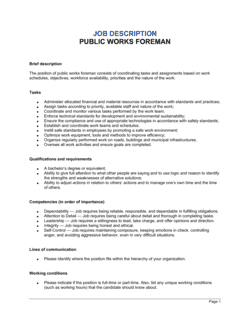
Public Works Manager Job Description Template

Free Word download • Edit online • Save & share with Drive • Export to PDF

2 pages20–30 min to fillDifficulty: StandardSignature requiredLegal review recommended
Learn more ↓
FreePublic Works Manager Job Description Template

At a glance

What it is
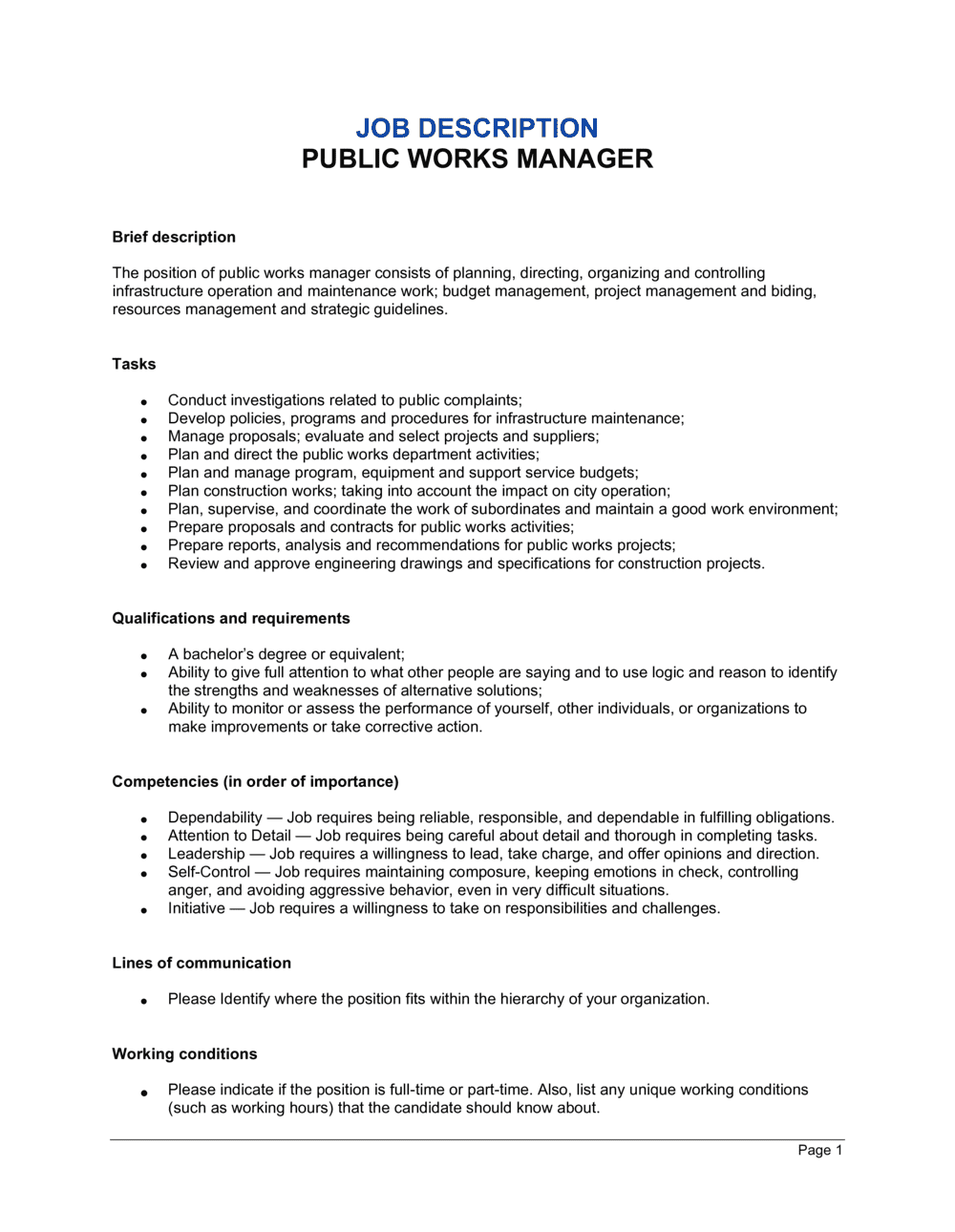
A Public Works Manager Job Description is a formal employment document that defines the scope of authority, core responsibilities, required qualifications, compensation structure, and compliance obligations for a manager overseeing public infrastructure — roads, utilities, parks, and municipal facilities. This free Word download gives you an editable, professionally structured template you can customize for your municipality, county, or public agency and export as PDF for posting, onboarding, or personnel file documentation.
When you need it
Use it when recruiting a new Public Works Manager, formalizing the role of an existing manager who lacks a written job description on file, or updating an outdated description to reflect changed responsibilities following a department restructuring or expanded infrastructure mandate.
What's inside
Position title and department, reporting structure, detailed duties and responsibilities, required and preferred qualifications, licensure and certification requirements, compensation and benefits framework, physical and environmental demands, equal opportunity language, and a signature acknowledgment block for both employer and employee.

What is a Public Works Manager Job Description?

A Public Works Manager Job Description is a formal employment document that defines the position title, reporting structure, essential duties, supervisory scope, required qualifications, physical demands, compensation framework, and compliance disclosures for a manager responsible for overseeing municipal or county infrastructure operations. It functions simultaneously as a recruiting instrument, an onboarding reference, a performance management baseline, and a legal record — establishing documented expectations the employer can rely on in disciplinary proceedings, ADA accommodation assessments, and civil-service classification reviews. In public-sector contexts, the document often must align with a formal civil-service class specification and meet pay-transparency, equal employment, and human rights obligations before it can be legally posted.

Why You Need This Document

Without a written, signed job description on file, public employers face compounding operational and legal risk. Performance management becomes subjective — when essential duties are undocumented, disciplinary actions and terminations are harder to defend before civil-service boards or employment tribunals. ADA and human rights accommodation requests cannot be assessed objectively without a documented list of essential physical and cognitive functions. Misclassified FLSA status, discovered during a Department of Labor audit without supporting documentation, results in retroactive overtime liability plus penalties. In unionized environments, a gap between the written description and the work actually performed gives employees grounds for classification grievances and out-of-scope duty challenges. This template closes all of those gaps in under an hour — giving HR teams a professionally structured, legally aware starting point that covers every section a public-sector job description requires, from FLSA classification to ADA-compliant physical demands to the acknowledgment signature block that protects the record.

Which variant fits your situation?

If your situation is…Use this template
Hiring a senior leader who oversees the entire public works department and reports to a city managerPublic Works Director Job Description
Filling a mid-level supervisor role focused on road maintenance and fleet operations onlyRoads and Fleet Supervisor Job Description
Documenting a utilities-specific manager role covering water, wastewater, and stormwaterUtilities Manager Job Description
Posting a parks and grounds management position within a public works departmentParks and Grounds Manager Job Description
Hiring a capital projects manager for a specific infrastructure improvement programCapital Projects Manager Job Description
Creating a full employment contract for the selected candidate after postingEmployment Contract
Documenting the overall department structure for a newly formed public works divisionOrganizational Chart Template

Common mistakes to avoid

❌ Omitting the FLSA classification

Why it matters: Without a documented exempt or non-exempt designation, the employer cannot demonstrate the basis for denying overtime during a Department of Labor audit — resulting in back-pay liability plus penalties.

Fix: Include the FLSA status in the position identification header and confirm it with payroll before posting.

❌ Merging required and preferred qualifications

Why it matters: When required and preferred criteria appear in a single undifferentiated list, recruiters may apply preferred standards as knockout criteria, creating a disparate-impact exposure for the hiring process.

Fix: Use two clearly labeled subsections — 'Required Qualifications' and 'Preferred Qualifications' — and enforce the distinction rigorously during screening.

❌ No physical demands section for a field-management role

Why it matters: If an employee requests an ADA accommodation and no documented essential physical functions exist, the employer cannot objectively assess whether the accommodation is reasonable — leaving them exposed to claims of arbitrary denial.

Fix: Document all physical demands in ADA-functional language before the position is filled, not after a request arises.

❌ Publishing an unreasonably broad salary range

Why it matters: Pay-transparency laws in multiple US states and Canadian provinces require posted ranges to reflect the genuine intended hiring range. A $40,000 spread signals bad faith and may trigger a regulatory complaint.

Fix: Set the posted range to no more than 20–25% above the minimum and confirm it aligns with the approved civil-service pay grade or budget authorization.

❌ Treating the signed job description as a substitute for an employment contract

Why it matters: An acknowledgment signature confirms receipt of the document but creates no binding compensation, notice, or termination obligations — gaps courts fill with jurisdiction-specific defaults, usually favorable to the employee.

Fix: Pair the job description with a separate employment agreement or offer letter that addresses compensation, notice periods, and severance explicitly.

❌ Failing to update the job description after a reorganization

Why it matters: A job description that no longer matches actual duties weakens performance management, undermines disciplinary actions, and creates classification grievance risk in civil-service or unionized environments.

Fix: Build a calendar reminder to review every job description annually or within 60 days of any departmental restructuring that materially changes a manager's responsibilities.

The 10 key clauses, explained

Position identification

In plain language: States the official job title, department, reporting line, FLSA classification, pay grade or salary range, and whether the position is full-time or part-time.

Sample language
Position Title: Public Works Manager | Department: Public Works | Reports To: Director of Public Works / City Administrator | FLSA Status: Exempt | Pay Grade: [GRADE/RANGE] | Employment Status: Full-Time

Common mistake: Omitting the FLSA classification. Without it, the department cannot demonstrate the overtime exemption basis during a wage-and-hour audit, exposing the employer to back-pay liability.

Position summary

In plain language: A two-to-four sentence overview of the role's primary purpose — what the manager oversees, the scope of infrastructure managed, and the organizational impact of the position.

Sample language
Under the direction of the [TITLE], the Public Works Manager plans, organizes, and directs the operations of the Public Works Department, including [INFRASTRUCTURE TYPES]. This position exercises independent judgment in overseeing a staff of [NUMBER] and an annual operating budget of $[AMOUNT].

Common mistake: Writing a position summary so broadly that it could describe any manager role. Specificity — naming the infrastructure types and budget scope — is what makes the document defensible in a classification dispute.

Essential duties and responsibilities

In plain language: A detailed enumeration of the core tasks the employee must perform — infrastructure planning, contractor oversight, budget management, regulatory compliance, emergency response, and public communications.

Sample language
Oversees maintenance and repair of [X] miles of roadway, [Y] stormwater structures, and [Z] municipal facilities. Manages department budget of $[AMOUNT], including capital improvement plan allocations. Coordinates with [STATE/COUNTY AGENCY] to ensure compliance with [APPLICABLE REGULATIONS].

Common mistake: Listing duties without distinguishing essential from marginal functions. Under the ADA, only essential functions can be used to deny accommodation requests — an undifferentiated list creates legal ambiguity.

Supervisory responsibilities

In plain language: Defines the number and types of staff the manager directly supervises, the scope of their hiring and disciplinary authority, and any indirect reports.

Sample language
Directly supervises [NUMBER] full-time employees including [TITLES]. Carries out supervisory responsibilities in accordance with [EMPLOYER] policies and applicable law, including interviewing, hiring, training, scheduling, evaluating performance, and recommending disciplinary action.

Common mistake: Stating 'supervises staff as assigned' without specifying the number of reports or the level of hiring authority. Ambiguous supervisory scope complicates performance management and classification grievances.

Required qualifications

In plain language: Lists the minimum education, years of experience, licensure, and certifications the employer requires — not prefers — to perform the job.

Sample language
Bachelor's degree in Civil Engineering, Public Administration, or related field required. Minimum [5] years of progressively responsible experience in public works or infrastructure management. Valid [STATE] driver's license required. Professional Engineer (PE) license [required / preferred].

Common mistake: Setting experience requirements that disproportionately screen out protected classes without a documented business justification. Under disparate-impact doctrine, overly rigid requirements can constitute unlawful discrimination if not tied to job performance.

Preferred qualifications and certifications

In plain language: Lists additional credentials that strengthen a candidate's application — certifications, advanced degrees, or specialized technical experience — without making them mandatory thresholds.

Sample language
Master's degree in Public Administration or Civil Engineering preferred. APWA Certified Public Infrastructure Inspector (CPII) or equivalent preferred. Experience with [GIS / CMMS / SCADA] systems preferred.

Common mistake: Blurring the line between required and preferred qualifications. Treating preferred criteria as knockout factors during screening exposes the hiring process to challenge if the written description says otherwise.

Physical demands and working conditions

In plain language: Describes the physical capabilities the role requires — lifting, standing, driving, outdoor work — and the environmental conditions the employee will encounter, using ADA-functional language.

Sample language
This position requires the ability to lift and carry up to [40] lbs, stand or walk for extended periods on uneven terrain, and operate a motor vehicle. Work is performed in both office and outdoor field environments, including exposure to weather, traffic, and construction-site hazards.

Common mistake: Omitting physical demands entirely for a field-management role. If an accommodation request arises and no documented essential physical functions exist, the employer cannot objectively evaluate what accommodation is 'reasonable.'

Compensation, benefits, and employment conditions

In plain language: States the salary range or pay grade, benefit eligibility, union or civil-service status, residency requirements if applicable, and any conditions of employment such as background checks or drug testing.

Sample language
Annual salary range: $[MINIMUM]–$[MAXIMUM], commensurate with qualifications. Benefits include [MEDICAL / DENTAL / VISION / PENSION / PTO] per [EMPLOYER] policy. This position is [subject to / excluded from] the [COLLECTIVE BARGAINING UNIT]. Pre-employment background check and drug screening required.

Common mistake: Publishing a salary range so broad — e.g., $50,000–$120,000 — that it provides no meaningful information. Several US states and Canadian provinces now require salary ranges to be posted in good faith; an unreasonably wide range may violate pay-transparency laws.

Equal employment opportunity statement

In plain language: A standard declaration that the employer does not discriminate on the basis of protected characteristics and, where applicable, is an affirmative action employer.

Sample language
[EMPLOYER NAME] is an Equal Opportunity Employer. All qualified applicants will receive consideration for employment without regard to race, color, religion, sex, national origin, disability, veteran status, or any other characteristic protected by applicable law.

Common mistake: Copying a generic EEO statement without checking whether the employer is also required to include affirmative action language — federal contractors and subcontractors above specific thresholds are legally required to do so.

Acknowledgment and signature block

In plain language: A section signed and dated by the employee and a HR or management representative confirming receipt and understanding of the job description — not an employment contract, but a personnel-file record.

Sample language
I have received, read, and understand the duties, responsibilities, and requirements of my position as described above. Employee Signature: _______________ Date: _______ | HR Representative: _______________ Date: _______

Common mistake: Treating the signed job description as a substitute for an employment contract. The acknowledgment confirms receipt; it does not create binding compensation or termination obligations — those require a separate employment agreement.

How to fill it out

  1. 1

    Enter the position identification details

    Fill in the official job title, department name, reporting line, FLSA classification (exempt or non-exempt), pay grade or salary range, and full-time or part-time status.

    💡 Confirm the FLSA classification with your payroll or HR team before publishing — misclassifying an exempt manager as non-exempt (or vice versa) triggers retroactive overtime liability.

  2. 2

    Write the position summary in four sentences or fewer

    Describe what the manager oversees, the scale of infrastructure or staff involved, and the organizational level of the role. Anchor the summary with specific numbers — budget size, staff count, infrastructure miles — rather than adjectives.

    💡 If your jurisdiction uses civil-service classification codes, include the code in this section to cross-reference the official class specification.

  3. 3

    List essential duties, marking them as essential

    Enumerate each core task in order of time spent or criticality. For each, note whether it is an essential function. Use action verbs — oversees, directs, coordinates, prepares — and avoid passive constructions.

    💡 Aim for 10–15 essential duties. Fewer than eight suggests the role is undersized; more than twenty suggests you've included marginal tasks that will complicate ADA accommodation decisions.

  4. 4

    Define supervisory scope explicitly

    State the exact number of direct reports, their titles, and the manager's authority to hire, discipline, and evaluate. Specify whether approval from a higher level is required for terminations.

    💡 If the role manages both full-time employees and contracted crews, distinguish the two — employment law obligations differ significantly between them.

  5. 5

    Separate required from preferred qualifications

    List minimum education, experience years, and licensure under 'Required.' Move certifications, advanced degrees, and system proficiencies to a separate 'Preferred' section.

    💡 Tie every required qualification to a specific duty. If you require a PE license but the role never involves sealed drawings, the requirement may not survive a disparate-impact challenge.

  6. 6

    Document physical demands in functional terms

    Describe each physical requirement using the ADA's preferred functional language: 'ability to lift up to 40 lbs,' 'ability to drive a vehicle,' 'ability to work outdoors in temperatures ranging from [X]°F to [Y]°F.'

    💡 Review OSHA field-safety requirements for public works operations in your jurisdiction — some physical demands may be legally mandated disclosures, not just employer preferences.

  7. 7

    Add compensation, benefits, and employment conditions

    Enter the salary range or pay grade, list benefit categories by name, note union or civil-service affiliation, and list any conditions of employment such as residency requirements or pre-employment screening.

    💡 Check your state or province's pay-transparency law before setting the salary range. Colorado, California, New York, and several Canadian provinces require posted ranges to reflect the genuine hiring range.

  8. 8

    Obtain signatures before or at onboarding

    Have the new or incumbent employee sign and date the acknowledgment block before their first day or at the first onboarding session. File the signed copy in their personnel record.

    💡 Send the signed document to the employee by email as a PDF attachment immediately after signing — this creates a timestamped delivery record that protects the employer if the employee later claims they were unaware of a duty.

Frequently asked questions

What does a public works manager do?

A public works manager plans, directs, and oversees the maintenance and improvement of municipal infrastructure — roads, bridges, stormwater systems, utilities, parks, and public buildings. They supervise department staff, manage operating and capital budgets, coordinate with contractors and regulatory agencies, and respond to infrastructure emergencies. The scope varies by jurisdiction: in smaller municipalities the role may cover all public infrastructure, while larger cities divide it across specialized divisions.

Is a job description a legally binding document?

A job description is generally not a binding employment contract on its own. It documents the scope of a role and the employer's expectations, but it does not typically create enforceable compensation or termination obligations. However, a signed acknowledgment block creates a personnel-file record that can be used in performance management and disciplinary proceedings. To create binding obligations, pair the job description with a separate employment agreement or offer letter.

What qualifications are typically required for a public works manager?

Most jurisdictions require a bachelor's degree in civil engineering, public administration, or a related field, plus a minimum of five years of progressively responsible experience in infrastructure management. A valid driver's license is nearly always required for field oversight. A Professional Engineer (PE) license is required in some jurisdictions and preferred in others. APWA certifications and proficiency with GIS or asset-management software are increasingly listed as preferred qualifications.

Does a public works manager need to be a licensed engineer?

Requirements vary by jurisdiction. Some municipalities require a PE license for any manager who reviews or approves engineering designs; others require it only for director-level positions. Many public works manager roles accept equivalent combinations of education and experience in place of a license, particularly for positions focused on operations and maintenance rather than design oversight. Check the civil-service classification specifications for your jurisdiction before setting the requirement.

What is the difference between a public works manager and a public works director?

A public works director typically holds department-head authority — reporting directly to a city manager or administrator, setting department policy, and managing the full capital improvement budget. A public works manager reports to the director and focuses on day-to-day operations, staff supervision, and project coordination. In smaller municipalities with no director position, the manager may perform both functions, which should be reflected explicitly in the job description.

What FLSA classification applies to a public works manager?

Public works managers are typically classified as exempt under the FLSA's executive or administrative exemption, provided they earn at least $684 per week (as of 2024) and their primary duty involves managing a department or subdivision and directing the work of at least two full-time employees. If the role is primarily operational — working alongside crew members rather than directing them — non-exempt classification may be more appropriate. Confirm with legal counsel or HR before assigning the classification.

What physical demands should be included in a public works manager job description?

Common physical demands for a public works manager include the ability to lift up to 40 lbs, walk or stand on uneven or unpaved terrain for extended periods, operate a motor vehicle, and work outdoors in varying weather conditions. Exposure to construction-site hazards, traffic, and occasional confined-space entry inspections may also apply. Documenting these in ADA-functional language before hiring is essential — it establishes the baseline for evaluating accommodation requests objectively.

Do public works manager job descriptions need to comply with pay-transparency laws?

Yes, in an increasing number of jurisdictions. Colorado, California, New York, Washington, and Illinois, among others, require employers to include a salary range in job postings. Several Canadian provinces have similar requirements. For public-sector roles, the posted range should align with the approved civil-service pay grade or budget authorization. A range published in good faith — typically within 20–25% of the minimum — reduces the risk of regulatory complaints and improves candidate quality.

Should the job description be updated when duties change?

Yes. Job descriptions that no longer reflect actual duties weaken performance management, create classification grievance risk in union environments, and can undermine disciplinary actions in civil-service systems where documented duties form the basis of performance standards. Review every public works manager job description annually and within 60 days of any reorganization that materially changes the manager's responsibilities, budget authority, or reporting structure.

How this compares to alternatives

vs Employment Contract

A job description documents the scope, duties, and qualifications of a role. An employment contract creates binding legal obligations on compensation, notice periods, IP assignment, and termination. For public-sector hires, both documents are typically used together — the job description defines the role, and the employment agreement (or collective-bargaining provisions) governs the terms. Neither document substitutes for the other.

vs Offer Letter

An offer letter confirms compensation, start date, and basic conditions to secure a candidate's acceptance. A job description defines what the employee will actually do day-to-day. The offer letter references the job description but does not replicate it. In many public-sector hiring processes, the job description is published first, the offer letter follows selection, and a formal contract follows acceptance.

vs Organizational Chart

An organizational chart maps the visual reporting relationships across a department or organization. A job description provides the detailed duties, qualifications, and accountability for a single role. Use the org chart to show where the Public Works Manager sits within the hierarchy and the job description to define what that position requires of the person holding it.

vs Performance Review Template

A performance review evaluates an employee against their documented duties and goals over a defined period. The job description is the source document that defines those duties and forms the measurement baseline. Without an accurate, current job description on file, performance reviews lack objective criteria — making ratings harder to defend in grievances or litigation.

Industry-specific considerations

Municipal government

Civil-service classification compliance, union or collective-bargaining unit alignment, and pay-grade transparency requirements govern how job descriptions are structured and posted.

County and regional government

Multi-departmental infrastructure scope — roads, bridges, drainage, and solid waste — often requires a more expansive duties section and clearly defined budget authority thresholds.

Utility districts and special districts

Water, wastewater, and stormwater operations require specific regulatory compliance references (EPA, state environmental agency) and operator certification requirements in the qualifications section.

Construction and engineering consulting

Firms advising public-sector clients on infrastructure staffing need job descriptions that mirror civil-service class specifications to support reclassification studies and compensation benchmarking.

Jurisdictional notes

United States

Federal FLSA requirements govern overtime classification for public-sector employees, including specific provisions for state and local government workers under 29 U.S.C. § 207(k). The ADA requires that physical demands be described in functional terms and that essential functions be distinguished from marginal ones. Pay-transparency laws vary by state — Colorado, California, New York, Washington, and Illinois currently require salary ranges in postings. Federal contractors must include affirmative action language in EEO statements above applicable thresholds.

Canada

Employment standards governing job description requirements vary by province, but Ontario, British Columbia, and Alberta all require written position documentation for civil-service roles. Pay-transparency legislation is active in British Columbia (effective 2023) and under development in Ontario and other provinces. In Quebec, job descriptions for provincial and municipal roles must be available in French. Human rights codes in all provinces prohibit job requirements that have an adverse discriminatory effect unless there is a bona fide occupational requirement.

United Kingdom

The Equality Act 2010 requires that job requirements be justifiable as proportionate means of achieving a legitimate aim — blanket qualification requirements that indirectly discriminate must be defensible. Local authority and public-sector roles are subject to the Public Sector Equality Duty, which requires consideration of equality impacts in recruitment practices. Job descriptions used as part of a disciplinary or grievance process are scrutinized by Employment Tribunals for whether they accurately reflected the employee's actual duties.

European Union

The EU Transparent and Predictable Working Conditions Directive (2019/1152) requires that workers receive written information about their duties, probationary periods, and pay structure at the start of employment. GDPR considerations apply when storing signed job description acknowledgments that contain employee personal data — retention periods and access controls must comply with applicable data protection law. Member states including France, Germany, and the Netherlands impose additional public-sector documentation requirements through civil-service statutes.

Template vs lawyer — what fits your deal?

PathBest forCostTime
Use the templateMunicipalities and public agencies filling standard public works manager vacancies with straightforward civil-service requirementsFree30–60 minutes
Template + legal reviewJurisdictions with active collective-bargaining agreements, pay-transparency obligations, or recent ADA accommodation disputes in the department$300–$700 for an HR consultant or employment attorney review2–5 business days
Custom draftedLarge municipalities or counties creating a new civil-service classification, restructuring a department after litigation, or operating under a consent decree with documentation requirements$1,500–$5,000+2–4 weeks

Glossary

Position Summary
A brief paragraph near the top of a job description that captures the essential purpose of the role in two to four sentences.
Essential Functions
The core tasks the employee must be able to perform — with or without reasonable accommodation — that define the job's fundamental purpose under the ADA and equivalent statutes.
FLSA Classification
A designation under the US Fair Labor Standards Act indicating whether the position is exempt (salaried, no overtime) or non-exempt (eligible for overtime at 1.5× the regular rate).
Bona Fide Occupational Qualification (BFOQ)
A requirement for a specific characteristic — such as a license or physical capability — that is genuinely necessary to perform the job and therefore permissible to require.
Civil Service Classification
A formal job category within a government merit system that determines pay grade, promotional eligibility, and disciplinary procedures.
PE License (Professional Engineer)
A state-issued credential authorizing an engineer to offer services directly to the public — often required or preferred for public works management roles overseeing infrastructure design.
ADA-Compliant Language
Phrasing that describes physical or sensory job requirements in functional terms (e.g., 'ability to lift 40 lbs') rather than exclusionary terms, as required by the Americans with Disabilities Act.
At-Will Employment
An employment relationship in which either party may end the arrangement at any time for any lawful reason — the default in most US states, though less common in public-sector civil-service roles.
Scope of Authority
The defined boundaries of a manager's decision-making power, including budget approval limits, hiring authority, and contracting thresholds.
Acknowledgment Signature Block
A section at the end of a job description where the employee signs and dates to confirm they have received, read, and understood the document — creating a personnel-file record.

Part of your Business Operating System

This document is one of 3,000+ business & legal templates included in Business in a Box.

  • Fill-in-the-blanks — ready in minutes
  • 100% customizable Word document
  • Compatible with all office suites
  • Export to PDF and share electronically

Create your document in 3 simple steps.

From template to signed document — all inside one Business Operating System.
1
Download or open template

Access over 3,000+ business and legal templates for any business task, project or initiative.

2
Edit and fill in the blanks with AI

Customize your ready-made business document template and save it in the cloud.

3
Save, Share, Send, Sign

Share your files and folders with your team. Create a space of seamless collaboration.

Save time, save money, and create top-quality documents.

★★★★★

"Fantastic value! I'm not sure how I'd do without it. It's worth its weight in gold and paid back for itself many times."

Managing Director · Mall Farm
Robert Whalley
Managing Director, Mall Farm Proprietary Limited
★★★★★

"I have been using Business in a Box for years. It has been the most useful source of templates I have encountered. I recommend it to anyone."

Business Owner · 4+ years
Dr Michael John Freestone
Business Owner
★★★★★

"It has been a life saver so many times I have lost count. Business in a Box has saved me so much time and as you know, time is money."

Owner · Upstate Web
David G. Moore Jr.
Owner, Upstate Web

Run your business with a system — not scattered tools

Stop downloading documents. Start operating with clarity. Business in a Box gives you the Business Operating System used by over 250,000 companies worldwide to structure, run, and grow their business.

Start free · No credit card required