Issue Tracking Sheet Template

Free download • Use as a template • Print or share

1 page15–25 min to useDifficulty: Standard
Learn more ↓
FreeIssue Tracking Sheet Template

At a glance

What it is
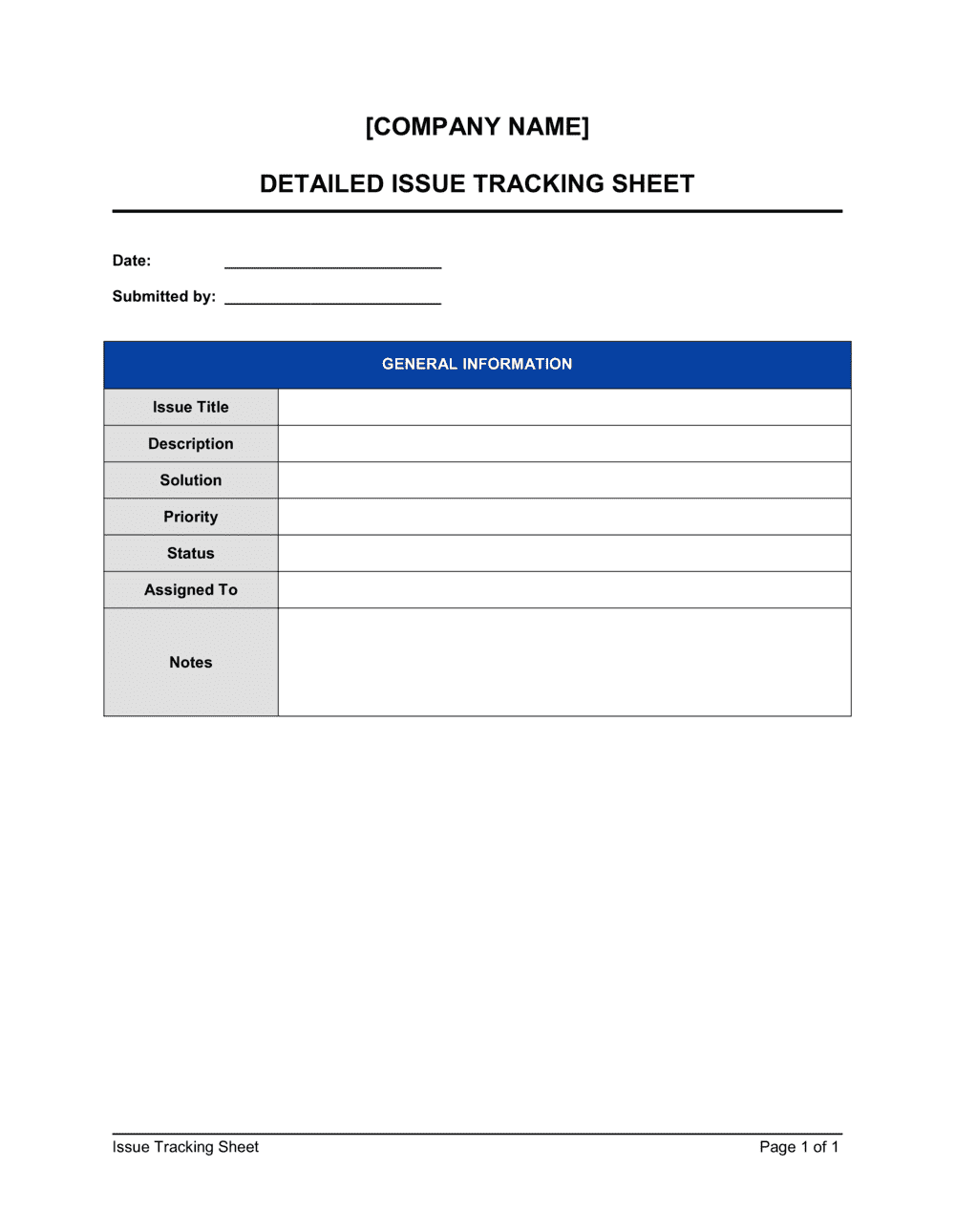
An Issue Tracking Sheet is a structured log used to record, assign, prioritize, and monitor the resolution of problems, defects, or action items that arise during a project or business operation. This free Word download gives you a ready-to-use table you can edit online and export as PDF to share with your team or stakeholders in minutes.
When you need it
Use it whenever a project, process, or system produces recurring problems that need to be formally captured and followed through to resolution — from software bugs and construction punch-list items to client complaints and audit findings.
What's inside
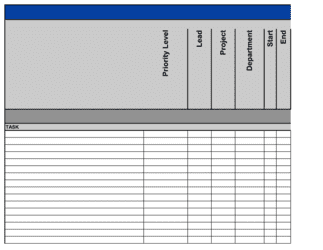
Issue ID, date logged, description, category, priority rating, assigned owner, target resolution date, current status, and resolution notes — giving every issue a complete lifecycle record from discovery to closure.

What is an Issue Tracking Sheet?

An Issue Tracking Sheet is a structured log used to record, assign, prioritize, and monitor the resolution of problems, defects, or failures that arise during a project or ongoing business operation. Each row in the sheet captures a single issue from the moment it is discovered through to verified closure — including who is responsible, when it must be resolved, and what action was taken. Unlike informal email threads or verbal task assignments, a centralised issue log gives every team member and stakeholder a single, up-to-date reference for what is open, what is being worked on, and what has been fixed.

Why You Need This Document

Without a formal issue log, problems get reported once in a meeting or email, fall out of circulation, and resurface weeks later — often with greater impact. Teams lose time reconstructing what was agreed, who owns it, and whether it was ever actually resolved. A single missed issue can delay a project milestone, breach a client SLA, or allow a recurring defect to compound into a larger failure. This template gives you a ready-to-use structure that takes under five minutes to deploy, keeps every open issue visible to the whole team, and builds an audit trail of resolutions that supports post-project reviews and continuous improvement.

Which variant fits your situation?

If your situation is…Use this template
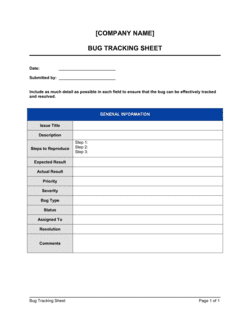
Tracking software bugs and defects during development or QABug Tracking Sheet
Managing open items after a project audit or reviewAudit Finding Log
Recording customer complaints and resolution stepsCustomer Complaint Log
Tracking punch-list items at a construction project close-outPunch List Template
Logging risks that have not yet materialised as active issuesRisk Register
Assigning and tracking action items from a meetingAction Items List
Managing a broad set of tasks across a project teamProject Task List

Common mistakes to avoid

❌ Assigning issues to teams instead of individuals

Why it matters: When an issue is owned by 'the dev team' or 'operations', no single person feels accountable and issues stall indefinitely between handoffs.

Fix: Name one person as owner for every issue at the time of logging. That person coordinates resolution even if others do the actual work.
❌ Leaving the target resolution date blank

Why it matters: Issues without deadlines migrate to the bottom of everyone's priority list and accumulate into a backlog that never gets actioned.

Fix: Set a target date for every issue regardless of priority. For Low items, a two-week default is better than no date at all.

❌ Closing issues before verifying the fix

Why it matters: Premature closure means the same issue resurfaces, teams lose confidence in the log, and recurring problems cannot be identified as patterns.

Fix: Require a verification step — QA sign-off, user confirmation, or a defined observation period — before any issue is marked Closed.

❌ Inflating every issue to Critical or High priority

Why it matters: When priority ratings are not calibrated, teams cannot triage effectively and the highest-impact issues compete for attention with minor inconveniences.

Fix: Define written criteria for each priority level — for example, Critical means production is down or revenue is directly blocked — and apply them consistently.

The 9 key fields, explained

Issue ID

Date logged

Issue description

Category

Priority

Assigned owner

Target resolution date

Current status

Resolution notes

How to fill it out

  1. 1

    Set up your issue ID sequence

    Choose a consistent prefix and numbering format before logging the first issue — for example, ISS-001 or [PROJECT CODE]-001. Apply it to every row from the start.

    💡 A project-code prefix (e.g., ALPHA-001) keeps issues from different projects separate if you manage multiple logs in one file.

  2. 2

    Log the date and write a specific description

    Enter the date the issue was first identified, then write a description that states what failed, where, and what the business impact is. Aim for two to three sentences.

    💡 Include a quantified impact wherever possible — '15% of orders affected' is far more actionable than 'intermittent checkout error'.

  3. 3

    Assign a category and priority

    Select the most relevant category from your predefined list and set a priority level — Critical, High, Medium, or Low — based on the business impact and urgency.

    💡 Define priority criteria in a legend at the top of the sheet before the team starts logging, so ratings are applied consistently across reporters.

  4. 4

    Name a single owner and set a target date

    Assign the issue to one named individual — not a team — and agree on a specific target resolution date at the time of logging.

    💡 For Critical issues, set the target date to the same day. For Low priority, a maximum of two weeks prevents the backlog from growing indefinitely.

  5. 5

    Update status at each review cycle

    Change the status field at every team check-in or status meeting — Open, In Progress, Pending Review, or Closed. Add a one-line update note with each status change.

    💡 Colour-code the status column — red for Open/overdue, amber for In Progress, green for Closed — so the state of the log is visible at a glance without reading every row.

  6. 6

    Complete resolution notes before closing

    Before changing status to Closed, record what action was taken, the root cause identified, and any preventive measures put in place to stop recurrence.

    💡 A two-sentence resolution note takes 60 seconds to write and saves hours of re-investigation when a similar issue surfaces months later.

Frequently asked questions

What is an issue tracking sheet?

An issue tracking sheet is a structured log used to record, assign, prioritize, and monitor problems or action items until they are resolved. Each row captures a single issue with its ID, description, owner, priority, deadline, and status — giving teams a single shared reference for everything that is open, in progress, or closed.

What is the difference between an issue and a risk?

A risk is a potential problem that has not yet occurred — something you are monitoring and trying to prevent. An issue is a problem that has already materialised and requires active resolution. Risks are tracked on a risk register; issues are tracked on an issue log. A risk that is not mitigated in time typically becomes an issue.

What fields should an issue tracking sheet include?

At minimum: a unique issue ID, the date logged, a specific description of the problem, a priority rating, the name of the assigned owner, a target resolution date, the current status, and resolution notes. Optional fields include category, root cause, workaround, and linked documents or ticket numbers.

How often should the issue log be reviewed?

Weekly reviews are standard for most project teams. High-velocity teams — software development, incident response — review daily or at every stand-up. The key is a fixed cadence: irregular reviews allow overdue issues to drift without accountability. Set a recurring calendar event and update every status field at each session.

Can I use an issue tracking sheet instead of dedicated software like Jira?

Yes, for teams of up to about 15 people or projects with fewer than 50 concurrent issues, a well-maintained spreadsheet or Word log works effectively. Dedicated tools add workflow automation, notifications, and integrations that become valuable at higher volumes. Start with a template and migrate to software when manual updates become the bottleneck, not the exception.

Who should have access to the issue tracking sheet?

All team members who may log or resolve issues should have edit access. Stakeholders and clients who need visibility but should not modify the log should receive read-only access or a filtered export. Restricting access too tightly means issues go unlogged; unrestricted editing without governance leads to accidental deletions and inconsistent entries.

How do I handle issues that cannot be resolved within the target date?

Update the status to reflect the delay, document the reason in the notes column, set a revised target date, and escalate to the appropriate authority if the issue is blocking other work. Never simply extend the date silently — an audit trail of date changes and escalation decisions is what separates a managed backlog from a neglected one.

What is the difference between an issue tracking sheet and an action items list?

An action items list captures discrete tasks assigned at a meeting or during planning — things that need to be done. An issue tracking sheet records problems that have arisen and need to be investigated and resolved. Issues often generate action items as part of their resolution, but not every action item stems from a problem.

How this compares to alternatives

vs Risk Register

A risk register tracks potential problems that have not yet occurred, recording likelihood, impact, and mitigation plans. An issue tracking sheet records problems that have already materialised and require active resolution. The two documents are complementary — a risk that is not mitigated typically moves from the risk register to the issue log.

vs Action Items List

An action items list captures tasks assigned during a meeting or planning session — things that need to be done. An issue tracking sheet records problems that have arisen and must be investigated and resolved. Issues frequently generate action items, but an action item is not inherently the result of a problem.

vs Project Task List

A project task list outlines planned deliverables and work packages that form part of the project scope. An issue tracking sheet captures unplanned problems that threaten scope, schedule, or quality. Task lists drive forward progress; issue logs manage deviations from that progress.

vs Change Request Form

A change request form proposes and authorises a deliberate modification to scope, schedule, or budget. An issue tracking sheet records problems that require investigation and resolution within the existing baseline. Issues sometimes trigger change requests — for example, when a defect cannot be fixed without modifying scope — but the two documents serve distinct governance functions.

Industry-specific considerations

Technology / Software

Used to log bugs, API failures, and performance degradations during development, testing, and production support cycles.

Construction

Tracks punch-list defects, subcontractor non-conformances, and safety observations from site inspections through to sign-off.

Healthcare

Documents equipment malfunctions, process deviations, and patient safety incidents requiring formal corrective action under regulatory frameworks.

Professional Services

Captures client-reported problems, deliverable gaps, and internal process breakdowns across concurrent client engagements.

Template vs pro — what fits your needs?

PathBest forCostTime
Use the templateProject teams, small businesses, and operations managers who need a simple, shared issue log with no tooling overheadFree5 minutes to set up; under 2 minutes per issue entry
Template + professional reviewTeams adding custom categories, escalation workflows, or SLA columns for client-facing issue management$0–$100 (internal configuration time)1–2 hours
Custom draftedOrganisations requiring integration with project management platforms, automated notifications, or regulatory audit trail requirements$500–$5,000+ (system configuration or developer build)1–4 weeks

Glossary

Issue ID
A unique sequential identifier assigned to each logged issue so it can be referenced consistently across communications and reports.
Priority Level
A rating — typically Critical, High, Medium, or Low — that determines the urgency with which an issue must be resolved.
Issue Owner
The named individual responsible for driving an issue to resolution, not necessarily the person who will fix it.
Target Resolution Date
The agreed deadline by which the issue must be resolved or escalated, used to track overdue items.
Status
The current state of an issue in its lifecycle — typically Open, In Progress, Pending Review, or Closed.
Root Cause
The underlying reason an issue occurred, as distinct from its symptom — identifying root cause prevents recurrence.
Workaround
A temporary fix or process change that allows work to continue while the permanent resolution is developed.
Escalation
The formal process of raising an unresolved issue to a higher authority or different team when it cannot be resolved within the original scope.
Resolution Notes
A brief written record of what action was taken to close an issue, retained for audit trail and future reference.
Issue Register
Another name for an issue tracking sheet, commonly used in formal project management frameworks such as PRINCE2 and PMI.

Part of your Business Operating System

This document is one of 3,000+ business & legal templates included in Business in a Box.

  • Fill-in-the-blanks — ready in minutes
  • 100% customizable Word document
  • Compatible with all office suites
  • Export to PDF and share electronically

Create your document in 3 simple steps.

From template to signed document — all inside one Business Operating System.
1
Download or open template

Access over 3,000+ business and legal templates for any business task, project or initiative.

2
Edit and fill in the blanks with AI

Customize your ready-made business document template and save it in the cloud.

3
Save, Share, Send, Sign

Share your files and folders with your team. Create a space of seamless collaboration.

Save time, save money, and create top-quality documents.

★★★★★

"Fantastic value! I'm not sure how I'd do without it. It's worth its weight in gold and paid back for itself many times."

Managing Director · Mall Farm
Robert Whalley
Managing Director, Mall Farm Proprietary Limited
★★★★★

"I have been using Business in a Box for years. It has been the most useful source of templates I have encountered. I recommend it to anyone."

Business Owner · 4+ years
Dr Michael John Freestone
Business Owner
★★★★★

"It has been a life saver so many times I have lost count. Business in a Box has saved me so much time and as you know, time is money."

Owner · Upstate Web
David G. Moore Jr.
Owner, Upstate Web

Run your business with a system — not scattered tools

Stop downloading documents. Start operating with clarity. Business in a Box gives you the Business Operating System used by over 250,000 companies worldwide to structure, run, and grow their business.

Start free · No credit card required