Employee Absence Tracking Template

Free Excel download • Edit online • Save & share with Drive • Export to PDF

15 pages30–40 min to fillDifficulty: ComplexSignature requiredLegal review recommended
Learn more ↓
FreeXLSEmployee Absence Tracking Template

At a glance

What it is
An Employee Absence Tracking document is a formal, binding record used by employers to log, categorize, and manage every instance of employee absence — whether planned leave, unplanned sick days, or unauthorized absences. This free Word download gives you a structured, policy-ready template you can edit online and export as PDF, covering leave types, approval workflows, absence triggers, and documentation requirements in a single governed form.
When you need it
Use it whenever an employee is absent from scheduled work for any reason — vacation, illness, family leave, bereavement, or unauthorized absence. It is also the foundation document needed before disciplinary action or termination related to attendance can be fairly administered.
What's inside
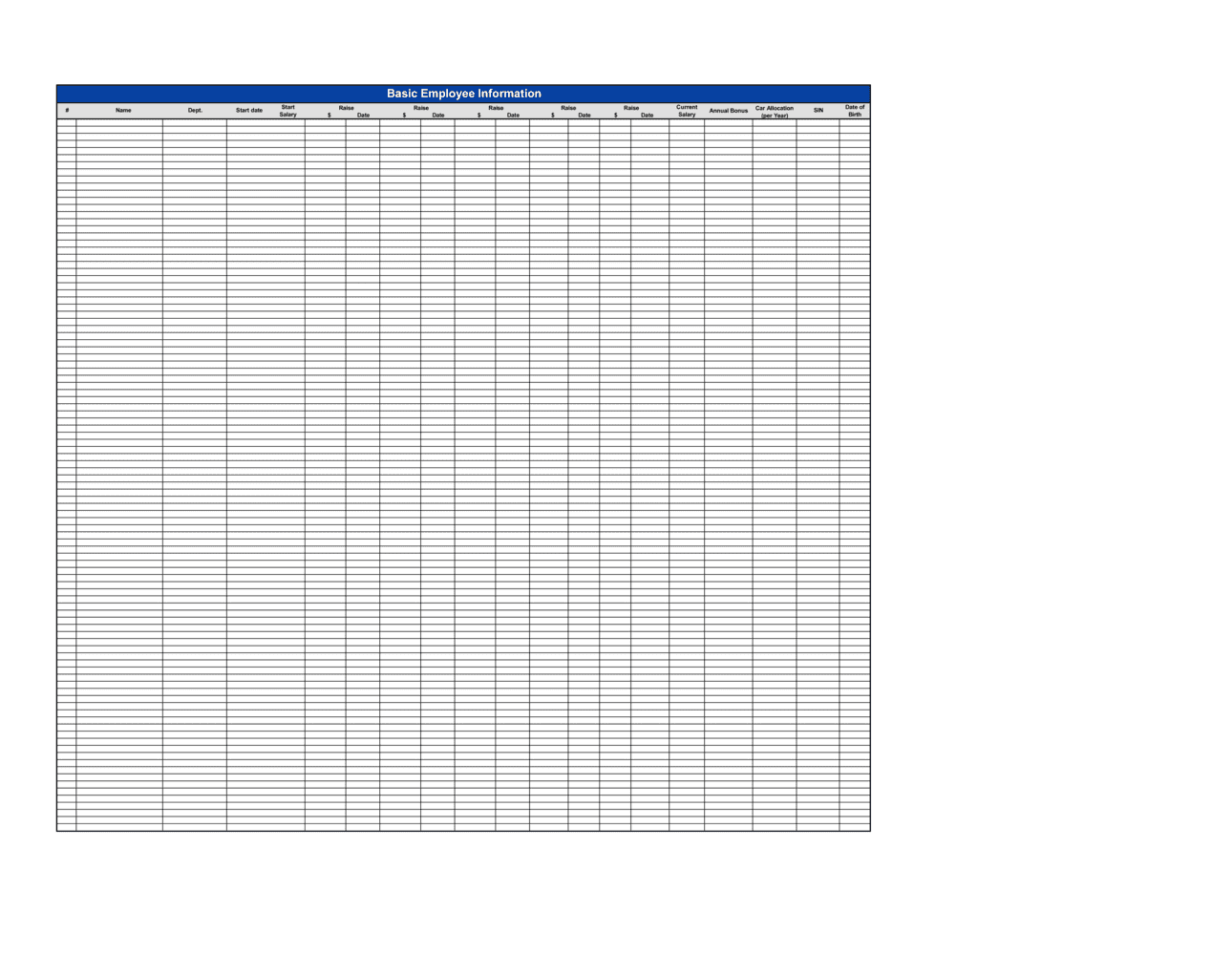
Employee identification details, absence dates and duration, leave type classification, manager approval workflow, return-to-work certification requirements, running absence totals, Bradford Factor scores, and a disciplinary escalation trigger table tied to absence thresholds.

What is an Employee Absence Tracking Document?

An Employee Absence Tracking document is a formal, binding record used by employers to log, categorize, and manage every instance of employee absence from scheduled work — covering sick leave, vacation, statutory family leave, unauthorized absences, and bereavement. Unlike an informal spreadsheet, a properly completed absence tracking form captures the notification history, leave type classification, manager approval decision, documentation requirements, return-to-work interview outcome, and a running Bradford Factor score in a single governed record. When both the manager and employee sign it, it becomes a contemporaneous evidentiary document that can be used in disciplinary proceedings, tribunal hearings, and FMLA or statutory leave compliance audits.

Why You Need This Document

Without a consistent, signed absence record for every absence, employers face three compounding risks simultaneously. First, attendance-related disciplinary decisions become subjectively applied rather than threshold-triggered — creating direct exposure to unfair treatment and discrimination claims that are expensive to defend even when the employer acted reasonably. Second, disability-related absences that were never flagged and reviewed will be counted toward trigger points that should have excluded them, converting a legitimate attendance management process into a disability discrimination claim. Third, in a tribunal or arbitration, an employer without documented absence records is left arguing from memory against a claimant with detailed notes — a position no HR team should be in. This template gives you a structured, jurisdiction-aware record from the first day of absence through to any disciplinary outcome, so every decision is traceable, consistent, and defensible.

Which variant fits your situation?

If your situation is…Use this template
Tracking all absence types for a salaried workforce in a single registerEmployee Absence Tracking
Managing only vacation and PTO requests and approvalsVacation Request Form
Recording sick leave with return-to-work certification requirementsEmployee Sick Leave Policy
Documenting a formal disciplinary warning triggered by excessive absenceEmployee Warning Letter
Handling a formal request under FMLA or statutory family leaveLeave of Absence Request Form
Tracking hourly worker attendance and tardiness for payroll purposesEmployee Timesheet
Conducting a formal return-to-work interview after long-term sick leaveReturn-to-Work Interview Form

Common mistakes to avoid

❌ Applying trigger points inconsistently across the workforce

Why it matters: Inconsistent enforcement — escalating quickly for one employee but tolerating the same pattern in another — is the single most common basis for unfair treatment and indirect discrimination claims at employment tribunals.

Fix: Define trigger points in writing, train every line manager on the same thresholds, and audit enforcement quarterly to confirm the policy is being applied identically regardless of the employee's role, seniority, or protected characteristics.

❌ Failing to exclude disability-related absences from trigger calculations

Why it matters: Counting absences caused by a qualifying disability toward a disciplinary trigger point without first considering reasonable adjustments is direct disability discrimination in most jurisdictions — claims can result in uncapped compensation awards in the UK and significant liability in the US and Canada.

Fix: Complete the disability and protected characteristic review section before recording any formal trigger-point action, and document that adjustments were considered even if none were ultimately implemented.

❌ Leaving absence records unsigned by both the manager and employee

Why it matters: An absence record with no signatures is a unilateral employer document that the employee can dispute in its entirety at tribunal, potentially undermining every related disciplinary action.

Fix: Obtain both the approving manager's signature and the employee's acknowledgment signature before filing the record, and note any disagreement in writing at the time of signing.

❌ Using a fixed calendar-year window instead of a rolling 12-month period

Why it matters: A fixed-year calculation resets every January, allowing an employee with 10 absence spells in November–December to start the new year with a clean score — defeating the purpose of trigger-point monitoring.

Fix: Configure your Bradford Factor calculations on a rolling 12-month window anchored to the current date so that patterns are assessed on a continuous basis regardless of when in the year they occur.

❌ Storing absence records containing health information in general HR files

Why it matters: Absence records that reference illness, medical conditions, or mental health are special-category personal data under GDPR, UK GDPR, PIPEDA, and HIPAA-adjacent state laws — storing them without enhanced access controls creates regulatory exposure.

Fix: Maintain health-related absence records in a separately access-controlled location within your HR system, limit access to HR and the immediate line manager, and retain records only as long as required by applicable law.

❌ Conducting return-to-work interviews verbally with no written record

Why it matters: A verbal interview that is not documented provides no evidence that the employer followed a fair process — if attendance-related dismissal is later challenged, the absence of a paper trail makes it appear the employer invented the escalation history.

Fix: Complete the return-to-work section of the absence record at every interview, regardless of absence duration, and have both parties sign the relevant section before the employee begins their shift.

The 10 key clauses, explained

Employee and position identification

In plain language: Records the employee's full legal name, employee ID, department, job title, and direct manager — creating a unique record identifier tied to a specific employment relationship.

Sample language
Employee Name: [FULL LEGAL NAME] | Employee ID: [ID NUMBER] | Department: [DEPARTMENT] | Job Title: [JOB TITLE] | Reporting Manager: [MANAGER NAME]

Common mistake: Using only a first name or nickname instead of the full legal name. When absence records are introduced in a disciplinary or tribunal hearing, an ambiguous identifier can make the record inadmissible or disputed.

Absence date, duration, and notification log

In plain language: Captures the exact start and end dates of each absence, total calendar and working days lost, and the date and method by which the employee notified their manager.

Sample language
Absence Start: [DATE] | Absence End: [DATE] | Working Days Lost: [NUMBER] | Notification Method: [Phone / Email / Text] | Notified: [DATE] at [TIME]

Common mistake: Recording only the start date and leaving the end date blank until the employee returns. An open-ended record cannot be used to calculate Bradford Factor scores or trigger escalation reviews on schedule.

Leave type classification

In plain language: Categorizes each absence into a defined leave type — sick leave, vacation, FMLA/statutory family leave, bereavement, unauthorized absence, or other — so that paid and unpaid balances can be accurately tracked.

Sample language
Leave Type: [Sick Leave / Vacation / FMLA / Parental Leave / Bereavement / Unauthorized / Other: ________] | Paid: [Yes / No] | Leave Balance Deducted: [YES / NO / PARTIAL]

Common mistake: Defaulting all absences to 'sick leave' when the actual reason is unknown. Misclassification creates payroll errors and exposes the employer to claims that paid leave was improperly charged.

Manager approval and authorization

In plain language: Documents whether the absence was pre-approved, approved retrospectively, or unapproved, and captures the manager's signature and date of authorization.

Sample language
Absence Status: [Pre-Approved / Retrospectively Approved / Unauthorized] | Approved by: [MANAGER NAME] | Signature: ____________ | Date: [DATE]

Common mistake: Skipping manager sign-off for retrospectively approved absences. Without a dated manager signature, the employer cannot demonstrate that the absence was reviewed and accepted — undermining any later claim that an unauthorized-absence pattern was consistently enforced.

Documentation and certification requirements

In plain language: Specifies what evidence the employee must provide — self-certification form, doctor's note, fit note, or FMLA paperwork — and the deadline by which it must be submitted.

Sample language
Documentation Required: [Self-Certification (absences 1–[X] days) / Doctor's Certificate (absences [X+1]+ days) / FMLA Form / Fit Note] | Deadline for Submission: [DATE]

Common mistake: Requiring a doctor's note for every single-day absence without a written policy to support it. In the UK and several Canadian provinces, demanding medical evidence for very short absences can constitute a breach of the implied duty of trust and confidence.

Return-to-work interview record

In plain language: Documents the date the return-to-work interview was conducted, who conducted it, whether the employee confirmed fitness to return, and any workplace adjustments agreed.

Sample language
Return-to-Work Interview Conducted: [Yes / No] | Date: [DATE] | Conducted by: [NAME / TITLE] | Employee Confirmed Fit: [Yes / No / Partial — see notes] | Adjustments Agreed: [DESCRIPTION or None]

Common mistake: Conducting the interview verbally without recording the outcome. A verbal interview that is not documented provides no evidence that the employer followed a fair process if a subsequent dismissal is challenged.

Running absence totals and Bradford Factor

In plain language: Maintains a cumulative record of total absence spells and days in a rolling 12-month window, and calculates the Bradford Factor score to enable consistent trigger-point enforcement.

Sample language
Rolling 12-Month Spells (S): [NUMBER] | Rolling 12-Month Days (D): [NUMBER] | Bradford Factor Score (S² × D): [SCORE] | Previous 12-Month Score: [SCORE]

Common mistake: Calculating Bradford Factor on a fixed calendar-year basis rather than a rolling 12-month window. A fixed-year reset artificially reduces scores in January and allows employees to 'reset' patterns without behavioral change.

Trigger-point escalation and disciplinary action record

In plain language: States the company's defined absence trigger points, records whether any trigger was reached during this absence, and documents the formal action taken — informal discussion, written warning, or formal hearing.

Sample language
Trigger Reached: [Yes / No] | Trigger Level: [Informal Review / Stage 1 Warning / Stage 2 Warning / Final Warning / Formal Hearing] | Action Taken: [DESCRIPTION] | Next Review Date: [DATE]

Common mistake: Applying trigger points inconsistently — escalating quickly for some employees but tolerating the same pattern in others. Inconsistent enforcement is the primary basis for unfair treatment and discrimination claims in attendance-related dismissals.

Disability and protected characteristic review

In plain language: Requires the manager to record whether any part of the absence may be linked to a disability or protected characteristic, and whether reasonable adjustments have been considered or implemented, before any disciplinary action is recorded.

Sample language
Potential Disability Link: [Yes / No / Under Review] | Reasonable Adjustments Considered: [Yes / No] | Adjustments in Place: [DESCRIPTION or None] | Occupational Health Referral Made: [Yes / No / Recommended]

Common mistake: Proceeding to a formal disciplinary warning for absence without completing this review. Issuing a warning for absence that is later identified as disability-related — without documented consideration of adjustments — is a common basis for disability discrimination claims.

Employee acknowledgment and signature

In plain language: Confirms that the employee has reviewed the absence record, agrees that the details are accurate, and has been informed of any trigger-point status or disciplinary implications.

Sample language
I confirm that the absence details recorded above are accurate to the best of my knowledge. I have been informed of my current trigger-point status and any next steps. Employee Signature: ____________ | Date: [DATE]

Common mistake: Omitting the employee acknowledgment entirely and treating absence records as internal-only documents. An unsigned record can be challenged as inaccurate in a tribunal — the employee signature creates a contemporaneous, agreed account.

How to fill it out

  1. 1

    Complete the employee identification block on day one of absence

    Enter the employee's full legal name, ID number, department, job title, and reporting manager as soon as the absence begins. Open the record at first notification — do not wait until the employee returns.

    💡 Pre-populate employee ID and manager fields from your HR system before distributing the form to line managers to prevent identification errors.

  2. 2

    Log the notification details and initial absence dates

    Record the date and time the employee notified their manager, the method used (phone, email, or text), and the stated reason if given. Enter the absence start date and leave the end date open until the employee confirms their return.

    💡 If notification was late or by an unauthorized method (e.g., text when your policy requires a call), note this in the record — it may be relevant if the absence is later treated as unauthorized.

  3. 3

    Classify the leave type accurately

    Assign the correct leave category from your defined list. If the reason is unknown at the start, mark it 'pending classification' and update it when documentation is received. Never default to 'sick leave' without confirmation.

    💡 FMLA-designated leave in the US and statutory family leave in the UK must be classified correctly on the record — misclassification affects both the employee's entitlements and your legal protections as an employer.

  4. 4

    Request and log required documentation

    Based on your policy and the absence duration, specify the documentation required — self-certification for short absences, a doctor's certificate or fit note for absences exceeding your threshold — and record the deadline for submission.

    💡 Set documentation deadlines in the record itself rather than communicating them verbally. A written deadline creates a clear point at which non-compliance can be formally noted.

  5. 5

    Conduct and record the return-to-work interview

    On the employee's first day back, complete the return-to-work section with the interview date, your name, the employee's confirmed fitness status, and any workplace adjustments discussed. Both parties should sign the completed section.

    💡 Even for a one-day absence, a brief two-minute return-to-work conversation — documented — reduces repeat short-term absence and creates a consistent record of managerial engagement.

  6. 6

    Update running totals and calculate the Bradford Factor

    Add this absence to the rolling 12-month spell count and day count. Calculate the updated Bradford Factor score (S² × D) and compare it against your trigger-point table.

    💡 Use a rolling 12-month window anchored to today's date — not the calendar year — to prevent artificial resets that allow persistent patterns to go undetected.

  7. 7

    Complete the disability and protected characteristic review before any escalation

    Before recording any trigger-point action, complete the protected characteristic review section. Document whether any reasonable adjustments have been considered and whether an occupational health referral is appropriate.

    💡 If in doubt about whether an absence pattern may be linked to a disability, make an occupational health referral before initiating formal disciplinary proceedings — this is a recognized good-practice step in UK and Canadian employment tribunals.

  8. 8

    Obtain employee signature and file the completed record

    Present the completed record to the employee, allow them to note any disagreement, and obtain their signature confirming accuracy. Retain the signed record in the employee's personnel file for at least the period required by applicable law.

    💡 In the EU and UK, absence records containing health data are special-category personal data under GDPR and UK GDPR — store them with access controls separate from general HR files.

Frequently asked questions

What is an employee absence tracking document?

An employee absence tracking document is a formal record used by employers to log, categorize, and manage every instance of employee absence — including sick leave, vacation, FMLA leave, unauthorized absences, and bereavement. It captures absence dates and duration, leave type, manager approval, documentation requirements, return-to-work interview outcomes, and running absence totals. It serves as both an operational management tool and a legally defensible record if disciplinary action or termination for attendance becomes necessary.

What is the Bradford Factor and should I include it in absence tracking?

The Bradford Factor is a formula — S² × D, where S is the number of separate absence spells and D is the total days absent in a rolling 12-month period — that weights frequent short absences more heavily than a single long absence. Including it in your absence tracking gives managers an objective, consistent basis for identifying problematic attendance patterns without relying on subjective judgment. It is widely used in the UK and increasingly adopted in Canada and the US, but should always be applied alongside a disability review to avoid discrimination liability.

Do absence records need to be signed by the employee?

In most jurisdictions, there is no statutory requirement that an employee sign their own absence record — but best practice strongly favors obtaining a signature. A signed record creates a contemporaneous, mutually agreed account of the absence details and any trigger-point status communicated. At tribunal or in arbitration, an unsigned record can be challenged as inaccurate; a signed one carries substantially more evidentiary weight. Always allow the employee to note any disagreement in writing at the time of signing rather than simply refusing to sign.

How long should employer absence records be retained?

Retention periods vary by jurisdiction. In the US, records related to FMLA leave must be kept for at least 3 years. In the UK, general employment records should be retained for 6 years from the end of employment under the Limitation Act 1980, though records containing health data should be assessed against GDPR data-minimization principles. In Canada, most provinces require payroll and attendance records to be kept for at least 3 years. As a practical baseline, retaining absence records for 6–7 years from the date of the absence or end of employment (whichever is later) covers most jurisdictions.

What leave types should be included in an absence tracking system?

At minimum, an absence tracking system should classify: planned vacation and PTO, sick leave (self-certified and medically certified), statutory family leave (FMLA, parental leave, maternity/paternity), bereavement leave, jury duty and civic obligations, authorized unpaid leave, and unauthorized absence. Keeping these categories distinct is essential for accurate payroll processing, leave balance management, and ensuring that statutory leave entitlements are not improperly charged against discretionary leave balances.

Can absence records be stored digitally, or must they be paper-based?

Digital storage is fully acceptable and increasingly standard in most jurisdictions, provided the system maintains accurate records, supports audit trails, and protects health-related data with appropriate access controls. Under GDPR and UK GDPR, health information in absence records is special-category data requiring enhanced security — encryption, role-based access, and a documented lawful basis for processing are required. In the US, HIPAA does not directly govern employer absence records, but several state laws impose data security obligations on records containing medical information.

What is a return-to-work interview and is it legally required?

A return-to-work interview is a brief, documented meeting between a line manager and an employee on their first day back after any period of absence, used to confirm fitness, update the absence record, and identify any underlying issues that may require employer support or adjustment. It is not legally mandated in any major jurisdiction, but it is recognized as a key element of a fair attendance management process — UK employment tribunals and Canadian arbitrators regularly reference the absence of return-to-work procedures as evidence of an unfair process in attendance-related dismissal cases.

How this compares to alternatives

vs Employee Warning Letter

An absence tracking document records the factual history of absences over time; an employee warning letter is the formal disciplinary output issued once an absence threshold is reached. The tracking record is the evidentiary foundation for the warning letter — a warning issued without a complete absence record behind it is legally vulnerable. Both documents belong in the employee's personnel file.

vs Employee Timesheet

A timesheet records hours worked per day for payroll calculation purposes. An absence tracking document records missed scheduled work, leave classifications, approval decisions, and trigger-point status — it serves a compliance and disciplinary function that a timesheet does not. For hourly workers, both documents should be maintained in parallel.

vs Leave of Absence Request Form

A leave of absence request form captures an employee's advance request for a defined period of leave and awaits employer approval — it is a forward-looking authorization document. An absence tracking document is a backward-looking record of absences that have already occurred. The approved request form should be attached to the corresponding absence tracking entry as supporting documentation.

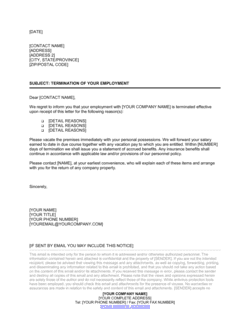
vs Employee Termination Letter

An employee termination letter communicates the decision to end employment; an absence tracking document is the record that justifies an attendance-related termination. In any tribunal or wrongful dismissal proceeding, the employer must produce complete absence tracking records to demonstrate that the termination followed a fair, documented, and consistently applied process. Without the tracking record, the termination letter stands alone — and is far easier to challenge.

Industry-specific considerations

Healthcare

Absence tracking in healthcare must account for shift-based rostering, mandatory staffing ratios, and occupational health referrals linked to clinical burnout and infection-related sick leave.

Manufacturing

High headcount and shift-dependent production lines make absence pattern monitoring critical — a single unplanned absence on a bottleneck shift can halt an entire production run.

Retail / Hospitality

High turnover rates and variable scheduling mean absence tracking must integrate with shift-swap systems and account for zero-hours or part-time contract workers who have different statutory leave entitlements.

Professional Services

Client-facing billable roles mean absence directly affects revenue and client delivery commitments — accurate absence records support both workload reallocation and client communication decisions.

Construction

Site-based workforces with subcontractors, physical injury risk, and multi-employer environments require absence records that distinguish employment status and track injury-related leave separately for insurance and liability purposes.

Technology / SaaS

Remote and distributed teams require digital absence tracking with manager visibility across time zones, and policies must address mental health leave with sensitivity to avoid chilling effects on disclosure.

Jurisdictional notes

United States

Federal FMLA requires covered employers (50+ employees) to provide up to 12 weeks of unpaid, job-protected leave annually for qualifying reasons — and to maintain records for at least 3 years. ADA reasonable accommodation obligations require employers to exclude disability-related absences from standard disciplinary trigger calculations. Several states (California, New York, Massachusetts) have additional paid sick leave and family leave laws that impose separate tracking and documentation requirements.

Canada

Each province sets its own statutory leave entitlements, notice requirements, and record-keeping minimums — Ontario, British Columbia, and Quebec have particularly detailed absence and accommodation obligations. Human rights legislation in every province requires employers to accommodate absence related to disability, family status, or religion to the point of undue hardship, and absence tracking records are routinely examined in human rights tribunal proceedings. In Quebec, records must be maintained in French for provincially regulated employers.

United Kingdom

Statutory Sick Pay (SSP) requires employers to pay qualifying employees £116.75 per week (as of 2025–26) for up to 28 weeks, and SSP records must be kept for 3 years from the end of the tax year in which payments were made. Fit notes replace the old sick note for absences over 7 days. Absence records containing health information are special-category data under UK GDPR, requiring a documented lawful basis, explicit employee notification, and enhanced access controls. Employment tribunals closely examine attendance procedure consistency and reasonable adjustment documentation in unfair dismissal cases.

European Union

Absence records containing health data are special-category personal data under GDPR (Article 9), requiring explicit employee consent or another Article 9(2) basis, a data protection impact assessment in most cases, and storage separate from standard HR records. Member state employment law varies significantly — Germany, France, and the Netherlands each impose detailed sick leave notification and medical certificate requirements, and works councils in several jurisdictions must be consulted before implementing or changing absence tracking policies. The EU Work-Life Balance Directive harmonizes parental and carers' leave entitlements across member states from 2022 onward.

Template vs lawyer — what fits your deal?

PathBest forCostTime
Use the templateSmall and mid-size employers tracking absences for a single domestic workforce under a standard attendance policyFree15 minutes per absence record
Template + legal reviewEmployers in heavily regulated jurisdictions, those managing disability-related absences, or those facing a potential discrimination or unfair dismissal claim$300–$800 for a one-hour employment law review1–3 days
Custom draftedMulti-jurisdiction employers, unionized workforces with CBA attendance provisions, or enterprises integrating absence tracking into a formal HR information system$1,500–$4,000+ for a bespoke absence management policy and forms package2–4 weeks

Glossary

Bradford Factor
A formula (S² × D, where S is the number of absence spells and D is total days absent) used to weight frequent short-term absences more heavily than a single long absence.
Unauthorized Absence
Any absence from scheduled work for which the employee did not obtain prior approval and provided no acceptable notification or reason.
Return-to-Work Interview
A brief meeting between a line manager and an employee on their first day back after any absence, used to confirm fitness, update records, and identify any underlying issues.
Trigger Point
A pre-defined absence threshold — such as four separate spells in 12 months or a Bradford Factor score above 200 — that automatically initiates a formal review or disciplinary process.
FMLA (Family and Medical Leave Act)
A US federal law entitling eligible employees at covered employers to up to 12 weeks of unpaid, job-protected leave per year for qualifying medical or family reasons.
Fit Note
A medical certificate issued by a UK doctor (formerly called a sick note) stating whether an employee is not fit for work or may be fit for work with adjustments.
Statutory Sick Pay (SSP)
A minimum sick pay entitlement mandated by law in certain jurisdictions — notably the UK — that employers must pay eligible employees for qualifying sick days.
Self-Certification
An employee's written declaration of their own illness for absences of fewer than a specified number of days (typically 3–7) before a doctor's certificate is required.
Rolling 12-Month Period
An absence measurement window that continuously advances — always covering the prior 12 months from any given date — rather than resetting on a fixed calendar year date.
Reasonable Adjustments
Modifications to duties, hours, or the workplace that an employer is legally required to consider for employees whose absences are linked to a disability or protected health condition.
Disability-Related Absence
Absence caused by a condition that qualifies as a disability under applicable law, which may require exclusion from standard absence trigger-point calculations to avoid discrimination liability.

Part of your Business Operating System

This document is one of 3,000+ business & legal templates included in Business in a Box.

  • Fill-in-the-blanks — ready in minutes
  • 100% customizable Word document
  • Compatible with all office suites
  • Export to PDF and share electronically

Create your document in 3 simple steps.

From template to signed document — all inside one Business Operating System.
1
Download or open template

Access over 3,000+ business and legal templates for any business task, project or initiative.

2
Edit and fill in the blanks with AI

Customize your ready-made business document template and save it in the cloud.

3
Save, Share, Send, Sign

Share your files and folders with your team. Create a space of seamless collaboration.

Save time, save money, and create top-quality documents.

★★★★★

"Fantastic value! I'm not sure how I'd do without it. It's worth its weight in gold and paid back for itself many times."

Managing Director · Mall Farm
Robert Whalley
Managing Director, Mall Farm Proprietary Limited
★★★★★

"I have been using Business in a Box for years. It has been the most useful source of templates I have encountered. I recommend it to anyone."

Business Owner · 4+ years
Dr Michael John Freestone
Business Owner
★★★★★

"It has been a life saver so many times I have lost count. Business in a Box has saved me so much time and as you know, time is money."

Owner · Upstate Web
David G. Moore Jr.
Owner, Upstate Web

Run your business with a system — not scattered tools

Stop downloading documents. Start operating with clarity. Business in a Box gives you the Business Operating System used by over 250,000 companies worldwide to structure, run, and grow their business.

Start free · No credit card required