Invoice Tracker Template

Free Excel download β€’ Use online β€’ Print or share

1 pageβ€’20–30 min to useβ€’Difficulty: Standardβ€’Signature requiredβ€’Legal review recommended
Learn more ↓
FreeXLSInvoice Tracker Template

At a glance

What it is
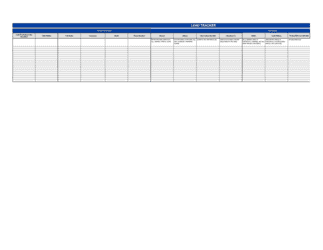
An Invoice Tracker is a structured business document that records, monitors, and manages the status of all outstanding and completed invoices in a single authoritative log. This free Word download provides a ready-to-use tracking framework you can edit online and export as PDF, giving you a complete accounts-receivable snapshot at any point in time.
When you need it
Use it whenever you issue invoices to multiple clients or customers and need a centralized record of what has been billed, what is due, what is overdue, and what has been paid. It is especially critical at month-end, during audits, or when escalating overdue accounts to collections.
What's inside
Invoice numbers and issue dates, client names and billing addresses, invoice amounts and applicable taxes, payment due dates and terms, payment status flags, partial-payment records, follow-up action notes, and a running accounts-receivable balance summary.

What is an Invoice Tracker?

An Invoice Tracker is a structured internal business document that records, monitors, and manages the complete lifecycle of every invoice a business issues β€” from the moment it is sent through payment, dispute resolution, or write-off. Unlike a standard invoice, which is a client-facing payment request for a single transaction, the tracker is an internal management log that gives the business a real-time view of all outstanding receivables, overdue accounts, partial payments, and collection actions across every client simultaneously. A well-maintained tracker also functions as the primary source record for accounts-receivable aging reports, bad-debt write-off documentation, and tax-authority record-keeping obligations.

Why You Need This Document

Businesses that issue invoices without a centralized tracker consistently discover late payments too slowly, lose revenue to uncollected balances they have forgotten about, and fail audit reviews because they cannot produce a contemporaneous payment history for a specific invoice. The cost is concrete: a freelancer with ten active clients and no tracker typically has two to three overdue invoices at any given time that go unnoticed for 30–60 days beyond the due date, compounding cash-flow pressure. Banks assessing a line of credit or SBA loan will ask for an accounts-receivable aging report β€” without a tracker, producing one requires manually reconstructing months of billing history from email search results. Tax authorities in every major jurisdiction require records that tie invoiced revenue to output tax collected; a tracker with tax-breakdown columns satisfies that requirement directly. This template gives you the structure to collect faster, write off bad debts defensibly, and demonstrate financial discipline to every lender, auditor, or counterparty who asks.

Which variant fits your situation?

If your situation is…Use this template
Tracking invoices for a single long-term client with recurring billingRecurring Invoice
Monitoring purchase orders placed with suppliers rather than customer invoicesPurchase Order Tracker
Managing expense reimbursements alongside outgoing invoicesExpense Report
Tracking project-based billing tied to specific milestonesProject Invoice Tracker
Issuing and tracking invoices across multiple currencies for international clientsCommercial Invoice (International)
Logging credit notes issued against previously sent invoicesCredit Note Log
Producing a formal aging report for bank financing or audit purposesAccounts Receivable Aging Report

Common mistakes to avoid

❌ Deleting paid or written-off invoice rows

Why it matters: Removing rows destroys the audit trail and makes the tracker useless for tax filings, bank due diligence, or dispute resolution. Revenue and bad-debt figures also become unreconcilable.

Fix: Never delete rows. Mark invoices as Paid or Written-Off with a date and keep them in the tracker permanently. Archive completed periods to a separate tab if the file becomes unwieldy.

❌ Logging only the invoice total without the tax breakdown

Why it matters: Tax authorities require output-tax figures reconcilable to submitted returns. A tracker that records gross totals only forces a full re-audit of underlying invoices at the worst possible time.

Fix: Add dedicated subtotal, tax rate, and tax amount columns from the start. Retrofitting them after 200 rows is far more work than building them in on day one.

❌ Using free-text status notes instead of a controlled status vocabulary

Why it matters: Status values like 'client said Friday' or 'waiting to hear back' cannot be filtered, sorted, or aggregated into an aging report, making the tracker decorative rather than functional.

Fix: Restrict the Status column to a defined list β€” Draft, Sent, Partial, Paid, Overdue, Disputed β€” and validate the column to reject any other input.

❌ Batching tracker updates to month-end

Why it matters: A tracker that is 2–4 weeks out of date gives management a false view of cash flow, delays collection actions on genuinely overdue accounts, and can result in missed escalation windows.

Fix: Update the tracker on the same business day an invoice is issued, a payment is received, or a follow-up action is taken. Real-time accuracy is the tracker's entire value.

❌ Omitting the follow-up action log

Why it matters: If a non-paying client disputes your collection effort in court or a collections agency asks for a dunning history, a tracker with no action log provides no usable evidence of reasonable collection attempts.

Fix: Add a follow-up action column and treat it as a legal record. Every contact attempt β€” email, call, formal notice β€” should be logged with date, method, and contact name.

❌ Not recording partial payments against specific invoices

Why it matters: Logging a partial payment as a general receipt without tying it to a specific invoice number creates a receivables gap that is nearly impossible to reconcile, especially across multiple invoices from the same client.

Fix: Always record the payment amount, date, and invoice number reference together. If a client's payment covers multiple invoices, split the allocation explicitly across each relevant row.

The 10 key clauses, explained

Invoice identification block

In plain language: Records the unique invoice number, issue date, and the client's purchase order number so every entry can be matched to a specific billing event without ambiguity.

Sample language
Invoice #: [INV-YYYY-NNNN] | Issue Date: [DATE] | Client PO #: [PO NUMBER OR N/A]

Common mistake: Reusing or manually guessing invoice numbers instead of using a sequential system β€” duplicate numbers cause reconciliation failures and complicate audits.

Client and billing details

In plain language: Captures the client's legal entity name, billing address, and accounts-payable contact so every row in the tracker links back to an identifiable, contactable counterparty.

Sample language
Client Name: [LEGAL ENTITY NAME] | Billing Address: [ADDRESS] | AP Contact: [NAME / EMAIL]

Common mistake: Using a contact person's name instead of the client's registered legal name β€” the entity name is what matters for collections, dispute escalation, and legal proceedings.

Invoice amount and tax breakdown

In plain language: States the pre-tax subtotal, applicable tax amount and rate, and total amount due so the tracker reflects gross and net receivables accurately.

Sample language
Subtotal: $[AMOUNT] | Tax Rate: [X]% | Tax Amount: $[AMOUNT] | Total Due: $[AMOUNT] [CURRENCY]

Common mistake: Recording only the total due without the tax breakdown β€” when tax authorities request output-tax reconciliation, a tracker that omits tax amounts forces a line-by-line re-audit of the underlying invoices.

Payment terms and due date

In plain language: Records the agreed payment terms (e.g., Net 30) and the specific calendar due date, giving an unambiguous trigger for follow-up actions and late-fee calculations.

Sample language
Payment Terms: [NET 30 / NET 60 / DUE ON RECEIPT] | Due Date: [DATE] | Late Fee: [X]% per month after [GRACE PERIOD] days

Common mistake: Entering 'upon receipt' as the due date instead of a specific calendar date β€” without a fixed date, overdue calculations cannot be automated and collection follow-ups lack a defensible trigger.

Payment status flag

In plain language: A standardized status code β€” Draft, Sent, Partial, Paid, Overdue, or Disputed β€” that enables the tracker to produce an accurate aging report and filter by collection priority.

Sample language
Status: [DRAFT | SENT | PARTIAL | PAID | OVERDUE | DISPUTED] | Last Updated: [DATE]

Common mistake: Using free-text status notes like 'client says next week' instead of a controlled vocabulary β€” inconsistent status labels break any formula-based aging calculation and make the tracker unreliable for reporting.

Partial payment log

In plain language: Records each individual payment received against the invoice β€” date, amount, and payment method β€” so the outstanding balance is always current and traceable.

Sample language
Payment 1: $[AMOUNT] received [DATE] via [METHOD] | Payment 2: $[AMOUNT] received [DATE] via [METHOD] | Balance Remaining: $[AMOUNT]

Common mistake: Updating only the status flag when a partial payment arrives without logging the payment amount and date β€” the tracker then shows an incorrect outstanding balance and overstates receivables.

Follow-up action log

In plain language: Captures every collection action taken β€” reminder emails sent, calls made, escalation notices issued β€” with timestamps, so the dunning history is on record if the matter escalates to collections or litigation.

Sample language
Action 1: Reminder email sent [DATE] | Action 2: Phone call made [DATE], spoke with [NAME] | Action 3: Formal demand letter sent [DATE]

Common mistake: Relying on email search history instead of a structured action log β€” a judge or collections agency will ask for a documented timeline of collection attempts, and reconstructed email trails are unreliable evidence.

Dispute and credit note reference

In plain language: Notes any formal invoice dispute raised by the client, the credit note number issued in response, and the adjusted balance, so disputed amounts are clearly separated from collectible receivables.

Sample language
Dispute Raised: [DATE] | Dispute Reason: [DESCRIPTION] | Credit Note #: [CN-YYYY-NNNN] | Adjusted Balance: $[AMOUNT]

Common mistake: Leaving a disputed invoice in the 'Overdue' bucket without flagging it as disputed β€” the tracker then overstates collectible AR, misrepresents the business's financial position, and triggers unnecessary collection pressure on a legitimately contested amount.

Write-off and bad-debt record

In plain language: Documents the decision to write off an uncollectible balance, including the authorization date, approver, and amount written off, creating the audit trail required for a valid bad-debt tax deduction.

Sample language
Write-Off Amount: $[AMOUNT] | Write-Off Date: [DATE] | Authorized By: [NAME / TITLE] | Reason: [UNCOLLECTIBLE / DEBTOR INSOLVENT / OTHER]

Common mistake: Writing off an invoice by simply deleting the row from the tracker β€” deletion removes the audit trail and disqualifies the write-off as a deductible bad-debt expense in most tax jurisdictions.

Running AR summary and aging totals

In plain language: A summary block at the top or bottom of the tracker that aggregates total invoiced, total collected, total outstanding, and outstanding balances broken into aging buckets (0–30, 31–60, 61–90, 90+ days).

Sample language
Total Invoiced: $[AMOUNT] | Total Collected: $[AMOUNT] | Outstanding (0–30 days): $[AMOUNT] | Outstanding (31–60 days): $[AMOUNT] | Outstanding (61–90 days): $[AMOUNT] | Outstanding (90+ days): $[AMOUNT]

Common mistake: Maintaining the detail rows but never updating the summary totals β€” leadership and lenders read the summary block first, and stale totals undermine trust in the entire document.

How to fill it out

  1. 1

    Set up your invoice numbering system before adding any entries

    Establish a sequential numbering convention β€” such as INV-YYYY-NNNN β€” and record it consistently from the first entry. The tracker is only as reliable as the invoice numbers it references.

    πŸ’‘ Reserve a column for the client's PO number alongside your invoice number β€” corporate buyers match payments by PO, not by your invoice number.

  2. 2

    Enter complete client details for every new row

    Record the client's full legal entity name, billing address, and accounts-payable contact email for each invoice. Do not abbreviate or use nicknames that differ from the legal name on the invoice.

    πŸ’‘ Create a client reference tab with pre-validated legal names and AP contacts; paste from there to avoid entry errors.

  3. 3

    Record the full amount breakdown including tax

    Enter the pre-tax subtotal, applicable tax rate and amount, and the total due in the invoice currency. For international clients, note the currency code explicitly β€” do not assume USD.

    πŸ’‘ If you issue invoices in multiple currencies, add a functional-currency equivalent column using a fixed period-end exchange rate for reporting consistency.

  4. 4

    Set a specific due date and late-fee rate

    Calculate and enter the exact calendar due date based on your payment terms. Record the agreed late-fee rate if one applies so automated aging calculations can flag overdue accounts correctly.

    πŸ’‘ Sort the tracker by due date each week β€” the rows nearest the top of a due-date sort are your highest-priority collection actions.

  5. 5

    Update payment status immediately upon receiving funds

    Change the status flag to Partial or Paid on the same business day payment is confirmed, and log the payment amount, date, and method in the partial-payment log. Never batch-update status at month-end.

    πŸ’‘ Reconcile each payment against your bank statement on the same day you update the tracker β€” gaps between the tracker and bank records compound quickly.

  6. 6

    Log every collection action with a date and contact name

    Record each reminder email, phone call, and formal notice in the follow-up action column with the exact date and the name of the person you contacted. This log is your evidence of reasonable collection effort.

    πŸ’‘ Set a calendar reminder to log follow-up actions within 24 hours β€” memory-based reconstruction of collection timelines is unreliable and often inaccurate.

  7. 7

    Flag disputes and credit notes immediately

    When a client raises a dispute, change the status to Disputed on the same day and record the dispute reason and any credit note issued. Do not leave disputed invoices in the Overdue bucket.

    πŸ’‘ Responding to disputes within 5 business days reduces the average resolution time by more than 40% and preserves the client relationship during the process.

  8. 8

    Refresh the AR summary totals at least weekly

    Update the running totals and aging buckets every week β€” or more frequently during active collection periods β€” so leadership has an accurate receivables position at all times.

    πŸ’‘ If you share the tracker with a finance director or bank, lock the summary row against manual editing and drive it from formulas referencing the detail rows.

Frequently asked questions

What is an invoice tracker?

An invoice tracker is a structured log that records every invoice a business has issued, along with the current payment status, due date, amounts received, and any collection actions taken. It gives businesses a complete accounts-receivable picture at any point in time without requiring dedicated accounting software. Unlike a simple invoice list, a tracker actively monitors the lifecycle of each invoice from issuance through payment or write-off.

Why is an invoice tracker important for small businesses?

Small businesses are disproportionately affected by late payments β€” research consistently shows that cash-flow problems, often caused by unpaid invoices, are among the leading reasons small businesses fail. An invoice tracker makes overdue accounts visible before they become bad debts, creates the documentation trail required for collections escalation, and produces the aging summary that banks and investors use to evaluate credit risk.

How is an invoice tracker different from a standard invoice?

An invoice is a billing document sent to a client to request payment for a specific transaction. An invoice tracker is an internal management document that aggregates and monitors all invoices across all clients. The invoice goes to the client; the tracker stays with the business. You need both β€” the invoice creates the legal obligation to pay, and the tracker ensures you collect on it.

What information should be included in an invoice tracker?

At minimum: invoice number and issue date, client legal name and billing contact, invoice amount with tax breakdown, payment terms and specific due date, current payment status, partial payment log, follow-up action history, dispute and credit note references, and a running accounts- receivable summary with aging buckets. Missing any of these turns the tracker from a collection tool into a simple list.

Can an invoice tracker be used as evidence in a collections dispute?

Yes β€” a well-maintained invoice tracker that includes timestamped follow-up action entries, invoice amounts, due dates, and payment history is frequently used as supporting evidence in small-claims proceedings, debt collections, and commercial arbitration. The key is consistency: entries must be contemporaneous, not reconstructed after the fact. Courts and collections agencies weight trackers that show a systematic, documented dunning process more favorably.

How often should I update my invoice tracker?

Update it on the same business day that any billing event occurs β€” invoice issued, payment received, follow-up sent, dispute raised, or credit note issued. Weekly batch updates are insufficient for active businesses; they leave the AR summary inaccurate for days at a time and delay escalation decisions on overdue accounts. At minimum, review the tracker each Monday morning and update aging totals.

What is an accounts-receivable aging report and how does it relate to the tracker?

An aging report groups your outstanding invoices by how long they have been unpaid β€” typically 0–30, 31–60, 61–90, and 90+ days past due. The invoice tracker is the source data for the aging report; the aging report is the summary view a finance director or bank manager reads. A tracker with accurate due dates and current status flags generates a reliable aging report automatically. A tracker maintained in real time means the aging report is always current.

Do I need accounting software to use an invoice tracker?

No. A Word or Excel-based invoice tracker covers the core receivables management needs of most small businesses and freelancers. Accounting software adds automation β€” auto-generated aging reports, payment reminders, and bank-feed reconciliation β€” but also adds cost and complexity. Use a template-based tracker until your invoice volume exceeds roughly 50 per month or your DSO (days sales outstanding) consistently exceeds 45 days, at which point dedicated software typically pays for itself.

What is Days Sales Outstanding and how does the tracker help me improve it?

Days Sales Outstanding (DSO) measures the average number of days between issuing an invoice and receiving payment. A DSO below 30 is strong; above 60 is a cash-flow warning sign. Your invoice tracker improves DSO by making overdue invoices visible immediately, enabling faster follow-up, and giving you the data to identify which clients consistently pay late so you can adjust their credit terms proactively.

How this compares to alternatives

vs Standard Invoice

An invoice is a client-facing billing document that requests payment for a single transaction. An invoice tracker is an internal management document that aggregates and monitors all invoices across all clients over time. You need both β€” the invoice creates the payment obligation; the tracker ensures you collect on every one. Using invoices without a tracker means overdue balances are only discovered when cash flow tightens.

vs Accounts Receivable Aging Report

An aging report is a point-in-time summary that groups outstanding invoices into overdue buckets for management review. An invoice tracker is the live source record from which an aging report is generated. The tracker contains the full transaction history, follow-up log, and partial payment detail; the aging report is a filtered, aggregated view of that data shared with leadership or lenders.

vs Expense Report

An expense report tracks money a business or employee has spent β€” outgoing cash. An invoice tracker tracks money owed to the business β€” incoming cash. They represent opposite sides of the cash-flow equation. Businesses that maintain both get a complete picture of liquidity; those that track only expenses while managing AR from memory consistently underestimate collection risk.

vs Purchase Order Tracker

A purchase order tracker monitors orders the business has placed with suppliers β€” commitments to pay others. An invoice tracker monitors invoices the business has issued to customers β€” obligations others have to pay the business. They mirror each other in structure but serve opposite receivable and payable functions. High-volume businesses maintain both to manage working capital from both directions simultaneously.

Industry-specific considerations

Professional services

Retainer billing, milestone payments, and hourly-rate invoices across multiple concurrent client engagements make a tracker essential for accurate monthly revenue recognition.

Construction and trades

Progress-billing invoices tied to project phases, retention amounts withheld until completion, and subcontractor payment ladders all require a tracker that can log partial payments against specific invoice lines.

Creative and marketing agencies

Mixed billing models β€” retainers, project fees, and expense pass-throughs β€” across a rotating client roster mean invoice status can change daily and a real-time tracker is the only reliable receivables view.

Freelance and consulting

Solo operators without accounting staff rely entirely on the tracker to manage collections, produce year-end income totals for tax filing, and demonstrate payment history when applying for business credit.

Manufacturing and wholesale

High invoice volumes, volume-based payment terms, and international currency transactions require a tracker that separates domestic and foreign-currency AR and logs exchange-rate adjustments.

Healthcare and allied health

Mixed payer environments β€” patient payments, insurer reimbursements, and government program billings β€” mean a single invoice may have multiple partial payments from different sources that must all be logged separately.

Jurisdictional notes

United States

No federal law mandates a specific invoice tracking format, but the IRS requires businesses to maintain records substantiating income and bad-debt deductions for at least three years β€” seven years if a return is filed with a substantial understatement of income. A contemporaneous tracker with write-off authorization entries satisfies this requirement. State sales tax audits in high-volume states such as California, Texas, and New York specifically examine invoice records for output-tax compliance.

Canada

The CRA requires businesses to retain books and records supporting all income and deductions for at least six years from the end of the tax year. GST/HST registrants must be able to reconcile output tax collected on invoices against returns filed β€” an invoice tracker with tax-amount columns satisfies this directly. Quebec businesses subject to the QST must maintain separate provincial tax tracking alongside the federal GST record.

United Kingdom

HMRC requires VAT-registered businesses to keep records of all sales invoices and output VAT for at least six years. Making Tax Digital (MTD) rules require digital VAT records from April 2022 for most businesses β€” a structured digital tracker satisfies the record-keeping requirement. The Late Payment of Commercial Debts (Interest) Act 1998 entitles businesses to charge statutory interest of 8% above the Bank of England base rate on overdue B2B invoices, which the tracker's due-date and status columns support calculating.

European Union

EU VAT Directive requires member states to mandate invoice retention for at least five years, with many states (Germany, Italy, France) requiring ten. Cross-border intra-EU supplies must be tracked separately for EC Sales List reporting. The EU Late Payment Directive (2011/7/EU) sets a maximum 60-day payment term for B2B transactions and entitles creditors to statutory interest automatically upon the due date β€” making precise due-date tracking in the invoice log legally significant.

Template vs lawyer β€” what fits your deal?

PathBest forCostTime
Use the templateFreelancers, small businesses, and any operation issuing fewer than 50 invoices per month without complex multi-currency or multi-entity ARFree15 minutes setup; 2–5 minutes per invoice entry
Template + legal reviewBusinesses using the tracker as supporting documentation in collections proceedings, audit preparation, or bank financing applications$150–$400 for a bookkeeper or accountant reviewHalf a day
Custom draftedEnterprise AR operations with ERP integration requirements, regulated industries with statutory reporting obligations, or multi-jurisdiction VAT reconciliation needs$500–$2,000+ for a specialist accountant or finance systems consultant1–2 weeks

Glossary

Accounts Receivable (AR)
Money owed to a business by its customers for goods or services already delivered but not yet paid for.
Aging Report
A summary that groups outstanding invoices by how long they have been unpaid β€” typically 0–30, 31–60, 61–90, and 90+ days β€” to flag collection risk.
Invoice Status
A flag indicating where a specific invoice stands in the payment cycle β€” common values are Draft, Sent, Partial, Paid, Overdue, and Disputed.
Net 30 / Net 60
Payment terms stating that the full invoice balance is due 30 or 60 calendar days after the invoice issue date.
Partial Payment
A payment received that covers only a portion of the total invoice amount, leaving a remaining balance still owed.
Late Payment Fee
A pre-agreed charge β€” typically expressed as a monthly percentage β€” applied to invoice balances that remain unpaid after the due date.
Write-Off
An accounting entry removing an uncollectible invoice balance from accounts receivable and recording it as a bad-debt expense.
Dunning
The process of systematically contacting a debtor to request payment of an overdue invoice, typically through a sequence of escalating notices.
Remittance Advice
A document sent by the payer alongside a payment that identifies which invoices the payment covers and the amounts applied to each.
Days Sales Outstanding (DSO)
A metric calculated as (accounts receivable Γ· total credit sales) Γ— number of days, measuring the average time it takes to collect payment after a sale.
Purchase Order (PO) Number
A reference number the buyer assigns to authorize a purchase, which the seller records on both the invoice and the tracker to match buyer and seller records.
Credit Note
A document issued to reduce or cancel a previously sent invoice, typically due to a return, billing error, or negotiated adjustment.

Part of your Business Operating System

This document is one of 3,000+ business & legal templates included in Business in a Box.

  • Fill-in-the-blanks β€” ready in minutes
  • 100% customizable Word document
  • Compatible with all office suites
  • Export to PDF and share electronically

Create your document in 3 simple steps.

From template to signed document β€” all inside one Business Operating System.
1
Download or open template

Access over 3,000+ business and legal templates for any business task, project or initiative.

2
Edit and fill in the blanks with AI

Customize your ready-made business document template and save it in the cloud.

3
Save, Share, Send, Sign

Share your files and folders with your team. Create a space of seamless collaboration.

Save time, save money, and create top-quality documents.

β˜…β˜…β˜…β˜…β˜…

"Fantastic value! I'm not sure how I'd do without it. It's worth its weight in gold and paid back for itself many times."

Managing Director Β· Mall Farm
Robert Whalley
Managing Director, Mall Farm Proprietary Limited
β˜…β˜…β˜…β˜…β˜…

"I have been using Business in a Box for years. It has been the most useful source of templates I have encountered. I recommend it to anyone."

Business Owner Β· 4+ years
Dr Michael John Freestone
Business Owner
β˜…β˜…β˜…β˜…β˜…

"It has been a life saver so many times I have lost count. Business in a Box has saved me so much time and as you know, time is money."

Owner Β· Upstate Web
David G. Moore Jr.
Owner, Upstate Web

Run your business with a system β€” not scattered tools

Stop downloading documents. Start operating with clarity. Business in a Box gives you the Business Operating System used by over 250,000 companies worldwide to structure, run, and grow their business.

Start freeΒ Β·Β No credit card required