How to Setup Online Payment

Free to read β€’ Save or share with one click

FreeHow to Setup Online Payment Template

At a glance

What it is
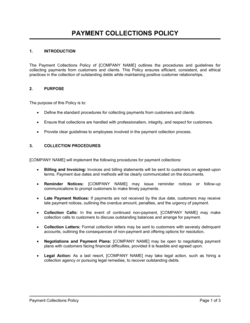
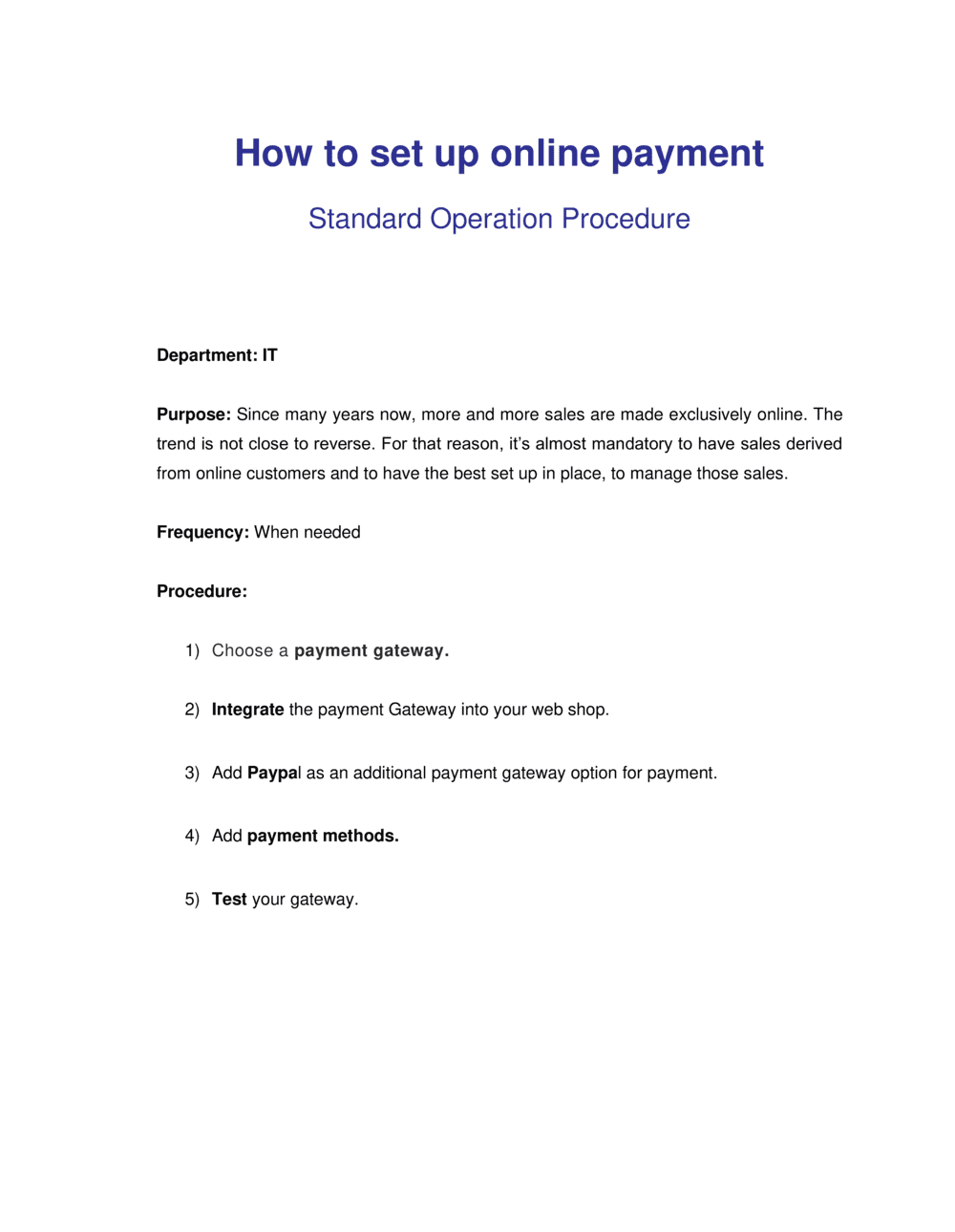
A How To Setup Online Payment guide is a structured operational document that walks a business through every step required to accept payments digitally β€” from selecting a payment gateway to configuring checkout flows, meeting security standards, and testing transactions before going live. This free Word download gives you a ready-to-edit framework you can adapt to your platform and export as PDF to share with your technical or operations team.
When you need it
Use it when launching an e-commerce store, adding online payment to an existing service business, migrating to a new payment processor, or training staff on your end-to-end payment workflow.
What's inside
Gateway and processor selection criteria, merchant account setup requirements, PCI DSS compliance checklist, checkout flow configuration, currency and tax settings, fraud prevention controls, testing procedures, and go-live verification steps.

What is a How To Setup Online Payment guide?

A How To Setup Online Payment guide is a structured operational document that walks a business or technical team through every step required to begin accepting payments online β€” from selecting and configuring a payment gateway to completing compliance requirements, building a secure checkout flow, and verifying the integration before going live. It consolidates decisions about processor selection, merchant account verification, PCI DSS compliance, fraud controls, currency settings, and testing into a single repeatable reference. Whether you are launching a new e-commerce store, adding a payment link to an existing service business, or migrating to a new processor, this document ensures nothing critical is missed and provides an audit trail of every configuration decision made.

Why You Need This Document

Launching online payments without a documented setup process exposes your business to four categories of immediate risk: security gaps that lead to fraudulent transactions or data breaches, compliance failures that result in fines or loss of card-acceptance privileges, technical misconfigurations that silently prevent real money from being collected, and a slow or confusing checkout experience that drives cart abandonment before the first sale. A missed webhook means customers receive no order confirmation and inventory is never updated. A live environment running on test API keys means weeks of orders processed with no revenue collected. A checkout page missing SSL triggers browser security warnings that send buyers elsewhere. This template gives you a step-by-step checklist and configuration framework that closes every one of these gaps before your first live transaction β€” so you go live with confidence rather than discovering problems through lost revenue.

Which variant fits your situation?

If your situation is…Use this template
Launching a full e-commerce storefront with cart and checkoutE-Commerce Business Plan
Documenting recurring subscription billing for a SaaS productSubscription Billing Policy
Sending one-off payment requests to clients via emailInvoice Template
Establishing refund and chargeback handling rulesRefund Policy
Setting up point-of-sale payments for a physical retail locationRetail Operations Manual
Integrating payments into a mobile appMobile App Development Plan
Documenting data handling practices required by your payment processorPrivacy Policy

Common mistakes to avoid

❌ Using test API keys in production

Why it matters: Transactions appear to process normally on the front end but are routed to the sandbox β€” no real money is collected, no payouts occur, and the error is often discovered only when reconciling accounts days later.

Fix: Create a checklist item that requires explicit confirmation that live API keys are active before launch. Store test and live keys in separate environment variables with clearly labeled names.

❌ Skipping sandbox testing for webhooks

Why it matters: If the webhook that triggers order fulfillment or customer email fails silently, customers receive no confirmation and inventory or access is never provisioned β€” leading to support escalations and chargebacks.

Fix: Test webhook delivery explicitly using your gateway's webhook log or a tool like Webhook.site. Confirm the payload is received and triggers the correct downstream action before switching to live mode.

❌ Submitting a personal bank account for merchant verification

Why it matters: Most processors reject personal accounts during underwriting, which delays merchant activation by 5–10 business days and can result in account suspension once discovered post-activation.

Fix: Open a dedicated business checking account in the legal business name before beginning gateway onboarding. Many online banks can verify and open a business account within 24–48 hours.

❌ Applying a one-size-fits-all fraud ruleset

Why it matters: Enabling maximum fraud controls on a low-risk product line blocks legitimate customers and increases cart abandonment; enabling minimal controls on a high-risk category invites chargebacks above the processor's 1% threshold, which can result in account termination.

Fix: Segment fraud rules by product type, order value, and customer geography. Start conservative, review decline reason codes weekly for the first month, and adjust thresholds based on real data.

❌ No refund or dispute handling process documented alongside setup

Why it matters: Without a documented process, the first chargeback catches the team unprepared β€” evidence is not gathered within the gateway's response window (typically 7–21 days), resulting in an automatic loss.

Fix: Document the chargeback response process in parallel with payment setup: who monitors disputes, what evidence to submit, and the gateway's response deadline for each card network.

❌ Displaying prices without taxes in tax-inclusive jurisdictions

Why it matters: In the EU, UK, and Australia, consumer-facing prices must include applicable tax by law. Showing pre-tax prices and adding tax at checkout creates regulatory exposure and erodes buyer trust.

Fix: Confirm the tax-display requirement for each market you sell into before configuring your checkout. Enable tax-inclusive pricing in your platform settings for affected regions before accepting any transactions.

The 9 key sections, explained

Objective and scope

Payment gateway and processor selection

Merchant account and business verification

PCI DSS compliance setup

Checkout flow configuration

Currency, tax, and pricing settings

Fraud prevention and risk controls

Testing and sandbox verification

Go-live checklist and monitoring

How to fill it out

  1. 1

    Define your scope and assign owners

    Fill in your business name, the sales channel this guide covers (website, app, or both), and assign each setup section to a specific team member or role with a target completion date.

    πŸ’‘ If you have a developer and a business owner involved, split responsibility clearly β€” developers own API and sandbox tasks; the business owner owns merchant account and compliance sign-off.

  2. 2

    Evaluate and select a payment gateway

    Compare at least three gateways on per-transaction fees, monthly fees, supported payment methods, payout speed, and developer documentation quality. Document the selected gateway and the reasons for the choice.

    πŸ’‘ Request a fee quote based on your actual expected monthly volume β€” many gateways offer lower rates above $10,000/month that are not listed on their public pricing page.

  3. 3

    Gather business verification documents

    Collect your legal business name, EIN or tax ID, business bank account details, and government-issued ID for any owner with 25% or more equity. Submit through the gateway's merchant onboarding portal.

    πŸ’‘ Open a dedicated business checking account before applying β€” processors flag personal accounts and often freeze funds without warning.

  4. 4

    Complete PCI compliance requirements

    Identify your PCI SAQ type based on your integration method (SAQ A for hosted pages, SAQ A-EP for redirects with JavaScript, SAQ D for API integrations). Complete the questionnaire and note the expiry date for annual renewal.

    πŸ’‘ Use your gateway's built-in PCI compliance wizard if available β€” Stripe, Square, and Braintree all offer guided SAQ completion that cuts the process from hours to under 30 minutes.

  5. 5

    Configure checkout flow and confirmation

    Set up your payment form β€” hosted page, embedded iframe, or API β€” and configure the post-payment redirect to a branded order confirmation page. Enable order confirmation emails with the transaction ID, amount, and itemized summary.

    πŸ’‘ Include the customer support email and phone number on the confirmation page β€” this alone reduces chargebacks by giving buyers a direct path to resolve issues before disputing with their bank.

  6. 6

    Set currency, tax, and fraud rules

    Enter your primary currency, configure tax calculation for each relevant jurisdiction, and enable fraud controls including AVS, CVV, and velocity rules appropriate for your transaction volume and average order value.

    πŸ’‘ Start with conservative fraud thresholds and loosen them after reviewing your first 30 days of decline data β€” over-filtering legitimate transactions is a more immediate revenue problem than fraud for most new merchants.

  7. 7

    Run the full sandbox test suite

    Process each test scenario in the gateway's sandbox environment β€” successful payment, declined card, refund, and recurring billing if applicable. Verify that webhooks fire correctly and that order confirmations are triggered.

    πŸ’‘ Screenshot or record each test result and attach it to this document as evidence β€” useful if you need to troubleshoot a production issue later or onboard a new developer.

  8. 8

    Complete the go-live checklist and monitor the first 48 hours

    Switch to live API keys, confirm your SSL certificate is active, process a $1.00 live transaction to verify end-to-end flow, and monitor your gateway dashboard for failed transactions, declines, and payout confirmations for the first 48 hours.

    πŸ’‘ Set a gateway alert for any single hour with a decline rate above 10% β€” a spike usually indicates a configuration error or a fraud attack, both of which require immediate action.

Frequently asked questions

What is needed to set up online payments for a business?

To accept online payments, a business needs a payment gateway account (such as Stripe, Square, or PayPal), a merchant account or the gateway's built-in equivalent, a verified business bank account for payouts, and a website or app with an SSL certificate active. Most gateways also require submission of your business legal name, tax ID, and identity verification for beneficial owners before activating live payments.

Which payment gateway should I use?

The right gateway depends on your transaction volume, supported countries, and integration requirements. Stripe is widely used for custom API integrations and subscription billing. Square suits businesses that also sell in person. PayPal is familiar to buyers and adds trust at checkout. Braintree works well for high-volume merchants needing multi-currency support. Compare per-transaction fees, monthly fees, and payout timelines against your projected monthly revenue before deciding.

What is PCI DSS compliance and do I need it?

PCI DSS (Payment Card Industry Data Security Standard) applies to any business that accepts, processes, or transmits card payment data β€” so yes, it applies to you. The compliance level you need depends on your integration method. Merchants using a hosted payment page where card data never touches their server complete a simple SAQ A questionnaire annually. Those using API integrations with direct card data handling face more rigorous SAQ D requirements. Non-compliance can result in fines and loss of card-acceptance privileges.

How long does it take to set up online payments?

For a hosted gateway integration using a platform like Shopify, WooCommerce, or Squarespace with a built-in payment connector, setup can be completed in 1–3 hours. A custom API integration typically takes 1–5 days of developer time. Merchant account verification adds 1–3 business days. Full sandbox testing and go-live verification adds another half day. Budget 3–7 business days end-to-end for most small business setups.

What is the difference between a payment gateway and a payment processor?

A payment gateway is the technology layer that securely captures card data from the buyer and sends it for authorization β€” it is the digital equivalent of a point-of-sale terminal. A payment processor is the financial service that communicates between the merchant's bank and the card network (Visa, Mastercard) to approve or decline the transaction. Many providers like Stripe and Square combine both functions into a single service, which simplifies setup for most small businesses.

How do I prevent chargebacks and payment fraud?

Enable AVS and CVV verification, activate 3D Secure for transactions above your average order value, and set velocity rules to flag repeated transactions on the same card within a short window. Use clear billing descriptor names so customers recognize the charge on their statement. Include a prominent refund policy and customer support contact on your confirmation page β€” most chargebacks stem from buyers who cannot reach the merchant directly.

Can I accept payments in multiple currencies?

Most major gateways support multi-currency acceptance. Stripe supports 135+ currencies; PayPal supports 25. You can either present prices in the customer's local currency (requiring currency conversion logic) or accept all payments in your base currency and let the gateway handle conversion. Multi-currency setups typically incur an additional 1–2% conversion fee per transaction. Confirm your payout currency settings to avoid double-conversion charges.

Do I need a separate merchant account or can I use Stripe or PayPal directly?

Stripe, Square, PayPal, and similar all-in-one providers include a built-in aggregated merchant account β€” you do not need a separate merchant account from a bank. A dedicated merchant account from a payment service provider or acquiring bank offers lower per-transaction rates at high volumes (typically above $50,000/month) and more control over risk settings, but adds setup complexity and a longer approval process.

What should I test before going live with online payments?

At minimum, test a successful payment, a declined card, a full refund, and a partial refund using the gateway's sandbox test card numbers. If you use webhooks for order fulfillment or email confirmation, verify those fire and are received correctly. Check that your SSL certificate is active, your live API keys are in place, and a $1.00 live transaction processes end-to-end and appears in your gateway dashboard before opening to customers.

How this compares to alternatives

vs Payment Processing Policy

A payment processing policy defines the rules governing how your business handles transactions β€” accepted methods, refunds, dispute resolution, and compliance obligations. A how-to setup guide is the operational step-by-step document for technically implementing payment acceptance. Use the policy to govern behavior and the setup guide to execute the technical configuration.

vs E-Commerce Business Plan

An e-commerce business plan covers market opportunity, competitive positioning, revenue model, and financial projections for an online retail operation. A payment setup guide is a narrower operational document focused exclusively on implementing payment infrastructure. The business plan informs why you are building the store; the setup guide documents how payments are configured inside it.

vs Refund Policy

A refund policy is a customer-facing document that defines under what conditions purchases can be returned or refunded and within what timeframe. A payment setup guide is an internal operational document for configuring the systems that process those transactions. Both are required before launch β€” the refund policy governs the rules; the setup guide ensures the technical ability to execute refunds exists.

vs Privacy Policy

A privacy policy discloses to customers how their personal and payment data is collected, stored, and used β€” a legal requirement in most jurisdictions that accept online payments. A payment setup guide documents the technical controls that support those disclosures, such as tokenization and SSL. The two documents are complementary: the privacy policy states the commitment; the setup guide implements it.

Industry-specific considerations

E-commerce and retail

Checkout optimization, cart abandonment reduction through saved payment methods, multi-currency support, and sales-tax automation by state or country.

SaaS and software

Recurring subscription billing, dunning management for failed charges, proration on plan upgrades, and revenue recognition aligned to billing cycles.

Professional services

Invoice-linked payment links, milestone-based billing tied to project phases, and ACH bank transfer setup for high-value client payments to reduce card fees.

Food and beverage

Integration with delivery platforms, tip configuration at checkout, split-payment handling for group orders, and real-time payout needs for cash-flow management.

Template vs pro β€” what fits your needs?

PathBest forCostTime
Use the templateSmall business owners and founders setting up a hosted gateway integration on Shopify, WooCommerce, or a similar platformFree1–3 hours for a hosted integration; 1–3 days for an API integration
Template + professional reviewBusinesses handling subscription billing, multi-currency transactions, or integrating with a custom-built storefront$200–$800 for a developer review or payment consultant session3–5 business days
Custom draftedHigh-volume merchants, regulated industries, or businesses requiring custom fraud rules, enterprise gateway contracts, and dedicated merchant accounts$1,000–$5,000+ for a payment integration specialist or fintech consultant2–6 weeks

Glossary

Payment Gateway
Software that securely captures and transmits payment data from a customer's browser or app to the payment processor for authorization.
Payment Processor
The financial institution or service that communicates between the merchant's bank and the customer's card network to approve or decline a transaction.
Merchant Account
A type of bank account that allows a business to accept credit and debit card payments and holds funds before they are deposited to the business's main account.
PCI DSS
Payment Card Industry Data Security Standard β€” a set of security requirements all businesses that accept, store, or transmit card data must comply with to reduce fraud and breaches.
SSL/TLS Certificate
A digital certificate that encrypts data transmitted between a user's browser and a web server, indicated by the padlock icon and HTTPS in the URL.
Chargeback
A forced reversal of a card transaction initiated by the cardholder's bank, typically due to a dispute, fraud claim, or unrecognized purchase.
Sandbox Environment
A test version of a payment gateway that processes simulated transactions without moving real money, used to verify integration before going live.
Tokenization
The process of replacing sensitive card data with a non-sensitive placeholder token that can be stored and used for future transactions without exposing the original card number.
3D Secure (3DS)
An authentication protocol that adds an extra verification step β€” such as a one-time code sent to the cardholder's phone β€” to reduce card-not-present fraud.
Settlement
The process by which authorized transaction funds are transferred from the customer's bank to the merchant's account, typically taking 1–3 business days.
Recurring Billing
Automated charging of a customer's saved payment method on a defined schedule β€” daily, monthly, or annually β€” without requiring the customer to re-enter card details.

Part of your Business Operating System

This document is one of 3,000+ business & legal templates included in Business in a Box.

  • Fill-in-the-blanks β€” ready in minutes
  • Compatible with all office suites
  • Export to PDF and share electronically

Create your document in 3 simple steps.

From template to signed document β€” all inside one Business Operating System.
1
Download or open template

Access over 3,000+ business and legal templates for any business task, project or initiative.

2
Edit and fill in the blanks with AI

Customize your ready-made business document template and save it in the cloud.

3
Save, Share, Send, Sign

Share your files and folders with your team. Create a space of seamless collaboration.

Save time, save money, and create top-quality documents.

β˜…β˜…β˜…β˜…β˜…

"Fantastic value! I'm not sure how I'd do without it. It's worth its weight in gold and paid back for itself many times."

Managing Director Β· Mall Farm
Robert Whalley
Managing Director, Mall Farm Proprietary Limited
β˜…β˜…β˜…β˜…β˜…

"I have been using Business in a Box for years. It has been the most useful source of templates I have encountered. I recommend it to anyone."

Business Owner Β· 4+ years
Dr Michael John Freestone
Business Owner
β˜…β˜…β˜…β˜…β˜…

"It has been a life saver so many times I have lost count. Business in a Box has saved me so much time and as you know, time is money."

Owner Β· Upstate Web
David G. Moore Jr.
Owner, Upstate Web

Run your business with a system β€” not scattered tools

Stop downloading documents. Start operating with clarity. Business in a Box gives you the Business Operating System used by over 250,000 companies worldwide to structure, run, and grow their business.

Start freeΒ Β·Β No credit card required