How to Setup a Purchasing Process

Free Word download β€’ Edit online β€’ Save & share with Drive β€’ Export to PDF

2 pagesβ€’20–25 min to fillβ€’Difficulty: Standard
Learn more ↓
FreeHow to Setup a Purchasing Process Template

At a glance

What it is
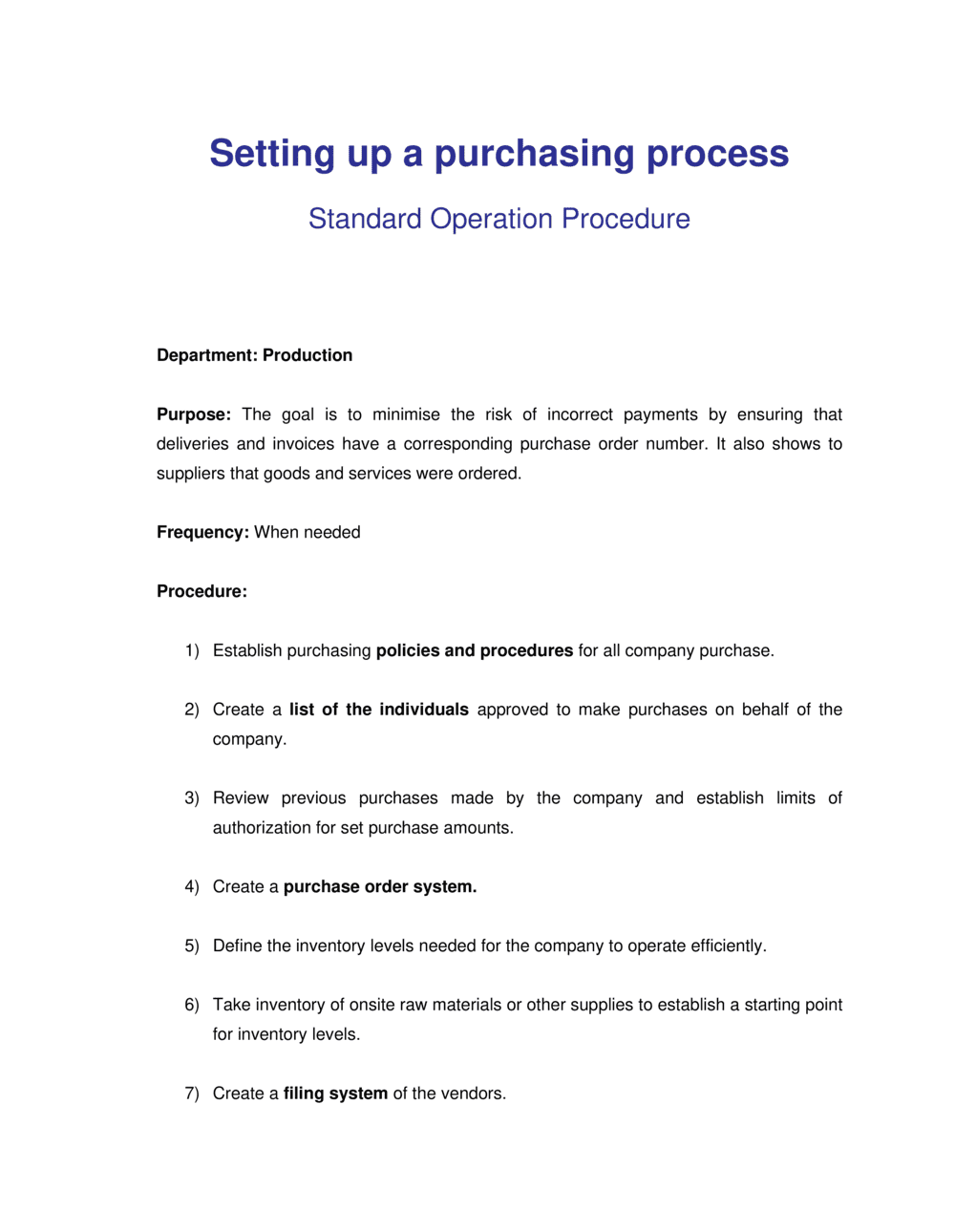
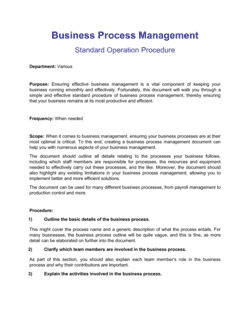
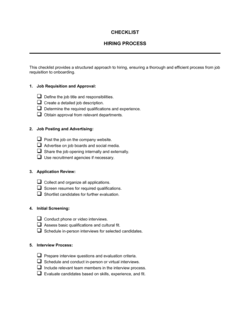
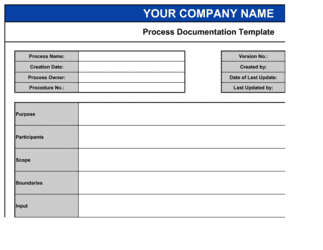
A Purchasing Process document is a step-by-step operational guide that defines how your organization identifies needs, selects vendors, issues purchase orders, receives goods or services, and processes supplier payments. This free Word download gives you a structured, editable template you can customize to your business size and spend thresholds, then export as PDF for staff training, audits, or board review.
When you need it
Use it when your business is scaling past ad-hoc buying, when financial auditors request documented procurement controls, or when inconsistent purchasing decisions are causing budget overruns, duplicate vendors, or payment disputes.
What's inside
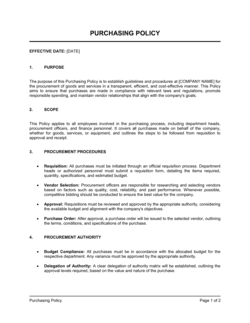
Purpose and scope, roles and responsibilities, purchase request and approval workflow, vendor selection and onboarding criteria, purchase order issuance and tracking, goods receipt and three-way matching, invoice approval and payment processing, and performance monitoring metrics.

What is a Purchasing Process?

A Purchasing Process is a documented operational framework that defines every step an organization follows to acquire goods and services β€” from identifying a need and selecting a vendor, to issuing a purchase order, confirming delivery, and processing payment. Rather than leaving buying decisions to individual judgment, a purchasing process establishes consistent approval thresholds, vendor selection criteria, and record-keeping requirements that apply across all departments. The result is a repeatable, auditable workflow that controls costs, reduces fraud exposure, and ensures every dollar spent can be traced back to an authorized decision.

Why You Need This Document

Without a documented purchasing process, spending decisions default to whoever has a company card and a vendor relationship β€” which means duplicate suppliers, missed volume discounts, invoices paid without proof of delivery, and approval chains that exist only in people's heads. The consequences are concrete: over-payments that go undetected until an audit, vendor fraud enabled by absent receipt controls, and budget overruns that surface at month-end with no paper trail to explain them. Banks and investors routinely request evidence of purchasing controls during due diligence, and ISO and SOC 2 audits treat their absence as a significant finding. This template gives you a structured, customizable starting point that takes hours β€” not weeks β€” to deploy, and grows with your business as spend complexity increases.

Which variant fits your situation?

If your situation is…Use this template
Defining the full end-to-end procurement policy for a growing businessPurchasing Policy
Issuing a formal buying document to a specific vendorPurchase Order
Soliciting competitive bids from multiple vendorsRequest for Proposal (RFP)
Evaluating and scoring vendor candidates before selectionVendor Evaluation Form
Tracking all active purchase orders and their statusPurchase Order Log
Establishing terms for an ongoing supplier relationshipVendor Agreement
Requesting internal approval before spending above a thresholdPurchase Requisition Form

Common mistakes to avoid

❌ Using the same approval workflow for all spend levels

Why it matters: Applying a five-step approval chain to a $30 office supply order slows operations and trains employees to route small purchases around the process entirely.

Fix: Create tiered workflows β€” a single approval for under-threshold purchases and a multi-step process with competitive quotes above the threshold.

❌ Skipping vendor onboarding before issuing the first PO

Why it matters: Paying a vendor without a W-9, proof of insurance, or verified banking details creates tax filing gaps, potential fraud exposure, and legal liability.

Fix: Make vendor onboarding documentation a hard prerequisite before any PO is issued, and store onboarding records centrally with the vendor's first invoice.

❌ No three-way match for invoices below a set amount

Why it matters: Over-payments and duplicate invoices disproportionately occur on small, routine invoices precisely because teams assume the risk is too low to check.

Fix: Apply the three-way match to all invoices, but automate the match for recurring low-value invoices so it does not create manual bottlenecks.

❌ Defining roles without naming backup approvers

Why it matters: When the sole approver is traveling or on leave, purchases stall β€” and employees resort to personal credit cards or verbal approvals that leave no audit trail.

Fix: Designate a backup approver for every approval role and document the delegation authority formally in the process document.

❌ Publishing the process once and never updating it

Why it matters: Thresholds, systems, and team structures change β€” a process document that is 3 years out of date is worse than none because it creates false confidence in controls that no longer exist.

Fix: Schedule an annual review date in the document header and assign a named owner responsible for triggering the update cycle.

❌ Storing approvals only in email with no central archive

Why it matters: Email threads cannot be searched systematically during an audit, and they are permanently lost when an employee leaves the company.

Fix: Require all approvals to be recorded in a central system β€” even a shared spreadsheet β€” so the full approval chain is reconstructable independently of any individual's inbox.

The 9 key sections, explained

Purpose and scope

Roles and responsibilities

Purchase request and approval workflow

Vendor selection and onboarding

Purchase order issuance and tracking

Goods receipt and three-way matching

Invoice approval and payment processing

Record-keeping and documentation

Performance monitoring and continuous improvement

How to fill it out

  1. 1

    Define scope and dollar thresholds

    Start by listing the spend categories and transaction sizes the process will govern. Set specific dollar thresholds β€” e.g., $500 for a single-approver review and $5,000 for a competitive-bid requirement.

    πŸ’‘ Calibrate thresholds to your business size: a 10-person company and a 200-person company have very different transaction volumes.

  2. 2

    Map roles to approval limits

    List every role involved in purchasing and assign a specific dollar approval limit to each. Document who covers each role during vacations or absences.

    πŸ’‘ A simple RACI table (Responsible, Accountable, Consulted, Informed) makes the role section scannable and unambiguous for new employees.

  3. 3

    Design the purchase request workflow

    Sketch the step-by-step approval path from initial request to PO issuance for three scenarios: under threshold, over threshold, and emergency purchase. Add service-level timelines to each step.

    πŸ’‘ Keep the under-threshold path to two steps maximum β€” requestor submits, manager approves β€” or employees will bypass the process with personal credit cards.

  4. 4

    Set vendor selection criteria

    Define the minimum number of quotes required at each spend tier, the information vendors must provide during onboarding, and the criteria for approving a sole-source purchase when competition is not feasible.

    πŸ’‘ Document your preferred-vendor list by category so requestors default to pre-vetted suppliers instead of searching the internet for the cheapest option.

  5. 5

    Specify PO numbering and required fields

    Choose a PO numbering format (e.g., PO-2026-0001) and list every required field on the PO form. Confirm the format matches what your accounting system can import or accept.

    πŸ’‘ If you use accounting software, align your PO fields to the system's import template now β€” retrofitting is significantly more disruptive later.

  6. 6

    Document the three-way match and payment approval steps

    Write out exactly who performs the three-way match, the maximum tolerable variance before escalation (e.g., Β±$25 or Β±2%), and who has final authority to approve payment.

    πŸ’‘ Set a variance tolerance in dollar terms, not just percentage β€” 2% on a $50 invoice is trivial; 2% on a $100,000 PO is $2,000.

  7. 7

    Define record retention rules and storage location

    Specify the retention period (7 years is standard for financial documents in most jurisdictions), the folder structure, and who is responsible for archiving each document type.

    πŸ’‘ Name the folder structure explicitly in the policy β€” e.g., 'Procurement / [Year] / POs' β€” so there is only one place documents can be stored.

  8. 8

    Set KPIs and schedule the first review

    Add the four core metrics (PO cycle time, purchase-to-pay cycle time, maverick spend rate, vendor on-time delivery) with targets and assign ownership of each to a named role.

    πŸ’‘ Schedule the first quarterly review before you publish the policy β€” it signals to the team that the document is a living tool, not a shelf artifact.

Frequently asked questions

What is a purchasing process?

A purchasing process is a documented, step-by-step workflow that defines how an organization identifies a need, selects a vendor, authorizes a purchase, receives goods or services, and processes payment. It establishes who can approve what spending, at what thresholds, and under what conditions β€” replacing informal buying decisions with repeatable, auditable controls.

Why does a small business need a formal purchasing process?

Without a formal process, small businesses routinely overpay vendors, accumulate duplicate suppliers for the same category, miss early-payment discounts, and lose invoices before month-end close. A documented process becomes essential once more than two people have spending authority β€” and is typically required by banks, investors, and ISO auditors as evidence of internal financial controls.

What is the difference between a purchase requisition and a purchase order?

A purchase requisition is an internal document an employee submits to request approval to buy something β€” it stays inside the company. A purchase order is the external document the company sends to a vendor once the requisition is approved β€” it creates a formal buying commitment and becomes a legally referenced document in the vendor relationship. The requisition triggers the approval; the PO triggers the transaction.

What is three-way matching in a purchasing process?

Three-way matching compares three documents before a vendor invoice is approved for payment: the original purchase order, the goods receipt note confirming delivery, and the vendor's invoice. All three must agree on item, quantity, and price within an acceptable tolerance before payment is released. The process catches over-billing, short-shipments, and duplicate invoice submissions before money leaves the business.

What spending thresholds should I set?

Common structures for small to mid-size businesses: purchases under $500 require a manager's email approval; $500–$5,000 require a formal purchase requisition and budget owner sign-off; above $5,000 require at least three competitive quotes and CFO approval. The right thresholds depend on your total annual spend, team size, and risk tolerance β€” the key is that every tier has a clear owner and a documented approval step.

How does a purchasing process help with audits?

Auditors β€” internal, external, and regulatory β€” test whether spending decisions were authorized, documented, and consistent. A purchasing process creates the paper trail: approved requisitions, POs with signatures, matched GRNs and invoices, and archived approvals. Without it, auditors default to assuming controls are absent, which typically results in expanded testing, qualified findings, or failed compliance certifications.

What is maverick spending and how do I reduce it?

Maverick spending occurs when employees buy goods or services outside the approved process β€” using a personal credit card, calling an unapproved vendor, or skipping the requisition step because the approval takes too long. The primary cause is an approval workflow that is slower or more cumbersome than the bypass. Reducing it requires tiered thresholds that make small purchases fast, a preferred-vendor list that removes the need to search for suppliers, and visible tracking of maverick spend as a KPI.

How often should a purchasing process be updated?

At minimum, review the process annually and after any of the following: a significant change in team size or organizational structure, a switch in accounting or procurement software, an audit finding related to purchasing controls, or a vendor fraud incident. The process document should include a version number, effective date, and the name of the owner responsible for triggering reviews.

Can I use this template for a service-based business as well as a product-based one?

Yes. The core workflow β€” request, approval, vendor selection, PO issuance, receipt confirmation, and payment β€” applies to services as well as physical goods. For services, the goods receipt note becomes a service confirmation or delivery acceptance form, and the three-way match compares the PO, the accepted deliverable, and the invoice. Adjust the terminology in the template's scope and workflow sections to reflect your business model.

How this compares to alternatives

vs Purchase Order Template

A purchase order is a single transaction document sent to one vendor for one order. A purchasing process document defines the end-to-end workflow that governs how and when POs are created, approved, and tracked across the entire organization. The process document is the policy; the PO is one output of that policy.

vs Vendor Agreement

A vendor agreement establishes the legal terms of an ongoing supplier relationship β€” pricing, liability, warranties, and termination conditions. A purchasing process document defines the internal operational steps your team follows when engaging any vendor. Both are needed: the vendor agreement governs the relationship; the purchasing process governs how your team manages it.

vs Request for Proposal (RFP)

An RFP is used at one specific stage of the purchasing process β€” competitive vendor selection for a significant purchase. The purchasing process document defines the broader framework, including when an RFP is required, who evaluates responses, and how the winning vendor is onboarded. The RFP fits inside the purchasing process as a required step at certain spend thresholds.

vs Expense Report

An expense report documents spending an employee has already made out of pocket and is seeking reimbursement for. A purchasing process governs spending before it happens β€” through pre-authorization, vendor selection, and PO issuance. The two controls are complementary: the purchasing process prevents unauthorized buying; the expense report process manages the exceptions.

Industry-specific considerations

Manufacturing

Raw material purchasing requires lead-time tracking, safety-stock triggers, and supplier quality certifications integrated into the vendor onboarding step.

Professional Services

Subcontractor and software tool procurement dominates spend; the process must handle statement-of-work attachments to POs and milestone-based payment schedules.

Retail / E-commerce

High-volume, low-value purchase orders require automated three-way matching and vendor scorecards tracking on-time delivery and fill rates.

Healthcare

Medical supply purchasing must layer regulatory compliance checks β€” FDA registration, sterility certifications β€” onto the standard vendor onboarding and approval workflow.

Construction

Job-cost coding is critical: every PO must be tied to a specific project and cost code so material costs roll up accurately into project margin reporting.

SaaS / Technology

Software and SaaS subscription procurement requires annual renewal tracking, seat-count reconciliation, and security review steps embedded in the vendor selection process.

Template vs pro β€” what fits your needs?

PathBest forCostTime
Use the templateSmall and mid-size businesses building their first documented purchasing workflowFree2–4 hours to customize and deploy
Template + professional reviewBusinesses preparing for ISO certification, investor due diligence, or an external audit$300–$800 for a CFO or operations consultant review1–3 days
Custom draftedEnterprises with complex multi-entity structures, regulated industries, or ERP-integrated procurement workflows$2,000–$8,000 for a procurement consultant engagement2–6 weeks

Glossary

Purchase Requisition
An internal form an employee submits to request approval to buy goods or services before a purchase order is issued.
Purchase Order (PO)
A formal document the buyer sends to a vendor authorizing the purchase of specific goods or services at an agreed price.
Three-Way Match
A verification process that compares the purchase order, the goods receipt note, and the vendor invoice before approving payment.
Approval Threshold
A spending limit above which a purchase requires sign-off from a higher authority β€” typically defined by dollar amount and cost category.
Vendor Onboarding
The process of collecting, verifying, and recording a new supplier's legal, financial, and compliance information before placing a first order.
Goods Receipt Note (GRN)
A document confirming that ordered goods or services were received in the correct quantity and condition.
Maverick Spending
Purchases made outside the approved purchasing process β€” bypassing preferred vendors, approval steps, or contracted pricing.
Lead Time
The time elapsed between placing a purchase order and receiving the goods or services from the supplier.
Payment Terms
The agreed conditions under which a buyer will pay a vendor, such as Net 30 from invoice date or 2/10 Net 30 (2% discount if paid within 10 days).
Spend Category
A grouping of purchases by type β€” such as IT equipment, office supplies, or professional services β€” used to apply different approval rules and track budget consumption.

Part of your Business Operating System

This document is one of 3,000+ business & legal templates included in Business in a Box.

  • Fill-in-the-blanks β€” ready in minutes
  • 100% customizable Word document
  • Compatible with all office suites
  • Export to PDF and share electronically

Create your document in 3 simple steps.

From template to signed document β€” all inside one Business Operating System.
1
Download or open template

Access over 3,000+ business and legal templates for any business task, project or initiative.

2
Edit and fill in the blanks with AI

Customize your ready-made business document template and save it in the cloud.

3
Save, Share, Send, Sign

Share your files and folders with your team. Create a space of seamless collaboration.

Save time, save money, and create top-quality documents.

β˜…β˜…β˜…β˜…β˜…

"Fantastic value! I'm not sure how I'd do without it. It's worth its weight in gold and paid back for itself many times."

Managing Director Β· Mall Farm
Robert Whalley
Managing Director, Mall Farm Proprietary Limited
β˜…β˜…β˜…β˜…β˜…

"I have been using Business in a Box for years. It has been the most useful source of templates I have encountered. I recommend it to anyone."

Business Owner Β· 4+ years
Dr Michael John Freestone
Business Owner
β˜…β˜…β˜…β˜…β˜…

"It has been a life saver so many times I have lost count. Business in a Box has saved me so much time and as you know, time is money."

Owner Β· Upstate Web
David G. Moore Jr.
Owner, Upstate Web

Run your business with a system β€” not scattered tools

Stop downloading documents. Start operating with clarity. Business in a Box gives you the Business Operating System used by over 250,000 companies worldwide to structure, run, and grow their business.

Start freeΒ Β·Β No credit card required