How to Setup a Shopping Cart

Free to read β€’ Save or share with one click

FreeHow to Setup a Shopping Cart Template

At a glance

What it is
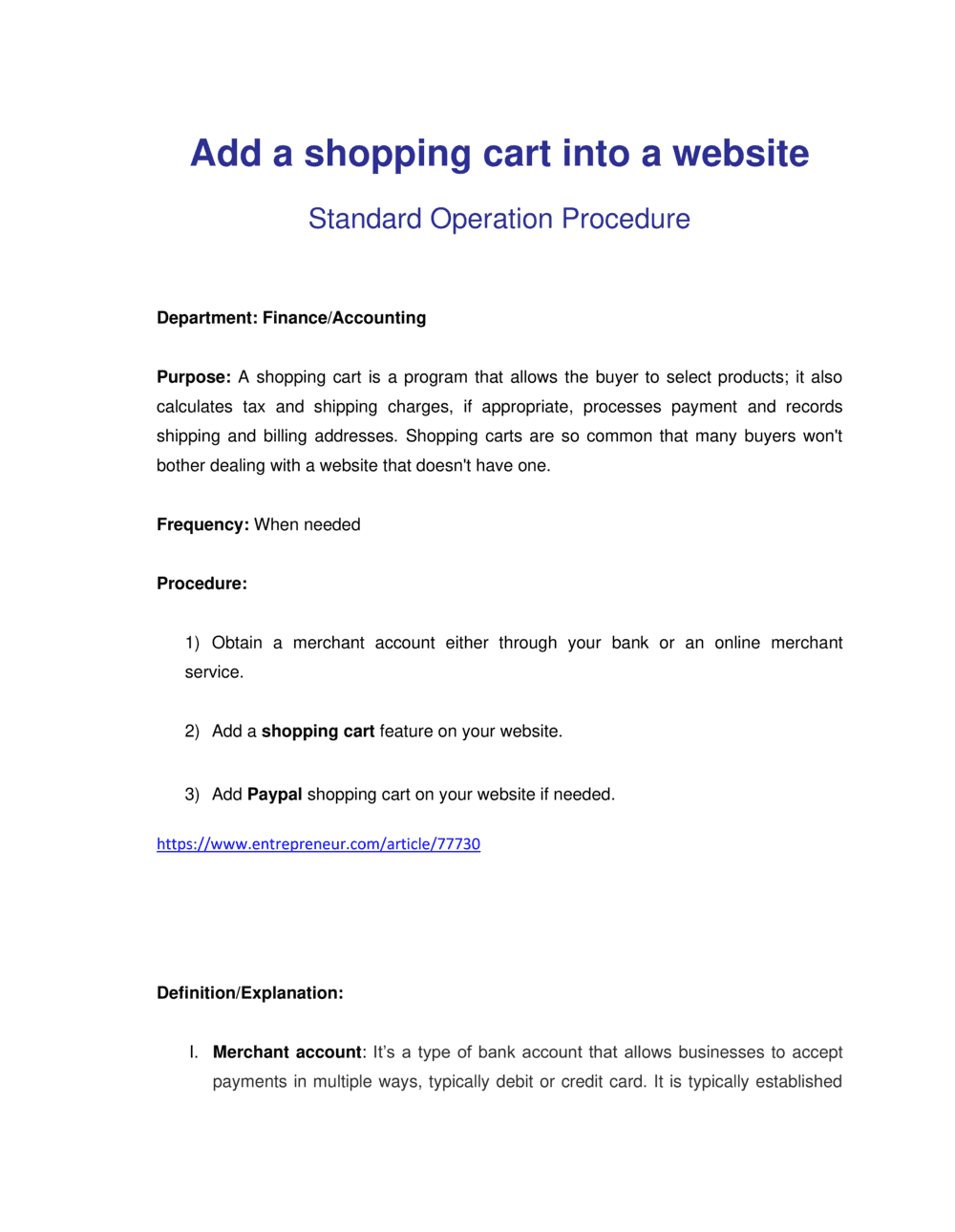
A How To Setup A Shopping Cart document is a structured operational guide that walks a business through every step required to launch a functional online store β€” from choosing a platform and configuring products to connecting a payment gateway and testing the checkout flow. This free Word download gives you a ready-to-edit template you can customize for your platform and business model, then export as PDF for your team or development partner.
When you need it
Use it when launching a new e-commerce store, migrating to a new platform, adding online sales to an existing brick-and-mortar operation, or onboarding a developer or agency that needs a clear scope of work for the build.
What's inside
Platform selection criteria, product catalog and category structure, payment gateway integration steps, shipping and tax configuration, checkout flow design, security and SSL setup, order management workflow, and post-launch testing checklist β€” all organized into a sequential, actionable guide.

What is a How To Setup A Shopping Cart document?

A How To Setup A Shopping Cart document is a structured operational guide that walks a business through every configuration step required to launch a transactional online store. It covers platform selection, domain and SSL setup, product catalog construction, payment gateway integration, shipping and tax configuration, checkout flow design, and pre-launch testing β€” organized into a sequential checklist that ensures nothing critical is missed. Unlike a general website launch guide, this document focuses specifically on the e-commerce layer: the configuration decisions that determine whether a customer can successfully browse, select, and pay for a product without encountering errors or dead ends.

Why You Need This Document

Launching an online store without a structured setup guide is one of the most common causes of lost revenue on day one. A misconfigured payment gateway means orders appear to succeed but no funds are captured. A missing SSL certificate triggers browser security warnings that drive shoppers away before they reach the cart. A forgotten shipping zone means customers in uncovered regions see no delivery options and abandon silently β€” with no error message to alert you. This template gives you a repeatable, step-by-step framework that a solo founder can follow independently or hand to a developer as a clear scope of work, eliminating the back-and-forth that extends timelines and inflates build costs.

Which variant fits your situation?

If your situation is…Use this template
Setting up a store on Shopify for a direct-to-consumer brandShopify Store Setup Checklist
Configuring WooCommerce on an existing WordPress siteWooCommerce Setup Guide
Launching a subscription-based product or serviceSubscription E-Commerce Setup Plan
Adding a cart to a B2B wholesale or trade portalB2B E-Commerce Implementation Plan
Migrating an existing store to a new platformE-Commerce Platform Migration Plan
Building a full digital marketing strategy alongside the store launchE-Commerce Marketing Plan
Defining policies for returns, refunds, and customer serviceE-Commerce Return Policy

Common mistakes to avoid

❌ Launching without completing a test transaction

Why it matters: A misconfigured payment gateway or active test-mode credentials means real customer orders generate no revenue. The store appears to work, but no money is captured.

Fix: Run at least two live-mode test transactions β€” one successful and one declined β€” before announcing the store launch to any audience.

❌ Skipping SSL setup before go-live

Why it matters: Modern browsers flag HTTP pages with a 'Not Secure' warning that appears directly in the address bar, causing most shoppers to abandon before even reaching the cart.

Fix: Confirm HTTPS is active on every page of the store, including product pages and checkout, before any traffic is sent to the domain.

❌ Setting a single flat tax rate for all locations

Why it matters: Tax rates vary by product category and buyer location β€” a single rate almost always results in over- or under-collection, creating a remittance liability or customer complaints.

Fix: Use an automated tax tool like TaxJar or Avalara that applies the correct rate by location and product type in real time.

❌ Forcing account creation before checkout

Why it matters: Requiring registration before purchase is consistently among the top three checkout abandonment reasons β€” it adds friction for first-time buyers who are not yet committed to the brand.

Fix: Enable guest checkout and offer optional account creation on the order confirmation page, after the purchase is already complete.

❌ Uploading products without SKUs

Why it matters: Products without SKUs cannot be tracked reliably in inventory reports or synced with third-party fulfillment and warehouse systems, leading to overselling and fulfillment errors.

Fix: Assign a unique SKU to every product and variant before import. Use a consistent format such as [BRAND]-[CATEGORY]-[VARIANT] to make SKUs human-readable.

❌ Not configuring abandoned cart recovery emails

Why it matters: Industry average cart abandonment rates run 65–75%. Without an automated recovery sequence, that revenue is permanently lost β€” most platforms include this feature at no extra cost.

Fix: Enable a two-step abandoned cart email sequence: first email at 1 hour post-abandonment, second at 24 hours. Include the cart contents and a direct link back to checkout.

The 9 key sections, explained

Platform and hosting selection

Domain, SSL, and security configuration

Product catalog and category structure

Payment gateway integration

Shipping and fulfillment configuration

Tax settings and nexus configuration

Checkout flow and user experience design

Order management and notification workflow

Pre-launch testing checklist

How to fill it out

  1. 1

    Select and document your platform

    Choose your e-commerce platform based on your product type, expected order volume, and integration needs. Record the platform name, plan tier, and monthly cost in the template's platform section.

    πŸ’‘ Calculate total cost of ownership including transaction fees, app subscriptions, and payment processing β€” not just the monthly plan fee.

  2. 2

    Configure domain, SSL, and admin security

    Connect your custom domain, verify the SSL certificate is active (HTTPS in the URL), and enable two-factor authentication on all admin accounts.

    πŸ’‘ Set an SSL certificate renewal reminder 30 days before expiry β€” an expired certificate takes your checkout offline instantly.

  3. 3

    Build out your product catalog

    Create your category structure first, then upload each product with a SKU, title, description, images (minimum 800Γ—800px), price, and variant options. Use a spreadsheet to batch-import if you have more than 20 products.

    πŸ’‘ Write product descriptions that answer the top three questions a customer would ask before buying β€” not a list of specifications.

  4. 4

    Connect and test your payment gateway

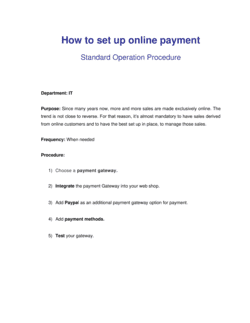
    Install your payment gateway app, enter your API keys, enable the payment methods you want to accept, and run at least two test transactions using the gateway's test card numbers before going live.

    πŸ’‘ Test both a successful payment and a declined card to confirm your error messaging is clear and does not expose technical error codes to the customer.

  5. 5

    Set up shipping zones and rates

    Define every geographic region you will ship to, assign a carrier or rate method to each zone, and verify that accurate shipping quotes appear at checkout for at least three representative order weights.

    πŸ’‘ Add a 'Local Pickup' option if you have a physical location β€” it costs nothing to configure and removes shipping barriers for nearby customers.

  6. 6

    Configure tax collection

    Identify every jurisdiction where you have tax nexus, connect an automated tax tool or enter rates manually, and flag any product categories that are tax-exempt in your jurisdictions.

    πŸ’‘ Use an automated tax service from day one β€” retroactively correcting mis-collected sales tax across hundreds of orders is far more expensive than the monthly SaaS fee.

  7. 7

    Design and optimize the checkout flow

    Enable guest checkout, reduce required fields to the minimum needed to fulfill the order, and add at least one trust element (SSL badge, money-back guarantee, accepted payment icons) visible on the payment page.

    πŸ’‘ Remove navigation menus and non-essential links from checkout pages β€” every exit point that is not 'Complete Order' increases abandonment.

  8. 8

    Run the full pre-launch test checklist

    Work through every item in the testing section: place test orders, trigger each automated email, check the store on mobile and desktop, and verify inventory decrements correctly after a purchase.

    πŸ’‘ Have someone unfamiliar with the store complete a purchase without any guidance β€” where they hesitate or get confused is where you have a UX problem.

Frequently asked questions

What does it mean to set up a shopping cart?

Setting up a shopping cart means configuring an e-commerce platform so that customers can browse products, add items to a cart, enter shipping details, and complete a payment β€” resulting in a placed order. The process covers platform selection, product catalog setup, payment gateway integration, shipping and tax configuration, and checkout flow design. A properly set up shopping cart handles the full transaction from product discovery to order confirmation without manual intervention.

Which shopping cart platform should I use?

The right platform depends on your product type, technical resources, and order volume. Shopify is the most common choice for direct-to-consumer brands launching quickly β€” it handles hosting, SSL, and updates automatically. WooCommerce is better if you already have a WordPress site and want full control over customization. BigCommerce suits mid-market merchants with complex catalog or B2B requirements. Evaluate total cost of ownership including transaction fees, not just the monthly plan price.

Do I need an SSL certificate for my shopping cart?

Yes β€” SSL is mandatory for any online store that accepts payment. Without it, browsers display a 'Not Secure' warning in the address bar, most payment gateways will refuse to process transactions, and you fail PCI DSS compliance requirements. Most hosted platforms like Shopify include SSL automatically. On self-hosted platforms like WooCommerce, you install an SSL certificate through your hosting provider, typically at no extra cost on modern plans.

What payment gateways work with most shopping cart platforms?

Stripe and PayPal are supported by virtually every major e-commerce platform and are the most common choices for new stores. Stripe offers lower per-transaction fees for high-volume merchants and supports Apple Pay, Google Pay, and buy-now-pay-later options natively. PayPal adds buyer trust for customers who prefer not to enter card details directly. Square is a strong option for merchants who also sell in person and want unified reporting across channels.

How do I handle sales tax on my shopping cart?

You are required to collect sales tax in any jurisdiction where you have tax nexus β€” typically your home state plus states where you exceed an economic nexus threshold (commonly $100,000 in sales or 200 transactions per year). Use an automated tax service like TaxJar or Avalara rather than entering rates manually β€” they update rates automatically and generate reports formatted for filing. Most major platforms integrate with these services directly.

What is the difference between a shopping cart and a payment gateway?

A shopping cart is the software layer that lets customers select products, manage quantities, and initiate checkout. A payment gateway is the separate service that securely transmits payment data between the customer's bank and your merchant account to authorize and capture funds. The cart handles the user experience; the gateway handles the financial transaction. Most e-commerce platforms connect to one or more payment gateways via a plugin or native integration.

How long does it take to set up a shopping cart?

A basic store on a hosted platform like Shopify can be configured in one to three days for a small catalog of 10–50 products. A WooCommerce build with custom design, complex shipping rules, and third-party integrations typically takes two to six weeks. Using a structured setup guide shortens the process by ensuring no configuration step is missed and reducing back-and-forth with developers over scope.

What should I test before launching my online store?

Before launch, complete a full test transaction using live payment credentials, verify that all automated emails trigger correctly (order confirmation, shipping confirmation), check the checkout flow on both desktop and mobile, confirm inventory decrements after a test purchase, and validate that shipping rate quotes appear correctly for at least three destination regions. Also check page load speed β€” target under three seconds β€” and confirm SSL is active on all pages.

Can I use this template for a developer or agency I am hiring?

Yes β€” this template works well as a scope-of-work reference document when briefing a developer or agency. Share the completed template as the build specification so both parties agree upfront on platform, payment methods, shipping configuration, and testing requirements. It reduces scope creep and gives you a checklist to verify deliverables before accepting the finished build.

How this compares to alternatives

vs E-Commerce Business Plan

An e-commerce business plan defines the market opportunity, competitive positioning, financial model, and growth strategy for an online store. A shopping cart setup guide is the operational document covering the technical and configurational steps to launch. The business plan answers 'should we build this and why'; the setup guide answers 'how do we build it and in what order'.

vs Website Launch Checklist

A website launch checklist covers all aspects of launching a website β€” SEO, analytics, accessibility, legal pages, and design review. A shopping cart setup guide focuses specifically on transactional functionality: payment gateways, shipping, tax, and checkout flow. E-commerce stores need both documents β€” the launch checklist for the broader site and the setup guide for the store-specific configuration.

vs Standard Operating Procedure (SOP)

An SOP documents a repeatable internal process for ongoing operations β€” how to process a return, how to pick and pack an order. A shopping cart setup guide is a one-time implementation document used to configure the store for the first time. Once the store is live, SOPs govern how the team operates it day to day.

vs E-Commerce Marketing Plan

An e-commerce marketing plan defines the channels, campaigns, and budget used to drive traffic and revenue to an existing store. A shopping cart setup guide addresses what happens before marketing begins β€” building and configuring the store so it is ready to receive and convert that traffic. Setup comes first; marketing plan execution follows.

Industry-specific considerations

Retail and e-commerce

High SKU counts require batch product import via CSV, variant management for size and color, and inventory sync with a warehouse or 3PL partner.

Food and beverage

Perishable shipping configurations, local delivery zones with date-picker checkout fields, and alcohol compliance age-verification gates require platform-specific setup steps.

Professional services

Service-based stores sell sessions, courses, or consulting packages β€” requiring digital product delivery, booking integrations, and no physical shipping configuration.

Manufacturing and wholesale

B2B wholesale carts require customer-group pricing, minimum order quantities, net-terms payment options, and purchase order upload functionality at checkout.

Template vs pro β€” what fits your needs?

PathBest forCostTime
Use the templateSmall business owners and founders setting up a first store on a hosted platform like Shopify or BigCommerceFree1–3 days for a basic store with up to 50 products
Template + professional reviewStores with custom shipping logic, multiple payment methods, tax complexity, or third-party integrations$500–$2,000 for a developer review or agency QA session1–2 weeks
Custom draftedEnterprise or B2B stores with ERP integration, custom checkout workflows, or multi-currency and multi-region requirements$5,000–$50,000+ for a full custom build4–16 weeks

Glossary

Shopping Cart
Software that allows online shoppers to select products, manage quantities, and proceed to checkout for payment.
Payment Gateway
A service that securely transmits payment data between the buyer's bank, the merchant, and the payment processor β€” e.g., Stripe, PayPal, or Square.
SSL Certificate
A digital certificate that encrypts data transmitted between a browser and a web server, displayed as HTTPS in the URL bar and required for any site that accepts payment.
SKU (Stock Keeping Unit)
A unique alphanumeric code assigned to each distinct product variant for inventory tracking and order management.
Checkout Flow
The sequence of pages or steps a shopper moves through from cart review to order confirmation β€” typically cart, shipping details, payment, and confirmation.
Shipping Zone
A defined geographic area to which a merchant applies specific shipping rates, carrier options, or delivery timeframes.
Tax Nexus
A sufficient connection between a business and a state or jurisdiction that creates an obligation to collect and remit sales tax on transactions in that location.
Order Management System (OMS)
Software that tracks orders from placement through fulfillment, including inventory updates, shipping label generation, and customer notifications.
Abandoned Cart
A shopping session in which a customer adds items to the cart but leaves the site without completing purchase β€” recoverable via automated email sequences.
PCI DSS
Payment Card Industry Data Security Standard β€” a set of security requirements any business handling credit card data must meet to reduce fraud and data breaches.

Part of your Business Operating System

This document is one of 3,000+ business & legal templates included in Business in a Box.

  • Fill-in-the-blanks β€” ready in minutes
  • Compatible with all office suites
  • Export to PDF and share electronically

Create your document in 3 simple steps.

From template to signed document β€” all inside one Business Operating System.
1
Download or open template

Access over 3,000+ business and legal templates for any business task, project or initiative.

2
Edit and fill in the blanks with AI

Customize your ready-made business document template and save it in the cloud.

3
Save, Share, Send, Sign

Share your files and folders with your team. Create a space of seamless collaboration.

Save time, save money, and create top-quality documents.

β˜…β˜…β˜…β˜…β˜…

"Fantastic value! I'm not sure how I'd do without it. It's worth its weight in gold and paid back for itself many times."

Managing Director Β· Mall Farm
Robert Whalley
Managing Director, Mall Farm Proprietary Limited
β˜…β˜…β˜…β˜…β˜…

"I have been using Business in a Box for years. It has been the most useful source of templates I have encountered. I recommend it to anyone."

Business Owner Β· 4+ years
Dr Michael John Freestone
Business Owner
β˜…β˜…β˜…β˜…β˜…

"It has been a life saver so many times I have lost count. Business in a Box has saved me so much time and as you know, time is money."

Owner Β· Upstate Web
David G. Moore Jr.
Owner, Upstate Web

Run your business with a system β€” not scattered tools

Stop downloading documents. Start operating with clarity. Business in a Box gives you the Business Operating System used by over 250,000 companies worldwide to structure, run, and grow their business.

Start freeΒ Β·Β No credit card required