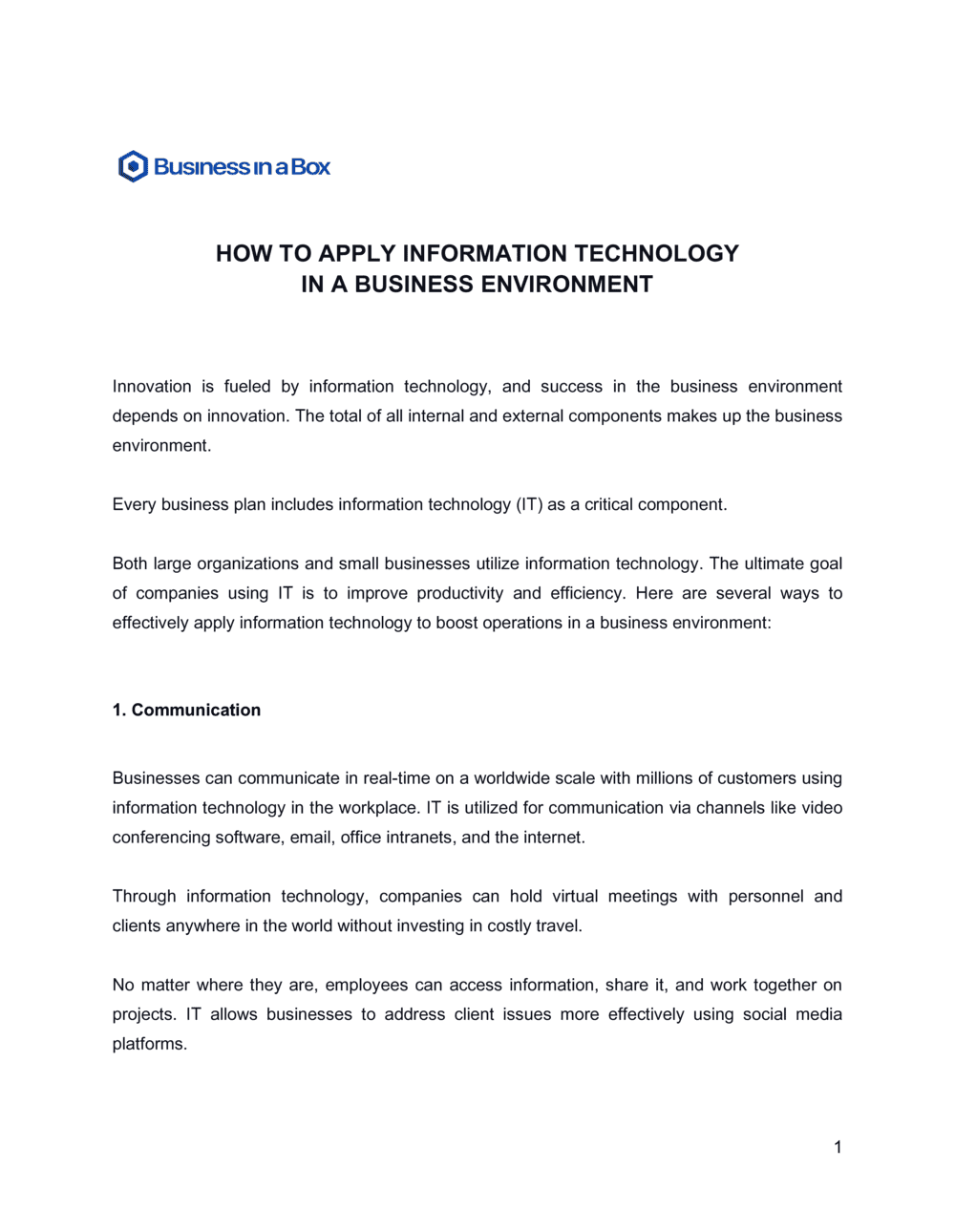
How To Apply Information Technology In A Business Environment

Free to read β€’ Save or share with one click

FreeHow To Apply Information Technology In A Business Environment Template

At a glance

What it is
This guide is a structured operational document that walks businesses through the process of identifying, selecting, deploying, and managing information technology in their day-to-day environment. It is a free Word download you can edit online and export as PDF β€” covering everything from infrastructure assessment and system selection through staff training and performance measurement.
When you need it
Use it when your business is adopting new software or hardware, restructuring its IT infrastructure, or formalizing an ad hoc technology setup into a documented, repeatable system. It is equally useful for businesses launching a digital transformation initiative or responding to operational inefficiencies caused by outdated technology.
What's inside
Business IT needs assessment, technology selection criteria, infrastructure planning, systems integration approach, cybersecurity policies, staff training framework, change management guidelines, and performance metrics for measuring IT effectiveness across departments.

What is a How To Apply Information Technology In A Business Environment guide?

A How To Apply Information Technology In A Business Environment guide is a structured operational document that defines the end-to-end process for evaluating, selecting, deploying, and managing technology across a business. It covers the full implementation lifecycle β€” from assessing operational needs and choosing the right systems, through infrastructure planning, staff training, and cybersecurity controls, to measuring performance after go-live. Rather than prescribing a specific product or vendor, it provides a reusable framework that any business can apply each time it introduces new technology into its operations.

Why You Need This Document

Businesses that deploy technology without a formal guide routinely face the same preventable problems: departments adopting incompatible tools, data migrated without quality checks, staff who were trained once and then left to struggle, and no baseline to measure whether the investment delivered any value. The cost of an unstructured rollout is concrete β€” wasted licensing fees, productivity losses during extended adoption periods, and security vulnerabilities created by inconsistent access policies. This template gives operations managers, IT leads, and business owners a single document that aligns every stakeholder on the what, how, and when of technology deployment β€” reducing rollout risk and creating the audit trail that banks, insurers, and enterprise clients increasingly require as a condition of doing business.

Which variant fits your situation?

If your situation is…Use this template
Deploying a specific software platform across the organizationSoftware Implementation Plan
Formalizing IT governance policies and acceptable-use rulesIT Policy Manual
Managing a large-scale technology upgrade projectIT Project Plan
Assessing current technology and identifying gapsIT Needs Assessment Report
Documenting cybersecurity rules and incident response proceduresCybersecurity Policy
Planning employee technology training and upskillingEmployee Training Plan
Communicating the IT strategy to the board or investorsTechnology Strategic Plan

Common mistakes to avoid

❌ Skipping the needs assessment and jumping to vendor selection

Why it matters: Without a documented requirements baseline, technology is selected to match a vendor's capabilities rather than the business's actual needs β€” resulting in expensive tools that staff resist or abandon.

Fix: Complete a structured needs assessment with input from at least three department stakeholders before issuing any vendor requests for proposal.

❌ Underestimating the scope of data migration

Why it matters: Data quality issues in source systems transfer to the new system on day one, causing report errors, compliance gaps, and eroding user trust in the platform within weeks of launch.

Fix: Allocate a dedicated data-cleaning phase before migration begins, assign a data owner for each source system, and run a parallel validation period where both systems operate simultaneously.

❌ Granting all users administrative access to speed up the rollout

Why it matters: Over-permissioned accounts create significant cybersecurity exposure and make it impossible to enforce data governance policies after the fact.

Fix: Implement role-based access control from day one, document the permission structure in the cybersecurity section, and enforce a formal approval process for any access escalation.

❌ Planning training as a one-time event before go-live

Why it matters: Retention of system training drops sharply within two weeks of a session if staff are not actively using the system β€” and even more so if the go-live is delayed after training.

Fix: Schedule training as close to go-live as possible, and build at least one reinforcement session at 30 days post-launch into the project plan.

❌ Setting a big-bang go-live without a pilot phase

Why it matters: A simultaneous transition across all departments concentrates risk β€” one critical failure can halt operations company-wide and creates massive pressure to roll back the entire deployment.

Fix: Run a controlled pilot with a single department or a defined cohort of 10–20 users for two to four weeks before the full rollout, and use pilot findings to resolve issues before they affect everyone.

❌ Measuring success solely by system uptime rather than adoption

Why it matters: A technically functional system that staff avoid or work around delivers no business value and invalidates the entire investment case presented to leadership.

Fix: Track user adoption rates, process cycle time changes, and help-desk ticket volume alongside uptime, and report all metrics together in the 30-day post-go-live review.

The 9 key sections, explained

Business technology needs assessment

Technology selection criteria

Infrastructure and architecture plan

Systems integration approach

Cybersecurity and access control policies

Staff training and technology adoption plan

Change management and communication plan

Implementation timeline and milestones

Performance metrics and continuous improvement

How to fill it out

  1. 1

    Complete the needs assessment before touching technology

    Interview department heads and frontline staff to document current pain points, manual workarounds, and the specific business outcomes IT must enable. Record findings in the needs assessment section with measurable gap statements.

    πŸ’‘ Ask staff to quantify time lost to the current process β€” 'I spend 3 hours per week re-entering data between systems' is far more persuasive to budget approvers than a vague complaint.

  2. 2

    Define selection criteria and score candidate systems

    List your must-have functional requirements and weight your evaluation criteria before contacting vendors. Build a simple scoring matrix (1–5 scale) and apply it consistently to each system you evaluate.

    πŸ’‘ Request a structured demo using your own real-world use cases, not the vendor's standard script β€” you will surface integration gaps and usability issues that polished demos hide.

  3. 3

    Map your infrastructure requirements

    Document current network capacity, storage volumes, and endpoint inventory. Then calculate the additional capacity required by the new system at projected Year 1, Year 2, and Year 3 user loads.

    πŸ’‘ Add a 25–30% capacity buffer to your Year 1 estimate β€” underprovisioned infrastructure is the most common cause of failed rollouts in the first six months.

  4. 4

    Plan your data migration and integration points

    Identify every system that will exchange data with the new platform. For each integration, document the data fields, direction of flow, frequency, and the owner responsible for maintaining the connection.

    πŸ’‘ Run a data quality audit on your source systems before migration β€” cleaning data in the old system is always faster and cheaper than fixing corrupted records in the new one.

  5. 5

    Set access tiers and security policies

    Define user roles, assign permission levels, and document the authentication requirements for each tier. Write down your incident response steps before go-live, not after.

    πŸ’‘ Apply the principle of least privilege by default: grant each user only the access they need for their specific role, and require a formal request process for elevated permissions.

  6. 6

    Build the training plan around user groups, not just the system

    Segment staff into user groups based on how deeply they will interact with the system. Design separate training tracks for basic users, power users, and administrators with distinct competency benchmarks for each.

    πŸ’‘ Record short reference videos for the five most common tasks β€” staff forget training details quickly, and a 3-minute video resolves more help-desk tickets than any written manual.

  7. 7

    Publish the implementation timeline with named owners

    Assign every milestone to a named individual β€” not a team or department. Include go/no-go decision criteria for each phase transition so the project does not drift from one phase to the next without a formal checkpoint.

    πŸ’‘ Build at least one week of buffer before your planned go-live date. Technology implementations almost always surface a last-minute dependency that requires extra time to resolve.

  8. 8

    Define KPIs and schedule the first post-go-live review

    Select three to five measurable KPIs before launch and record baseline values so you have something to compare against. Schedule the first performance review at 30 days post-go-live and put it on the calendar now.

    πŸ’‘ Share KPI results with all stakeholders at the 30-day mark β€” visible progress data is the single most effective tool for sustaining adoption momentum.

Frequently asked questions

What does it mean to apply information technology in a business environment?

Applying information technology in a business environment means identifying specific operational needs and deploying the appropriate combination of hardware, software, networks, and processes to address them. It goes beyond simply purchasing software β€” it involves assessing existing workflows, selecting systems that fit the business model, integrating them with current tools, training staff, and measuring the outcomes against defined business goals.

Why do businesses need a formal IT application guide?

Without a documented guide, technology deployments tend to be reactive and inconsistent β€” different departments adopt incompatible tools, security policies are applied unevenly, and there is no baseline to measure whether the investment is delivering value. A formal guide aligns the entire organization around a single implementation approach, reduces the risk of costly rollbacks, and provides the documentation trail that auditors, insurers, and investors expect.

How is this document different from an IT policy?

An IT policy defines the rules governing acceptable use, access control, and security standards β€” it tells employees what they can and cannot do. This guide explains how to evaluate, select, deploy, and manage technology in the first place. The two documents complement each other: this guide produces the technology environment; the IT policy governs how people operate within it.

What sections are most critical for a small business?

For a small business, the needs assessment, technology selection criteria, cybersecurity and access control policies, and the staff training plan deliver the highest immediate value. These four sections address the most common failure modes for small-business IT adoption: buying the wrong tool, creating security vulnerabilities, and failing to get staff to actually use the new system consistently.

How long does an IT implementation typically take?

Implementation timelines vary significantly by scope. A single SaaS application for a team of 10–20 users typically takes 4–8 weeks from needs assessment to full adoption. A company-wide ERP deployment for a mid-size business routinely takes 6–18 months. The implementation timeline section of this guide helps you set phased milestones that match your organization's size and the complexity of the systems involved.

Do I need an IT consultant to complete this guide?

For straightforward tool adoptions β€” cloud accounting software, project management platforms, or CRM systems β€” most operations or IT managers can complete this guide independently. Engage an external IT consultant when the deployment involves custom systems integration, legacy migration of large data volumes, regulated data (healthcare, financial services), or infrastructure architecture decisions above the team's current expertise.

How often should the IT application guide be updated?

Review and update the guide whenever a significant new system is deployed, when a major vendor discontinues or substantially changes a product you rely on, or at minimum annually as part of the business planning cycle. Technology environments change faster than most operational documents β€” a guide that is more than two years old without revision is likely describing systems or practices that no longer reflect reality.

What KPIs should I track to measure IT effectiveness?

The most informative KPIs combine technical performance with business impact: system uptime (target 99.5% or higher), user adoption rate at 30 and 90 days post-launch, help-desk ticket volume and average resolution time, process cycle time before and after deployment, and total cost of ownership versus the original budget. Track at least three of these from day one so you have a baseline when leadership asks whether the investment was worthwhile.

What is the biggest risk in applying new IT in a business?

The biggest single risk is low user adoption β€” not technical failure. Most technology implementations that fail post-launch do so because staff revert to old workarounds rather than using the new system, which means the business pays for two parallel processes indefinitely. Addressing this risk requires investing as much in change management, communication, and training as in the technical deployment itself.

How this compares to alternatives

vs IT Strategic Plan

An IT strategic plan sets the long-term technology vision β€” typically 3–5 years β€” and aligns it with overall business objectives. This guide is operational and tactical, focused on how to actually deploy and manage technology right now. Use the strategic plan to define where technology should take the business; use this guide to execute each deployment within that direction.

vs IT Policy Manual

An IT policy manual governs employee behavior β€” acceptable use, security requirements, and consequences for violations. This guide governs how the business selects, deploys, and manages its technology environment. Both documents are needed: the guide creates the environment; the policy manual governs how people operate within it.

vs Software Implementation Plan

A software implementation plan is scoped to a single application deployment β€” detailing configuration, data migration, testing, and go-live for one specific tool. This guide covers the broader business IT environment across multiple systems, functions, and departments. Use a software implementation plan as a sub-document for each major system addressed in this broader guide.

vs Employee Training Plan

An employee training plan addresses skill development across any topic area β€” from onboarding to compliance. This guide includes a technology-specific training section, but its scope extends to infrastructure, security, integration, and performance measurement. Use this guide to define what technology to train on; use the employee training plan to design and schedule the training program itself.

Industry-specific considerations

Professional Services

Deploying practice management, document management, and client portal systems that must integrate with billing and time-tracking tools already in use.

Retail / E-commerce

Integrating point-of-sale, inventory management, and e-commerce platforms into a unified data environment to eliminate manual stock reconciliation.

Healthcare

Implementing electronic health record and patient management systems under HIPAA data security requirements with strict access control and audit logging.

Manufacturing

Connecting ERP, production scheduling, and supply chain systems to provide real-time visibility into inventory levels, machine utilization, and order status.

SaaS / Technology

Standardizing internal tooling across engineering, sales, and customer success teams to reduce context switching and ensure clean data flows into the CRM and analytics stack.

Financial Services

Deploying transaction monitoring, reporting, and client management systems with role-based access, encryption standards, and audit trails required by regulators.

Template vs pro β€” what fits your needs?

PathBest forCostTime
Use the templateSmall to mid-size businesses deploying standard SaaS tools or restructuring an existing IT setup without custom integration requirementsFree1–2 weeks to complete
Template + professional reviewBusinesses deploying systems that handle regulated data, or that require integration across four or more existing platforms$500–$2,000 for an IT consultant review session2–4 weeks
Custom draftedEnterprise deployments, ERP implementations, or organizations in regulated industries such as healthcare or financial services$5,000–$25,000+ for a managed IT consulting engagement6–18 weeks

Glossary

IT Infrastructure
The combined hardware, software, networks, data centers, and facilities a business uses to deliver and manage IT services.
Systems Integration
The process of linking separate software applications and hardware components so they share data and operate as a coordinated whole.
Digital Transformation
The process of replacing manual or legacy processes with digital technology to improve efficiency, data visibility, and customer experience.
ERP (Enterprise Resource Planning)
A category of software that integrates core business processes β€” finance, HR, inventory, and operations β€” into a single unified system.
SaaS (Software as a Service)
A software delivery model where applications are hosted in the cloud and accessed via subscription rather than installed locally.
Cybersecurity Policy
A formal document defining how an organization protects its digital assets, acceptable use of systems, and the procedures for responding to security incidents.
Change Management
A structured approach to transitioning individuals and teams from a current state to a desired future state, minimizing resistance and disruption.
KPI (Key Performance Indicator)
A measurable value used to evaluate how effectively a system, process, or team is achieving its defined objectives.
Total Cost of Ownership (TCO)
The complete cost of a technology investment over its useful life, including purchase, implementation, training, maintenance, and eventual replacement.
Scalability
A system's ability to handle growing amounts of work or users without requiring a fundamental redesign or proportional increase in cost.
Data Governance
The policies and standards that define who can access, modify, and manage data within an organization, and how data quality is maintained.

Part of your Business Operating System

This document is one of 3,000+ business & legal templates included in Business in a Box.

  • Fill-in-the-blanks β€” ready in minutes
  • Compatible with all office suites
  • Export to PDF and share electronically

Create your document in 3 simple steps.

From template to signed document β€” all inside one Business Operating System.
1
Download or open template

Access over 3,000+ business and legal templates for any business task, project or initiative.

2
Edit and fill in the blanks with AI

Customize your ready-made business document template and save it in the cloud.

3
Save, Share, Send, Sign

Share your files and folders with your team. Create a space of seamless collaboration.

Save time, save money, and create top-quality documents.

β˜…β˜…β˜…β˜…β˜…

"Fantastic value! I'm not sure how I'd do without it. It's worth its weight in gold and paid back for itself many times."

Managing Director Β· Mall Farm
Robert Whalley
Managing Director, Mall Farm Proprietary Limited
β˜…β˜…β˜…β˜…β˜…

"I have been using Business in a Box for years. It has been the most useful source of templates I have encountered. I recommend it to anyone."

Business Owner Β· 4+ years
Dr Michael John Freestone
Business Owner
β˜…β˜…β˜…β˜…β˜…

"It has been a life saver so many times I have lost count. Business in a Box has saved me so much time and as you know, time is money."

Owner Β· Upstate Web
David G. Moore Jr.
Owner, Upstate Web

Run your business with a system β€” not scattered tools

Stop downloading documents. Start operating with clarity. Business in a Box gives you the Business Operating System used by over 250,000 companies worldwide to structure, run, and grow their business.

Free Forever PlanΒ Β·Β No credit card required