Cookie Policy Template

Free Word download β€’ Edit online β€’ Save & share with Drive β€’ Export to PDF

4 pagesβ€’25–30 min to fillβ€’Difficulty: Standard
Learn more ↓
FreeCookie Policy Template

At a glance

What it is
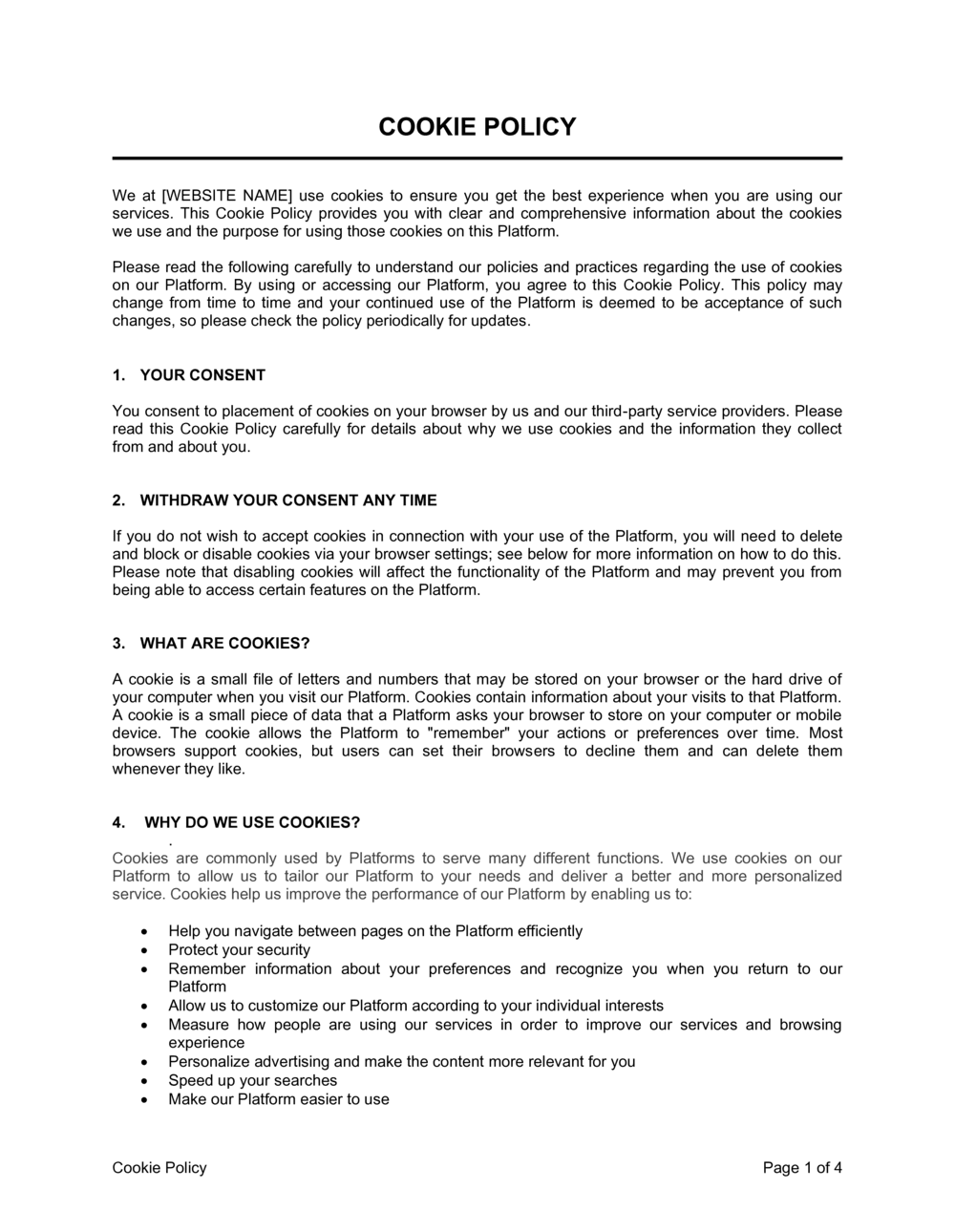
A Cookie Policy is a public-facing disclosure document that explains to website visitors which cookies and tracking technologies your site uses, why it uses them, how long they persist, and what rights users have to control or opt out of them. This free Word download gives you a structured, plain-English starting point you can edit online and publish directly on your site or app as a standalone page or linked notice.
When you need it
You need one the moment your website sets any cookie beyond a strictly necessary session cookie β€” including analytics, advertising, social media embeds, or live-chat tools. Regulators in the EU, UK, Canada, and California treat operating without a cookie policy as a compliance gap, regardless of business size.
What's inside
An introduction identifying the site owner, a plain-English explanation of what cookies are, a table of every cookie category used (necessary, functional, analytics, marketing), third-party tool disclosures, consent and opt-out instructions, data retention periods, and contact details for privacy enquiries.

What is a Cookie Policy?

A Cookie Policy is a public-facing disclosure document that explains to website visitors which cookies and tracking technologies a site deploys, the purpose each one serves, how long it persists on the user's device, which third parties set or receive data from it, and what controls users have to manage or withdraw their consent. Unlike a full privacy policy β€” which covers all personal data an organization processes β€” a cookie policy focuses specifically on browser-based and device-based tracking. Privacy regulators in the EU, UK, Canada, and California treat it as a distinct transparency obligation, not simply a subsection of broader data-protection documentation.

Why You Need This Document

Operating a website without a cookie policy is a compliance gap that regulators actively enforce, even against small businesses. Under GDPR, setting a single non-essential cookie without informed consent and a clear disclosure can expose an organization to supervisory authority action β€” fines for serious violations reach 4% of global annual turnover. Beyond regulatory risk, the absence of a cookie policy signals to visitors that data practices are opaque, which measurably reduces conversion rates and damages brand trust. A well-structured cookie policy also protects you operationally: it forces a full audit of every tracking tool on your site, surfaces third-party cookies you may not have known were being set, and gives your development team a living document to update whenever the tool stack changes. This template gives you a complete, plain-English framework to disclose your practices accurately, publish a compliant policy in hours rather than days, and maintain it as your site evolves.

Which variant fits your situation?

If your situation is…Use this template
Site uses only Google Analytics and no advertising cookiesSimple Cookie Policy
Site serves users in the EU or UK and requires GDPR-compliant consentGDPR Cookie Policy
Site collects personal data and needs a broader privacy frameworkPrivacy Policy
Site runs a cookie consent banner and needs terms to link toCookie Policy with Consent Banner Language
Mobile app that uses device identifiers and in-app trackingMobile App Privacy and Cookie Policy
SaaS platform with both a marketing site and authenticated app cookiesSaaS Cookie and Tracking Policy
Company needs a single document covering cookies and broader data practicesPrivacy and Cookie Policy (Combined)

Common mistakes to avoid

❌ Scanning cookies only at launch and never again

Why it matters: Every new plugin, analytics tool, or ad pixel adds cookies to your site. A policy that does not reflect current cookies is out of compliance the moment it goes stale.

Fix: Schedule a quarterly cookie rescan and update the inventory table whenever you add or remove any third-party tool.

❌ Claiming legitimate interest for advertising cookies

Why it matters: EU regulators have consistently ruled that behavioral advertising requires explicit consent, not legitimate interest β€” using the wrong basis exposes you to enforcement action.

Fix: Classify all marketing and retargeting cookies as consent-required and ensure your CMP blocks them until the user actively accepts.

❌ Providing no functional opt-out mechanism

Why it matters: Listing opt-out options without a working preference center or CMP means users cannot actually exercise their rights β€” which is itself a regulatory violation under GDPR Article 7.

Fix: Implement a consent management platform that allows category-level opt-in and opt-out, and test it from a fresh browser before publishing the policy.

❌ Copying another company's cookie policy verbatim

Why it matters: Their cookie inventory will not match yours β€” your policy will disclose cookies you do not set and fail to disclose ones you do, both of which are regulatory risks.

Fix: Always start from a scanner-generated inventory of your own site and customize the template to reflect only the cookies your site actually sets.

❌ Using vague retention language like 'as long as necessary'

Why it matters: GDPR and UK GDPR require specific retention periods. Vague language is a standard finding in regulatory audits and can trigger a formal reprimand.

Fix: Replace all vague duration language with specific timeframes β€” 'session', '30 days', '13 months', or '2 years' β€” drawn from your scanner data or the third party's documentation.

❌ Publishing the policy on a page users cannot find

Why it matters: A cookie policy buried three clicks from the homepage does not satisfy transparency requirements β€” regulators expect it to be easily accessible, especially from the cookie banner.

Fix: Link to the policy directly from your cookie consent banner, your site footer, and your privacy policy. The URL should be permanent and not redirect.

The 10 key sections, explained

Introduction and site owner identification

What cookies are

Categories of cookies used

Specific cookies and third-party tools

How we use cookies

Consent and legal basis

How to manage and opt out of cookies

Cookie retention periods

Updates to this policy

Contact information

How to fill it out

  1. 1

    Identify every cookie and tracking script on your site

    Run your site through a cookie scanner (e.g., CookieBot scanner, OneTrust discovery, or browser developer tools) to generate a complete list of cookies being set, their source domains, and observed durations.

    πŸ’‘ Do not rely on memory or what your developer told you β€” scanner output is the only reliable baseline. Rescan after every new tool or plugin you add.

  2. 2

    Categorize each cookie by type and consent requirement

    Sort every cookie into one of four categories: strictly necessary, functional, analytics, or marketing/advertising. Strictly necessary cookies do not require consent; all others do under GDPR and similar frameworks.

    πŸ’‘ When in doubt, treat a cookie as consent-required rather than strictly necessary β€” over-claiming the exemption is a common regulatory finding.

  3. 3

    Fill in the site owner and contact details

    Replace all [COMPANY NAME], [WEBSITE URL], and [PRIVACY EMAIL] placeholders with your organization's legal name, the exact URL, and a monitored privacy contact address.

    πŸ’‘ Use your registered legal entity name β€” not a trading name or brand name β€” for the controller identification section.

  4. 4

    Complete the cookie inventory table

    For each cookie, enter the cookie name, the setting party (first or third party), the stated purpose, and the expiry duration from your scanner output. Add a link to each third party's privacy policy.

    πŸ’‘ Group cookies by category in the table so users can scan the section quickly β€” a flat alphabetical list of 40 cookie names is unreadable.

  5. 5

    Describe the consent mechanism you use

    Name your consent management platform or cookie banner tool, explain what happens when a user accepts or rejects each category, and confirm that non-essential cookies are blocked until consent is given.

    πŸ’‘ If you have not yet implemented a CMP, note it in your project backlog β€” publishing a cookie policy without a functional consent mechanism is incomplete compliance.

  6. 6

    Set retention periods for every category

    Replace any 'as long as necessary' language with specific durations from your scanner or the third party's documentation. Session = browser close; persistent = exact number of days or years.

    πŸ’‘ Google Analytics 4 cookies default to 2 years but can be reduced to 14 months in the GA4 data settings β€” consider doing so to reduce your retention footprint.

  7. 7

    Add the last revised date and publish

    Insert the current date in the 'Last revised' field at the top of the policy, publish it to a permanent URL (e.g., /cookie-policy), and link to it from your cookie banner, footer, and privacy policy.

    πŸ’‘ Store the previous version in your document archive so you can demonstrate what the policy said at any point in time if a regulator requests it.

Frequently asked questions

How this compares to alternatives

vs Privacy Policy

A privacy policy covers the full scope of personal data collection, processing, storage, and sharing across every channel β€” forms, emails, purchases, and cookies. A cookie policy addresses only tracking technologies on the website. Both are required for most sites, and they should cross-reference each other. When combined into a single document, the cookie section must still be specific enough to satisfy cookie-specific regulatory requirements.

vs Terms of Use

Terms of use govern the legal relationship between the site operator and the user β€” acceptable use, intellectual property, disclaimers, and dispute resolution. A cookie policy is a transparency and consent document, not a contract. They serve different regulatory purposes and both should be linked from the site footer, but they should not be merged into a single document.

vs GDPR Consent Form

A GDPR consent form captures explicit user consent for a specific data processing activity β€” such as a newsletter subscription or form submission. A cookie policy is a disclosure document that informs users what cookies are set and provides opt-out mechanisms. The two work together: the consent form records a consent event, while the cookie policy describes the data practices that event covers.

vs Data Processing Agreement

A data processing agreement (DPA) is a contract between a data controller and a data processor β€” such as your analytics vendor β€” that governs how the processor handles personal data on your behalf. A cookie policy is the outward-facing disclosure to end users. GDPR requires both: the DPA with your vendors and the cookie policy for your site visitors.

Industry-specific considerations

E-commerce

Must disclose cart-persistence cookies, remarketing pixels from Google and Meta, and affiliate tracking cookies β€” all of which require consent under GDPR and CCPA.

SaaS / Technology

Typically uses separate policies for the marketing site and the authenticated application, as cookies inside a logged-in product may have different consent bases.

Media and Publishing

Ad-funded sites set a high volume of third-party advertising cookies β€” IAB Transparency and Consent Framework (TCF) compliance is standard for programmatic ad inventory.

Healthcare

Analytics cookies on health-related sites may infer sensitive health conditions, triggering heightened consent requirements and restrictions on behavioral advertising under GDPR's special-category data rules.

Professional Services

Law firms and financial advisers whose sites collect enquiry form data alongside analytics cookies face scrutiny over whether cookie data constitutes confidential client information.

Retail / Hospitality

Loyalty and booking platforms use long-lived persistent cookies and cross-device tracking, requiring detailed retention disclosures and clear opt-out paths for returning customers.

Template vs pro β€” what fits your needs?

PathBest forCostTime
Use the templateSmall to mid-sized websites using standard tools like Google Analytics, a social pixel, and a live-chat widgetFree1–2 hours including a cookie scan
Template + professional reviewE-commerce sites with advertising cookies, SaaS products serving EU users, or any site monetized through programmatic advertising$200–$600 for a privacy lawyer or consultant review2–5 days
Custom draftedEnterprise sites with complex cookie stacks, health or financial data, or multi-jurisdiction compliance programs$1,000–$3,500+1–2 weeks

Glossary

Cookie
A small text file a website stores on a visitor's device to remember information β€” such as login status, preferences, or browsing behavior β€” across sessions.
Session cookie
A temporary cookie that is deleted automatically when the user closes their browser, used to maintain state during a single visit.
Persistent cookie
A cookie that remains on the device until it expires or is manually deleted, used for remembering preferences or tracking return visits.
First-party cookie
A cookie set directly by the website the user is visiting, typically for functional or analytics purposes.
Third-party cookie
A cookie set by a domain other than the one the user is visiting β€” commonly used by advertising networks and social media platforms for cross-site tracking.
Strictly necessary cookie
A cookie essential for the basic functioning of a website β€” such as maintaining a login session or a shopping cart β€” that does not require user consent under most privacy frameworks.
Consent management platform (CMP)
A software tool that presents a cookie consent banner, records user choices, and blocks non-essential cookies until consent is given.
GDPR
The EU General Data Protection Regulation, which requires websites to obtain freely given, specific, informed, and unambiguous consent before setting non-essential cookies for users in the EU.
CCPA
The California Consumer Privacy Act, which gives California residents the right to know what personal data β€” including cookie-derived data β€” is collected about them and to opt out of its sale.
Cookie banner
A notice displayed on first visit that informs users about cookie use and, where required by law, collects or records their consent choice before non-essential cookies are activated.
Opt-out
A mechanism allowing users to withdraw consent for non-essential cookies, either through browser settings, a CMP preference center, or a do-not-sell link.

Part of your Business Operating System

This document is one of 3,000+ business & legal templates included in Business in a Box.

  • Fill-in-the-blanks β€” ready in minutes
  • 100% customizable Word document
  • Compatible with all office suites
  • Export to PDF and share electronically

Create your document in 3 simple steps.

From template to signed document β€” all inside one Business Operating System.
1
Download or open template

Access over 3,000+ business and legal templates for any business task, project or initiative.

2
Edit and fill in the blanks with AI

Customize your ready-made business document template and save it in the cloud.

3
Save, Share, Send, Sign

Share your files and folders with your team. Create a space of seamless collaboration.

Save time, save money, and create top-quality documents.

β˜…β˜…β˜…β˜…β˜…

"Fantastic value! I'm not sure how I'd do without it. It's worth its weight in gold and paid back for itself many times."

Managing Director Β· Mall Farm
Robert Whalley
Managing Director, Mall Farm Proprietary Limited
β˜…β˜…β˜…β˜…β˜…

"I have been using Business in a Box for years. It has been the most useful source of templates I have encountered. I recommend it to anyone."

Business Owner Β· 4+ years
Dr Michael John Freestone
Business Owner
β˜…β˜…β˜…β˜…β˜…

"It has been a life saver so many times I have lost count. Business in a Box has saved me so much time and as you know, time is money."

Owner Β· Upstate Web
David G. Moore Jr.
Owner, Upstate Web

Run your business with a system β€” not scattered tools

Stop downloading documents. Start operating with clarity. Business in a Box gives you the Business Operating System used by over 250,000 companies worldwide to structure, run, and grow their business.

Start freeΒ Β·Β No credit card required