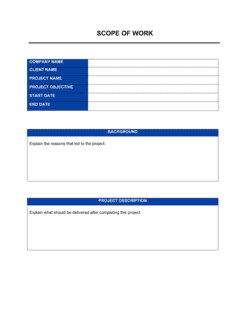
Checklist Sample Format for Responding to RFP

Free download β€’ Use as a template β€’ Print or share

1 pageβ€’20–25 min to useβ€’Difficulty: Standard
Learn more ↓
FreeChecklist Sample Format for Responding to RFP Template

At a glance

What it is
An RFP Response Checklist is a structured form that helps proposal teams track every mandatory and optional requirement issued in a Request for Proposal before final submission. This free Word download gives you a ready-to-edit checklist you can customize to any RFP and export as PDF for internal sign-off or team coordination.
When you need it
Use it as soon as you receive an RFP and decide to bid. Running through the checklist during drafting and again immediately before submission catches missing sections, wrong file formats, and overlooked compliance items that disqualify otherwise strong proposals.
What's inside
RFP reference details, submission requirements, mandatory document list, section-by-section compliance tracking, pricing and financial exhibit fields, reviewer sign-off rows, and a final pre-submission confirmation block.

What is a Checklist Sample Format for Responding to an RFP?

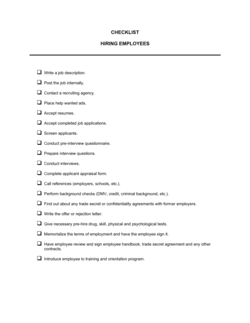
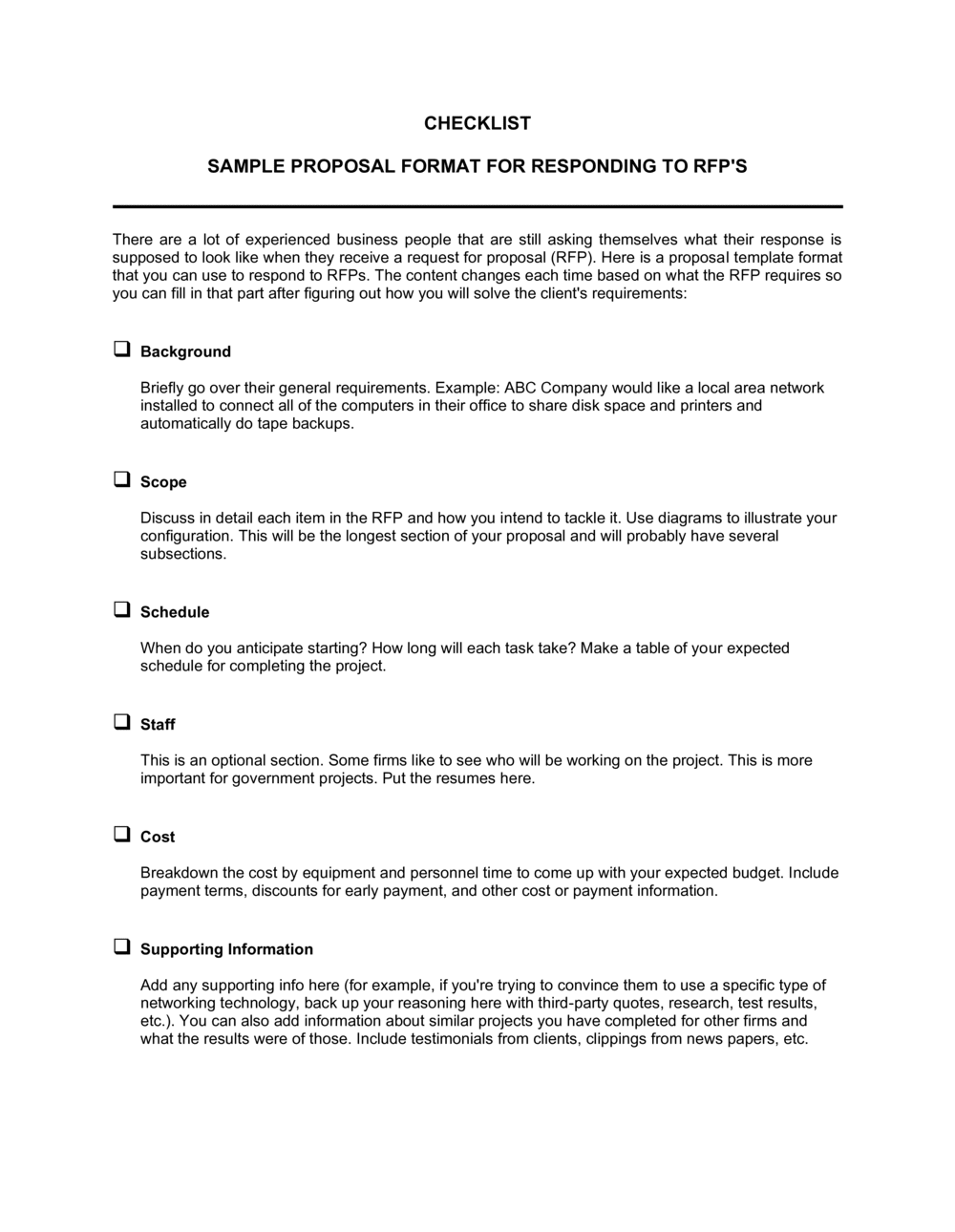
An RFP Response Checklist is a structured form that guides a proposal team through every requirement an issuing organization has specified in a Request for Proposal, ensuring nothing is missed before the submission package is sent. It organizes compliance tracking, document assembly, formatting verification, and internal sign-offs into a single working document that any team member can pick up, complete, and hand off. Rather than relying on institutional memory or scattered email threads, the checklist creates a single record of what is required, who is responsible, and what has been completed.

Why You Need This Document

A disqualifying error in an RFP response rarely comes from weak content β€” it comes from a missing certification, a file submitted in the wrong format, or a mandatory requirement buried in an amendment that the team never logged. Issuers, especially government agencies, reject non-compliant submissions without review, regardless of how competitive the pricing or approach might be. A completed RFP response checklist eliminates that risk by forcing the team to map every requirement to a proposal section before a single page is written. It also shortens the last-day scramble: when every document is tracked by name and status from week one, the final submission becomes a confirmation exercise rather than a crisis. This template gives you that structure in under an hour, formatted and ready to adapt to any RFP you receive.

Which variant fits your situation?

If your situation is…Use this template
Responding to a government procurement RFP with strict compliance rulesGovernment Proposal Checklist
Building the actual written proposal documentBusiness Proposal
Tracking an IT or software vendor selection processIT RFP Response Template
Managing all open bids and their deadlines across the pipelineBid Tracking Log
Requesting proposals from vendors as the issuing organizationRequest for Proposal (RFP)
Evaluating and scoring received proposals after submissionProposal Evaluation Scorecard

Common mistakes to avoid

❌ Tracking requirements from memory instead of the RFP text

Why it matters: Proposal teams routinely miss obscure but mandatory requirements buried in appendices or amendment notices. A single missed mandatory item disqualifies the entire submission.

Fix: Copy every requirement flagged with 'shall,' 'must,' or 'required' directly from the RFP into the checklist rows. Include amendment numbers as a separate column.

❌ Ignoring section-level page limits

Why it matters: Many RFPs set page limits per volume, not just for the overall document. Exceeding the technical volume limit by two pages can void the bid even if the total page count is compliant.

Fix: Record the maximum and actual page count for each volume separately in the formatting compliance block and recheck after every major revision.

❌ Submitting via the wrong delivery method

Why it matters: An email submission when the RFP required portal delivery β€” or a portal submission to the wrong solicitation record β€” results in rejection regardless of proposal quality.

Fix: Read the submission instructions on the day of submission, not just when the RFP first arrived. Late amendments sometimes change the delivery method.

❌ Attaching expired certifications or registrations

Why it matters: Government and enterprise issuers verify SAM.gov status, insurance certificates, and diversity certifications at the time of submission. An expired document creates grounds for disqualification or post-award protest.

Fix: Enter the expiration date next to each certification in the checklist and confirm currency within 48 hours of submission, not weeks earlier.

The 10 key fields, explained

RFP identification block

Bid/no-bid decision row

Mandatory requirements compliance rows

Document submission checklist

Formatting and page-limit compliance block

Pricing and financial exhibits

Certifications and representations

Past performance and references block

Internal review and sign-off rows

Final pre-submission confirmation block

How to fill it out

  1. 1

    Enter the RFP identification details

    Fill in the solicitation number, issuing organization, RFP title, and hard submission deadline β€” including the exact time and time zone β€” at the top of the form.

    πŸ’‘ Set a calendar alert 48 hours before the deadline the moment you enter it. Portal submission queues routinely jam in the final hour.

  2. 2

    Complete the bid/no-bid decision row

    Record whether a formal bid/no-bid review was conducted, who approved the decision, and on what date. This creates accountability before resources are committed.

    πŸ’‘ Score at least three factors β€” win probability, strategic fit, and resource availability β€” before entering 'YES.' A score below 60% on any factor warrants a no-bid.

  3. 3

    Pull every mandatory requirement from the RFP

    Read the full RFP and list each mandatory requirement in its own row, noting the section reference, a plain-English description, and which proposal section will address it.

    πŸ’‘ Search the RFP document for 'shall,' 'must,' and 'required' β€” those words signal mandatory items. 'Should' and 'may' indicate desirable requirements.

  4. 4

    Build the document submission list

    List every file the RFP requires β€” cover letter, technical volume, price volume, certifications, appendices β€” and assign a standardized file name following the RFP's naming convention.

    πŸ’‘ Create a dedicated submission folder immediately and save each document there as it is completed. Do not assemble the package from multiple locations on deadline day.

  5. 5

    Verify formatting and page-limit compliance

    Check each volume against the RFP's font, margin, spacing, and page-limit rules. Record the actual page count next to the maximum allowed for each section.

    πŸ’‘ Convert all Word documents to PDF and recount pages after conversion β€” page counts can shift by 1–3 pages depending on font rendering.

  6. 6

    Confirm certifications and registrations are current

    Check the expiration date on every certification, SAM.gov registration, and insurance certificate required by the RFP and enter the expiry date next to each item.

    πŸ’‘ Build a 60-day renewal reminder for recurring certifications so they never expire mid-bid cycle.

  7. 7

    Collect internal sign-offs

    Route the checklist to the technical lead, pricing lead, and executive approver in sequence. Each reviewer signs off only on their section β€” not the whole document.

    πŸ’‘ Attach the relevant proposal volume to each reviewer's sign-off request so they are approving the actual content, not just the checklist row.

  8. 8

    Complete the final pre-submission confirmation block

    Run through the last-step block: confirm file names, submission method, and deadline, then submit and save the portal confirmation or email receipt immediately.

    πŸ’‘ Screenshot or download the submission confirmation and store it in the bid folder. It is your only proof of on-time delivery if the issuer disputes receipt.

Frequently asked questions

What is an RFP response checklist?

An RFP response checklist is a structured form that tracks every mandatory and optional requirement an issuing organization specifies in a Request for Proposal. It helps proposal teams confirm that all required documents, certifications, formatting rules, and content sections are complete before submission. Using one reduces the risk of disqualification due to missing or non-compliant elements.

Why do proposal teams use a checklist when responding to an RFP?

RFPs often run 30–100 pages and include requirements spread across multiple sections and amendments. Without a checklist, teams miss items that are buried in appendices or added by late amendments. A checklist creates a single accountability record, enables parallel work across team members, and gives the proposal manager a clear picture of completion status at any point in the bid cycle.

What should an RFP response checklist include?

At minimum: the solicitation number and deadline, a row for each mandatory requirement with its proposal cross-reference, a document submission list with file names, formatting and page-limit compliance fields, a certifications and registrations block with expiry dates, past performance reference details, internal reviewer sign-off rows, and a final pre-submission confirmation block.

How is an RFP response checklist different from a compliance matrix?

A compliance matrix is a deliverable submitted inside the proposal itself β€” it shows the issuer exactly where each of their requirements is addressed in your response. An RFP response checklist is an internal working document used by the proposal team to manage the bid process. Both are useful; the compliance matrix goes to the client, the checklist stays with your team.

Can a small business use this checklist without a dedicated proposals team?

Yes. The checklist is designed to be completed by a single person managing the entire response. Working through it sequentially β€” from the bid/no-bid decision through the final submission confirmation β€” replicates the quality-control function that larger teams distribute across multiple roles. The key is to fill it out against the actual RFP text, not from memory.

When should I start filling out the RFP response checklist?

Start the moment you decide to bid β€” ideally on the same day you receive the RFP. Enter the deadline and solicitation number immediately, then block out the mandatory requirements within the first 24 hours. Early completion of the checklist exposes scope gaps and resource conflicts early enough to address them, rather than discovering them 48 hours before submission.

Does this checklist need to be submitted to the issuing organization?

No. The RFP response checklist is an internal document β€” it is not part of the proposal package you submit. Some organizations include a separate compliance matrix inside the proposal itself, but the working checklist stays with your team as a project management and quality-control tool.

What happens if I miss a mandatory requirement?

Most issuers β€” especially government agencies β€” will disqualify a proposal that fails to address a mandatory requirement, regardless of how strong the rest of the submission is. Some commercial buyers may request clarification, but this is at their discretion and is not guaranteed. Using a checklist populated directly from the RFP text is the most reliable way to prevent this outcome.

How this compares to alternatives

vs Business Proposal

A business proposal is the full written document submitted in response to an RFP β€” covering approach, team, timeline, and pricing. The RFP response checklist is the internal tracking tool that ensures the proposal is complete and compliant before it is submitted. You need both: the checklist governs the process; the proposal is the deliverable.

vs Request for Proposal (RFP)

An RFP is the document an issuing organization sends to invite vendor bids. An RFP response checklist is used by the vendor receiving the RFP to track compliance with its requirements. They are used by opposite sides of the same procurement process.

vs Project Checklist

A project checklist tracks tasks across the lifecycle of any business initiative. An RFP response checklist is specifically structured around the compliance requirements of a formal procurement β€” solicitation references, mandatory requirements, certification fields, and submission confirmations that a generic task list does not include.

vs Bid Tracking Log

A bid tracking log manages a pipeline of multiple active bids β€” deadlines, status, and win/loss outcomes across several opportunities at once. An RFP response checklist focuses on a single bid, tracking every compliance requirement within that one submission. Use the log to manage your portfolio; use the checklist to win each individual bid.

Industry-specific considerations

Government and Public Sector

Federal and state procurement rules mandate strict compliance with format, certification, and submission method requirements β€” a single missing item can disqualify an otherwise competitive bid.

Information Technology

IT RFPs typically require detailed technical architecture responses, security certifications, and separate pricing schedules for hardware, software, and services.

Professional Services

Consulting and advisory RFPs emphasize past performance narratives, key personnel resumes, and methodology descriptions across tightly enforced page limits.

Construction and Engineering

Construction RFPs require bonding capacity documentation, safety record certifications, subcontractor plans, and licensed personnel credentials alongside technical volumes.

Template vs pro β€” what fits your needs?

PathBest forCostTime
Use the templateSmall businesses, first-time bidders, and teams managing straightforward commercial RFPsFree30–60 minutes to complete per RFP
Template + professional reviewTeams bidding on government contracts or high-value RFPs where a missed requirement is costly$150–$500 for a proposal consultant review session1–2 days
Custom draftedOrganizations running frequent large-scale bids that need a checklist integrated into a proposal management system$500–$2,000 for custom workflow development1–2 weeks

Glossary

RFP (Request for Proposal)
A formal document issued by a buyer or organization inviting vendors to submit detailed proposals for a project, product, or service.
Compliance Matrix
A table mapping each RFP requirement to the section of your proposal where it is addressed, proving you have answered every item.
Solicitation Number
The unique identifier assigned by the issuing organization to a specific RFP, used on all submitted documents for tracking.
Scope of Work (SOW)
The section of a proposal that describes in specific detail what the bidder will deliver, how, and on what timeline.
Mandatory requirements must be met for a bid to be considered; desirable requirements earn scoring points but do not disqualify a proposal if absent.
Technical Volume
The section of an RFP response covering approach, methodology, staffing, and technical capability β€” separate from the pricing volume.
Past Performance
Evidence of prior projects similar in scope and value to the one being bid, typically required by government and enterprise RFPs.
Price Volume
The portion of an RFP submission containing cost breakdowns, rate cards, and total bid price β€” often submitted separately from the technical volume.
Bid/No-Bid Decision
A structured internal evaluation of whether pursuing a specific RFP is worth the cost and effort of preparing a competitive response.
Submission Deadline
The exact date and time by which the complete proposal must reach the issuing organization β€” late submissions are almost universally rejected without review.

Part of your Business Operating System

This document is one of 3,000+ business & legal templates included in Business in a Box.

  • Fill-in-the-blanks β€” ready in minutes
  • 100% customizable Word document
  • Compatible with all office suites
  • Export to PDF and share electronically

Create your document in 3 simple steps.

From template to signed document β€” all inside one Business Operating System.
1
Download or open template

Access over 3,000+ business and legal templates for any business task, project or initiative.

2
Edit and fill in the blanks with AI

Customize your ready-made business document template and save it in the cloud.

3
Save, Share, Send, Sign

Share your files and folders with your team. Create a space of seamless collaboration.

Save time, save money, and create top-quality documents.

β˜…β˜…β˜…β˜…β˜…

"Fantastic value! I'm not sure how I'd do without it. It's worth its weight in gold and paid back for itself many times."

Managing Director Β· Mall Farm
Robert Whalley
Managing Director, Mall Farm Proprietary Limited
β˜…β˜…β˜…β˜…β˜…

"I have been using Business in a Box for years. It has been the most useful source of templates I have encountered. I recommend it to anyone."

Business Owner Β· 4+ years
Dr Michael John Freestone
Business Owner
β˜…β˜…β˜…β˜…β˜…

"It has been a life saver so many times I have lost count. Business in a Box has saved me so much time and as you know, time is money."

Owner Β· Upstate Web
David G. Moore Jr.
Owner, Upstate Web

Run your business with a system β€” not scattered tools

Stop downloading documents. Start operating with clarity. Business in a Box gives you the Business Operating System used by over 250,000 companies worldwide to structure, run, and grow their business.

Start freeΒ Β·Β No credit card required