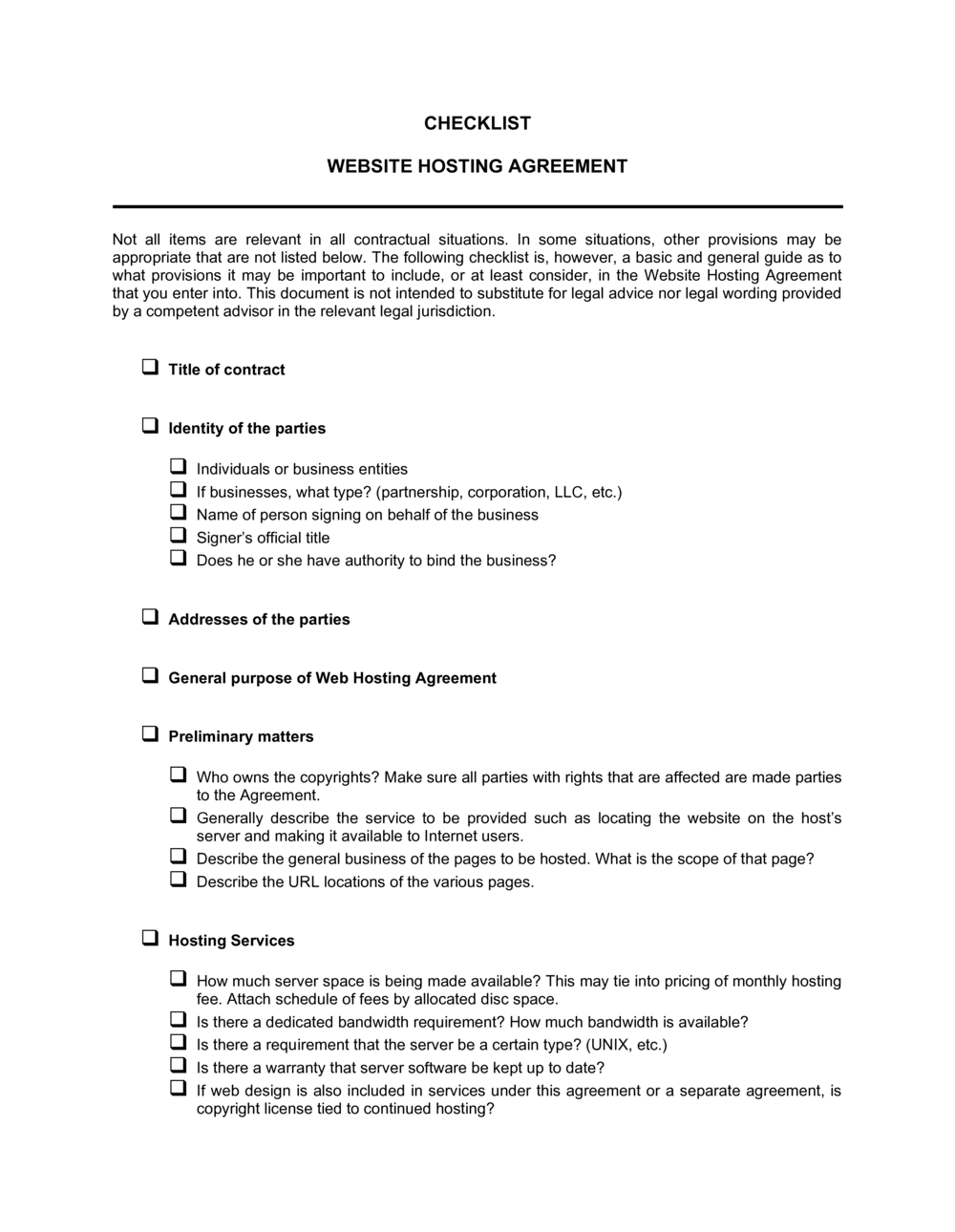
Checklist Website Hosting Agreement

Free download β€’ Use as a template β€’ Print or share

3 pagesβ€’20–25 min to useβ€’Difficulty: Standard
Learn more ↓
FreeChecklist Website Hosting Agreement Template

At a glance

What it is
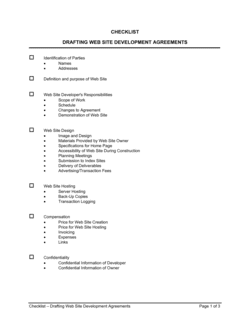
A Checklist Website Hosting Agreement is a structured review form used to verify that all critical terms are present and acceptable before signing a web hosting contract. This free Word download gives you a line-by-line checklist covering uptime guarantees, backup frequency, security protocols, data ownership, support response times, and termination rights β€” so nothing gets overlooked when evaluating a hosting provider.
When you need it
Use it before signing a new hosting contract, switching providers, or renewing an existing agreement. It is especially useful when a technical stakeholder and a business stakeholder need to review the same document from different angles.
What's inside
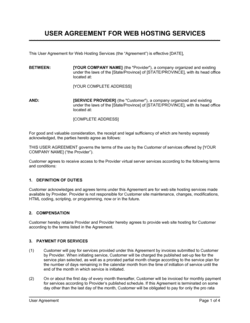
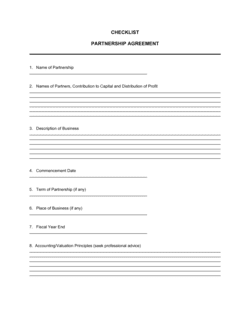
Party and plan identification fields, uptime and SLA verification items, backup and disaster recovery checks, security and compliance requirements, data ownership and portability confirmations, support tier and response time entries, pricing and billing term fields, and termination and renewal condition checkboxes.

What is a Checklist Website Hosting Agreement?

A Checklist Website Hosting Agreement is a structured review form used to verify that a web hosting contract contains all the terms a business needs before signing. It walks you through each critical provision β€” uptime guarantees, backup policies, security features, data ownership rights, support response times, pricing and overage rates, and auto-renewal conditions β€” so you can confirm what the provider has committed to in writing rather than what their marketing page implies. Unlike the hosting agreement itself, this checklist is not a contract; it is a due-diligence tool that sits alongside the contract during evaluation and at each renewal.

Why You Need This Document

Signing a hosting agreement without a systematic review is one of the most common ways small businesses inherit avoidable problems β€” discovering after a data loss event that backups were never contractually guaranteed, or finding out only after missing a 60-day cancellation window that auto-renewal has triggered another full year of charges. A completed checklist creates a written record of every term you verified before signing, giving you a reference point if the provider's service falls short of what was agreed. It also forces a conversation between technical and business stakeholders β€” the IT manager who cares about SLA credits and the operations lead who cares about termination rights β€” before either party is locked in. This template standardizes that review so it takes under 30 minutes instead of becoming an ad hoc search through dense contract language.

Which variant fits your situation?

If your situation is…Use this template
Reviewing a shared hosting plan for a small informational websiteChecklist Website Hosting Agreement (Basic)
Evaluating a dedicated server or VPS hosting contractServer Hosting Agreement
Signing a full managed hosting service with SLA guaranteesWebsite Hosting Agreement
Engaging a third party to maintain and host a client siteWebsite Maintenance Agreement
Contracting for cloud infrastructure rather than managed hostingCloud Services Agreement
Reviewing a reseller hosting arrangementReseller Hosting Agreement Checklist
Confirming terms for a co-location data center contractData Center Co-location Checklist

Common mistakes to avoid

❌ Skipping the acceptable use policy review

Why it matters: Providers can suspend an account immediately and without refund for AUP violations, including traffic types or content categories the client didn't know were prohibited.

Fix: Read the full AUP before signing and flag any restrictions that could apply to your site's content type or traffic patterns.

❌ Accepting an annual uptime SLA instead of monthly

Why it matters: An annual 99.9% SLA allows nearly 9 hours of downtime in a single calendar month without triggering any credit β€” far more than most businesses can tolerate.

Fix: Require a monthly measurement period and confirm that credits are calculated per incident rather than aggregated annually.

❌ Assuming backups are included in the base plan

Why it matters: Many shared hosting plans list backups as a best-effort or paid add-on; a data loss event with no contractual backup guarantee leaves you with no remedy.

Fix: Locate the backup clause in the contract text β€” not the marketing page β€” and budget for a third-party backup solution if it is absent or not guaranteed.

❌ Ignoring the auto-renewal cancellation window

Why it matters: Missing a 30- or 60-day cancellation window results in an automatic charge for another full term, which most providers treat as non-refundable.

Fix: Record the renewal date and the cancellation deadline in a shared calendar at the time of signing, and set a reminder 15 days before the deadline.

The 9 key fields, explained

Provider and plan identification

Uptime guarantee and SLA terms

Backup frequency and retention

Security and SSL provisions

Data ownership and portability

Support tier and response times

Pricing, billing cycle, and overage charges

Termination notice and auto-renewal terms

Acceptable use and content restrictions

How to fill it out

  1. 1

    Gather the hosting agreement and plan documentation

    Obtain the full contract text, the plan specification sheet, and the provider's terms of service and acceptable use policy. The checklist references all three documents simultaneously.

    πŸ’‘ Request the contract as a PDF before purchase β€” providers who refuse to share it before payment are a red flag.

  2. 2

    Fill in provider and plan identification

    Enter the hosting provider's legal entity name, the exact plan name as listed on the order page, the contract term, and the primary domain or site the agreement covers.

    πŸ’‘ Screenshot the plan page at the time of review β€” plan features and pricing change frequently, and the screenshot serves as evidence if terms differ at renewal.

  3. 3

    Verify uptime guarantee and SLA credit terms

    Locate the SLA section of the contract and confirm the uptime percentage, measurement period, and the credit formula. Check that credits apply per incident, not annually.

    πŸ’‘ Calculate what a missed SLA is actually worth in dollars β€” a 10% credit on a $10/month plan is $1.00, which may not reflect the real cost of downtime to your business.

  4. 4

    Confirm backup and disaster recovery details

    Find the backup policy in the contract or the provider's knowledge base and document the frequency, retention period, storage location, and restoration cost. Mark the field 'Not included' if backup is not contractually guaranteed.

    πŸ’‘ If backups are not included, budget for a third-party backup plugin or service (e.g., Jetpack Backup or UpdraftPlus) before signing.

  5. 5

    Check security provisions and SSL coverage

    List each security feature β€” SSL, firewall, malware scanning, DDoS protection β€” and mark whether it is included, optional, or absent. Note the SSL certificate type (DV, OV, or EV).

    πŸ’‘ A domain-validated (DV) SSL is sufficient for most websites; OV or EV certificates are required for e-commerce or financial data handling.

  6. 6

    Record termination, auto-renewal, and overage terms

    Enter the cancellation notice window, auto-renewal date, and any overage rates for bandwidth or storage. Set a calendar reminder 15 days before the cancellation notice deadline.

    πŸ’‘ Add the auto-renewal date and cancellation deadline to your team's shared calendar immediately β€” this is the single item most often missed until it is too late.

  7. 7

    Review and sign off

    Have the technical and business stakeholders each review the completed checklist. Both should initial the document before the hosting agreement is countersigned.

    πŸ’‘ Store the completed checklist alongside the signed hosting contract so the agreed terms are on record for the full duration of the relationship.

Frequently asked questions

What is a website hosting agreement checklist?

A website hosting agreement checklist is a structured review form that helps you verify all critical terms β€” uptime guarantees, backup policies, security provisions, data ownership, support tiers, and termination rights β€” before signing a web hosting contract. It ensures technical and business stakeholders review the same points consistently and that nothing is overlooked during vendor evaluation.

What should I look for in a website hosting agreement?

Focus on six areas: the uptime guarantee and SLA credit formula, backup frequency and retention period, security provisions (SSL, firewall, malware scanning), data ownership and portability rights, support response times and availability hours, and auto-renewal terms with the cancellation notice window. Missing or vague terms in any of these areas are negotiating points before you sign, not surprises to discover later.

What uptime guarantee should a hosting agreement include?

99.9% uptime measured monthly is the widely accepted minimum for production websites, equating to roughly 44 minutes of allowable downtime per month. High-traffic or revenue-generating sites should require 99.95% or 99.99%. Confirm the measurement period is monthly rather than annual β€” an annual SLA can mask significant single-month outages without triggering any credit.

Who owns the website data under a hosting agreement?

You should. A properly written hosting agreement explicitly states that the client retains full ownership of all files, databases, email data, and content hosted on the provider's infrastructure. Confirm that the contract includes the right to export your data in a usable format at any time β€” not only upon termination β€” and that the provider cannot use your content for any purpose beyond delivering the service.

What is an auto-renewal clause in a hosting contract?

An auto-renewal clause automatically extends the hosting term β€” often for the same duration as the original contract β€” unless you provide written cancellation notice within a specified window before the renewal date. Many providers require 30–60 days' notice, and charges that process after the renewal date are typically non-refundable. Record the deadline in your calendar at the time of signing.

Is a website hosting agreement the same as a website hosting checklist?

No. A website hosting agreement is the binding contract between a client and a hosting provider. A website hosting agreement checklist is a review tool β€” a form you use to verify that the hosting agreement contains acceptable terms before you sign it. The checklist is not a contract; it is a due-diligence document used alongside the contract.

Do I need a lawyer to review a website hosting agreement?

For most small business and standard shared or VPS hosting contracts, a detailed checklist review is sufficient. Engage a lawyer when the contract involves large annual fees, significant data privacy obligations (HIPAA, GDPR), custom SLA terms, or provisions that limit the provider's liability in ways that could expose your business to unrecoverable losses.

How often should I review my hosting agreement?

Review the full agreement at each renewal β€” typically annually. Providers update terms of service and acceptable use policies with limited notice, and plan features can change between terms. Running the checklist again at renewal takes less than 30 minutes and ensures your documented expectations still match the current contract.

How this compares to alternatives

vs Website Hosting Agreement

A website hosting agreement is the binding contract between a client and a provider. The checklist is a pre-signature review tool used to verify that agreement's terms are complete and acceptable. Use the checklist during evaluation; execute the agreement to formalize the relationship.

vs Website Maintenance Agreement

A website maintenance agreement covers ongoing site updates, plugin management, and technical support after launch. A hosting agreement checklist focuses specifically on the infrastructure terms β€” servers, uptime, backups, and data ownership. Sites typically need both documents for different vendors or service scopes.

vs IT Services Agreement

An IT services agreement covers a broad range of managed technology services β€” network, hardware, software, and support. A hosting checklist is narrowly focused on web server and infrastructure terms. Use the IT services agreement when a single vendor manages your full technology stack; use the hosting checklist when evaluating a dedicated hosting provider.

vs Service Level Agreement (SLA)

An SLA is a standalone document or contract section that defines performance standards and remedies in detail. The hosting agreement checklist includes SLA verification as one of several review areas. Use both together β€” the SLA defines the terms; the checklist confirms they are present and acceptable before signing.

Industry-specific considerations

E-commerce

Payment processing uptime dependencies make SLA credit terms and disaster recovery plans especially critical for online retailers.

Professional Services

Client-facing portals and document repositories require confirmed data ownership and export rights to satisfy client data handling obligations.

Healthcare

HIPAA-regulated sites must verify that the hosting agreement includes a Business Associate Agreement and documented security controls before signing.

Marketing and Creative Agencies

Agencies managing hosting on behalf of multiple clients use the checklist to standardize vendor evaluation and document terms for each client account separately.

Template vs pro β€” what fits your needs?

PathBest forCostTime
Use the templateSmall businesses, freelancers, and web agencies evaluating standard shared, VPS, or managed hosting contractsFree20–30 minutes per hosting agreement
Template + professional reviewBusinesses with HIPAA, GDPR, or PCI-DSS compliance obligations, or contracts with custom liability limitation clauses$150–$400 for a one-hour legal or IT consultant review1–2 days
Custom draftedEnterprise hosting arrangements with dedicated SLA negotiations, custom data processing terms, or multi-server infrastructure contracts$500–$2,000+ for legal and IT advisory1–2 weeks

Glossary

Uptime Guarantee
A contractual commitment from the hosting provider stating the minimum percentage of time servers will be operational, typically expressed as 99.9% or 99.99% per month.
SLA (Service Level Agreement)
A written commitment within the hosting contract specifying performance standards β€” such as uptime, response time, and support resolution time β€” and the remedies available if those standards are not met.
Bandwidth Allowance
The maximum amount of data transfer permitted per billing period before overage charges apply or service is throttled.
Data Portability
The ability to export your website files, databases, and email data from the hosting provider in a standard format you can move to another host.
Disaster Recovery
A documented plan and set of processes the hosting provider uses to restore service and data after an outage, hardware failure, or data loss event.
Shared Hosting
A hosting arrangement where multiple websites share the same physical server resources β€” CPU, RAM, and storage β€” making it cost-effective but subject to performance interference from neighbors.
Dedicated Server
A hosting arrangement where the client leases an entire physical server exclusively, providing full resource control and consistent performance at higher cost.
Auto-Renewal Clause
A contract provision that automatically extends the hosting term β€” often at a higher rate β€” unless the client provides written cancellation notice within a specified window before the renewal date.
Root Access
Administrative-level access to a server's operating system, allowing full configuration control β€” typically available only on VPS or dedicated server plans.
SSL Certificate
A digital certificate that encrypts data transmitted between a visitor's browser and the web server, required for HTTPS and trusted by modern browsers and search engines.

Part of your Business Operating System

This document is one of 3,000+ business & legal templates included in Business in a Box.

  • Fill-in-the-blanks β€” ready in minutes
  • 100% customizable Word document
  • Compatible with all office suites
  • Export to PDF and share electronically

Create your document in 3 simple steps.

From template to signed document β€” all inside one Business Operating System.
1
Download or open template

Access over 3,000+ business and legal templates for any business task, project or initiative.

2
Edit and fill in the blanks with AI

Customize your ready-made business document template and save it in the cloud.

3
Save, Share, Send, Sign

Share your files and folders with your team. Create a space of seamless collaboration.

Save time, save money, and create top-quality documents.

β˜…β˜…β˜…β˜…β˜…

"Fantastic value! I'm not sure how I'd do without it. It's worth its weight in gold and paid back for itself many times."

Managing Director Β· Mall Farm
Robert Whalley
Managing Director, Mall Farm Proprietary Limited
β˜…β˜…β˜…β˜…β˜…

"I have been using Business in a Box for years. It has been the most useful source of templates I have encountered. I recommend it to anyone."

Business Owner Β· 4+ years
Dr Michael John Freestone
Business Owner
β˜…β˜…β˜…β˜…β˜…

"It has been a life saver so many times I have lost count. Business in a Box has saved me so much time and as you know, time is money."

Owner Β· Upstate Web
David G. Moore Jr.
Owner, Upstate Web

Run your business with a system β€” not scattered tools

Stop downloading documents. Start operating with clarity. Business in a Box gives you the Business Operating System used by over 250,000 companies worldwide to structure, run, and grow their business.

Start freeΒ Β·Β No credit card required