Business Continuity and Disaster Recovery Policy Template

Free Word download β€’ Edit online β€’ Save & share with Drive β€’ Export to PDF

3 pagesβ€’20–30 min to fillβ€’Difficulty: Standard
Learn more ↓
FreeBusiness Continuity and Disaster Recovery Policy Template

At a glance

What it is
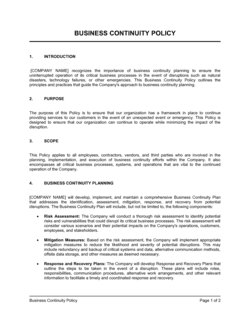
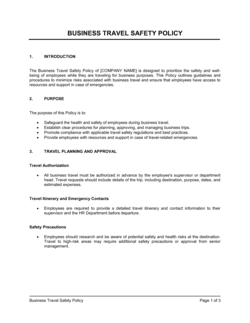
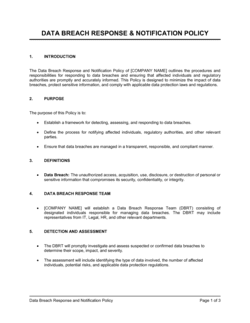
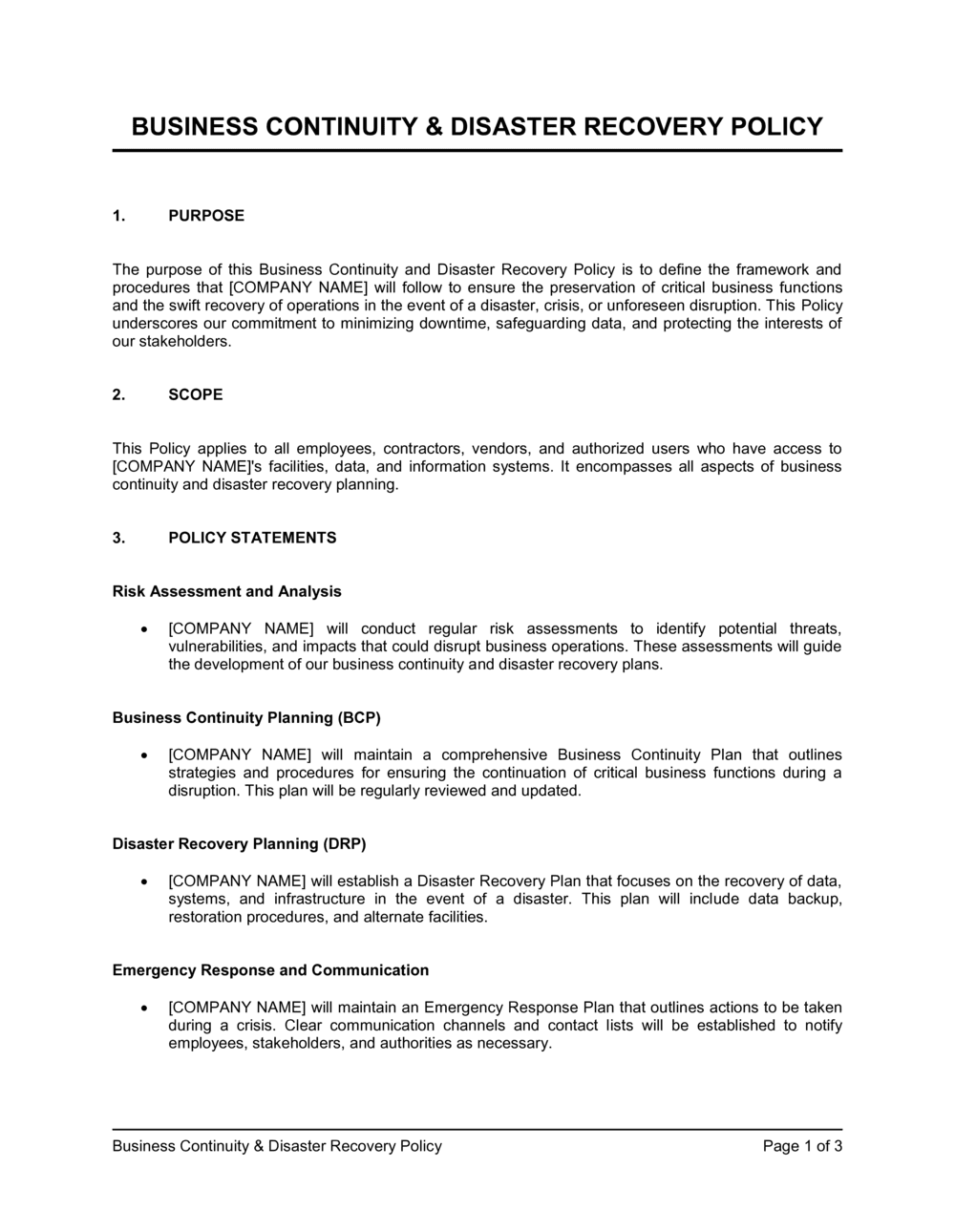
A Business Continuity and Disaster Recovery Policy (BCDR Policy) is a formal operational document that defines how an organization will maintain critical functions during a disruption and restore normal operations afterward. This free Word download gives you a structured, board-ready template you can edit online and export as PDF β€” covering risk scenarios, recovery objectives, roles, and response procedures in a single document.
When you need it
Use it when preparing for regulatory audits, ISO 22301 or SOC 2 compliance reviews, enterprise client due diligence requests, or any situation where the business needs a documented plan for outages, cyberattacks, natural disasters, or supply chain failures.
What's inside
Policy scope and objectives, risk assessment framework, business impact analysis, recovery time and point objectives, roles and responsibilities, incident response procedures, communication protocols, testing and maintenance schedules, and vendor and supplier continuity requirements.

What is a Business Continuity and Disaster Recovery Policy?

A Business Continuity and Disaster Recovery Policy (BCDR Policy) is a formal operational document that defines how an organization prepares for, responds to, and recovers from disruptions to its critical functions and technology systems. It establishes the recovery time and data loss thresholds the business must meet, assigns responsibility to named individuals, and documents the specific procedures teams follow during an incident β€” from system failover to staff notification to regulatory reporting. Unlike a reactive crisis checklist, a BCDR policy is a governance instrument that drives ongoing risk assessment, regular testing, and continuous improvement of the organization's resilience posture.

Why You Need This Document

Without a documented BCDR policy, a single ransomware attack, data center outage, or key supplier failure can turn a recoverable incident into a prolonged operational crisis β€” because no one agrees on what to do first, who is in charge, or what "recovered" actually means. The absence of defined RTO and RPO targets means recovery teams optimize for the wrong systems while customer-facing operations stay dark. Enterprise clients and cyber insurers increasingly require evidence of a current, tested BCDR policy before signing contracts or issuing coverage, making the absence of one a direct commercial liability. Regulators in financial services, healthcare, and critical infrastructure impose their own continuity requirements, with fines and sanctions for organizations that cannot demonstrate a working program. This template gives you the structure to build a credible, audit-ready policy without starting from a blank page β€” so that when a disruption occurs, your team executes a plan rather than improvises one.

Which variant fits your situation?

If your situation is…Use this template
Focusing exclusively on IT systems, data, and infrastructure recoveryIT Disaster Recovery Plan
Documenting the response to a specific cyber incident or data breachIncident Response Plan
Outlining operational continuity without IT detail for a small businessBusiness Continuity Plan
Satisfying ISO 22301 audit requirements with a full management systemISO 22301 Business Continuity Management Policy
Addressing pandemic or infectious disease-specific continuity scenariosPandemic Preparedness Plan
Documenting emergency response and evacuation for a physical locationEmergency Response Plan
Assessing and prioritizing risks across the entire organizationRisk Management Policy

Common mistakes to avoid

❌ Setting identical RTO/RPO targets for all systems

Why it matters: Treating a payroll system the same as an internal wiki forces the recovery team to work every restoration in parallel, overwhelming resources and guaranteeing delays on the systems that actually matter.

Fix: Tier systems by business impact and assign differentiated RTO/RPO values β€” mission-critical systems get aggressive targets, low-priority systems can wait hours or days.

❌ Omitting manual workarounds for critical processes

Why it matters: When the technical recovery takes longer than the RTO, there is no fallback β€” operations halt completely and customer-facing impact compounds.

Fix: Document a degraded-mode manual process for every Tier 1 function so the business can operate at reduced capacity while systems are restored.

❌ Never testing the plan after publication

Why it matters: An untested BCDR policy is a hypothesis, not a plan β€” the first real incident becomes an uncontrolled experiment with live business consequences.

Fix: Schedule a tabletop exercise within 30 days of the policy going live and a functional drill within 90 days, with results documented and remediation actions tracked to completion.

❌ Excluding vendors from the continuity scope

Why it matters: A cloud provider or payment processor outage that brings down your operations is indistinguishable from an internal failure from the customer's perspective, but your plan gives the team nothing to do.

Fix: Map every critical vendor dependency into the BIA, confirm their SLA and BCDR commitments in writing, and include vendor escalation contacts in the incident activation checklist.

❌ Assigning roles by title without named deputies

Why it matters: If the primary IT Recovery Lead is on holiday or unreachable during the actual incident, the team can lose an hour establishing authority while the outage extends.

Fix: Name a primary owner and at least one deputy for every BCDR role, and confirm both individuals have acknowledged their responsibilities in writing.

❌ Writing recovery procedures at a high level without actionable steps

Why it matters: A procedure that says 'restore from backup' provides no guidance to the person executing it under pressure at 3 AM β€” they will improvise, introducing new errors.

Fix: Write procedures to the level of specific commands, file paths, access locations, and verification checks, and store credential references in a secured, accessible vault.

The 10 key sections, explained

Policy scope and objectives

Risk assessment and threat scenarios

Business impact analysis (BIA)

Roles and responsibilities

Incident declaration and activation procedures

Recovery strategies and procedures

Communication plan

Testing and exercises schedule

Vendor and supplier continuity requirements

Policy review and maintenance

How to fill it out

  1. 1

    Define the scope and set RTO/RPO targets

    Identify which business units, systems, and locations are covered. Set specific RTO and RPO numbers for each tier of critical function β€” do not use the same target for every system.

    πŸ’‘ Tier your systems into three groups (mission-critical, important, and non-critical) before assigning RTO/RPO values so the targets reflect real operational priorities.

  2. 2

    Complete the risk assessment

    List credible threat scenarios specific to your industry, region, and technology stack. Rate each by likelihood (low/medium/high) and potential impact (low/medium/critical).

    πŸ’‘ Pull your last three years of incident tickets before writing this section β€” your actual outage history is more credible than a generic threat list.

  3. 3

    Conduct or import the business impact analysis

    Work with business unit owners β€” not just IT β€” to identify the top 10–15 critical functions, their dependencies, and their maximum tolerable downtime.

    πŸ’‘ Run BIA workshops by department rather than by system; functional leaders know which processes hurt the most when they stop, even if they cannot name the underlying technology.

  4. 4

    Assign named owners to every role

    Fill in the Crisis Management Team with specific names, not just titles. Add at least one deputy for each primary role and confirm mobile contact details are current.

    πŸ’‘ Store the contact list in a location accessible without corporate network access β€” a shared cloud document or printed laminated card β€” so it is reachable when systems are down.

  5. 5

    Write step-level recovery procedures

    For each critical system, document the exact recovery steps in enough detail that someone unfamiliar with the system could execute them under pressure.

    πŸ’‘ Pair each technical procedure with a manual workaround β€” even a partial manual process keeps revenue flowing while the technical recovery completes.

  6. 6

    Build the communication templates

    Draft pre-approved message templates for internal staff, customers, key vendors, and regulators. Include placeholder fields for incident type, estimated resolution time, and action required.

    πŸ’‘ Get legal or PR sign-off on customer and regulator templates before an incident occurs β€” approval delays cost hours when minutes matter.

  7. 7

    Schedule and calendar the testing program

    Add tabletop exercises, functional drills, and full recovery tests to the organization's official calendar with named owners and documented pass/fail criteria.

    πŸ’‘ Run the first tabletop within 30 days of publishing the policy β€” new policies almost always contain gaps that only surface when someone walks through a scenario out loud.

  8. 8

    Set the review trigger and version control

    State the annual review date, assign an owner, and list the events that trigger an out-of-cycle update. Save each version with a date stamp and change summary.

    πŸ’‘ Link the BCDR policy review to your change management process so that any approved system change automatically generates a BCDR review task.

Frequently asked questions

What is a business continuity and disaster recovery policy?

A business continuity and disaster recovery policy is a formal document that defines how an organization prepares for, responds to, and recovers from disruptions to critical operations β€” whether caused by cyberattacks, natural disasters, power outages, or supplier failures. It establishes recovery objectives, assigns responsibility, and documents the procedures teams follow to minimize downtime and data loss during an incident.

What is the difference between business continuity and disaster recovery?

Business continuity focuses on keeping critical business functions operating during a disruption β€” often through manual workarounds, alternate sites, or reduced-capacity processes. Disaster recovery focuses specifically on restoring IT systems, data, and infrastructure after a failure. The two disciplines overlap significantly and are typically governed by a single combined policy, but the distinction matters when assigning roles: operations teams own continuity while IT teams own recovery.

What are RTO and RPO, and how do I set them?

RTO (Recovery Time Objective) is the maximum time a system can be offline before the outage causes unacceptable business damage. RPO (Recovery Point Objective) is the maximum acceptable data loss measured in time. Set them by completing a business impact analysis with functional owners β€” ask each department how long they can operate without a given system before the impact becomes critical, then work backward to determine what backup frequency and recovery infrastructure that target requires.

Is a BCDR policy required by law?

No single law universally mandates a BCDR policy, but many regulations and frameworks effectively require one. HIPAA, PCI DSS, SOC 2, ISO 22301, the EU's DORA (Digital Operational Resilience Act for financial firms), and various financial services regulators all require documented continuity and recovery capabilities. Enterprise clients and cyber insurers increasingly require evidence of a current BCDR policy as a condition of contract or coverage.

How often should a BCDR policy be reviewed?

At minimum, annually. Out-of-cycle reviews should be triggered by major system changes, acquisitions, vendor replacements, failed tests, or any real incident that exposed a gap in the plan. A policy that has not been updated in more than 12 months is likely to be out of sync with the current technology environment and will fail the first time it is actually needed.

What is a tabletop exercise and why does it matter?

A tabletop exercise is a discussion-based simulation where the crisis management team walks through a specific disaster scenario β€” a ransomware attack, a data center outage, a key supplier failure β€” to identify gaps in the plan without triggering real recovery systems. It is the lowest-cost way to validate that roles are understood, procedures are actionable, and communication channels work. Most organizations that have never run one discover significant gaps within the first 30 minutes of their first session.

What should the BCDR policy cover for cloud-hosted systems?

For cloud-hosted environments, the policy should specify the shared responsibility model with each provider, document the backup and replication configuration (region, frequency, retention), define failover procedures to a secondary cloud region or provider, and confirm RTO/RPO targets against the provider's own SLA commitments. Many organizations assume their cloud provider handles all recovery β€” in practice, data backup and application recovery within the cloud remain the customer's responsibility unless explicitly contracted otherwise.

How is a BCDR policy different from an incident response plan?

A BCDR policy is the overarching governance document covering all disruption types and the full lifecycle from prevention through recovery. An incident response plan is a narrower, more tactical document focused specifically on detecting, containing, and eradicating a security incident β€” typically a cyberattack or data breach. The incident response plan sits underneath the BCDR policy as one of several operational procedures it references.

Can a small business use this template without a dedicated IT team?

Yes. Small businesses without a dedicated IT team can use this template by focusing on the sections most relevant to their size β€” critical function identification, vendor dependencies, communication procedures, and a simple data backup and restore process. The risk assessment and BIA can be completed in a half-day workshop with two or three key staff members. For cloud-based businesses especially, the technical sections can be simplified to reference the backup and failover capabilities of existing SaaS platforms rather than building custom recovery infrastructure.

How this compares to alternatives

vs IT Disaster Recovery Plan

An IT disaster recovery plan focuses exclusively on restoring technology systems, applications, and data after a failure. A BCDR policy is broader β€” it covers all critical business functions, manual workarounds, vendor dependencies, and communication procedures, with IT recovery as one component. Organizations typically need both: the BCDR policy sets governance and objectives, and the IT DR plan provides the technical runbook.

vs Incident Response Plan

An incident response plan addresses the detect-contain-eradicate-recover cycle for security incidents specifically, such as ransomware or data breaches. A BCDR policy covers a wider range of disruption types β€” natural disasters, power failures, supplier outages β€” and extends through full operational recovery, not just the security response. The two documents are complementary and cross-reference each other.

vs Risk Management Policy

A risk management policy establishes the framework for identifying, assessing, and treating organizational risks on an ongoing basis. A BCDR policy is the operational response document activated when a risk event actually occurs. Risk management informs the BCDR policy by determining which threats to plan for; the BCDR policy documents what to do when those threats materialize.

vs Emergency Response Plan

An emergency response plan governs immediate life-safety and physical facility response β€” evacuations, first aid, fire procedures, and emergency services coordination. A BCDR policy governs operational and technology recovery after the immediate emergency is stabilized. Both are needed for a complete resilience program, but they address different phases and audiences.

Industry-specific considerations

Financial Services

Regulatory mandates from bodies like the FCA, FINRA, and OCC require documented recovery capabilities with specific RTO targets for payment and trading systems.

Healthcare

HIPAA requires covered entities to have contingency plans covering data backup, disaster recovery, and emergency operations procedures for electronic protected health information.

SaaS / Technology

SOC 2 Type II audits require evidence of tested continuity and recovery procedures, and enterprise buyers frequently request BCDR documentation as part of vendor security reviews.

Manufacturing

Supply chain disruptions and facility outages make production continuity plans β€” including alternate supplier protocols and manual production fallbacks β€” essential for meeting delivery commitments.

Template vs pro β€” what fits your needs?

PathBest forCostTime
Use the templateSmall to mid-sized businesses building a BCDR program for the first time or meeting client and insurer documentation requirementsFree1–2 weeks (including BIA workshops and role assignments)
Template + professional reviewOrganizations pursuing SOC 2, ISO 22301, or regulated-industry compliance where an assessor will audit the policy$500–$3,000 for a consultant or auditor review2–4 weeks
Custom draftedEnterprises with complex multi-site, multi-cloud, or multi-jurisdiction environments where recovery architecture requires specialist design$5,000–$25,000+ for a business continuity consulting engagement6–12 weeks

Glossary

RTO (Recovery Time Objective)
The maximum acceptable length of time a system, application, or process can be offline before the outage causes unacceptable business damage.
RPO (Recovery Point Objective)
The maximum acceptable amount of data loss measured in time β€” how far back a restore point can be without causing significant harm.
Business Impact Analysis (BIA)
A systematic process that identifies critical business functions and quantifies the operational and financial impact of disrupting each one.
Failover
The automatic or manual switching of operations to a backup system, server, or site when the primary environment fails.
Crisis Management Team
The designated group of senior leaders and functional managers responsible for activating and directing the BCDR plan during a declared incident.
Maximum Tolerable Downtime (MTD)
The absolute longest period a business function can be unavailable before the organization suffers irreversible harm, such as regulatory breach or permanent customer loss.
Hot Site / Warm Site / Cold Site
Three tiers of backup facility readiness: a hot site is fully operational and can take over immediately; a warm site is partially equipped and needs hours to activate; a cold site is an empty facility requiring days to configure.
Tabletop Exercise
A discussion-based simulation in which team members walk through a disaster scenario to identify gaps in the BCDR plan without activating real recovery systems.
Single Point of Failure (SPOF)
Any component β€” hardware, software, person, or process β€” whose failure alone would halt a critical business function.
Change Management (in BCDR context)
The process of reviewing and updating the BCDR policy whenever significant changes to systems, personnel, vendors, or business processes occur.

Part of your Business Operating System

This document is one of 3,000+ business & legal templates included in Business in a Box.

  • Fill-in-the-blanks β€” ready in minutes
  • 100% customizable Word document
  • Compatible with all office suites
  • Export to PDF and share electronically

Create your document in 3 simple steps.

From template to signed document β€” all inside one Business Operating System.
1
Download or open template

Access over 3,000+ business and legal templates for any business task, project or initiative.

2
Edit and fill in the blanks with AI

Customize your ready-made business document template and save it in the cloud.

3
Save, Share, Send, Sign

Share your files and folders with your team. Create a space of seamless collaboration.

Save time, save money, and create top-quality documents.

β˜…β˜…β˜…β˜…β˜…

"Fantastic value! I'm not sure how I'd do without it. It's worth its weight in gold and paid back for itself many times."

Managing Director Β· Mall Farm
Robert Whalley
Managing Director, Mall Farm Proprietary Limited
β˜…β˜…β˜…β˜…β˜…

"I have been using Business in a Box for years. It has been the most useful source of templates I have encountered. I recommend it to anyone."

Business Owner Β· 4+ years
Dr Michael John Freestone
Business Owner
β˜…β˜…β˜…β˜…β˜…

"It has been a life saver so many times I have lost count. Business in a Box has saved me so much time and as you know, time is money."

Owner Β· Upstate Web
David G. Moore Jr.
Owner, Upstate Web

Run your business with a system β€” not scattered tools

Stop downloading documents. Start operating with clarity. Business in a Box gives you the Business Operating System used by over 250,000 companies worldwide to structure, run, and grow their business.

Free Forever PlanΒ Β·Β No credit card required