- Accounts Payable (AP)
- Short-term liabilities a business owes to vendors and suppliers for goods or services received but not yet paid.
- Aging Schedule
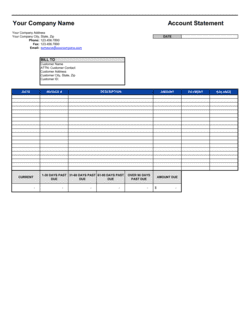
- A breakdown of outstanding invoices grouped by how long they have been unpaid — typically current, 1–30 days, 31–60 days, 61–90 days, and 90+ days past due.
- Invoice Date
- The date printed on a vendor's invoice, which typically starts the clock on payment terms.
- Due Date
- The specific calendar date by which full payment must be remitted to avoid late fees or supplier penalties.
- Net 30 / Net 60
- Payment terms requiring the full invoice balance to be paid within 30 or 60 days of the invoice date.
- Running Balance
- The cumulative total of unpaid obligations in the ledger at any given point, updated as new invoices are added or payments are recorded.
- Three-Way Match
- An internal control process that verifies a vendor invoice against the corresponding purchase order and goods receipt before approving payment.
- Accrued Liabilities
- Expenses that have been incurred but not yet invoiced or paid, recorded as liabilities on the balance sheet.
- Creditor
- Any vendor, supplier, or lender to whom the business owes money for goods delivered, services rendered, or loans advanced.
- Cash Flow Forecasting
- The process of projecting future cash inflows and outflows; an accurate AP ledger is the primary input for the outflow side of this forecast.
- Internal Controls
- Policies and procedures — including authorization requirements and segregation of duties — that prevent errors, fraud, and unauthorized payments.
- Payment Authorization
- A formal sign-off by an authorized officer confirming that an invoice has been verified and approved for disbursement.