Media Release Form Template

Free Word download β€’ Edit online β€’ Save & share with Drive β€’ Export to PDF

1 pageβ€’15–20 min to fillβ€’Difficulty: Standard
Learn more ↓
FreeMedia Release Form Template

At a glance

What it is
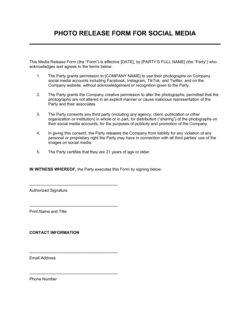
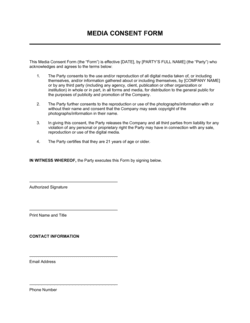
A Media Release Form is a written authorization document that grants a business, organization, or individual the right to use another person's likeness β€” photographs, video footage, audio recordings, or name β€” in marketing, editorial, promotional, or educational materials. This free Word download is fully editable online and can be exported as PDF for on-site collection at events, shoots, or interviews.
When you need it
Use it any time you photograph, film, or record a person and intend to publish or distribute that content publicly β€” whether for social media, advertising, press releases, websites, or internal communications. It should be collected before or at the time of the recording session.
What's inside
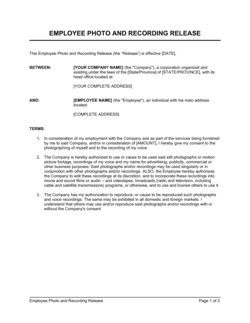
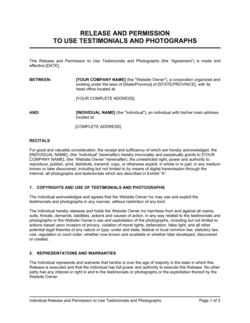
The form captures the subject's identifying information, a description of the media being authorized, the scope of permitted uses, compensation terms (including royalty-free grants), a parental consent block for minors, and a signature line with date.

What is a Media Release Form?

A Media Release Form is a written consent document in which an individual authorizes an organization to capture, reproduce, and distribute their likeness β€” including photographs, video footage, audio recordings, and name β€” for specified purposes and channels. It creates a clear, documented record that the subject gave informed permission before any content is published, protecting the organization from unauthorized-use claims and giving the subject transparency about how their image or voice will appear. The form typically covers the scope of permitted uses, the duration of the authorization, any compensation exchanged, and a parental consent block for minors.

Why You Need This Document

Publishing photos or videos of identifiable individuals without written consent exposes your organization to privacy claims, right-of-publicity disputes, and reputational damage β€” regardless of whether the content was captured at a public event or a private shoot. A signed media release form eliminates that exposure by establishing, in writing, that the subject understood and agreed to the specific uses before the content went live. Without one, a single complaint from a former employee, event attendee, or customer about their image in a marketing campaign can require you to pull content, issue an apology, or respond to legal action. This template gives you a complete, ready-to-use form that covers every critical field β€” from permitted channels to parental consent β€” so you can collect authorization on-site in minutes and maintain a searchable archive of signed releases for every project.

Which variant fits your situation?

If your situation is…Use this template
Capturing images or video at a public-facing event with multiple attendeesEvent Photo Release Form
Signing a model for a paid commercial photography or video shootModel Release Form
Using an employee's likeness in external marketing or advertisingEmployee Photo Release Form
Recording a customer testimonial for use in sales or marketing materialsVideo Testimonial Release Form
Photographing or filming a minor with parental authorization requiredMinor Media Release Form
Obtaining permission to use someone's name and quote in a press releasePress Quote Authorization Form
Granting a journalist or news outlet the right to publish interview footageMedia Interview Consent Form

Common mistakes to avoid

❌ Collecting signatures after the media has already been used

Why it matters: A retroactive release is difficult to enforce and may not protect you if the subject claims they were unaware of how their likeness was being used before they signed.

Fix: Make form collection a mandatory step in your pre-production or event check-in process β€” no shoot begins and no footage is published until the release is signed.

❌ Skipping the parental consent block for minors

Why it matters: A minor cannot legally consent on their own behalf. Using a minor's likeness without a parent or guardian's signature exposes the organization to liability regardless of the minor's verbal agreement.

Fix: Add an age-verification step to your intake process and route any subject under 18 to the parental consent version of the form automatically.

❌ Leaving the consideration field blank

Why it matters: A contract without consideration can be challenged as unenforceable. A blank field suggests neither party thought through what was being exchanged.

Fix: Always complete the consideration field β€” even 'no monetary compensation; participation in [PROJECT] acknowledged' is sufficient to document the exchange.

❌ Using vague or unlimited scope language without listing specific channels

Why it matters: Subjects who consent to 'marketing use' may not anticipate their image appearing in paid advertising or on billboards β€” leading to objections and reputational risk.

Fix: List every anticipated use channel explicitly in the permitted-uses field so the subject's consent is fully informed and the scope is unambiguous.

The 8 key fields, explained

Subject's full name and contact information

Description of media being released

Permitted uses and channels

Duration and territory

Compensation and consideration

Parental or guardian consent block

Waiver of approval rights

Subject's signature and date

How to fill it out

  1. 1

    Enter your organization's details

    Add your company or organization's full legal name, address, and contact information to the header of the form so the subject knows who is requesting the release.

    πŸ’‘ Use your registered legal entity name, not a brand name β€” this is the name that would appear in any legal proceeding.

  2. 2

    Describe the specific media session

    Fill in the date, location, and project name for the recording session. Be specific enough that both parties can identify exactly which shoot or event is covered.

    πŸ’‘ If you photograph the same person across multiple sessions, issue a separate form for each one rather than trying to cover all sessions with a single open-ended release.

  3. 3

    Define the permitted uses and channels

    List every platform and format where the media may appear β€” website, social media, print, video ads, internal use, etc. The more specific you are, the less likely a dispute arises.

    πŸ’‘ If you are unsure which channels you will use, it is better to list broadly now than to go back for a new signature later.

  4. 4

    Set the duration and geographic territory

    Choose perpetual or time-limited, and worldwide or a specific territory. Match this to the realistic distribution life of the content.

    πŸ’‘ For social media and digital content with no planned expiration, perpetual worldwide is standard β€” but confirm this is acceptable with the subject before they sign.

  5. 5

    State the consideration

    Record what the subject receives β€” even if it is zero monetary compensation. Write 'no monetary compensation; participation in [EVENT NAME] acknowledged' rather than leaving the field blank.

    πŸ’‘ Even a nominal acknowledgment strengthens the release's enforceability by confirming both parties understood something was exchanged.

  6. 6

    Complete the parental consent block if applicable

    If the subject is under 18, have the parent or legal guardian complete and sign the parental consent section. Verify the relationship in writing.

    πŸ’‘ Ask for a government-issued ID for the parent or guardian when collecting consent for minors in high-stakes commercial contexts.

  7. 7

    Collect the signature and date on-site

    Have the subject sign and date the form before the session begins, or immediately upon arrival. Collect a printed name alongside the signature.

    πŸ’‘ Keep the signed original in a secure, searchable archive β€” file by subject name and session date so you can retrieve it quickly if a question arises years later.

Frequently asked questions

What is a media release form?

A media release form is a written authorization document in which a person grants an organization the right to use their likeness β€” photos, video, audio, or name β€” in specified marketing, editorial, or promotional materials. It protects both the organization using the content and the subject by creating a clear, documented record of informed consent before the media is published or distributed.

When do I need a media release form?

You need one any time you intend to publish or distribute a recording of an identifiable individual β€” whether at a company event, a commercial photo shoot, a customer testimonial session, or an employee feature. The form should be collected before or at the time of the session, not after the content has already been used.

Does a media release form need to be signed by the subject?

The subject's signature confirms voluntary, informed consent and is strongly recommended for any commercial or public-facing use. For internal or low-stakes uses, some organizations accept a checkbox on a digital form. For advertising, press, or any paid commercial context, a handwritten or verified electronic signature provides the clearest evidence of consent.

Can a minor sign their own media release form?

No. A minor does not have legal capacity to enter into a binding agreement. A parent or legal guardian must sign the parental consent block on the minor's behalf. Some jurisdictions set the age of majority at 18; others at 19 or 21 for certain purposes β€” verify the applicable threshold in your location.

What is the difference between a media release form and a press release?

A media release form is a consent document signed by an individual authorizing use of their likeness. A press release is a written announcement distributed to journalists and media outlets to publicize news about a company or event. They serve entirely different purposes and are not interchangeable.

Can someone revoke a media release form after signing?

Revocation is possible but generally only effective for future uses β€” content already published before a valid revocation notice is received typically falls outside the revocation's scope. The form should include language specifying how revocation must be submitted (written notice to a named contact) and confirming it does not apply to materials already in distribution.

Is a media release form legally binding without payment?

A release can be binding without monetary payment if other consideration is present β€” event participation, a free product, or even a formal acknowledgment that the subject is volunteering. The key is that the consideration field is completed and both parties understand what is being exchanged. Completely blank consideration fields weaken enforceability and should always be filled in.

Do I need a separate form for photos and video taken at the same event?

Not necessarily β€” a single well-drafted media release form can cover multiple media types (photos, video, and audio) captured during the same session if the permitted-uses and description fields reference all applicable formats. Use separate forms only when the sessions, projects, or distribution channels are materially different from one another.

How this compares to alternatives

vs Non-Disclosure Agreement

An NDA restricts a party from sharing confidential information they have been given access to. A media release form grants permission to share content about a person. They operate in opposite directions β€” one limits disclosure, the other authorizes it. Both may be needed in contexts like a sponsored event where attendees share confidential product information and appear on camera.

vs Model Release Form

A model release form is a specialized version of a media release used specifically for professional paid talent in photography or film. It typically includes compensation details, usage exclusivity, and union or agency references. A general media release form is broader and suited for non-professional subjects such as customers, employees, and event attendees.

vs Talent Release Form

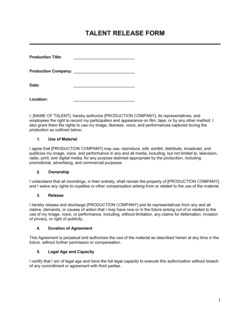
A talent release form covers on-camera or on-air performers in broadcast, streaming, or film production. It often includes residual payment structures, screen credit obligations, and distributor-specific language. A media release form is simpler and intended for one-time or ongoing marketing use rather than formal production contexts.

vs Photo Release Form

A photo release form covers still images only. A media release form covers photographs, video, audio, and name usage within a single authorization document. If your project captures multiple media types in one session, a media release form eliminates the need to collect separate photo and video consents.

Industry-specific considerations

Marketing and Advertising

Customer testimonial videos, influencer campaigns, and brand photography all require signed releases before content goes to paid media or press.

Education

Schools and universities collect parental consent forms at enrollment and issue individual releases for students featured in publications, websites, or promotional videos.

Healthcare

Patient photography and case-study content require HIPAA-aligned release language in addition to standard likeness authorization to avoid privacy violations.

Events and Entertainment

Event organizers post notice at entry and collect individual releases from speakers, performers, and featured attendees for post-event content marketing.

Template vs pro β€” what fits your needs?

PathBest forCostTime
Use the templateBusinesses, nonprofits, and event organizers collecting standard photo, video, or audio consent from employees, customers, or attendeesFree5 minutes to complete per subject
Template + professional reviewOrganizations using subject media in paid advertising, broadcast, or international distribution channels$100–$300 for a one-time legal review1–2 days
Custom draftedFilm and television productions, major brand campaigns, or contexts involving minors or medically sensitive subjects$500–$2,000+3–7 days

Glossary

Likeness
A person's visual or auditory representation β€” including their face, voice, image, or distinctive appearance β€” as captured in a photo, video, or audio recording.
Royalty-Free Grant
Permission to use media without paying ongoing fees or royalties each time the content is published or distributed.
Perpetual License
An authorization that does not expire, allowing the receiving party to use the media indefinitely unless revoked under specific conditions.
Release Scope
The defined boundaries of how the authorized media may be used β€” for example, limited to social media, or extended to all print and digital channels.
Parental Consent
Written authorization from a parent or legal guardian permitting a minor's likeness to be captured and used in specified media.
Consideration
Something of value exchanged between parties to support a legally binding agreement β€” for a release form, this may be payment, a product, or an acknowledgment of participation.
Revocation
A formal withdrawal of previously granted permission, typically requiring written notice and effective only for future uses β€” not content already published.
Authorized Representative
A person with legal authority to sign on behalf of another β€” such as a parent signing for a minor or a legal guardian signing for an incapacitated adult.
Editorial Use
Use of media for news, commentary, or educational purposes, as opposed to advertising or commercial promotion.
Commercial Use
Use of media to promote, advertise, or sell a product, service, or brand β€” typically requiring explicit written consent beyond what editorial use entails.

Part of your Business Operating System

This document is one of 3,000+ business & legal templates included in Business in a Box.

  • Fill-in-the-blanks β€” ready in minutes
  • 100% customizable Word document
  • Compatible with all office suites
  • Export to PDF and share electronically

Create your document in 3 simple steps.

From template to signed document β€” all inside one Business Operating System.
1
Download or open template

Access over 3,000+ business and legal templates for any business task, project or initiative.

2
Edit and fill in the blanks with AI

Customize your ready-made business document template and save it in the cloud.

3
Save, Share, Send, Sign

Share your files and folders with your team. Create a space of seamless collaboration.

Save time, save money, and create top-quality documents.

β˜…β˜…β˜…β˜…β˜…

"Fantastic value! I'm not sure how I'd do without it. It's worth its weight in gold and paid back for itself many times."

Managing Director Β· Mall Farm
Robert Whalley
Managing Director, Mall Farm Proprietary Limited
β˜…β˜…β˜…β˜…β˜…

"I have been using Business in a Box for years. It has been the most useful source of templates I have encountered. I recommend it to anyone."

Business Owner Β· 4+ years
Dr Michael John Freestone
Business Owner
β˜…β˜…β˜…β˜…β˜…

"It has been a life saver so many times I have lost count. Business in a Box has saved me so much time and as you know, time is money."

Owner Β· Upstate Web
David G. Moore Jr.
Owner, Upstate Web

Run your business with a system β€” not scattered tools

Stop downloading documents. Start operating with clarity. Business in a Box gives you the Business Operating System used by over 250,000 companies worldwide to structure, run, and grow their business.

Start freeΒ Β·Β No credit card required