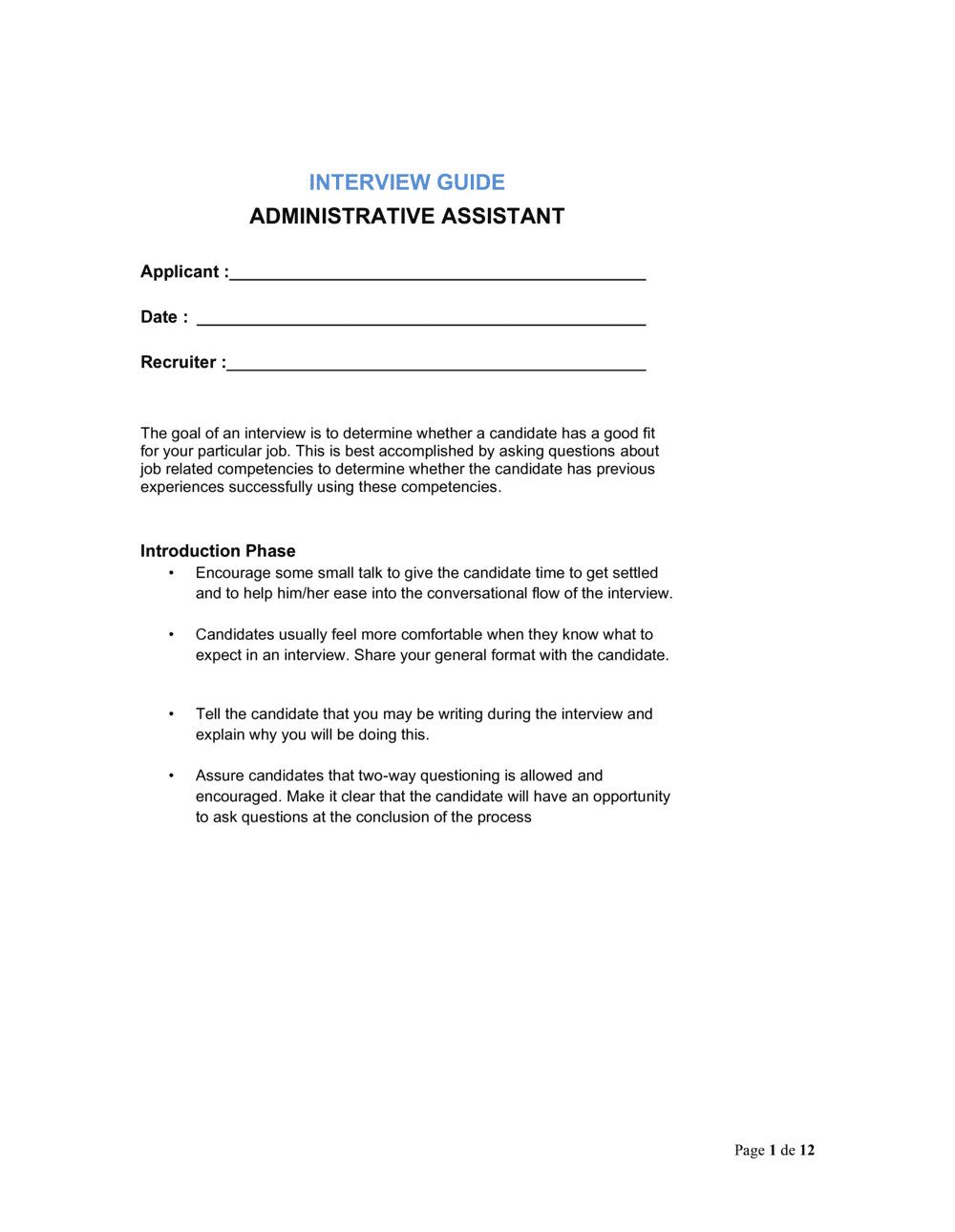
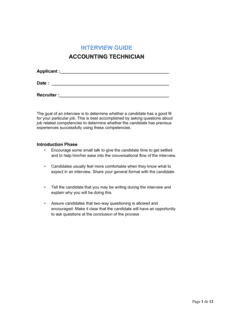
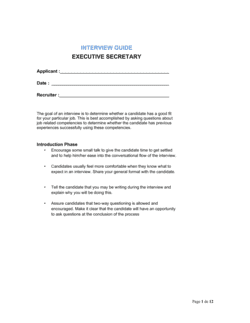
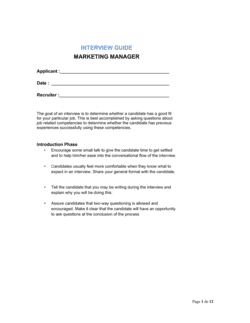
Interview Guide Administrative Assistant

Free to read β€’ Save or share with one click

FreeInterview Guide Administrative Assistant Template

At a glance

What it is
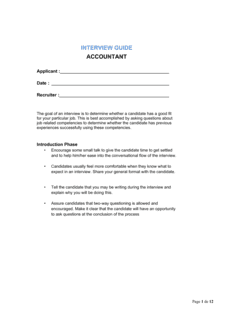
An Interview Guide for an Administrative Assistant is a structured document that gives hiring managers a consistent set of role-specific questions, competency criteria, and a scoring framework to use during every candidate interview. This free Word download is fully editable β€” customize questions, scoring scales, and competency weights to match your specific role, then export as PDF or share with your hiring panel.
When you need it
Use it whenever you are recruiting for an administrative assistant, office coordinator, or executive support role and need all interviewers asking the same questions and evaluating candidates against the same standards.
What's inside
Role overview and required competencies, structured behavioral and situational questions organized by competency, a numerical scoring rubric for each question, an overall candidate rating summary, and a section for interviewer notes and hire or no-hire recommendation.

What is an Interview Guide for an Administrative Assistant?

An Interview Guide for an Administrative Assistant is a structured hiring document that gives every interviewer a consistent set of role-calibrated questions, a weighted competency framework, and a numerical scoring rubric to apply uniformly across every candidate. Rather than leaving each interviewer to improvise questions from a resume, the guide standardizes the evaluation process β€” organizational skill, written communication, technology proficiency, problem-solving, and professional discretion β€” so that scores from different interviewers are genuinely comparable. The template is a free Word download you can customize with your specific tools, seniority expectations, and role requirements, then export as PDF for your hiring panel.

Why You Need This Document

Unstructured administrative assistant interviews produce inconsistent outcomes: one interviewer probes calendar management in depth while another spends the session on personality fit, and neither has a score that can be meaningfully compared to the other's. The result is hiring decisions driven by whoever made the strongest subjective impression rather than who best meets the role's actual demands. Without documented evaluation criteria, a rejected candidate who questions the decision finds your process difficult to defend. A completed interview guide β€” with scored questions, weighted competencies, and a written hire recommendation β€” creates an auditable record that supports fair hiring, reduces bias, and gives your team a defensible basis for every offer made or declined. This template eliminates the setup cost and gets your panel aligned in under an hour.

Which variant fits your situation?

If your situation is…Use this template
Hiring a senior executive assistant to a C-suite leaderInterview Guide Executive Assistant
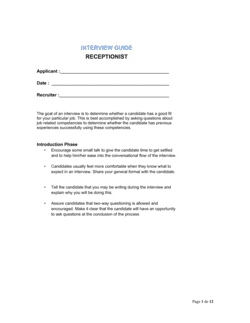
Recruiting a receptionist or front-desk coordinatorInterview Guide Receptionist
Filling a data entry or records management roleInterview Guide Data Entry Clerk
Evaluating candidates for an office manager positionInterview Guide Office Manager
Conducting a structured phone screening before the in-person interviewPhone Interview Questionnaire
Comparing multiple finalists using a standardized rating formCandidate Evaluation Form
Documenting the full hiring decision for compliance or audit purposesHiring Decision Record

Common mistakes to avoid

❌ Asking unscored follow-up questions off the guide

Why it matters: Ad-hoc questions introduce inconsistency across candidates and can inadvertently touch on protected characteristics, creating legal exposure and making comparisons unreliable.

Fix: Allow only clarifying probes ('Can you tell me more about that?') outside the scripted questions. Any substantive new question added mid-process should be added to the guide for all remaining candidates.

❌ Scoring the candidate before the interview ends

Why it matters: Early scoring creates confirmation bias β€” interviewers subconsciously adjust remaining scores to match their initial impression rather than evaluating each answer on its own merits.

Fix: Record notes during the interview and complete all scoring only after the candidate has left the room or call has ended.

❌ Using the same guide for every administrative role regardless of seniority

Why it matters: A guide calibrated for a junior receptionist will underscore a highly experienced executive assistant on questions that are too easy, producing a misleading high-performer rating.

Fix: Maintain separate guides for each seniority tier β€” entry-level admin, mid-level coordinator, and senior executive assistant β€” with questions and rubric anchors calibrated to each level.

❌ Skipping the practical skills check

Why it matters: Self-reported software proficiency is consistently inflated. Candidates who rate themselves 'advanced' in Excel regularly cannot complete a VLOOKUP or pivot table in a live test.

Fix: Add a 10-minute practical exercise β€” formatting a document, drafting a short email, or organizing a sample calendar β€” to every in-person interview for administrative roles.

❌ Leaving the hire recommendation undocumented

Why it matters: Verbal-only recommendations cannot be audited, compared across panelists, or referenced if the hiring decision is later questioned by a rejected candidate or an equal-opportunity review.

Fix: Require every interviewer to complete and sign the recommendation section before submitting the guide to HR, treating it with the same finality as a written performance review.

❌ Not briefing panelists on the rubric before interviews begin

Why it matters: Without calibration, two interviewers using the same rubric can score the same answer a 3 and a 5 β€” the aggregate score becomes meaningless and consensus hiring decisions become contested.

Fix: Run a 15-minute calibration session before the first interview where panelists score a sample answer independently and then compare to align on what a 3 vs. a 5 looks like in practice.

The 10 key sections, explained

Role overview and interview instructions

Required competencies

Opening rapport questions

Organizational skills questions

Communication and correspondence questions

Technology and software proficiency questions

Problem-solving and initiative questions

Scoring rubric

Candidate summary and overall score

Hire recommendation and next steps

How to fill it out

  1. 1

    Define the role and confirm the competency list

    Edit the role overview section with the exact job title, reporting manager, and the four to six competencies most critical for this specific hire. Delete or replace any placeholder competencies that do not apply.

    πŸ’‘ Ask the outgoing employee or the hiring manager to rank competencies by importance before you finalize the weights β€” the ranking often surfaces disagreements worth resolving before interviews start.

  2. 2

    Assign competency weights

    Distribute 100 points across your competencies in proportion to their importance. A typical distribution for an admin role: organizational skill 30%, communication 25%, technology proficiency 20%, initiative 15%, interpersonal skill 10%.

    πŸ’‘ Weights above 35% on any single competency make it very hard for a strong all-around candidate to outscore a specialist β€” cap individual competencies at 35%.

  3. 3

    Select and finalize interview questions

    Choose two to three questions per competency from the template's question bank. For each question, confirm you have at least one behavioral question ('Tell me about a time...') and at least one situational question ('How would you handle...').

    πŸ’‘ Remove questions that duplicate each other β€” if two questions would produce the same information, keep the harder one.

  4. 4

    Customize the scoring rubric anchors

    Review the 1, 3, and 5 anchor descriptions for each scored question. Replace generic language with role-specific expectations β€” a '5' answer for calendar management should reference the specific tools and complexity level your office actually uses.

    πŸ’‘ Calibrate rubric anchors with the hiring manager before the first interview by walking through a hypothetical strong and weak answer together.

  5. 5

    Brief the interview panel

    Share the completed guide with every interviewer at least 24 hours before the first interview. Walk through the scoring rubric together and confirm each panelist understands how to use it.

    πŸ’‘ Assign each panelist a primary competency to probe deeply rather than having everyone ask the same questions β€” this maximizes coverage without repetition.

  6. 6

    Conduct the interview using the guide as written

    Ask every question exactly as written, take notes in the space provided, and score each answer before moving to the next question. Do not skip questions or reorder them mid-interview.

    πŸ’‘ Use the note space to capture specific phrases or examples the candidate used β€” vague recollections lead to inflated scores after the fact.

  7. 7

    Complete the scoring summary immediately after the interview

    Calculate the weighted total, write the overall impression paragraph, and circle the hire or no-hire recommendation before leaving the room or ending the call. Memory degrades quickly across multiple same-day interviews.

    πŸ’‘ If conducting panel interviews, have each panelist score independently before comparing notes β€” group discussion before scoring anchors everyone to the first opinion shared.

  8. 8

    Retain the completed guide in the candidate file

    File the completed guide alongside the candidate's resume and application for at least 12 months. Documented evaluation records are essential if a hiring decision is questioned or audited.

    πŸ’‘ Store digital copies in your ATS or a shared HR folder β€” guides left in individual interviewers' inboxes get lost and cannot be reviewed consistently.

Frequently asked questions

What is an interview guide for an administrative assistant?

An interview guide for an administrative assistant is a structured document that gives every interviewer the same set of role-specific questions, scoring criteria, and evaluation sections to use across all candidates. It replaces unstructured, improvised interviews with a consistent process that makes candidate comparisons fair and defensible. The guide typically covers organizational skills, communication, technology proficiency, problem-solving, and initiative β€” the core competencies for most administrative roles.

What questions should be in an administrative assistant interview guide?

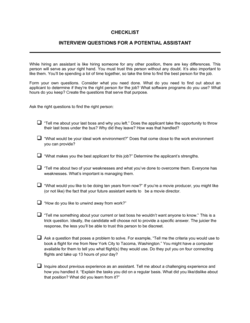
A complete guide includes behavioral questions ('Describe a time you managed competing deadlines simultaneously'), situational questions ('How would you handle a last-minute meeting change for an executive with a packed calendar'), and technology proficiency questions covering the specific tools the role requires. Include two to three questions per core competency and at least one question that tests written communication directly. Avoid questions that can be answered with a yes or no.

How many questions should an administrative assistant interview include?

A 45-to-60-minute interview typically accommodates 10 to 15 scored questions across four to six competencies, plus two to three opening rapport questions. Going beyond 15 scored questions in a single session reduces answer quality as candidates and interviewers both fatigue. For senior roles requiring deeper evaluation, split questions across a two-stage interview rather than extending a single session past 75 minutes.

What competencies should I assess when hiring an administrative assistant?

The most predictive competencies for administrative assistant performance are organizational skill and task prioritization, written and verbal communication, calendar and scheduling management, software proficiency (document tools, email, spreadsheets), problem-solving and initiative, and professional discretion with confidential information. Weight them based on how frequently each is used in your specific role β€” a communications-heavy role should weight written communication more heavily.

What is the difference between behavioral and situational interview questions?

Behavioral questions ask candidates to describe a specific past experience ('Tell me about a time you...') and are graded on the specificity and outcome of their answer. Situational questions present a hypothetical scenario ('What would you do if...') and assess judgment and reasoning. Both types belong in an administrative assistant interview guide β€” behavioral questions are more predictive for experienced candidates, while situational questions are useful for entry-level candidates with limited work history.

How should I score candidates in an administrative assistant interview?

Use a 1-to-5 scoring rubric with written anchor descriptions for scores 1, 3, and 5 at minimum. Score each question immediately after the candidate answers before moving on. At the end, multiply each competency's average score by its weight to produce a weighted total out of 100. Compare weighted totals across candidates rather than gut impressions β€” candidates with similar totals should be compared on their scores for the highest-weighted competencies.

Can I use the same interview guide for every candidate?

Yes β€” in fact, consistency is the primary purpose of the guide. Every candidate for the same role should be asked the same questions in the same order and scored against the same rubric. If you make a substantive change to the guide mid-process (adding or removing a question), apply the change to all remaining candidates and document the change date. Inconsistent question sets make it impossible to compare candidates fairly and expose the hiring process to challenge.

Do I need a separate guide for different seniority levels of admin roles?

Yes. A guide calibrated for an entry-level administrative assistant will not effectively differentiate among experienced executive assistant candidates β€” the questions are too easy and the rubric anchors too low. Maintain at least two versions: one for entry-level and coordinator roles, and one for senior or executive-level administrative positions with higher complexity benchmarks in the scoring rubric.

How long should I keep completed interview guides on file?

Retain completed interview guides for at least 12 months after the hiring decision in most jurisdictions. In the United States, EEOC recordkeeping guidelines generally require one year for private employers. In Canada and the UK, similar retention periods apply under employment equity and data-protection frameworks. Retaining records longer β€” up to three years for roles subject to government contracting rules β€” provides additional protection if a hiring decision is challenged.

How this compares to alternatives

vs Job Description β€” Administrative Assistant

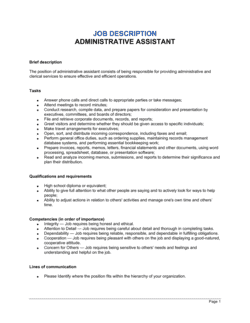
A job description defines the role's responsibilities, qualifications, and reporting structure for external posting. An interview guide translates those requirements into structured evaluation questions with scoring criteria used during the hiring process. The job description attracts candidates; the interview guide differentiates them. Both are needed β€” the guide should be built directly from the competencies listed in the job description.

vs Candidate Evaluation Form

A candidate evaluation form is a post-interview rating sheet that summarizes overall impressions and compares finalists. An interview guide is a more detailed document that drives the interview itself β€” it contains the actual questions, rubric anchors, and per-question scoring. The evaluation form is used after the guide to aggregate scores across panelists; they work in sequence, not as substitutes.

vs Phone Interview Questionnaire

A phone screening questionnaire covers basic qualification checks β€” salary expectations, availability, work authorization, and a few surface-level competency questions β€” typically in 15 to 20 minutes. The full interview guide is used in the substantive 45-to-60-minute interview once basic fit is confirmed. The phone screen filters the candidate pool; the interview guide evaluates the finalists.

vs Employee Performance Review β€” Administrative Assistant

A performance review assesses a current employee's on-the-job contributions against defined goals over a review period. An interview guide evaluates a candidate's potential before they are hired. The competency framework can be shared between both documents β€” consistency between hiring criteria and performance criteria signals a well-designed talent process.

Industry-specific considerations

Professional Services

Questions emphasize client correspondence handling, billing support accuracy, and confidentiality with sensitive engagement information.

Healthcare

Questions cover HIPAA-aware information handling, patient scheduling systems, and the ability to manage high call volumes with calm professionalism.

Technology / SaaS

Questions target proficiency with cloud-based tools (Google Workspace, Slack, project management software) and comfort in fast-moving, ambiguous environments.

Financial Services

Questions assess discretion with confidential financial data, regulatory compliance awareness, and precision in document preparation and audit trail management.

Education

Questions focus on managing faculty and student scheduling, coordinating multi-stakeholder communications, and maintaining records in compliance with institutional policies.

Nonprofit

Questions address budget-conscious resource management, donor and board communication support, and the ability to handle a broad scope of tasks with limited administrative staffing.

Template vs pro β€” what fits your needs?

PathBest forCostTime
Use the templateHR managers, office managers, and small business owners hiring for standard administrative assistant rolesFree30–60 minutes to customize and brief the panel
Template + professional reviewOrganizations with formal DEI commitments or government contracting obligations requiring documented adverse-impact analysis$200–$800 for an HR consultant review1–3 days
Custom draftedEnterprise hiring at scale with ATS integration, validation studies, or roles requiring specialized compliance knowledge$1,500–$5,000+ for an I-O psychology or HR consulting engagement2–6 weeks

Glossary

Structured Interview
An interview format in which every candidate is asked the same predetermined questions in the same order, scored against defined criteria.
Behavioral Question
A question asking candidates to describe a specific past situation to reveal how they actually behaved β€” based on the premise that past behavior predicts future performance.
Situational Question
A hypothetical question presenting a realistic work scenario to assess how a candidate would respond if faced with that situation on the job.
Competency Framework
A defined set of skills, behaviors, and knowledge areas required for effective performance in a role, used as the scoring backbone of an interview guide.
STAR Method
A structured answer framework β€” Situation, Task, Action, Result β€” that candidates use to give complete, evidence-based answers to behavioral questions.
Scoring Rubric
A predefined scale (typically 1–5) with anchor descriptions for each score level, ensuring interviewers apply consistent standards when rating answers.
Competency Weight
A percentage or multiplier assigned to each competency to reflect its relative importance to the role β€” a weighted score produces a single comparable total per candidate.
Adverse Impact
A disproportionate negative effect on a protected group (e.g., by gender, race, or age) resulting from a selection process β€” structured interview guides reduce adverse impact by keeping evaluation criteria consistent.
Panel Interview
An interview conducted by two or more interviewers simultaneously, each evaluating the candidate against a shared guide to reduce individual bias.
Hire Recommendation
The interviewer's final documented judgment β€” hire, no hire, or hold for further evaluation β€” supported by scores and notes from the guide.

Part of your Business Operating System

This document is one of 3,000+ business & legal templates included in Business in a Box.

  • Fill-in-the-blanks β€” ready in minutes
  • Compatible with all office suites
  • Export to PDF and share electronically

Create your document in 3 simple steps.

From template to signed document β€” all inside one Business Operating System.
1
Download or open template

Access over 3,000+ business and legal templates for any business task, project or initiative.

2
Edit and fill in the blanks with AI

Customize your ready-made business document template and save it in the cloud.

3
Save, Share, Send, Sign

Share your files and folders with your team. Create a space of seamless collaboration.

Save time, save money, and create top-quality documents.

β˜…β˜…β˜…β˜…β˜…

"Fantastic value! I'm not sure how I'd do without it. It's worth its weight in gold and paid back for itself many times."

Managing Director Β· Mall Farm
Robert Whalley
Managing Director, Mall Farm Proprietary Limited
β˜…β˜…β˜…β˜…β˜…

"I have been using Business in a Box for years. It has been the most useful source of templates I have encountered. I recommend it to anyone."

Business Owner Β· 4+ years
Dr Michael John Freestone
Business Owner
β˜…β˜…β˜…β˜…β˜…

"It has been a life saver so many times I have lost count. Business in a Box has saved me so much time and as you know, time is money."

Owner Β· Upstate Web
David G. Moore Jr.
Owner, Upstate Web

Run your business with a system β€” not scattered tools

Stop downloading documents. Start operating with clarity. Business in a Box gives you the Business Operating System used by over 250,000 companies worldwide to structure, run, and grow their business.

Start freeΒ Β·Β No credit card required