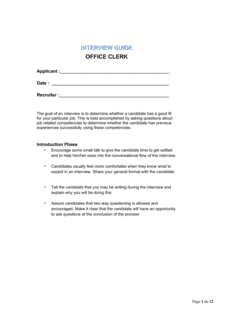
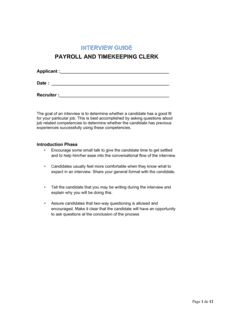
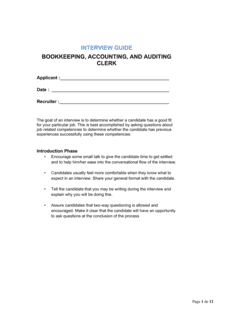
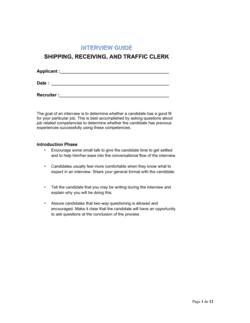
Interview Guide File Clerk

Free to read β€’ Save or share with one click

FreeInterview Guide File Clerk Template

At a glance

What it is
An Interview Guide for a File Clerk is a structured Word document that gives hiring managers a consistent set of role-specific questions, evaluation criteria, and scoring rubrics to use when interviewing candidates for a file clerk or records management position. This free download lets you edit the questions online, add your company's scoring scale, and export as PDF before each interview session.
When you need it
Use it whenever you are hiring for a file clerk, records technician, or document management assistant role and need a repeatable interview process that produces comparable candidate assessments. It is especially useful when multiple interviewers are involved and consistency across sessions matters.
What's inside
Role overview and competency framework, structured behavioral and situational questions, organizational and attention-to-detail skill probes, technology and software proficiency questions, a numeric scoring rubric per question, and an overall candidate comparison summary.

What is an Interview Guide for a File Clerk?

An Interview Guide for a File Clerk is a structured hiring document that gives interviewers a consistent, role-specific framework for evaluating candidates applying for file clerk, records technician, or document management positions. It pairs targeted behavioral and situational questions with a numeric scoring rubric so every candidate is assessed against the same competency criteria β€” organizational skill, attention to detail, confidentiality awareness, and records technology proficiency. Unlike a loose list of questions, a complete interview guide maps each question to a defined competency, provides anchored score descriptions, and includes a summary section where the interviewer records a documented hire or no-hire recommendation.

Why You Need This Document

Without a structured guide, file clerk interviews default to conversational impressions rather than evidence-based comparisons β€” making it easy to hire the most likable candidate rather than the most capable one. A misfiled document, a confidentiality breach, or a records system that breaks down under volume are real operational risks that a well-screened hire prevents. Inconsistent interviews also expose organizations to equal opportunity challenges: when two candidates are asked different questions and scored on different criteria, defending a hiring decision becomes difficult. This template gives your team a repeatable process that produces comparable, defensible candidate assessments in under an hour per session, and scales from a single manager hiring one clerk to a multi-interviewer panel evaluating a records department backfill.

Which variant fits your situation?

If your situation is…Use this template
Hiring a file clerk for a medical or dental officeInterview Guide Medical Records Clerk
Interviewing candidates for a legal records or docket clerk roleInterview Guide Legal Clerk
Hiring a general administrative assistant with filing dutiesInterview Guide Administrative Assistant
Evaluating a data entry specialist role with document management overlapInterview Guide Data Entry Clerk
Conducting a structured second-round or panel interviewPanel Interview Evaluation Form
Assessing all clerical applicants at the resume screening stageJob Application Form
Onboarding the selected file clerk after hireEmployee Onboarding Checklist

Common mistakes to avoid

❌ Using a generic interview guide not tailored to file clerk competencies

Why it matters: Generic questions like 'What is your greatest strength?' produce answers that cannot distinguish a strong records professional from any other administrative candidate.

Fix: Replace at least 70% of generic questions with role-specific probes covering filing systems, document accuracy, and confidentiality scenarios relevant to your environment.

❌ Skipping the scoring rubric calibration step

Why it matters: Without shared score anchors, a 3 out of 4 means different things to different interviewers β€” candidate rankings become unreliable and debrief discussions devolve into opinion contests.

Fix: Run a 15-minute calibration session before the first interview of any hiring cycle, scoring a written sample answer together and resolving any disagreements in the rubric language.

❌ Omitting confidentiality and data handling questions

Why it matters: File clerks regularly access personnel, financial, legal, or patient records β€” a candidate who lacks discretion or awareness of access controls creates real liability for the organization.

Fix: Include at least two questions that require the candidate to describe specific past behavior around restricted file access or sensitive document disposal.

❌ Completing scores days after the interview from memory

Why it matters: Research consistently shows that recall of specific interview responses degrades within hours, especially after multiple candidates are seen β€” late scoring produces lower reliability and higher recency bias.

Fix: Set a firm organizational rule: all scores and summary notes must be completed within 30 minutes of each interview session ending.

❌ Asking the same question twice in different phrasing

Why it matters: Duplicate questions waste interview time, signal poor preparation to the candidate, and inflate the apparent depth of the assessment without adding new data.

Fix: Number every question and cross-reference before finalizing β€” any question that probes the same competency as a prior one should be cut or merged.

❌ Failing to archive completed guides after the hire decision

Why it matters: If a rejected candidate files a discrimination complaint, undocumented or missing interview records make it significantly harder to demonstrate that the decision was based on legitimate, consistent criteria.

Fix: Establish a minimum one-year retention policy for all completed interview guides, stored in a secure applicant tracking system or HR file with access controls.

The 9 key sections, explained

Role overview and interview objectives

Candidate information and interview logistics

Organizational skills questions

Attention to detail and accuracy questions

Confidentiality and data handling questions

Technology and software proficiency questions

Communication and teamwork questions

Scoring rubric

Overall candidate summary and hiring recommendation

How to fill it out

  1. 1

    Complete the role overview section before the interview day

    Fill in the department name, supervisor title, and the specific filing systems or software the role uses. This context shapes how you score responses throughout.

    πŸ’‘ Pull these details directly from the finalized job description to ensure interviewers and candidates are aligned on the same role scope.

  2. 2

    Fill in candidate and logistics information at the start of each session

    Enter the candidate's name, the interview date, and your name before the session begins. If running panel interviews, each panelist completes a separate guide.

    πŸ’‘ Number the guides by round (Round 1, Round 2) and keep them in the applicant's folder β€” misattributed scoresheets are the most common debrief error.

  3. 3

    Select the questions relevant to your role variant

    Review all question sections and remove or replace questions that do not apply to your specific environment β€” for example, swap paper-filing questions for electronic-records questions if your office is fully digital.

    πŸ’‘ Limit the total number of scored questions to 8–12 so the session fits a 45-minute window with time for candidate questions.

  4. 4

    Calibrate the scoring rubric with all interviewers before the first session

    Run a 15-minute calibration where all interviewers score a sample answer for one question independently, then compare scores and resolve differences. This alignment step prevents inter-rater drift.

    πŸ’‘ If two interviewers score the same sample answer more than one point apart, the rubric anchor for that score level needs to be rewritten.

  5. 5

    Take brief notes in the margin during the interview

    Write two to three key phrases per answer β€” specific numbers, tools, or actions mentioned β€” not full transcripts. These notes support your score and protect against memory compression.

    πŸ’‘ Quote the candidate's exact words for any response that is exceptionally strong or concerning β€” verbatim notes are the most defensible record if a hiring decision is challenged.

  6. 6

    Complete scores and the overall summary within 30 minutes of the interview ending

    Score each response and fill in the candidate summary section before you interview the next candidate. Memory of earlier candidates degrades quickly once more interviews follow.

    πŸ’‘ If you cannot complete the summary immediately, set a phone reminder for 30 minutes post-interview β€” even a five-minute delay reduces scoring accuracy.

  7. 7

    Share completed guides with decision-makers before the debrief

    Distribute all completed guides at least one hour before the panel debrief so reviewers can read each interviewer's rationale independently before group discussion.

    πŸ’‘ Withhold scores during the first ten minutes of debrief to allow each interviewer to share their narrative assessment without anchoring to a number.

  8. 8

    Archive the completed guides in the applicant file

    Store signed, completed guides with the candidate's resume and application for a minimum of one year, regardless of hiring outcome, to support any post-hire audit or equal opportunity review.

    πŸ’‘ Use a consistent file-naming convention β€” [ROLE]-[CANDIDATE LAST NAME]-[DATE]-Interview.pdf β€” so guides are retrievable without opening each file.

Frequently asked questions

What is an interview guide for a file clerk?

An interview guide for a file clerk is a structured document used by hiring managers to conduct consistent, evidence-based interviews for records management or clerical filing roles. It includes role-specific behavioral and situational questions, a scoring rubric for each question, and a summary section for hire or no-hire recommendations. Using a guide ensures all candidates are evaluated against the same criteria.

What questions should I ask when interviewing a file clerk?

Focus on four competency areas: organizational skills (how they structure and maintain filing systems), attention to detail (how they catch and prevent errors), confidentiality (how they handle restricted or sensitive records), and technology proficiency (experience with document management systems or scanning equipment). Behavioral questions framed as "Tell me about a time when…" produce more reliable evidence than hypothetical ones.

How is an interview guide different from a list of interview questions?

A list of questions is simply a prompt sheet. An interview guide adds structure: it includes a competency framework that maps each question to a specific skill, a scoring rubric so responses can be rated consistently, space for notes, and a summary section for the hiring recommendation. The guide allows multiple interviewers to compare candidates using the same scale rather than personal impressions.

Should I use the same interview guide for every file clerk candidate?

Yes β€” using the same guide for every candidate in a hiring cycle is the point. Consistency is what allows meaningful comparison. You can adjust the guide between hiring cycles if the role evolves, but all candidates in the same cycle should receive the same questions scored on the same rubric. Varying questions between candidates undermines the validity of your comparison.

How long should a file clerk interview take?

A structured first-round interview using this guide typically runs 30–45 minutes: 5 minutes for introductions and role overview, 25–35 minutes for 8–12 scored questions, and 5 minutes for candidate questions. A second-round or panel interview can extend to 60 minutes to allow deeper situational probes and a skills demonstration such as sorting a sample set of documents.

What scoring scale works best for an interview guide?

A 1–4 scale with anchored descriptions for each level is more reliable than a 1–10 scale for structured interviews. The 1–4 scale forces a judgment β€” strong versus weak β€” rather than allowing interviewers to cluster scores in a comfortable middle range. Anchors should describe observable behaviors, not adjectives: score 4 requires a specific example with a measurable result, not just a "very good" answer.

Do I need to share interview notes with the candidate?

In most jurisdictions, candidates do not have an automatic right to review interview notes, but data protection laws in some regions β€” such as GDPR in the EU β€” may entitle applicants to request access to personal data held about them, which can include interview records. Store notes professionally and factually, avoid personal observations unrelated to job performance, and follow your organization's retention policy. Consider consulting your HR or legal advisor on local requirements.

Can I use this interview guide for a records technician or document control role?

Yes, with minor adjustments. Replace file-clerk-specific terminology with the language used in your job description β€” "document control specialist" or "records technician" β€” and add questions specific to any regulatory frameworks the role must follow, such as ISO 9001 document control requirements or industry-specific retention schedules. The core competency structure (organization, accuracy, confidentiality, technology) applies across all records management roles.

How many interviewers should use the guide simultaneously?

For most file clerk roles, one to two interviewers per round is sufficient. Panel interviews with three or more interviewers are appropriate for senior records management positions or roles with cross-departmental impact. When multiple interviewers are involved, each must complete their own scoring independently before the debrief to prevent anchoring bias β€” the first person to speak can skew every subsequent score in the room.

How this compares to alternatives

vs Interview Guide Administrative Assistant

An administrative assistant guide covers a broader range of competencies including scheduling, correspondence, and executive support. The file clerk guide focuses specifically on document organization, filing accuracy, confidentiality, and records technology. Use the administrative assistant guide when the role spans multiple clerical functions; use the file clerk guide when records management is the primary duty.

vs Job Application Form

A job application form collects candidate background, employment history, and self-reported qualifications before the interview stage. An interview guide structures the live assessment conversation after the application is reviewed. Both are needed: the application screens in candidates; the guide evaluates the screened pool consistently.

vs Employee Performance Review

A performance review assesses an existing employee's job execution against established goals and competencies. An interview guide evaluates candidates before hire. The competency areas overlap β€” accuracy, organization, confidentiality β€” but the interview guide uses forward-looking behavioral probes, while the review measures documented past performance against actual work output.

vs Interview Guide Data Entry Clerk

A data entry clerk guide prioritizes typing speed, data accuracy, and system proficiency for roles focused on inputting information into databases. A file clerk guide emphasizes physical and digital records organization, retrieval, and chain of custody. When a role combines both duties, use both guides to ensure all competency areas are covered.

Industry-specific considerations

Healthcare

File clerks in medical offices handle HIPAA-protected patient records β€” interview questions must probe confidentiality protocols, chain-of-custody practices, and familiarity with EMR or EHR indexing standards.

Legal Services

Legal file clerks manage court documents, case files, and client-privileged records under strict naming conventions and deadline-sensitive retrieval requirements β€” questions on docket systems and attorney-client confidentiality are essential.

Financial Services

Records clerks in banks and insurance firms handle regulated financial documents with retention schedules set by compliance teams β€” interview probes should cover regulatory retention awareness and access-log familiarity.

Government and Public Sector

Public-sector file clerks often manage Freedom of Information Act (FOIA) requests and official public records β€” questions should assess familiarity with FOIA processes, public records laws, and formal indexing standards.

Template vs pro β€” what fits your needs?

PathBest forCostTime
Use the templateHR managers, office managers, and small business owners hiring one to three file clerks per yearFree30–60 minutes to customize and 45 minutes per interview session
Template + professional reviewOrganizations hiring at volume, adding role-specific technical questions, or operating in regulated industries$200–$500 for an HR consultant review and calibration session1–2 days
Custom draftedLarge employers with structured competency frameworks, legal compliance requirements, or multi-round assessment centers$1,000–$3,000 for a custom I/O psychology-designed interview guide2–4 weeks

Glossary

Behavioral Interview Question
A question that asks the candidate to describe a specific past situation to predict how they will behave in similar future scenarios β€” typically framed as 'Tell me about a time when…'
Situational Interview Question
A hypothetical question presenting a scenario the candidate has not yet experienced, used to assess judgment and problem-solving approach.
Competency Framework
A defined set of skills, behaviors, and knowledge areas required for a role, used as the basis for writing interview questions and scoring responses.
Scoring Rubric
A numeric or descriptive scale applied to each interview question so different interviewers evaluate responses against the same standard.
Document Control
The process of managing the creation, review, modification, issuance, distribution, and accessibility of official records and documents within an organization.
Records Retention Policy
An organization's written schedule specifying how long each type of record must be kept and how it should be destroyed or archived after that period.
Chain of Custody
The documented sequence of possession and handling of a record or physical file, used to verify its integrity and prevent unauthorized access or alteration.
STAR Method
Situation, Task, Action, Result β€” a four-part structure interviewers use to prompt and evaluate complete behavioral answers from candidates.
Alphabetic Filing System
A document organization method that sequences files by the first letter of a name, subject, or title, following standardized rules for prefixes and multiple-word names.
Digital Asset Management (DAM)
Software or systems used to store, organize, retrieve, and distribute digital files, often relevant for file clerks transitioning from paper to electronic records.

Part of your Business Operating System

This document is one of 3,000+ business & legal templates included in Business in a Box.

  • Fill-in-the-blanks β€” ready in minutes
  • Compatible with all office suites
  • Export to PDF and share electronically

Create your document in 3 simple steps.

From template to signed document β€” all inside one Business Operating System.
1
Download or open template

Access over 3,000+ business and legal templates for any business task, project or initiative.

2
Edit and fill in the blanks with AI

Customize your ready-made business document template and save it in the cloud.

3
Save, Share, Send, Sign

Share your files and folders with your team. Create a space of seamless collaboration.

Save time, save money, and create top-quality documents.

β˜…β˜…β˜…β˜…β˜…

"Fantastic value! I'm not sure how I'd do without it. It's worth its weight in gold and paid back for itself many times."

Managing Director Β· Mall Farm
Robert Whalley
Managing Director, Mall Farm Proprietary Limited
β˜…β˜…β˜…β˜…β˜…

"I have been using Business in a Box for years. It has been the most useful source of templates I have encountered. I recommend it to anyone."

Business Owner Β· 4+ years
Dr Michael John Freestone
Business Owner
β˜…β˜…β˜…β˜…β˜…

"It has been a life saver so many times I have lost count. Business in a Box has saved me so much time and as you know, time is money."

Owner Β· Upstate Web
David G. Moore Jr.
Owner, Upstate Web

Run your business with a system β€” not scattered tools

Stop downloading documents. Start operating with clarity. Business in a Box gives you the Business Operating System used by over 250,000 companies worldwide to structure, run, and grow their business.

Start freeΒ Β·Β No credit card required