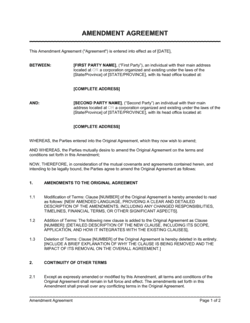
Increase Of Salary Letter Template

Free Word download • Edit online • Save & share with Drive • Export to PDF

1 page15–20 min to fillDifficulty: Standard
Learn more ↓
FreeIncrease Of Salary Letter Template

At a glance

What it is
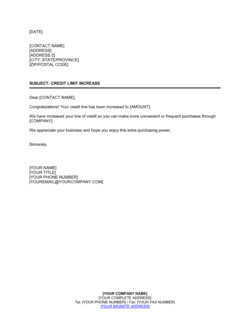
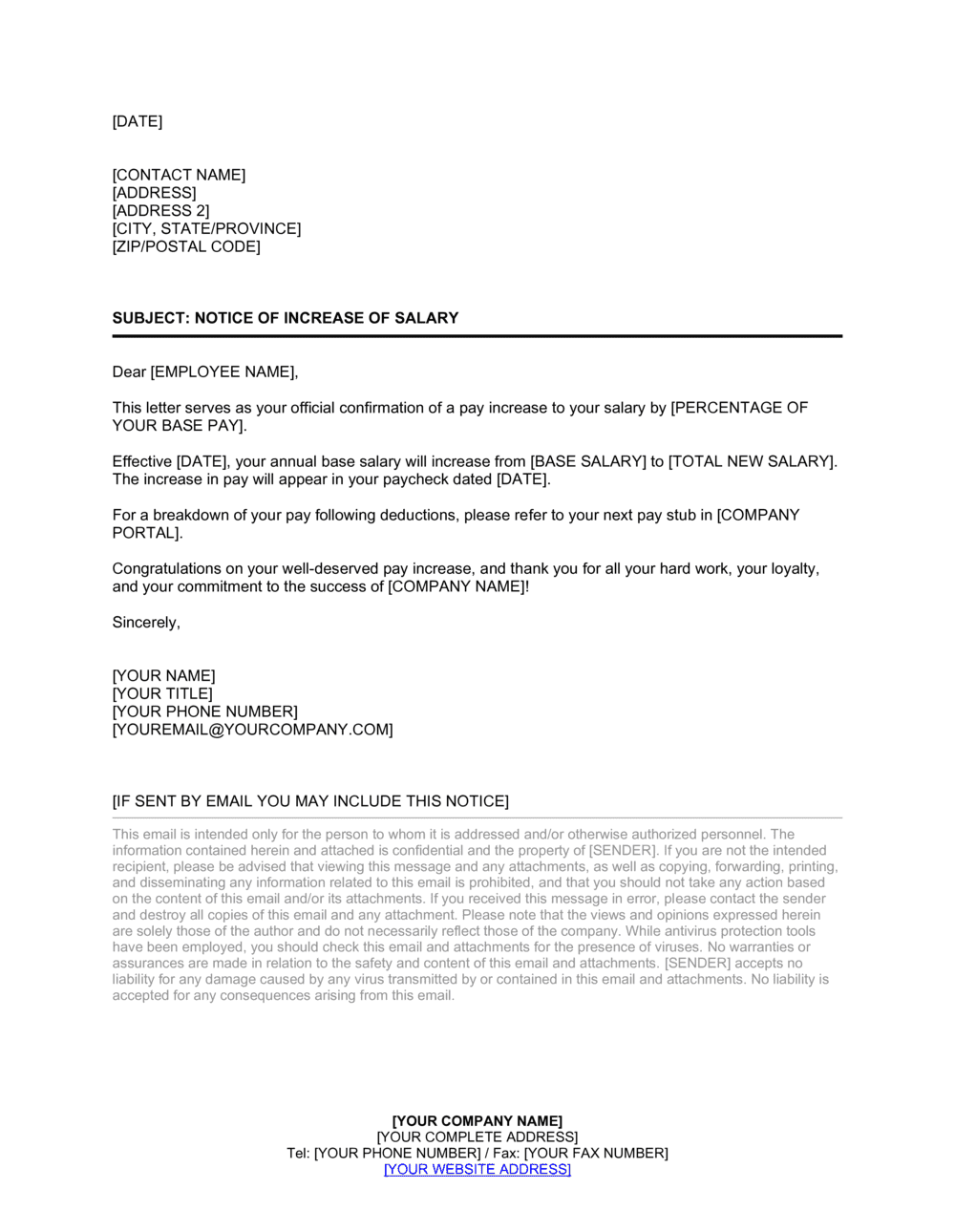
An Increase of Salary Letter is a formal written notice from an employer to an employee confirming a salary raise — stating the new compensation amount, the effective date, and the reason for the increase (merit, promotion, market adjustment, or tenure). This free Word download lets you fill in the key details, export as PDF, and deliver a professional record of the change in minutes.
When you need it
Use it any time you approve a salary increase — after a performance review, following a promotion, or as part of a company-wide compensation adjustment — to create a written record both parties can reference.
What's inside
Employer and employee identification, a clear statement of the new salary and effective date, the rationale for the increase, any changes to bonus or benefits, next steps for payroll, and a professional closing with manager signature block.

What is an Increase of Salary Letter?

An Increase of Salary Letter is a formal written notice issued by an employer to an employee confirming a raise in base compensation. It records the new salary amount, the precise effective date, and the rationale for the change — whether merit-based, tied to a promotion, or driven by a market-rate adjustment. Unlike a verbal conversation or a payroll system update, the letter creates a dated, signed document that both the employee and the company can reference for HR records, payroll audits, and any future compensation disputes.

Why You Need This Document

A salary increase delivered only verbally or through a payroll system change leaves both parties exposed. Without a written record, the effective date becomes a matter of competing recollections, the rationale is forgotten within a few months, and any accompanying bonus or title changes exist only in someone's inbox. Employees who receive no formal confirmation often follow up repeatedly with HR — or, in regulated industries, flag the absence of written notice as a compliance concern. A properly issued salary increase letter closes all of these gaps in under ten minutes, reinforces the recognition that motivated the raise, and gives payroll an unambiguous instruction to act on. This template gives you a professionally structured starting point so you never have to draft one from scratch.

Which variant fits your situation?

If your situation is…Use this template
Confirming a raise tied to a strong annual performance reviewMerit Increase Letter
Notifying an employee of a salary bump following a promotionPromotion Announcement Letter
Adjusting pay across the team to match current market ratesMarket Adjustment Salary Letter
Awarding a one-time bonus rather than a permanent base increaseBonus Award Letter
Communicating a temporary pay reduction during a business downturnSalary Reduction Letter
Confirming all new terms at the start of a promoted or expanded roleEmployment Contract Amendment

Common mistakes to avoid

❌ Stating only the raise amount, not the new total

Why it matters: Employees need the updated salary figure for lease applications, loan pre-approvals, and financial planning. A letter that says only '+$4,000' forces them to do arithmetic and creates room for error.

Fix: Always state both the previous amount and the new total (e.g., 'from $58,000 to $62,000') in the same sentence.

❌ Sending the letter after payroll has already changed

Why it matters: When an employee sees a higher amount on their paycheck before receiving any written explanation, it creates confusion and erodes trust in HR processes.

Fix: Issue the salary increase letter at least one full pay cycle before the effective date so the employee receives written confirmation first.

❌ Using vague rationale like 'your continued hard work'

Why it matters: Generic praise doesn't reinforce the specific behaviors you want repeated and makes the letter feel like a form letter rather than a genuine recognition.

Fix: Name a specific achievement, metric, or event — a completed project, a quota exceeded, a market review date — that directly motivated the increase.

❌ Omitting bonus or incentive terms when a promotion is involved

Why it matters: A promotion often changes both base salary and the bonus tier. Leaving the bonus clause out creates a disputed expectation that requires a follow-up correction letter.

Fix: Always address bonus eligibility explicitly — either state the new target percentage or confirm that prior terms remain unchanged.

The 8 key clauses, explained

Date, addressee, and reference line

In plain language: Opens the letter with the issue date, the employee's full name and job title, and a subject line that identifies the letter's purpose at a glance.

Sample language
[DATE] | [EMPLOYEE FULL NAME] | [JOB TITLE], [DEPARTMENT] | Subject: Salary Increase — Effective [EFFECTIVE DATE]

Common mistake: Omitting the subject line or using a vague one like 'Compensation Update.' A clear reference line helps the employee and payroll locate the letter instantly when questions arise later.

Opening acknowledgment

In plain language: A brief opening sentence that names the employee, references the context for the increase (performance review, promotion, or policy cycle), and signals that good news follows.

Sample language
We are pleased to inform you that, following your [annual performance review / recent promotion to [NEW TITLE]], [COMPANY NAME] has approved an increase to your base salary.

Common mistake: Burying the raise amount three paragraphs in. State the increase or new amount in the first substantive paragraph — employees read salary letters immediately and the delay creates anxiety.

New salary amount and effective date

In plain language: States the exact new annual or hourly salary, the currency, and the precise date payroll will begin applying the new rate.

Sample language
Effective [DATE], your annual base salary will increase from $[PREVIOUS AMOUNT] to $[NEW AMOUNT] USD, payable on the Company's standard [bi-weekly / semi-monthly] payroll schedule.

Common mistake: Stating only the increase amount (e.g., '+$5,000') without the new total. Employees need the updated figure for budgeting, lease applications, and other financial decisions — always state both the delta and the new rate.

Rationale for the increase

In plain language: Explains why the raise was approved — specific performance achievements, a role change, a market adjustment, or tenure — to reinforce the value the employee brings.

Sample language
This increase reflects your [strong performance in Q[X], specifically [ACHIEVEMENT] / promotion to [NEW TITLE] / the Company's annual market-rate review, which identified an adjustment necessary to align your compensation with current [INDUSTRY] benchmarks].

Common mistake: Using generic praise like 'your hard work and dedication.' Specific rationale — a metric hit, a project delivered, a market data point — is more motivating and makes the letter defensible if internal equity questions arise.

Changes to bonus or incentive plan

In plain language: Notes any adjustment to the employee's target bonus percentage or incentive eligibility that accompanies the base salary change, or confirms that existing bonus terms remain unchanged.

Sample language
Your annual target bonus remains at [X]% of your base salary. / Your annual target bonus will increase to [X]% of your new base salary, effective [DATE], under the Company's [PLAN NAME].

Common mistake: Leaving this clause out entirely when a promotion also changes the bonus tier. The omission creates a disputed expectation — the employee assumes the old bonus rate applies to the new salary.

Benefits or role changes

In plain language: Addresses any accompanying changes — a new title, revised reporting line, updated PTO accrual, or benefits tier — or confirms that all other terms of employment remain the same.

Sample language
All other terms and conditions of your employment, including your [benefits enrollment / reporting structure / vacation accrual], remain unchanged. / In connection with your promotion, your title will change to [NEW TITLE] effective [DATE].

Common mistake: Mentioning a title change verbally but not in the letter. Without written confirmation, HR records, email signatures, and LinkedIn profiles get updated inconsistently.

Payroll processing instruction

In plain language: Tells the employee (and serves as instruction to payroll) when they will first see the new rate reflected in their paycheck and who to contact with questions.

Sample language
The updated rate will appear in your [first / next] paycheck on [EXPECTED PAY DATE]. If you have questions about your compensation, please contact [HR CONTACT NAME] at [EMAIL / PHONE].

Common mistake: Not stating the first paycheck date. Employees track this closely — a letter that doesn't tell them when to expect the change results in avoidable payroll inquiries.

Closing and signature block

In plain language: A brief professional close that expresses confidence in the employee and the relationship, followed by the manager's name, title, and signature line.

Sample language
We value your contributions to [COMPANY NAME] and look forward to your continued success. | Sincerely, | [MANAGER NAME] | [TITLE] | [COMPANY NAME] | [DATE SIGNED]

Common mistake: Signing with only a first name or leaving the signature block blank. The letter becomes part of the employment record — it needs a full name and title to be a credible document.

How to fill it out

  1. 1

    Enter the date and employee details

    Add the letter's issue date, the employee's full legal name, current job title, and department at the top of the document.

    💡 Use the same name format that appears in the employee's payroll record to avoid discrepancies between HR documents.

  2. 2

    State the new salary and effective date

    Enter the employee's current salary, the new salary, and the exact date the increase takes effect. Express both figures as annual amounts in the same currency.

    💡 If the effective date falls mid-pay-period, note whether the first full paycheck at the new rate will be prorated or begin the following cycle.

  3. 3

    Write a specific rationale

    Replace the placeholder rationale with a concrete reason — a performance metric achieved, a promotion, or a named market-adjustment review. Avoid generic praise.

    💡 One specific achievement or data point ('exceeded Q2 sales quota by 18%') is more motivating and legally defensible than a vague compliment.

  4. 4

    Update or confirm bonus and incentive terms

    Check whether the employee's target bonus percentage changes with the salary increase. Update the clause if it does, or confirm existing terms remain in force.

    💡 Cross-reference the employee's current offer letter or last compensation review to ensure the bonus clause is accurate before sending.

  5. 5

    Note any title or role changes

    If the salary increase accompanies a promotion or new reporting structure, add the new title and effective date to the benefits and role clause.

    💡 Copy the exact title from the job description or org chart to keep HR records, payroll, and the letter consistent.

  6. 6

    Add the first paycheck date and HR contact

    Enter the date the employee will first see the new rate in their paycheck and the name and contact information of the HR person handling questions.

    💡 Sending the letter at least one full pay cycle before the effective date gives payroll time to process the change without errors.

  7. 7

    Sign and deliver the letter

    Have the approving manager sign the letter, then deliver it to the employee in person or via secure email. Retain a signed copy in the employee's HR file.

    💡 Delivering the letter in a one-on-one meeting — rather than just emailing it — reinforces the recognition and reduces the chance of the message being misread.

Frequently asked questions

What is a salary increase letter?

A salary increase letter is a formal written notice from an employer to an employee confirming a raise in base compensation. It states the new salary amount, the effective date, and the reason for the increase — merit, promotion, market adjustment, or cost-of-living. The letter creates a documented record for both the employee and the company's HR and payroll files.

Is a salary increase letter required by law?

In most jurisdictions, no law specifically requires a formal salary increase letter, but many employment standards acts require that any change to core compensation terms be communicated in writing. Even where not legally mandated, a written letter protects both parties by creating a clear, dated record of what was agreed and when it takes effect.

What should a salary increase letter include?

At minimum: the employee's name and title, the new salary amount and effective date, the reason for the increase, any changes to bonus or benefits, the date the new rate will appear in payroll, and the manager's signature. Omitting the effective date or new total amount are the two most common gaps that generate follow-up questions.

How do I phrase the rationale for a salary increase?

Be specific rather than generic. Instead of 'your hard work and dedication,' reference a concrete outcome: 'your success in growing the enterprise segment by 22% in Q3,' 'your promotion to Senior Manager effective [DATE],' or 'the Company's annual market-rate review, which identified an adjustment to align your compensation with current industry benchmarks.' Specific language is more motivating and more defensible if an equity question arises later.

Should the letter be signed by the manager or HR?

Typically the employee's direct manager signs the letter, with HR countersigning or retaining a copy. For senior roles or company-wide adjustments, the HR Director or a C-suite executive may sign instead. The key requirement is that the signer has authority to approve the compensation change — a letter signed by someone without that authority is not a reliable record.

How far in advance should a salary increase letter be sent?

Send the letter at least one full pay cycle before the effective date — typically two to four weeks. This gives payroll time to update the system without errors and ensures the employee receives written confirmation before seeing the change on their paycheck. Sending it retroactively, after payroll has already changed, is a common mistake that creates unnecessary confusion.

What is the difference between a salary increase letter and an employment contract amendment?

A salary increase letter is a one-way notification confirming a pay change — it does not require the employee's counter-signature to take effect. An employment contract amendment is a bilateral document that modifies the original contract and requires both parties to sign. Use a letter for routine raises; use an amendment when the salary change is accompanied by significant changes to role, duties, or other contractual terms.

Can the same template be used for a promotion-based and a merit-based increase?

Yes. The template's rationale clause and role-changes clause handle both scenarios. For a merit increase, fill in the performance achievement and leave the title change line blank or note that the title is unchanged. For a promotion, complete both the rationale (referencing the new role) and the title-change fields. The structure works for either situation with minor edits.

How this compares to alternatives

vs Salary Decrease Letter

A salary decrease letter communicates a reduction in base pay — used during restructuring, role changes, or financial difficulty. A salary increase letter confirms an upward adjustment. Both require the same core fields (current amount, new amount, effective date, rationale), but the decrease letter carries higher legal sensitivity and typically warrants HR or legal review before delivery.

vs Promotion Announcement Letter

A promotion announcement letter focuses on the new role, title, and responsibilities — compensation details are secondary or omitted. A salary increase letter leads with the compensation change and is the authoritative payroll document. When a promotion includes a raise, issue both: the announcement for the team and the salary letter for the employee's HR file.

vs Employment Offer Letter

An offer letter establishes the initial compensation package when hiring a new employee. A salary increase letter updates that package for an existing employee. The offer letter is a broader onboarding document; the salary increase letter is a targeted record of a single compensation change.

vs Employment Contract Amendment

An employment contract amendment is a bilateral document that modifies the original employment agreement and requires both parties to sign. A salary increase letter is a unilateral employer notification that does not require counter-signature. Use the amendment when salary changes are bundled with significant changes to duties, non-compete terms, or other contractual provisions.

Industry-specific considerations

Technology / SaaS

Frequent mid-year market adjustments to retain engineers and product managers in competitive talent markets, often paired with equity refresh grants referenced separately.

Professional Services

Annual merit increases tied to billable utilization targets and client satisfaction scores, with bonus tier changes accompanying promotions to senior or principal levels.

Retail / Hospitality

Hourly rate increases expressed as a new rate per hour and a revised annual equivalent, with effective dates aligned to the start of a new scheduling period.

Healthcare

Credentialing and licensure milestones often trigger automatic step increases defined in compensation schedules, which the letter confirms and formalizes for the personnel file.

Template vs pro — what fits your needs?

PathBest forCostTime
Use the templateAny employer issuing a standard merit, market-adjustment, or promotion-based raise to an employeeFree5–10 minutes per letter
Template + professional reviewRaises tied to complex changes — equity adjustments, clawback provisions, or senior executives with negotiated terms$100–$300 (HR advisor or employment counsel review)1–2 days
Custom draftedC-suite compensation changes, regulated industries with mandatory disclosure requirements, or multi-jurisdiction payroll$500–$2,000+3–7 days

Glossary

Base Salary
The fixed annual or hourly compensation paid to an employee, excluding bonuses, commissions, and benefits.
Effective Date
The specific calendar date on which the new salary takes effect and payroll begins applying the updated rate.
Merit Increase
A salary raise awarded based on an individual employee's performance, results, or demonstrated contribution.
Market Adjustment
A salary change made to align an employee's pay with current industry benchmarks or local labor market rates, regardless of performance.
Cost-of-Living Adjustment (COLA)
A salary increase tied to inflation or changes in the consumer price index, intended to maintain real purchasing power.
Total Compensation
The full value of an employee's pay package, including base salary, bonuses, equity, benefits, and any other employer-paid perks.
Pay Band
A defined salary range for a job level or role, used by employers to maintain internal pay equity and budget predictability.
Retroactive Pay
Compensation paid to cover a salary increase that is backdated to an earlier effective date than when the letter is issued.
Discretionary Bonus
A bonus payment that is not contractually guaranteed and is awarded at the employer's discretion based on performance or business results.
Pay Equity
The principle that employees performing similar work should receive comparable compensation regardless of gender, race, or other protected characteristics.

Part of your Business Operating System

This document is one of 3,000+ business & legal templates included in Business in a Box.

  • Fill-in-the-blanks — ready in minutes
  • 100% customizable Word document
  • Compatible with all office suites
  • Export to PDF and share electronically

Create your document in 3 simple steps.

From template to signed document — all inside one Business Operating System.
1
Download or open template

Access over 3,000+ business and legal templates for any business task, project or initiative.

2
Edit and fill in the blanks with AI

Customize your ready-made business document template and save it in the cloud.

3
Save, Share, Send, Sign

Share your files and folders with your team. Create a space of seamless collaboration.

Save time, save money, and create top-quality documents.

★★★★★

"Fantastic value! I'm not sure how I'd do without it. It's worth its weight in gold and paid back for itself many times."

Managing Director · Mall Farm
Robert Whalley
Managing Director, Mall Farm Proprietary Limited
★★★★★

"I have been using Business in a Box for years. It has been the most useful source of templates I have encountered. I recommend it to anyone."

Business Owner · 4+ years
Dr Michael John Freestone
Business Owner
★★★★★

"It has been a life saver so many times I have lost count. Business in a Box has saved me so much time and as you know, time is money."

Owner · Upstate Web
David G. Moore Jr.
Owner, Upstate Web

Run your business with a system — not scattered tools

Stop downloading documents. Start operating with clarity. Business in a Box gives you the Business Operating System used by over 250,000 companies worldwide to structure, run, and grow their business.

Start free · No credit card required