1
Define the production scope and target output
Enter the product name, the quantity required, the applicable specification or quality standard, and the required completion date. This anchors every downstream section.
💡 State the quality threshold as a measurable yield rate (e.g., 97%) rather than a subjective descriptor — it gives QA a clear pass/fail criterion.
2
Assess available capacity against demand
List available labor hours by shift and machine availability by asset, then calculate the gap against required capacity for the run. Document how any gap will be closed before finalizing the schedule.
💡 Build in at least a 10% capacity buffer for equipment downtime — lines that run at 100% planned utilization miss targets at the first maintenance event.
3
Confirm materials and trigger procurement
Cross-reference the BOM against current stock, identify shortfalls, and raise purchase orders with confirmed delivery dates that precede the production start date by at least one day.
💡 Attach the supplier confirmation reference number to each line — verbal commitments on delivery dates are not trackable.
4
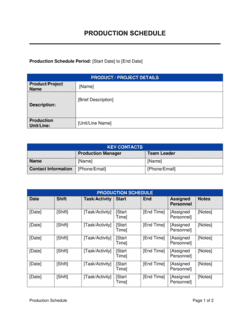
Build the production schedule with dependencies
Assign each stage to a line, machine, or operator with explicit start and end times. Note which stages must be completed and signed off before the next begins.
💡 Use a simple Gantt-style table even if your facility doesn't use project management software — a visual timeline catches sequencing errors that a plain list misses.
5
Write step-by-step execution instructions for each stage
Break each production stage into individual, single-action steps. Reference the relevant specification, tool, or equipment for each step and indicate how the operator confirms completion.
💡 Write steps at a skill level appropriate for a new hire — if a veteran operator needs to explain a step verbally, the document is incomplete.
6
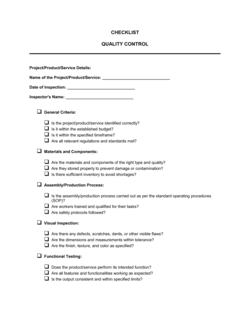
Insert quality control checkpoints at each stage transition
Add a QC checkpoint after each major stage, specifying the attribute to be measured, the acceptable tolerance, and the action to take for both pass and fail outcomes.
💡 Attach or reference the relevant inspection form at each checkpoint so the QA technician has everything needed in one place.
7
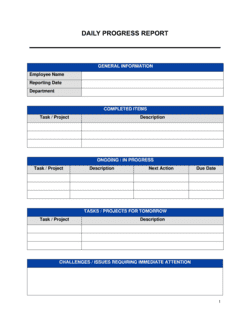
Set KPIs and assign recording responsibilities
Define the metrics to be tracked (units per hour, scrap rate, downtime), the recording interval (e.g., every hour), the recording method (system or paper log), and the person responsible.
💡 Limit tracked KPIs to five or fewer per run — too many metrics result in incomplete recording under production pressure.
8
Finalize the corrective action and closeout sections
Complete the deviation thresholds, escalation contacts, and documentation requirements. Then fill in the closeout checklist with the final count, QA sign-off, inventory update, and post-run review timeline.
💡 Name specific individuals — not just job titles — in the escalation and closeout sections so there is no ambiguity about who acts when a deadline arrives.