Everything You Need To Know To Diy Your Small Business Website Template

Free to read β€’ Save or share with one click

FreeEverything You Need To Know To Diy Your Small Business Website Template

At a glance

What it is
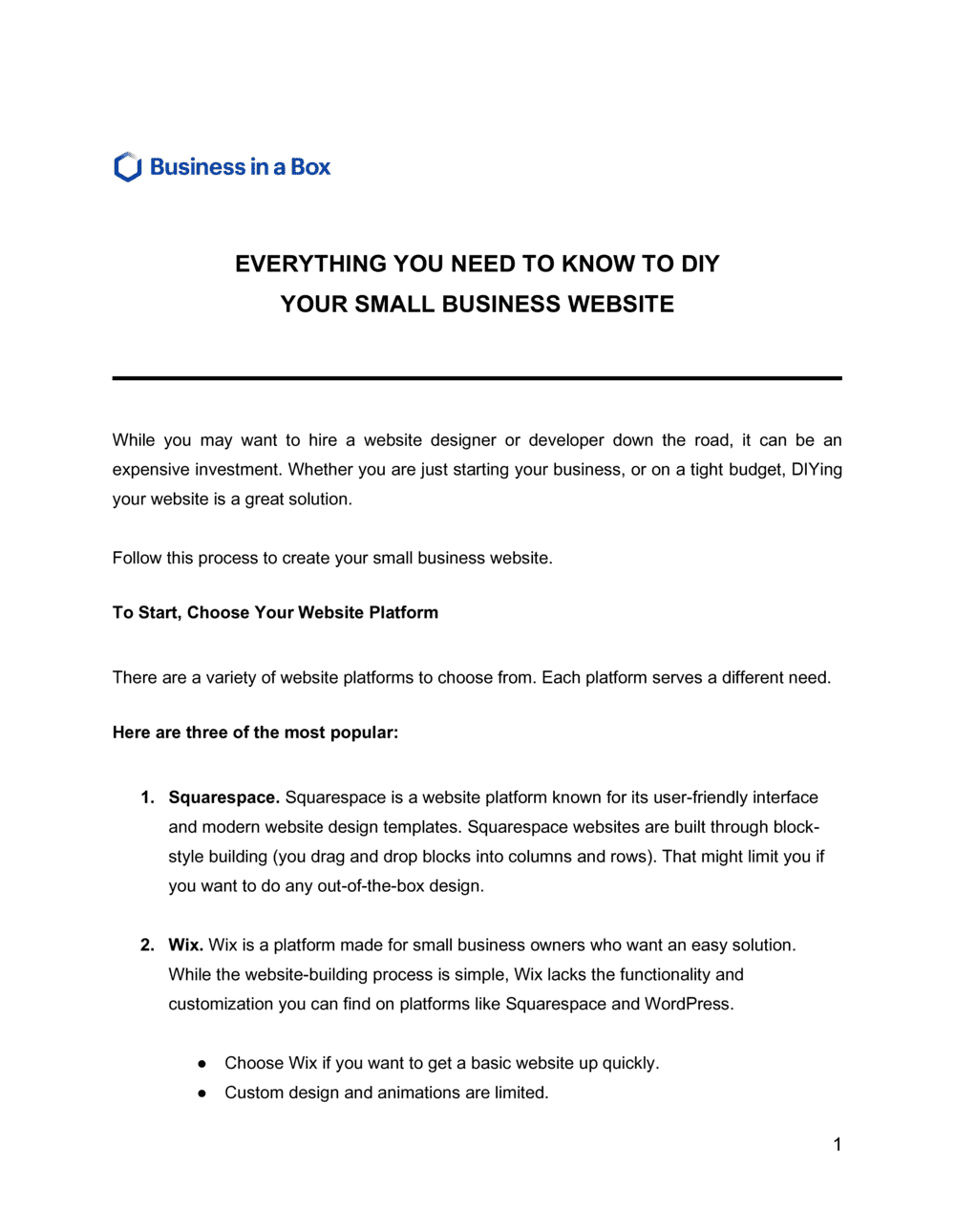
Everything You Need To Know To DIY Your Small Business Website is a structured operational guide that walks a small business owner through every stage of planning, building, and launching a professional website without hiring an agency. This free Word download covers domain selection, hosting, platform choice, page structure, SEO basics, legal pages, and a go-live checklist β€” all in a single editable document you can export as PDF.
When you need it
Use it when you are launching a new business and need an online presence on a limited budget, when you are rebuilding an outdated site yourself, or when you want a repeatable internal process for keeping your website current without outside help.
What's inside
Goal-setting and audience definition, domain and hosting setup, platform selection criteria, page-by-page content planning, basic on-page SEO guidance, legal and compliance requirements, and a pre-launch checklist covering performance, mobile responsiveness, and analytics setup.

What is a DIY Small Business Website Guide?

A DIY Small Business Website Guide is a structured operational document that walks a small business owner through every decision and action required to plan, build, and launch a professional website without hiring a web designer or agency. It covers domain registration, hosting selection, platform choice, site structure, page copywriting, basic SEO, legal compliance pages, mobile testing, and a pre-launch checklist β€” in a single step-by-step reference you can work through at your own pace. Unlike a generic tutorial, this template gives you a customizable framework you fill in with your own business details, goals, and platform choices, producing a repeatable process you can reuse each time the site needs a significant update.

Why You Need This Document

Building a website without a structured plan produces the most common small business web mistakes: no clear call to action, duplicate page titles that suppress search rankings, contact forms that silently fail, and legal pages copied from other sites that create compliance exposure instead of removing it. Each of these problems is invisible until it costs you β€” a lost inquiry, a Google penalty, or a regulatory notice. This guide forces the decisions that most DIY builders skip: defining the single primary goal of the site before writing a word, mapping the full page structure before building any of it, and completing a verified pre-launch checklist rather than clicking publish and hoping. For the cost of 20–40 hours, it produces a website that looks professional, loads fast, ranks for the right terms, and converts visitors into customers from day one.

Which variant fits your situation?

If your situation is…Use this template
Building a simple informational site for a local service businessDIY Small Business Website Guide (Service Business)
Launching an online store to sell physical productsE-commerce Website Launch Plan
Creating a professional portfolio or personal brand siteFreelancer Website Planning Guide
Rebuilding an existing site and redirecting old URLsWebsite Redesign Project Plan
Documenting website standards for a small teamWebsite Style Guide
Planning a website alongside a broader marketing strategyDigital Marketing Plan
Tracking post-launch website performance and improvementsWebsite Audit Report

Common mistakes to avoid

❌ No clear primary call to action on the homepage

Why it matters: Visitors who do not know what to do next leave. A homepage without a dominant CTA produces traffic that generates no leads or sales.

Fix: Place one primary CTA above the fold on the homepage β€” visible without scrolling β€” and repeat it at the bottom of the page. Every other action should be secondary.

❌ Skipping mobile testing before launch

Why it matters: Over 60% of small business website visits arrive on mobile. A site that looks professional on desktop but breaks on a phone drives the majority of visitors away on first contact.

Fix: Test every page on at least two physical mobile devices and use Google's Mobile-Friendly Test tool before going live.

❌ Copying privacy policy or legal pages from another website

Why it matters: A copied policy that describes data practices inconsistent with your own β€” or omits tools you actually use β€” creates compliance liability under GDPR and CCPA rather than reducing it.

Fix: Generate your Privacy Policy and Terms of Use from a reputable generator, then customize every field to reflect your actual tools, data storage, and user rights process.

❌ Using the same page title and meta description on every page

Why it matters: Search engines treat duplicate title tags as duplicate content and suppress all affected pages in rankings, reducing organic visibility across the entire site.

Fix: Write a unique 50–60 character title and unique 155-character meta description for every page before launch, matching the primary keyword and intent of each page specifically.

❌ Launching without testing the contact form end-to-end

Why it matters: A form that accepts submissions but fails silently means every inquiry sent until the problem is discovered is permanently lost β€” with no way to follow up.

Fix: Submit the contact form yourself from a different email address before launch and confirm the notification arrives at the correct inbox. Retest after any plugin or hosting update.

❌ Choosing a platform for the wrong reasons

Why it matters: Switching website platforms after launch requires rebuilding all content, losing existing URLs, and potentially breaking search rankings built over months.

Fix: Evaluate platforms against your specific requirements β€” e-commerce, blogging, booking, portfolio β€” before starting the build. Spend one hour on a trial account before committing.

The 9 key sections, explained

Goals and target audience definition

Domain name and hosting selection

Platform and theme selection

Site structure and page map

Content writing and copywriting guidelines

Basic on-page SEO setup

Legal and compliance pages

Mobile responsiveness and speed optimization

Analytics, tracking, and go-live checklist

How to fill it out

  1. 1

    Define your website goal and primary visitor

    Write down the single most important action a visitor should take on your site β€” book a call, buy a product, sign up for a list β€” and describe the visitor most likely to take it. Every subsequent decision in the guide flows from this.

    πŸ’‘ If you struggle to name one primary action, your site will try to do too many things and do none of them well. Pick one, then add secondary actions.

  2. 2

    Register your domain and set up hosting

    Choose a domain name that is under 15 characters, avoids hyphens, and matches or closely resembles your business name. Register it separately from your hosting account so you can switch hosts without losing the domain.

    πŸ’‘ Search your shortlisted domain names on the US Patent and Trademark Office database before registering β€” a domain that matches someone else's trademark can force a costly rebrand later.

  3. 3

    Select a platform and install your theme

    Choose WordPress for maximum flexibility and long-term control, or Squarespace/Wix if you want managed hosting with drag-and-drop editing. Install a lightweight, mobile-first theme with fewer than 5 plugin dependencies.

    πŸ’‘ Avoid free themes with no active developer support. A theme abandoned by its developer will eventually break on a WordPress update, forcing an emergency redesign.

  4. 4

    Build your site map and create placeholder pages

    List every page the site needs before writing a word of copy. Create each page as a draft, assign it a URL slug, and link it into the navigation. This prevents structural changes later that require rewriting internal links.

    πŸ’‘ Keep your top-level navigation to five items or fewer. Every additional item reduces the click rate on each of the others.

  5. 5

    Write the page copy using the content guidelines

    Write the homepage, about page, and each service or product page using the headline formula in the content section. Focus each page on one visitor intent and one call to action. Aim for 300–600 words of substantive content per key page.

    πŸ’‘ Write for the visitor first, then add keywords naturally β€” keyword-stuffed copy performs worse in search and drives visitors away faster than thin content.

  6. 6

    Complete the on-page SEO setup for every page

    Write a unique title tag and meta description for every page before publishing. Add one H1 per page containing the primary keyword. Add descriptive alt text to every image. Install an SEO plugin (Yoast or Rank Math on WordPress) to validate each field.

    πŸ’‘ Your homepage title tag should lead with your primary keyword or service category, not your business name β€” most visitors searching for you by name already know you exist.

  7. 7

    Add legal pages and cookie consent

    Generate a Privacy Policy and Terms of Use using a reputable generator (not a copy-paste from another site), customize them to reflect your actual data practices, and add a cookie consent banner if you use any tracking or analytics.

    πŸ’‘ Date-stamp your Privacy Policy and update it every time you add a new tool that collects visitor data β€” including chat widgets, heatmaps, or email sign-up forms.

  8. 8

    Run the pre-launch checklist and go live

    Complete every item on the analytics, mobile, and performance checklist before switching the site from maintenance mode. Test the contact form by submitting it yourself and confirming the email arrives. Check the site on at least two mobile devices.

    πŸ’‘ Announce your launch to your existing contacts and ask for feedback in the first 48 hours β€” real users will find usability issues your own eyes miss after weeks of building.

Frequently asked questions

What does this DIY small business website guide cover?

This guide covers every stage of building a small business website yourself: defining your goals and audience, registering a domain, selecting hosting and a platform, mapping your site structure, writing page copy, setting up basic SEO, adding legal pages, and completing a pre-launch checklist. It is designed for business owners with no technical background who want a professional result without an agency budget.

Do I need technical skills to build my own business website?

No coding skills are required to build a functional small business website today. Platforms like Squarespace and Wix are fully visual and drag-and-drop. WordPress requires slightly more setup but offers more long-term flexibility. This guide is written for users with no prior web development experience and walks through each decision step by step.

Which website platform is best for a small business?

The best platform depends on your primary use case. Squarespace and Wix are the fastest paths to a polished site for service businesses and portfolios β€” they include hosting, SSL, and templates in one subscription starting at around $16–$23 per month. WordPress with managed hosting (WP Engine or SiteGround) offers more control and lower long-term cost but requires more initial setup. Shopify is the strongest choice if selling products is the primary function.

How much does it cost to DIY a small business website?

A DIY small business website typically costs $150–$600 per year in total: $12–$15 for a domain registration, $100–$350 for hosting or a website builder subscription, and $0–$200 for a premium theme or template. This compares to $2,000–$10,000+ for a professionally designed site. The main non-cash cost is time β€” typically 20–40 hours for a first-time builder using a structured guide.

What pages does a small business website need?

Every small business website needs at minimum: a homepage, an about page, a services or products page, a contact page, and legal pages (Privacy Policy and Terms of Use). Service businesses benefit from individual pages for each service to target separate search queries. A blog is optional but improves long-term SEO if you can commit to publishing at least twice per month.

How do I get my small business website found on Google?

Basic on-page SEO β€” unique page titles, meta descriptions, H1 tags with target keywords, descriptive image alt text, and Google Search Console verification β€” is the foundation. Beyond that, publishing useful content consistently, earning backlinks from local directories and industry sites, and ensuring fast page load times all improve Google rankings over time. Most new sites take 3–6 months of consistent effort before significant organic traffic arrives.

Do I need a privacy policy on my small business website?

Yes. If your site uses Google Analytics, a contact form, an email sign-up, or any third-party tool that collects visitor data, a Privacy Policy is legally required under GDPR (for visitors in the EU), CCPA (for California residents), and several other regulations. A Terms of Use page is also recommended to limit your liability for how visitors use your content.

How long does it take to build a small business website yourself?

Most small business owners complete a five-to-eight page website in 20–40 hours spread across two to four weeks. The bulk of that time goes to writing page copy and selecting images β€” the technical setup on modern platforms typically takes two to four hours. Using a structured guide and template cuts planning time by roughly 50% by eliminating decisions you would otherwise make twice.

What is the most important thing to get right before launching a website?

Testing the contact form end-to-end is the single most critical pre-launch step. A form that silently fails means every inquiry sent before the problem is found is permanently lost. After that, confirm SSL is active (HTTPS in the browser bar), mobile display is correct on at least two devices, and Google Analytics is recording sessions β€” these four checks catch the majority of launch-day problems.

How this compares to alternatives

vs Digital Marketing Plan

A digital marketing plan covers the full strategy for acquiring and retaining customers across all online channels β€” SEO, paid ads, email, social media, and content. This website guide focuses specifically on building and launching the website itself. The website is the foundation; the marketing plan is what drives traffic to it. Both are needed, but the website comes first.

vs Marketing Plan

A marketing plan defines your overall market positioning, pricing, promotion, and channel strategy across online and offline touchpoints. This website guide is narrower β€” it covers only the technical and content decisions required to build the site itself. Use the marketing plan to set strategy, then use this guide to execute the website as one channel within that strategy.

vs Product Launch Plan

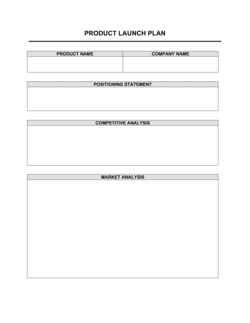
A product launch plan coordinates the cross-functional activities required to bring a new product to market β€” including PR, sales enablement, and channel readiness. This website guide focuses on the owned digital asset that supports the launch. For a product launch, build the site using this guide first, then reference the launch plan to coordinate the broader go-to-market.

vs Business Plan

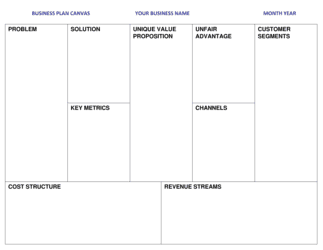
A business plan defines the company's strategy, market analysis, financials, and operational model for investors or internal alignment. This website guide is entirely execution-focused β€” it covers how to build the digital storefront, not the business strategy behind it. Founders typically complete a business plan before using this guide to build the website that brings the strategy to life.

Industry-specific considerations

Professional services

Service pages targeting local search queries, a clear credentials section, and a consultation booking CTA are the three highest-value elements for professional service websites.

Retail and e-commerce

Product photography guidelines, a platform decision between Shopify and WooCommerce, and payment gateway setup are the primary additional steps for retail businesses.

Food and beverage

Menu display, hours and location prominence, and reservation or ordering integration require platform plugins or third-party embeds not needed on standard service sites.

Health and wellness

HIPAA considerations apply if any health intake forms are used, and booking system integration for appointments is a core feature rather than an optional add-on.

Template vs pro β€” what fits your needs?

PathBest forCostTime
Use the templateSolo founders, freelancers, and small business owners building a five-to-eight page informational or service site on a budget under $500Free (plus $150–$600/year for domain and hosting)20–40 hours over 2–4 weeks
Template + professional reviewBusiness owners who want to DIY the build but have a professional review the copy, SEO setup, and conversion rate before launch$300–$800 for a freelance copywriter or SEO consultant review3–5 weeks total
Custom draftedBusinesses with e-commerce at scale, custom integrations, or a brand that requires pixel-perfect design beyond what templates allow$3,000–$15,000+ for a web design agency6–14 weeks

Glossary

Domain Name
The web address (e.g., yourbusiness.com) that users type to reach your site, registered through a domain registrar for an annual fee.
Web Hosting
A service that stores your website's files on a server and makes them accessible to visitors over the internet.
CMS (Content Management System)
Software that lets you create, edit, and publish website content without writing code β€” examples include WordPress, Squarespace, and Wix.
SSL Certificate
A security credential that encrypts data between your website and visitors, indicated by the padlock icon and HTTPS in the browser address bar.
On-Page SEO
Optimizations made directly within your website's content and code β€” including page titles, meta descriptions, header tags, and image alt text β€” to help search engines rank your pages.
Call to Action (CTA)
A button, link, or prompt that directs a visitor to take a specific next step, such as 'Book a Free Consultation' or 'Shop Now'.
Responsive Design
A web design approach where the layout automatically adjusts to display correctly on screens of any size, from desktop monitors to smartphones.
Meta Description
A short summary (up to 160 characters) that appears under your page title in search engine results and influences whether users click through.
Bounce Rate
The percentage of visitors who leave your site after viewing only one page, often used as a proxy for page relevance and user experience quality.
Privacy Policy
A legal page disclosing what personal data your website collects from visitors, how it is used, and how users can request its removal.
Google Analytics
A free web analytics platform from Google that tracks visitor counts, traffic sources, page views, and user behavior on your website.

Part of your Business Operating System

This document is one of 3,000+ business & legal templates included in Business in a Box.

  • Fill-in-the-blanks β€” ready in minutes
  • Compatible with all office suites
  • Export to PDF and share electronically

Create your document in 3 simple steps.

From template to signed document β€” all inside one Business Operating System.
1
Download or open template

Access over 3,000+ business and legal templates for any business task, project or initiative.

2
Edit and fill in the blanks with AI

Customize your ready-made business document template and save it in the cloud.

3
Save, Share, Send, Sign

Share your files and folders with your team. Create a space of seamless collaboration.

Save time, save money, and create top-quality documents.

β˜…β˜…β˜…β˜…β˜…

"Fantastic value! I'm not sure how I'd do without it. It's worth its weight in gold and paid back for itself many times."

Managing Director Β· Mall Farm
Robert Whalley
Managing Director, Mall Farm Proprietary Limited
β˜…β˜…β˜…β˜…β˜…

"I have been using Business in a Box for years. It has been the most useful source of templates I have encountered. I recommend it to anyone."

Business Owner Β· 4+ years
Dr Michael John Freestone
Business Owner
β˜…β˜…β˜…β˜…β˜…

"It has been a life saver so many times I have lost count. Business in a Box has saved me so much time and as you know, time is money."

Owner Β· Upstate Web
David G. Moore Jr.
Owner, Upstate Web

Run your business with a system β€” not scattered tools

Stop downloading documents. Start operating with clarity. Business in a Box gives you the Business Operating System used by over 250,000 companies worldwide to structure, run, and grow their business.

Start freeΒ Β·Β No credit card required