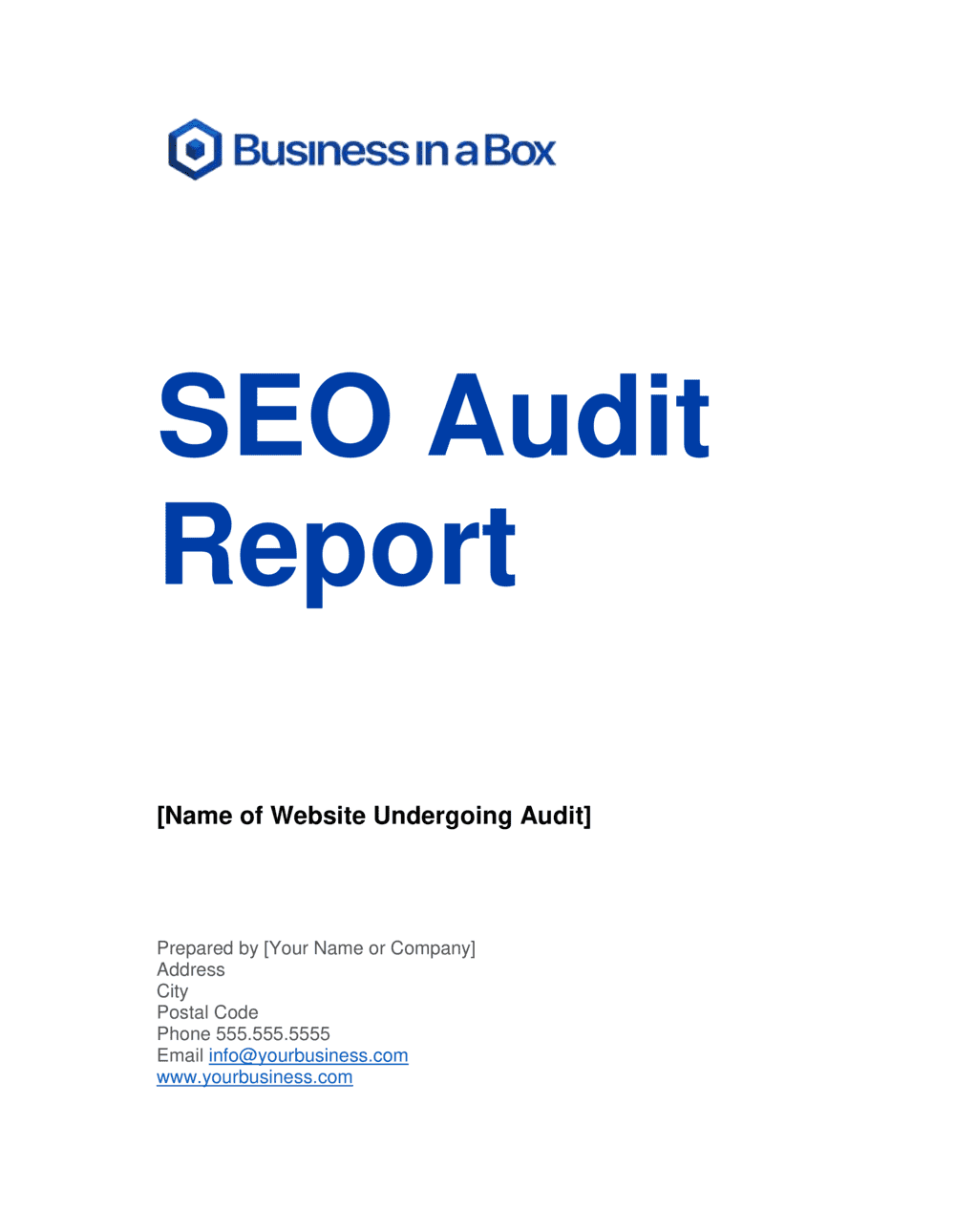
SEO Audit Report Template

Free Word download β€’ Edit online β€’ Save & share with Drive β€’ Export to PDF

13 pagesβ€’30–45 min to fillβ€’Difficulty: Complex
Learn more ↓
FreeSEO Audit Report Template

At a glance

What it is
An SEO Audit Report is a structured document that evaluates a website's search engine optimization health across technical infrastructure, on-page content, backlink profile, and keyword performance. This free Word download gives you a ready-made framework to record findings, assign severity ratings, and recommend prioritized fixes β€” then export as PDF to share with clients or stakeholders.
When you need it
Use it when onboarding a new SEO client, diagnosing an unexplained traffic drop, completing a quarterly SEO review, or handing off findings to a development team for remediation.
What's inside
Executive summary with overall health score, technical SEO findings (crawlability, page speed, Core Web Vitals), on-page analysis, content gaps, backlink profile review, keyword ranking snapshot, competitor benchmarking, and a prioritized action plan with effort and impact ratings.

What is an SEO Audit Report?

An SEO Audit Report is a structured document that systematically evaluates a website's search engine optimization health across four core dimensions: technical infrastructure, on-page content, backlink profile, and keyword performance. It records every finding with a severity rating, explains the ranking impact in plain language, and delivers a prioritized action plan that development and content teams can execute against. Unlike a monthly performance report β€” which tracks trends over time β€” an SEO audit diagnoses the root causes of current ranking gaps and tells you precisely what to fix first.

Why You Need This Document

Without a written SEO audit, remediation efforts are driven by assumption rather than evidence β€” developers fix the issues they notice, content teams create pages without knowing which topics are already cannibalizing each other, and month after month of organic traffic loss goes unexplained. The cost is concrete: sites with unresolved crawl errors, thin content, or slow Core Web Vitals consistently rank below technically sound competitors, regardless of content quality or backlink investment. A structured audit report gives every stakeholder β€” from the CEO reviewing the executive summary to the developer working through the technical findings β€” a single source of truth on what is broken, why it matters, and what to do about it. This template eliminates the formatting and structural work so you can spend your time on the analysis that actually recovers rankings.

Which variant fits your situation?

If your situation is…Use this template
Full audit covering technical, on-page, and off-page for a new clientComprehensive SEO Audit Report
Quick health check focused only on crawl errors and page speedTechnical SEO Checklist
Monthly progress update comparing rankings and traffic to prior periodSEO Monthly Report
Pre- and post-migration comparison to catch SEO regressionsSite Migration SEO Audit
Backlink-only review to identify toxic links before a disavowBacklink Audit Report
Content gap analysis against top-ranking competitorsContent Gap Analysis Report
Local SEO assessment for a business targeting a specific city or regionLocal SEO Audit Report

Common mistakes to avoid

❌ Auditing every page instead of prioritizing by traffic and intent

Why it matters: Spending equal time on a low-traffic archive page and a revenue-driving product page produces a report full of low-value findings that delays the fixes that actually matter.

Fix: Segment the crawl data by Search Console impressions. Focus detailed analysis on the top 20% of pages by impressions, and apply bulk fixes (title tag length, meta description presence) to the rest.


❌ Reporting raw tool scores without interpretation

Why it matters: Handing a client a Screaming Frog export with no context leaves them unable to distinguish a critical issue from a minor warning, and destroys confidence in the audit's value.

Fix: Translate every finding into plain-language impact: 'These 47 broken internal links pass no link equity to your product pages, reducing their ranking potential.'

❌ Skipping the competitor benchmarking section

Why it matters: An audit without competitive context cannot tell you whether a DA of 32 is a problem or an advantage β€” it depends entirely on what the sites outranking you have.

Fix: Pull domain authority and referring domain counts for the top three ranking competitors on your most important keyword. This one data point reframes every other metric in the report.

❌ Treating all action items as equally urgent

Why it matters: A flat list of 60 recommendations overwhelms development and content teams, resulting in low-effort cosmetic fixes being completed while critical technical issues sit untouched for months.

Fix: Use an impact-effort matrix and explicitly label the top five items as 'fix first.' Provide a separate 'backlog' section for everything else.

❌ Using only lab data for page speed findings

Why it matters: Lab scores from PageSpeed Insights reflect a simulated environment. Google uses Chrome field data for ranking; a page that scores 45 in the lab may have a 72 field score β€” or vice versa β€” leading to misallocated remediation effort.

Fix: Pull Core Web Vitals from the Search Console field report first, then use PageSpeed Insights lab data only to diagnose the root causes of poor field scores.

❌ Omitting a re-audit schedule from the report

Why it matters: An audit without a follow-up date treats SEO as a one-time project. Search engine algorithms change, competitors publish new content, and technical issues re-emerge after deployments.

Fix: Include a recommended re-audit date (typically 60–90 days after remediation) and a list of the five metrics to track at the midpoint to confirm progress.

The 9 key sections, explained

Executive summary

Technical SEO findings

Page speed and Core Web Vitals

On-page SEO analysis

Content quality and gap analysis

Backlink profile review

Keyword ranking snapshot

Competitor benchmarking

Prioritized action plan

How to fill it out

  1. 1

    Set up your toolset before crawling

    Connect Google Search Console and Google Analytics to the domain. Run a full crawl with Screaming Frog or Sitebulb, and pull backlink data from Ahrefs or SEMrush. Export all raw data files before filling in the template.

    πŸ’‘ Crawl the site with JavaScript rendering enabled β€” many modern sites serve blank HTML to crawlers without it, making your crawl data misleading.

  2. 2

    Score and categorize technical findings

    Assign each technical issue a severity level β€” critical (blocks crawling or indexing), warning (hurts performance or signals), or opportunity (improvement with ranking upside). Group issues by type, not by individual URL.

    πŸ’‘ Start with the server response codes section. A 5xx server error on the homepage or sitemap invalidates most of the rest of your crawl data.

  3. 3

    Pull Core Web Vitals from field data

    Use the Google Search Console Core Web Vitals report for field data and PageSpeed Insights for lab diagnostics. Record both mobile and desktop scores and note the specific resources causing each bottleneck.

    πŸ’‘ Sort PageSpeed opportunities by 'potential savings in seconds' β€” the top two items typically account for 70–80% of the total load-time improvement available.

  4. 4

    Audit on-page elements for your top 20 pages

    Focus the on-page analysis on the 20 pages that drive the most impressions or that target your highest-priority keywords. Check title tag, H1, meta description, keyword presence, and internal link count for each.

    πŸ’‘ Use Search Console's Performance report filtered by page to identify your top 20 pages by impressions β€” these are the highest-leverage on-page fixes.

  5. 5

    Identify keyword cannibalization and content gaps

    Export your ranking keywords from Search Console and group them by topic. Flag any topic where two or more pages rank within 10 positions of each other. Then compare your keyword set against two competitors to surface topics they rank for that you do not.

    πŸ’‘ A cannibalization fix β€” merging two competing pages or adding a canonical β€” can move a page from position 7 to position 3 with no new content required.

  6. 6

    Analyze the backlink profile

    Review referring domain count, DA distribution, and anchor text spread. Flag any domain with a spam score above 30% (Moz) or a trust score below 10 (Majestic) for potential disavowal. Note any anchor text over-optimization above 20% exact-match.

    πŸ’‘ Cross-reference flagged toxic links in two tools before adding them to a disavow file β€” false positives are common and disavowing legitimate links causes ranking drops.

  7. 7

    Build the prioritized action plan

    Transfer every finding to the action plan section. Rate each item on a 3-point impact scale and a 3-point effort scale. Sort by high-impact, low-effort first. Assign an owner and a target completion date for the top 10 items.

    πŸ’‘ Limit the first sprint to five action items. A focused remediation of five critical issues delivers more measurable improvement than a scattered attempt to fix 30 items at once.

  8. 8

    Write the executive summary last

    Summarize the overall health score, the three most critical issues, and the single most impactful quick win. Keep it to one page and write it in plain language for a non-technical reader.

    πŸ’‘ State the expected traffic or ranking outcome of the top fixes in concrete terms β€” 'fixing these five issues is projected to recover 15–20% of lost organic sessions' is more persuasive than a list of technical problems.

Frequently asked questions

What is an SEO audit report?

An SEO audit report is a structured document that evaluates a website's technical health, on-page optimization, content quality, backlink profile, and keyword performance. It records findings by severity, explains the ranking impact of each issue, and provides a prioritized list of recommended fixes. Agencies use it as a client deliverable; in-house teams use it to align developers and content creators around a shared remediation plan.

What does an SEO audit cover?

A complete SEO audit covers five areas: technical SEO (crawlability, indexability, page speed, Core Web Vitals, HTTPS), on-page optimization (title tags, meta descriptions, heading structure, keyword usage, internal links), content quality (thin content, duplicate content, keyword cannibalization), backlink profile (referring domains, authority distribution, toxic links), and keyword performance (current rankings, CTR, impressions, and movement). A competitor benchmarking section contextualizes all findings against the sites you are trying to outrank.

How often should an SEO audit be conducted?

A full audit should be completed at least once per year for stable sites and quarterly for sites that publish content frequently, run paid campaigns, or operate in competitive niches. A targeted technical audit should also be run after any major site migration, CMS upgrade, or structural redesign. Monthly SEO reports tracking rank movement and traffic trends sit between full audits.

What tools are needed to complete an SEO audit?

At minimum: Google Search Console (crawl coverage, Core Web Vitals, keyword performance) and Google PageSpeed Insights (page speed diagnostics). For a complete audit, add a dedicated crawler such as Screaming Frog or Sitebulb for technical findings, and a backlink tool such as Ahrefs, SEMrush, or Moz for the off-page section. Most of these have free tiers sufficient for small sites.

How long does an SEO audit take?

A thorough audit of a 100–500 page site typically takes 8–16 hours, depending on the depth of analysis and the number of technical issues found. A 5,000+ page e-commerce site can take 30–50 hours. Using a structured template reduces the documentation and formatting time by roughly 50%, concentrating effort on the analysis itself.

What is the difference between an SEO audit and an SEO report?

An SEO audit is a diagnostic exercise β€” it identifies what is wrong, why it matters, and what to fix. An SEO report (typically monthly or quarterly) tracks progress against defined goals: rankings, organic traffic, conversions, and backlink growth. An audit produces a remediation plan; a report measures whether that plan is working. Most SEO engagements start with an audit and then transition to regular reporting.

Can I conduct an SEO audit without technical expertise?

A basic audit covering title tags, meta descriptions, page speed scores, and Search Console errors is within reach for most marketers and small business owners using this template and free tools. A deep technical audit β€” diagnosing JavaScript rendering issues, log file analysis, or complex canonicalization problems β€” typically requires an experienced SEO practitioner. Start with the high-impact, low-effort items the template flags before escalating to a specialist.

How should SEO audit findings be prioritized?

Prioritize by the combination of ranking impact and fix effort. Critical issues that block indexing or crawling (noindex on key pages, sitemap errors) should be fixed immediately regardless of effort. High-impact, low-effort wins β€” fixing broken internal links, adding missing title tags, improving meta descriptions on top-traffic pages β€” come next. Low-impact, high-effort items belong in a backlog for future sprints.

What should the executive summary of an SEO audit include?

The executive summary should state the overall SEO health score or grade, the total number of critical, warning, and opportunity findings, the three most impactful issues in plain language, and a one-sentence outcome statement β€” for example, 'Fixing these five issues is projected to recover 15–20% of lost organic traffic within 60 days.' It should fit on one page and be readable by a non-technical business owner without reference to the rest of the report.

How this compares to alternatives

vs SEO Monthly Report

An SEO monthly report tracks progress against defined goals β€” rankings, traffic, and conversions β€” over time. An SEO audit report diagnoses the root causes of current performance gaps and produces a remediation plan. The audit comes first; the monthly report measures whether the remediation is working. Both documents are needed in any ongoing SEO engagement.

vs Website Analytics Report

A website analytics report covers all traffic channels β€” paid, organic, direct, referral, and social β€” with conversion and user-behavior metrics. An SEO audit report focuses exclusively on organic search health, technical infrastructure, and ranking factors. Use the analytics report to measure overall site performance and the SEO audit to diagnose and fix organic search specifically.

vs Content Marketing Plan

A content marketing plan defines what content to create, for whom, and on what schedule. An SEO audit report identifies the technical and on-page gaps that prevent existing content from ranking. The audit informs the content plan β€” content gap findings from the audit feed directly into the topics section of the content plan.

vs Digital Marketing Plan

A digital marketing plan covers the full channel mix β€” SEO, paid search, social, email, and display β€” with budgets and KPIs for each. An SEO audit report is a diagnostic document limited to organic search. The audit's findings and action plan feed into the SEO section of a broader digital marketing plan.

Industry-specific considerations

E-commerce

Duplicate product pages from faceted navigation, thin category descriptions, structured data for products and reviews, and crawl budget waste on filtered URLs are the dominant audit findings.

SaaS / Technology

JavaScript-rendered content blocking indexation, keyword cannibalization across feature pages, and low-authority backlink profiles relative to established competitors are the most common issues.

Healthcare

E-E-A-T signals (author credentials, medical review dates, sourcing), YMYL content quality standards, and local SEO for clinic location pages require dedicated audit sections.

Professional Services

Local SEO (Google Business Profile, NAP consistency, local citations), thin service-page content, and low-volume but high-intent keyword targeting are the primary focus areas.

Template vs pro β€” what fits your needs?

PathBest forCostTime
Use the templateIn-house marketers, small business owners, and freelance SEOs auditing sites under 500 pagesFree8–16 hours
Template + professional reviewAgencies delivering audits to clients, or businesses with significant traffic loss needing an experienced second opinion$300–$1,000 for an SEO specialist review session2–5 days
Custom draftedEnterprise sites with 10,000+ pages, JavaScript-heavy architectures, or post-penalty recovery requiring log file analysis$2,500–$10,000+2–6 weeks

Glossary

Core Web Vitals
Google's three user-experience metrics β€” Largest Contentful Paint (LCP), Interaction to Next Paint (INP), and Cumulative Layout Shift (CLS) β€” used as ranking signals.
Crawl Budget
The number of pages Googlebot will crawl on a site within a given timeframe; wasting it on low-value URLs reduces coverage of important pages.
Canonical Tag
An HTML element that tells search engines which version of a duplicate or near-duplicate URL should be treated as the authoritative page.
Indexability
Whether a page can be discovered, crawled, and added to a search engine's index β€” blocked by noindex tags, robots.txt rules, or crawl errors.
Domain Authority (DA)
A third-party metric (Moz) estimating the overall strength of a domain's backlink profile on a 1–100 scale; not an official Google signal.
Keyword Cannibalization
When two or more pages on the same site compete for the same keyword, diluting ranking potential and confusing search engines about which page to serve.
Structured Data / Schema Markup
Machine-readable HTML annotations (JSON-LD format) that help search engines understand page content and enable rich results like review stars or FAQs.
Toxic Backlink
An inbound link from a spammy, penalized, or irrelevant domain that can harm a site's search rankings and may warrant a disavow submission.
Click-Through Rate (CTR)
The percentage of users who click a search result after seeing it β€” calculated as clicks divided by impressions in Google Search Console.
Redirect Chain
A sequence of two or more consecutive redirects between a source URL and its final destination, which slows page load and dilutes link equity.

Part of your Business Operating System

This document is one of 3,000+ business & legal templates included in Business in a Box.

  • Fill-in-the-blanks β€” ready in minutes
  • 100% customizable Word document
  • Compatible with all office suites
  • Export to PDF and share electronically

Create your document in 3 simple steps.

From template to signed document β€” all inside one Business Operating System.
1
Download or open template

Access over 3,000+ business and legal templates for any business task, project or initiative.

2
Edit and fill in the blanks with AI

Customize your ready-made business document template and save it in the cloud.

3
Save, Share, Send, Sign

Share your files and folders with your team. Create a space of seamless collaboration.

Save time, save money, and create top-quality documents.

β˜…β˜…β˜…β˜…β˜…

"Fantastic value! I'm not sure how I'd do without it. It's worth its weight in gold and paid back for itself many times."

Managing Director Β· Mall Farm
Robert Whalley
Managing Director, Mall Farm Proprietary Limited
β˜…β˜…β˜…β˜…β˜…

"I have been using Business in a Box for years. It has been the most useful source of templates I have encountered. I recommend it to anyone."

Business Owner Β· 4+ years
Dr Michael John Freestone
Business Owner
β˜…β˜…β˜…β˜…β˜…

"It has been a life saver so many times I have lost count. Business in a Box has saved me so much time and as you know, time is money."

Owner Β· Upstate Web
David G. Moore Jr.
Owner, Upstate Web

Run your business with a system β€” not scattered tools

Stop downloading documents. Start operating with clarity. Business in a Box gives you the Business Operating System used by over 250,000 companies worldwide to structure, run, and grow their business.

Start freeΒ Β·Β No credit card required